Unlock bootloader for Redmi note 12 pro 5G (ruby)
who?If you still on Miui please skip to step 5
1- login to your Mi account ( the older account is better chance to bypass waiting time - Maximum three devices can be unlocked in a year with one user account)
2- download mi community v5.3.31
3- then open it & login into Mi account
4- go to profile section & select "unlock bootloader" option , and select apply for unlocking.
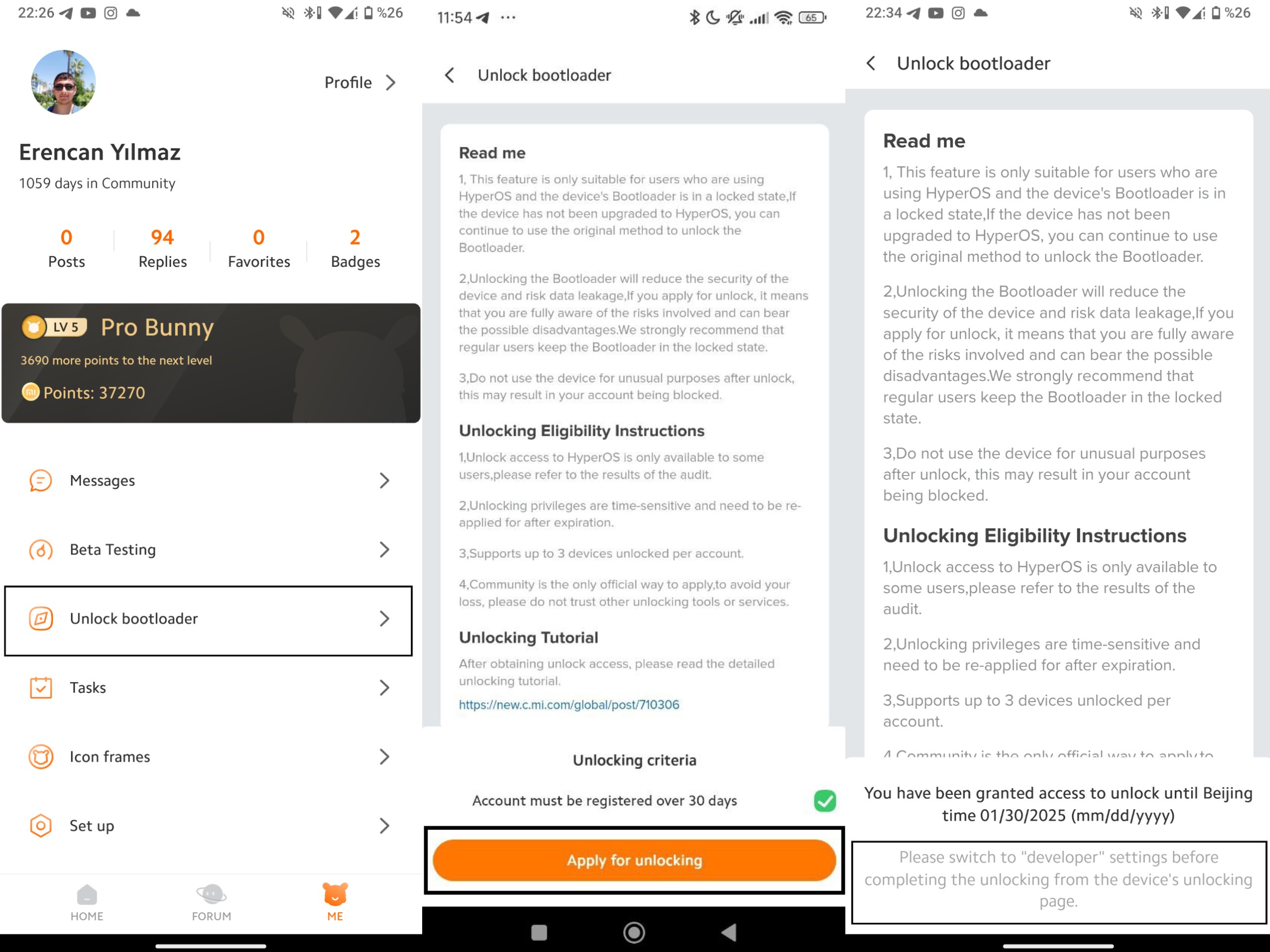
if that option not appears make sure you set device region to global/us
Also set the region of mi community to global
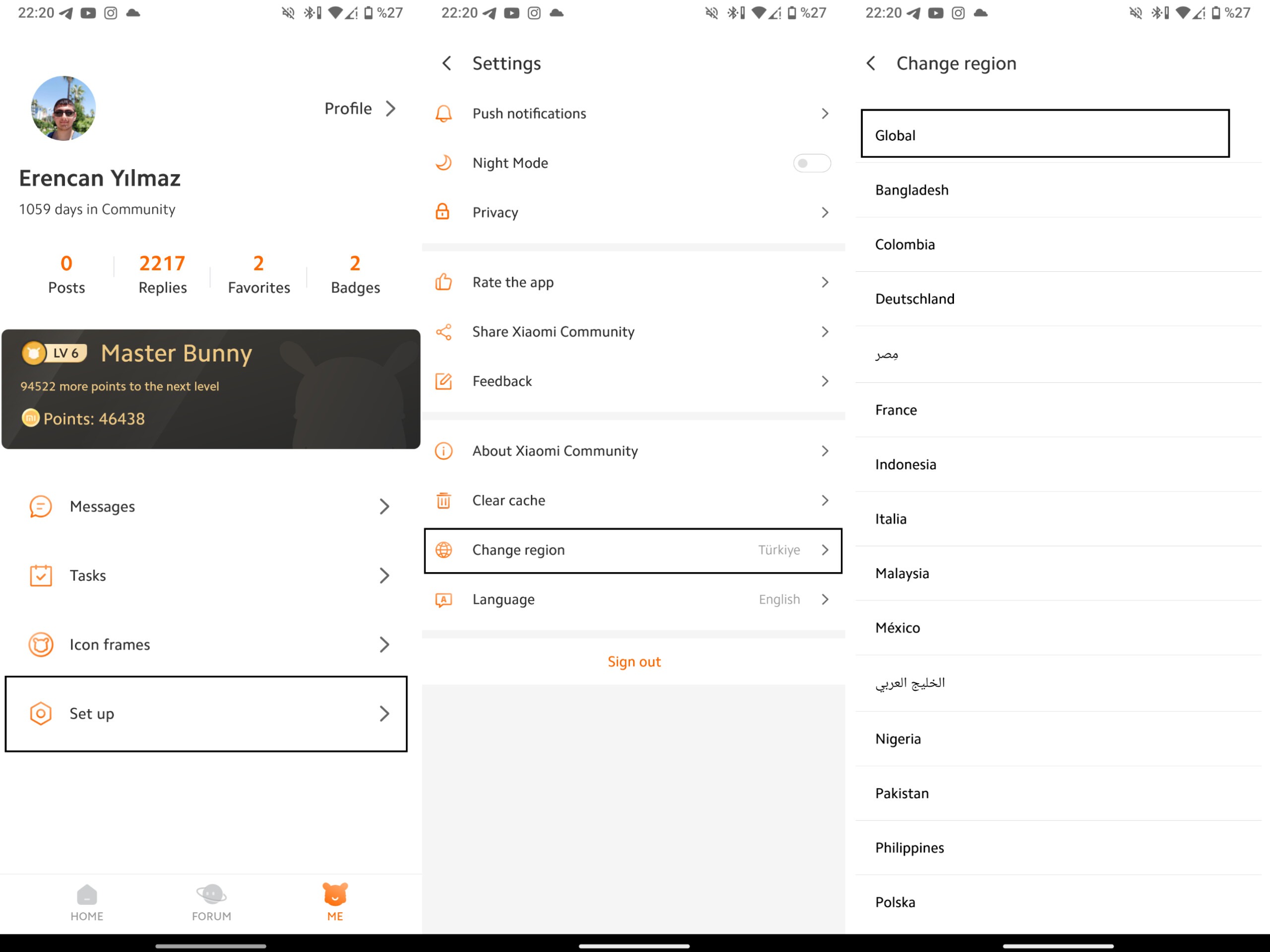
Note: Xiaomi has set daily limit to send request to unlock phone is set to 2000 so if you tried and failed, try another day.
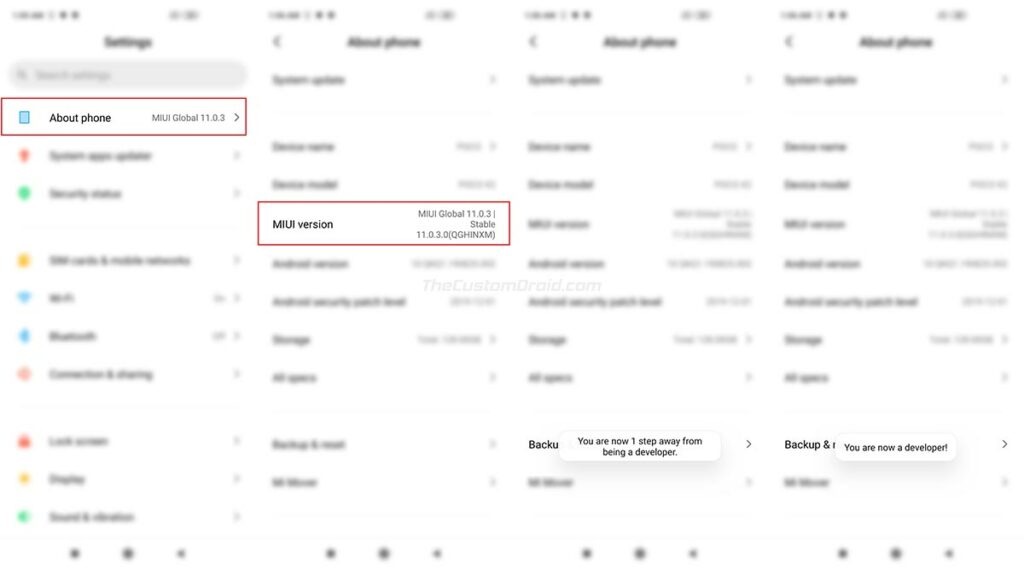
5- Go to Settings > About phone > Miui version.
Tap on Miui version 7-8 times to see the pop-up saying: "you are now a developer!"
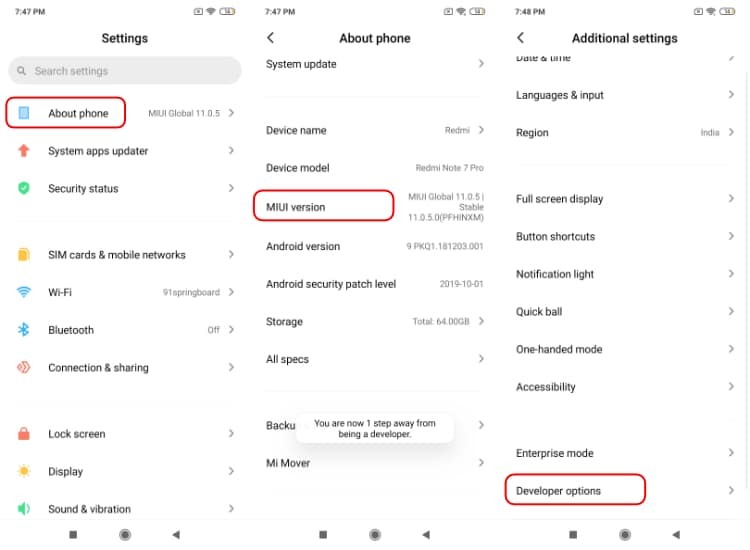
6- Now go to Settings > Additional settings> developer options.
Here enable, 2 options named "OEM unlocking" and "Usb debugging" .
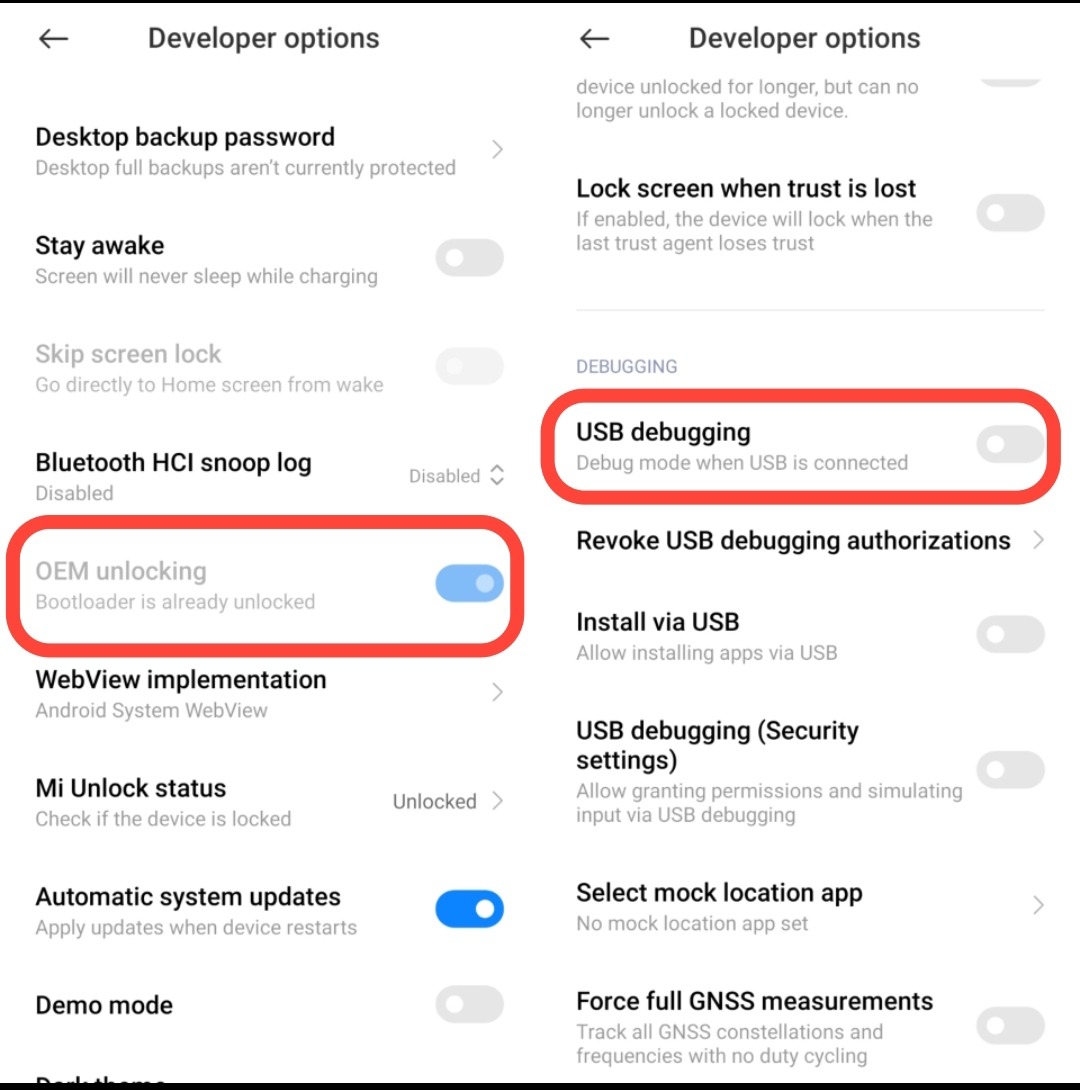
7- When you still on developer options go to "Mi unlock status" and tap on "add account and device". Your device must be connected to the SIM card data,
When you Successfully add your account then go for next step.
( if account not added try logging out of Mi account from main menu and login back)
8- please backup your data( like messages and others) using mi backup [ settings> About phone> backup and restore]
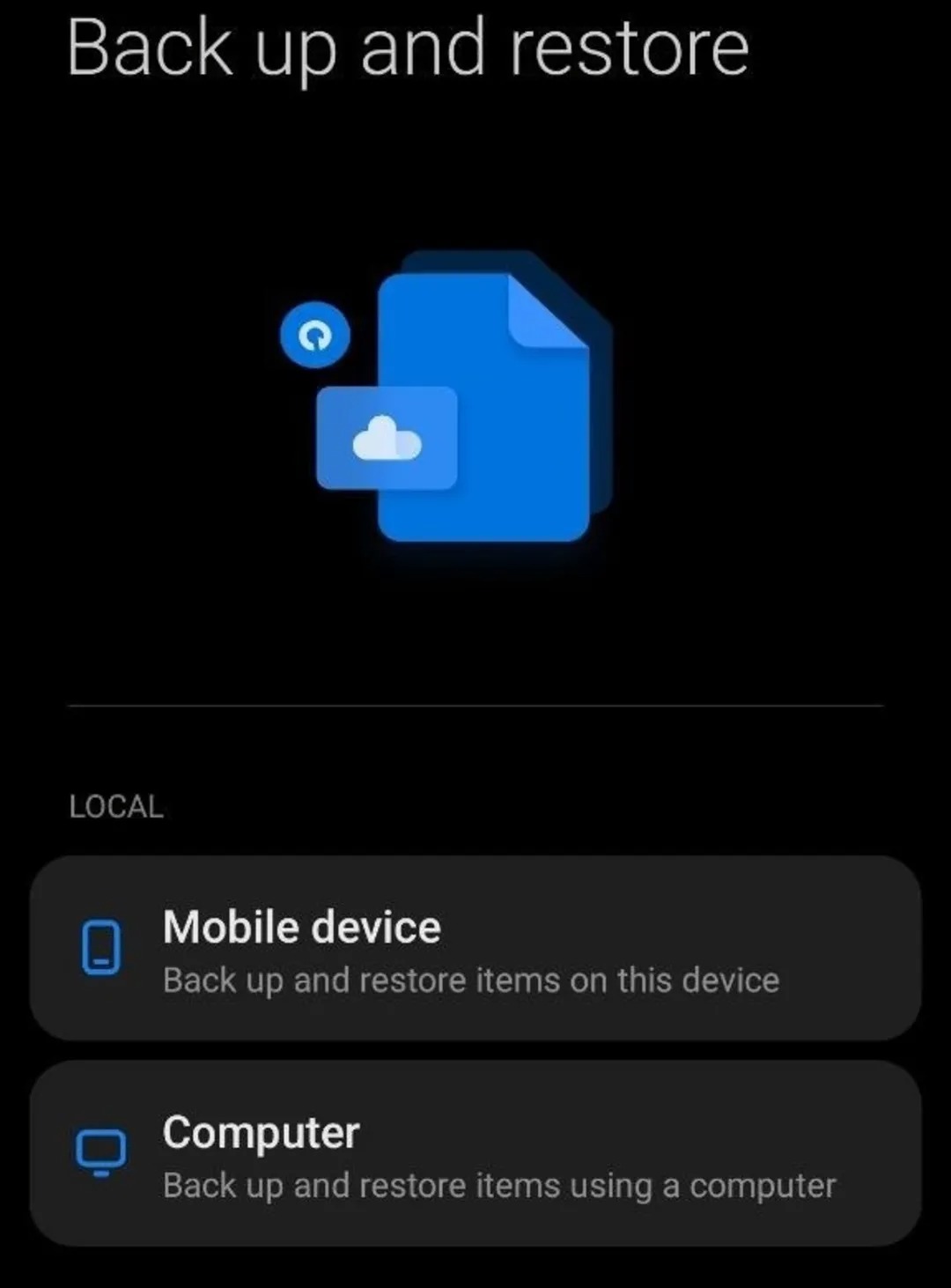
Remember to copy the created local backup file , to pc .
Also copy your pictures and videos to pc , Don't trust Miui to backup it for you!
9- download required files
• Mi flash Unlock | site#2 | site#3
Install all of this files
10- Now open mi flash_unlock.exe
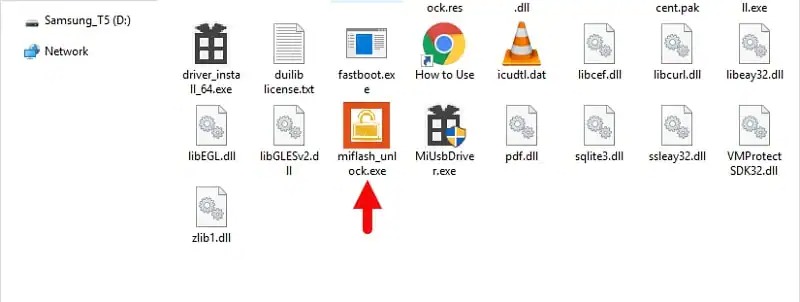
< Before continue please remove your Google account and only keep the mi account on your phone, also remember the name and password of both accounts>
11- Then turn off your smartphone. Press and hold the (power and volume-) keys and boot in fastboot mode. After that connect it to pc with cable.

12- Then sign-in your account and follow on screen instruction
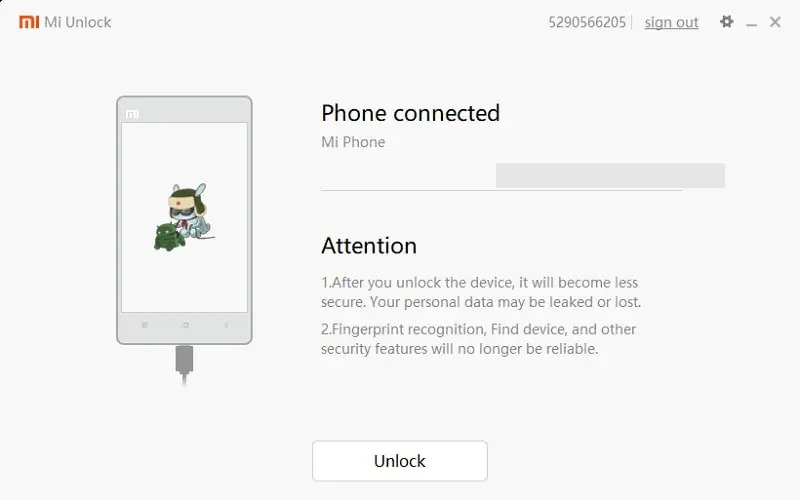
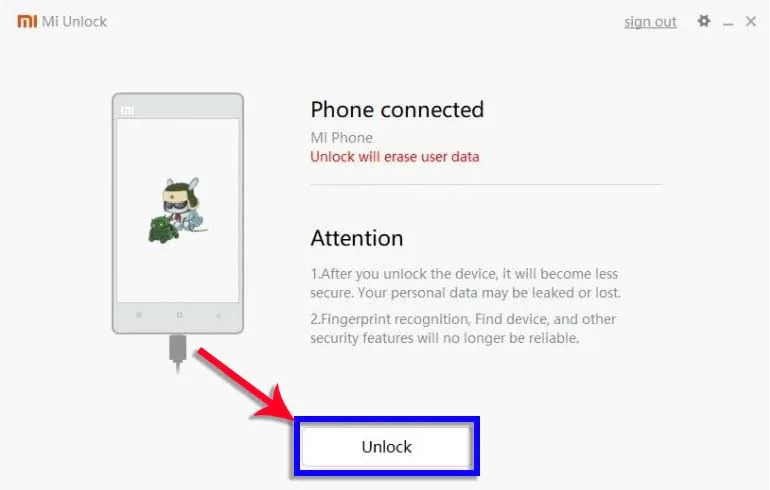
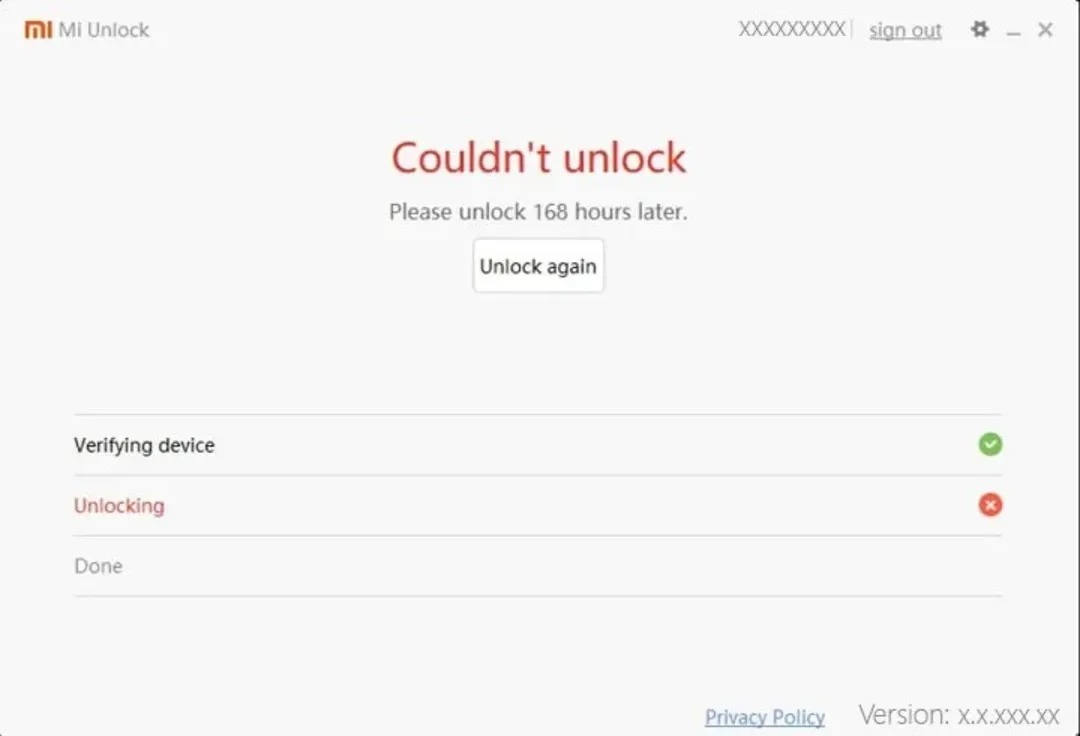
( On your first attempt, Mi Unlock will show the message "Couldn’t unlock. Please unlock 168 hours later." Follow the timer / waiting period to unlock successfully.
Once the waiting period is over, use Mi Unlock and click on Unlock, It will unlock the bootloader of your phone.)
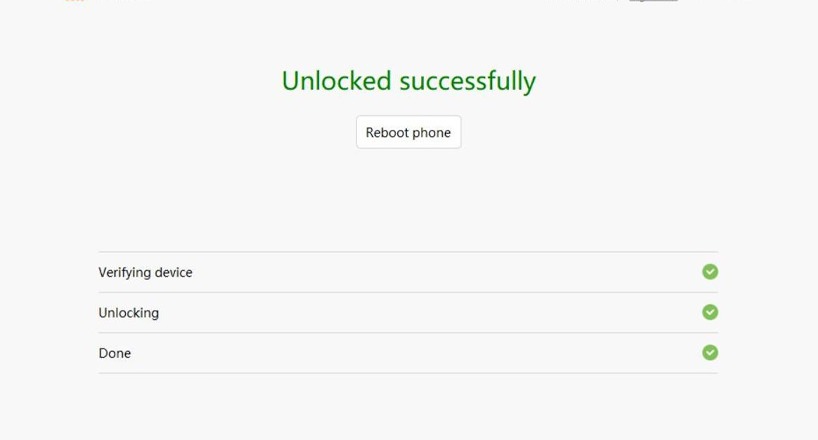
13- After unlock finished your device should be rebooted itself ( you can force reboot by Holding power button)and you will able to see the "unlock icon " on top of screen when it's trun on .
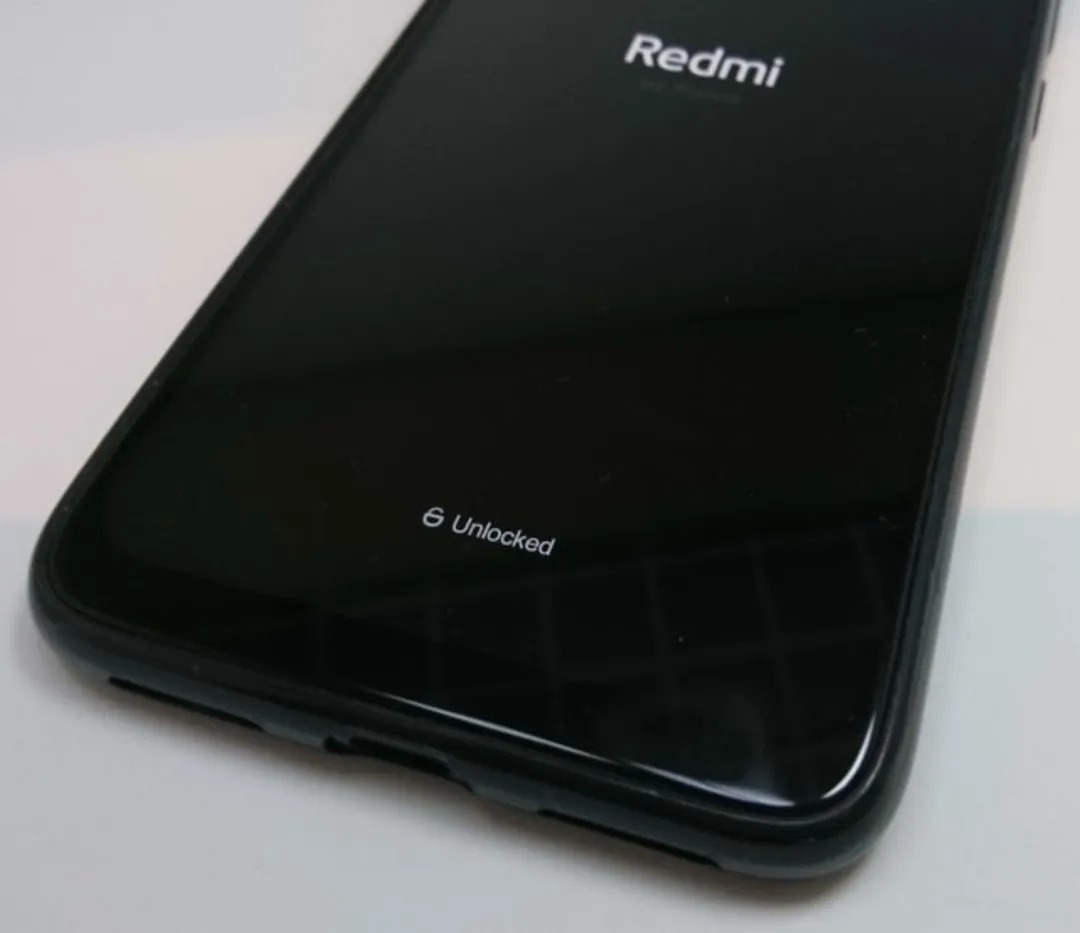
14- Now you Successfully unlocked bootloader.
15- you can normally setup device and maybe you need to reEnter your mi account password for security measures.
Written and edited by:
• unlock bootloader ( you are here)