Flash custom recovery on redmi note 12 pro 5G (ruby)
who?Prerequirements:
1- download required files
• recovery file ( find in updates channel)
2- Download and extract platform tools to get its folder on pc
3- Copy recovery file( boot.img) into that folder
4- connect device in fastboot mode to pc ( hold power and vol-)
5- Open cmd in platform tools folder ( click on location bar and write cmd then press Enter)
6- type this commands:
fastboot devices
(check & showing your device serial number)
fastboot flash boot_ab twrp.img
( Flashing recovery file on both A and B slots)
twrp.img : must be replaced with the name of custom recovery and format, or drag and drop the file.
fastboot reboot recovery
(Automatically reboot's to recovery) or hold power and vol+ key
7- highly recommended to backup imei and store it in safe place (e.g pc)
Use this script: click here
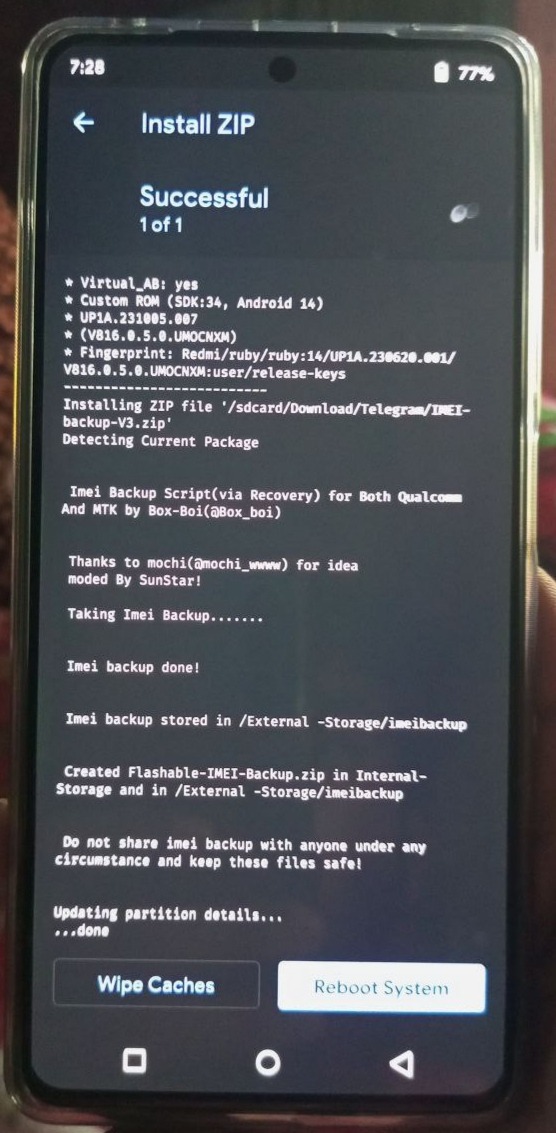
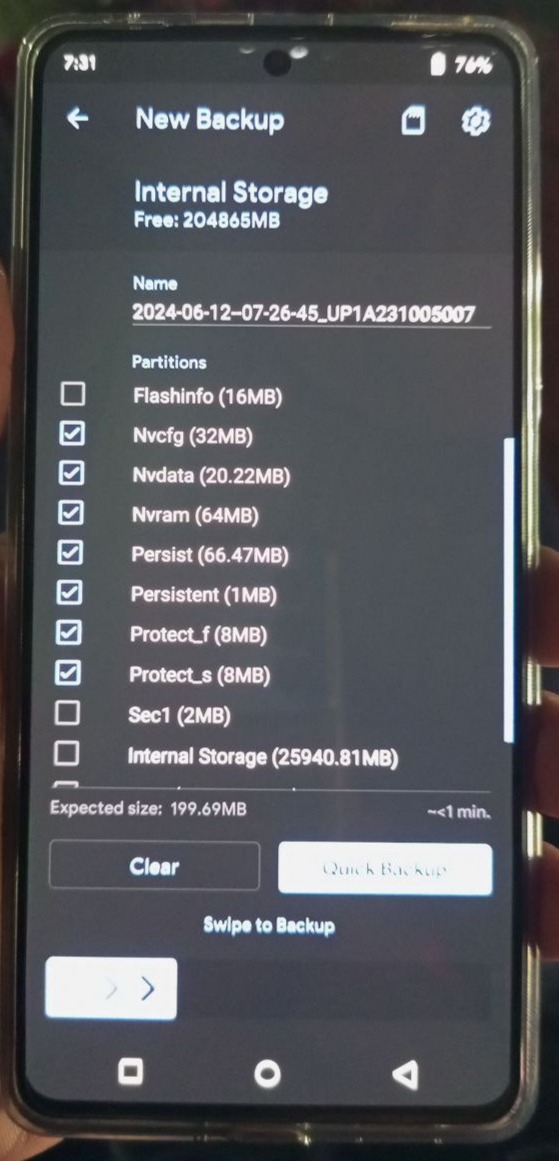
Also You can backup nvram.bin & nvdata.img manually , however it will be better if you backup this partitions too (
1. preloader
2. pgpt
3. nvcfg
4. nvdata
5. protect1
6. protect2
7.secfg
8. sec1
9.proinfo
10. nvram
11. boot_para
12.persist
)
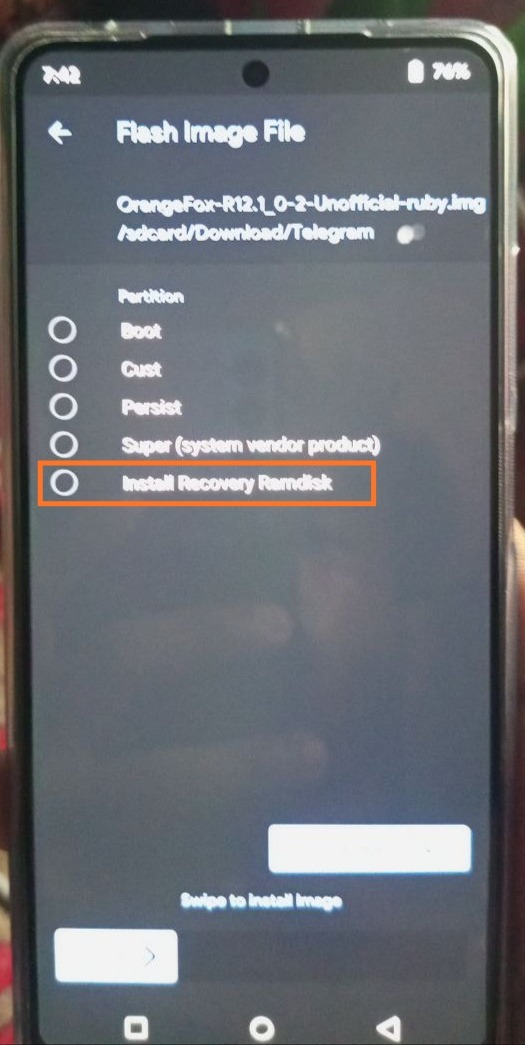
8- copy custom recovery boot.img to internal storage and flash it again to recovery Ramdisk ( it makes recovery stay permanent )
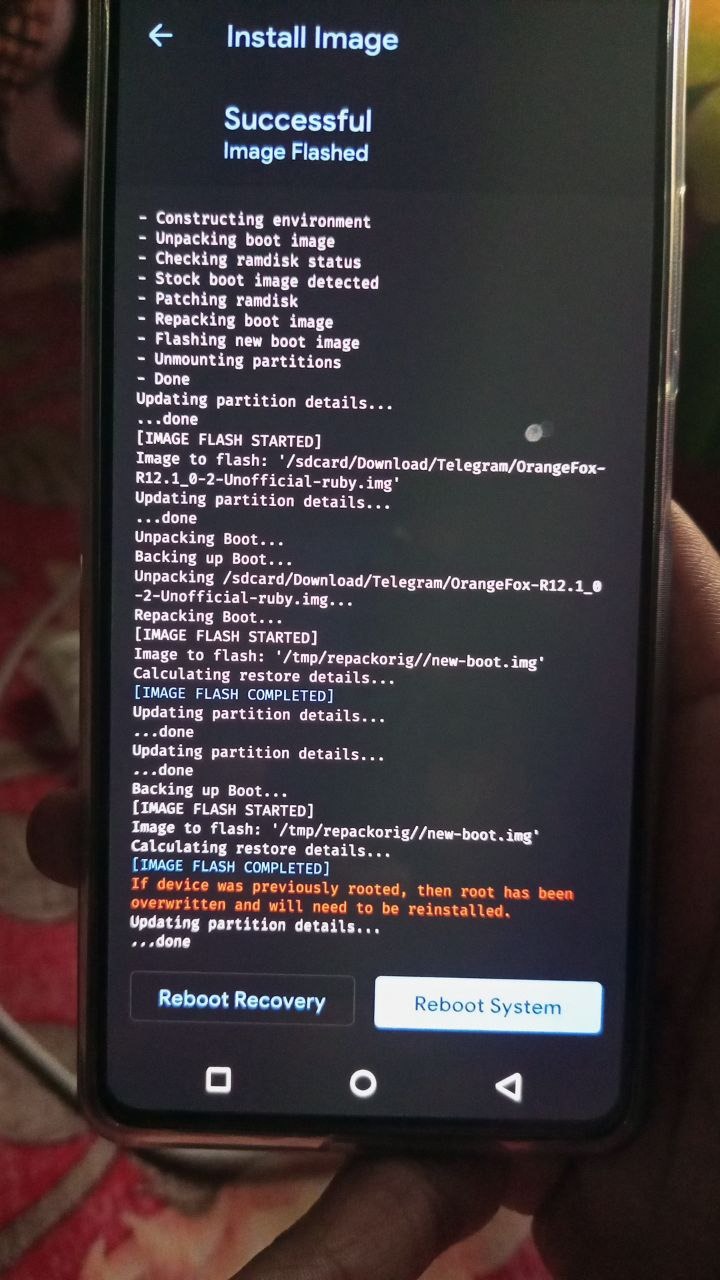
If you have trouble with wifi and Bluetooth then do this :
While you are on custom recovery, Flash stock boot.img and after that go to Menu and flash current orangefox ( like image below) :
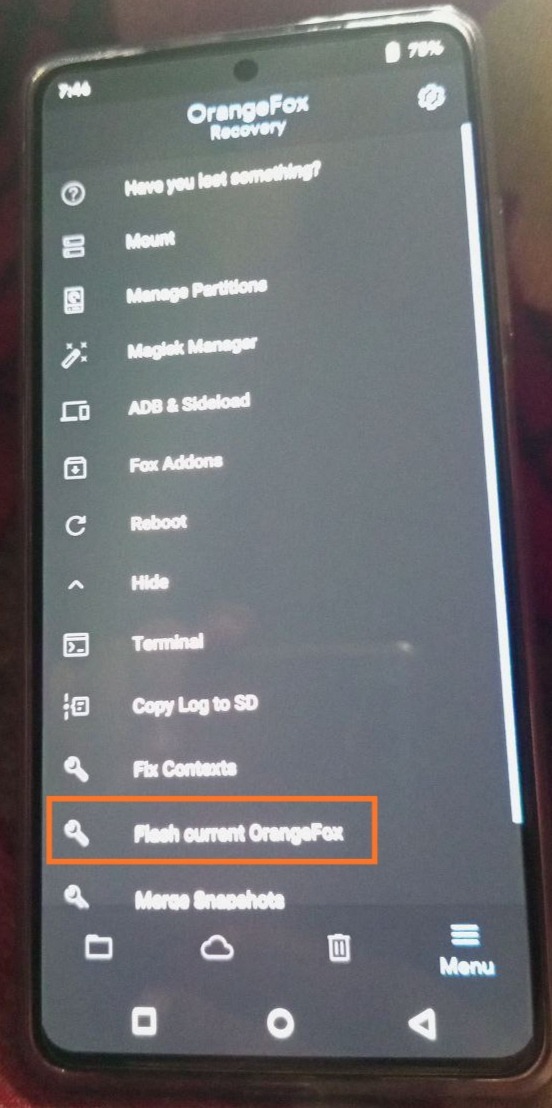
9- you successfully flashed custom recovery
• if you want to flash recovery file only in active slot :
fastboot flash boot twrp.img
• if you want to flash recovery file only in one slot :
fastboot flash boot_a twrp.img
Or
fastboot flash boot_b twrp.img
• if you want to know on which slot you are:
fastboot getvar current-slot
Then you can set active another slot :
fastboot set_active a
Or
fastboot set_active b
• if you have a recovery and want to install another one ,if it's on .zip extension, just flash it from custom recovery .
if it on .img extension, after you tap on it the custom recovery will ask on which partition you want to install it? You will select the "boot" partition.
• Problem: bootloop
Solution 1: If you get bootloop after flashing custom recovery, go again to fastboot mode and flash custom recovery then the vbmeta using this command:
fastboot flash vbmeta vbmeta.img
The vbmeta you can find it in the rom images files you have ( or download it)
Solution 2: flash another recovery ( PBRP/ ofox / twrp)
Solution 3: flash stock boot.img to stop bootloop
Written and edited by:
• flash custom recovery ( you are here)