How to withdraw money
As an example, we use USDT.
Step 1. Enter the bot, select "Wallet" → "Send"
.png)
Step 2. Сhoose the desired currency and withdrawal method
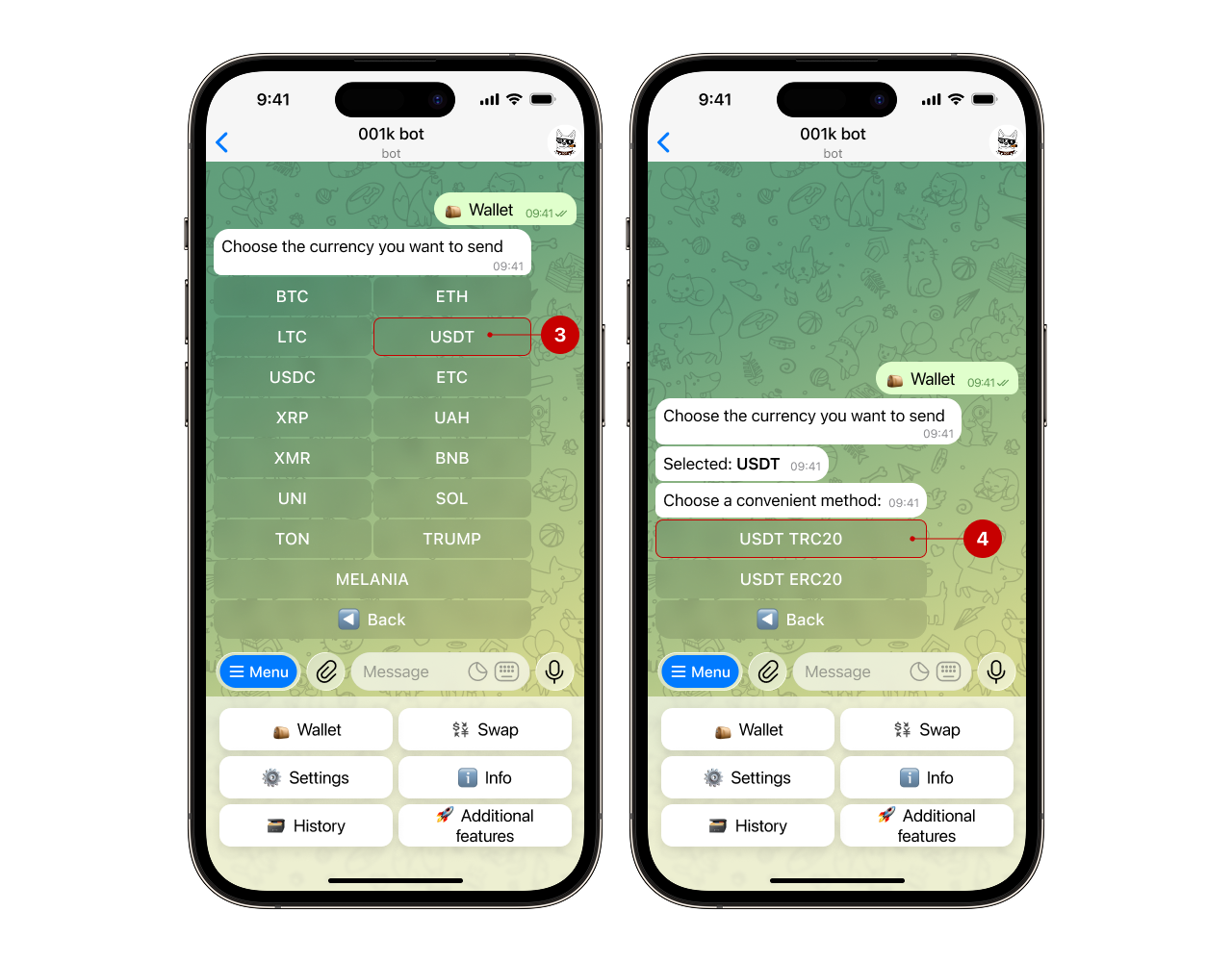
Step 3. Enter the recipient's wallet
✨ The bot has a multi-send feature. Learn more about it in our guide
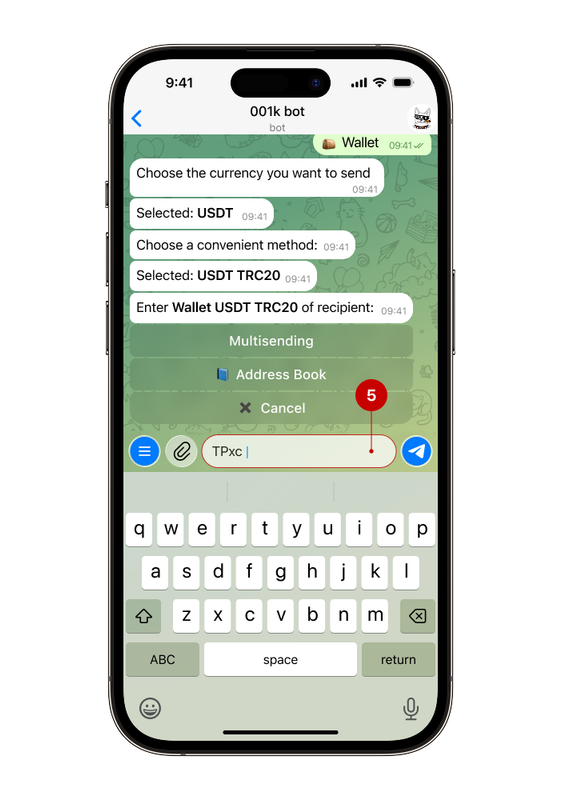
Check the specified wallet and click the “That's correct” button. Always check the wallet address and/or details. If you send funds to the wrong place, we will not be able to return them.
Note: some coins require additional data for withdrawal (XRP — Tag, TON — Message, XMR — Payment ID). If this data is not required, you can skip this step.
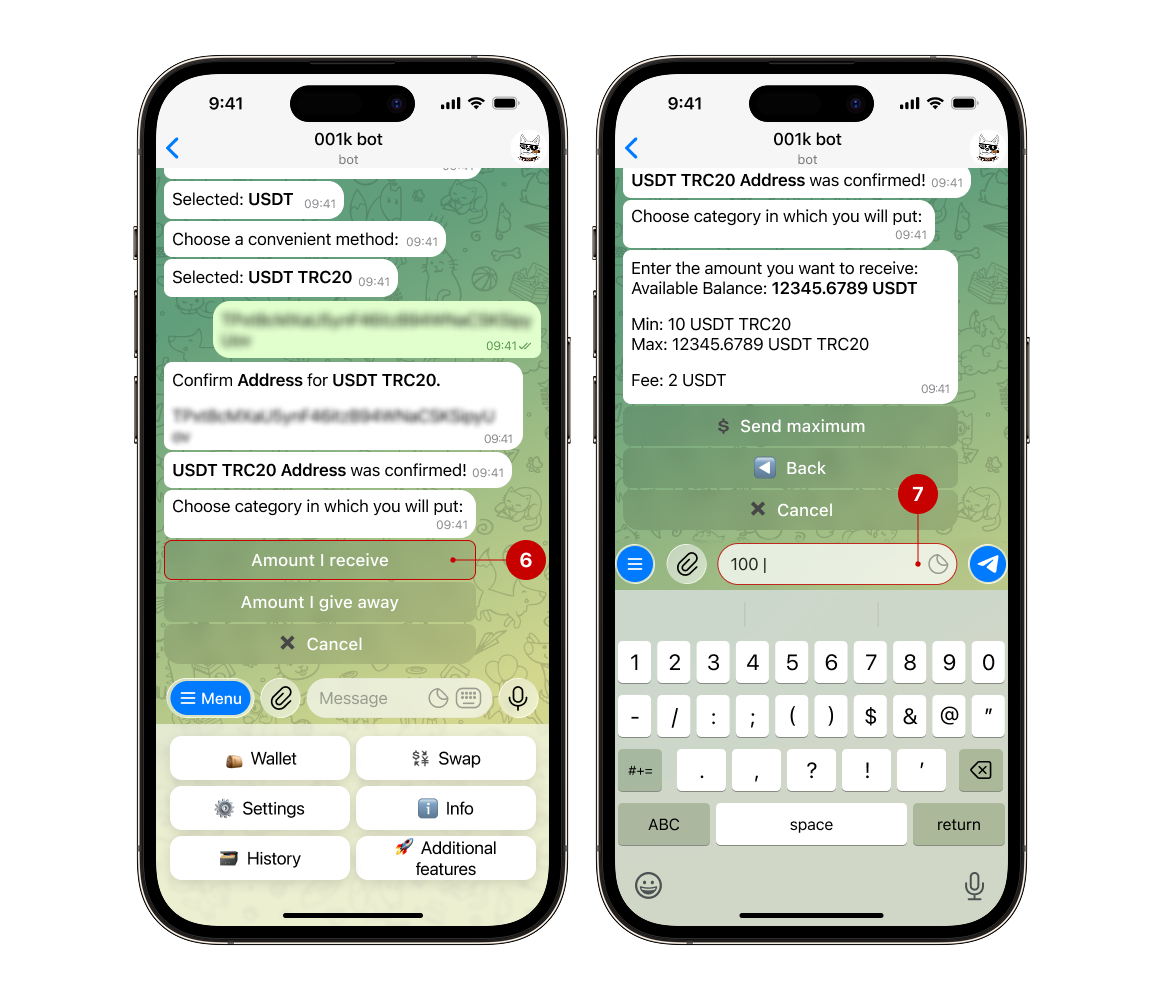
Step 4. Select the option for specifying the amount and enter the required amount for withdrawal
🔹Amount I receive: You will receive the specified amount, and the amount will be debited from your account, taking into account the commission.
🔸Amount I give: the specified amount will be debited from your account, and you will receive the amount minus the commission.
Note: When withdrawing XRP without a mandatory tag, you must specify the value “1” for the transaction to be executed correctly.
Step 5. Review the transaction details
The bot will first send you a message with the details you specified earlier. Carefully review the information, and confirm the transaction only then (8).
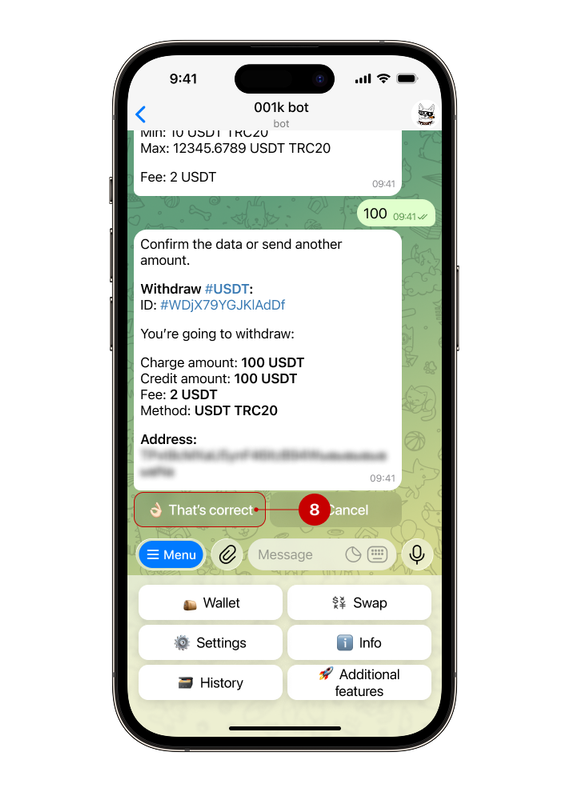
After confirmation, you will receive a message about the status of your current request. The withdrawal processing time varies depending on the selected asset and its blockchain's characteristics.
Note: if 2FA is enabled, the bot will request additional confirmation for the transaction. Read more about 2FA in our guide
Step 1. Enter the bot, select "Wallet" → "Send"
Step 2. Сhoose the desired currency (UAH) and withdrawal method (to card)
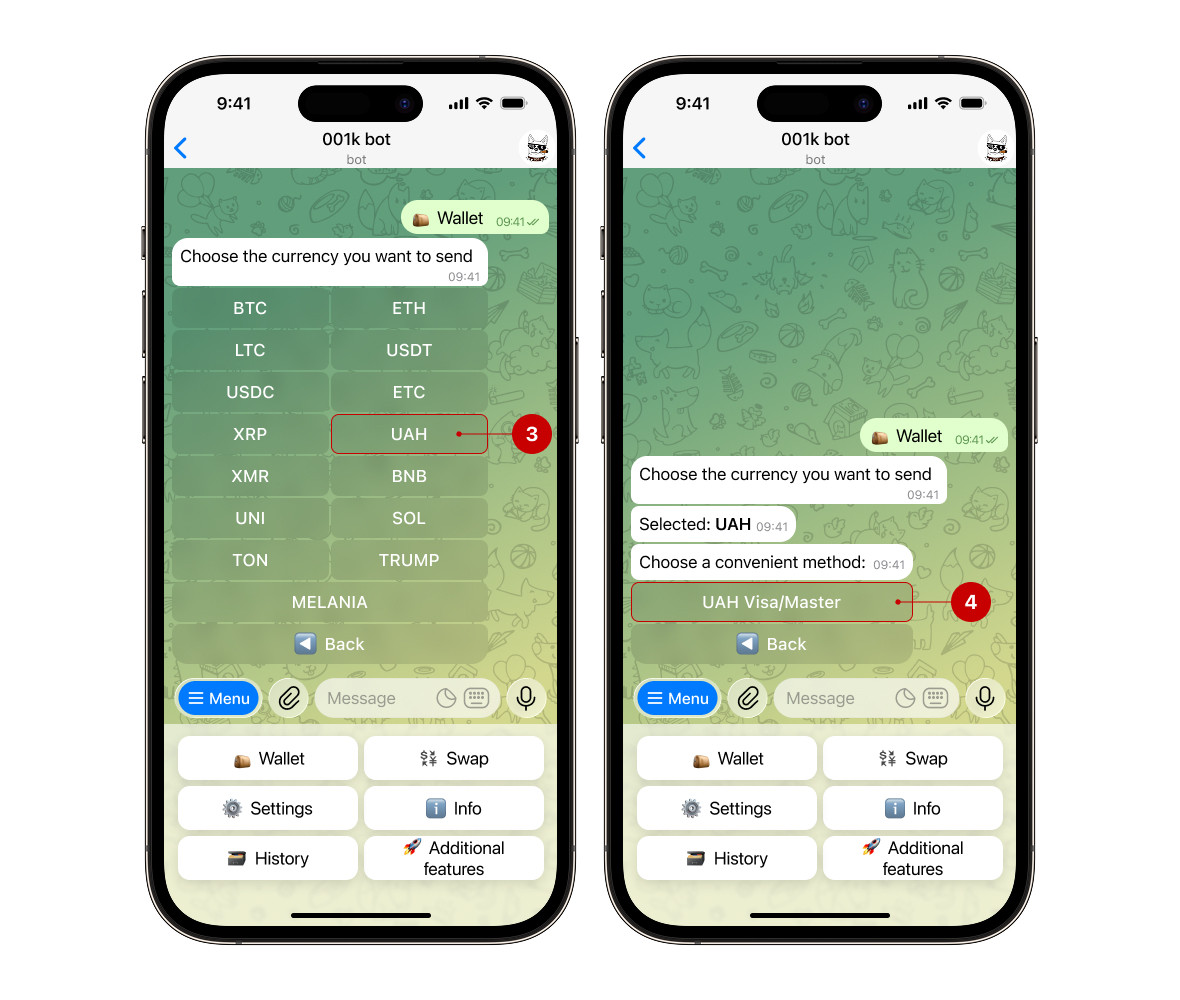
If you don't have hryvnia in your account, simply exchange any available currency in the “Exchange” section. Go to “Exchange” → ‘Sell’ or “Buy” — depending on what you want to exchange for hryvnia.
For more information about the exchange, read our guide
Step 3. Enter the details for the transfer
Enter your card number (5), then check and confirm the action.
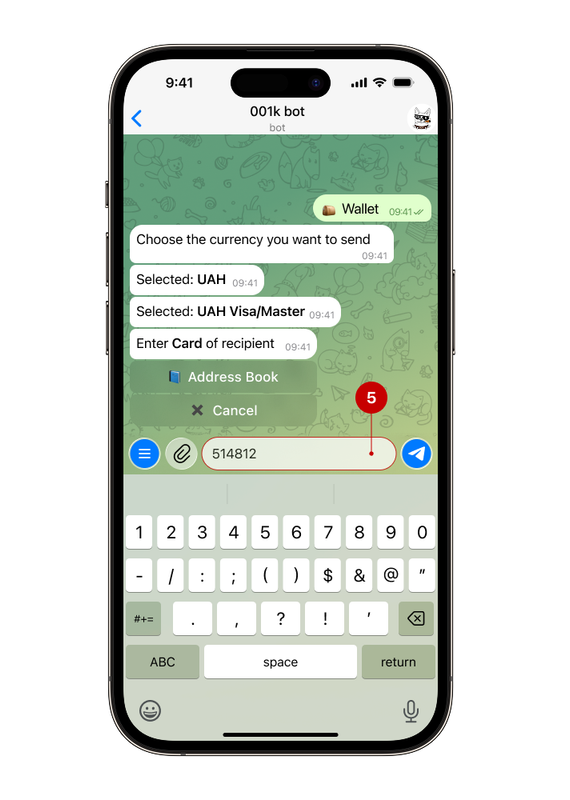
At this stage, you will also need: the recipient's full name, IBAN, and EDRPOU/IPN. The details are requested in stages. Follow the bot's instructions and carefully check the information you have entered.
Step 4. Select the option for specifying the amount and enter the required withdrawal amount
🔻Minimum withdrawal amount: 10,000 UAH.
🔻Maximum withdrawal amount: 100,000 UAH per transaction.
Step 5. Review the transaction details
The bot will first send you a message with the details you entered earlier. Carefully review the information and confirm the transaction only then (6).
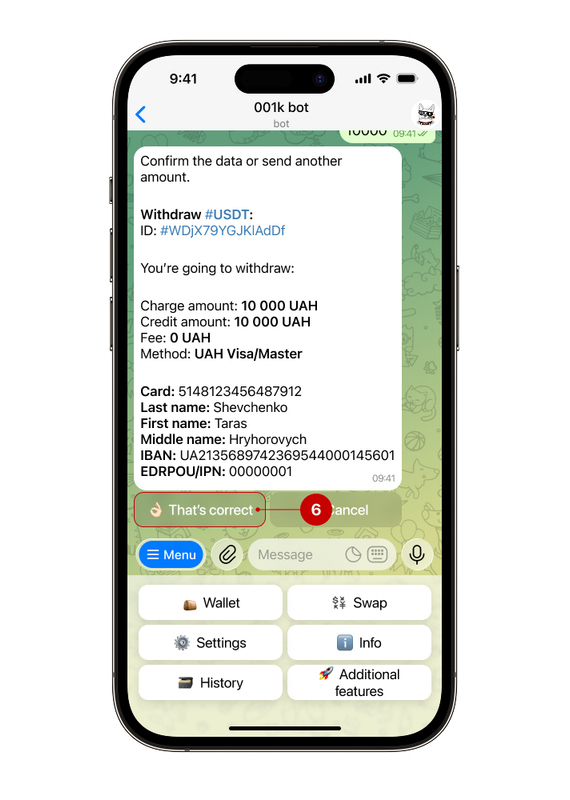
After confirming the transaction, the funds will be processed within a certain time. The crediting of funds to your account depends on the recipient bank, which determines the terms and status of the transfer.