How does multi-send work, and what is it
A multi-send is a transfer of funds to several recipients at once. With this feature, you can send different amounts to different users simultaneously. The maximum number of transfers varies by bot.
How does it work?
As an example, we use USDT.
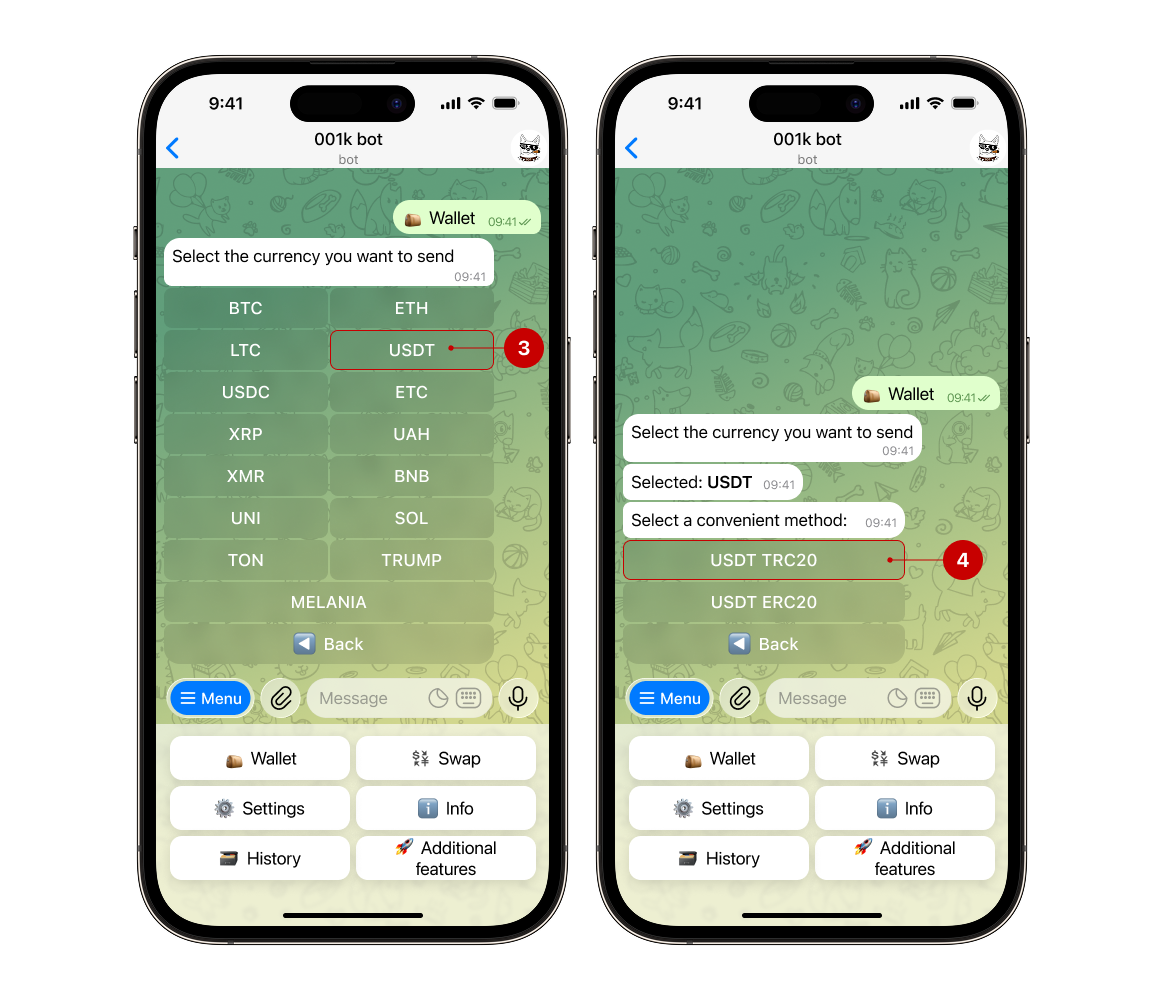
Step 1. Open the bot, select "Wallet" → "Send"
.png)
Step 2. Select the currency you want to send from the list and the sending method
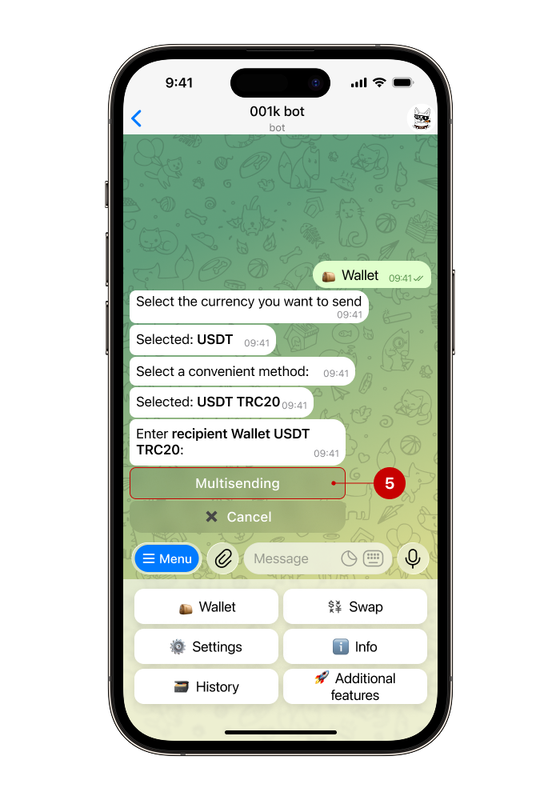
Next, click the "Multi-sending" (5) button below the message.
Step 3. Enter the data following the instructions
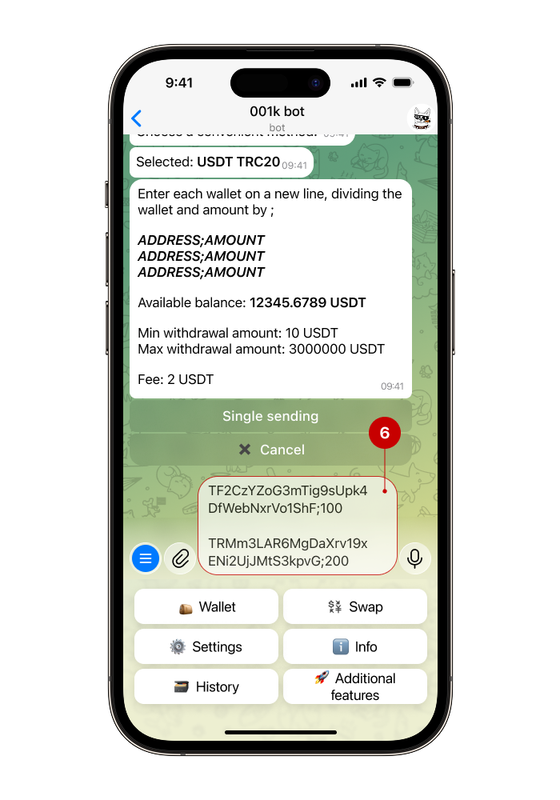
👛 For some wallets, additional information is required — for example, a Tag (destination) for Ripple (XRP), a Message for Ton (TON), a Payment ID for Monero (XMR).
🧮 If you want to send an amount with undefined tens (for example, 5632.14, where the digits after the decimal point are tens), it is worth using , (comma) as a division of numbers.
🆓 Keep in mind the fee for multi-sending: the fee is added for each shipment (if you send to 2 users, the fee will be x2).
💡In addition to sending funds to external addresses, you can use multi‑send for internal transfers. Simply enter the recipient’s UID — the process is the same, but faster and more convenient. Internal transfers within the service are fee-free.
For more information about internal transfers, please read our guide
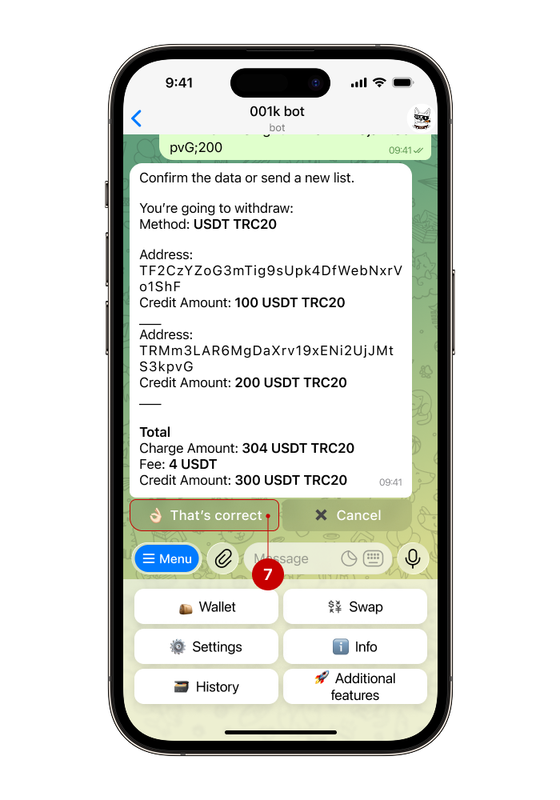
Step 4. Check the authenticity of the entered data
If everything is correct, press the "That's correct" (7) button.
✅ Done!