How to activate Two-Factor Authentication and what is it
Two-factor authentication (2FA) is an additional layer of protection for your account using a code only you know.
Using Two-Factor Authentication is one of the strongest protections against account abuse and cryptocurrency theft.
To enable 2FA on your account, follow the instructions.
Step 1. Open the Menu in the bot → Settings → 2FA
.png)
Step 2. Adding 2FA
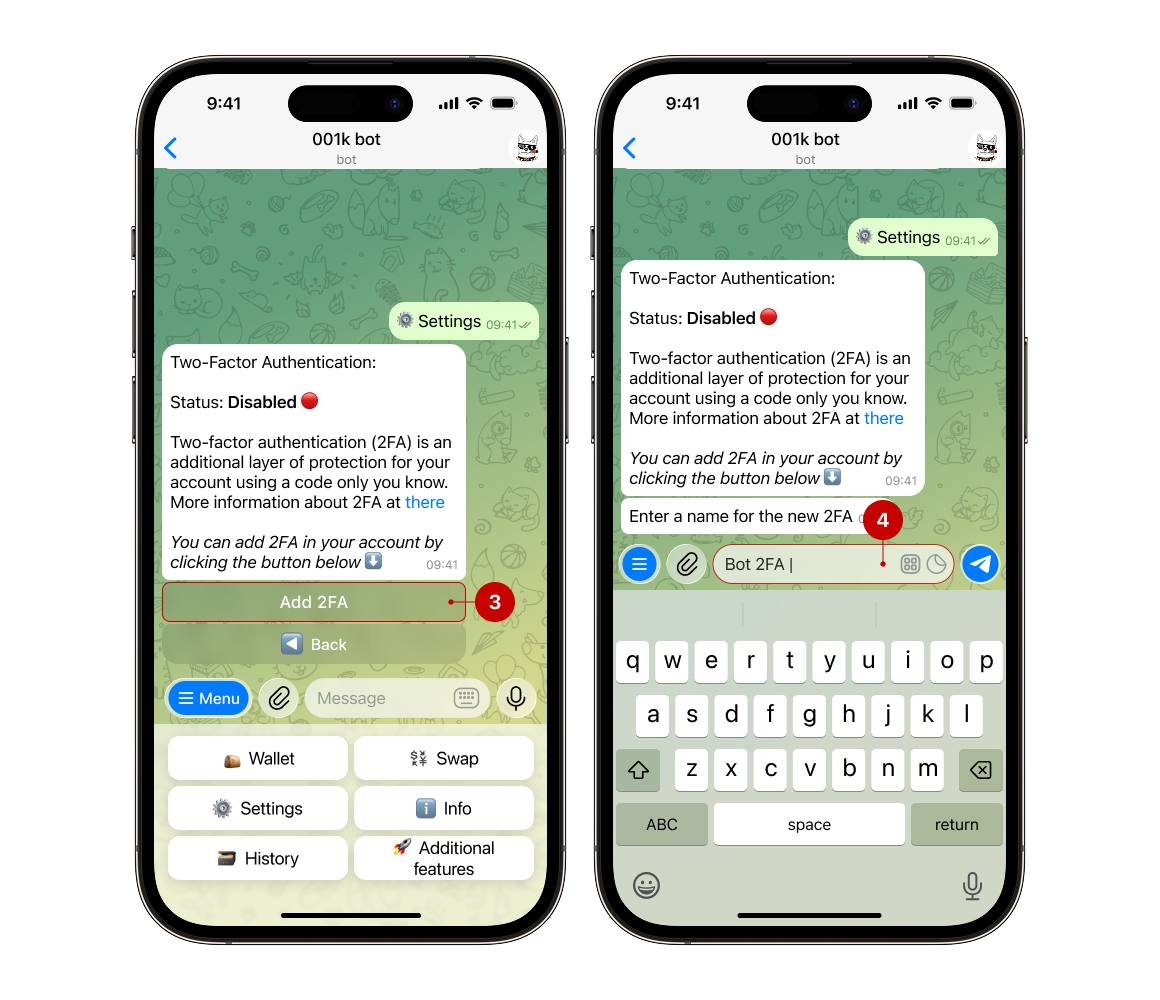
You will receive a notification about the current status of 2FA. To enable two-factor authentication, click the “Add 2FA” button (3).
Now you need to come up with a name for 2FA (4). This name is not binding and can be anything you want. After submitting the name you entered, confirm the operation.
Step 3. Scanning QR
You will receive a message with a QR and text code (it is necessary to save it, as it will be useful in case of loss of the device).
You can scan the code using an authenticator that is convenient for you, for example, Google Authenticator.
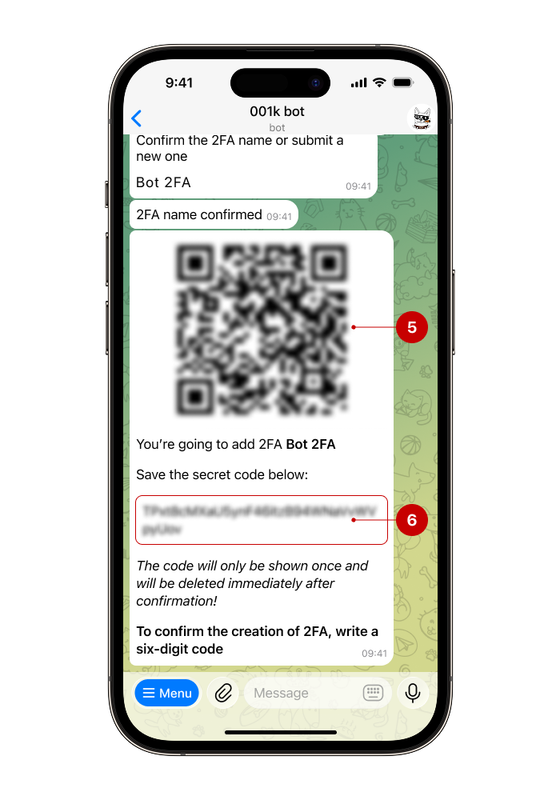
Note: The code will be shown once and will be deleted after that!
Step 4. Entering a code
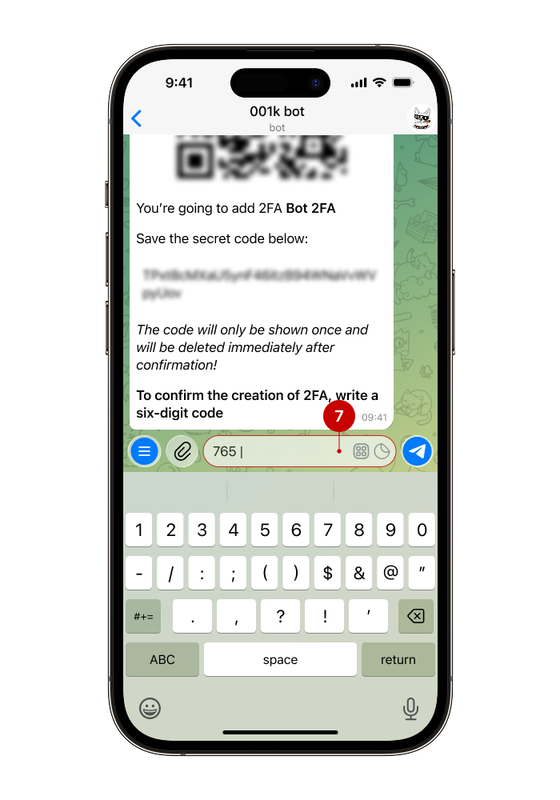
After scanning, you will see a six-digit code that you need to enter in the bot to activate 2FA (important: this code changes every 30 seconds).
✅ Done!