How to exchange one currency for another
The next steps depend on which direction of exchange you choose: buying or selling currencies.
Note: the debit and credit amounts are not final. The execution of an order depends on many market factors. At the time of order confirmation, the market value of an asset may change due to volatility, making it impossible to execute the exchange at the proposed price. As a result, the order may be partially executed or canceled.
We use UAH as an example.
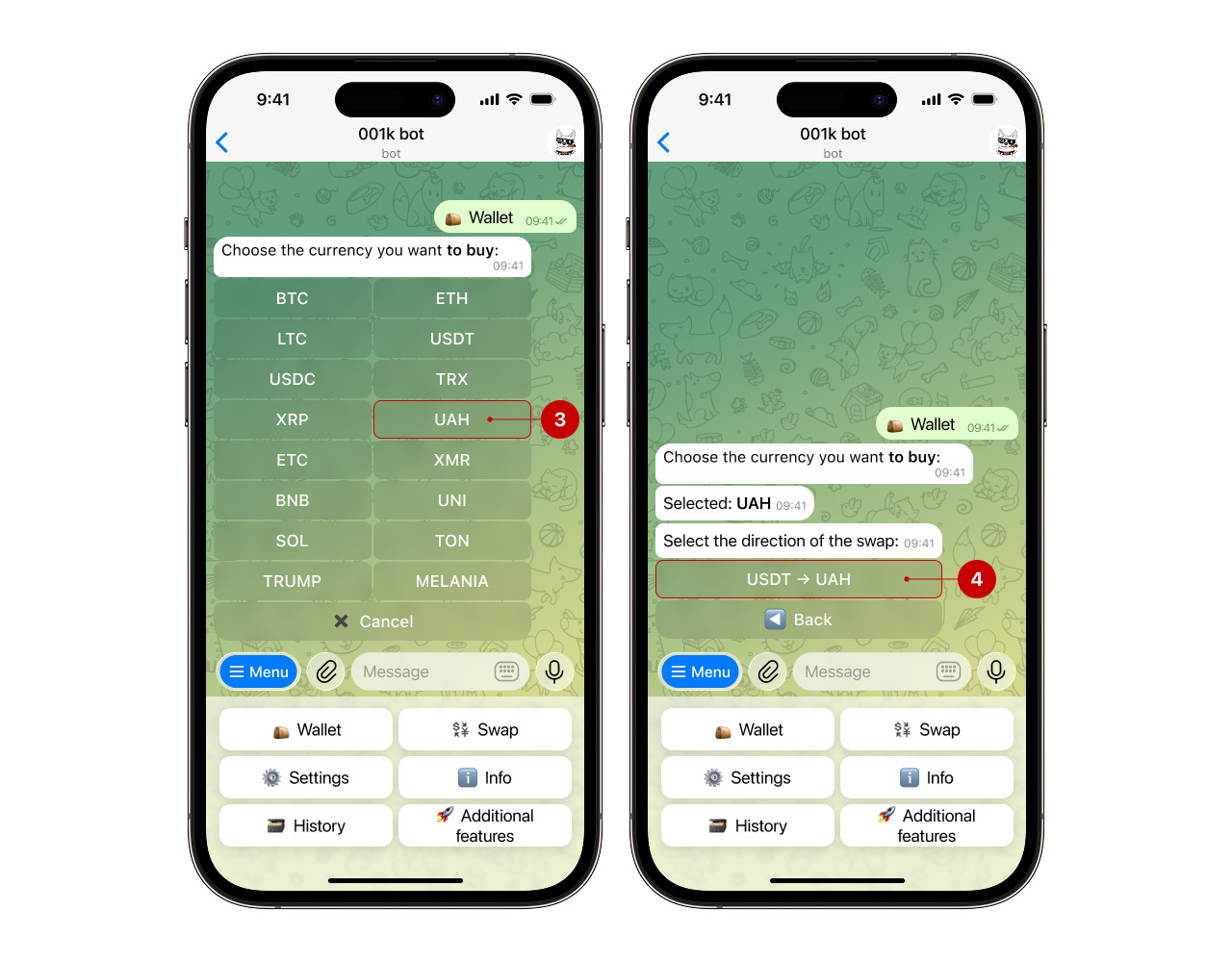
Step 1. Open the bot, select "Wallet" → "Swap" → "Buy"
.png)
Step 2. Next, choose the desired currency and the direction of the exchange
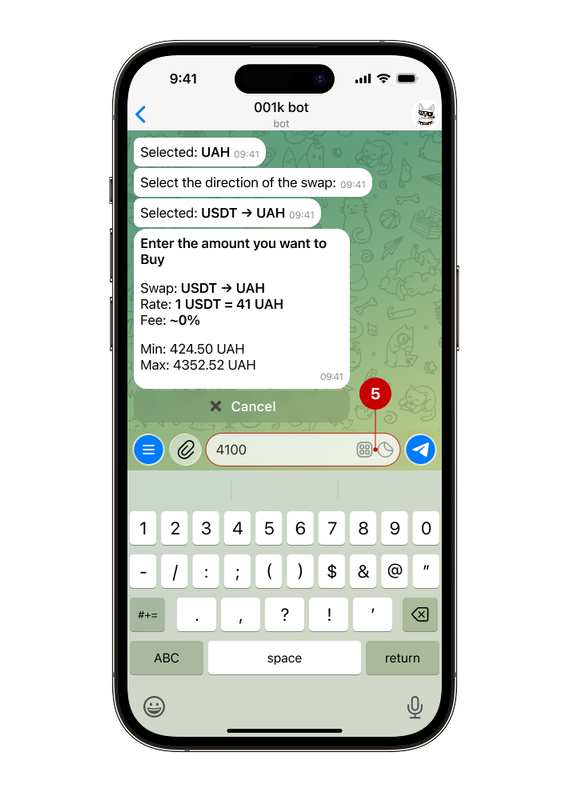
Step 3. Enter the amount you want to buy, and then check all the data
The bot will display the current exchange rate and fee — consider them when calculating.
Note: during the purchase, you need to specify the amount in the currency you want to receive.
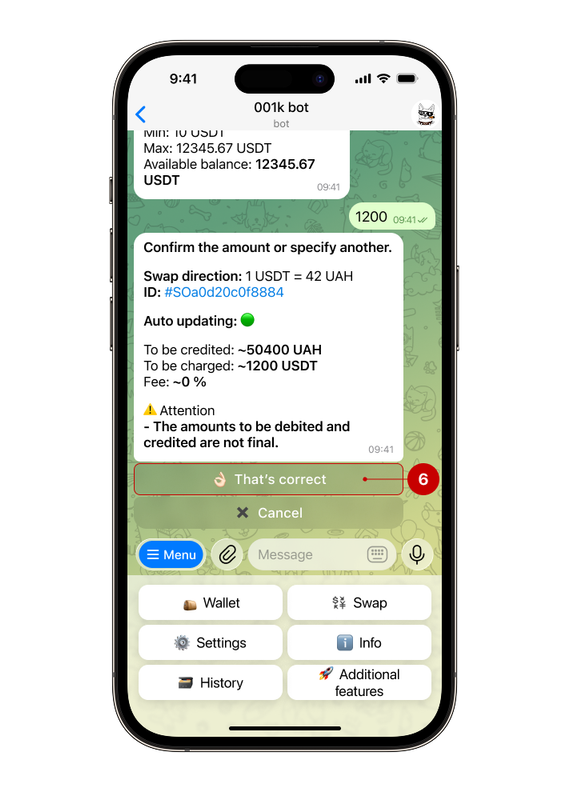
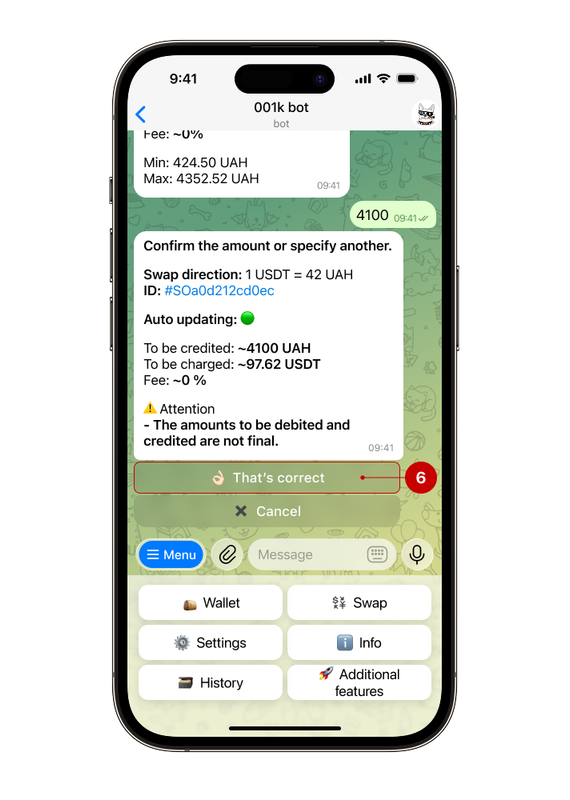
Step 4. Confirmation of the operation
Please check the information provided before confirming. Click the “That's correct” (6) button to complete the exchange. After confirming the transaction, you will receive a notification about the status of your current request.
We use USDT as an example.
Step 1. Open the bot, select "Wallet" → "Swap" → "Sell
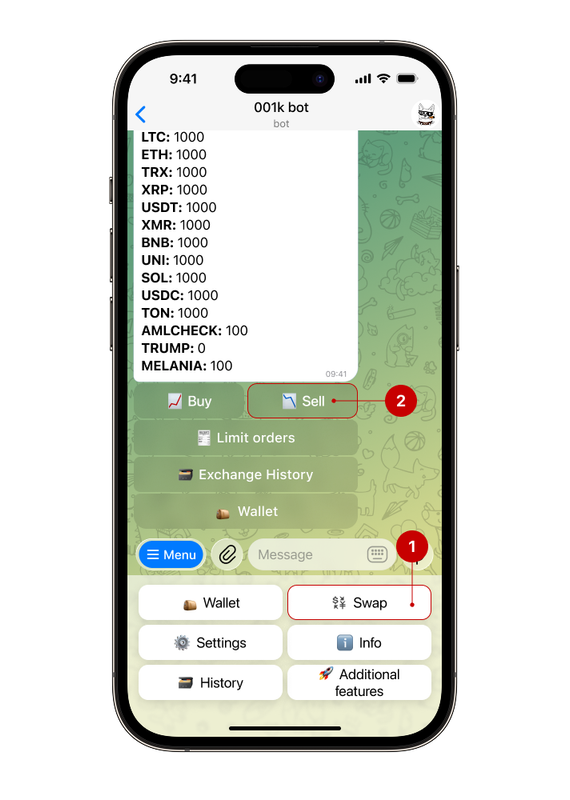
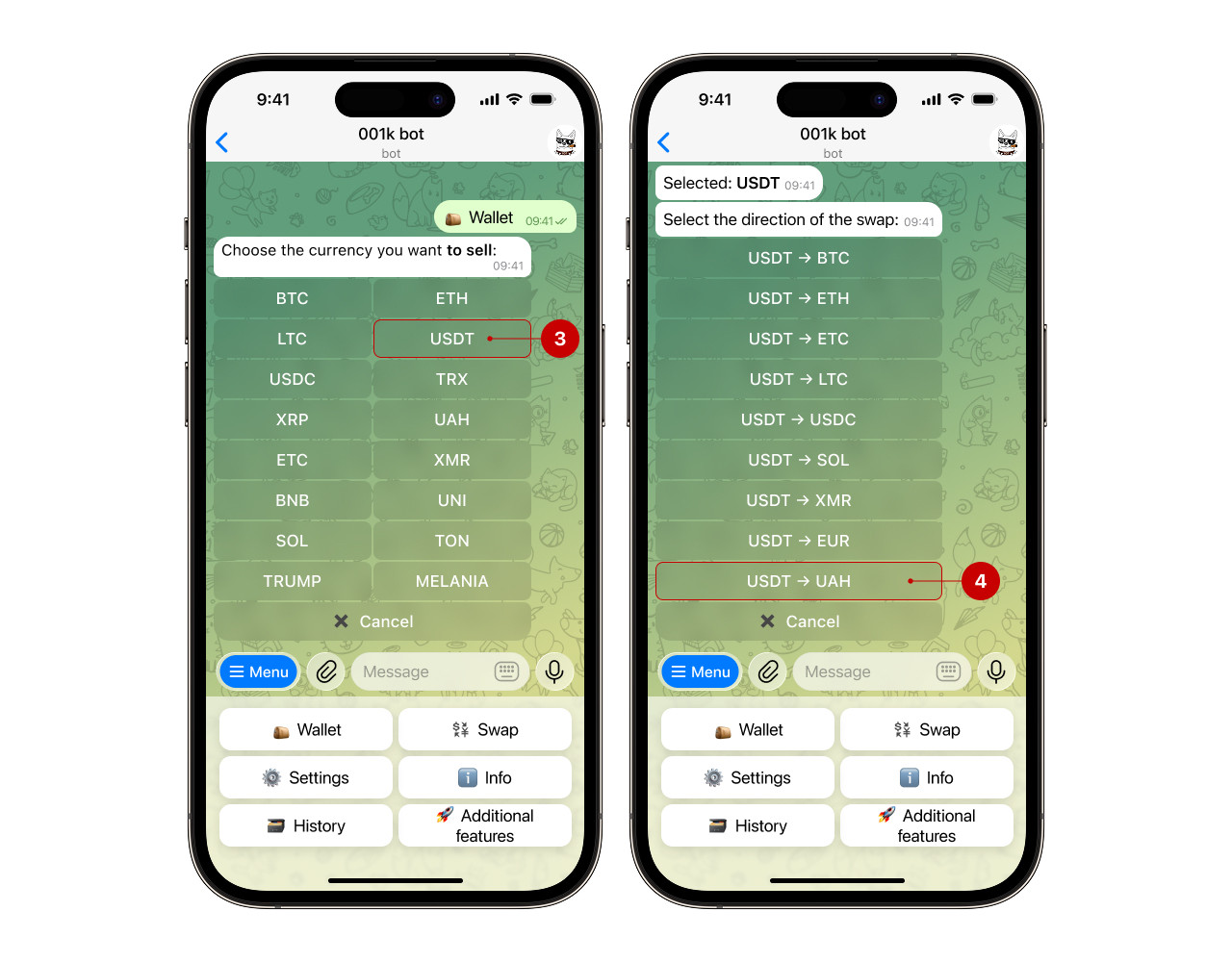
Step 2. Next, choose the desired currency and the direction of the sell
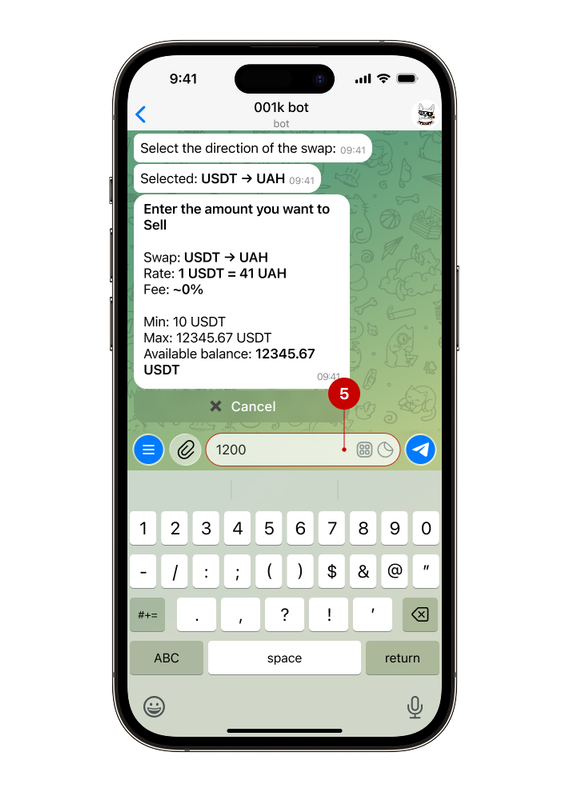
Step 3. Enter the amount you want to sell, and then check all the data.
The bot will display the current exchange rate and fee — consider them when calculating.
Note: during purchase, you need to specify the amount in the currency you want to sell in.
Step 4. Confirmation of the operation
Please check the information provided before confirming. Click the “That's correct” button (6) to complete the exchange. After confirming the transaction, you will receive a notification about the status of your current request.