How to Use Passcypher (Instruction EN)
LatandHey. This bot can help you to encrypt messages, passwords and txt files!

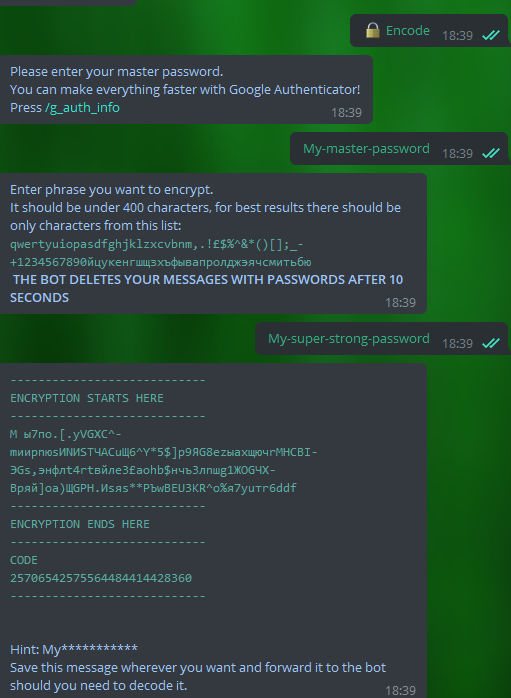
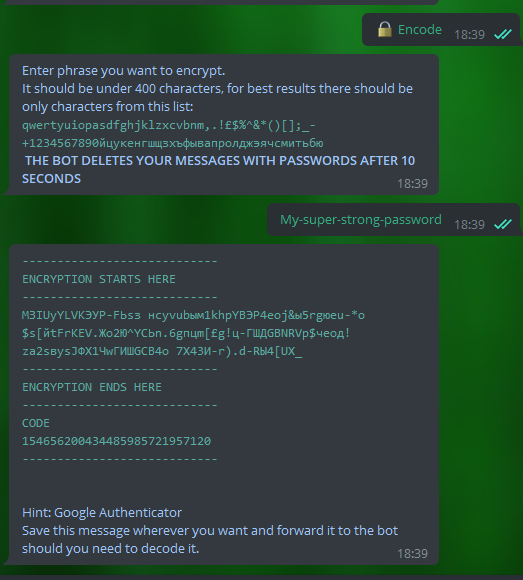
Learn full Password Encryption Process

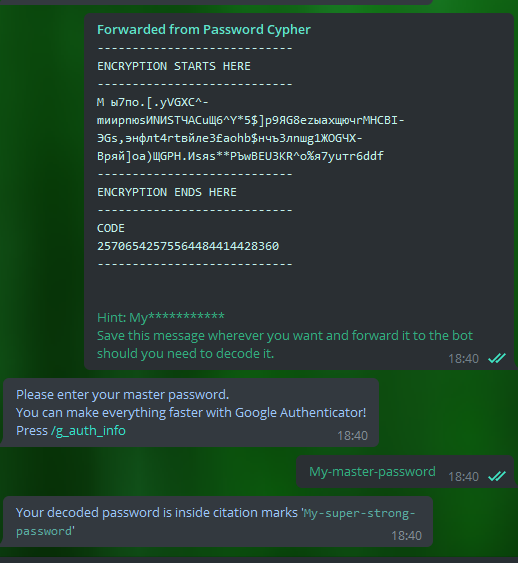
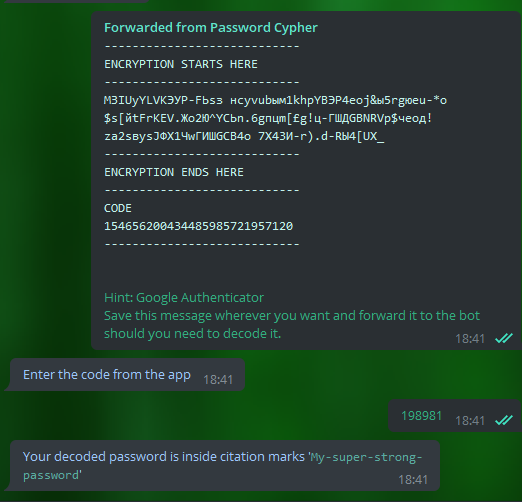
Learn full Password Decryption Process
-What is the bot for? - you might ask.
-For example, if you use some complex passwords to log into accounts, such as "], @! Kb} 78VKE., @ *" or "9Z5> * dEWeT7Dcxcg" and do not want to remember them, you can use the bot to keep these passwords in an encrypted form anywhere. As for a master password, you will need some catchy phrase to decrypt this password back. Google Authenticator also helps to decrypt passwords by entering the unique digit code from the application on your phone (there is no need to remember the master passwords with it).
-Why should I use it, when I can keep saving my passwords in the browser, where it is done very simply and quickly?
-Yes, I agree, in the browser, it is made much easier, but in case your computer is hacked, all the passwords will go to the hacker at once. That such information is stored in a browser in a quite unprotected way, and this “protection” is very easy to bypass. You can easily use passwords saving for most accounts that you are not afraid to lose. However, for the bank accounts and social network accounts, I suggest using our encryption and storing the passwords safely wherever you want. Then, in the case of hacking, hackers will not be able to obtain all your passwords.