developer settings guide Part 2🫶
Musaib.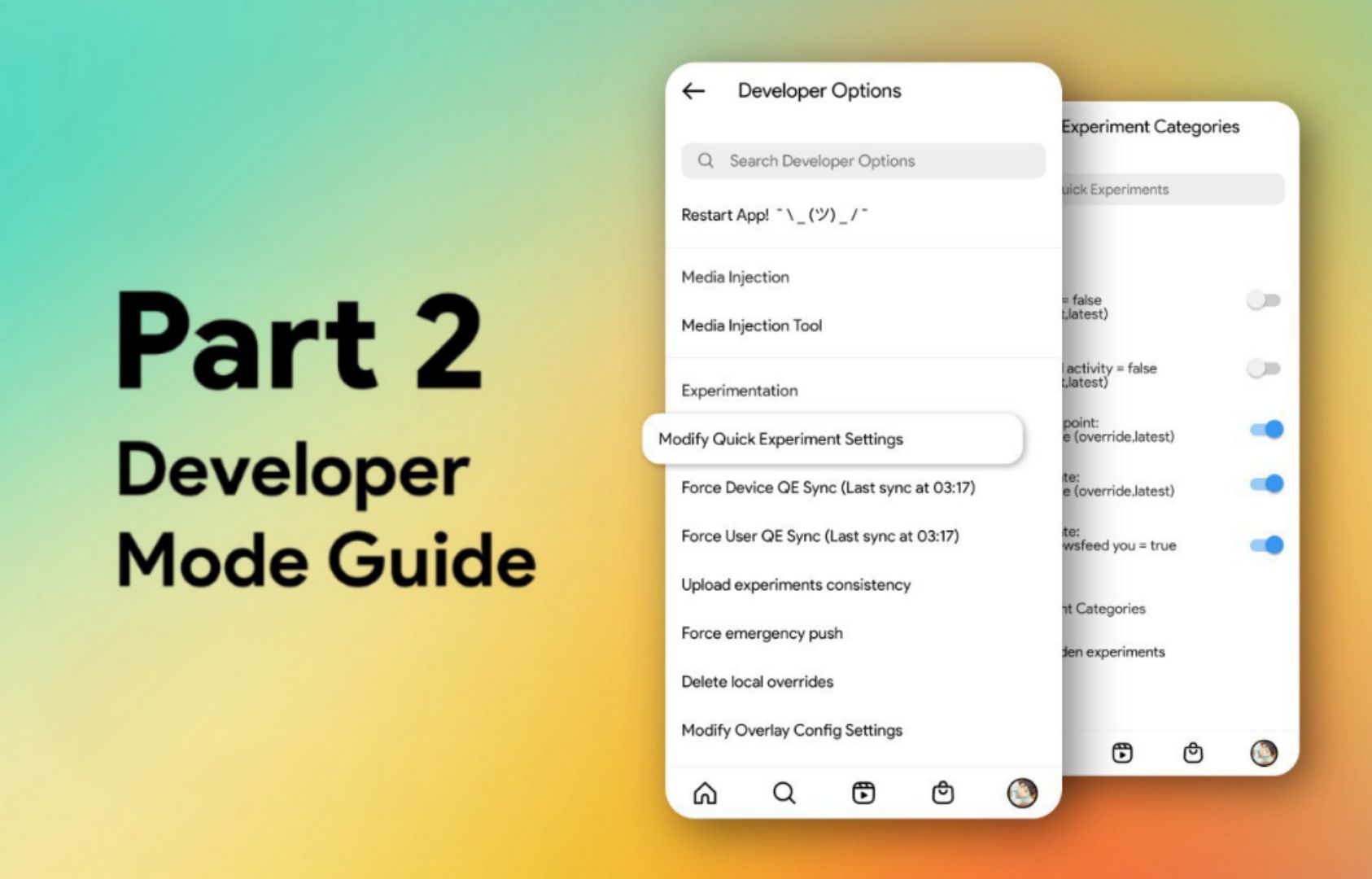
attention!!
be careful when activating some settings in the developer settings, no need to activate any settings that you don't know what it does. make sure you don't activate the wrong settings from this article, read carefully the name of the setting and the captions.
no need to activate all the toggles from a setting name unless it asks you to enable all the toggles. if some of the settings don't work, just disable them, all the features in the article were created by instagram, if something does not work, we will not fix it.
for other questions go to @syedmusaib10
stories
- rounded edges on the mentioned story
- sound button
- move the progress bar to the bottom
- reply with media
- show online status while watching stories
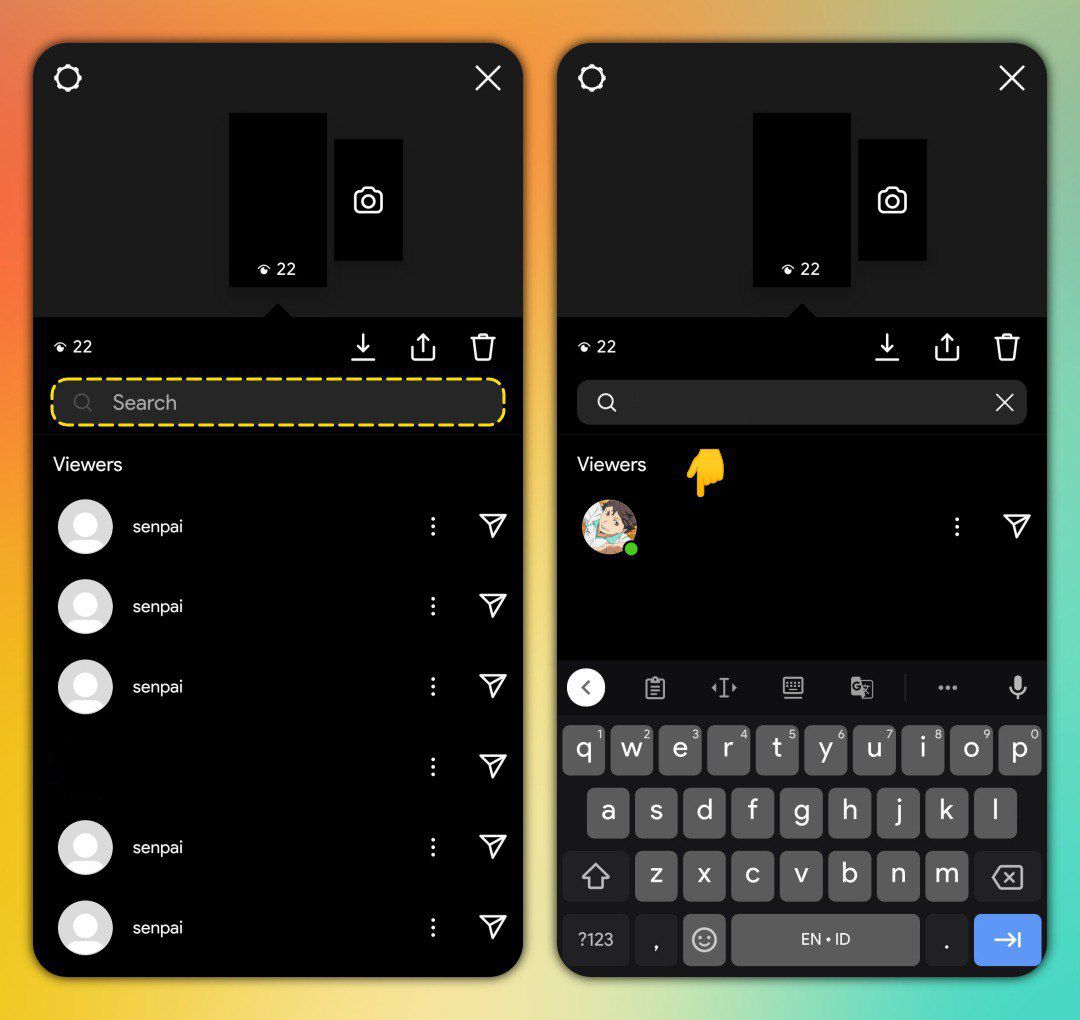
- search specific users who watched your stories
- messenger and reply icons in viewer list
- share posts with longer captions
- custom color stickers
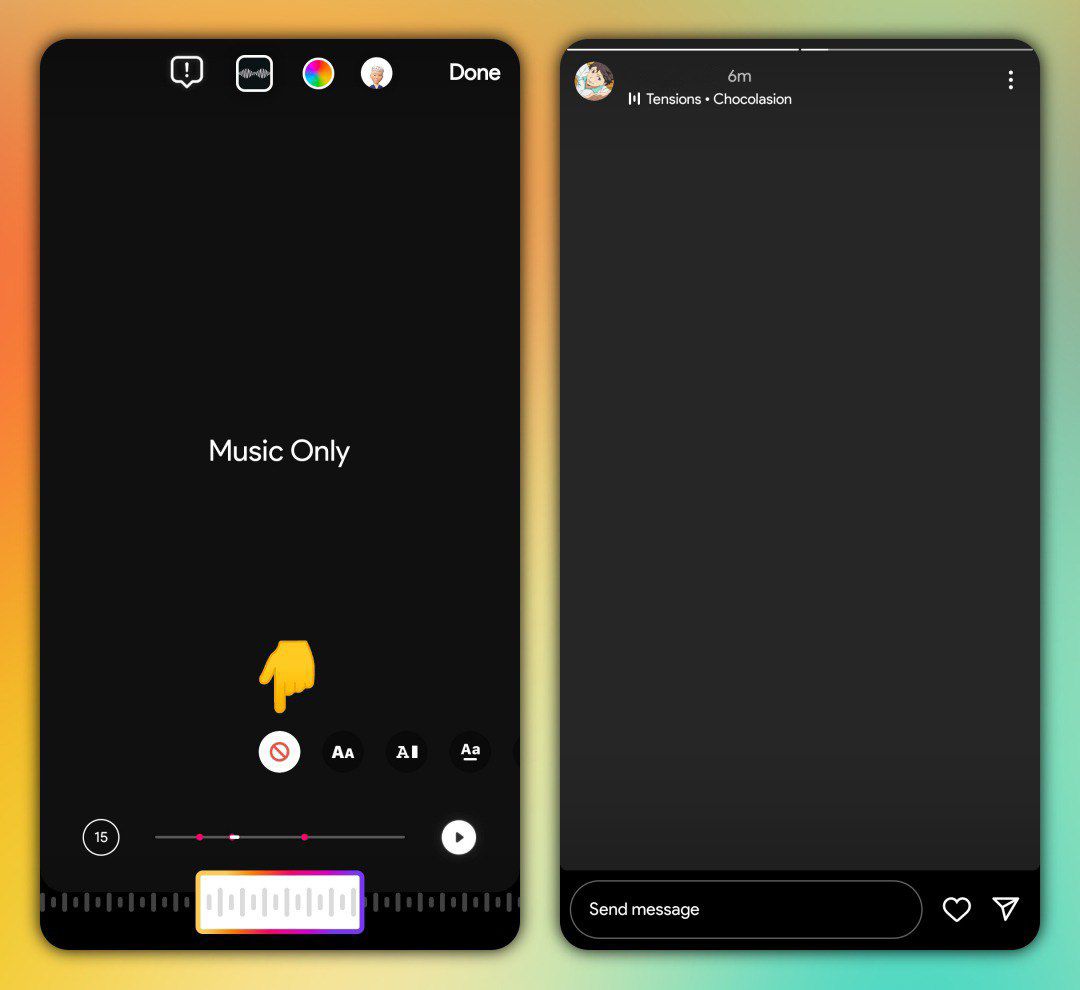
- option to hide lyrics in music sticker
- option to cancel all ongoing uploads
camera
direct
- notes
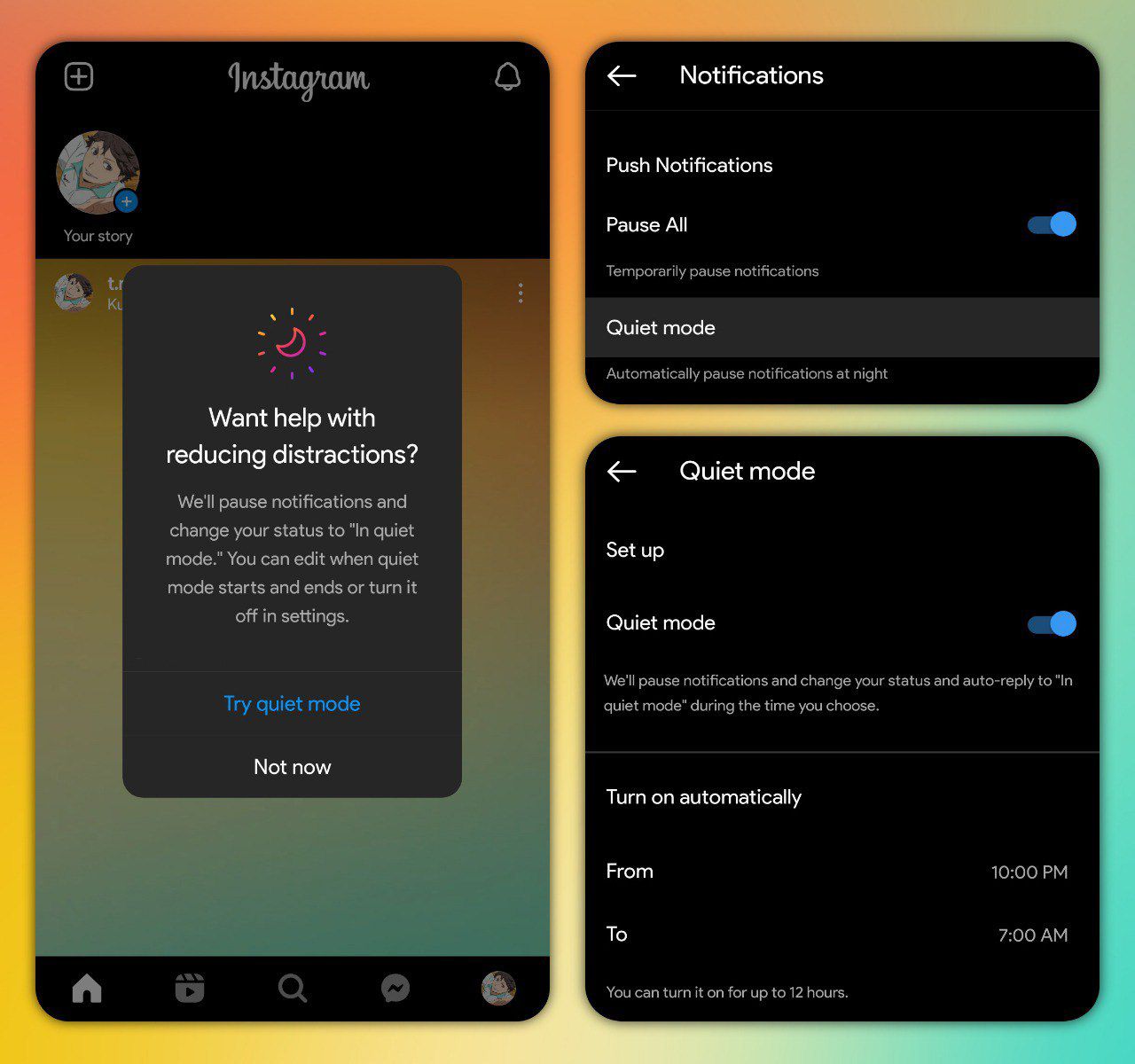
- quiet mode
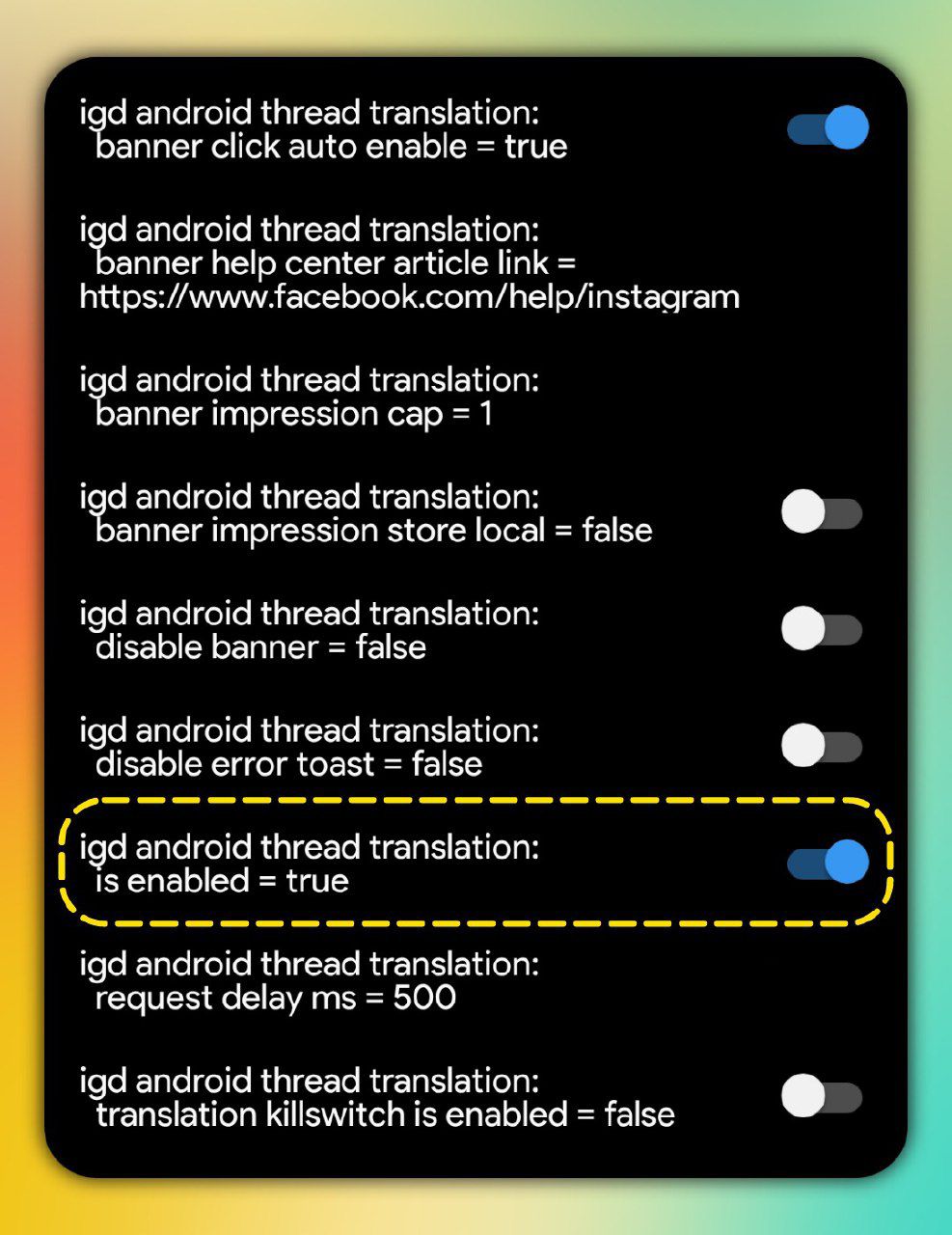
- chat translations
- resize preview of shared reels
- autoplay preview of shared reels
- forward button for reels
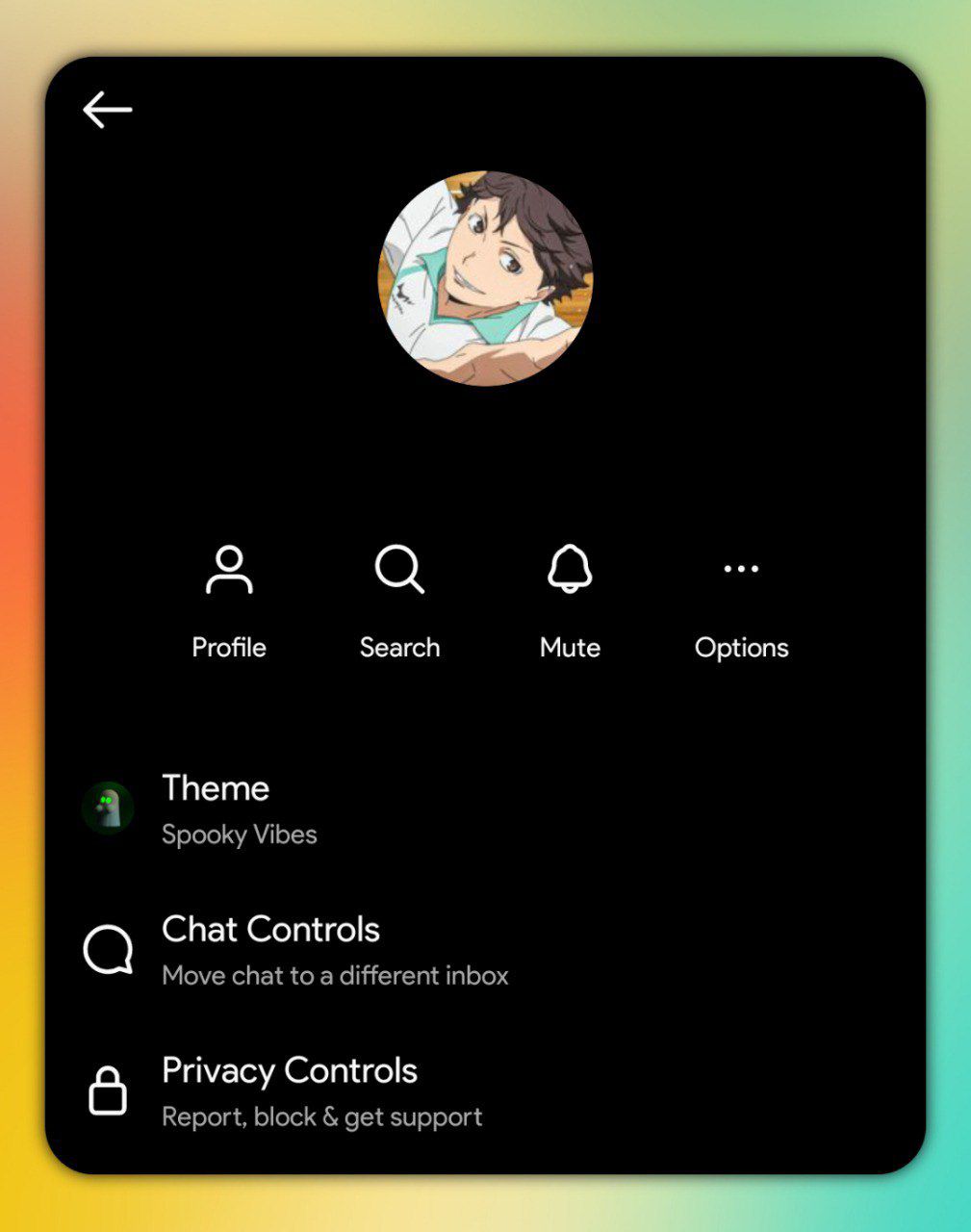
- new layout of chat details
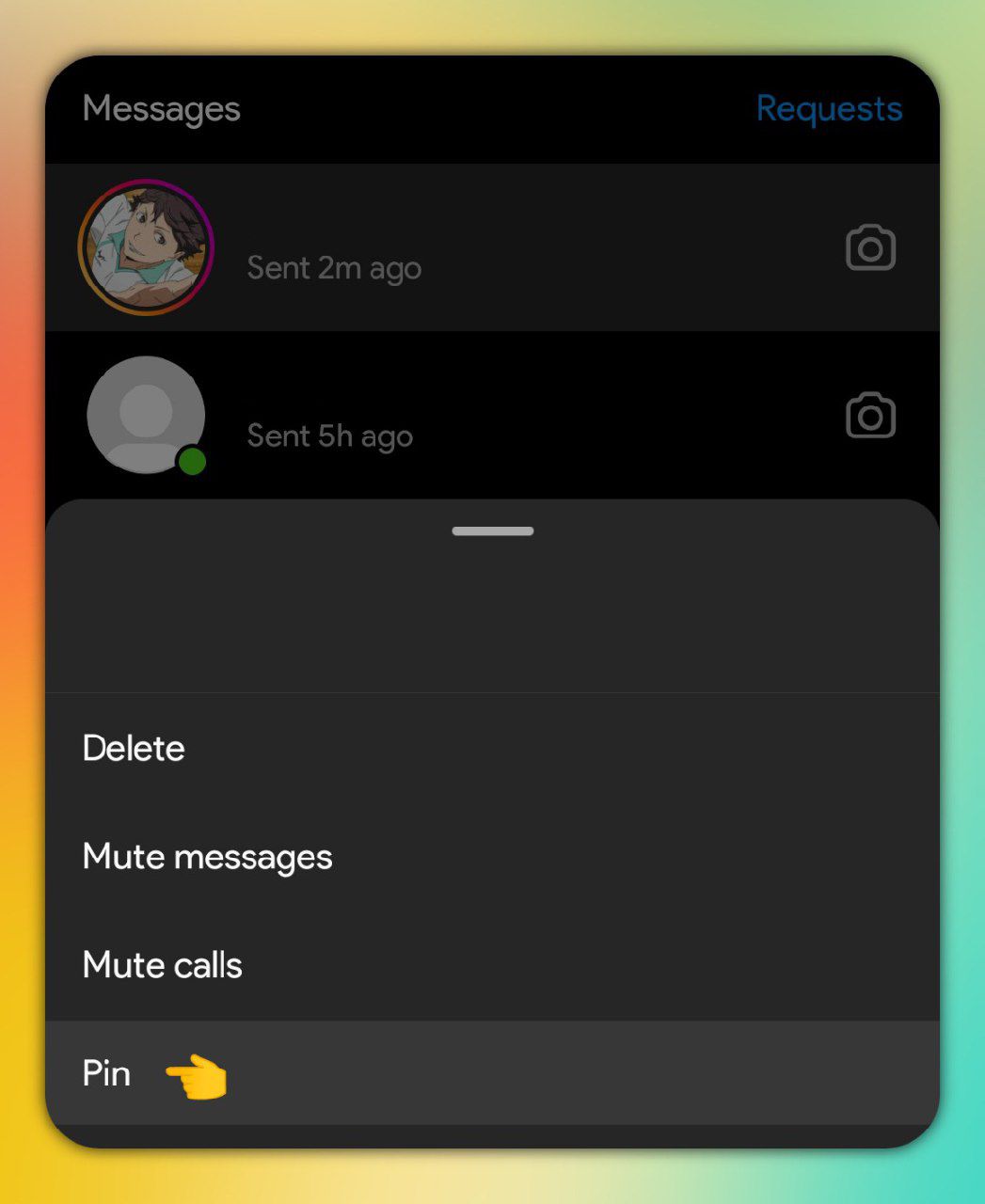
- chat pinning
- mute chat within xx hours
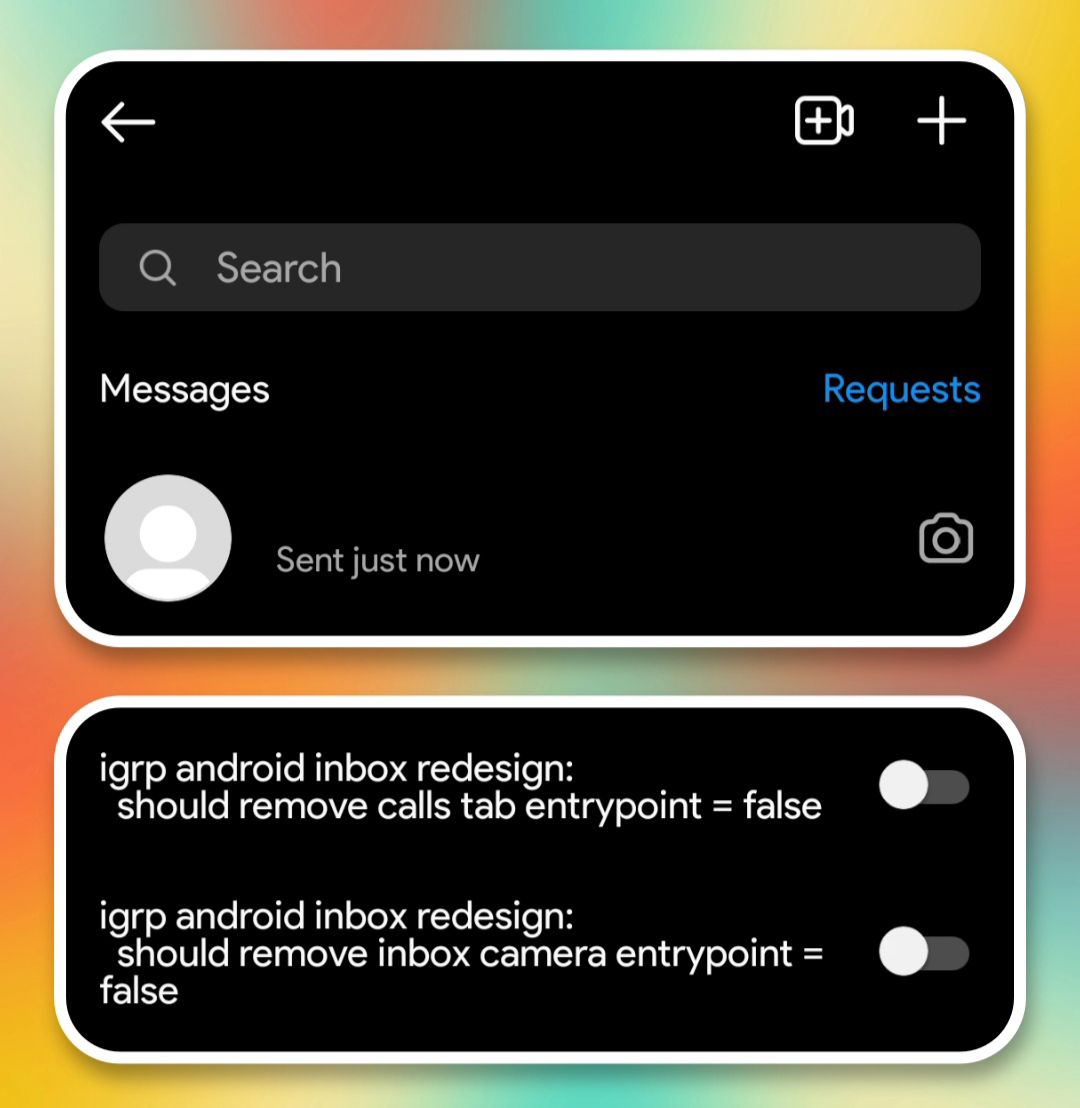
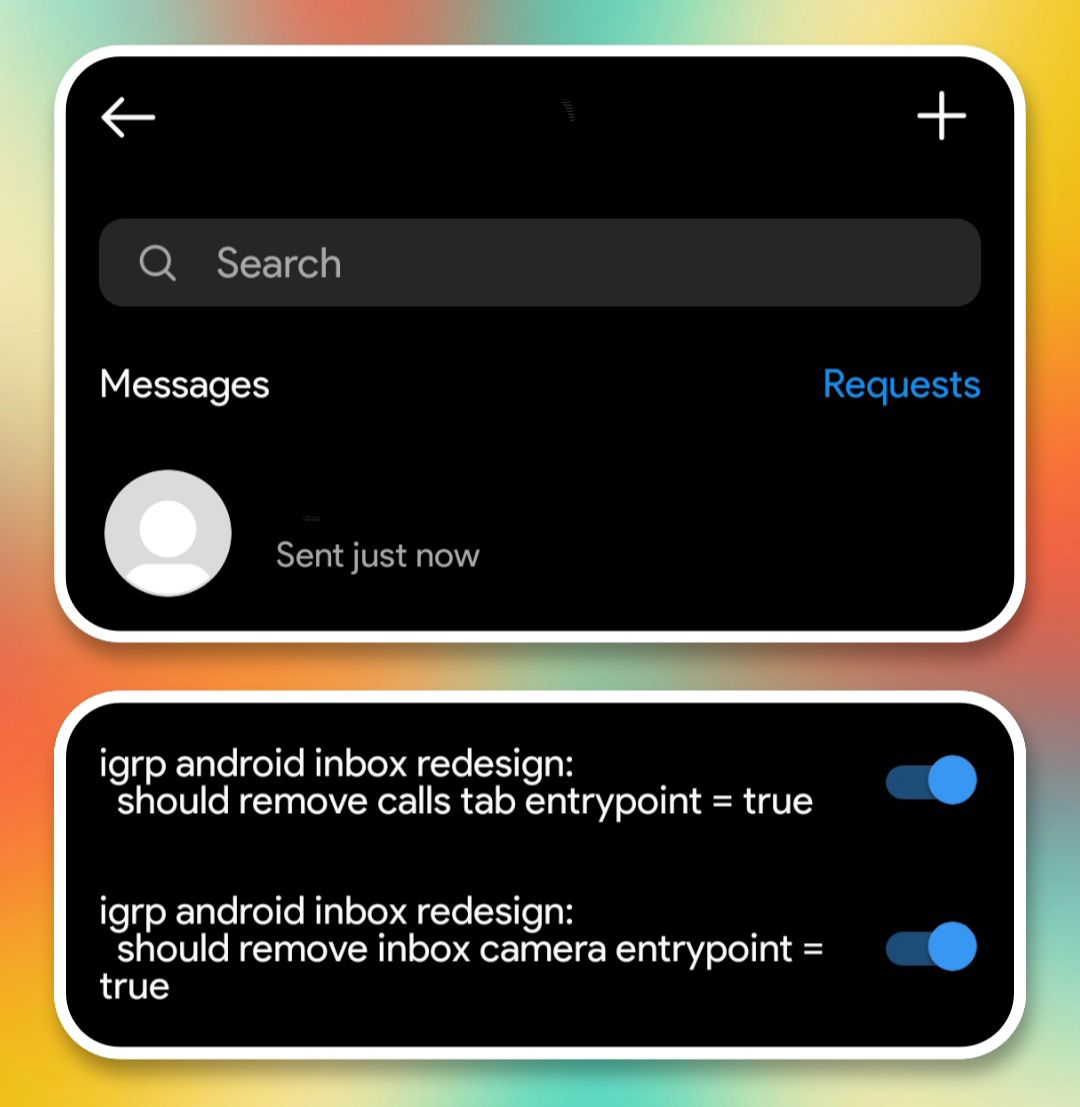
- remove calls tab & camera button
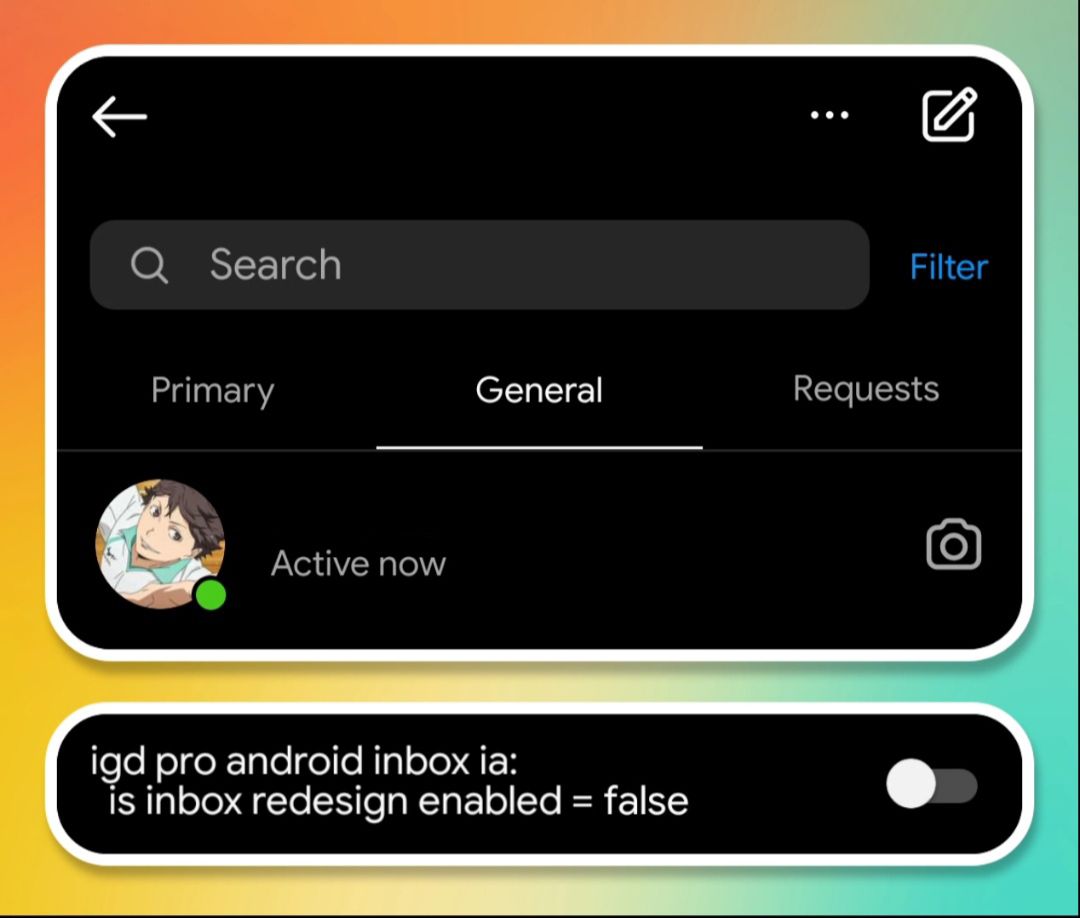
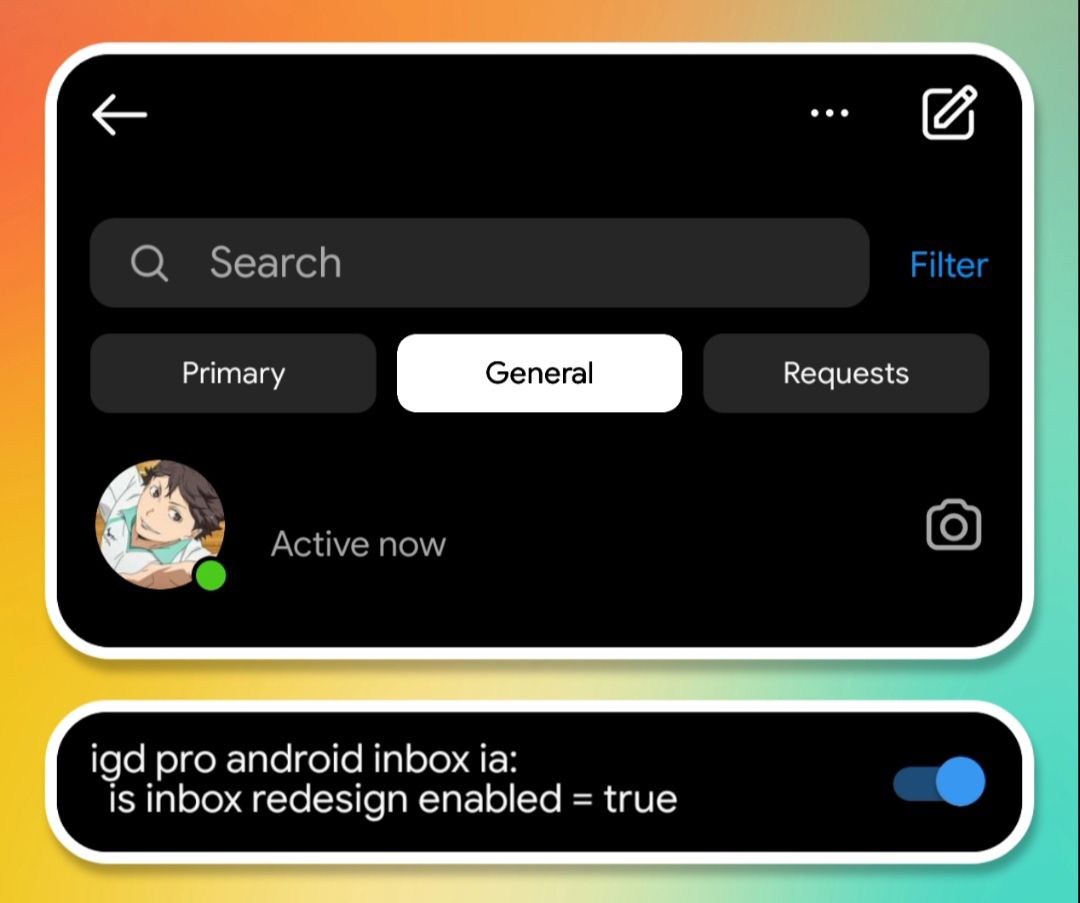
- inbox buttons with border
- long press to change chat theme
- swipe to open chat details
- animated avatar stickers
- new layout of long press menu
profile
- schedule posts
- reels pinning
- show your other account in your username
- remove suggested accounts
- archive button & saved button
- red dot count
- taller grid
- new "create" icon
- tabs button with dropdown style
- show igtv section
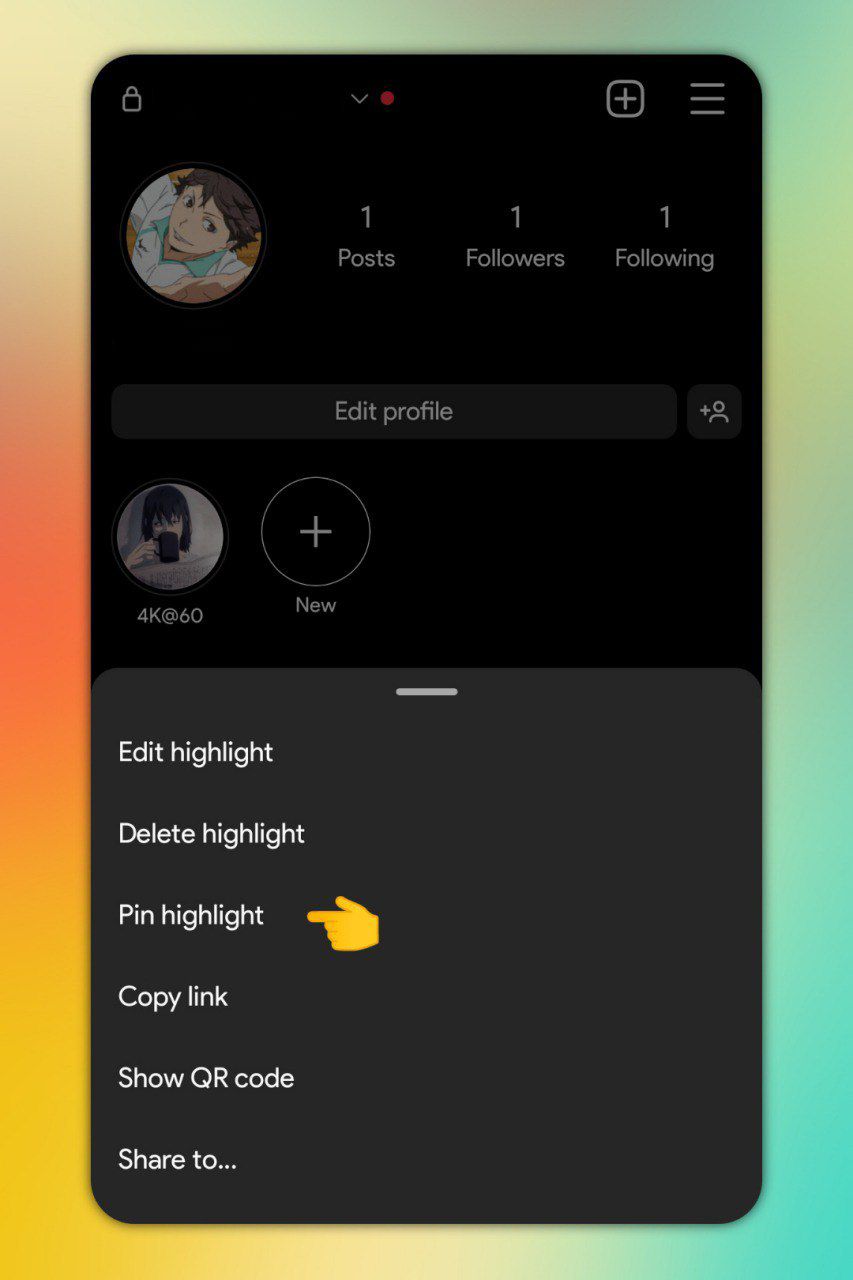
- highlight pinning
rounded edges on the mentioned story
stories mention reshare video sticker
enter the name and enable the toggle.
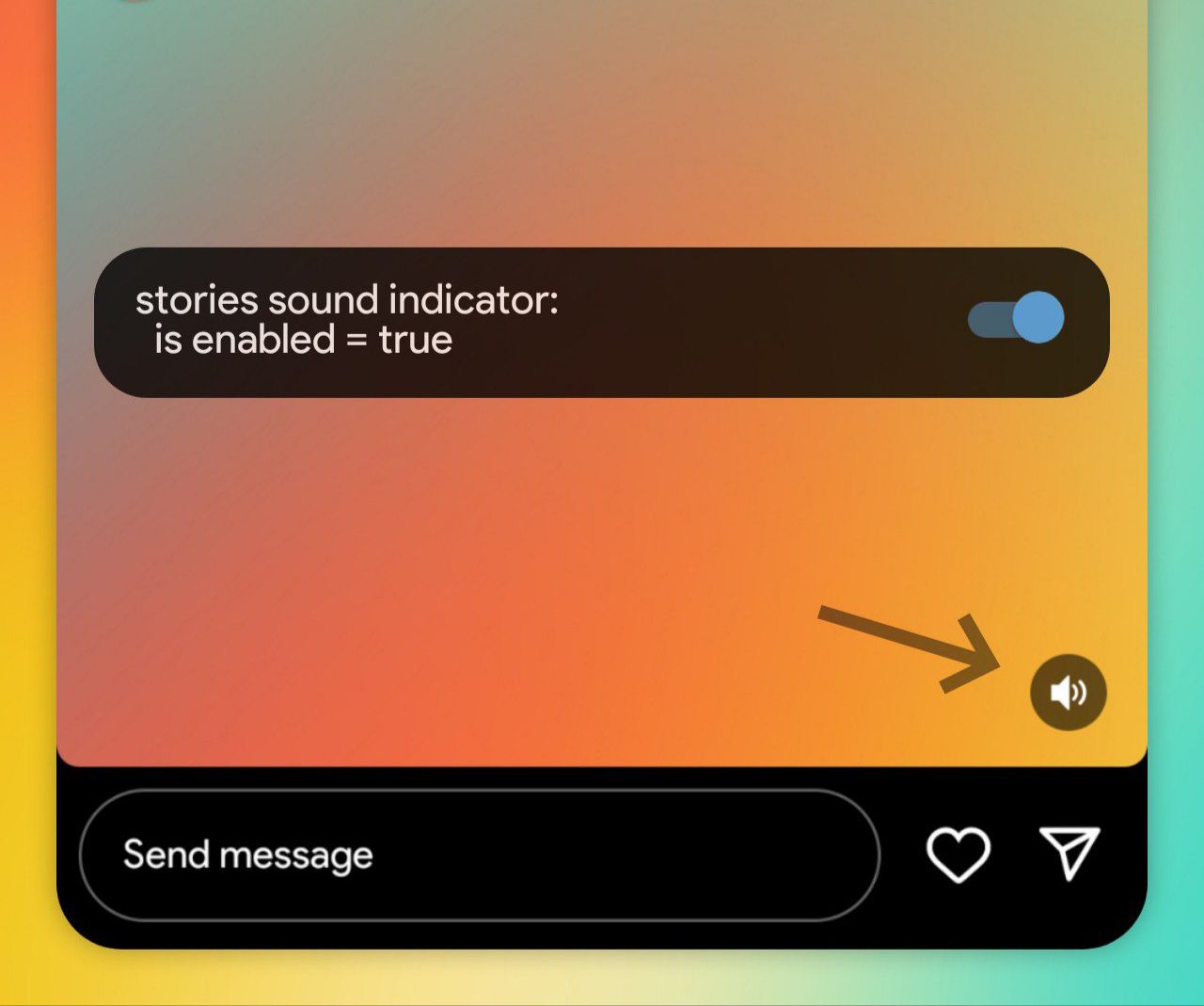
sound button
stories sound indicator
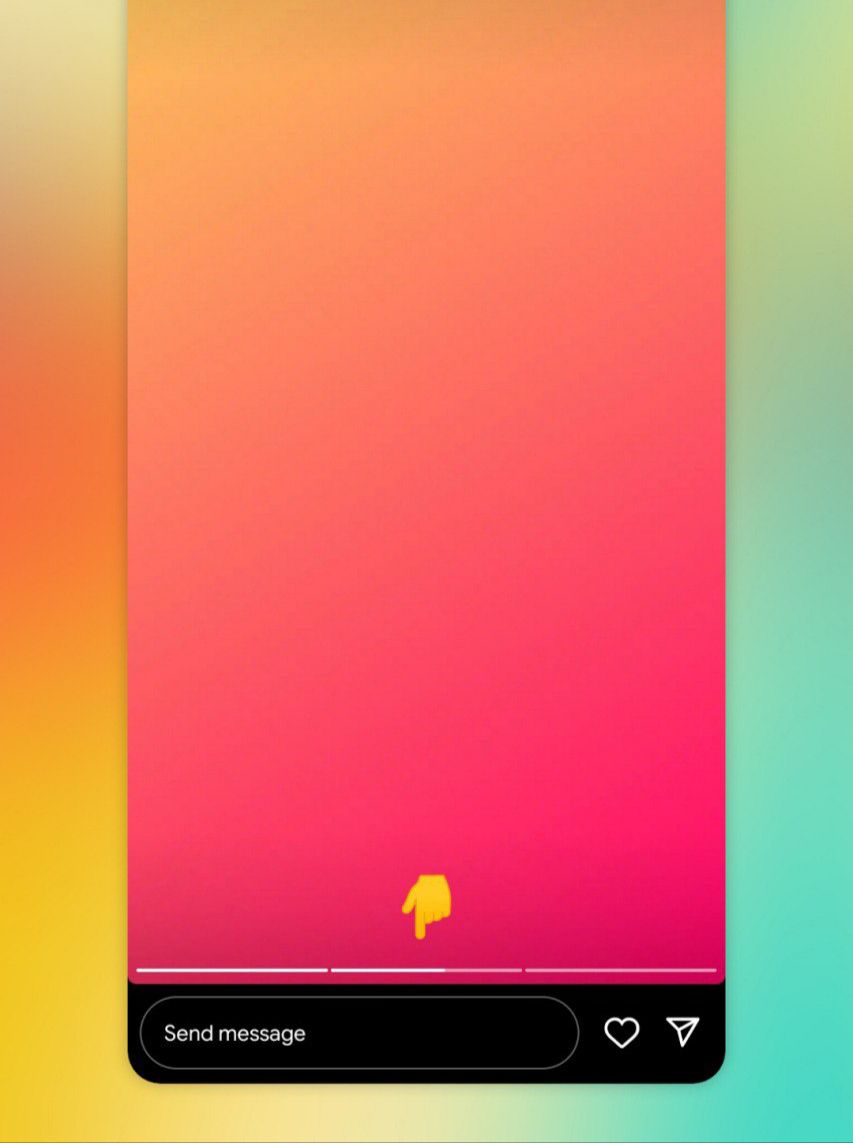
Move the progress bar to the bottom
stories bottom progress bar
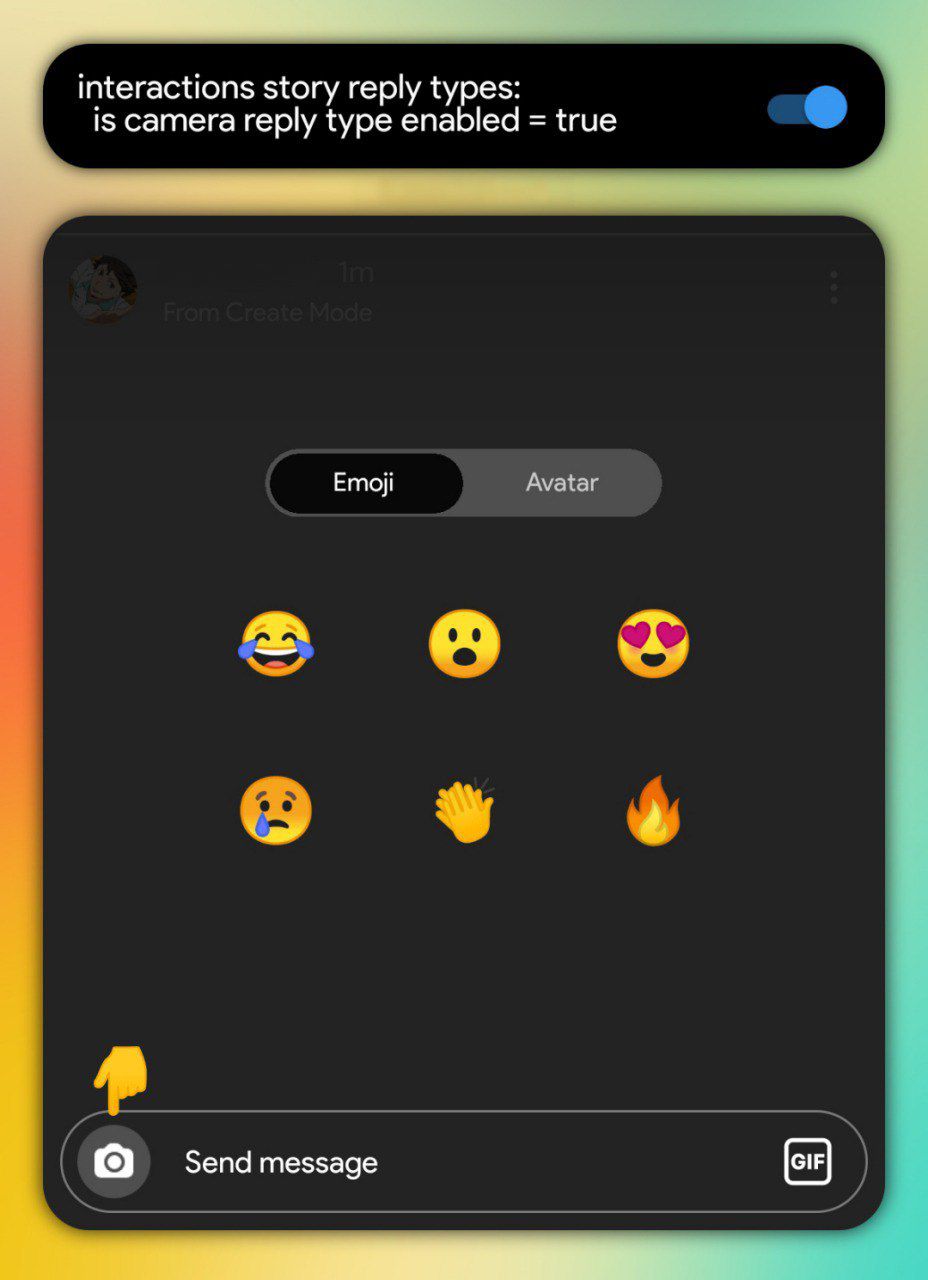
reply with media
camera reply type
allows you to reply to story with photo or video media from the camera button.
show online status while watching stories
active dot
only works if you and the other person enable the "activity status" option in Instagram settings.

search specific users who watched your stories
story dashboard search
enter the name and enable all the toggles.
messenger and reply icons in viewer list
ios spark viewer list message icon
choose one of them to activate.
share posts with longer captions
reshare caption lines
zero (0) = infinity ♾️
custom color stickers
stories custom color gradient stickers
attention!!! pnly works for location, mention, link, and hashtag stickers.
option to hide lyrics in music sticker
stories music only
with this setting you don't need to move the lyrics to the bottom to hide it.
option to cancel all ongoing uploads
stop all uploads
search in developer options (outside of metaconfig settings) and you can pin it if you want.

15 and 60 second stories
stories video segmentation
enter the name and enable the toggle and change the 2nd option to 60, or change it to 15 if you want to go back to 15 second stories,
attention!!! don't put a number more than 60 (e.g. 61 and so on) because videos above 60 seconds cannot be uploaded to the story.
add yours sticker button in the camera section
add yours browser

notes
cf hub
similar to stories, you can create a note and upload it in the direct tab and only visible to the followers you follow back, and will disappear after 24 hours.

quiet mode
quiet mode
just like the 'pause all' notifications option in Instagram settings, the quiet mode will disable all types of notifications at a certain time and you can set when it will turn on and off automatically.
enable the toggles like in this picture.


chat translations
igd android thread translation
attention!!! only works in some chats and not in all chats, i don't know how instagram chose it but if you see a banner in a chat to translate this chat it means you can activate this feature in this chat from the chat details, if not then you cannot activate it in any other way.

autoplay preview of shared reels
full autoplay enabled
resize preview of shared reels
clips direct reshare size
forward button for reels
reels direct message forwarding
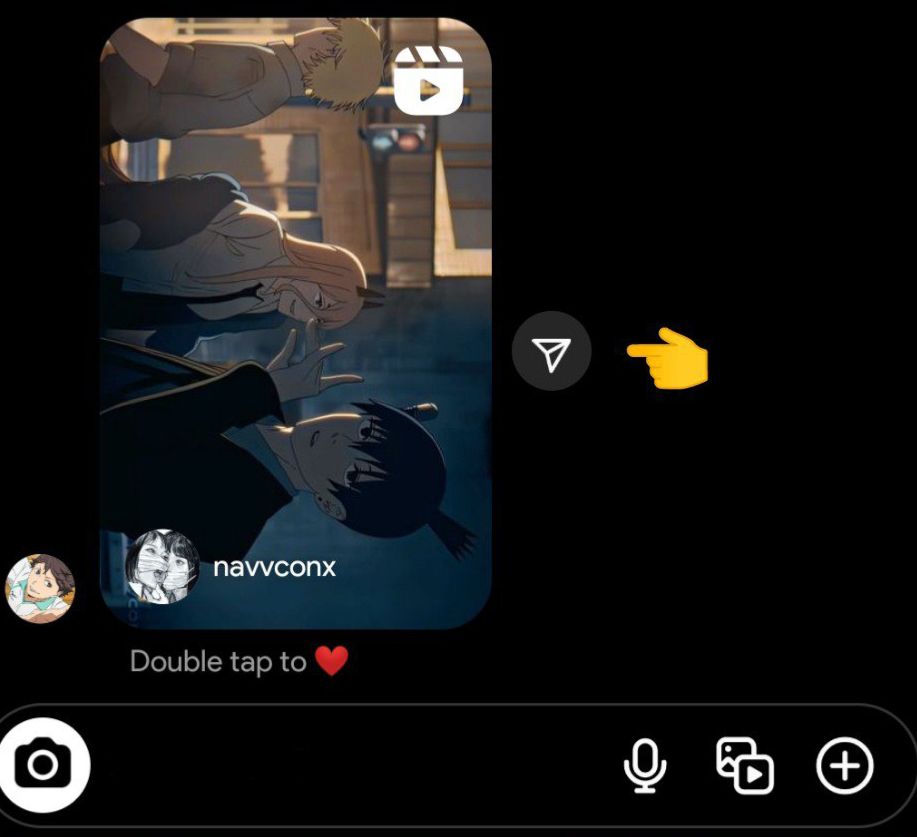
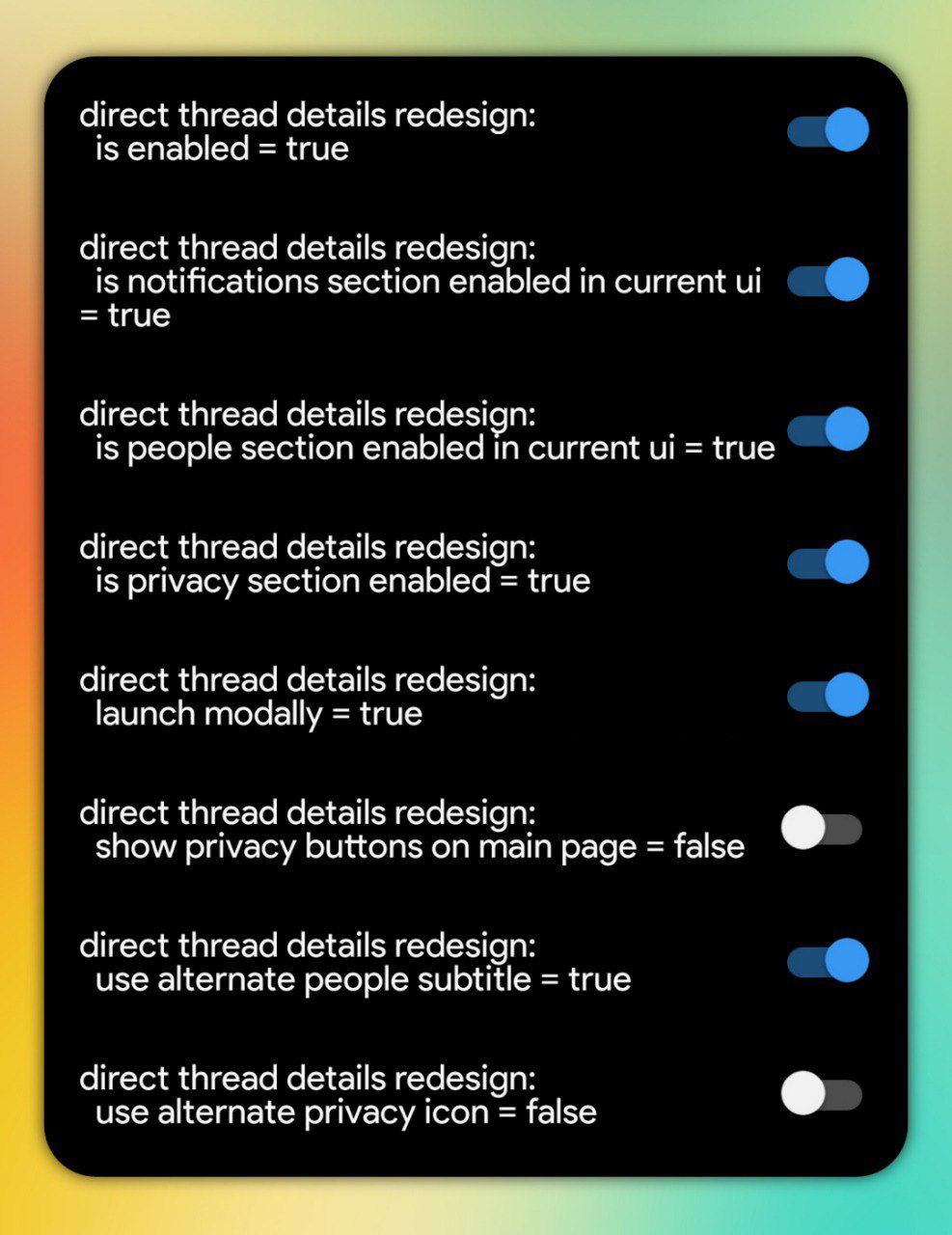
new layout of chat details
direct thread details redesign
enter the name and enable the toggles like in this picture.
chat pinning
thread pinning
mute chat within xx hours
thread time muting
enter the name and enable the toggles like in this picture.

remove calls tab and camera button
remove calls tab entrypoint
remove inbox camera entrypoint

inbox buttons with border
is inbox redesign enabled
attention!!! only works on professional account.
long press to change chat theme
long press to theme picker
swipe to open chat details
swipe to thread details
enter the name and enable all the toggles.
animated avatar stickers
igd animated avatar stickers
enter the name and enable all the toggles.
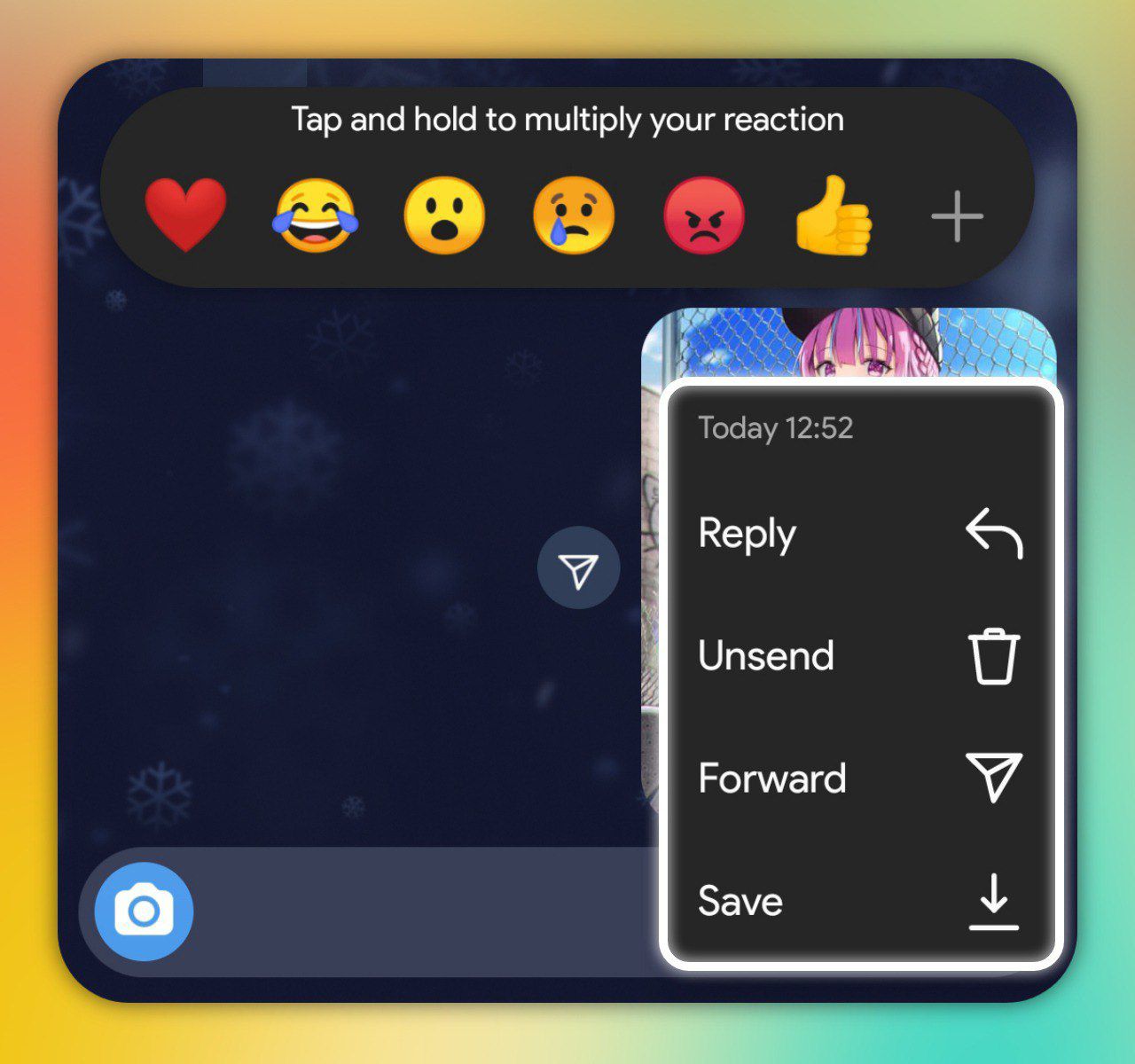
new layout of long press menu
igd long press message action
enter the name and enable the toggles like in this picture.

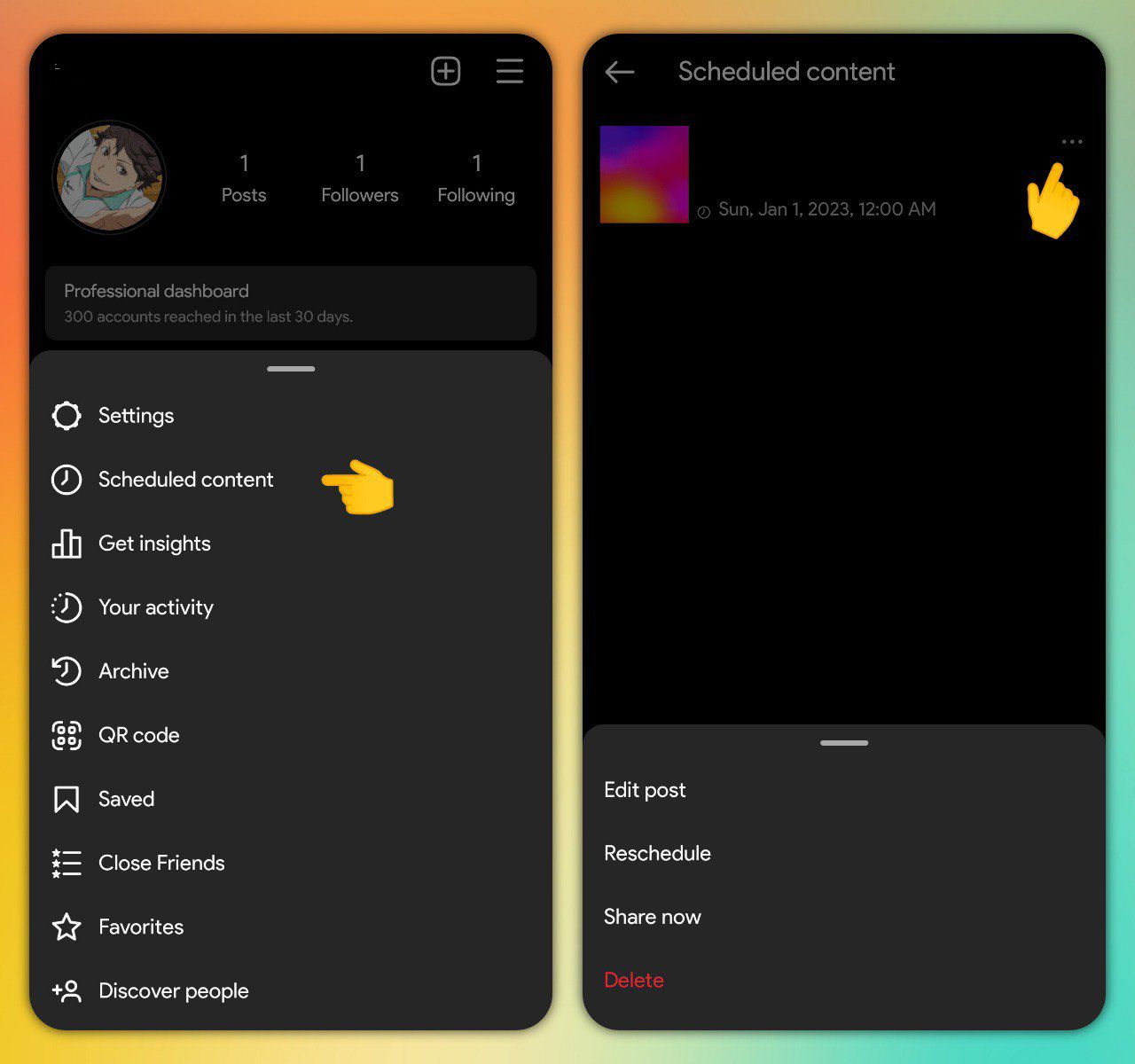
schedule posts
content scheduling
attention!!! available only for professional account. enter the name and enable all the toggles.

reels pinning
clips reels pinning

show your other account in your username
mimicry
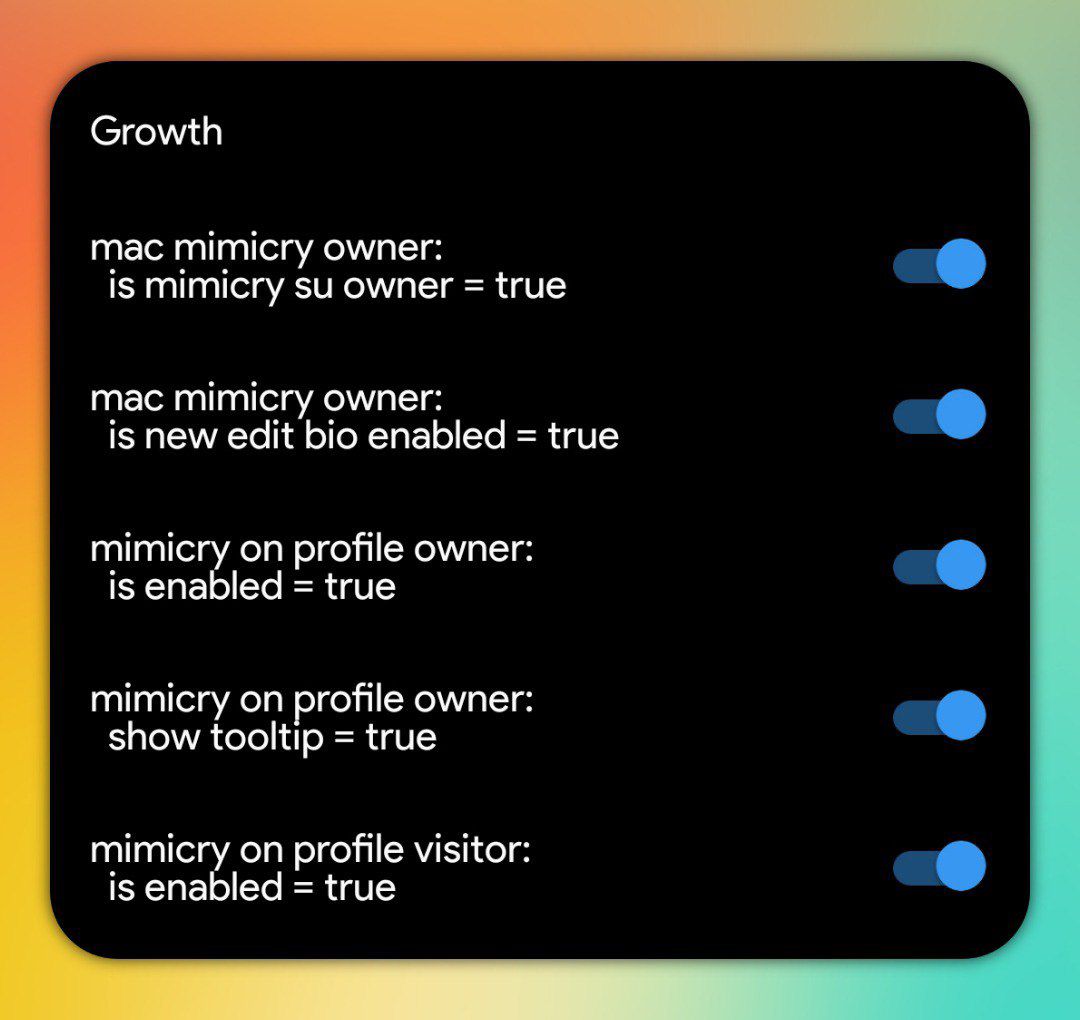

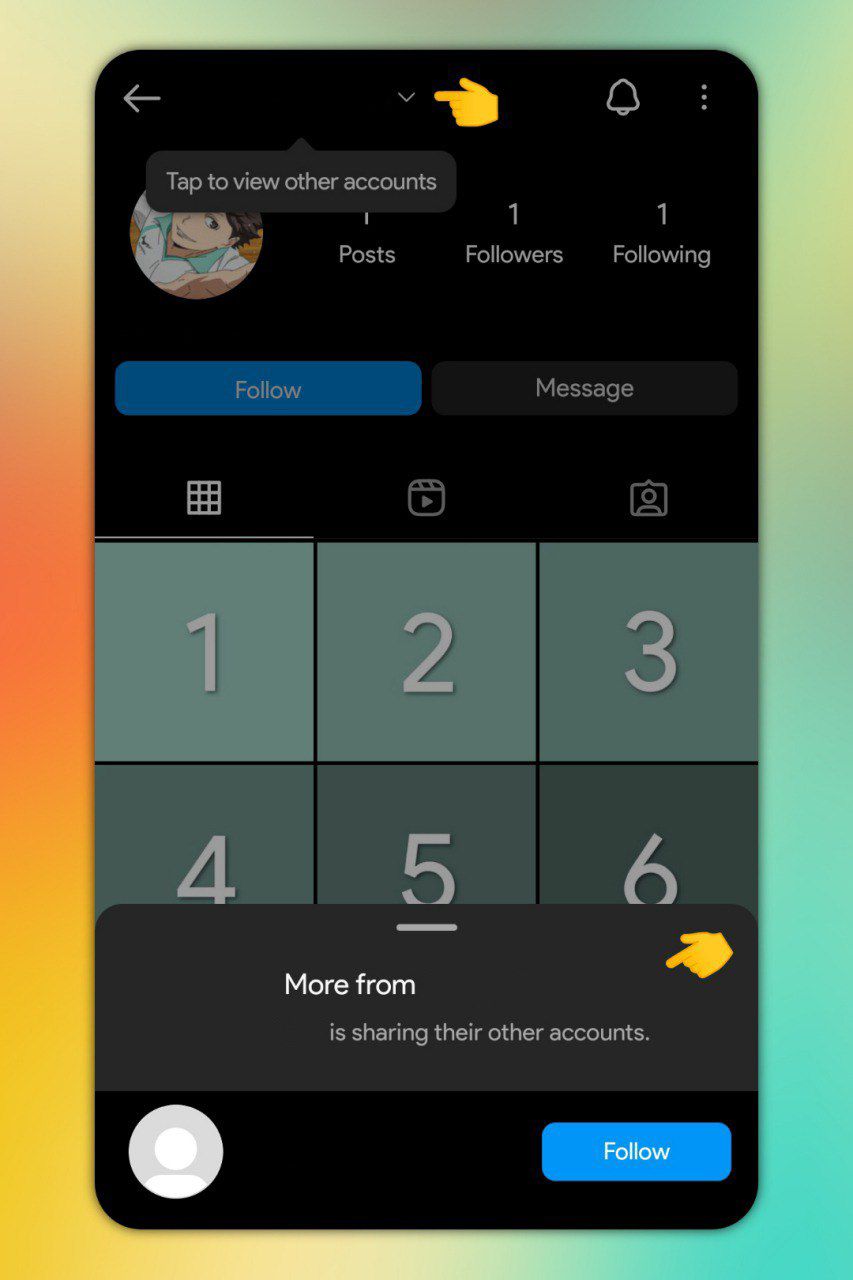
remove suggested accounts
self profile chaining enabled
enter the name and disable the toggle.
by default this setting is already disabled for professional account.
archive button and saved button
archive v2
profile uplevel
red dot count
inbox red dot count
taller grid
profile taller grid
new create icon
profile creation button icon swap
tabs button with dropdown style
dropdown navigation
show IGTV section
consumption merge profile video tabs
usually this option is already activated by the server and it combines the igtv section to the reels section into one section on the profile tab, disable it if you want to get that igtv section back.
highlight pinning
highlight pinning
i hope you'd follow me on instagram ⁉️🫶🏾
i'll drop part 3 on 500 followers 🥹🩷