developer settings guide Part 1🫶
Musaib.
attention!!
be careful when activating some settings in the developer settings, no need to activate any settings that you don't know what it does. make sure you don't activate the wrong settings from this article, read carefully the name of the setting and the captions.
no need to activate all the toggles from a setting name unless it asks you to enable all the toggles. if some of the settings don't work, just disable them, all the features in the article were created by instagram, if something does not work, we will not fix it.
for other questions go to @syedmusaib10
how to enter the developer settings?
- go to the honistagram settings > instragram secret settings > developer Mode > Activate the "developer mode" option and then restart the app.
- long tap on home button > metaconfig settings & overrides > and put the setting name in the search bar.
quality
- upload photos up to 1440p resolution in stories.
- reduce compression of photo uploads in the feed.
- high quality video uploads on stories & reels.
ui
- feed video scrubber.
- show reels in 4:5 ratio.
- 4:5 reels auto expand to 9:16 on tap.
- change activity icon to bell icon.
- change the buttons color to gray.
- add icons in the three-dot menu.
- new loading spinner.
- preview on stories.
feed
- auto play sound in feed.
- disable reels loop limit.
- disable igtv preview time limits.
- new sharing shortcut.
- reminder post.
- comments translations.
- share posts without notification.
reels and reels tab
- watch reels with friends.
- upload reels to close friends only.
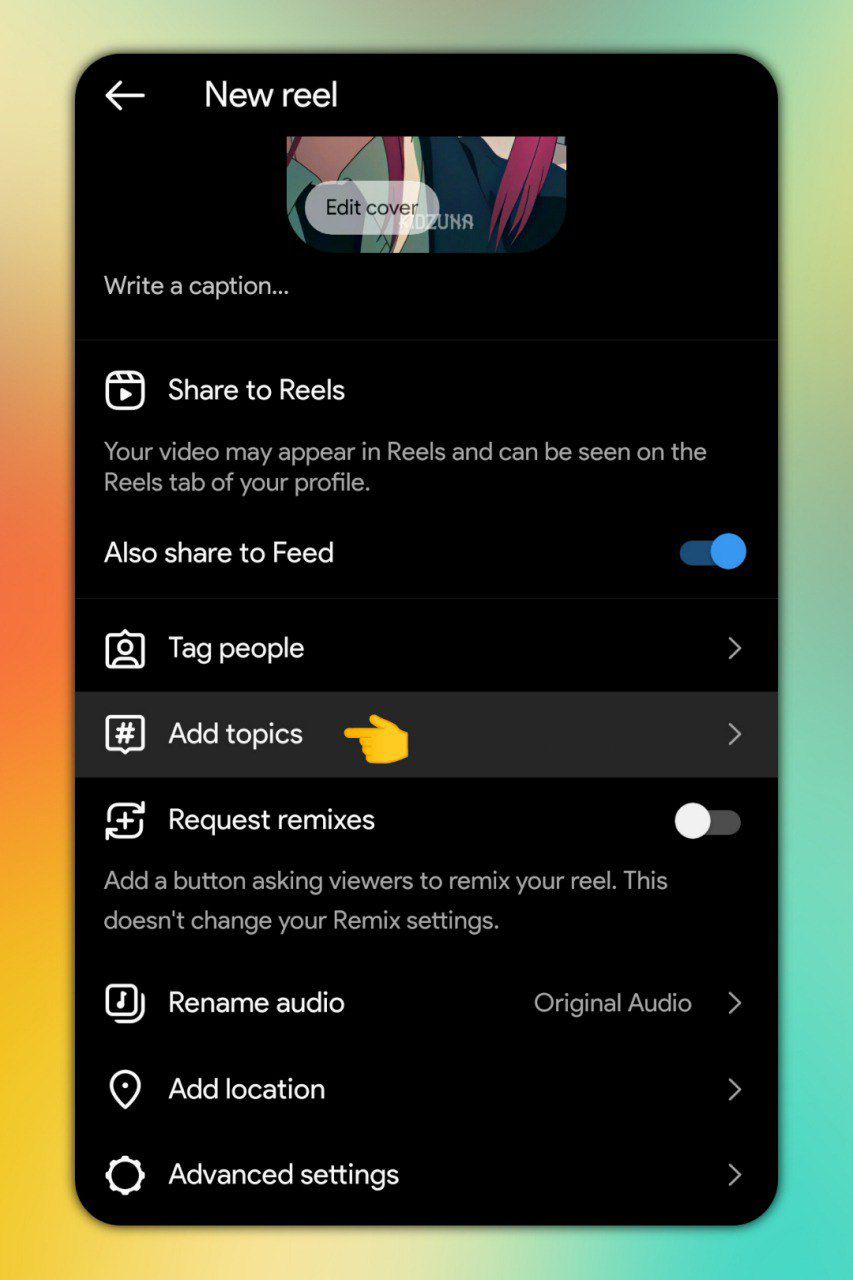
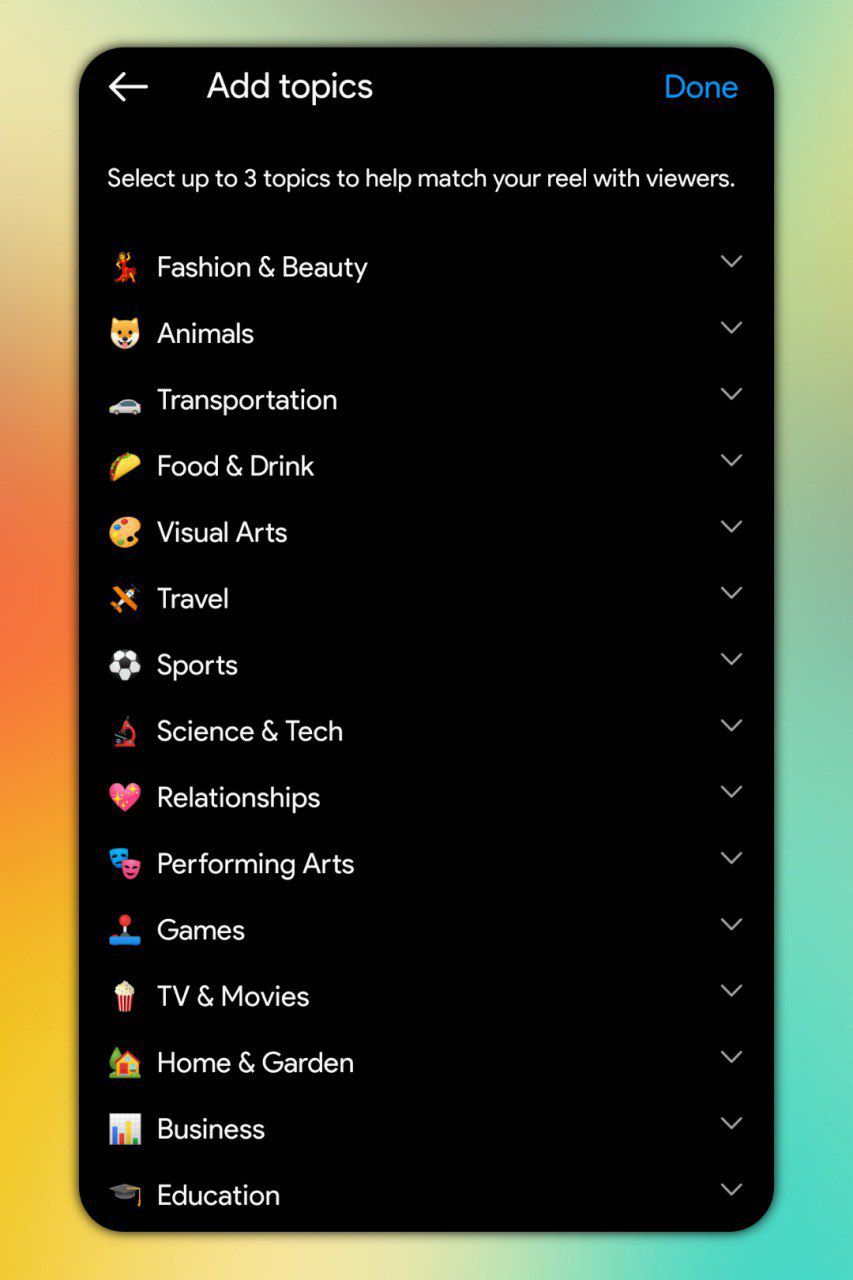
- add specific topics to your reels.
- hide follow button.
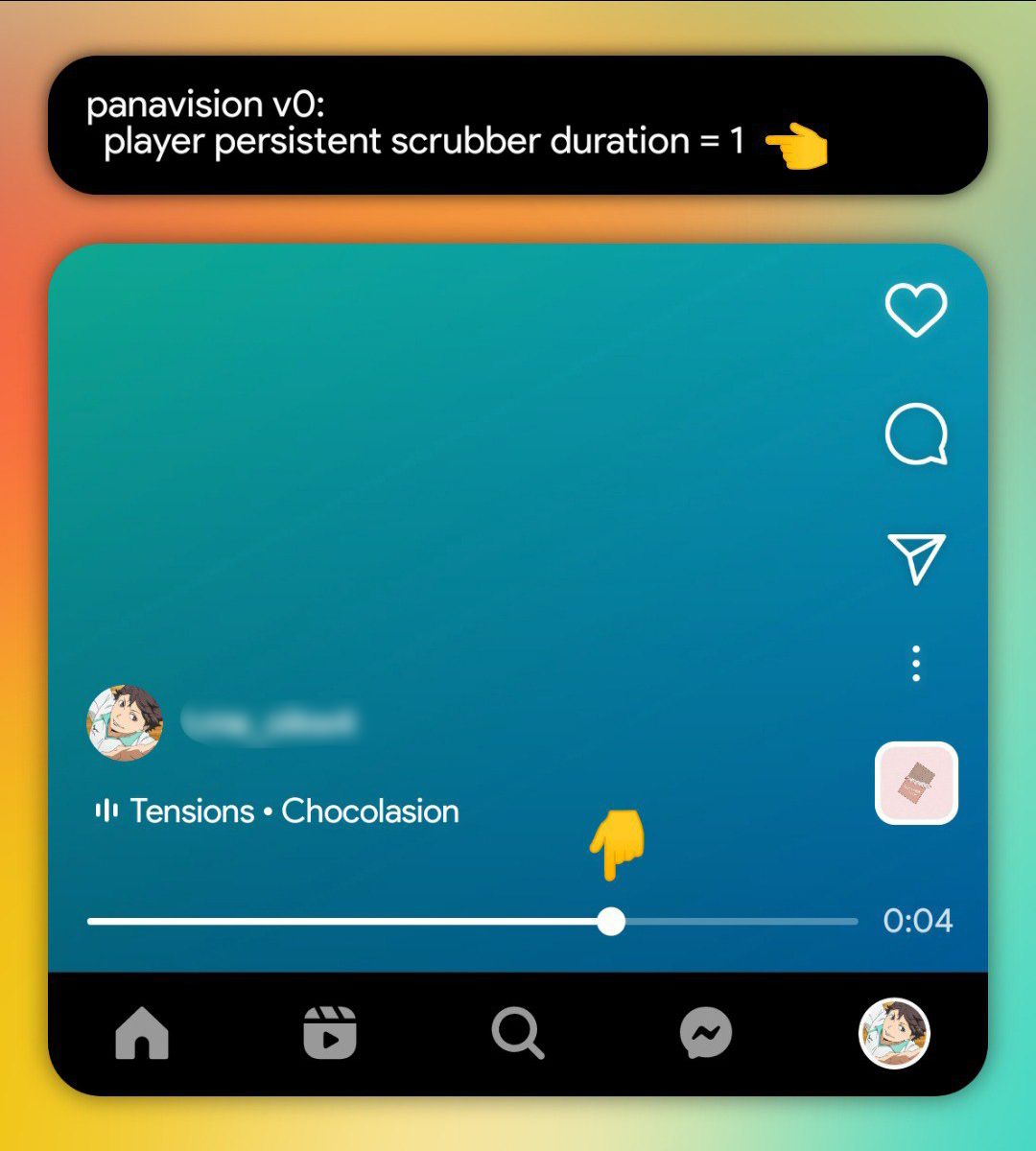
- reels seekbar.
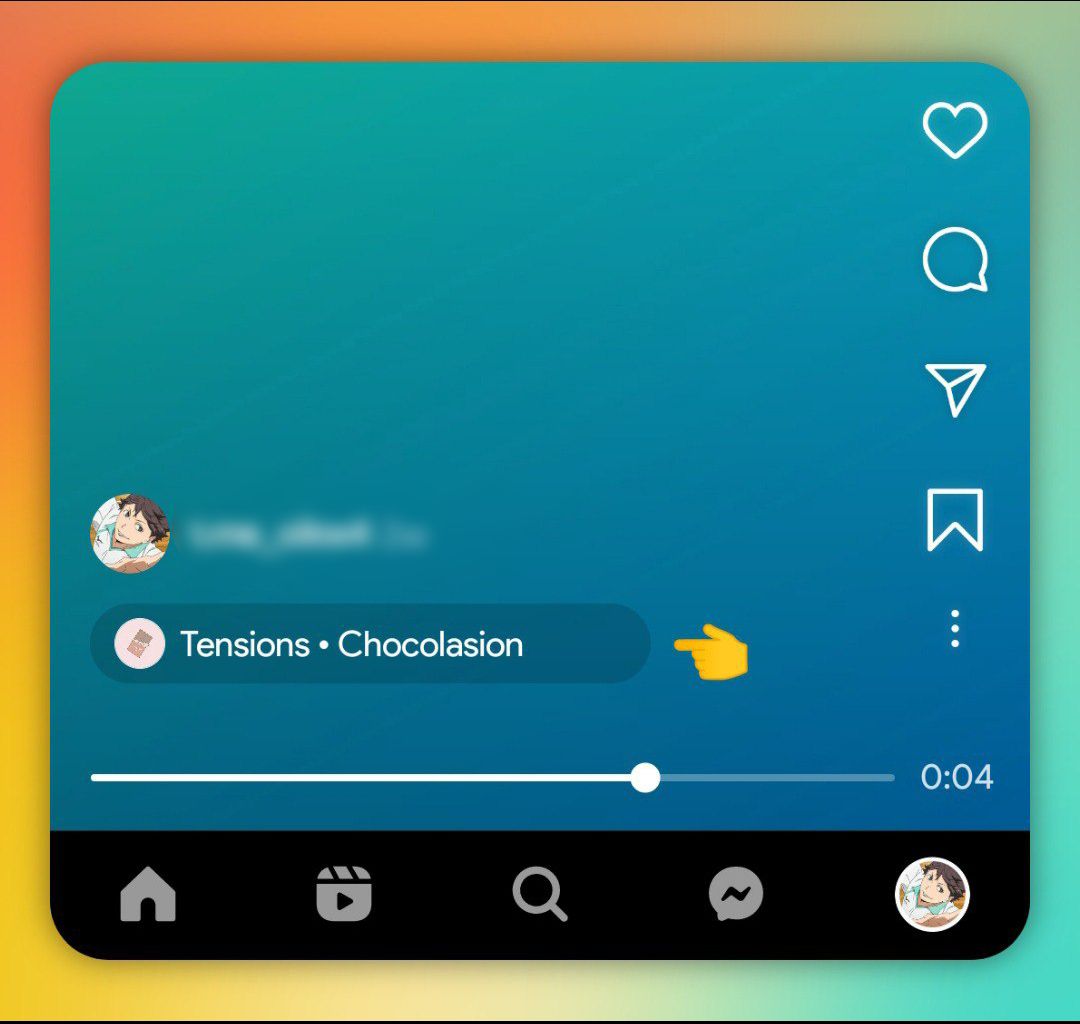
- music bar with pill border.
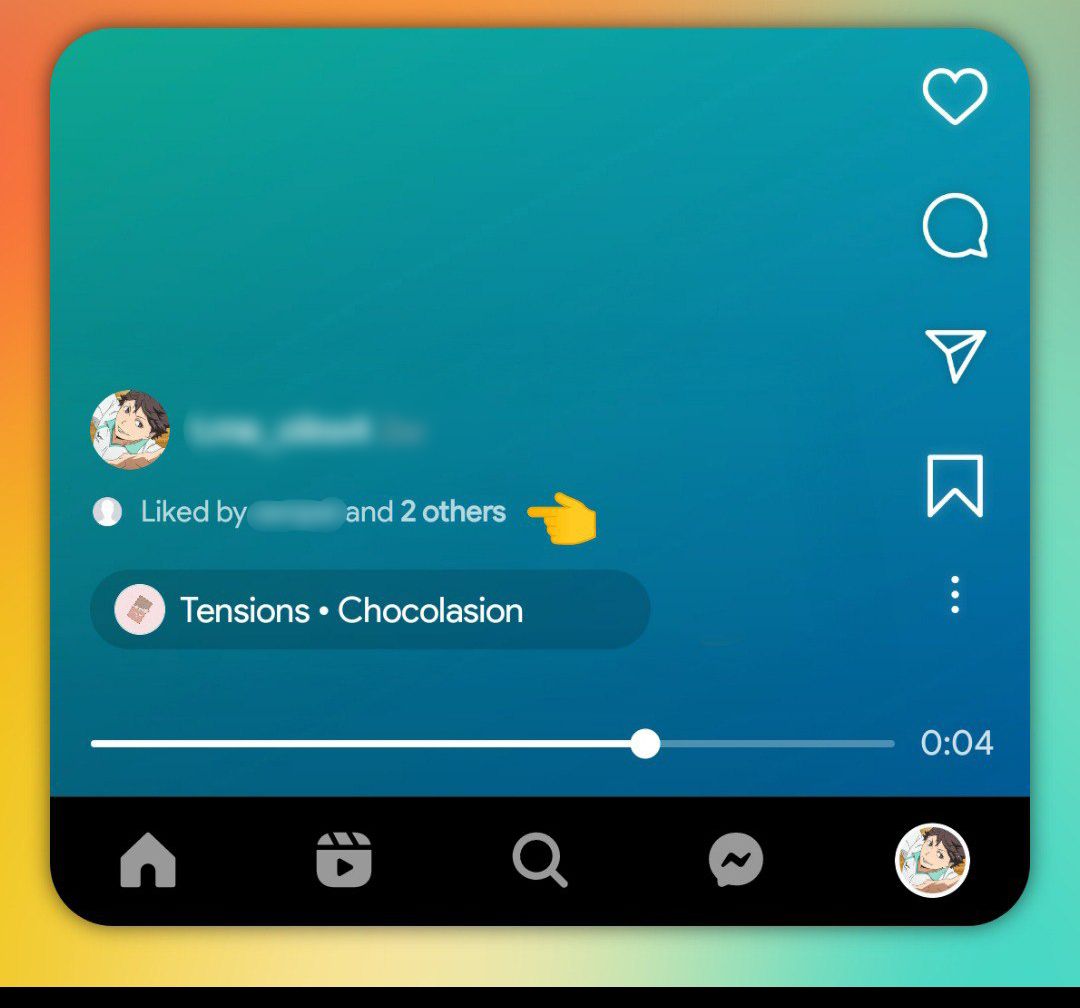
- show indicator "liked by".
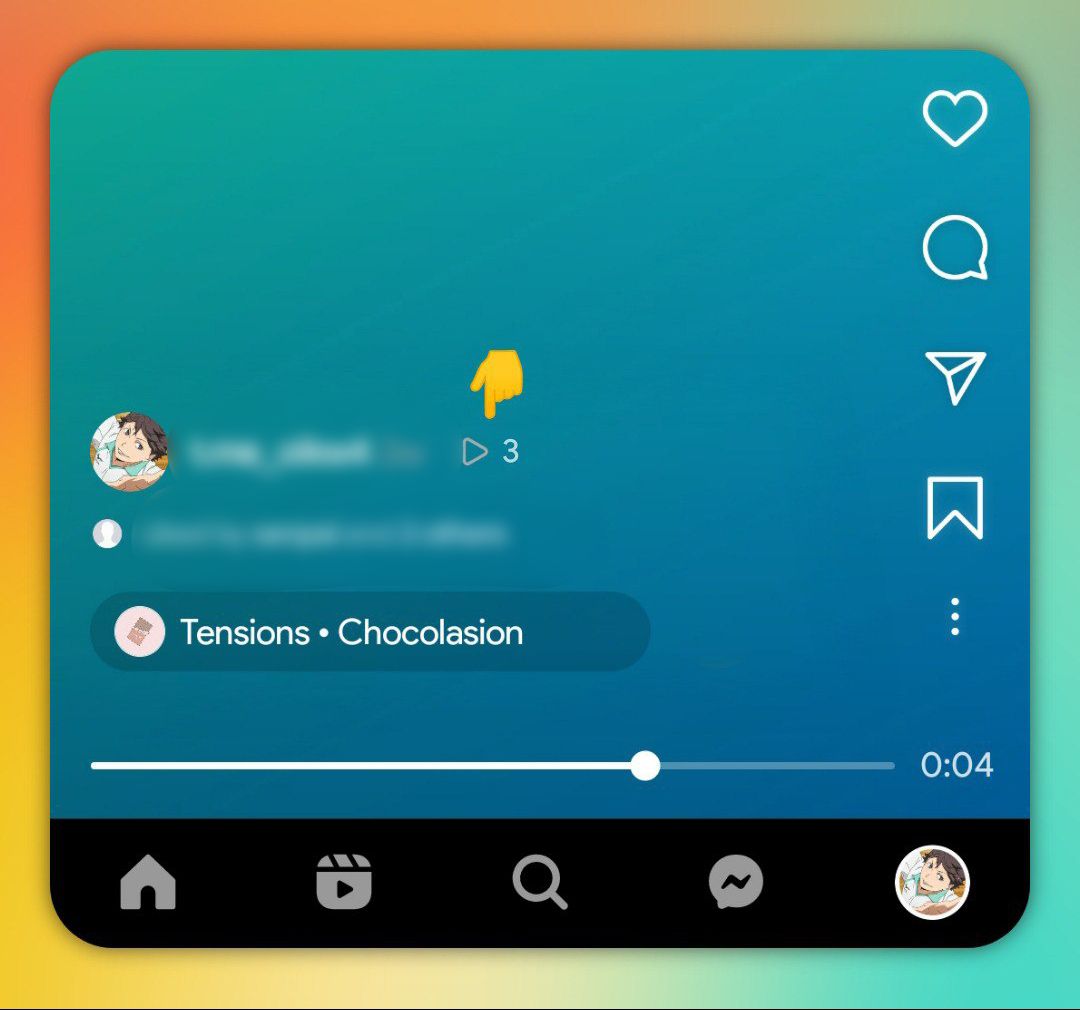
- show the number of views on your own reels.
- caption translations.
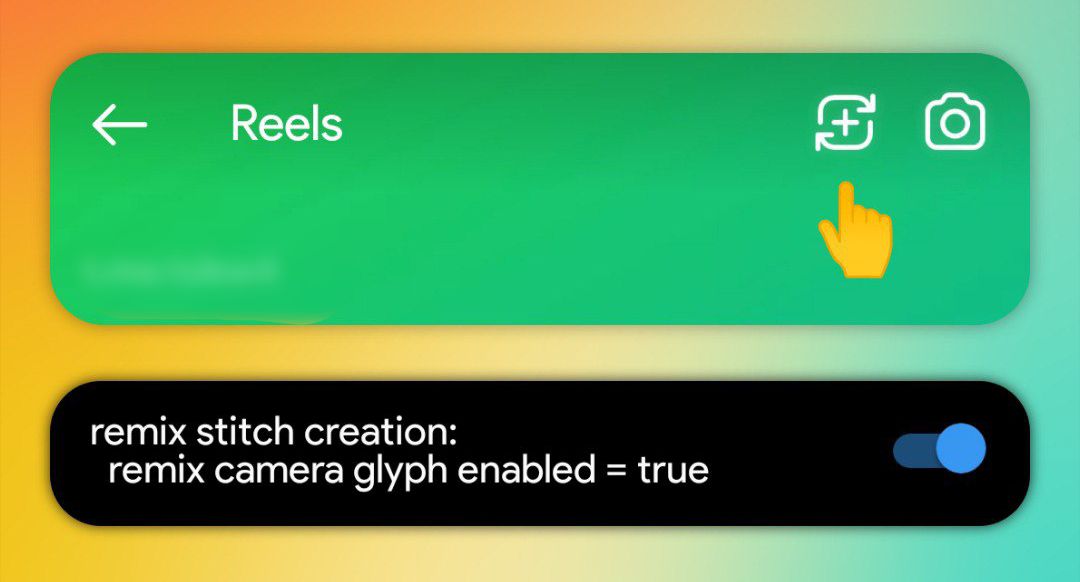
- remix button on the top bar.
- show sound button + enable "tap to pause" feature.
- swipe left to view profile.
- swipe left to show related reels.
- floating comments section.
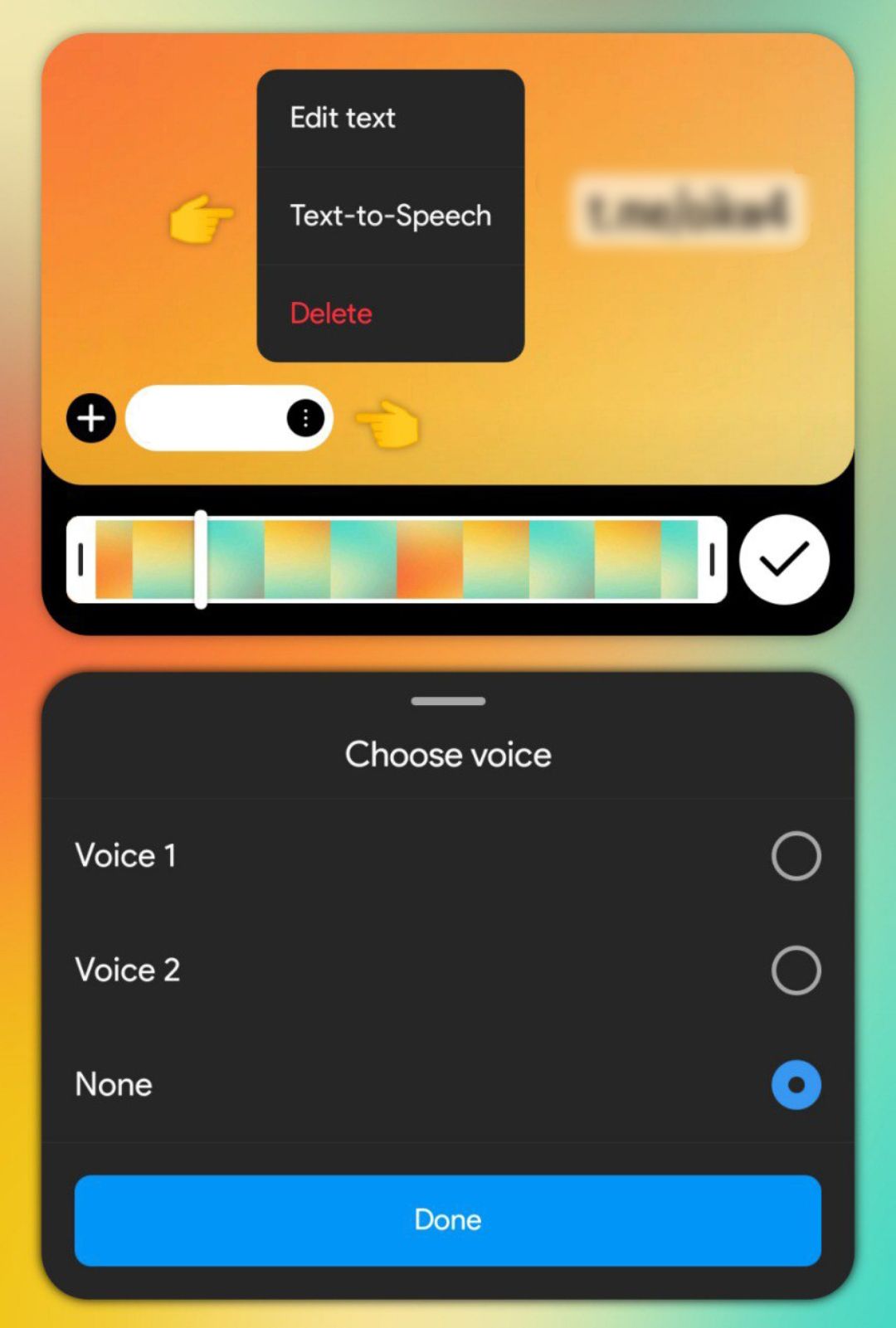
- text to speech.
explore
- reduce and hide sensitive content.
- audio preview.
- disable 1 by 1 scrolling.
- increase audio preview duration.
upload photos up to 1440p resolution in stories
ensure 1440p photo upload
by default the photos you upload to stories are 1080, enabling this setting will increase the resolution up to 1440.
reduce compression of photo uploads in the feed
photo creation
70 = 30% compression
100 = 0% compression (without compression)
UP!
high quality video uploads on stories and reels
High quality upload setting
enter the name and enable the toggle and put the bitrate mbps to 15 (recommended).
you can change it to 20 if you use video with 1080p or 1440p resolution (for slightly better compression). and the maximum bitrate you can use is 30 (suitable for 4k video) but there is a possibility that the video will fail to upload if you use bitrate above 25Mbps so be careful.
after enabling the setting restart the app, and then go to the instagram settings > account or preferences > cellular data use > and turn on the "upload at highest quality" option.
feed video scrubber
scrubber in expanded video
attention!!! Only works for reels videos in the main feed. this doesn't work for igtv, regular video, and carousel videos in the following & favorites tabs, explore tab, and profile tab.
show reels in 4:5 ratio
disable tall reels
attention!!! video scrubber will not work if you enable this setting, but video seekbar will still work.
4:5 reels auto expand to 9:16 on tap
simple video
create button on right
attention!!! this setting only works in the main feed, it doesn't work in the following & favorites tabs, and it also doesn't work in the explore tab and profile tab.
enter the name and enable the toggles like in this picture.
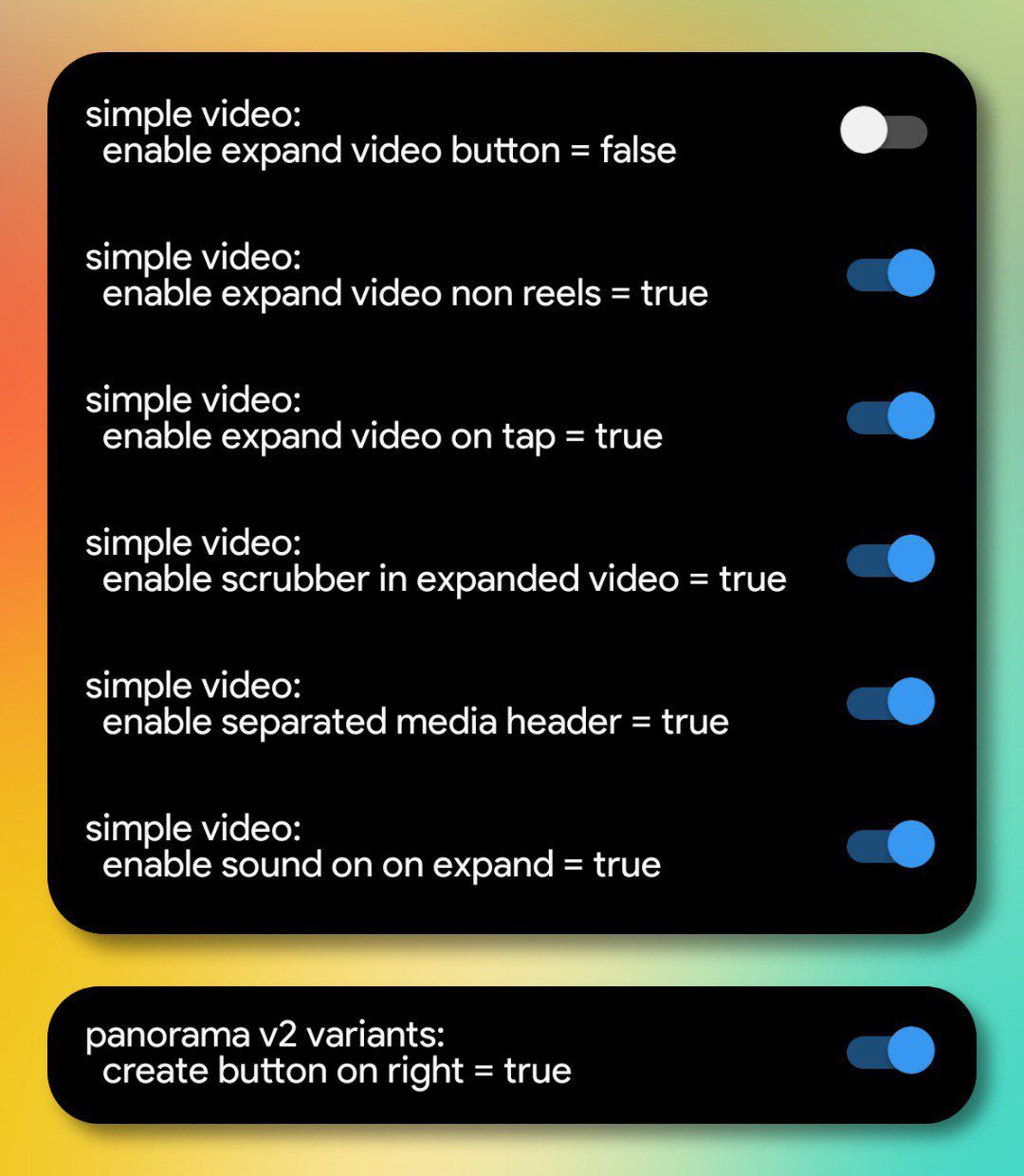
make sure the last option is always enabled and don't disable it if you activate this setting.
change activity icon to bell icon
bell icon
fill the buttons color to gray
filled tab icons
only works for the buttons on the bottom.
add icons in the three-dot menu
feed unified controls
enter the name and enable all the toggles
new loading spinner
ptr spinner
enter the name and enable all the toggles.
this setting was removed by instagram in older versions but available again in the some new versions.
preview on stories
show preview in tray
stories ring prefetch
the second option is to fix some story previews not showing up.
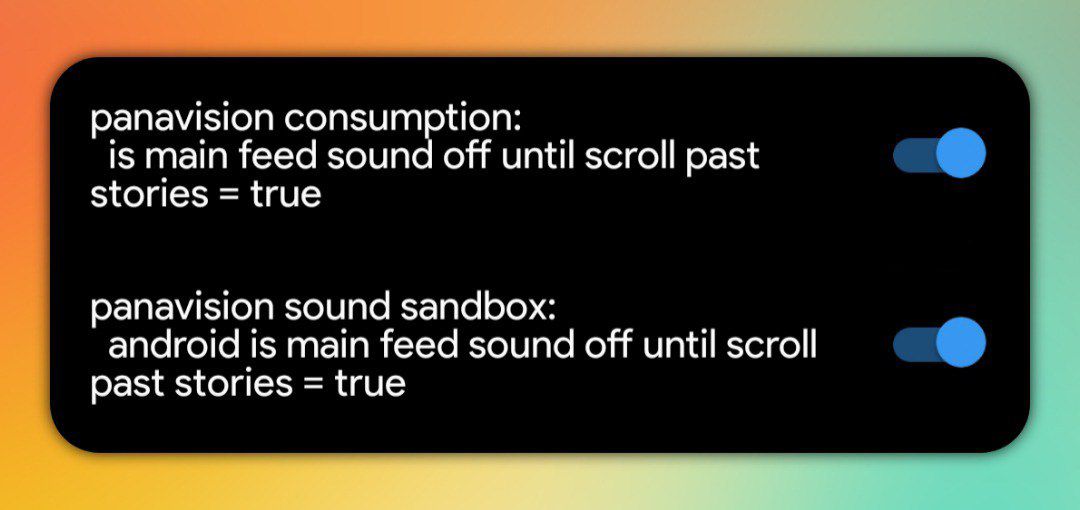
auto play sound in feed
sound off until scroll past stories
with this option every time you open the app and scroll down after the stories tray, the audio on the video will automatically turn on without tapping the audio button, and it also works in the explore tab and profile tab.
attention!!! the downside of this option is that every time you open stories you have to always turn on the audio manually by pressing the volume button up/down.
disable reels loop limit
loop video legacy feed
attention!!! only works on the main feed.
disable igtv preview time limits
dovetail launch

new sharing shortcut
super share
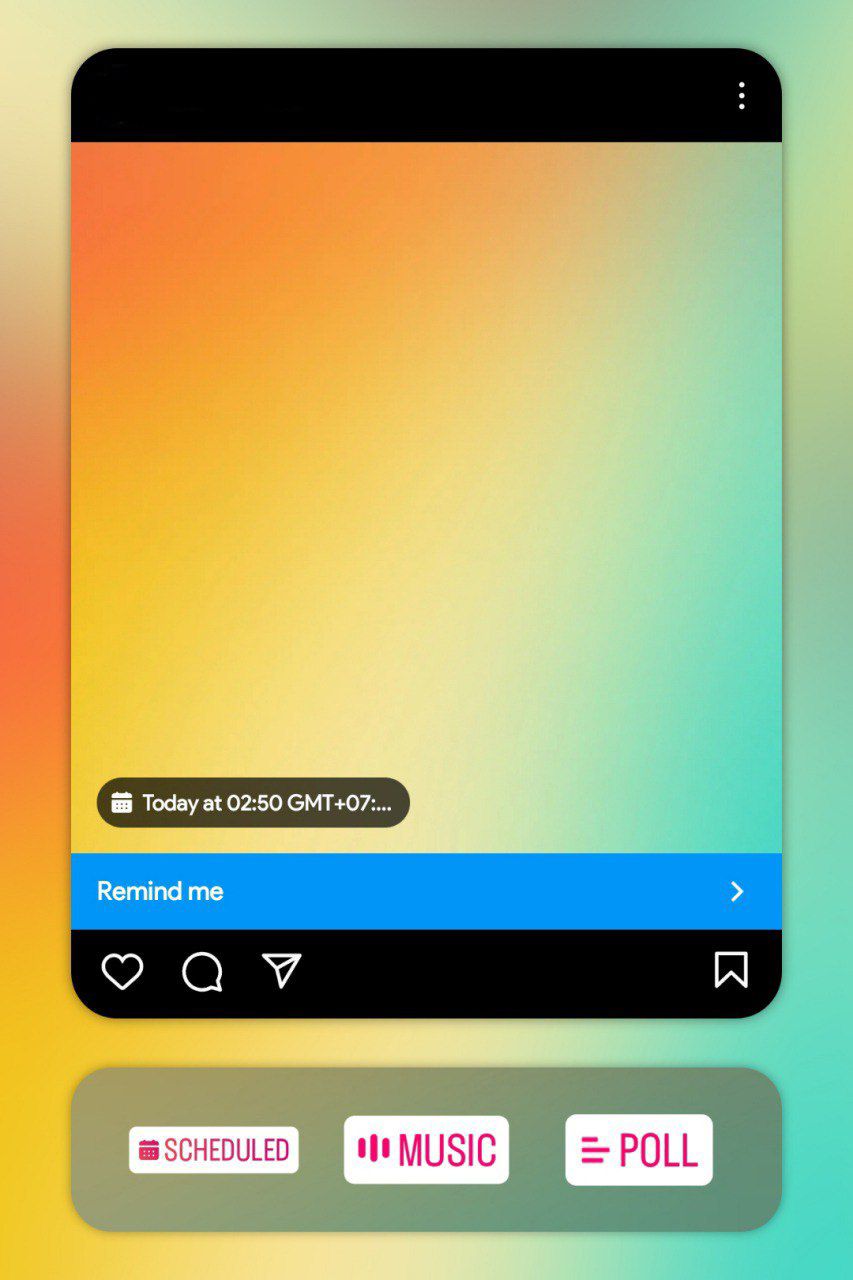
reminder post
upcoming events creation

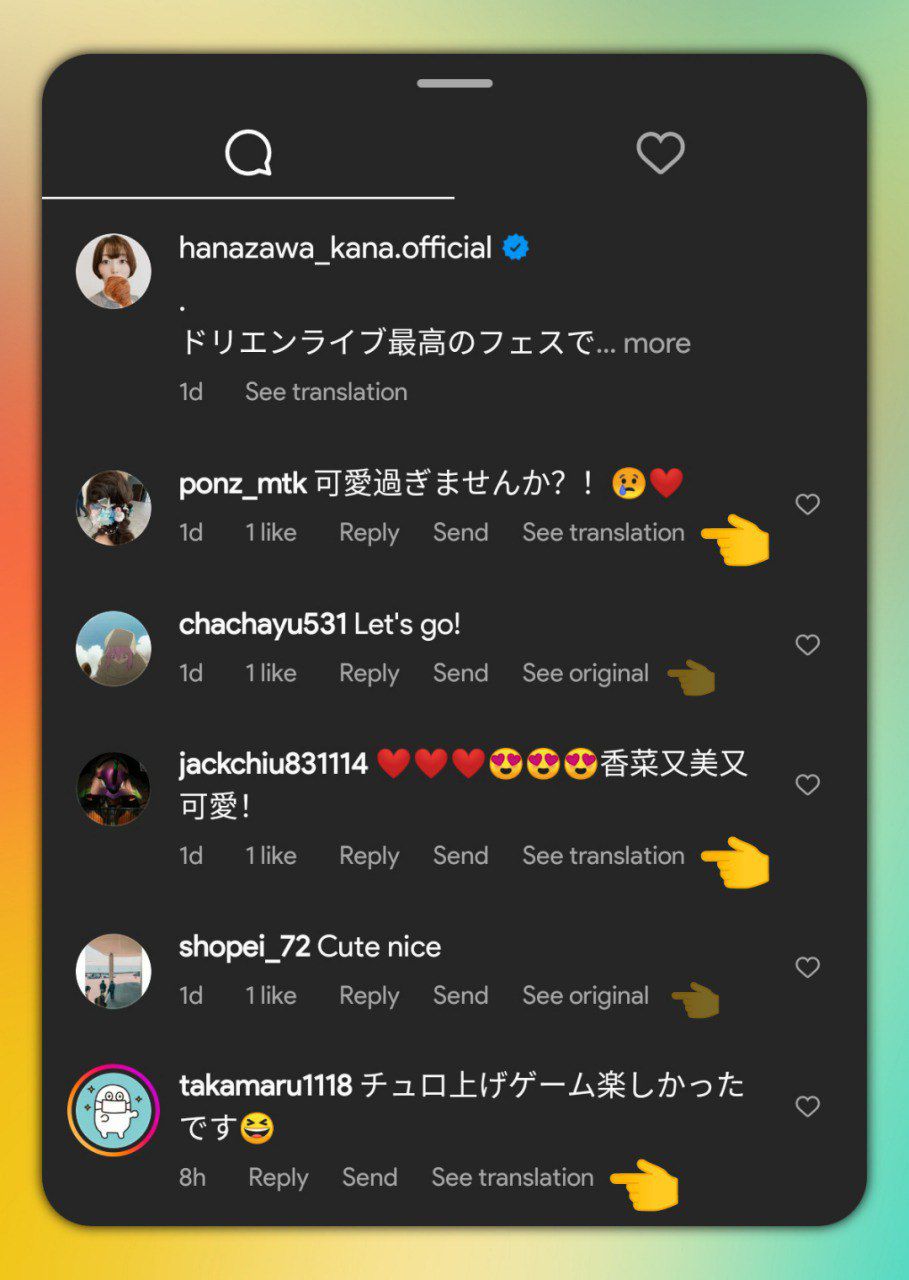
comments translations
comments translations
avatar stickers in the sharesheet
direct avatars reshare sharesheet
enter the name and enable all the toggles.

share posts without notification
send control
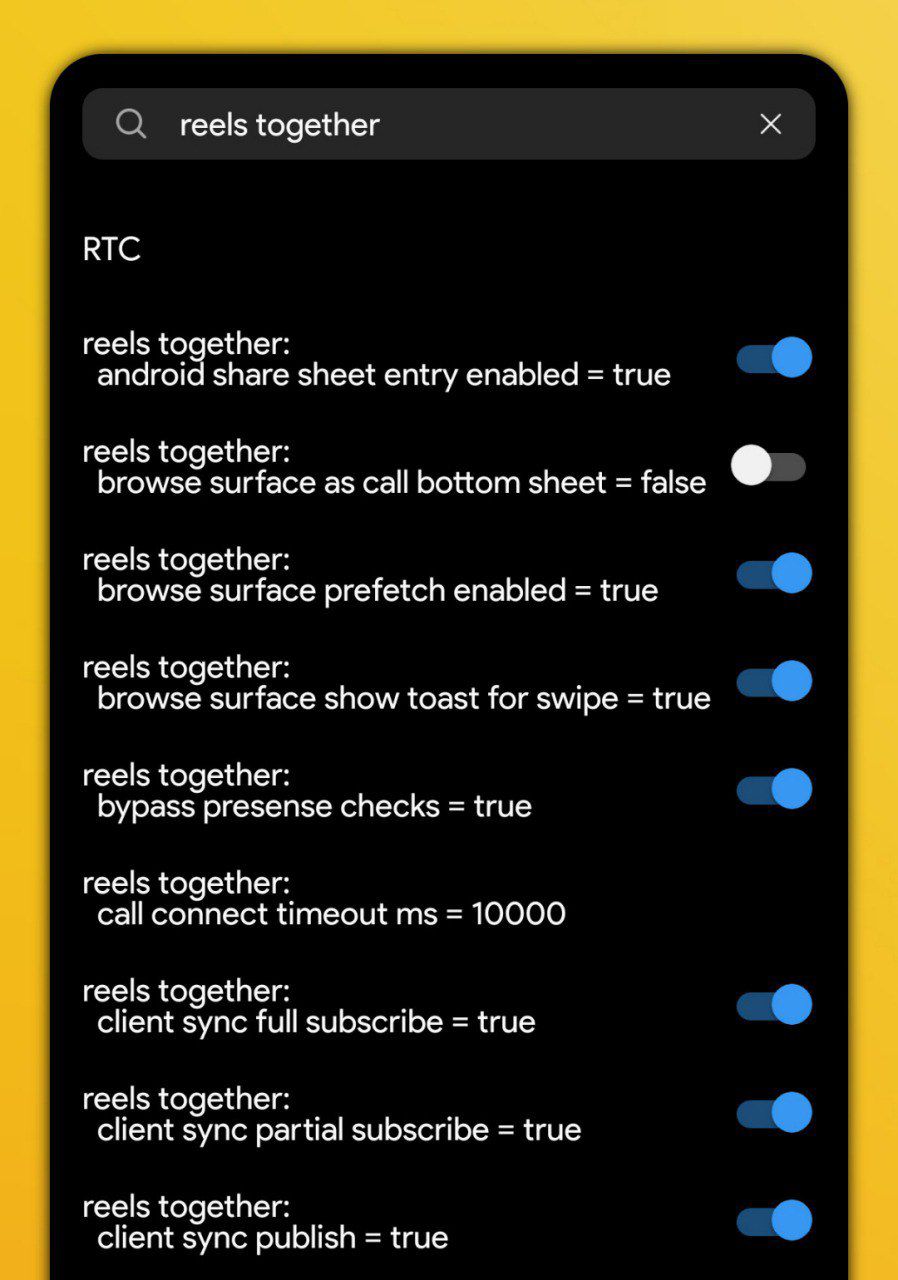
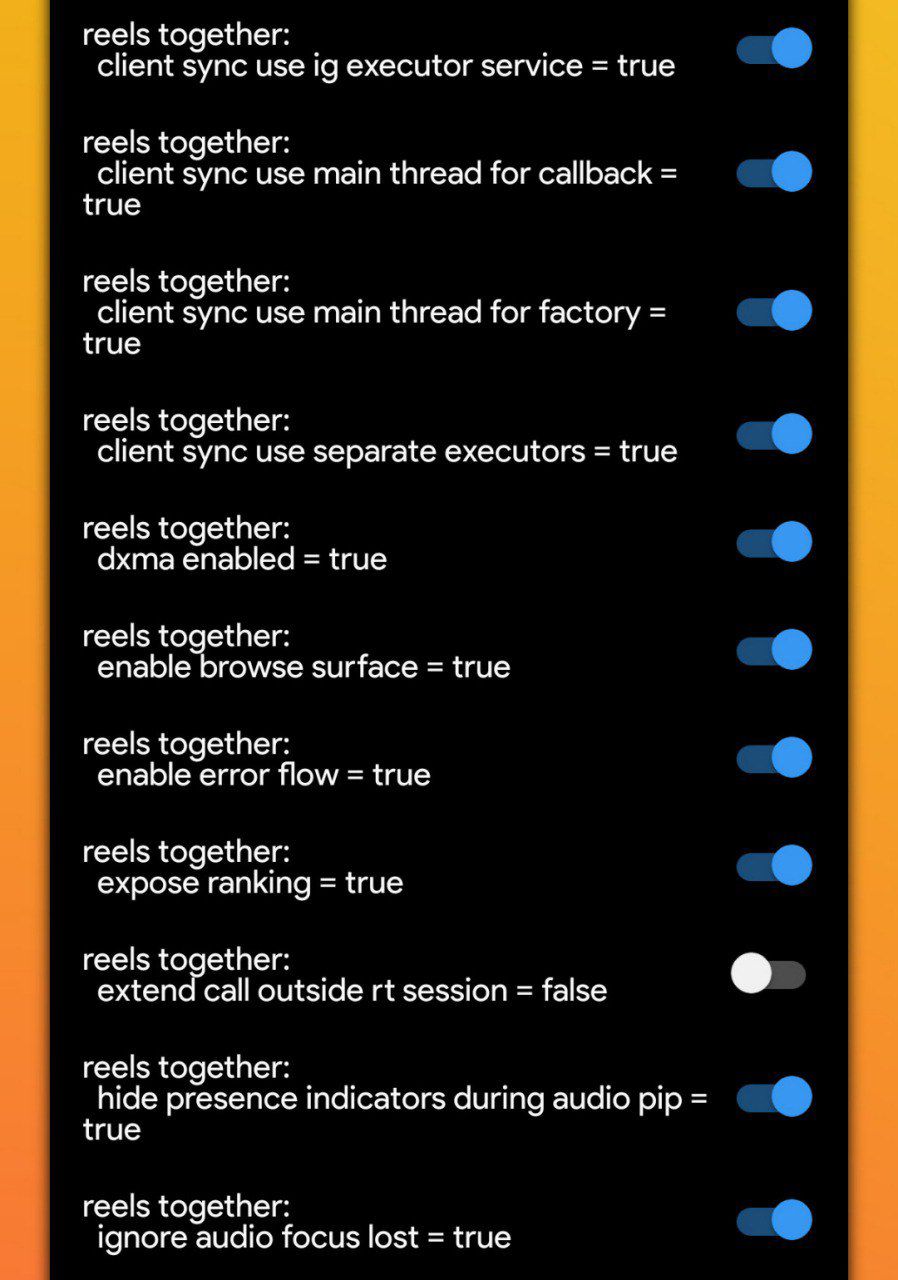
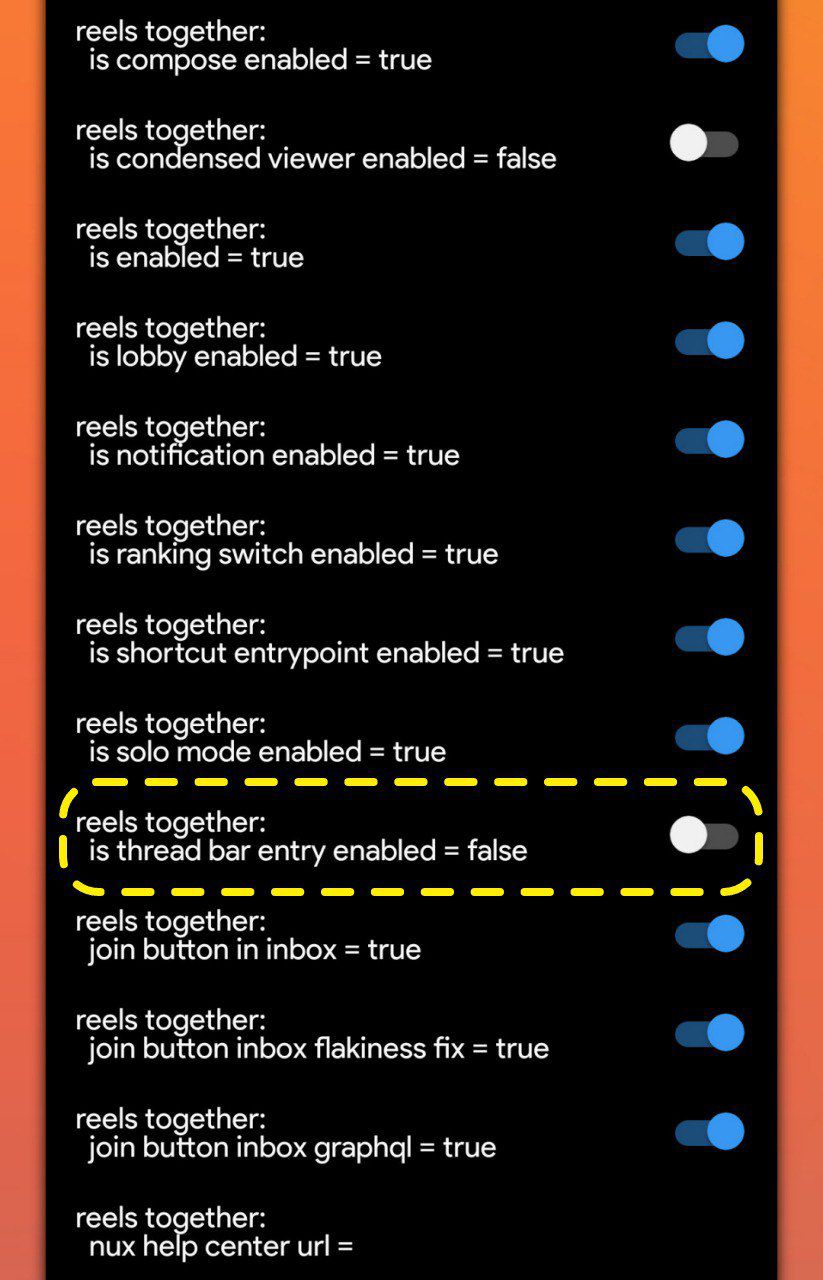
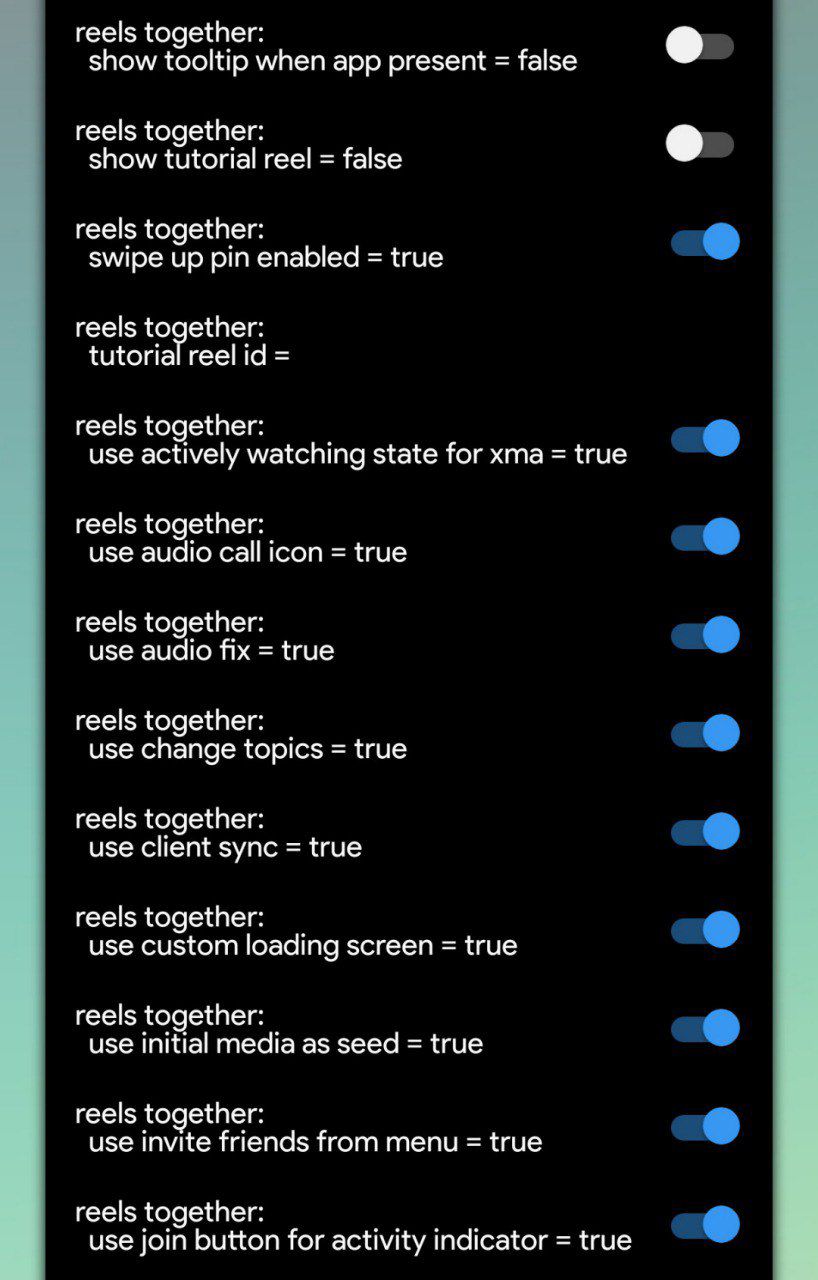
watch reels with friends
reels together
allows you to watch reels with people in your chats or with people you follow and follow back.
Attention!!! only works on other people who also have this setting enabled.


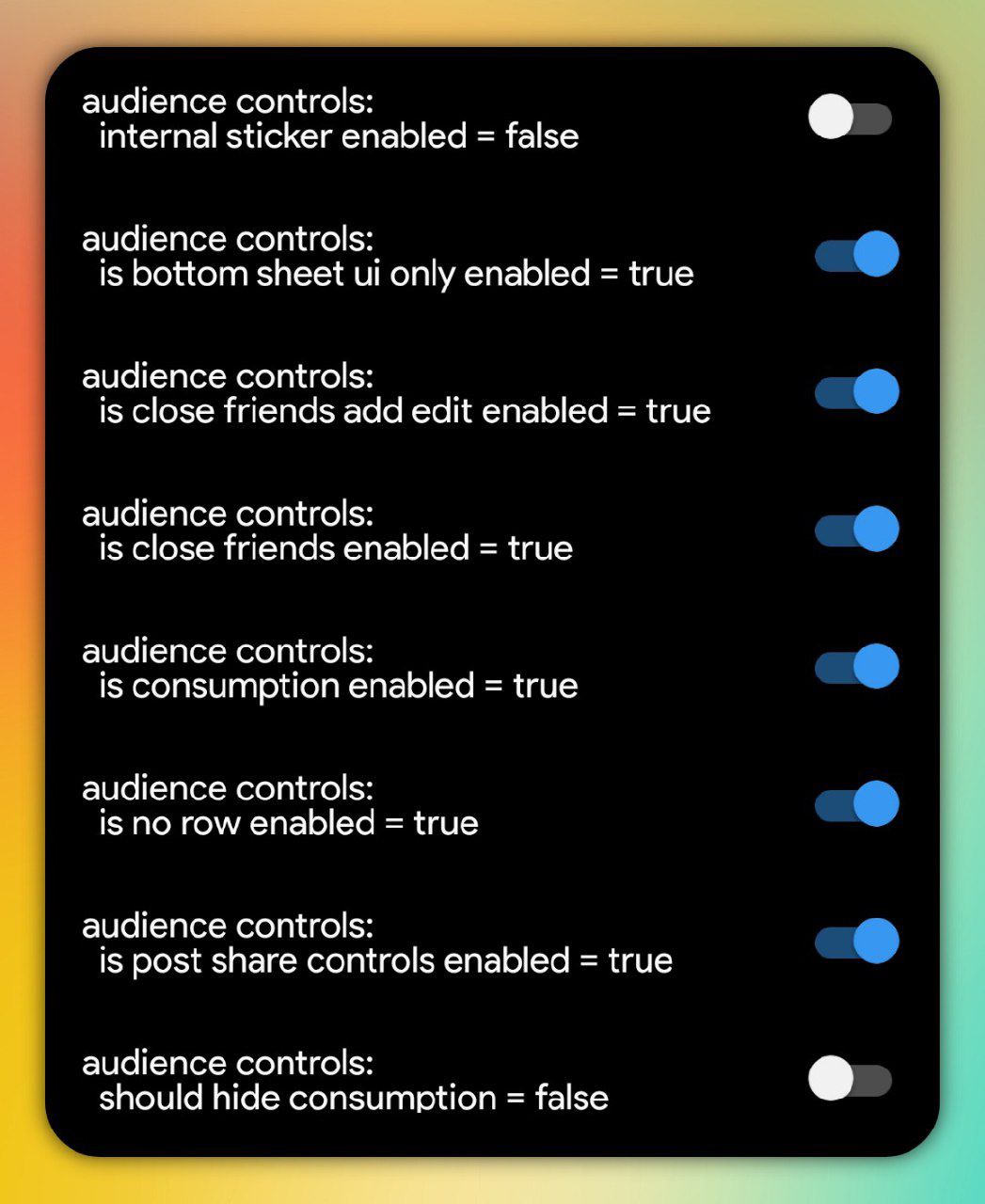
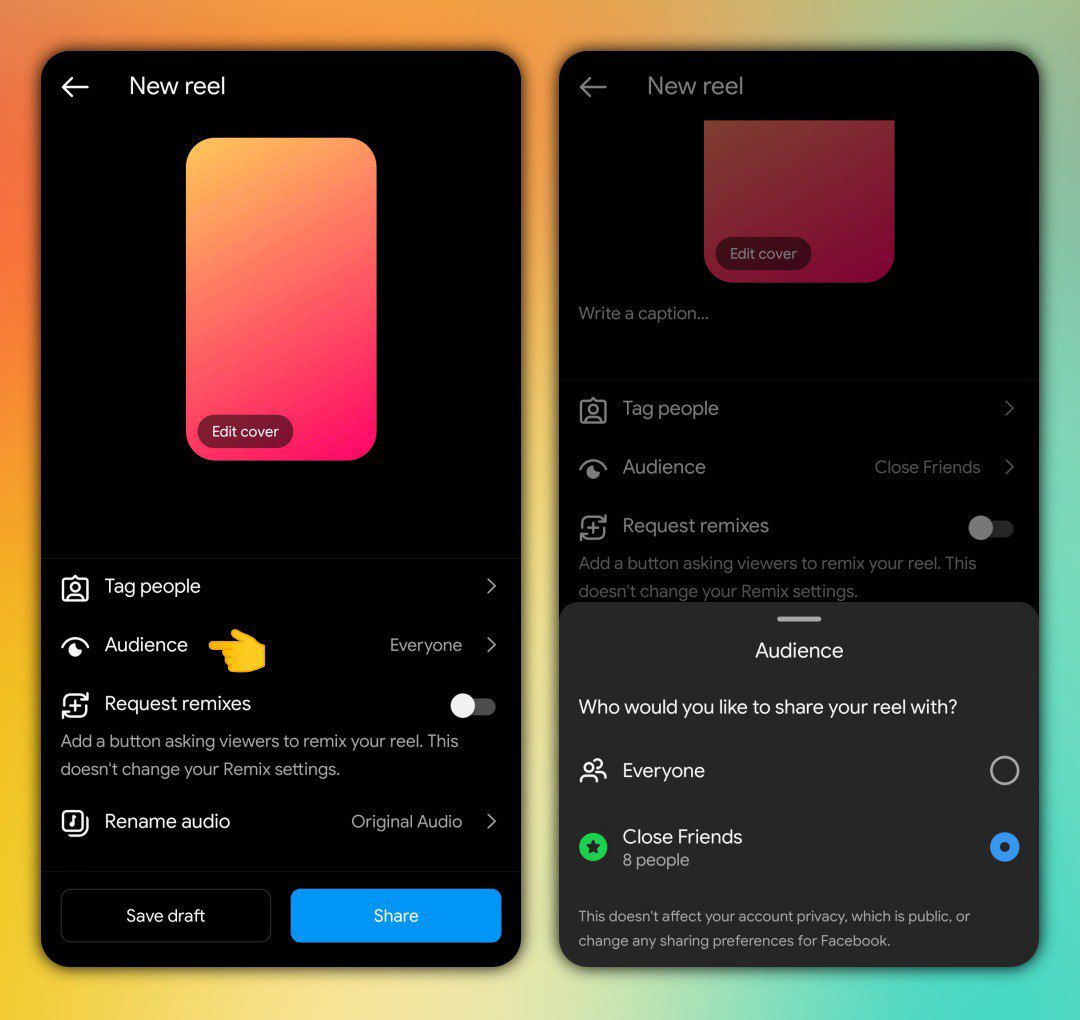
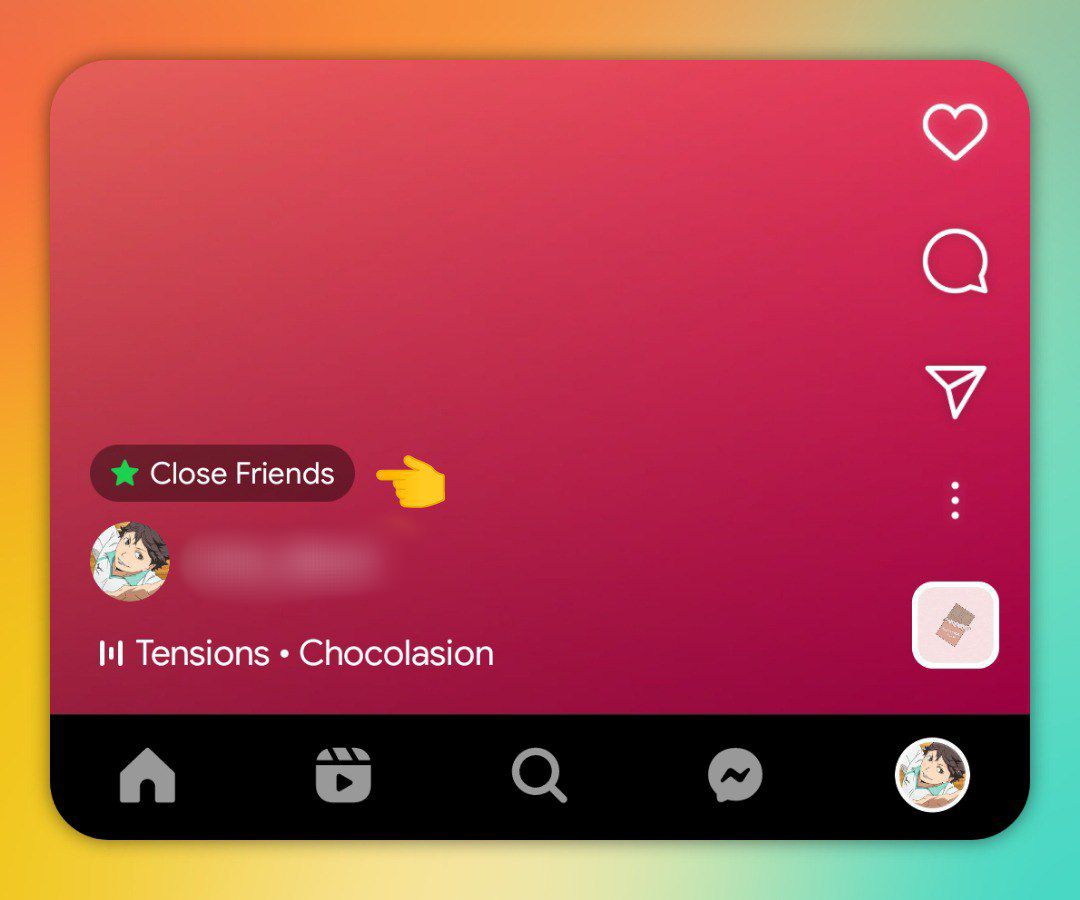
upload reels to close friends only
audience controls
enter the name and enable all the toggles.
upload video reels in feed and only your close friends list can watch it, even if they don't follow you as long as they are on your close friends list they can watch it on the grid and reels section of your profile.
add specific topics to your reels
creation interest targeting
enter the name and enable all the toggles.
this will help to recommend your videos (according to the topic you choose) to people who have an interest in certain topics like travel and sports.
hide follow button
android viewer disable follow button
hides the follow button while watching reels.
reels seekbar
persistent scrubber
video seekbar in reels
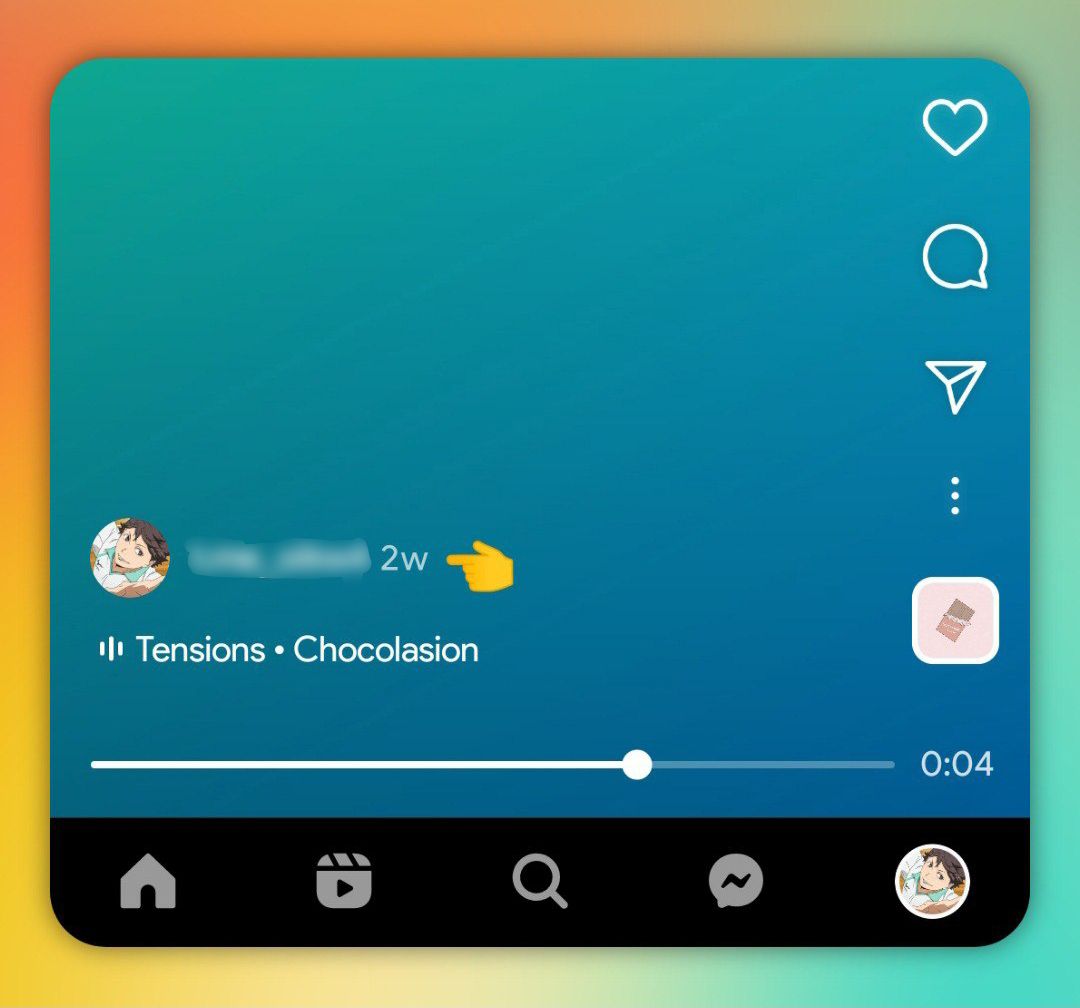
timestamp
clips relative timestamp
enter the name and enable all the toggles.
music bar with pill border
viewer merchandising pill system
enter the name and enable all the toggles.
show indicator "liked by"
clips social context likers
enter the name and enable all the toggles.
show the number of views on your own reels
reels played by
enter the name and enable all the toggles.
yes, this setting is to display the number of viewers on your reel posts, not on other people's reel posts.
caption translations
clips viewer caption see translation
Only activate the 1st option.


remix button on the top bar
remix camera glyph
attention!!! this button only appears on videos where the uploader has allowed remixes of the video.
show sound button and enable tap to pause feature
is tap to mute disabled
This setting will also activate the tap to pause feature on videos in the reels tab.
swipe left to view profile
swipe to profile
attention!!! only works on reels tab.
swipe left to show related reels
clips goldpinch
attention!!! 'swipe left to view profile' setting will not work if you enable this setting.
floating comments section
clips comment sheet migration
bottom sheet tab icons
attention!!! for the 'height ratio' option, don't put the value more than 1.0 (eg 1.1) because it will crash the app.
hide suggested posts with certain words
hide unconnected posts with words
in short, with this option you can hide or get rid of suggested posts that have certain words and emojis in the captions of the video, after adding the word you want to hide then all suggested posts that have that word in their captions 'will not' appear in your feed and reels tab as suggested posts.
text to speech
reels text to speech
this feature is only available for reels and not for stories.
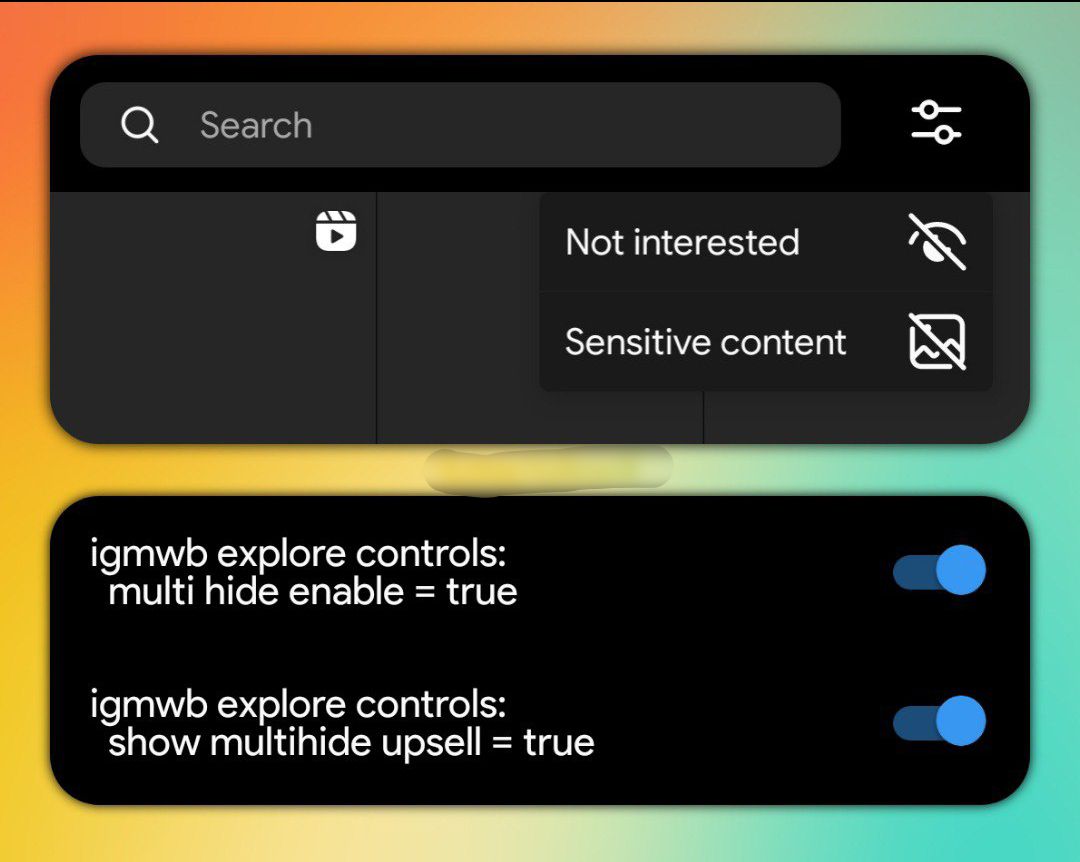
reduce and hide sensitive content
igmwb explore controls

audio preview
clips global audio search
disable 1 by 1 scrolling
disable explore chain paging
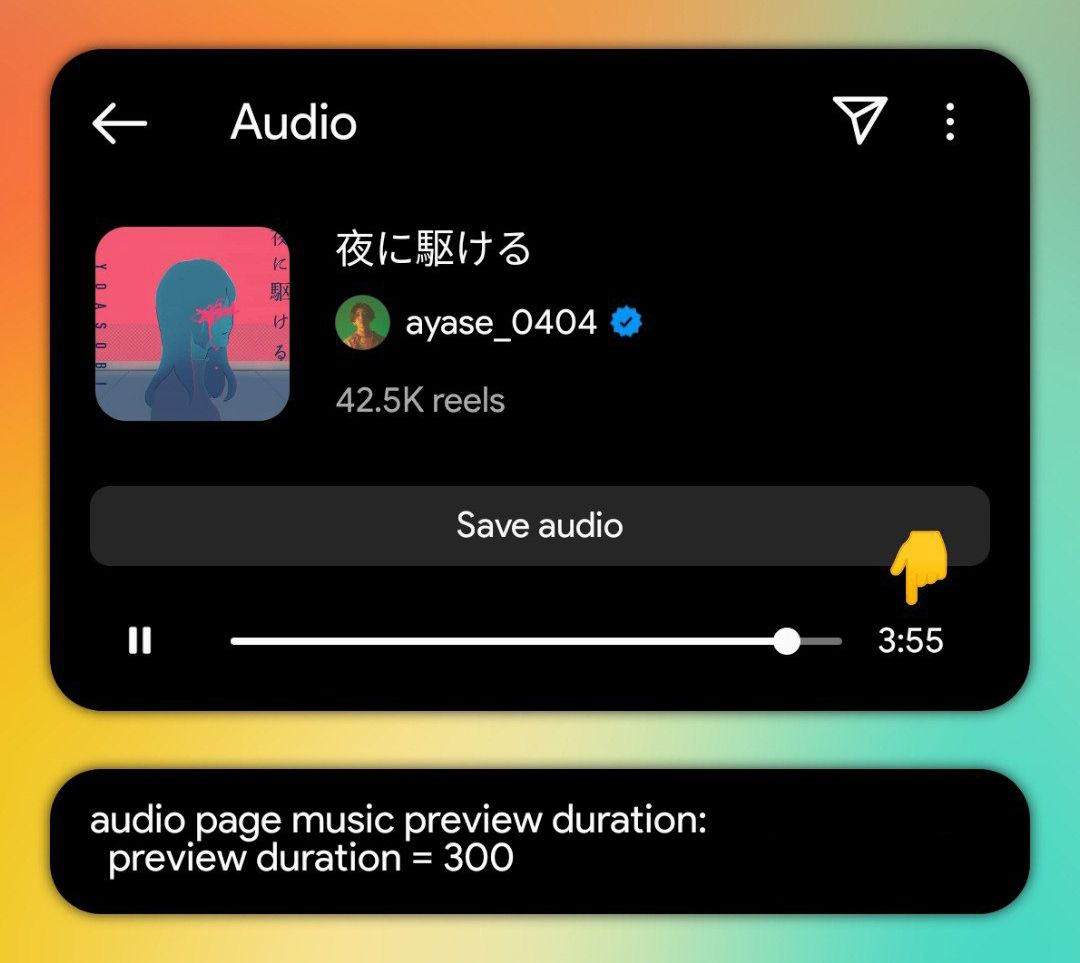
increase audio preview duration
audio page music preview duration
i hope you'd follow me on instagram ⁉️🫶🏾
i'll drop part 2 on 250-300 followers 🥹