Telegram Button Code
Markus RaThis text is meant for developers looking to publish Telegram stickers as apps for WhatsApp. Please see this page for context.
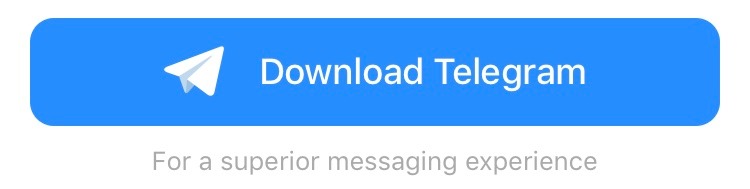
If you would like to use Telegram stickers in your sticker app for WhatsApp, one of our conditions is that you display a webView with our button after each 10 sticker sets in your list (or at the end of the list if your app includes less than 10 packs):
iOS: https://telegram.space/stickers_info/ios?lang=en_US
Android: https://telegram.space/stickers_info/android?lang=en_US
Note that the iFrame requires a fixed height of 100px on iOS and 92px on Android.
App Code
Feel free to use this open source code to create your Telegram sticker apps for WhatsApp. It includes all the required buttons and fixes some of the issues in the original sample apps by WhatsApp:
Telegram Stickers for WhatsApp on GitHub
Alternatively, you are welcome to check out the sample code posted below.
Sample Code for Android
// Add this to onCreate method in your Activity
WebView webView=new WebView(this);
webView.loadUrl("https://telegram.space/stickers_info/android?lang="+Locale.getDefault().toString());
webView.setBackgroundColor(0);
webView.getSettings().setJavaScriptEnabled(true);
yourLayout.addView(webView, new ViewGroup.LayoutParams(ViewGroup.LayoutParams.MATCH_PARENT, Math.round(92*getResources().getDisplayMetrics().density)));
// The following handles showing the web view when it loads the page and hiding it if it fails
webView.setAlpha(0f);
webView.setWebViewClient(new WebViewClient(){
 @Override
 public void onReceivedError(WebView view, int errorCode, String description, String failingUrl){
  webView.setVisibility(View.INVISIBLE);
 }

 @Override
 public boolean shouldOverrideUrlLoading(WebView view, String url){
  view.getContext().startActivity(new Intent(Intent.ACTION_VIEW, Uri.parse(url)));
  return true;
 }
});
webView.setWebChromeClient(new WebChromeClient(){
 boolean didShow=false;
 @Override
 public void onProgressChanged(WebView view, int newProgress){
  if(newProgress==100 && !didShow){
   didShow=true;
   view.animate().alpha(1).setDuration(300).setInterpolator(new DecelerateInterpolator()).start();
  }
 }
});
Sample Code for iOS
import Foundation
import WebKit

class TelegramButtonView : UIView, WKNavigationDelegate {

 override init(frame: CGRect){
  super.init(frame: frame)

  let webView:WKWebView=WKWebView.init(frame: CGRect(x: 0, y: 0, width: 200, height: 100))
  self.addSubview(webView)
  webView.scrollView.isScrollEnabled=false
  webView.navigationDelegate=self
  webView.load(URLRequest.init(url: URL.init(string: String(format:"https://telegram.space/stickers_info/ios?lang=%@", NSLocale.preferredLanguages[0]))!))

  webView.translatesAutoresizingMaskIntoConstraints = false

  NSLayoutConstraint(item: webView,
        attribute: .leading,
        relatedBy: .equal,
        toItem: self,
        attribute: .leading,
        multiplier: 1.0,
        constant: 0.0).isActive = true

  NSLayoutConstraint(item: webView,
        attribute: .trailing,
        relatedBy: .equal,
        toItem: self,
        attribute: .trailing,
        multiplier: 1.0,
        constant: 0.0).isActive = true

  NSLayoutConstraint(item: webView,
        attribute: .top,
        relatedBy: .equal,
        toItem: self,
        attribute: .top,
        multiplier: 1.0,
        constant: 0.0).isActive = true

  NSLayoutConstraint(item: webView,
        attribute: .bottom,
        relatedBy: .equal,
        toItem: self,
        attribute: .bottom,
        multiplier: 1.0,
        constant: 0.0).isActive = true
 }

 required init?(coder aDecoder: NSCoder) {
  fatalError("init(coder:) has not been implemented")
 }

 // MARK WKNavigationDelegate

 func webView(_ webView: WKWebView, decidePolicyFor navigationAction: WKNavigationAction, decisionHandler: @escaping (WKNavigationActionPolicy) -> Void) {
  if navigationAction.navigationType == WKNavigationType.linkActivated {
   UIApplication.shared.openURL(navigationAction.request.url!)
   decisionHandler(WKNavigationActionPolicy.cancel)
   return
  }
  decisionHandler(WKNavigationActionPolicy.allow)
 }
}