Step-by-step guide for registering your parcel on the website
www.tezparcel.com 🌐
In this guide, you will learn how the parcel registration process on the website is carried out correctly.

1. After logging in, go to your personal account
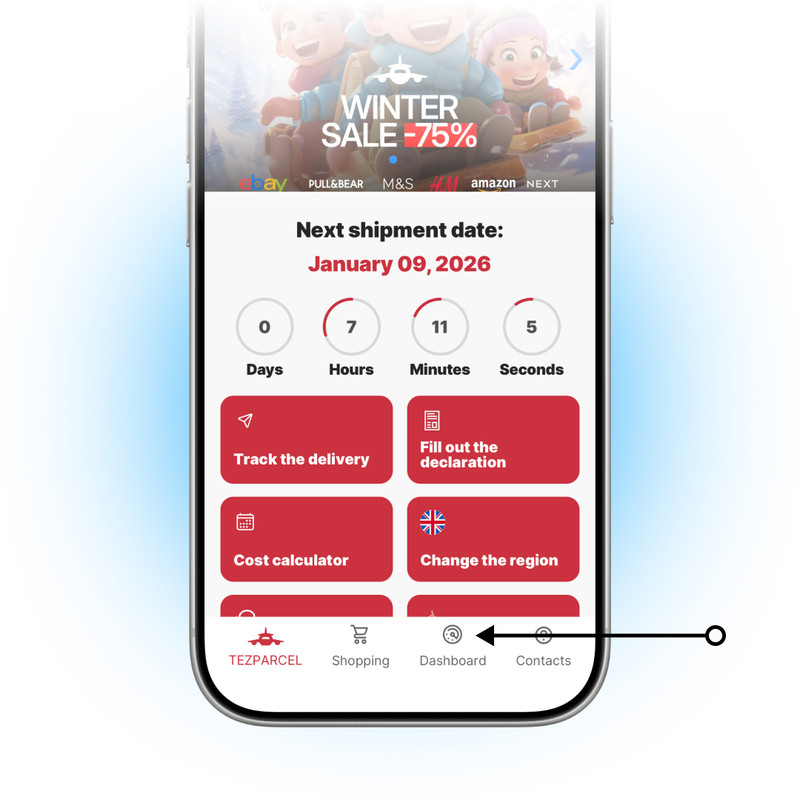
Click on the ‘Dashboard’ button to access your personal account. To learn how to register correctly in the TEZPARCEL system, click here.
2. Select the ‘Add parcel’ section
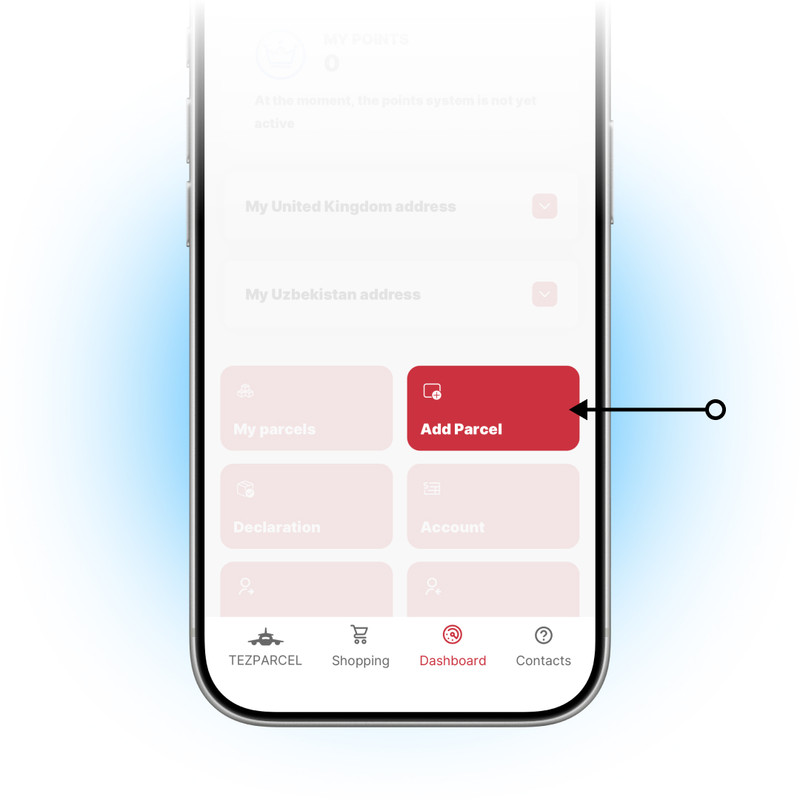
This section in your personal account is предназначен for adding a new parcel.
3. Fill in all the fields and select additional options
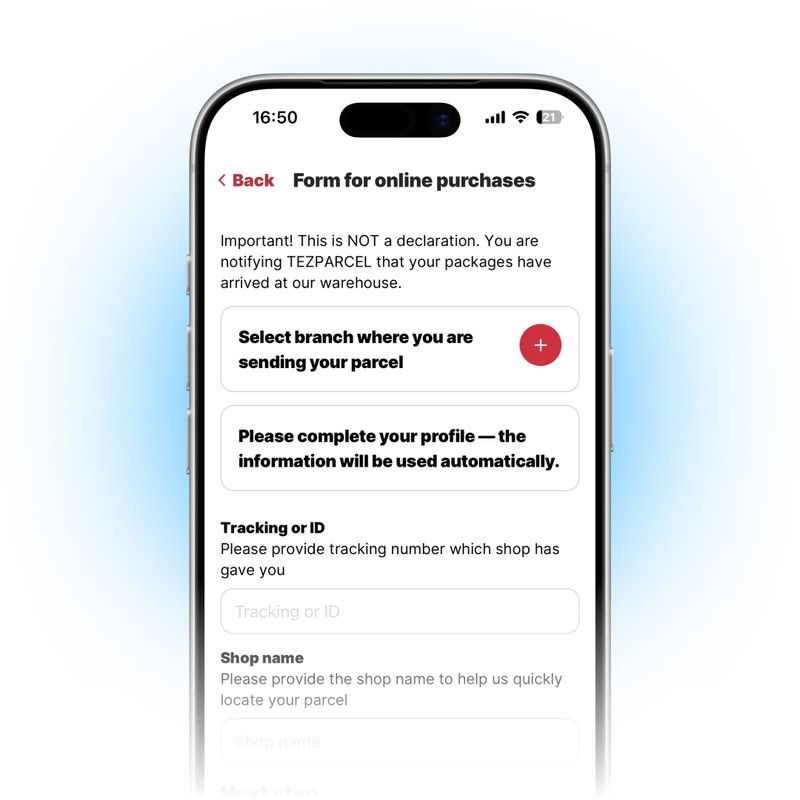
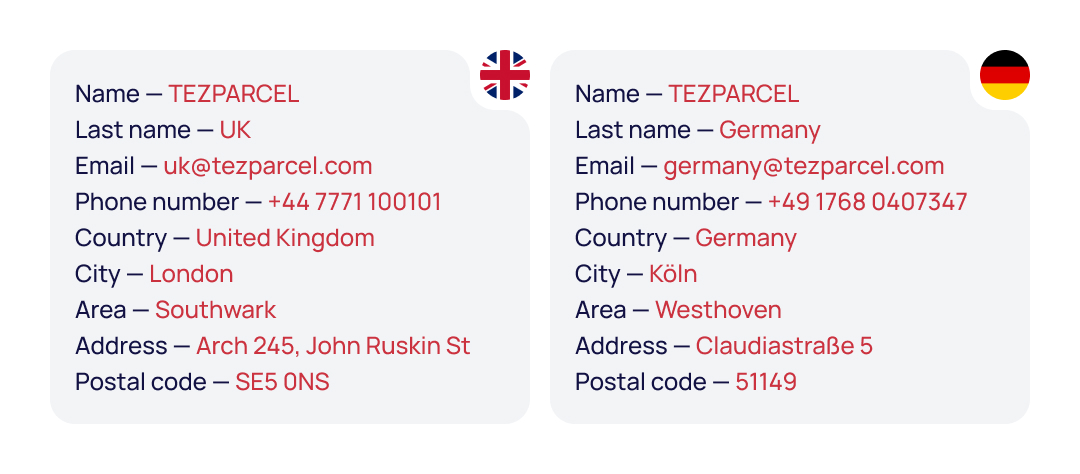
✓ Sender Information — Select the TEZPARCEL warehouse
✓ Recipient Information — Please complete your profile — the data will be used automatically. To learn how to correctly fill out the personal information and delivery address section on the TEZPARCEL website, click here.
✓ Tracking ID — Tracking number provided by the delivery service (issued by the online store)
✓ Store name — Specify the store name so we can easily identify your package
Additional options:
✓ Photo report
✓ Video report
✓ Self-pickup from the TEZPARCEL warehouse
4. Confirm all the details and submit the form
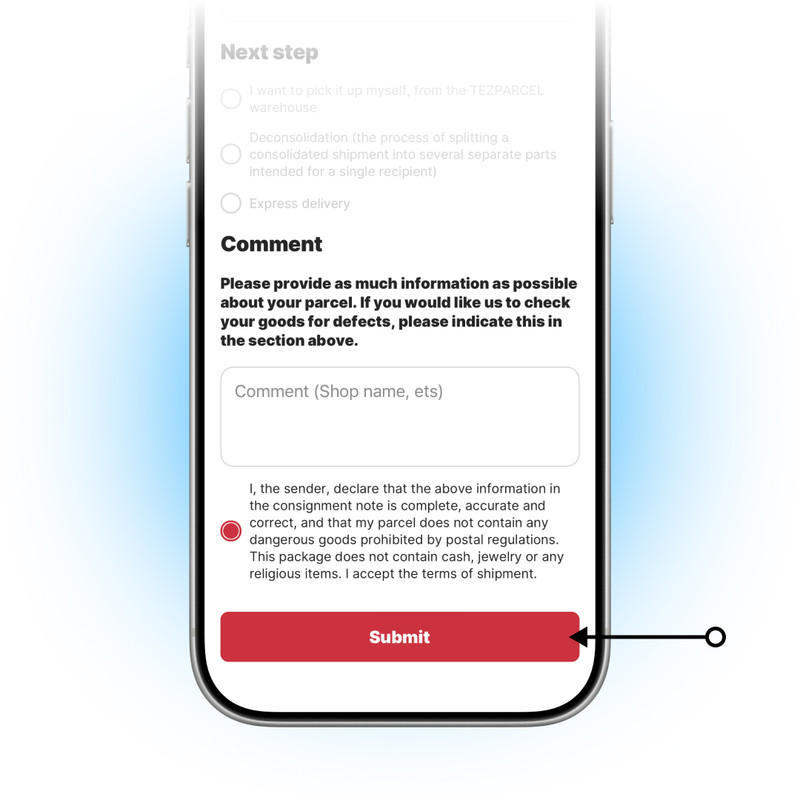
After reviewing all the shipping terms and conditions, you just need to check the box confirming that you have read them and click the ‘Submit’ button.
5. Select the ‘My parcels’ section
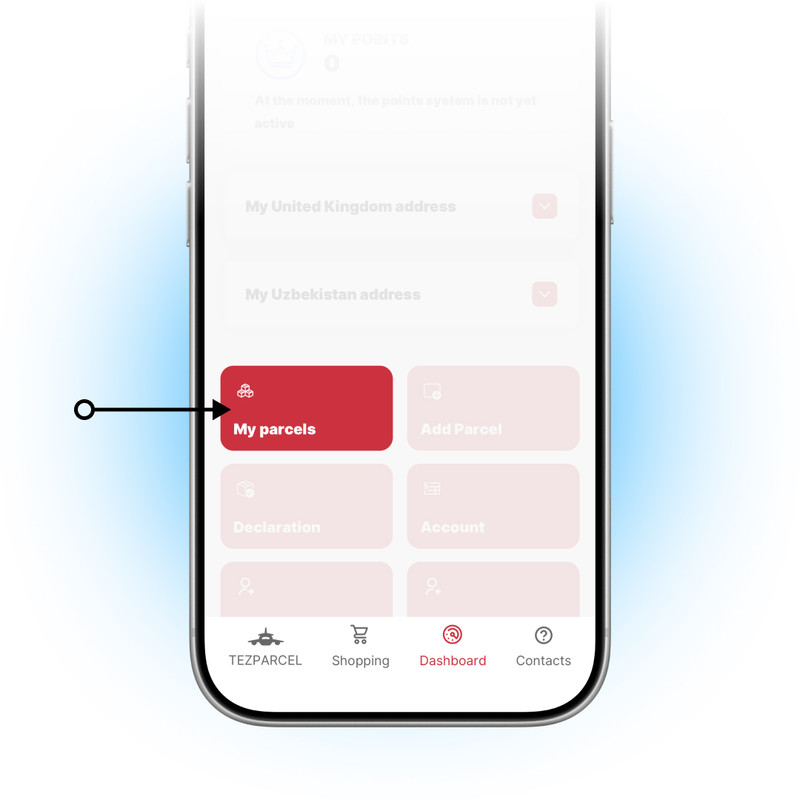
This section in your personal account is used to understand the current status of your package.
6. About the ‘My parcels’ section
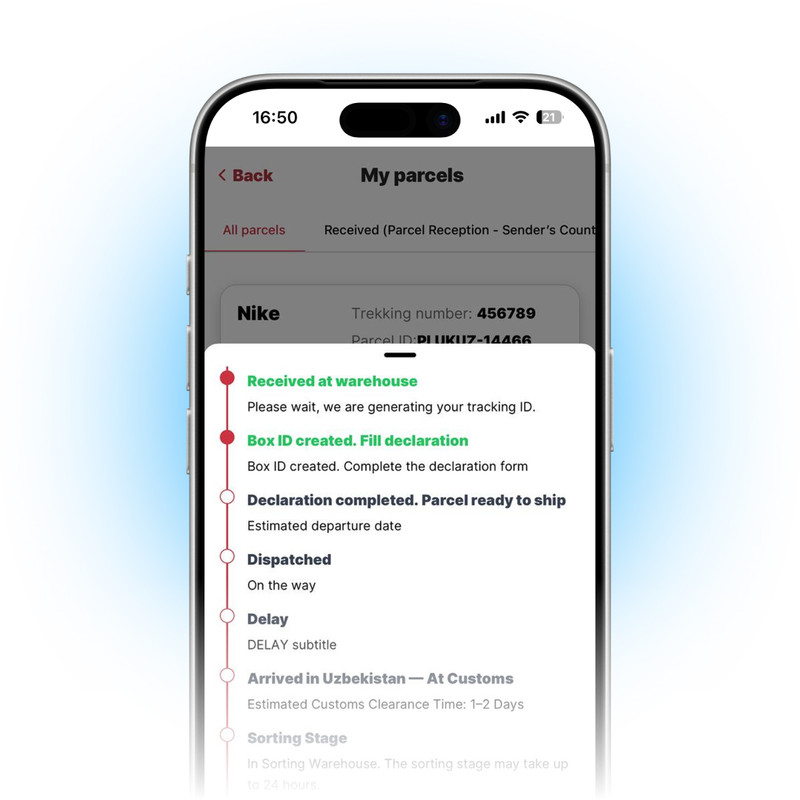
In the ‘My parcels’ section, you can track the status of your package and view photo and video reports on its condition — if these options were selected during registration.
7. Select the ‘Recipient’ section
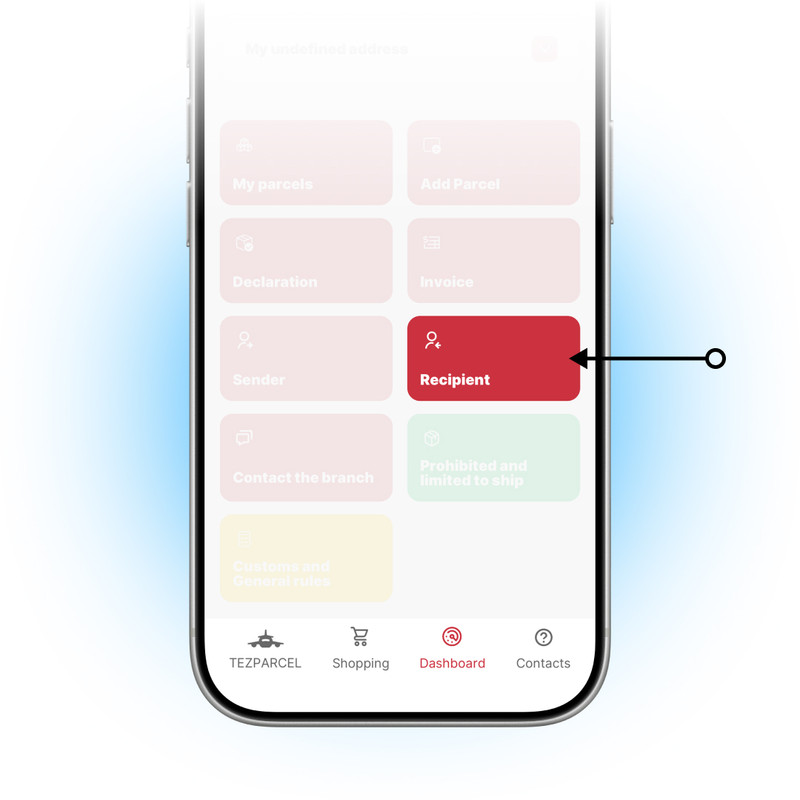
In the ‘Recipient’ section, you can add multiple recipients and save their information for future use.
8. About the ‘Recipient’ section
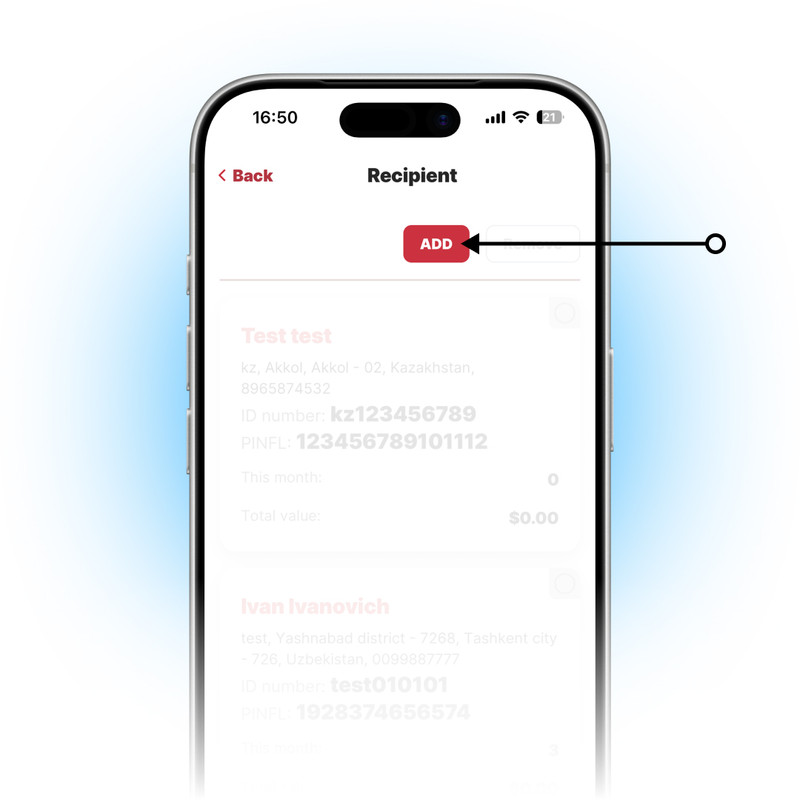
Click the ‘Add’ button, enter the required recipient information, and save it.
9. Select the ‘Declaration’ section
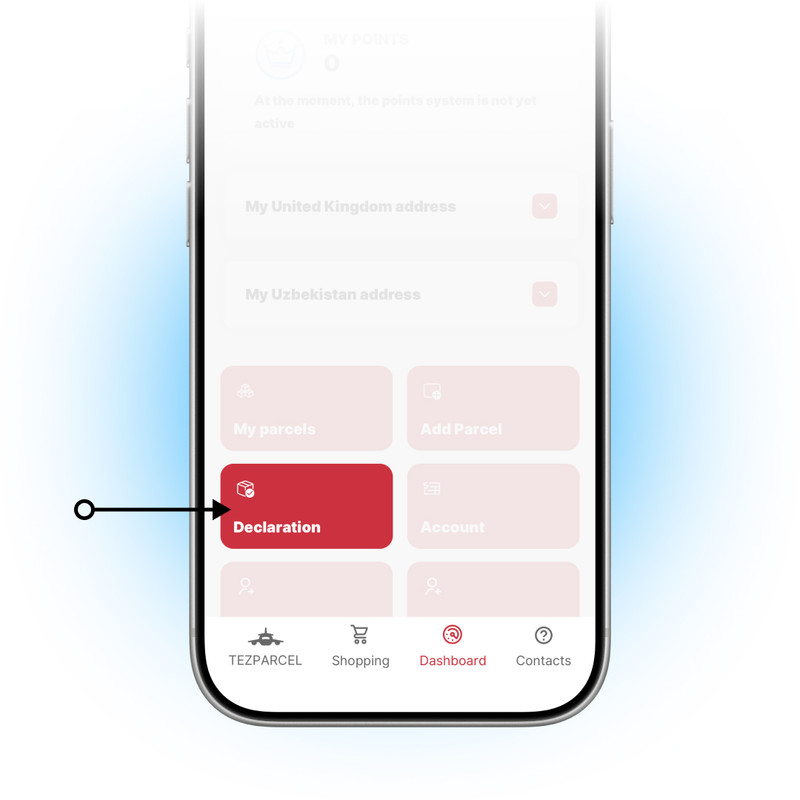
This section in your personal account is used to fill out the declaration in order to finalize the acceptance of the parcel.
10. Click on the ‘Fill declaration’ notification
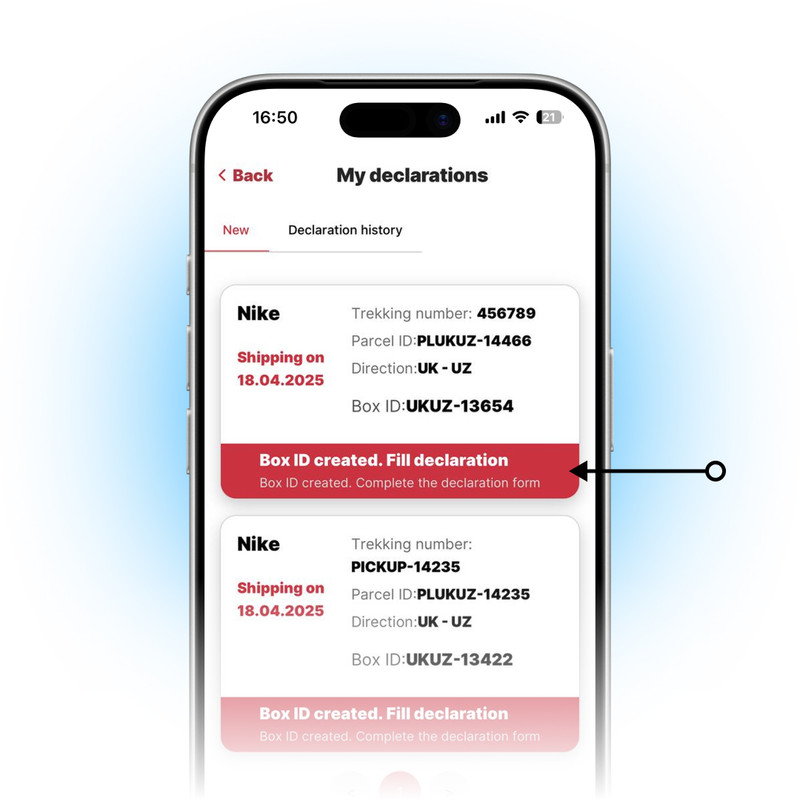
In the ‘Declaration’ section, a ‘Fill declaration’ notification will appear. The client needs to fill out and submit the declaration on time to avoid delays in sending the parcel.
11. Select the recipient
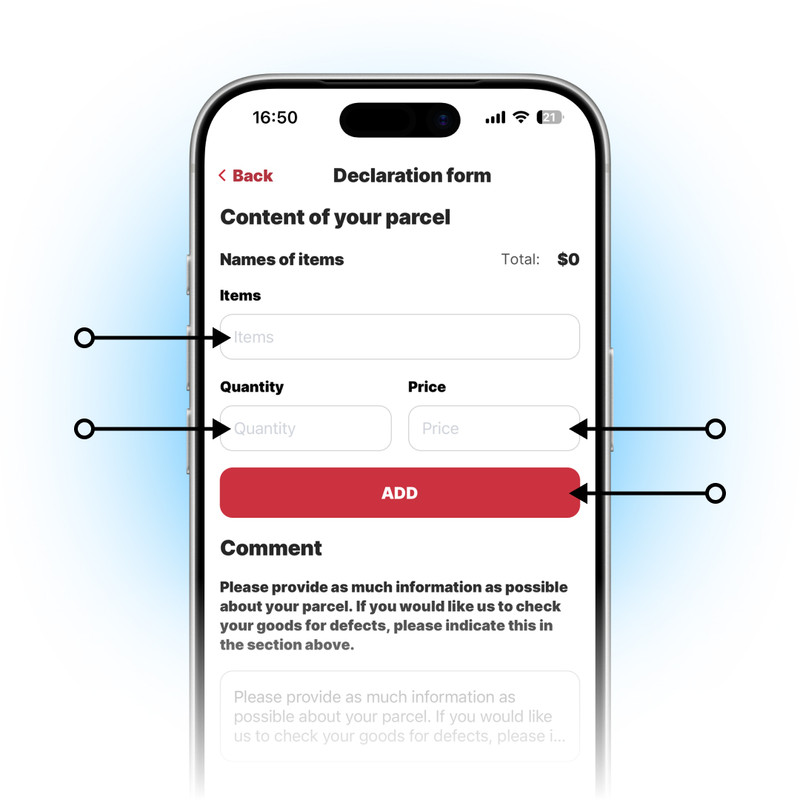
Then carefully and, most importantly, correctly fill in the list of all Items in your parcel (names of items / quantity / price). When entering the names of items, you need to write their names, specify the quantity and price, and then, if desired, leave a comment (optional).
12. Submit the completed declaration
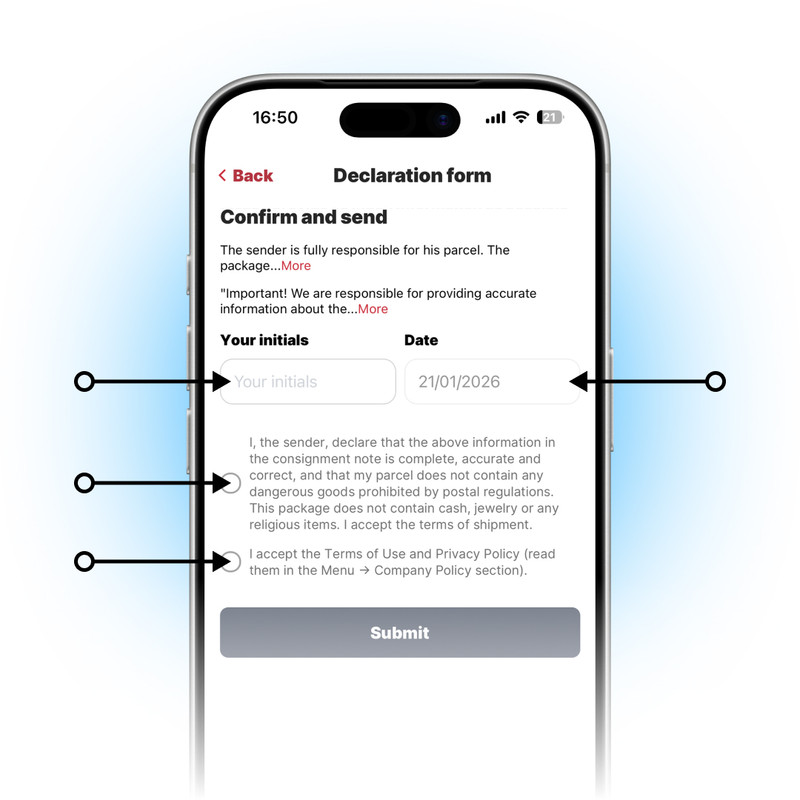
After reviewing all the shipping terms and rules, you will need to fill in the ‘Your initials’ field, where you should enter your first and last name. Then, don’t forget to check the box indicating that you have read all the shipping terms and click the ‘Submit’ button.

If you have any questions, please contact us at the following number: +998 555 100 001
✦ Telegram
✦ Website
✦ YouTube
©2017-2025 TEZPARCEL