Step-by-step instruction for registering on the website and in the app
www.tezparcel.com 🌐
Download our app to easily track the status of your shipments and receive notifications about filling out the declaration.

Download on iOS | Download on Android
In this guide, you will learn how to properly log in to the site and to the app.

1. Go to our website or app and select the interface language convenient for you, and then the appropriate region
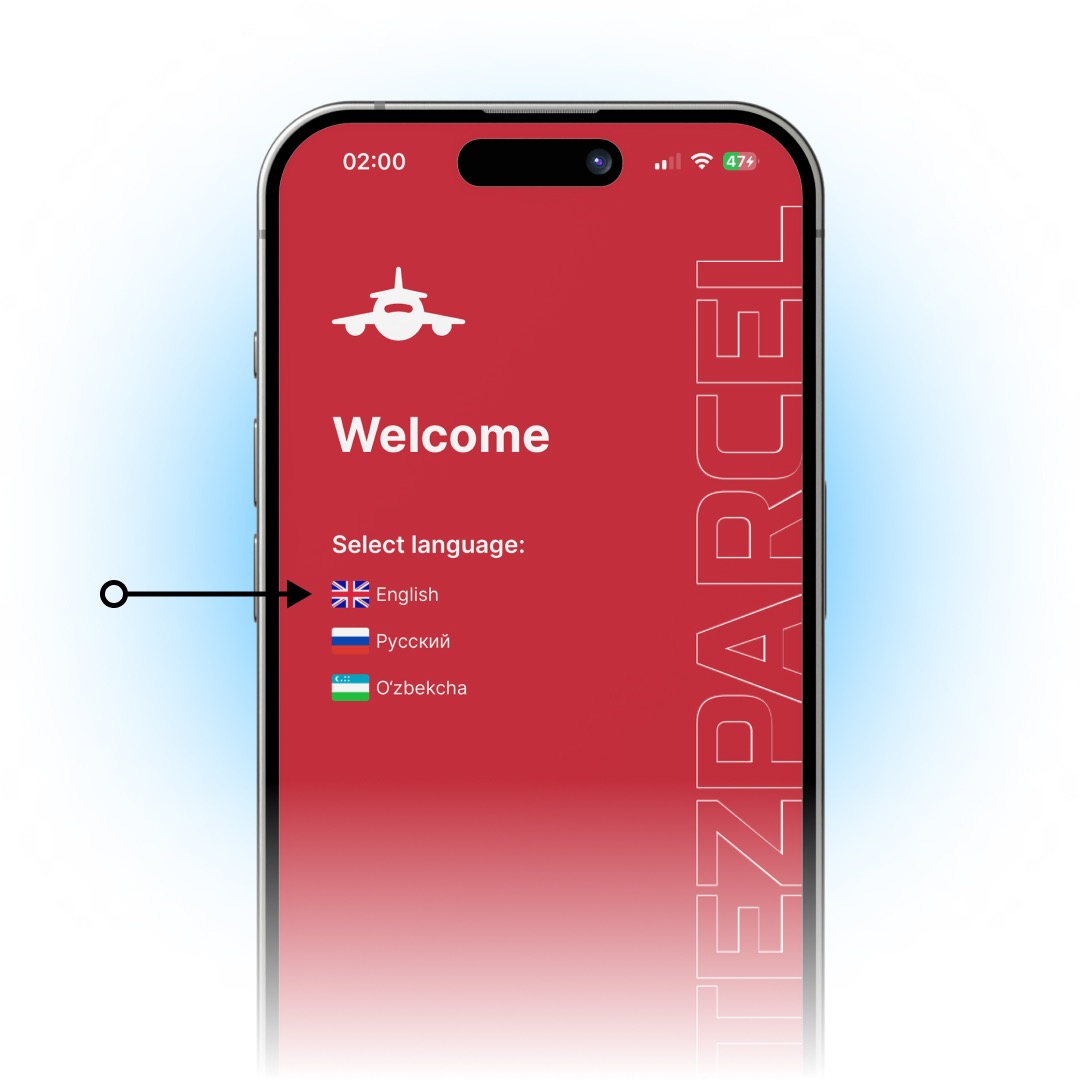
After selecting your language and region, two screens will pop up on your screen in turn with useful information and tips for using the site. To close them, click on the ‘Skip or Next / Done’ buttons.
2. Click on the ‘menu’ icon
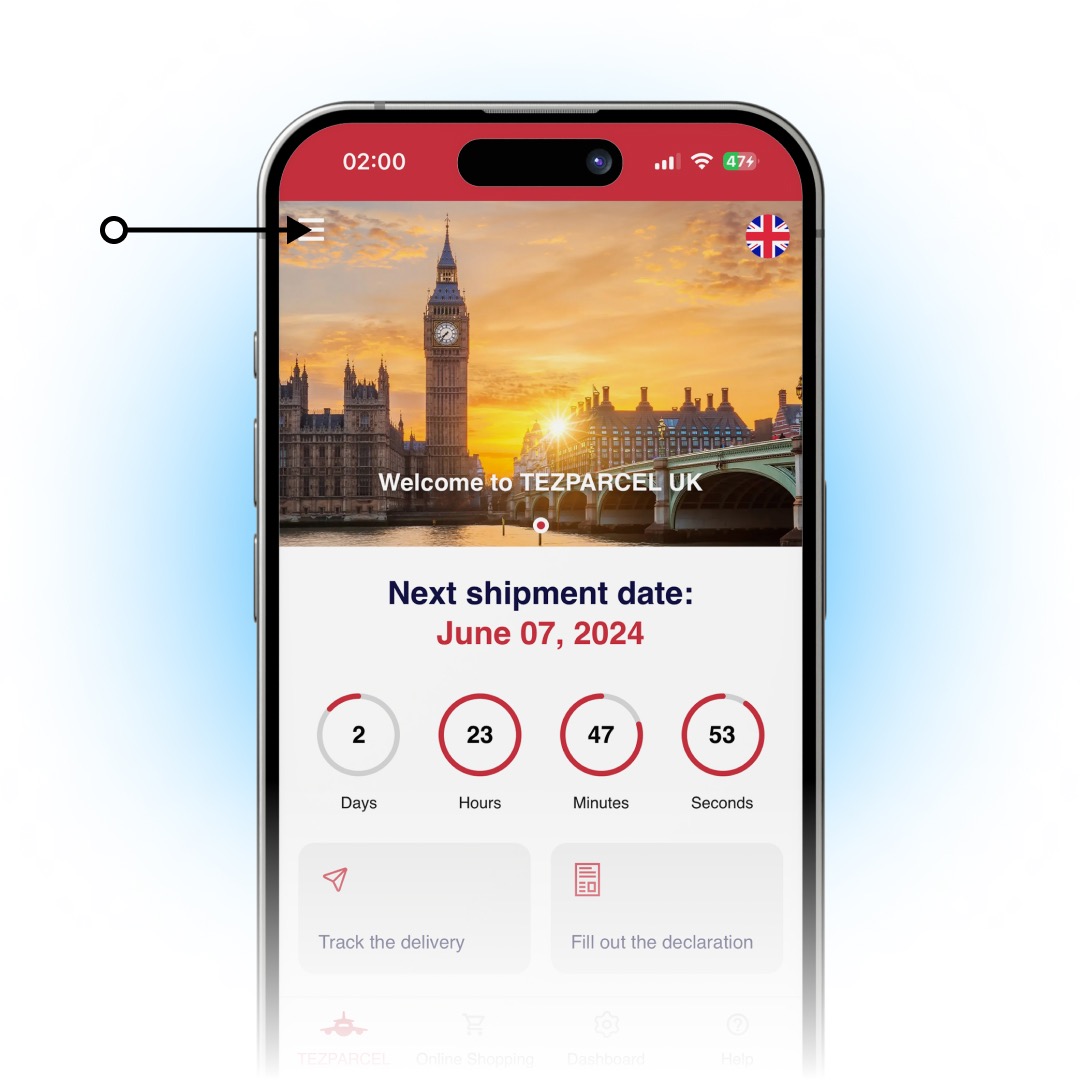
In the upper left part of the main page of our site you can see a ‘menu’ icon in the form of three stripes, which opens a window with additional sections of the site.
3. Click on ‘Login’
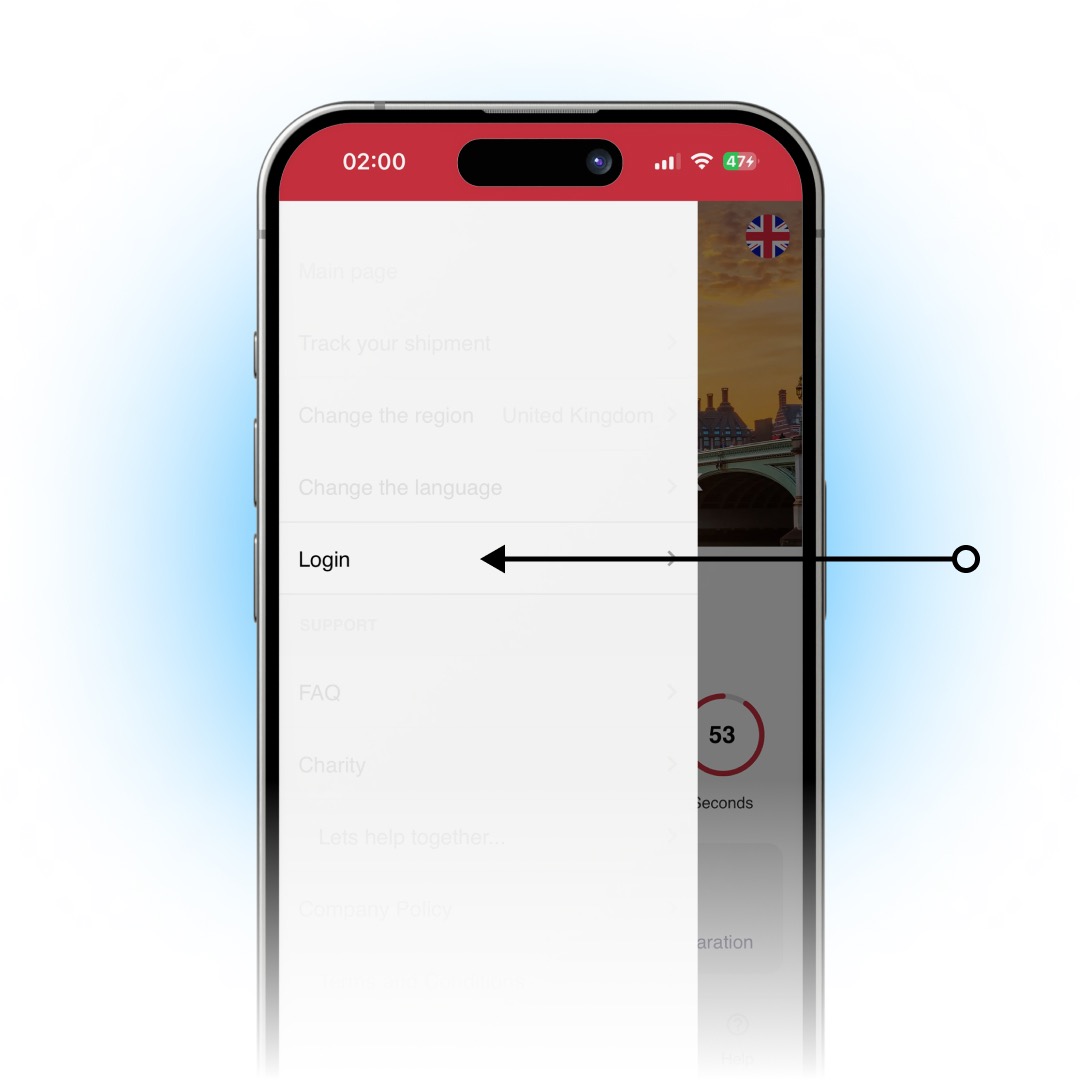
The ‘login’ item will help you log in to the site in order to use its capabilities to the fullest and without restrictions.
4. Click on ‘Register a new account’
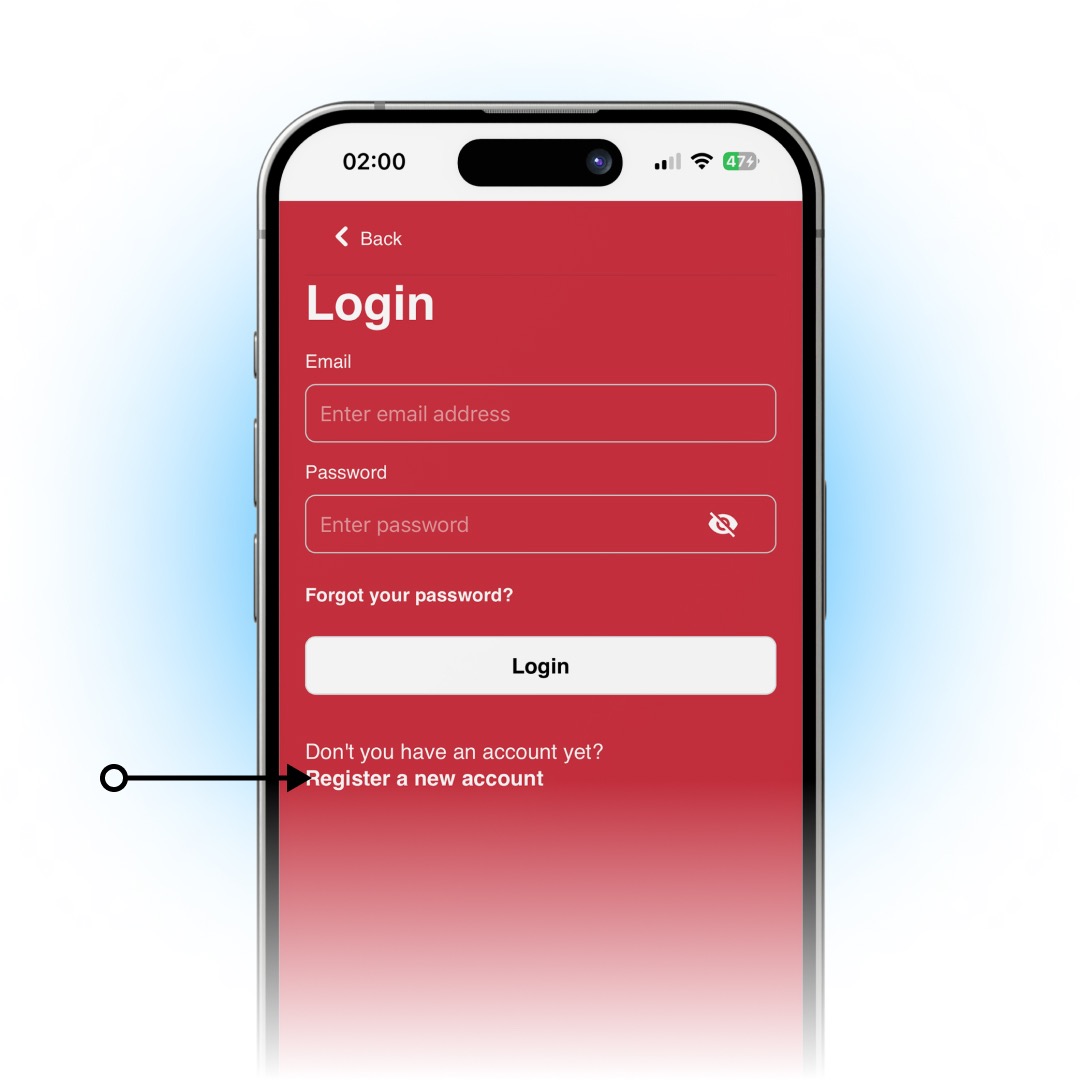
If you are already registered on the site, then simply enter your email or phone number and account password.
5. Fill out the registration form and click on the ‘Register’ button
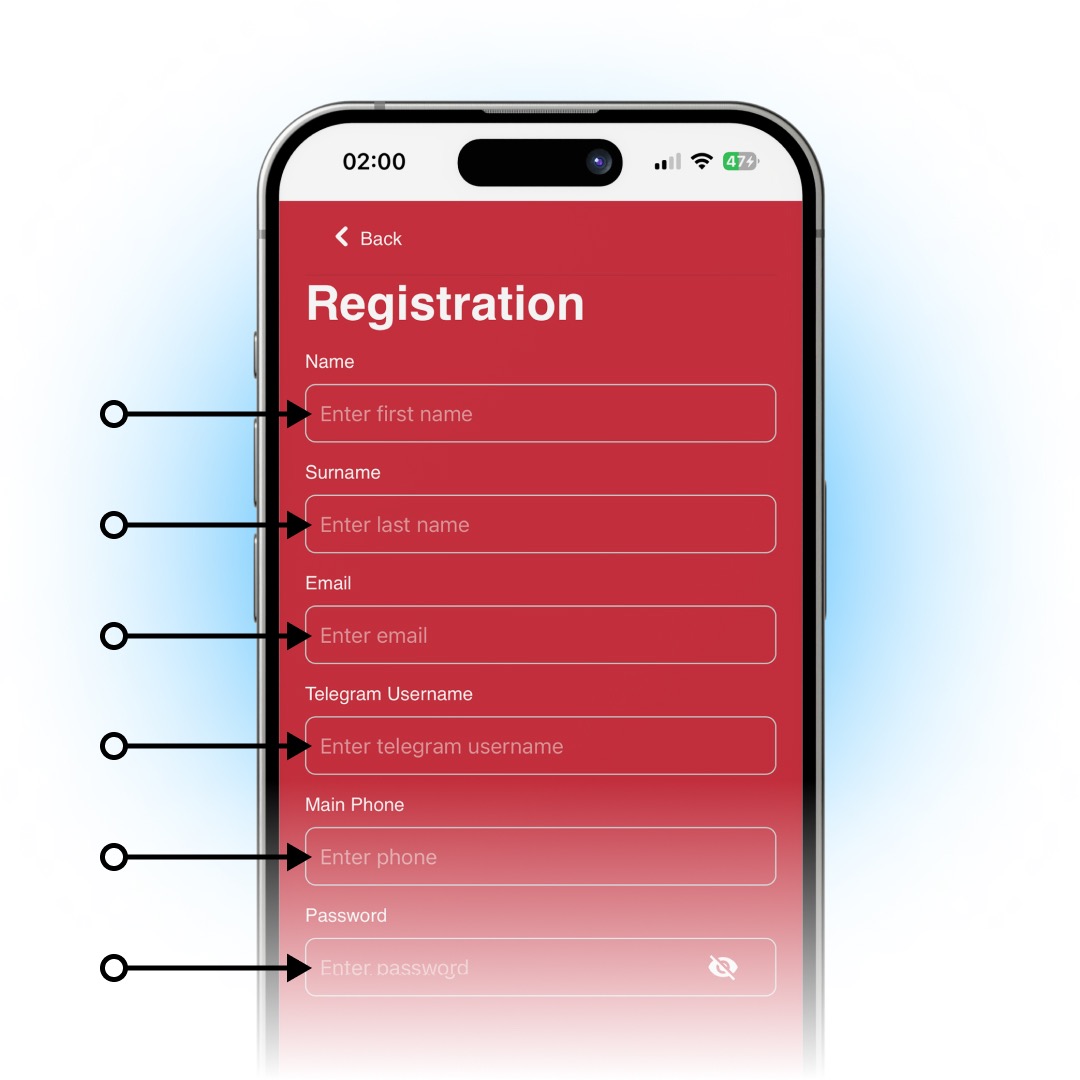
✓ Name — Your name
✓ Last name — Your last name
✓ Email address — Your email address
✓ Telegram username — Your nickname in Telegram (@username)
✓ Primary phone — Your current phone number
✓ Password — Create a strong password
6. Enter the verification code
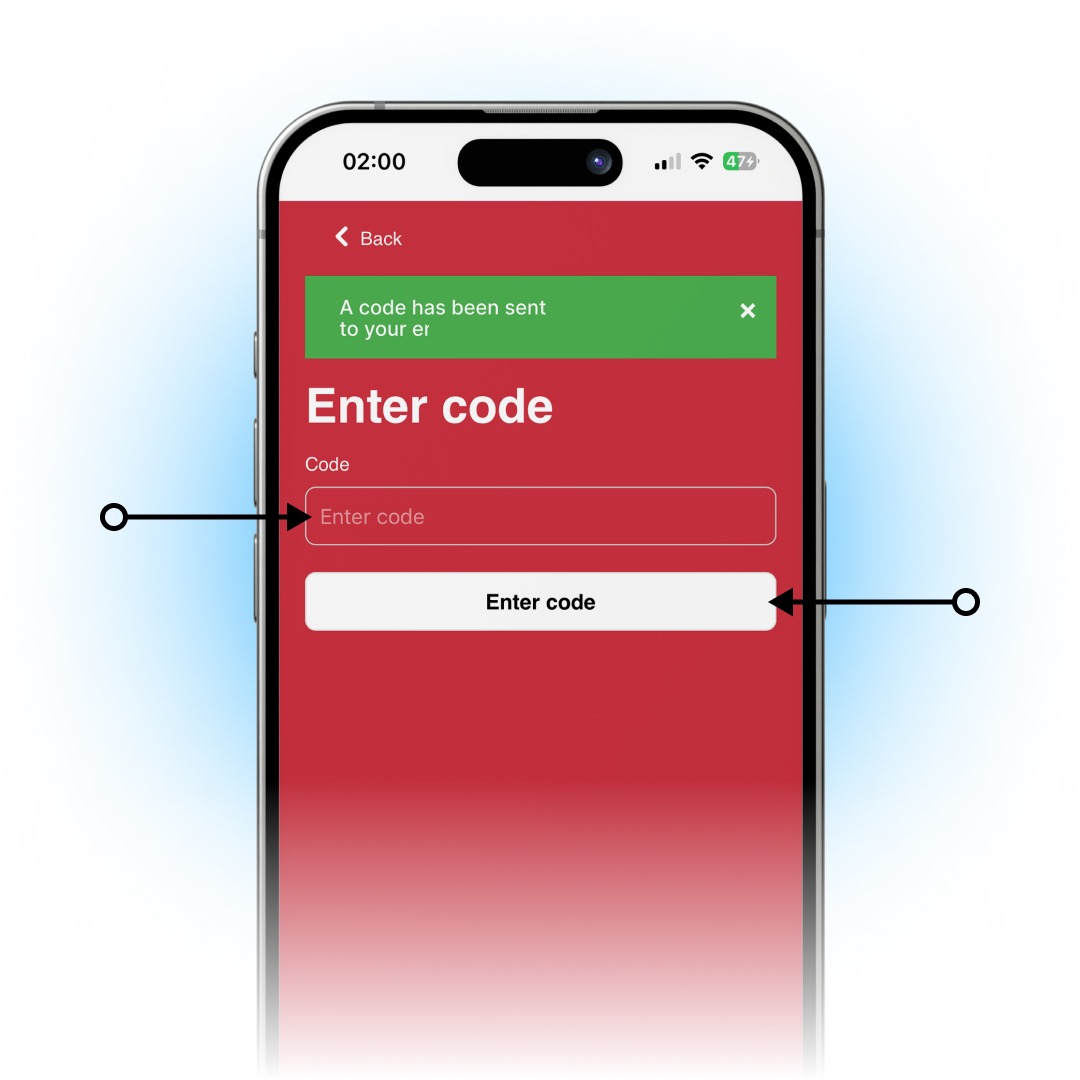
To complete registration, all you have to do is confirm your identity using the code that we will send to your email. Enjoy using it!
* User ID
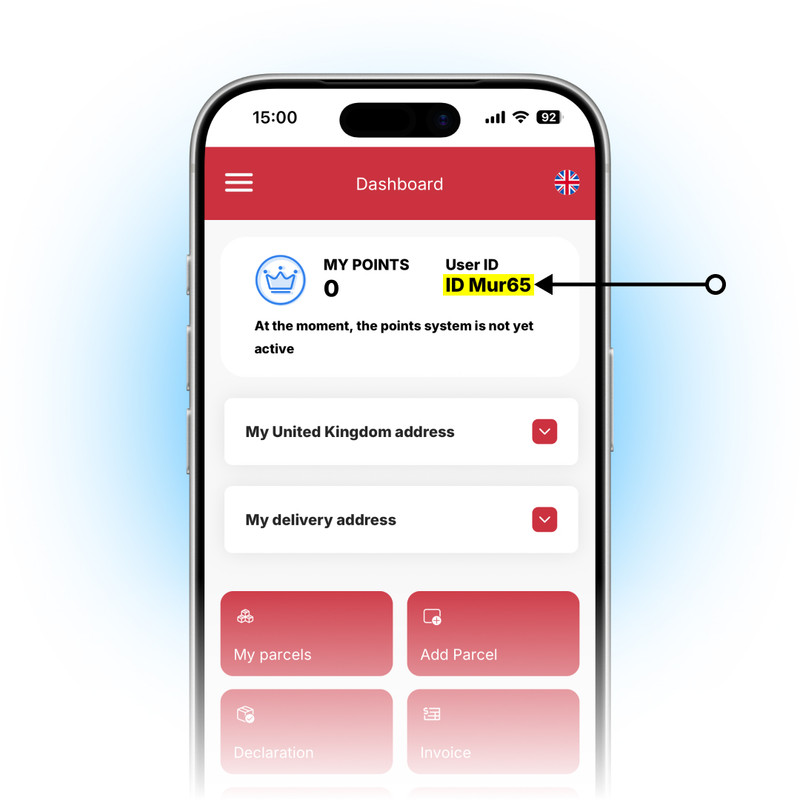
You can find your personal user ID by going to your account dashboard and checking the top right corner.
If you have any questions, please contact us at the following number: +998 555 100 001
✦ Telegram
✦ Website
✦ YouTube
©2017-2026 TEZPARCEL