OKEx 101 Season 4
OKExSession 4 – Kick-start Your Spot Trading

Spot trading is one of the easiest for beginners to understand.
This is because unlike futures where the market can change and you must take that into account, spot trading is a trade that is settled when the initial trade is made.
The spot part refers to when the transaction is delivered.
So, say you want to exchange Bitcoin for Ethereum on a specific date and time. The spot trade will be determined then and should the price go down or up by the time it’s delivered, that does not matter.
Simple, right? Let’s take a look at how you can go about creating a spot trade.
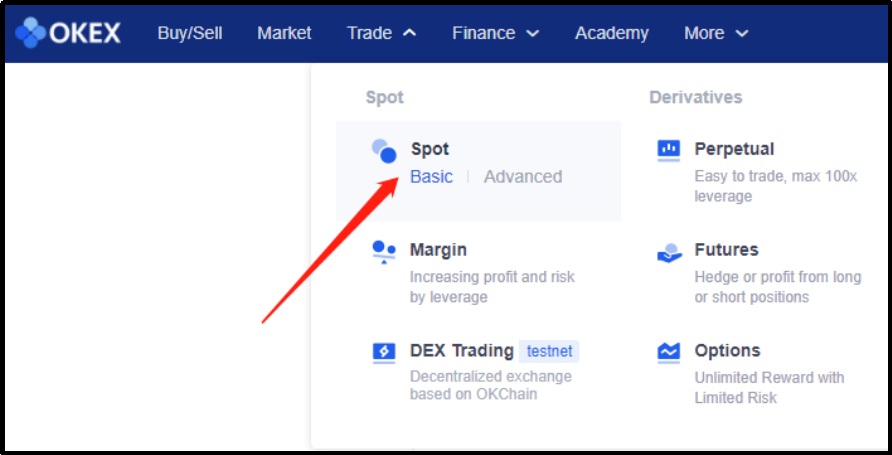
To begin, head to the OKEx home page. In the top part at the left, you will see trade. Hover over that and click on Spot Trading.
You will be redirected to the spot trading section. Here you will see various crypto trading pairs like BTC/USDT.
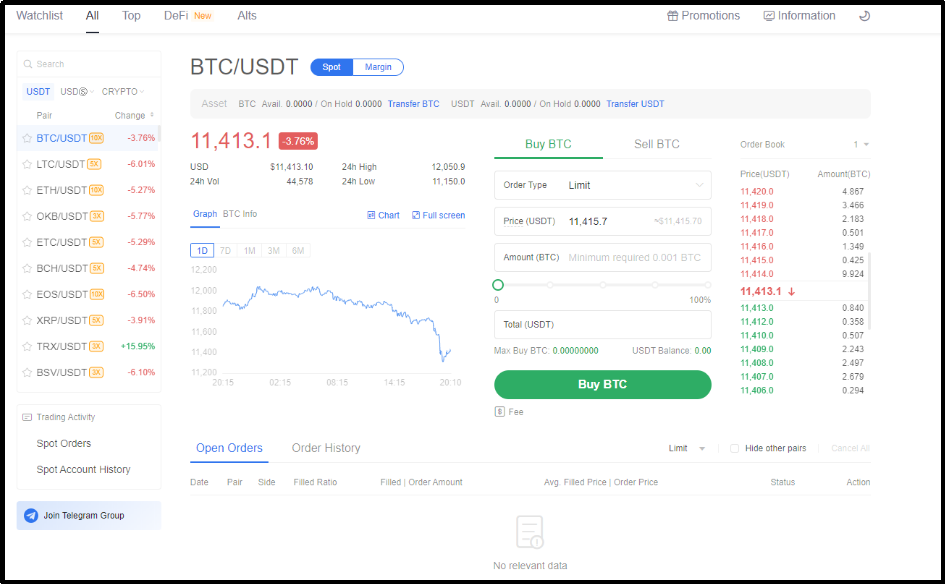
You will be given the option to buy Bitcoin with USDT or sell Bitcoin for USDT, as well as the order type.
On the left, you will see the latest statistics for both tokens. On the right, you will see the order book for this pairing.
Pay close attention to these as they are important for you to maximize returns and assess fees.
At the top of the screen underneath the BTC/USDT headline, you will see how much of each token you have available. To increase your amount, you must transfer your assets from Funding Account to Spot Account, you won’t be able to spot trade unless you do this.
Here is how to move your crypto from funding account to spot account
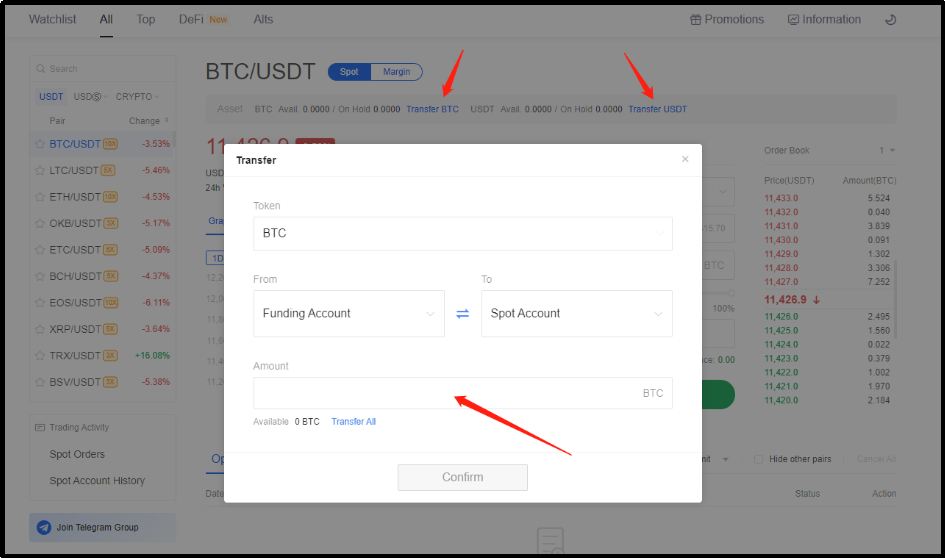
Click on transfer BTC or transfer USDT.
Once you see the pop-up box enter the amount which you would want to transfer and click confirm.
You can also click on other tokens if you want to transfer other token from the left selection list of the page.
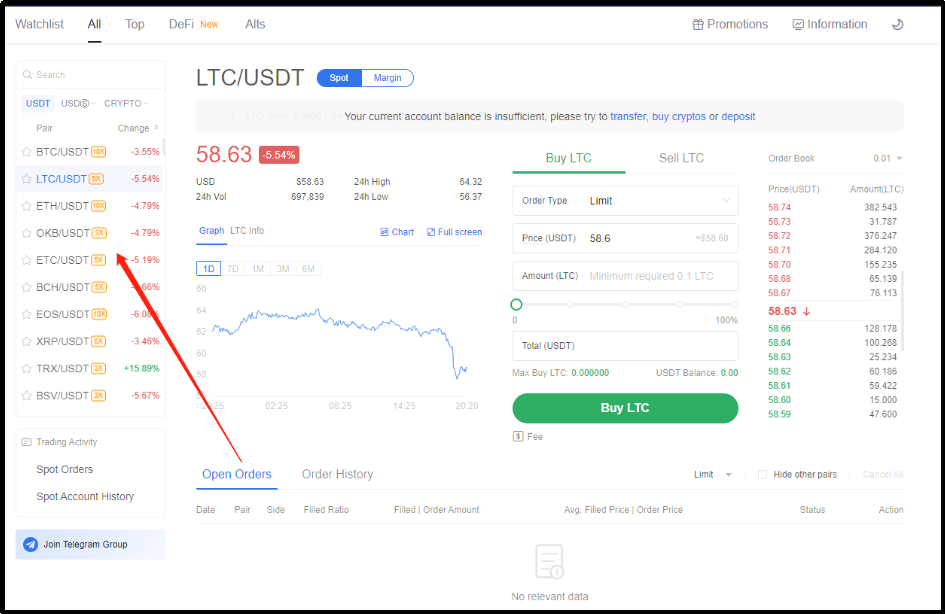
You will see the options for your action. Transfer, buy crypto or deposit at the middle.
Now let’s have a look at how you can place an order.
For example, let’s say that you would want to buy BTC. You must have USDT in your account to buy BTC.
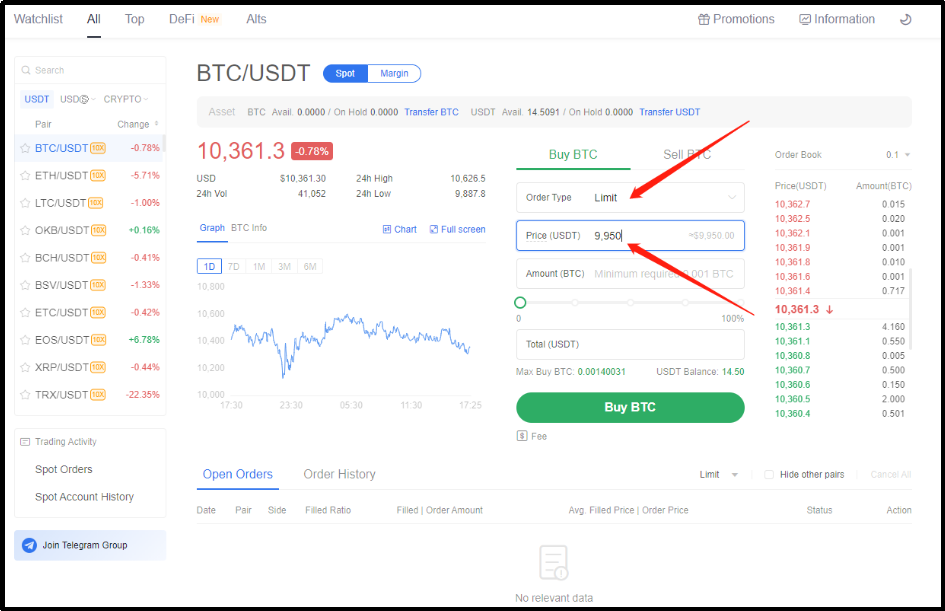
Transfer USDT from your funding account to spot account and then select order type. For example, we select Limit order. (A limit order is an order to buy or sell an amount at a specific price or better. After the order is placed, the system will post it on the order book, and match it with the orders available - at the price specified or better.)
Assuming that the current BTC market price is 10,368 USDT, if you want to buy at 9,950 USDT assuming the market price will drop, you can select order type “Limit” and set the buy price as 9,950 USDT. After the order is placed, the order will be filled automatically when the price drops to 9,950 USDT or below.
So now you must select Limit order and then enter the trigger price (9,950 USDT). In this case we want the system to trigger your order when the market price drop to 9,950 USDT.
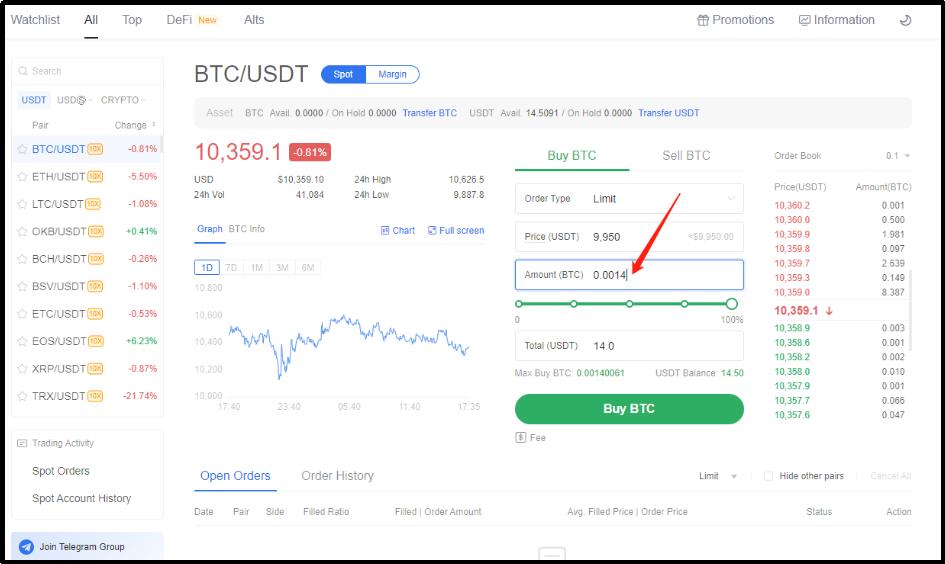
The next step is to enter how much BTC that you would want to purchase. For example, I want to buy 0.0014 BTC. I will then enter this amount at Amount (BTC).
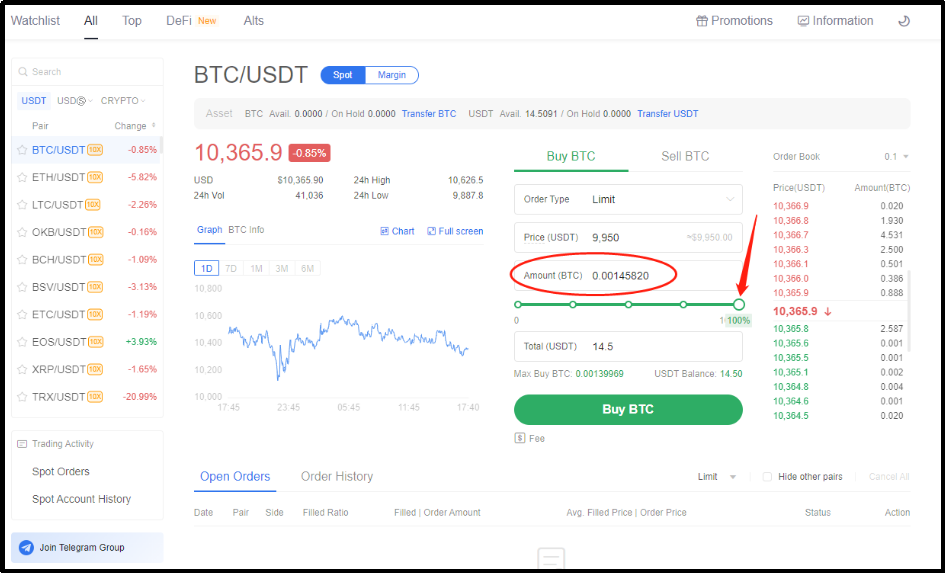
If you do not know how much BTC that you can purchase with the amount of USDT that you have, you can then simply adjust the volume to 100% which then the system will automatically populate the BTC amount that can be purchased.
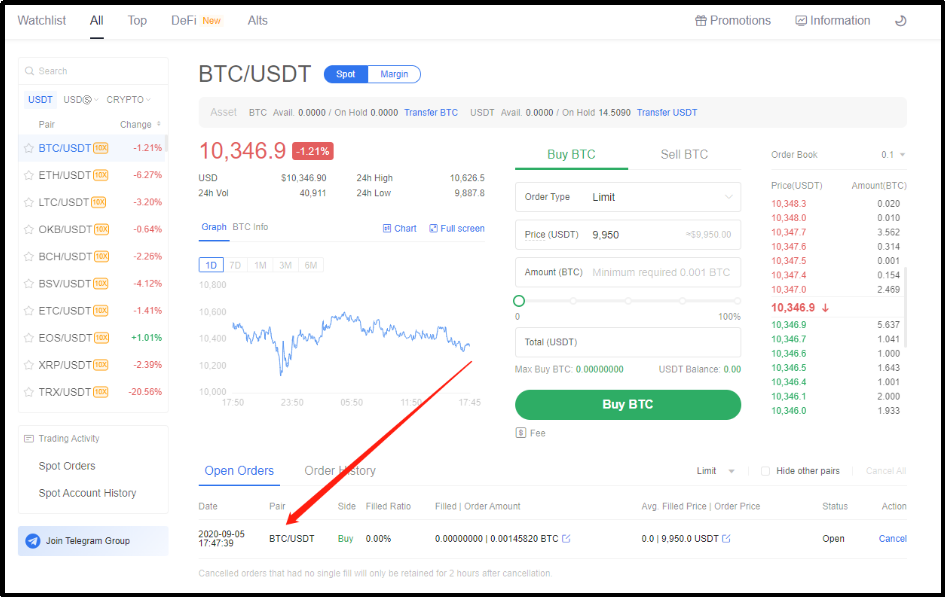
You can then proceed to click on Buy BTC and your order will show up in open orders list waiting for the order to be filled.
The same method applies if you would want to sell BTC.
📝 For more info, click HERE to know more
Happy trading all!
🔍 Recommended articles:
Session 1 - Registration and Verification
Session 2 - Deposit and Buy Crypto
Session 3 - Gain Passive Income on OKEx Earn
🔍 Sign-in and Check Points: @OKExMarkets_bot