Rom flash steps for Redmi Note 9 Merlin / Merlinx
Who?Prerequirements:
3- IMEI backup
4- miui android version must be matched with the ROM you are flashing (e.g if you want flash a R_vendor rom you must be on miui android 11 )
Overview:
• Steps
• FAQ
Steps:
1-Reboot to RECOVERY Mode
2-Wipe Dalvik/ART Cache, Data, Cache
3-Flash Rom
4-Flash GAPPS (optional)
5-Flash magiak (optional)
6-Format Data (yes)
7-Reboot to SYSTEM
All is Done, ENJOY!!
Another way to flash rom is sideload.
For Some recoverys(e.x LOS) you need to do sideload rom/gapps etc.
So when you are in recovery mode make sure the adb is enabled in "Advanced" option .
Then go to apply update> apply from adb
Now go to pc , and connect your device with cable, and open cmd on the folder that rom is on( recommended to copy rom to platform tools folder and open cmd from there !) then type this commands:
adb devices
adb sideload rom.zip
rom.zip: the name and format of the rom you have / or drag and drop it.
You can sideload gapps in the same way
FAQ:
1-what R_vendor , S_vendor mean?
Each ROM have one of three below tags , and mean if you want to install this Rom , you must have flashed the X_vendor Miui ROM or X_vendor custom rom then start above flash steps
Q_vendor : MIUI Android 10
R_vendor: MIUI Android 11 (same as FW_R )
S_vendor: MIUI Android 12
2-I don't want to erase my internal storage files what should I do?
After you flashed ROM , go to advanced wipe and select Wipe Dalvik/ART Cache, Data, Cache and wipe them (don't select internal storage) then your files will remain, but always made a backup from your files
3-The ROM has provided there own custom recovery, can I use different one?
yes you can, but it's recommend to use that
4- after flash ROM doesn't boot what should I do?
Check the vendor versions that they be matched if they don't , flash proper fastboot rom first, don't flash magiak or gapps.
5-is flash FW(firmware) Necessary ?
No, if you want VOLTE work for you, you need to flash it .
It must be flashed before flashing custom ROM.
6- what is Clean & dirty flash ?
Clean flash : do format data after flash custom ROM
Dirty flash: only flash the ROM and wipe caches , without wiping data section > used to upgrade the ROM version, may be buggy
Here is some additional workarounds for who have problems:
Problem: mismatch codename
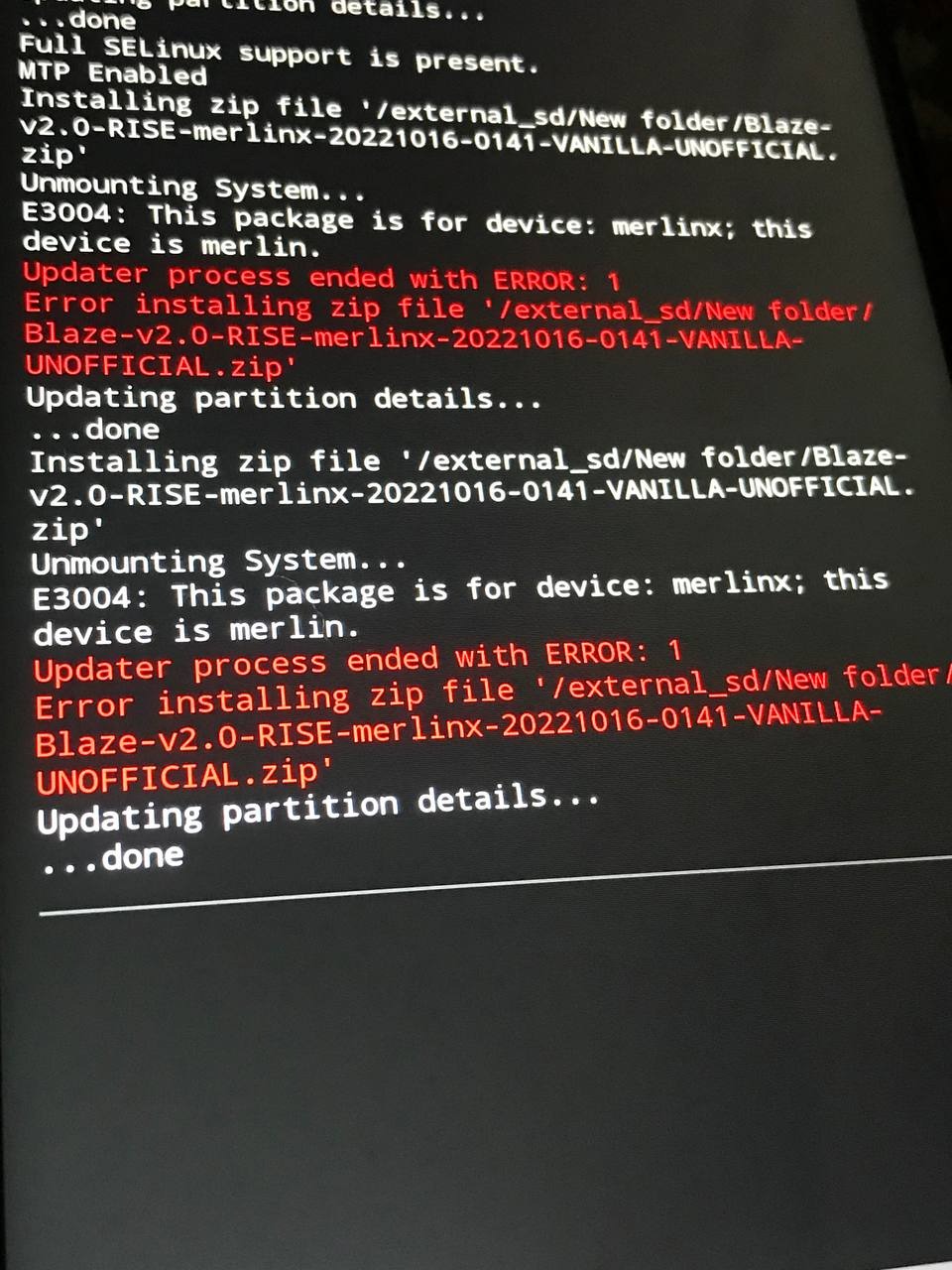
Solution 1: flash rom with another recovery
Solution 2: open rom zip file and modify the updater-script and on the first line Change the merlinx to merlin ( remove x) and save the file
•••
Articles:
• Flash custom rom ( you are here)