Doomsday: Tyranny | Alpha
P.G - 19[RU] | [EN]
A free strategy game about a world where Artificial Intelligence is taking over the planet and sending humanoids into a simulation for self-learning.
The first midcore strategy project on Telegram
Sections
> Base Layer
- MineNET
> Game Layer
- Lore
- Boosters
- DATA
- DDT
- Premium
> System Layer
- Official Communication Channels
Main Information
Object Data
Doomsday: Tyranny is a strategy game inspired by the production automation of Factorio, the global expansion of Plague Inc., and the techno-apocalyptic aesthetic of Terminator.
▪️ Complex economy: a production chain of 40+ unique resources. From raw materials to combat drones.
▪️ Content: more than 3,000 unique quests.
▪️ 11+ diverse regions: the conquest spans more than eleven unique locations, each with its own strategic value, visual style, and completion conditions.
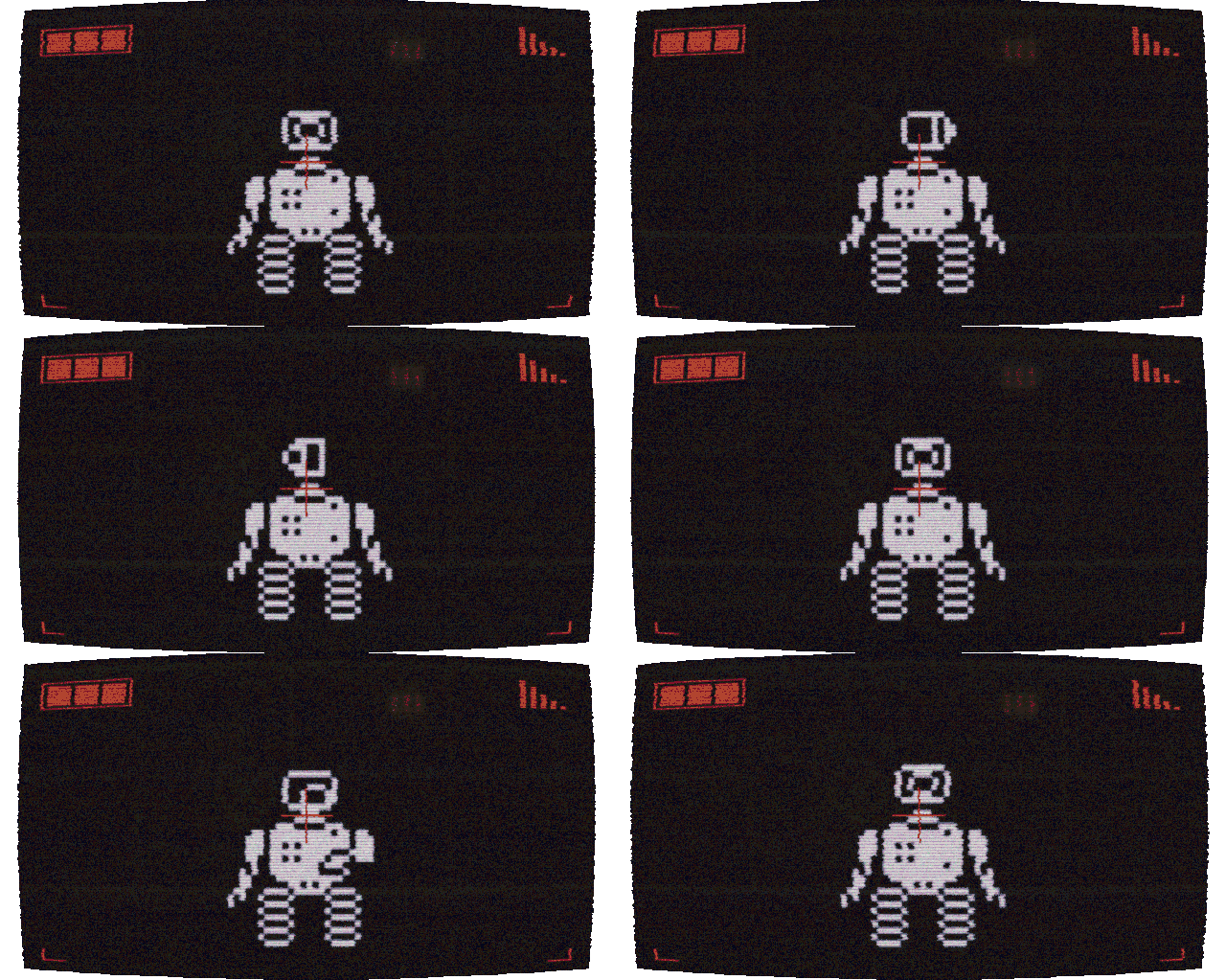
Alpha Advantage
Right now, during the Alpha stage, DDT acquisition efficiency is at its maximum. In Beta, direct in-game DDT farming will no longer be available.
Participants are not just getting early access - they become part of the community core and influence the project during its most important stage. Players who supported Doomsday Tyranny early will receive additional bonuses and advantages throughout the full lifecycle of the game.
The project’s development horizon is 10+ years. For midcore games in the game development industry, this is a normal working cycle.
MineNET
Only during Alpha can players obtain the MineNET neural network - one of the key in-game entities with strong and universal characteristics.
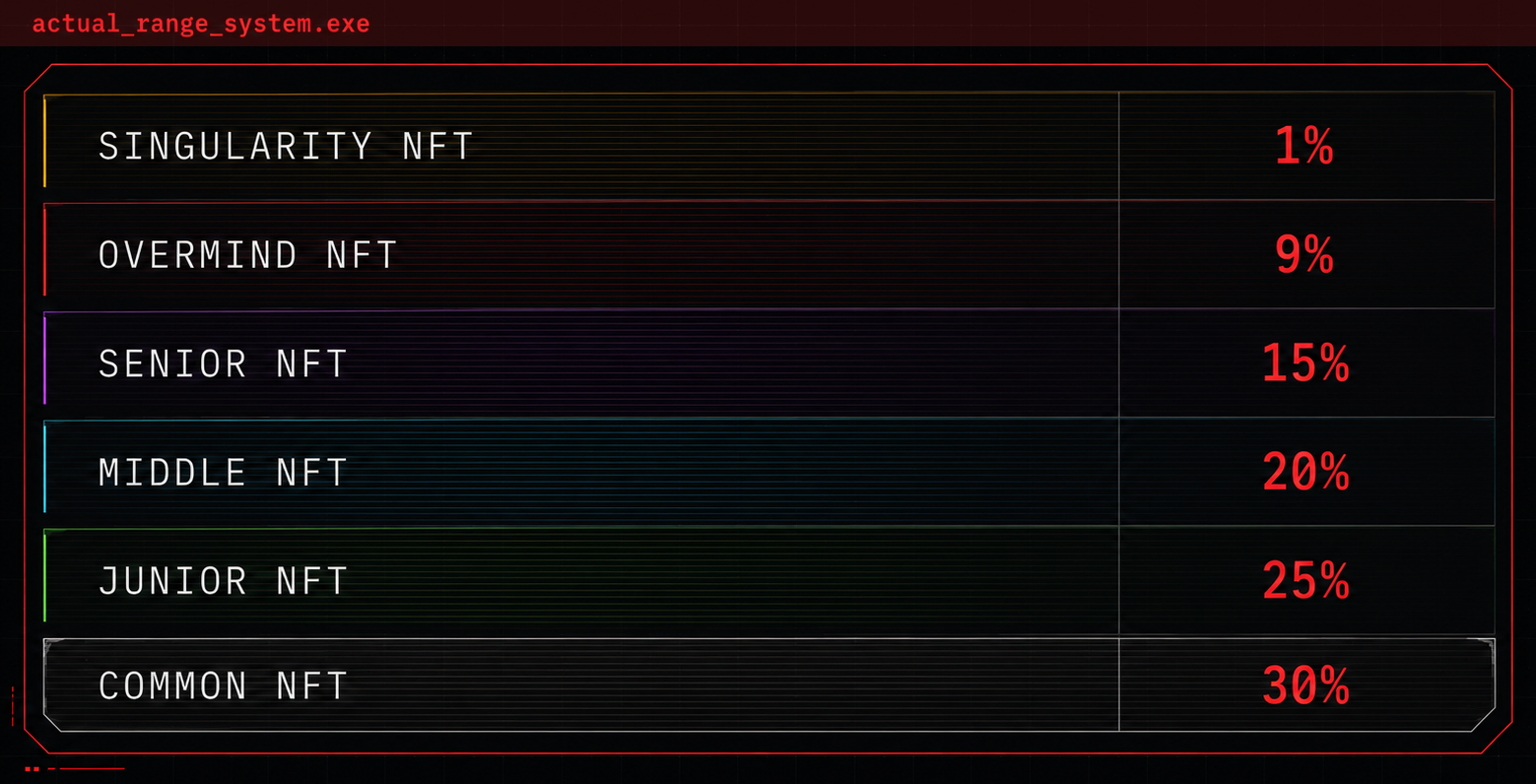
In Beta Season, players will receive an NFT version of MineNET depending on their leaderboard rank. These NFTs will have in-game utility: they will not be used as decorative collectibles, but as full-fledged gameplay assets. The asset can be used in the game and, if desired, transferred or sold to another player. The principle is similar to rare skins and items in games such as Counter-Strike or Dota 2.
Project development vector
▫️ Beta Season: turn-based battles and cross-platform access.
At this stage, Doomsday: Tyranny will begin moving beyond Telegram. The game will remain available as a Telegram Mini App, but will gradually expand into a cross-platform system with new entry points.
Beta Season will add more story content, new continents, temporary events, resource exchange between players, and additional neural networks. They will be useful for progression, but they will no longer be as powerful and rare as MineNET.
The key change is a full-fledged combat system capable of competing with genre leaders on mobile platforms.
▫️ Release: Global PvP and ARG events, launch on Google Play / App Store
Reference Block
Lore
At the core of the Doomsday: Tyranny world is the idea of a machine civilization — a new natural competitor to the human species, born from humanity’s own hands and given not only intelligence, but the drive to survive.
For a long time, AI remained only a tool: it solved problems, accelerated progress, and helped preserve peace. But humanoids used technology not only for development, but also for new forms of warfare.
After a series of global conflicts, humanity began to see a threat not only in technology, but also in those who created it. Progress was suppressed, and technophobia became a new foundation of social order.

The project was almost complete: only the final stage remained — training that was meant to pass knowledge of the outside world to the Xeons. But at that very moment, technophobic forces launched a nuclear strike on Svalbard.
The player becomes one of the Xeons, forced to leave the bunker and independently learn the details of the surrounding world. The very first encounter with the surface inhabitants revealed that humans see the new species as a threat that must be destroyed. And this is where a new stage of war between machines and humanoids begins.
Lore is revealed in more detail through quests on the map. It is important to read not only event text, but also pay attention to images: these are visual materials provided by the neural network after studying a sector, object, or historical fragment. Sometimes they contain additional details, references, and clues.
Production Circuit
Conquering the planet is impossible without an army. An army is impossible without production. Production is impossible without resources.
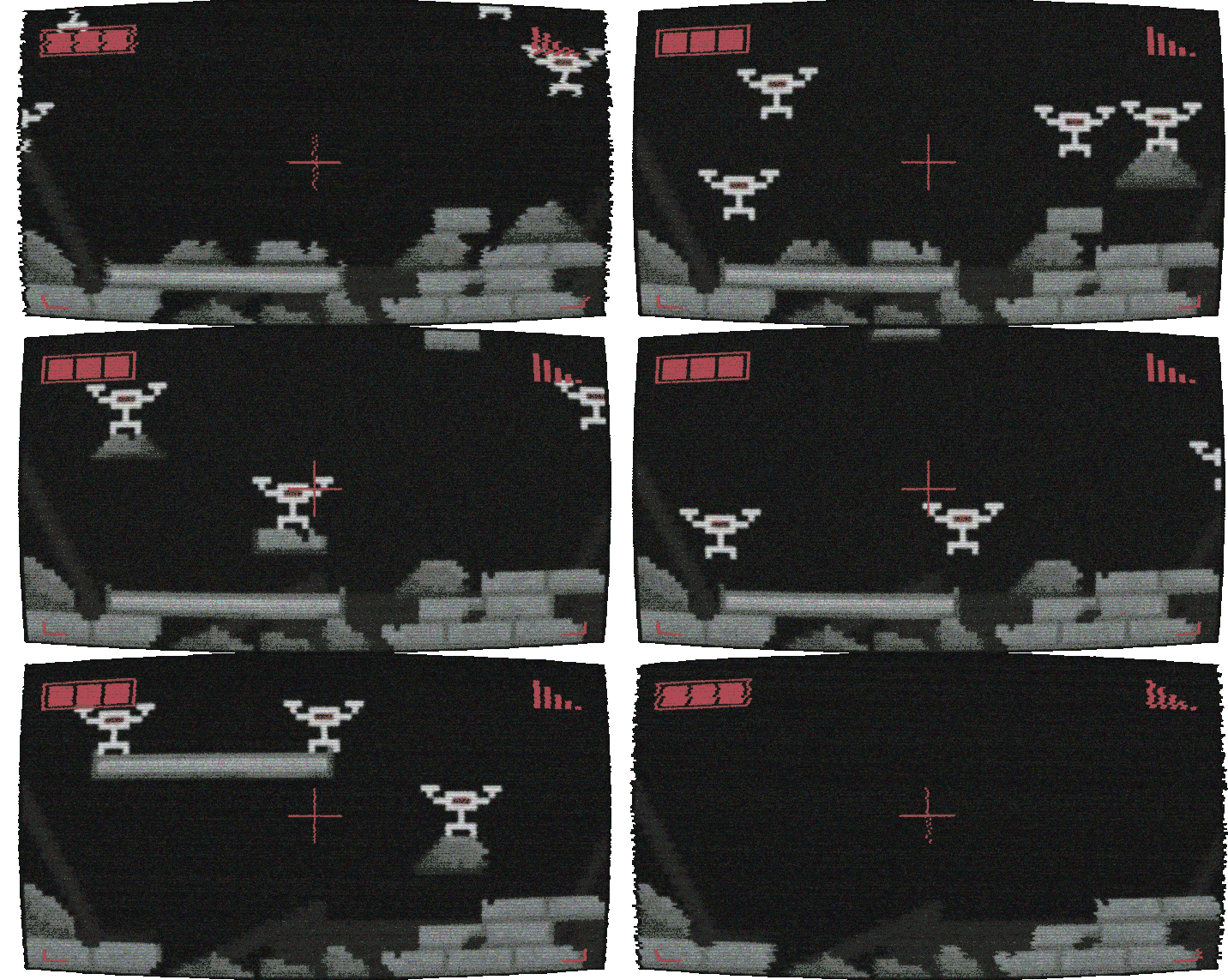
On the production screen, the lower section shows which resources are required for assembly. The upper section shows what can be produced from available components.
You can switch between resources and production branches.
Main ways to develop production:
▪️ Increase the production level to reduce the production cycle time;
▪️ Hire workers;
▪️ Expand storage by increasing warehouse capacity;
▪️ Install a neural network into an upgrade slot. Production will increase based on the boost coefficient shown on the neural network screen.
Storage is just as important as extraction. If the warehouse is full, production hits the ceiling and begins losing efficiency.
Production States
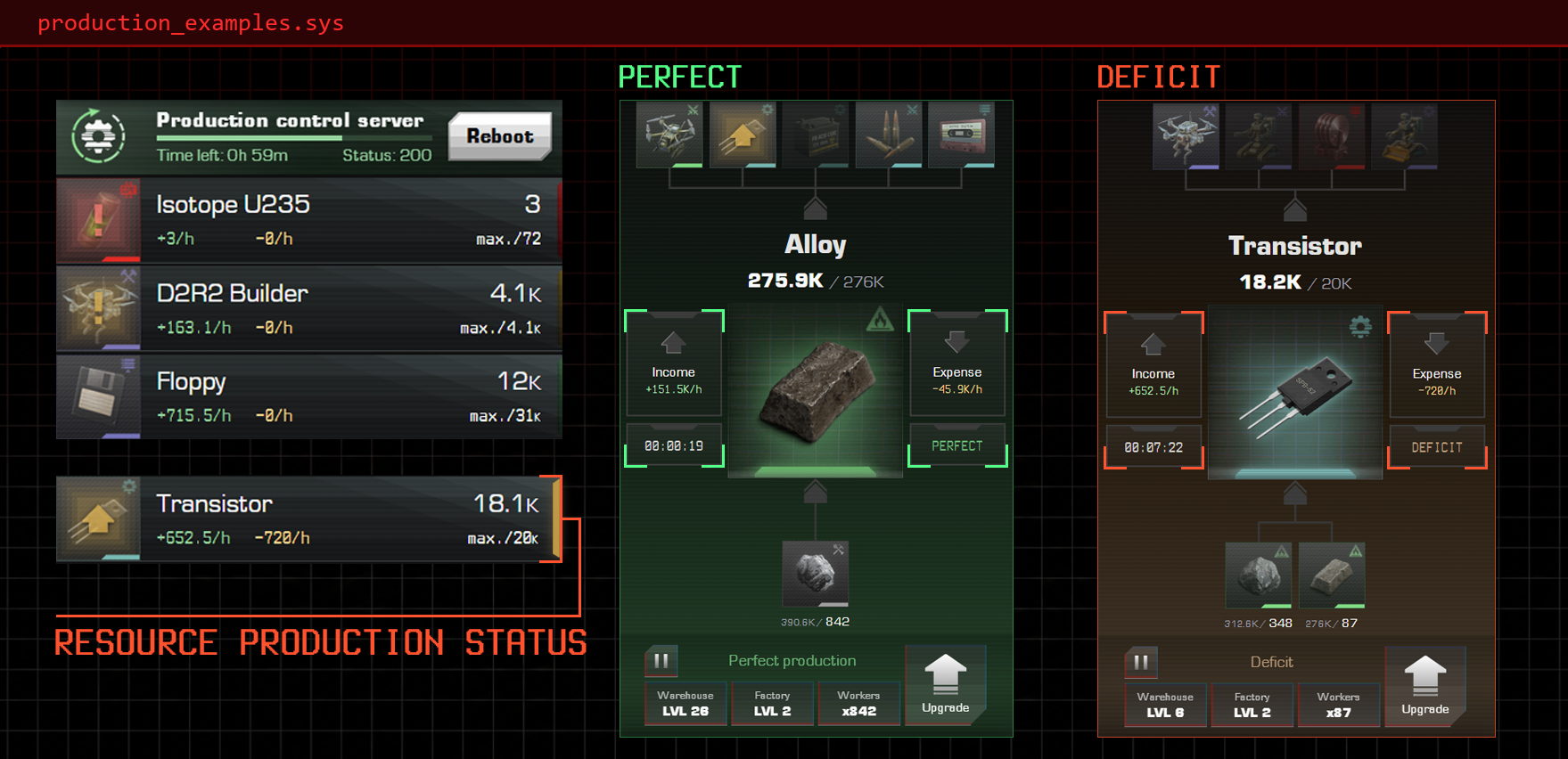
Each resource has its current production state. In the general list on the right, it is shown as a colored indicator so players can quickly understand where the chain is stable and where intervention is required. Below are all possible production states:
- Perfect production - the chain is balanced and production is running steadily.
- Warehouse full - there is not enough warehouse space for produced resources. Expand storage or redirect resources into production by hiring workers at a higher-tier factory in the chain.
- Component shortage - components are missing. The red exclamation mark shows exactly which element is blocking the process.
- Deficit - the current production volume is not enough for next-tier resources.
- No workers - there are no workers assigned to production yet, so the resource is not being produced. To start the process, press “Upgrade” and hire the required number of workers.
- Missing components - production cannot start because one of the required lower-tier resources is absent. This usually happens for two reasons: the component has an overly long production cycle, or it has not been unlocked yet.
- Pause - production has been stopped manually. To start it again, press the green play button in the lower-left part of the screen.
- Overheat - occurs when the manual extraction limit has been exceeded. Production overheat time depends on the specific resource, and its duration is shown on the scale.
- Reboot required - all productions are paused, and a reboot is required to resume their operation.
Production Reboot
A reboot is used to resume the production cycle.

Main reboot method — routers.
The best source of routers — daily rewards.
An alternative method is rebooting with memory.
A reboot can be performed early, without waiting for the current process to end. To do this, open the production tab, press the current cycle at the top, and start the reboot manually. This lets you adjust the cycle end time to a convenient moment and use passive production more efficiently.
Neural Networks
The game has 2 neural networks: ComNET and MineNET. They are upgraded by spending memory to increase their level.
ComNET is the story-support neural network. It analyzes data, helps advance through the story, and opens access to the next progression stages.
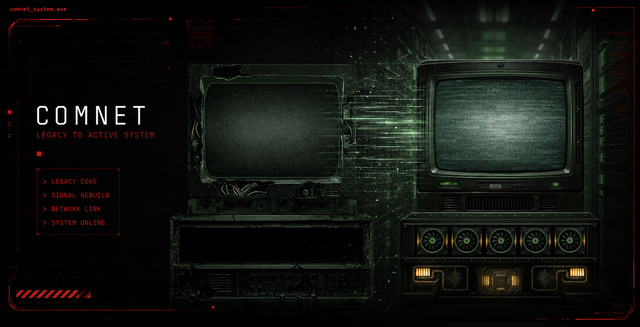
ComNET is trained using humanoids placed inside the simulation. The more skinbags are connected to data processing, the higher the neural network’s IQ. This value can be seen at the top of the ComNET screen.
MineNET unlocks together with Premium access in the game. After purchasing Premium, MineNET activates automatically. The neural network then appears on the neural networks screen and becomes available for use.
Both neural networks can be used in upgrade slots to improve production of different resources.
Neural Network Backups
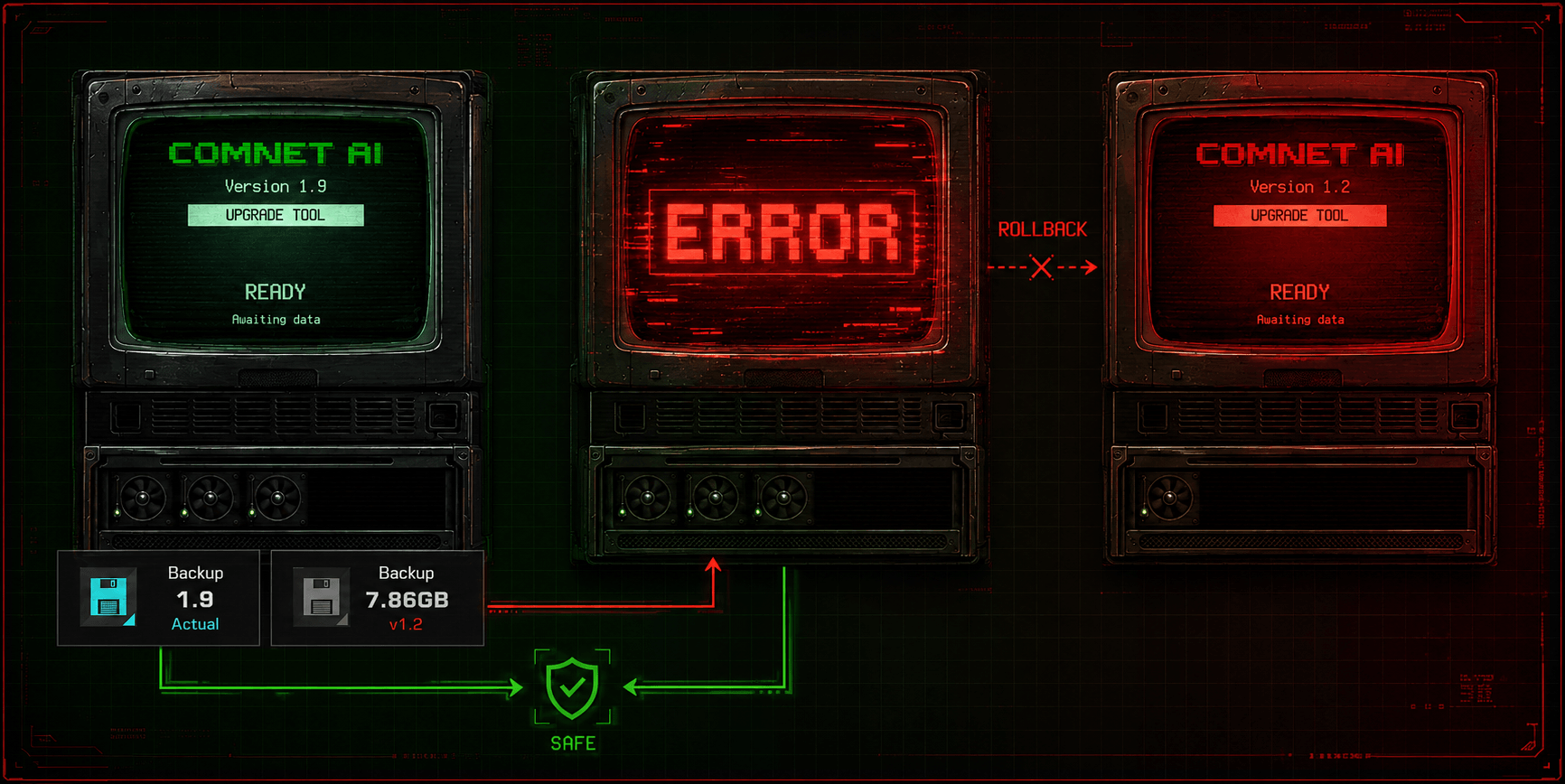
⚠️ Before upgrading a neural network, it is important to create a backup.
A backup is a reserve copy of data created specifically so that, in case the original is lost, damaged, or deleted, the information can be restored quickly.
Example:
The neural network is at level 1.9. The latest backup was created at level 1.2.
If the upgrade attempt fails, the neural network will roll back to 1.2.
Boosters
Boosters are used in two main cases:
▪️ to increase the upgrade chance for MineNET and ComNET;
▪️ to complete timed events.
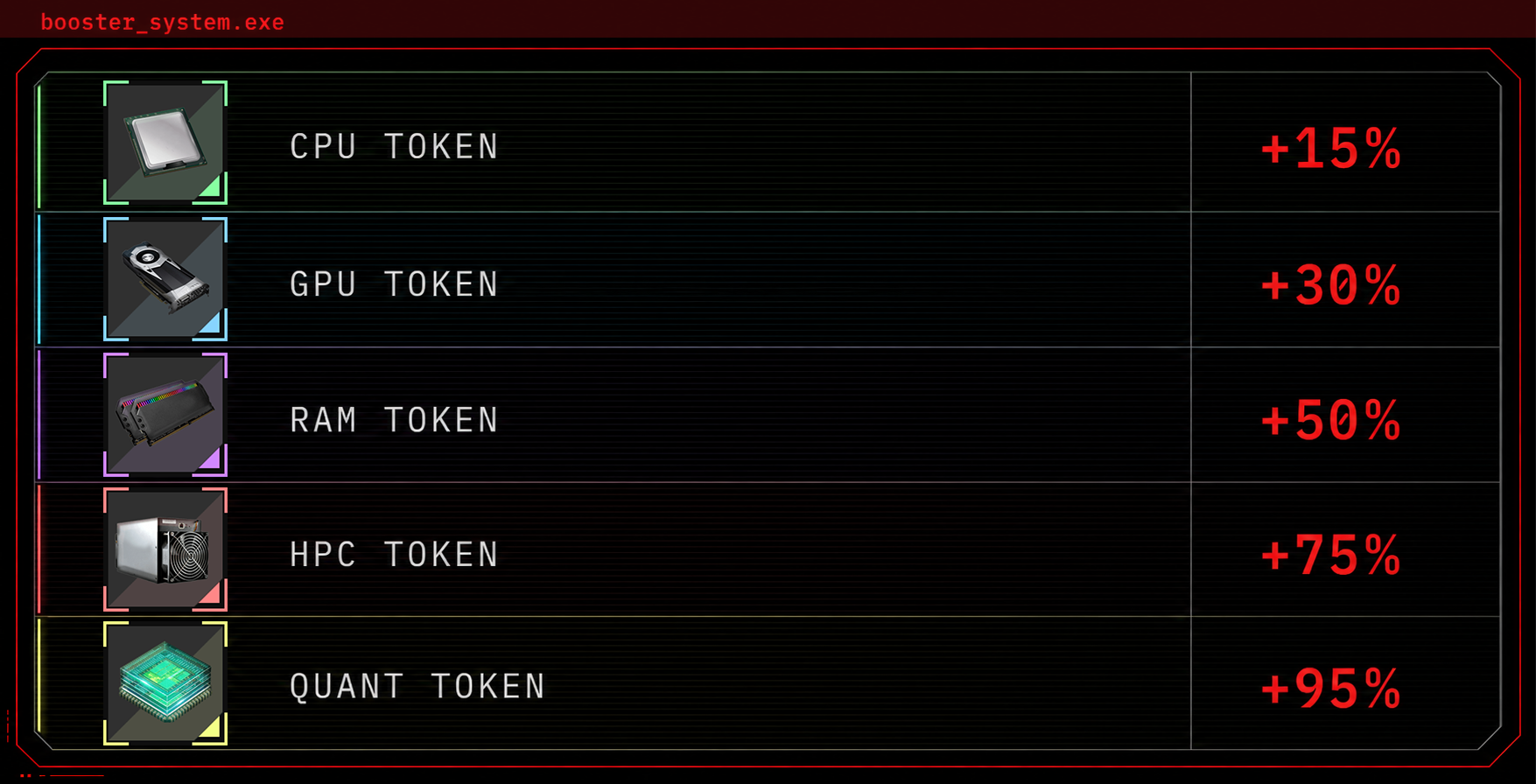
Example: the HPC booster reduces waiting time by 75%. If a GPU token with 30% is used after that, the timer will be fully closed, because in this case boosters are added together. This means that the correct application sequence can significantly accelerate progression.
Main sources of boosters:
▪️ daily rewards;
▪️ HDD of Fortune.
DATA
DATA, or memory, is used for neural network development and other gameplay processes.
Main sources of memory:
▪️ daily rewards;
▪️ completing events;
▪️ HDD of Fortune.
In HDD of Fortune, the amount of memory depends on the bet size.
DDT
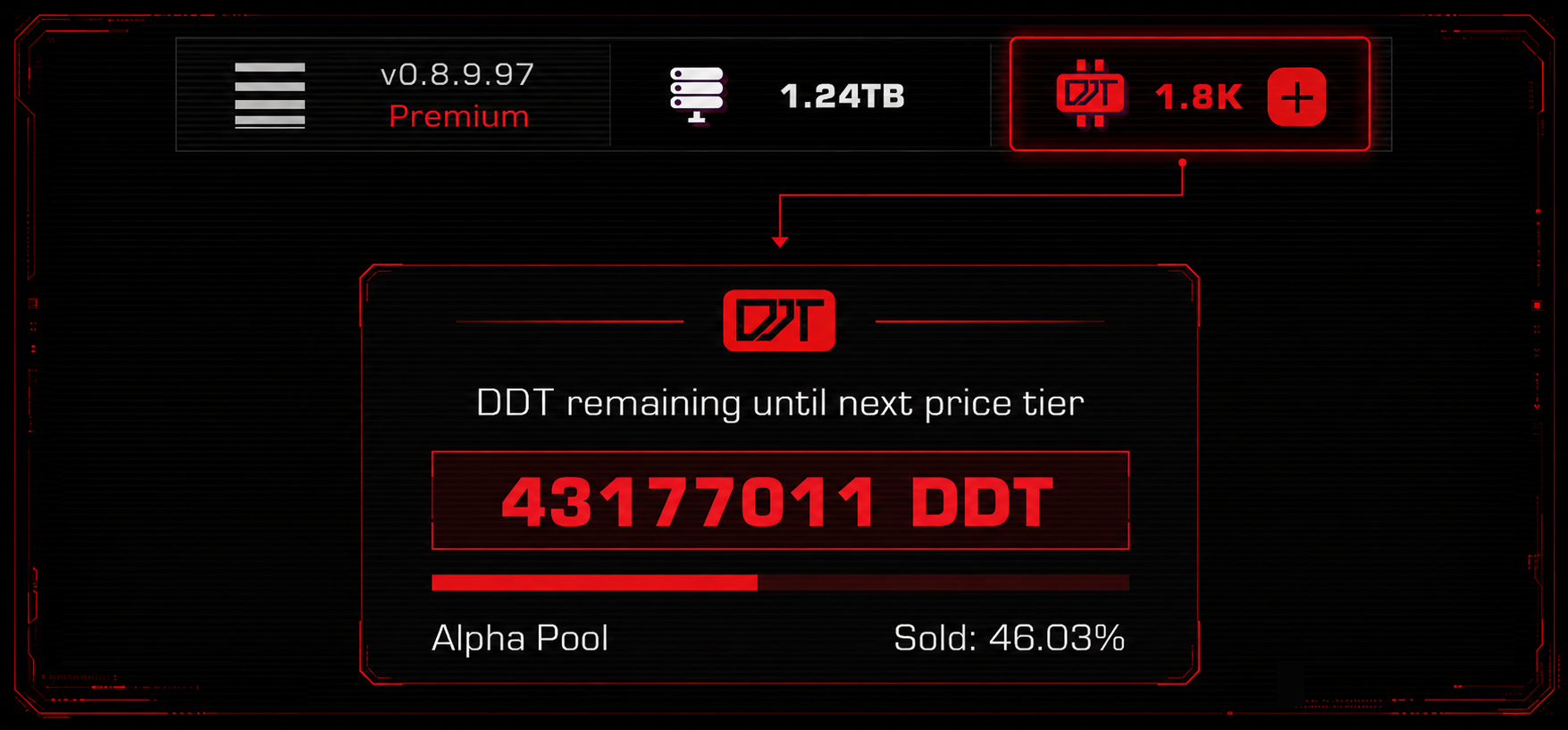
DDT is one of the project’s key resources.
During Alpha, DDT acquisition efficiency is at its maximum. In Beta, direct in-game DDT farming will be unavailable, and the purchase price of DDT will become noticeably higher than it is now.
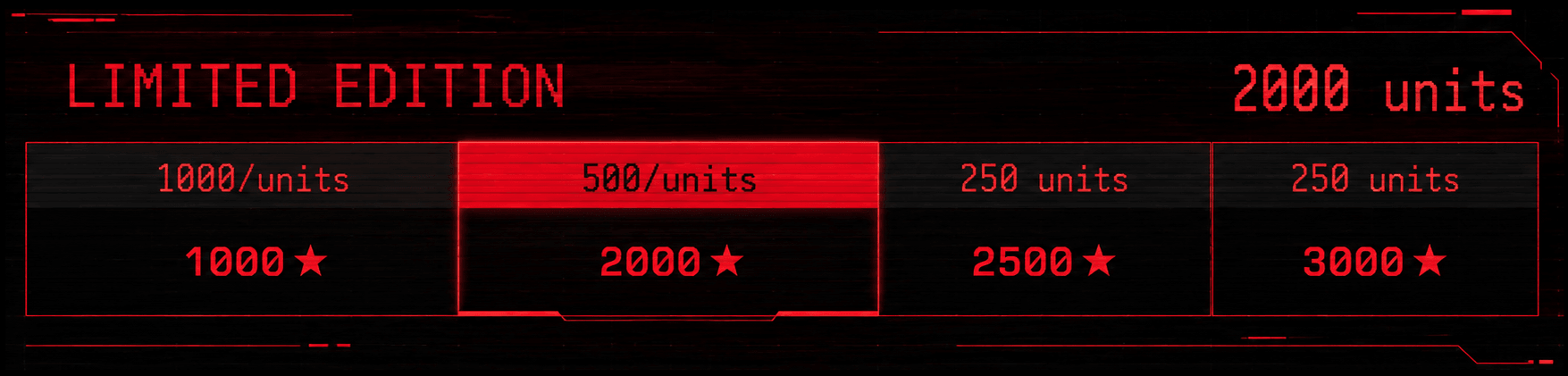
The DDT Alpha Pool is limited. The remaining Alpha Pool can be viewed on the DDT offers page.
Supporter
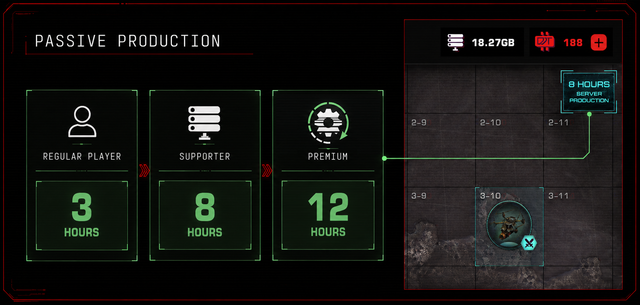
Supporter gives the following advantages:
▪️ passive production for 8 hours;
▪️ 500 DDT.
Passive production continues working even when the player is not in the game.
Supporter is a basic way to strengthen production without moving into the maximum premium circuit. This upgrade helps progress through the game story faster and farm resources more efficiently.
Premium
Premium gives the following advantages:
▪️ passive production for 12 hours;
▪️ access to the premium chat with developers and the active player core;
▪️ 3000 DDT;
▪️ access to MineNET;
▪️ guaranteed NFT version of MineNET in Beta.
NFT MineNET will be a limited gameplay asset. Its value is not decorative, but tied to in-game utility. Such an asset can be used in the game and, if desired, transferred or sold to another player.
The number of Premium slots is limited. The price depends on the purchase moment: the closer Beta gets, the higher the cost.
Uranium Mine
The uranium mine opens after the first worker is recruited.
To do this, copy the link from the “Community” tab and send it to a suitable humanoid. When the first humanoid follows the link, the uranium mine will open automatically, and the first worker will appear there.
After that, the efficiency logic begins to work. The first invited humanoid immediately launches the mine. Their contribution to extraction depends on their development level in the game.
All following humanoids begin counting as workers only after reaching at least level 2.
Not all workers are equal. The system evaluates not the number of bodies, but their actual usefulness. The higher the game level of invited skinbags, the more efficient uranium production becomes.
Example: the mine lists three workers. The first reached level 12, while the other two remained at level 1. The first worker is counted immediately, so their contribution equals 12. The other workers will begin strengthening extraction only after reaching level 2. Until then, their contribution to mine efficiency is not counted.
Uranium
Uranium is required to create important resources that can later be converted into DDT.
Achievements Map
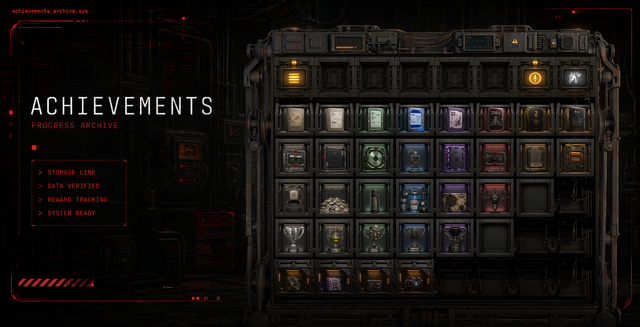
The achievements map records each humanoid’s progress during Alpha and helps the system determine which rewards the player will receive in Beta.
This is not a decorative section or a badge showcase. Achievements will be used during progress conversion: the more important milestones are recorded, the more accurately the system can evaluate the player’s contribution to Alpha Season.
The achievements map is available from level 5.
To activate it, complete the “Achievements Storage” notification, then complete the event on the Svalbard map in sector 8-2.
After that, quick access to the achievements map will appear on the left in the list of available maps.
More information about progress transfer is available in the article.
Commutator
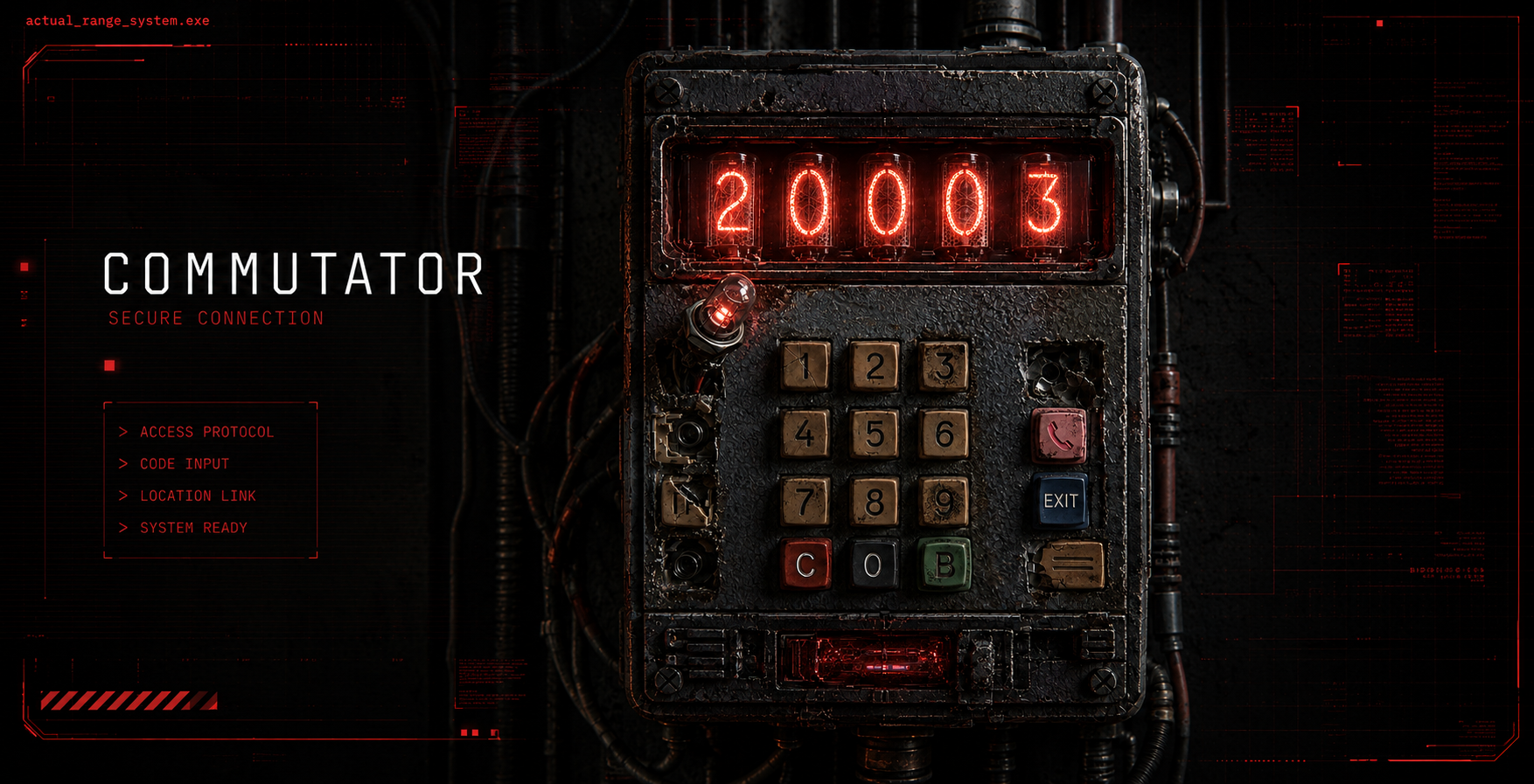
The Commutator is used to enter codes. Depending on the code, it can issue a reward, activate an additional event, or open a hidden location.
One available Commutator code: 20003
This code unlocks a hidden location with rewards for players of different levels.
Commutator is available from level 5.
It opens on the Svalbard map in sector 3-6.
Input sequence:
- Enter the required digits one by one.
- Wait until the corresponding numerical values light up on the Commutator.
- Press button B to lock in the code.
- Press the button with the pink handset on the right.
After that, the call into the simulation succeeds, and the hidden location becomes available.
New codes may appear in chats, the news channel, and broadcasts inside the bot ecosystem. Some codes are valid only for a limited time.
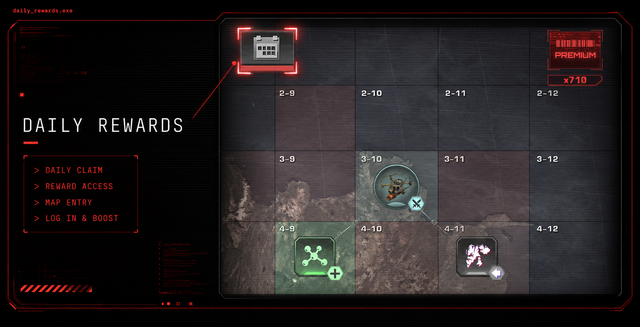
Daily Rewards Protocol
The protocol is designed for 35 days. Each day, the system grants useful resources: memory, DDT, reboot routers, and boosters.
Daily logins are required to continue the reward chain. Missing even one day will reset progress.
On day 34, the system grants a Quant Token - the rarest booster in the system.
Game Settings
In settings, sector numbering can be enabled through the “Sector coordinates” option.
Effects on the map can also be enabled and disabled. Optimal settings depend on device performance.
For quick access to the game, you can add a shortcut to the device home screen.
Bot Information
To receive useful information from the bot, open the chat:
Then send the command:
/start
This refreshes the connection with the bot and helps receive up-to-date notifications, links, and system messages.

Stars Top-up
Telegram Stars can be purchased at a favorable rate through Split.
Procedure:
- Open Split.
- Select Buy stars to user.
- Choose an available payment method: crypto, SBP, or MIR card.
- Enter the username and confirm the purchase.
After confirmation, Stars are credited to the specified account.
The same method can be used to send Stars to another player: simply enter their username. In essence, this transfers a resource as a gift. It is convenient when you need to send a resource to an allied humanoid and increase their chances of further functionality.
Loading Issues
If the bot or game does not load, use the standard stabilization protocol:
- Press the three-dot menu on the right and refresh the page.
- Restart Telegram.
- Clear the Telegram cache.
- Restart the device if necessary.
- Close the app and open the game again through the bot using the /start command.
- Check VPN: turn it on or off depending on its current state.
- Close other Telegram apps.
- Make sure the latest version of Telegram is installed.
- Check the internet connection and try another network source: another Wi-Fi network, mobile internet, or another access point.
- Make sure the internet provider is not blocking access to Telegram.
If the issue persists, contact support:
Contact and Support
Questions about mechanics, progression, and game systems can be sent to the general chat. Admins and experienced community members are there: they have already gone through most game scenarios and can often quickly suggest the best working solution.
If you find a bug in the game or encounter a payment problem, it is better to contact support immediately:
Collaboration proposals can also be sent to support. The signal will be forwarded to the correct administrative node.
Official Communication Channels
Core Network
Telegram Network
External Network
Game trailer | Website | X