Top up the LUB Token Bot and buy LUB
LUB Token Support- Open @LubTokenBot
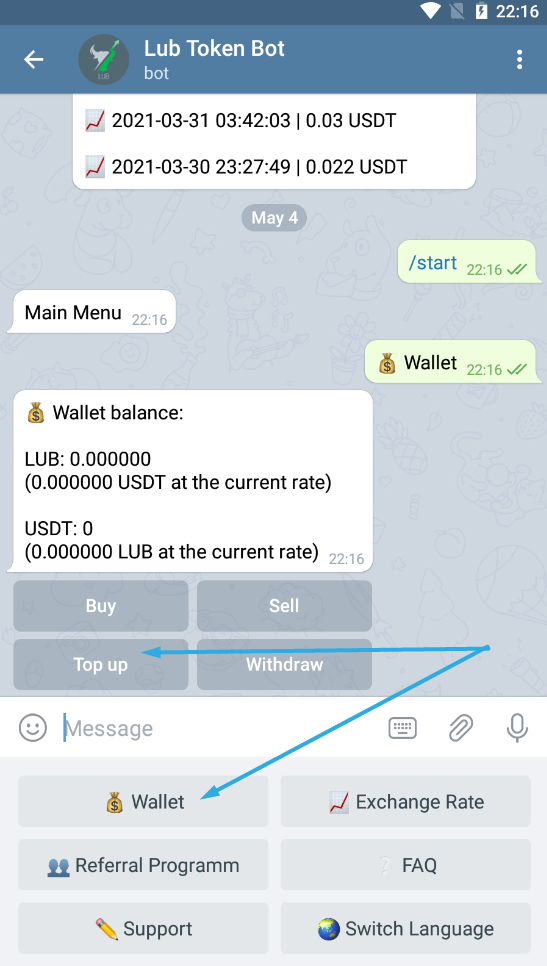
1.1. If you are not already registered, go to the bot and press START.
2. Select the "Wallet" item from the menu
3. In the message that appears, tap "Top Up"
4. Choose your deposit currency (network)
5. This message shows you the address to which you can deposit
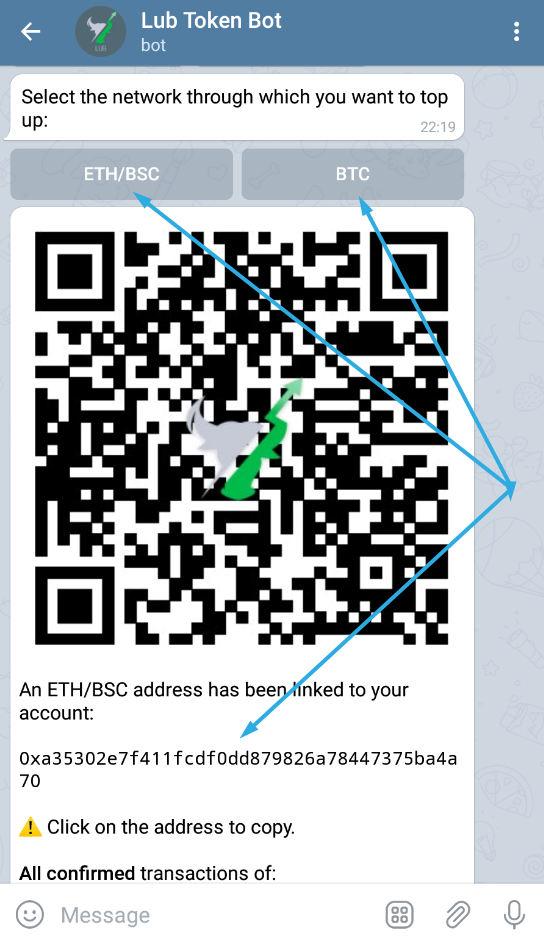
4.1. You can use the following currencies: USDT (ERC20 network), LUB (ERC20 network), BNB (BEP20 / BSC network), BUSD (BEP20 / BSC network ) , Bitcoin (BTC) and Ethereum
5. Go to your wallet from which you are making the transfer, select one of the currencies mentioned above and make the transfer to the address given by the bot
6. Carry out a transfer
6.1. The waiting time until your wallet is charged after completing a transaction depends on the transaction fee. Processing of a transaction by the bot after confirmation in the network usually succeeds within 30 minutes
7. You will then receive a notification from the Lub Token Bot with information about the deposit
8. After Lub Token Bot Wallet is charged - click "Buy"
9. In the message that appears, select which part of the deposit you want to buy Lub Token for
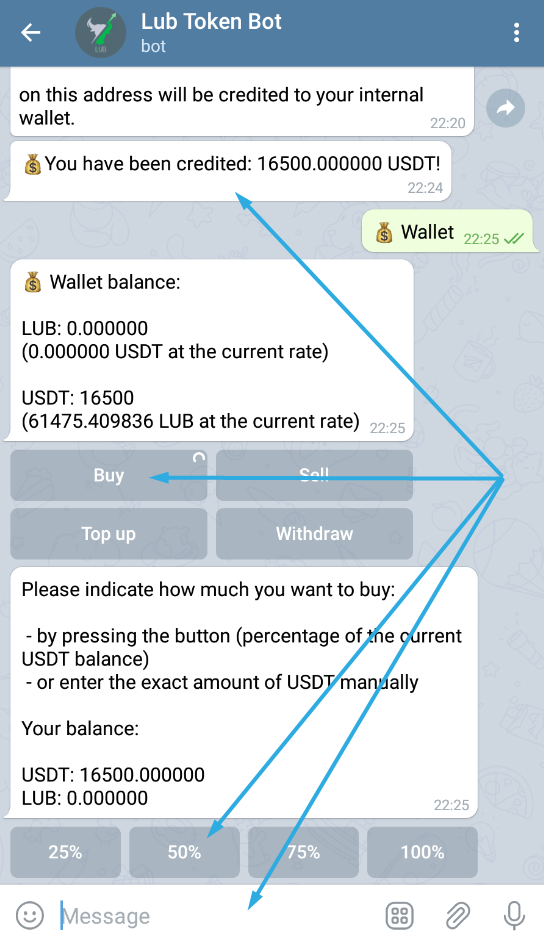
10. Confirm the process
11. Done. You are now an owner of LUB tokens.
To sell, just click "Sell".
To withdraw your funds, simply click on "Withdraw".