To The Moon FAQ
To The MoonTo The Moon
❓ FAQ | ❔ FAQ_CN | 📢 Announcement | 🐦 Twitter | 💬 Group
1. How do I start the game?
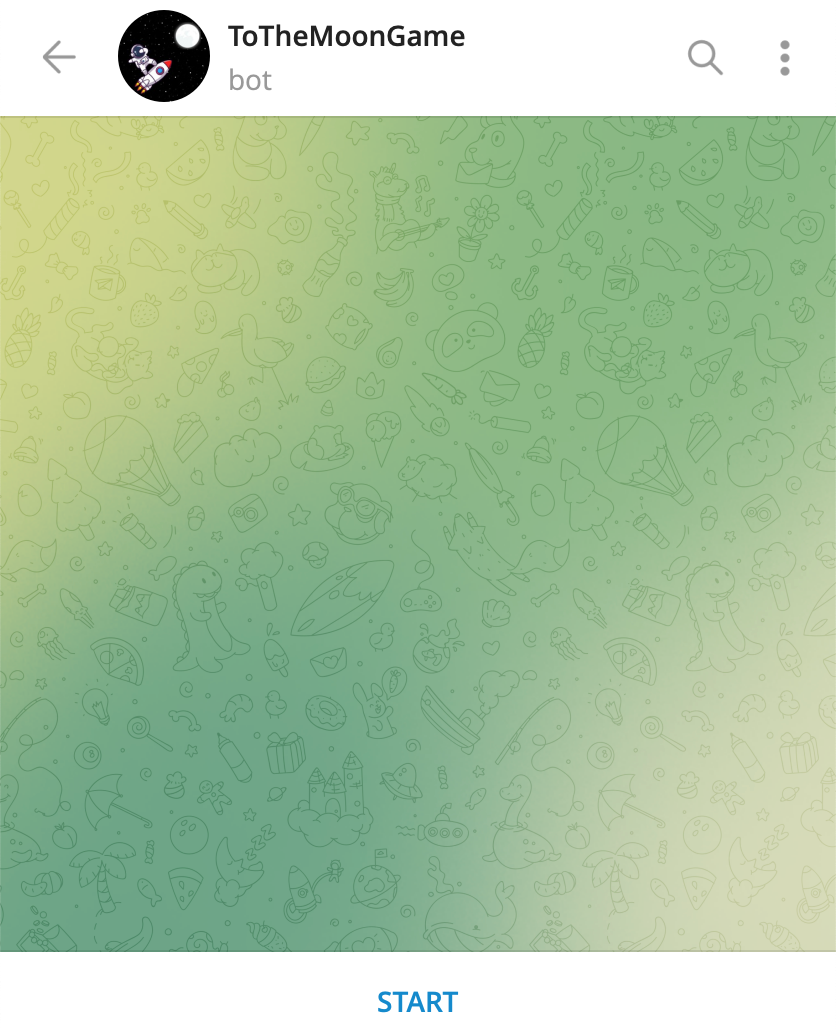
Play the game in ToTheMoonGame_Bot. Click start (or use the /start command to open the menu), and a blockchain wallet and account will automatically be created for you.
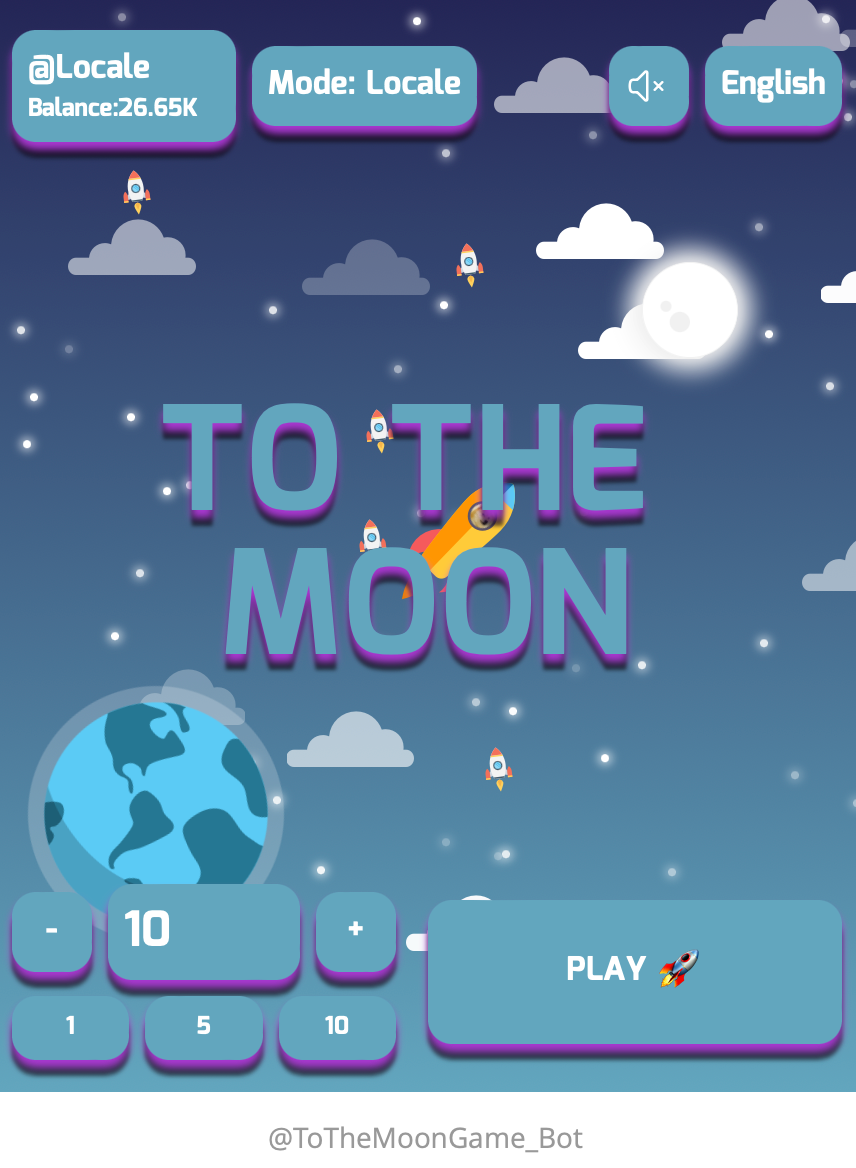
After creating an account and depositing funds, enter an amount and click to start the game. In server mode, the minimum amount per game is 1 $USDT, maximum 10 $USDT. You cannot play server mode when your account balance is below 1 $USDT.
The top left of the game screen shows your account balance. Click "Mode: Server" to switch between server and local modes. The sound button turns game music on/off.
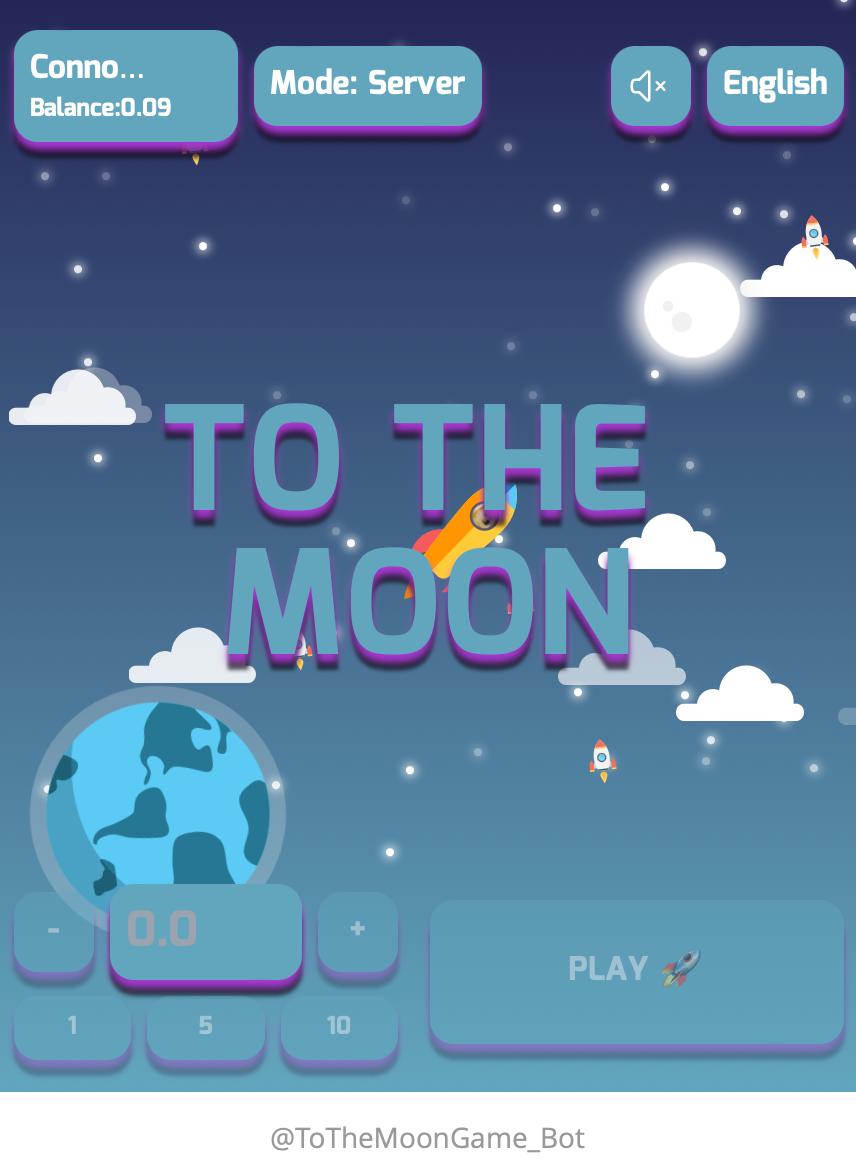
As your rocket flies towards the moon, the further you travel, the more rewards you can earn, up to 100x your staked amount for reaching the moon. You can click "Stop" at any time during the game to claim your current rewards. If your rocket explodes, you will lose the amount staked for that game.
2. How do I deposit funds?
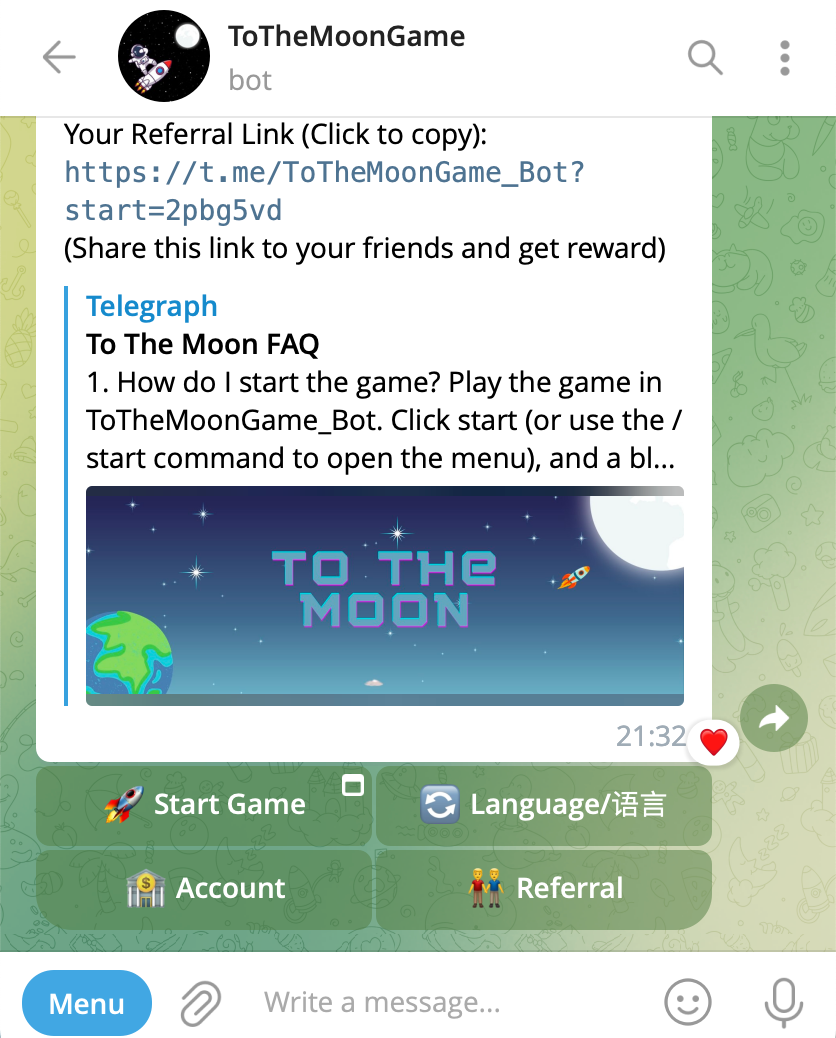
Input /account or click the "Account" button below the message to see your wallet address. You can deposit $USDT to your wallet using the TRC20 network.
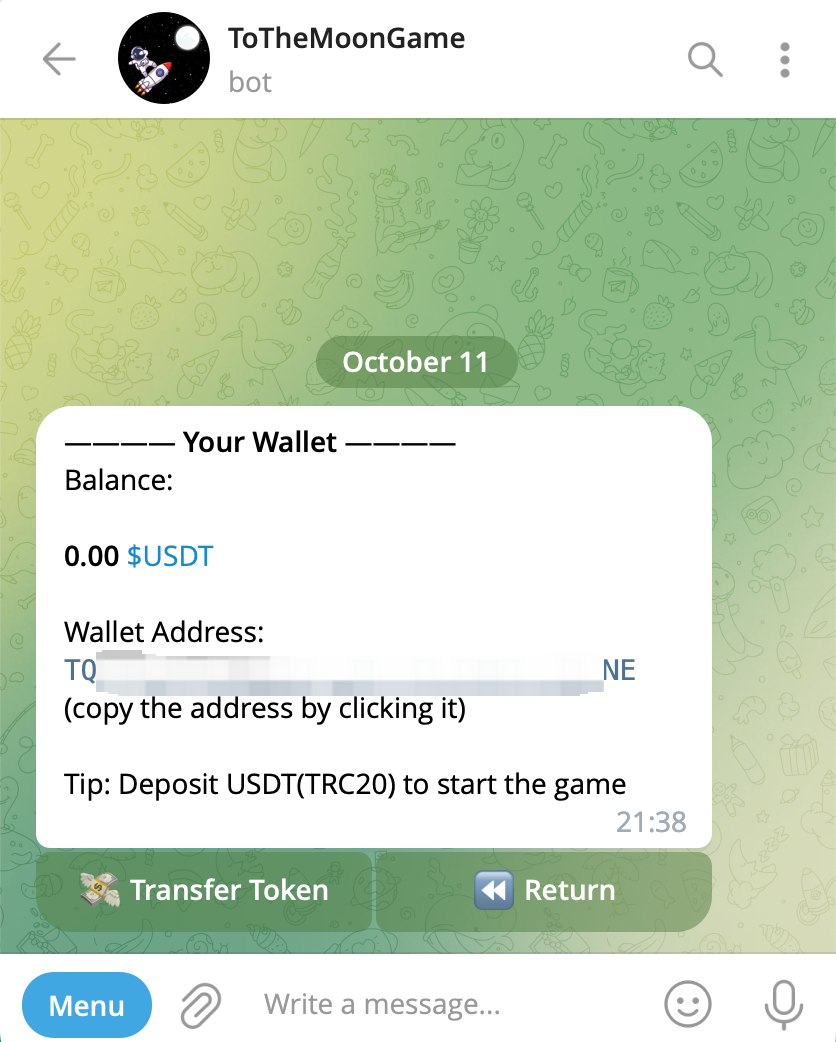
There are two deposit options:
- Centralized exchange - select TRC20 network, withdraw $USDT to your wallet address
- In your blockchain wallet - select TRC20 network, transfer $USDT to your wallet address
Blockchain transfers require waiting for confirmations. Deposits via centralized exchange also require waiting for the exchange to process transfers. Deposit times vary based on method, but generally deposits take less than 10 minutes.
Here are withdrawal tutorials for common centralized exchanges:
PS: When withdrawing $USDT from a centralized exchange to your wallet, please check the withdrawal network. To The Moon only supports TRC20. Incorrect networks will result in failed deposits, and we cannot recover funds sent to wrong networks.
The minimum deposit amount cannot be less than $1 USDT, otherwise it will not be received.
3. How do I earn referral rewards?
After creating an account, each user gets a unique referral link. When new users sign up via your referral link and play the game, you will earn 1% of their total game spending as USDT rewards.
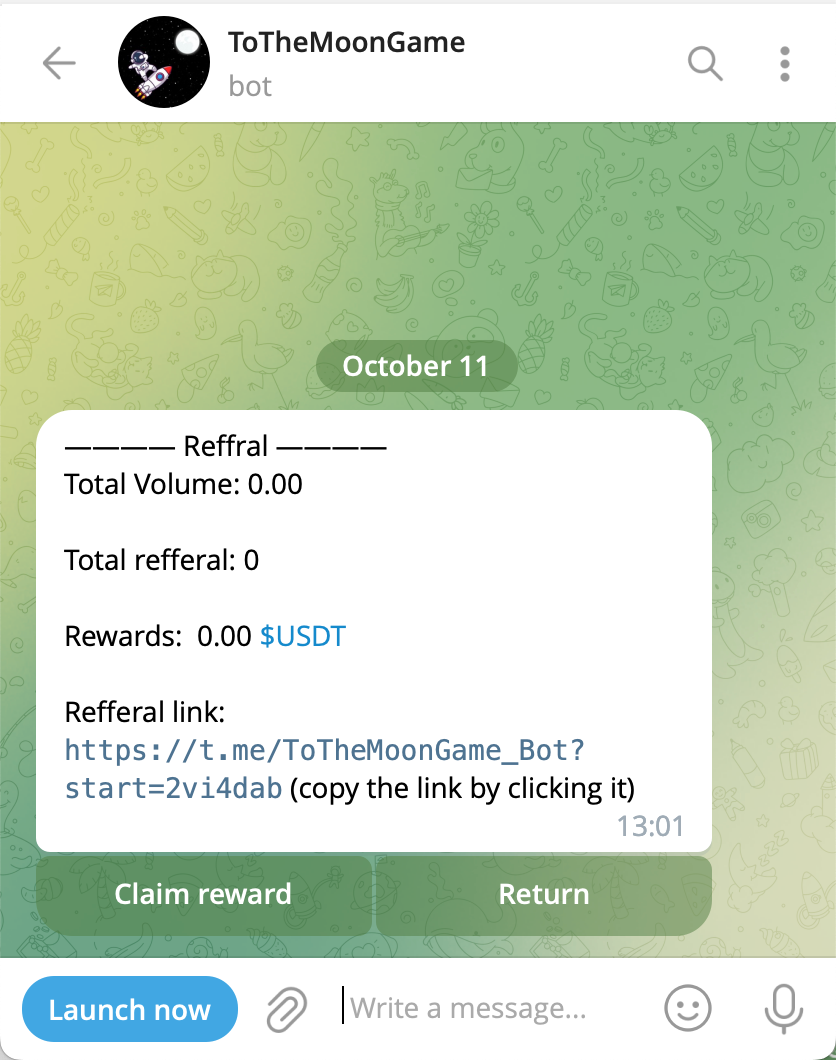
Input /referral or click the "Referral" button below the message to see your unique link, number of referrals, and rewards earned. Click "Claim reward" to transfer referral rewards to your wallet - they will arrive in real time after blockchain confirmation.
4. How do I withdraw funds?
Input /account to see your balance, then click "Transfer Token". Follow the prompts to enter your receiving address and amount, and you can withdraw.
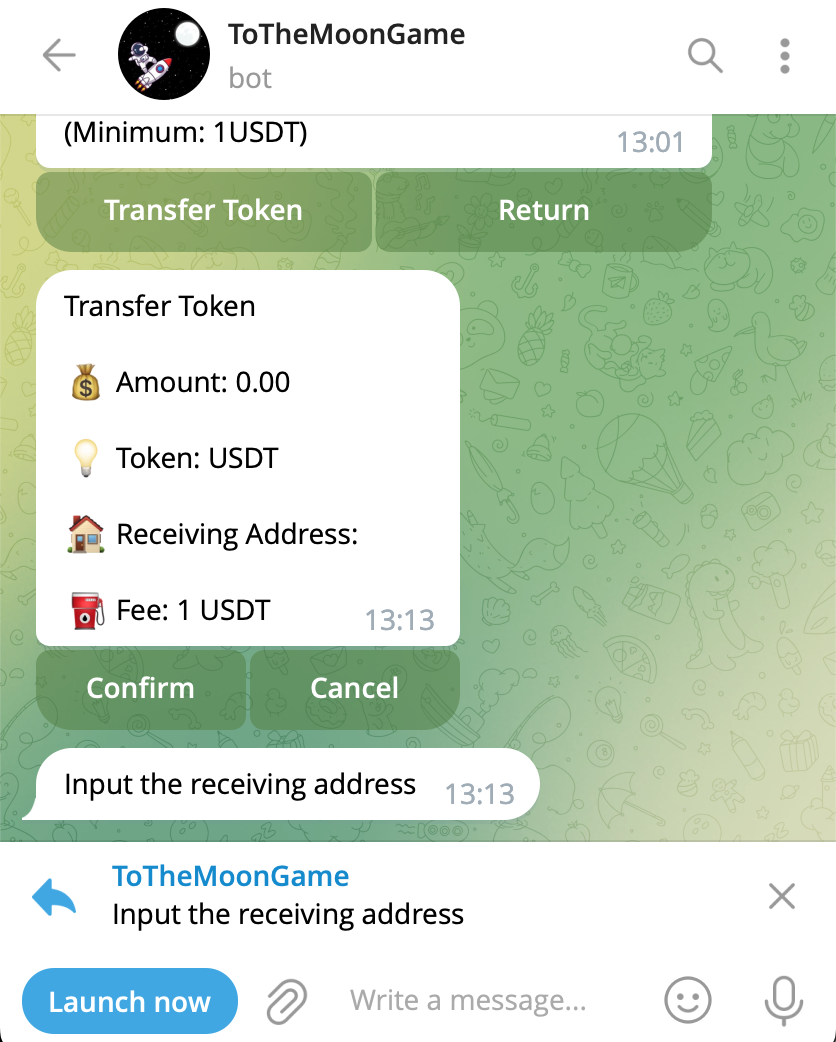
PS: Withdrawal network must be TRC20. If the withdrawal address does not support TRC20, the transfer will fail and we cannot recover the funds. We are not responsible for asset losses due to incorrect withdrawal network selections.
5. How can I try the game for free?
After opening the game, you can use local mode to try it for free. Local mode has no limit on starting amount. Your balance resets each time you refresh the game screen or re-enter.