Step-by-step instructions for filling out the declaration
The United Kingdom 🇬🇧
This guide will walk you through how to correctly fill out a declaration for sending your parcels from the UK.

1. Go to our website and select the interface language convenient for you, and then the appropriate region
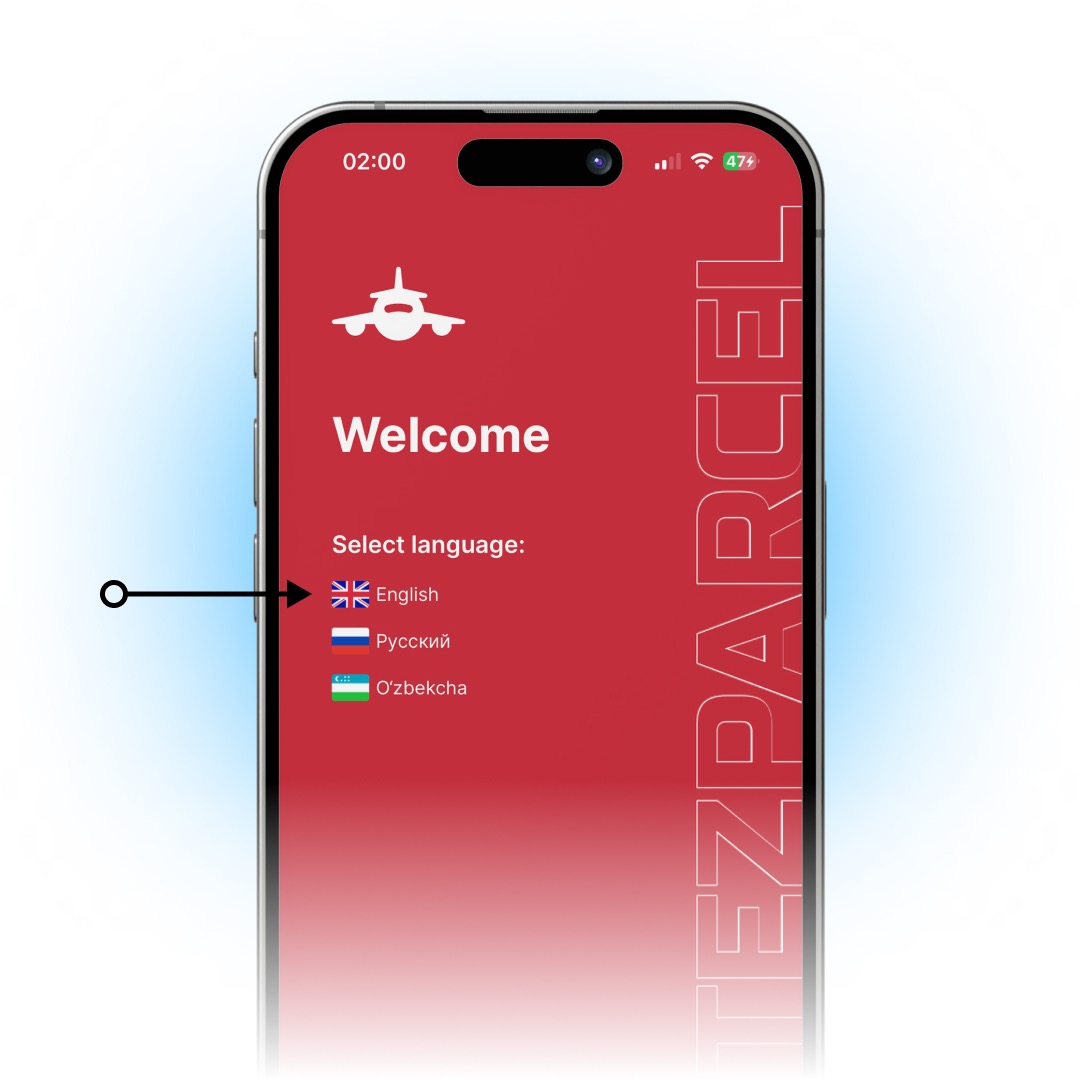
After selecting your language and region, two screens will pop up on your screen in turn with useful information and tips for using the site. To close them, click on the ‘Skip or Next / Done’ buttons.
2. Go to the ‘Fill out the declaration’ section
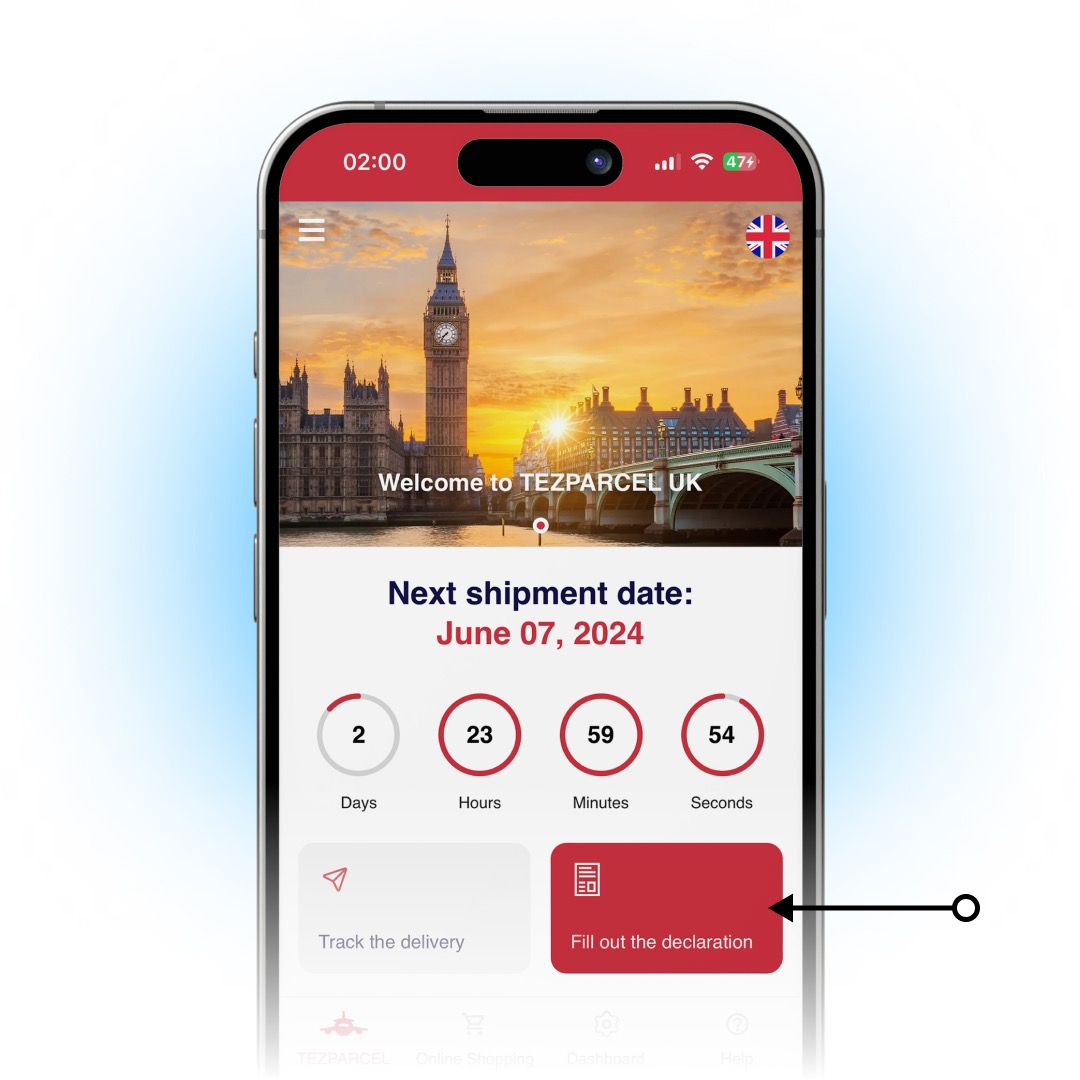
If you are not an authorized user, then after clicking on the ‘Fill out the declaration’ button, you will be prompted to log into your existing account or register a new one. To find out how to properly register in the TEZPARCEL system, click here.
3. Enter your parcel number
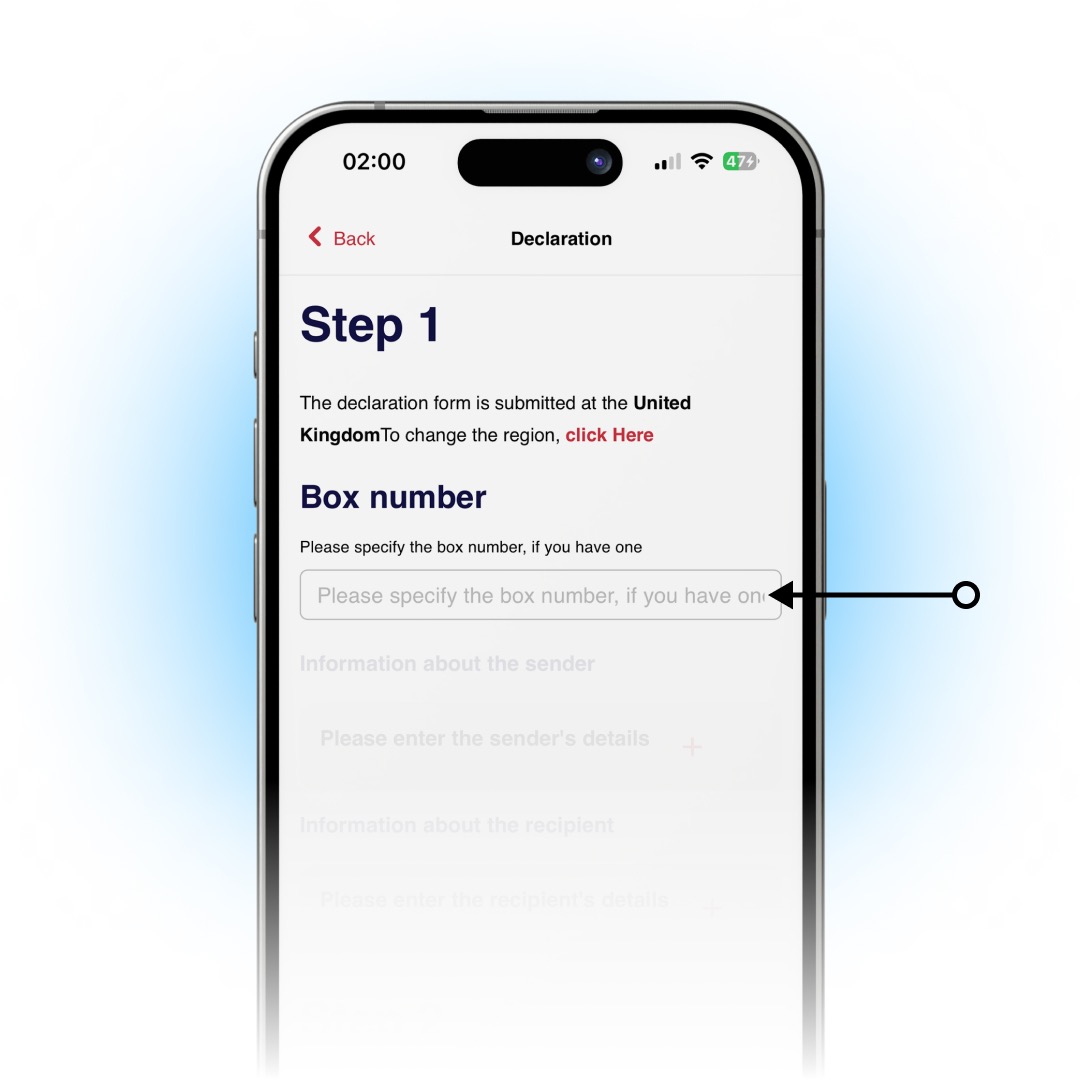
In this field, you need to enter a special number for your parcel, which our employee will send after the goods arrive at the warehouse. Don't forget to notify the employees of the relevant branch in advance by sending them a screenshot from the online store website! The screenshot must contain the name (to whom the order was placed), address and order number.
4. Fill in the sender information*
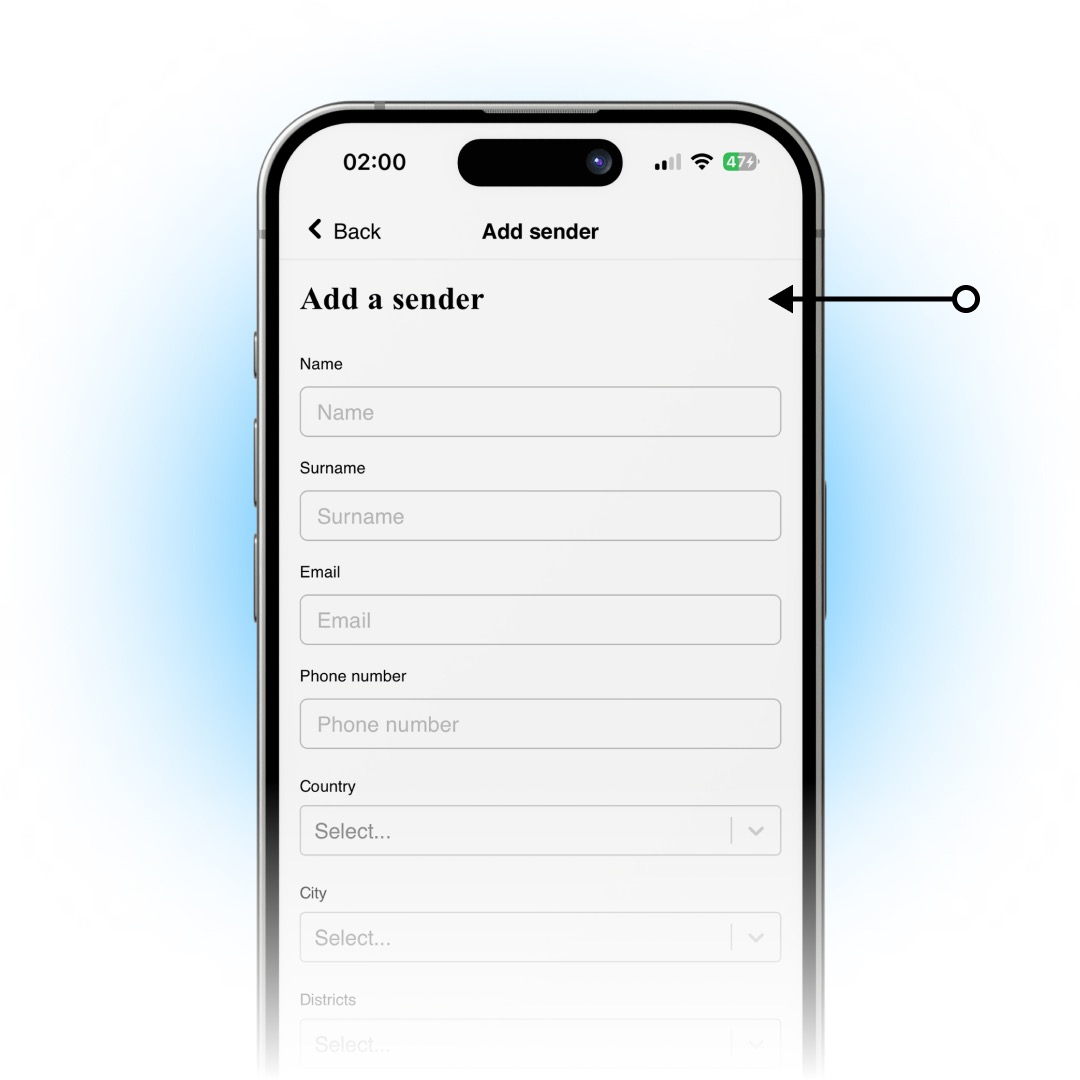
*When shopping online
✓ Name — TEZPARCEL
✓ Last name — UK
✓ Email — uk@tezparcel.com
✓ Phone number — +44 7771 100101
✓ Country — United Kingdom
✓ City — London
✓ Area — Southwark
✓ Address — Arch 245, John Ruskin Street
✓ Postal code — SE5 0NS
*If sent in person
✓ Name — Sender's name
✓ Last name — Last name of the sender
✓ Email — Sender's email
✓ Phone number — Sender's phone number
✓ Country — Sender's country
✓ City — City of the sender
✓ District — Sender's district
✓ Address — Sender's address
✓ Postal code — Postal code of the sender
5. Fill in the recipient information
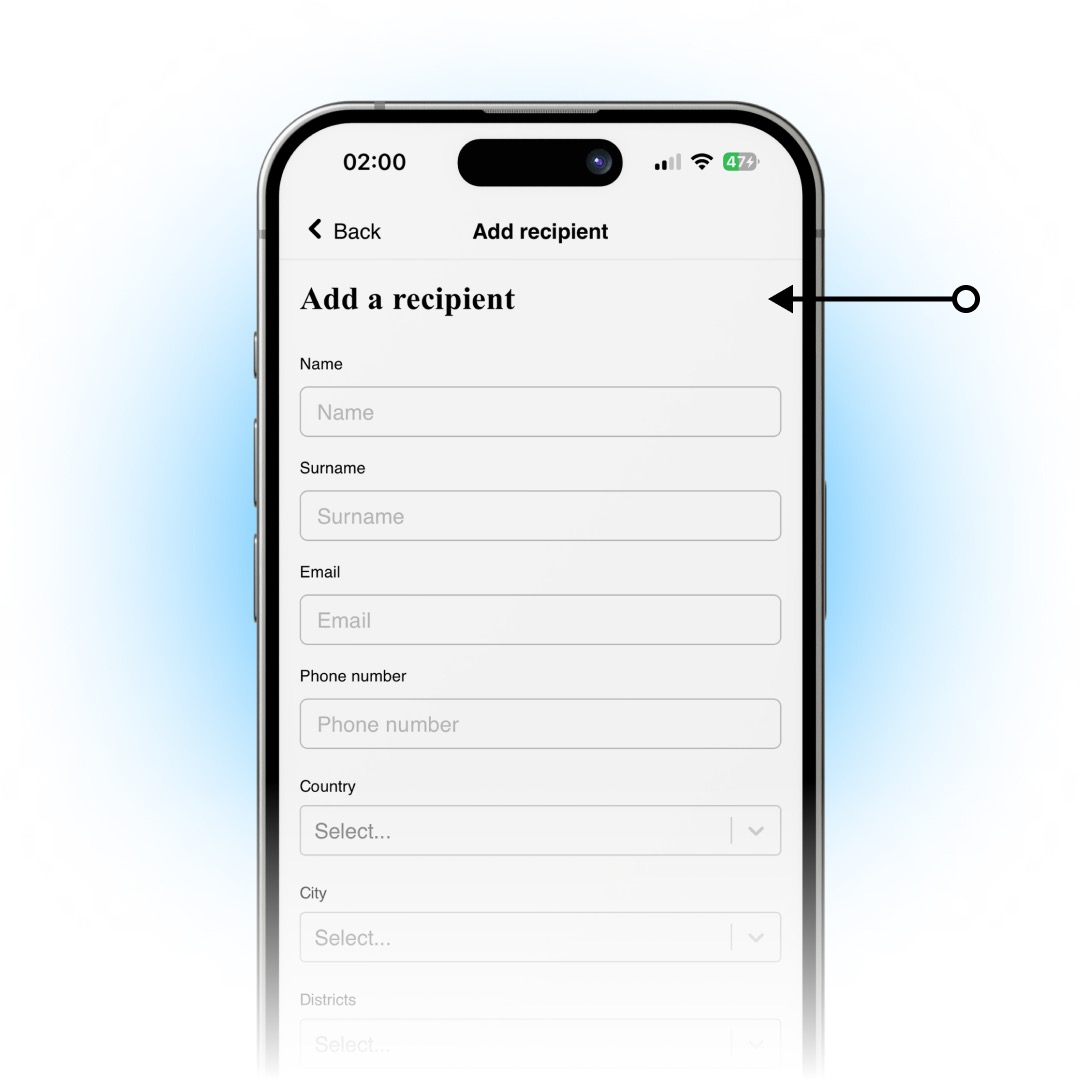
✓ Name — Your name
✓ Last name — Your last name
✓ Email — Your email address
✓ Phone number — Your current phone number
✓ Country — Country name
✓ City — City name
✓ District — Name of the districts
✓ Address — Your full address
✓ Postal code — Your postal code
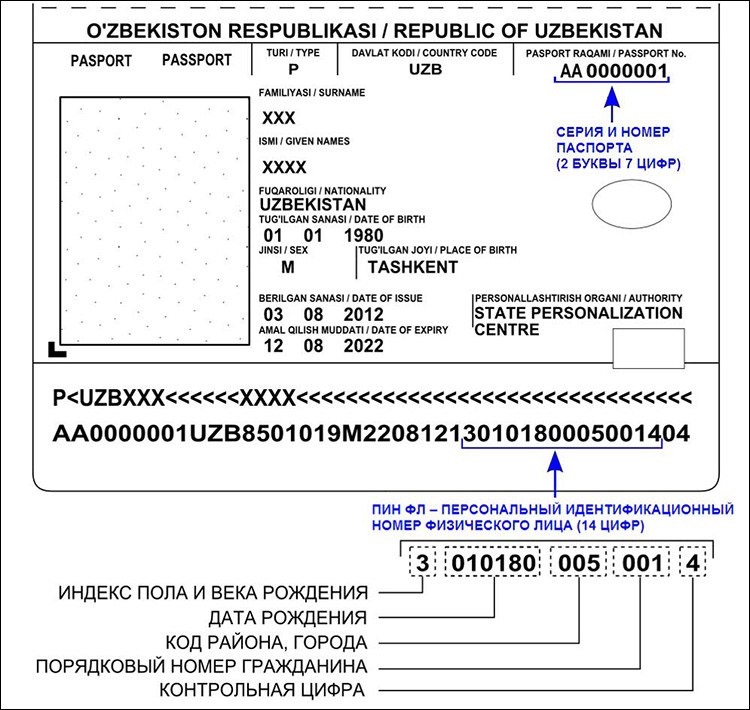
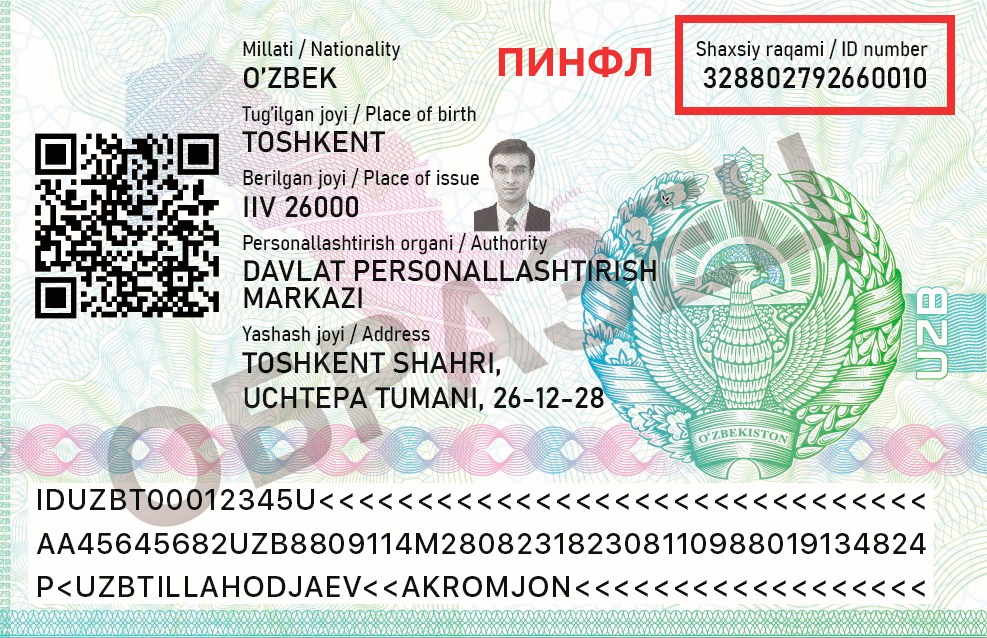
✓ Passport series — Series and number of your passport (2 letters / 7 numbers)
✓ PINFL — Personal identification individual number (14 digits)
6. Make a list of the items in your package
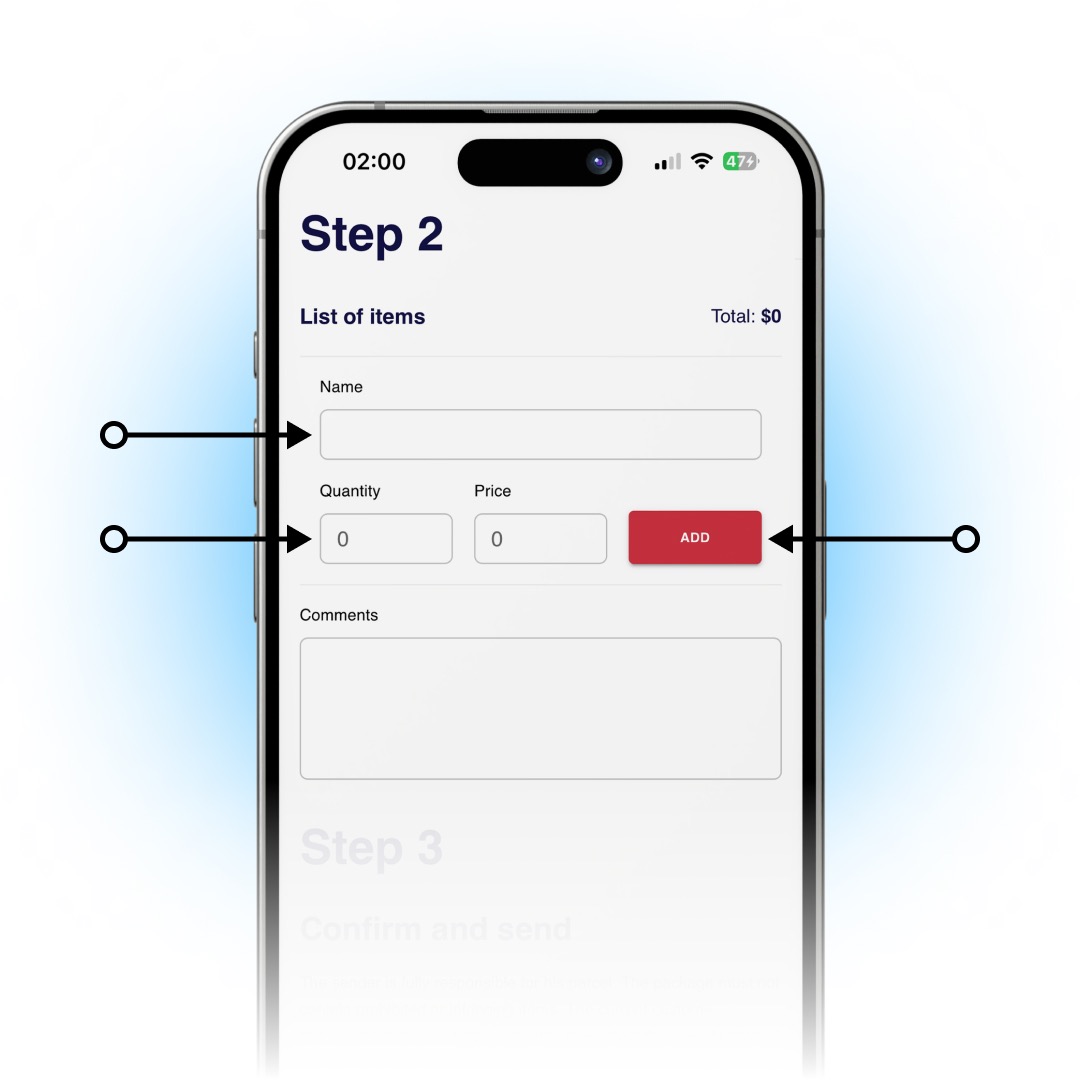
Carefully and most importantly, correctly fill out the list of all the contents of your parcel (product / quantity / price). When you enter the name of the product, the system will offer you ready-made options that you will have to select, as well as indicate the quantity and price of the product.
7. Confirm all details and submit the form

After you have read all the conditions and rules for sending, you will only have to fill out the ‘Your initials’ field, where you must enter your first and last name. After this, do not forget to check the box, which means that you have read all the conditions for sending, and click on the ‘Submit’ button.

If you have any questions, please contact us at the following number: +44 7771 100101
✦ Telegram
✦ Website
✦ YouTube
©2017-2025 TEZPARCEL