How to top up your balance
Metatronics WorldThere are 5 simple ways to top up your balance in the METATRONICS app:
• P2P transfers between our users
• Via bank card
• Via Telegram Stars
• Using cryptocurrency
• With the help of our consultant
Below, we’ll walk you through each method step by step.
To put your topped-up funds to work with METATRONICS algorithms and monitor trading results daily, follow the instructions here.
Step 1. To access the top-up section, tap “Top Up” and choose the most convenient method.
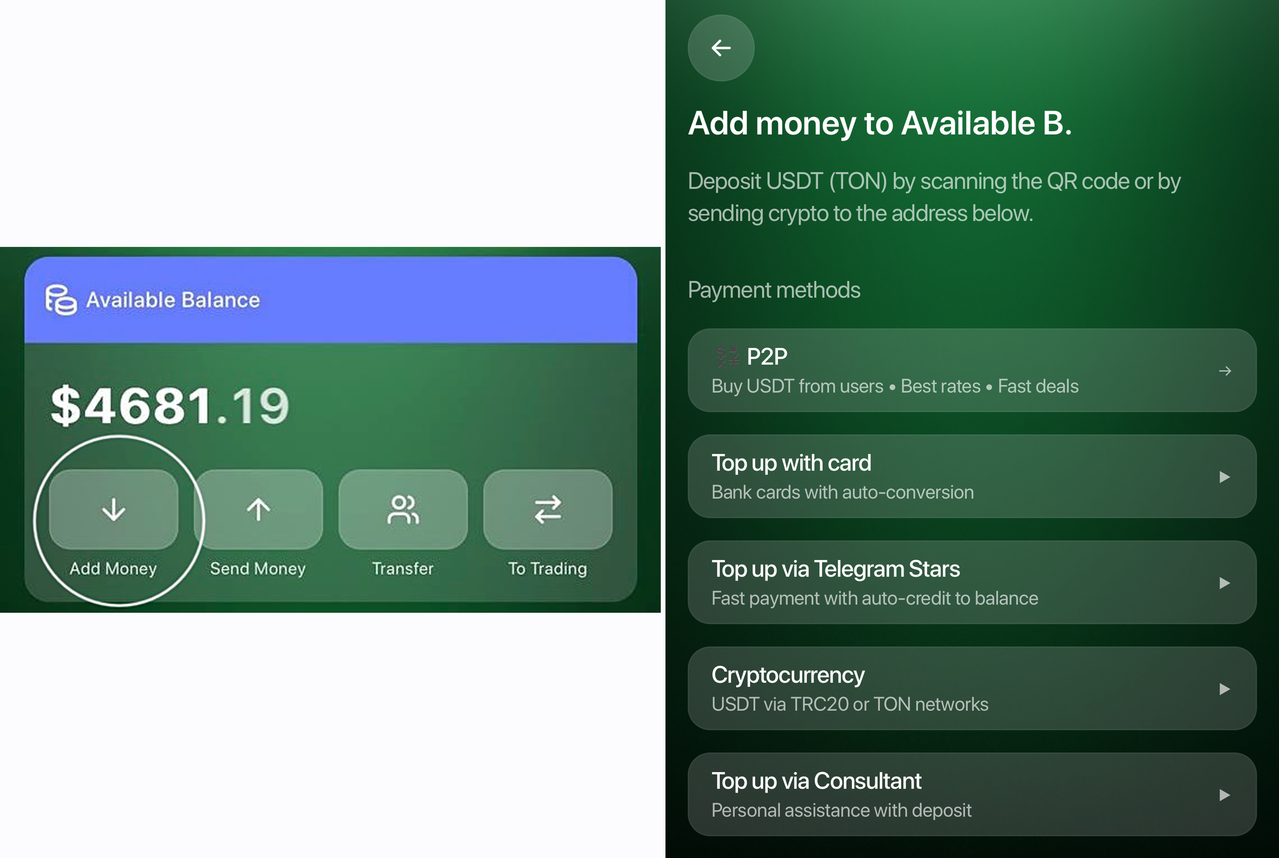
Method 1. P2P Top-Up (Temporarily Unavailable)
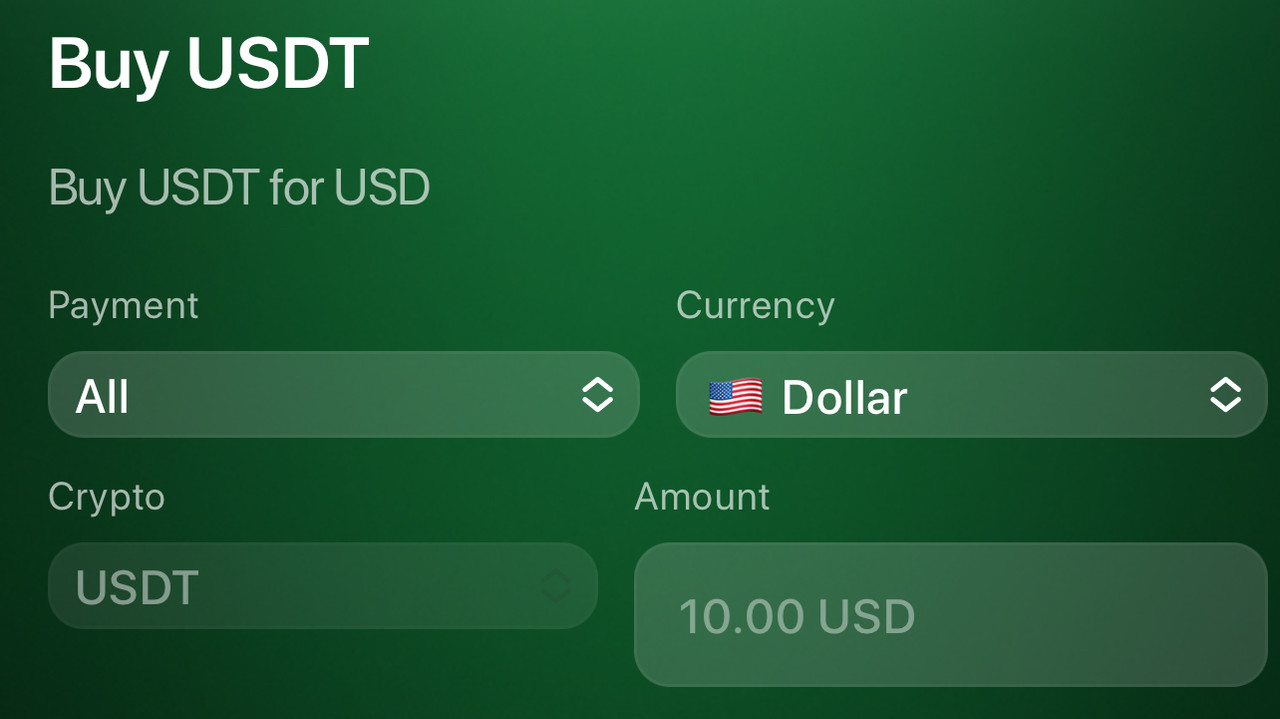
1️⃣ Select the P2P option from the available methods.
2️⃣ In the Payment section, choose your preferred payment method. In the Currency section, select the currency. In the Amount field, enter the amount you want to purchase in the selected currency.
3️⃣ Choose a seller offering a suitable exchange rate.
4️⃣ Create the order and complete the payment.
5️⃣ Confirm the transfer.
6️⃣ Once the seller confirms the payment, USDT will be credited to your balance automatically.
Method 2. Top Up via Bank Card
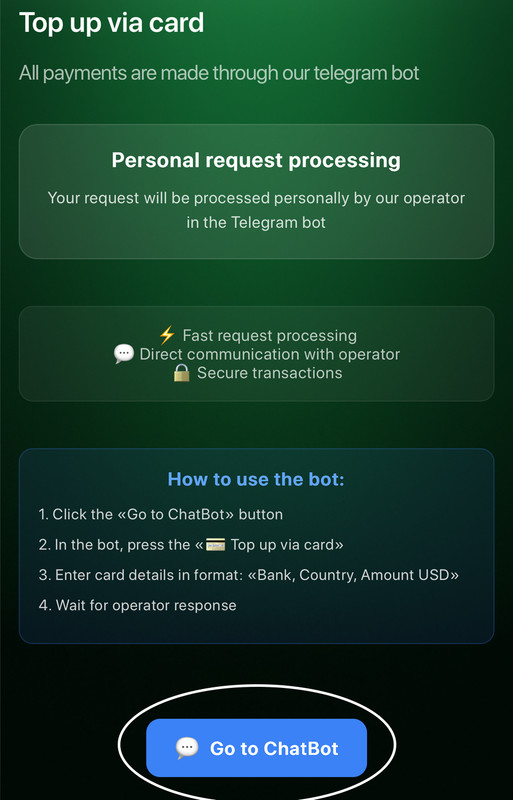
1️⃣ Select “Top Up by Card” from the available options.
2️⃣ Tap the “Go to Chat Bot” button at the bottom to continue.
3️⃣ In the chat, our administrator will guide you through the next steps to complete the top-up via bank card.
Method 3. Top Up via Telegram Stars
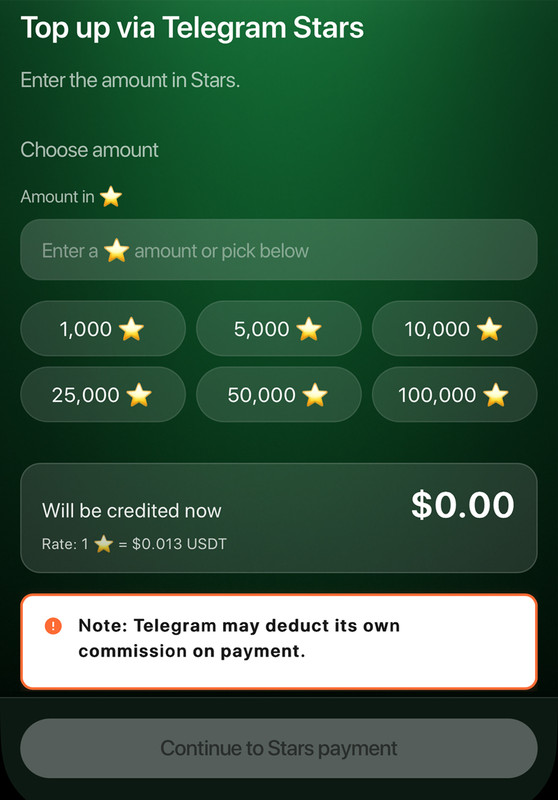
1️⃣ Select “Telegram Stars” from the available options.
2️⃣ In the “Amount in Stars” field, enter the amount you want to top up. Below, you’ll see the exchange rate — for example, in the screenshot, 1 Star = $0.013 USDT. Tap “Continue” at the bottom.
3️⃣ Complete the payment directly in Telegram.
4️⃣ The system will automatically credit the USDT equivalent to your app balance.
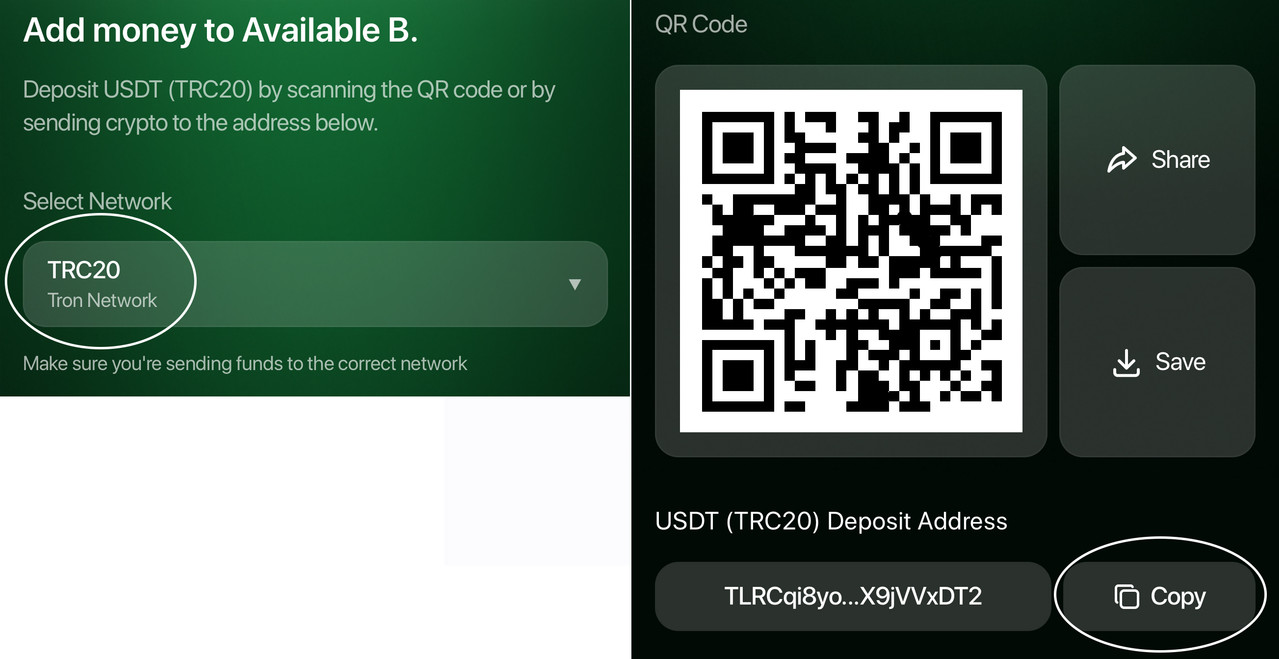
Method 4. Top Up via Cryptocurrency (Temporarily Unavailable)
1️⃣ Select “Cryptocurrency” from the available options.
2️⃣ Choose the network: TRC-20 or TON.
3️⃣ Copy the wallet address or scan the QR code.
4️⃣ Send USDT to the specified address.
5️⃣ Enter the transaction hash and the amount → submit the request.
6️⃣ Once the transaction is confirmed, the deposit will appear in your available balance.
Method 5. Top Up with the Help of Our Consultant
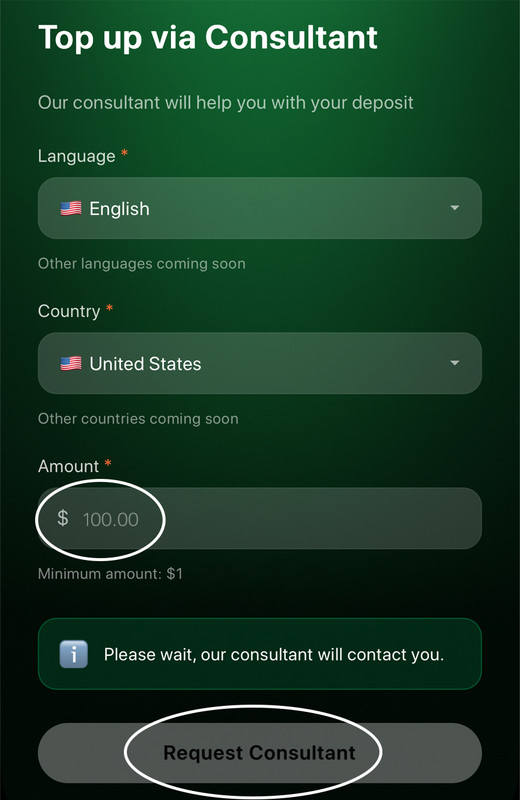
1️⃣ Select “Via Consultant” from the available options.
2️⃣ In the Language section, choose the language you prefer to communicate in. In the Country section, select your country. In the Amount field, enter the amount you want to top up in USD (minimum top-up is $1). Tap “Request a Consultant” at the bottom.
3️⃣ The consultant will provide you with the payment details or a wallet address.
4️⃣ You make the transfer.
5️⃣ You receive the transaction hash.
6️⃣ Paste the hash into the app → Submit request.
7️⃣ Your balance will be credited automatically within 5–10 minutes.
If you experience any issues, feel free to contact our support team — we’ll be happy to help. You can find the Support icon on the app’s home screen.
To withdraw funds, please read this article.