How to withdraw funds
Metatronics WorldTo withdraw money that was previously used by METATRONICS algorithms, you first need to transfer it from the trading balance to the available balance, and then withdraw it using your preferred method. Instructions on how to transfer funds from the trading balance to the available balance can be found here.
Withdrawal methods:
• to a crypto wallet on the TRC-20 network;
• via P2P to a bank card (method under development);
• with the help of our consultant (method under development).
Below is a step-by-step guide for each withdrawal method.
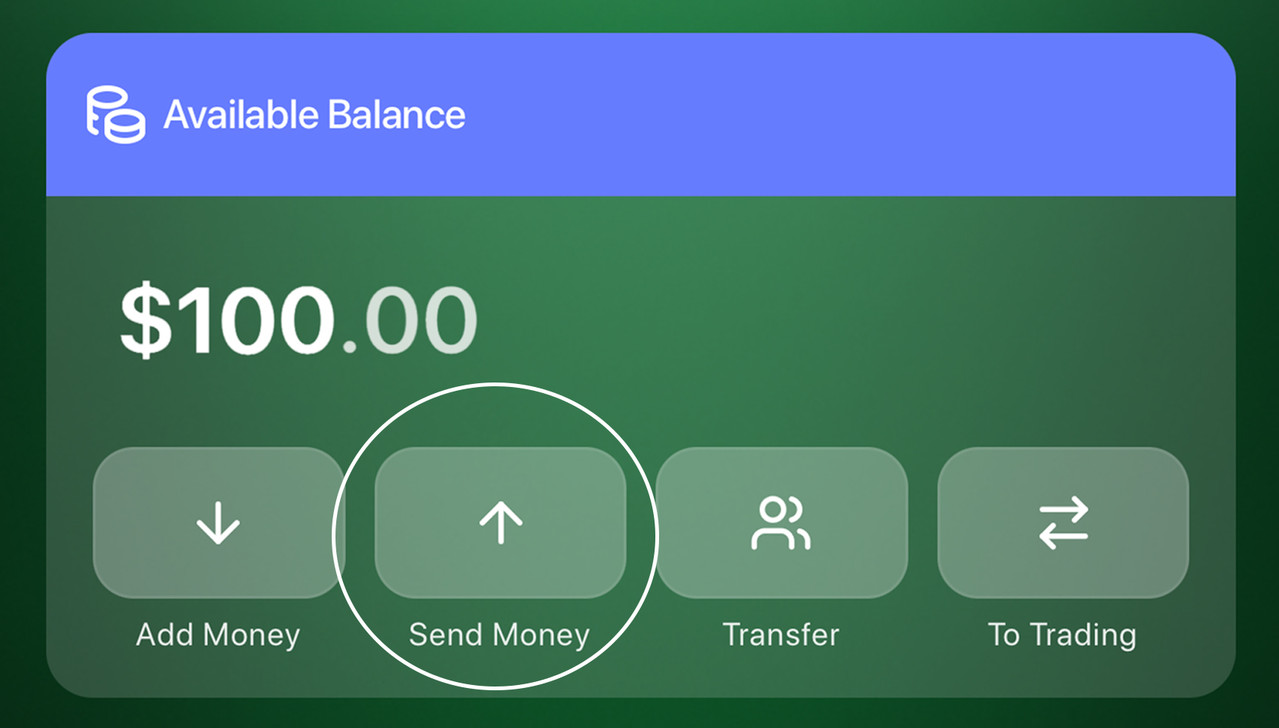
Step 1. On the home screen, in the Available Balance section, tap “Send”. You’ll be taken to the USDT Withdrawal to External Wallet screen.
Method 1. Withdraw to a TRC-20 Crypto Wallet
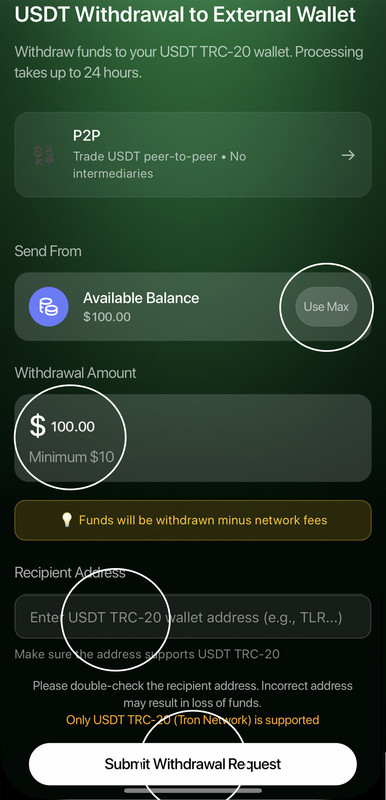
1️⃣ In the “Send From” block, make sure Available Balance is selected (this is your main wallet inside the app).
2️⃣ In the “Withdrawal Amount” field, enter the amount you want to withdraw. The minimum withdrawal amount is $10. If needed, tap “Max” to withdraw the full available amount.
3️⃣ In the “Recipient Address” field, paste your USDT wallet address on the TRC-20 (TRON) network. You can copy this address from your crypto wallet.
4️⃣ Make sure to double-check:
• the wallet network — TRC-20 (Tron Network);
• the address is entered correctly.
⚠️ An incorrect address may result in loss of funds.
5️⃣ Please note: withdrawals are processed minus the network fee.
6️⃣ Tap “Submit Withdrawal Request” and confirm the operation.
7️⃣ Done! The request will be processed, and the funds will be credited to your crypto wallet.
Method 2. Withdraw via P2P to a Bank Card (Temporarily Unavailable)
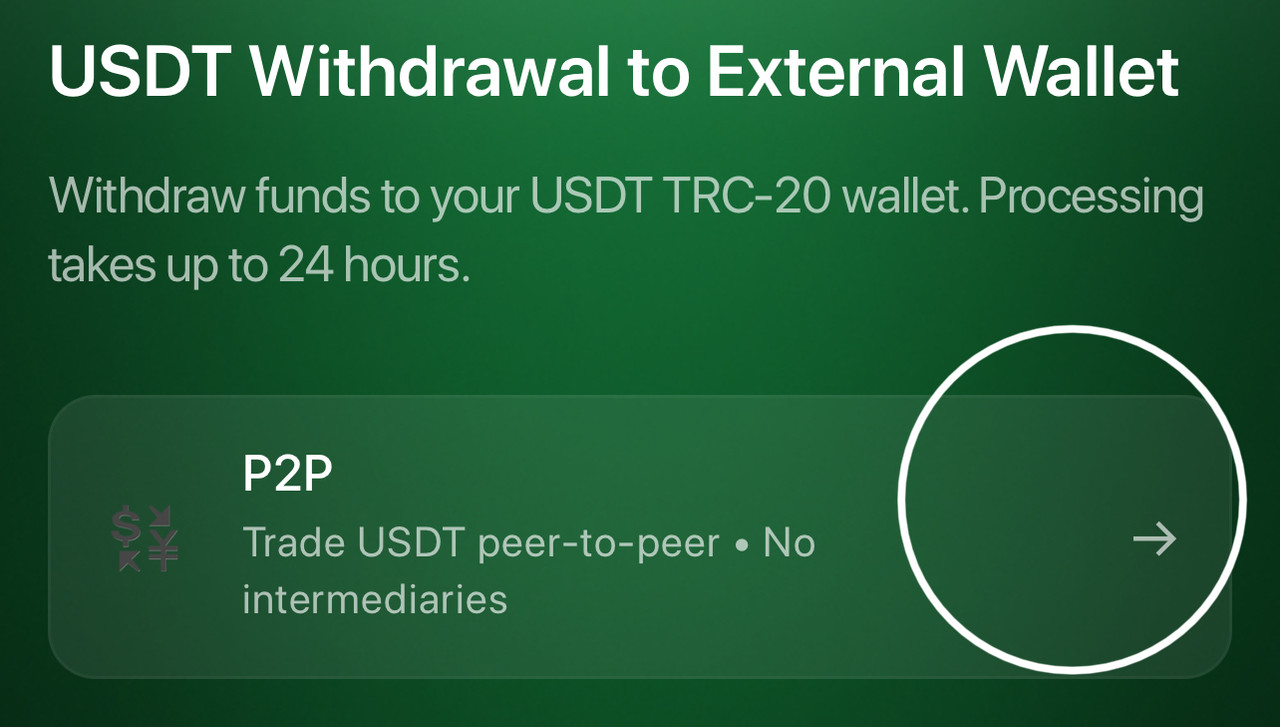
1️⃣ After completing Step 1, on the USDT Withdrawal to External Wallet screen, tap the P2P section.
2️⃣ Follow the on-screen instructions.