How to buy USDT on P2P Market
Wallet NewsBefore using the P2P service, we highly recommend you to read P2P Market rules.
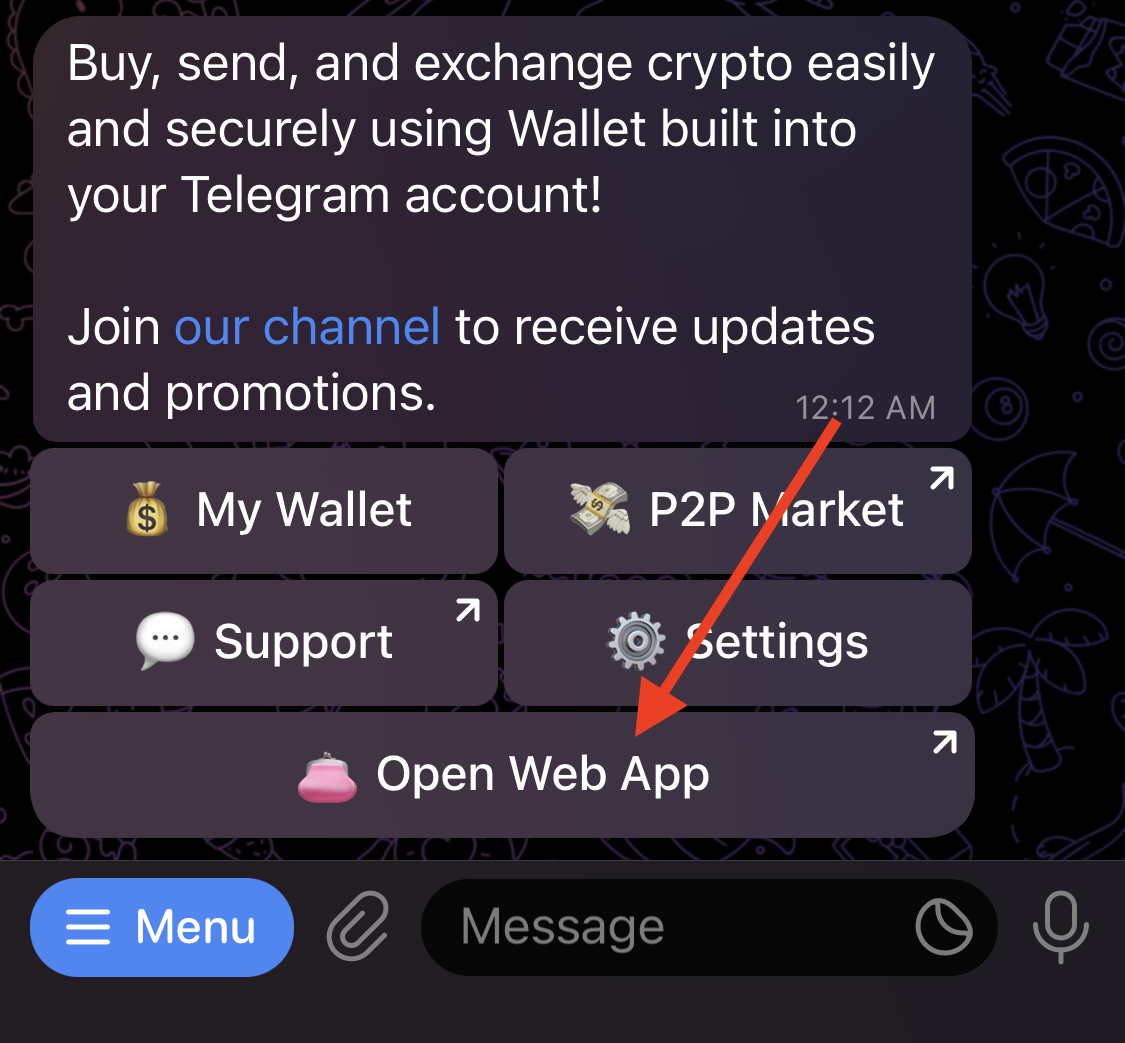
1. Open the @wallet Telegram bot.
2. Tap “Open Web App” in the main menu.
3. Tap “Buy & Sell”, then "P2P Market."

3. To buy cryptocurrency, click "Buy".

2. Select the Ad you are interested in, you can use filters to search. Click "Buy" to send a request for an Order.

3. Next, you need to specify the amount of cryptocurrency you want to buy and create an Order.


4. The Order has been created, now wait for the Seller's confirmation.
5. As soon as the Seller confirms the order, you need to transfer the amount in fiat to him. To complete this, copy the details provided by the Seller and go to your account in the payment service. Note that the payment must be sent in one payment and only via the payment method and details specified in the Ad. After you transfer the money, go back to the P2P Market and confirm the payment.


6. Wait for the payment confirmation. The Seller should check his balance before releasing the coins.

7. After the Seller confirms receipt of payment, the Order is considered completed. Purchased amount of cryptocurrency will be deposited to your wallet.

If you have any questions or disputes, you can always contact us: @wallet_supportbot.