Guide How To Play Cryptosnake
CryptosnakeWe have already published instructions on how to buy artifacts and how to buy SNK tokens. In this guide, we will assume that you have already prepared everything. If not, here are the links to those instructions:
- How to buy Cryptosnake in-game NFT artifacts (not required to play)
- How to buy SNK token (required for the game)
At the start of the game, you should have:
- Cryptocurrency wallet (for example, Metamask)
- Minimum 2200 SNK tokens on the balance to get a snake egg
- A certain amount of BNB tokens to pay for transaction fees on the Binance Smart Chain. We recommend having at least 0.1-0.2 BNB for a comfortable game.
Note: Remember that you are not wasting your funds on anything in Cryptosnake. Your only expense is paying the transaction fees on the BSC network. This commission is an integral part of how the blockchain works, and we cannot influence it.
When buying a snake egg, you do not spend SNK tokens, but only send them to staking. By staking 2200 / 10.000 / 100.000 / 500.000 SNK, you do not lose them. This amount is added to the character's balance, and you can withdraw these tokens back to your wallet by destroying the snake.
Part 1. How to get a snake
Note: The game interface is updated as the game develops. Therefore, screenshots from the instructions may slightly differ from what you will see in your updated version of the game.
Cryptosnake is a browser game. Therefore, all described actions take place on the site. It is recommended to do everything from a desktop in the Chrome browser or any other popular browser.
Go to app.cryptosnake.game.
If you are new to the site, you will be offered to buy a snake - Buy and Earn. However, first we need to connect the wallet. Without it, the big green button won't work. So click Connect Wallet.
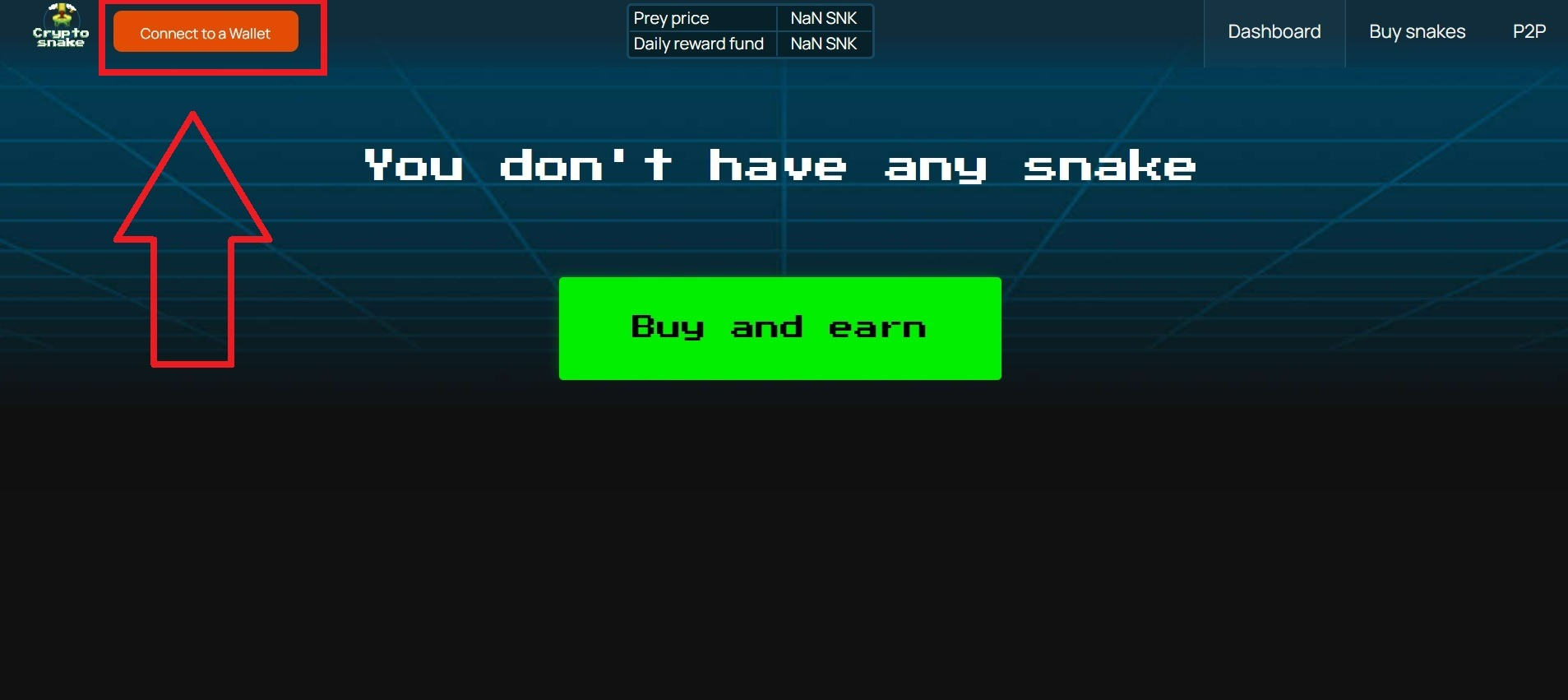
Since you have already had experience with a cryptocurrency wallet when purchasing SNK tokens, we believe that you can easily connect a wallet. Just click Next on the wallet pop-up window.

Then click Sign to confirm.
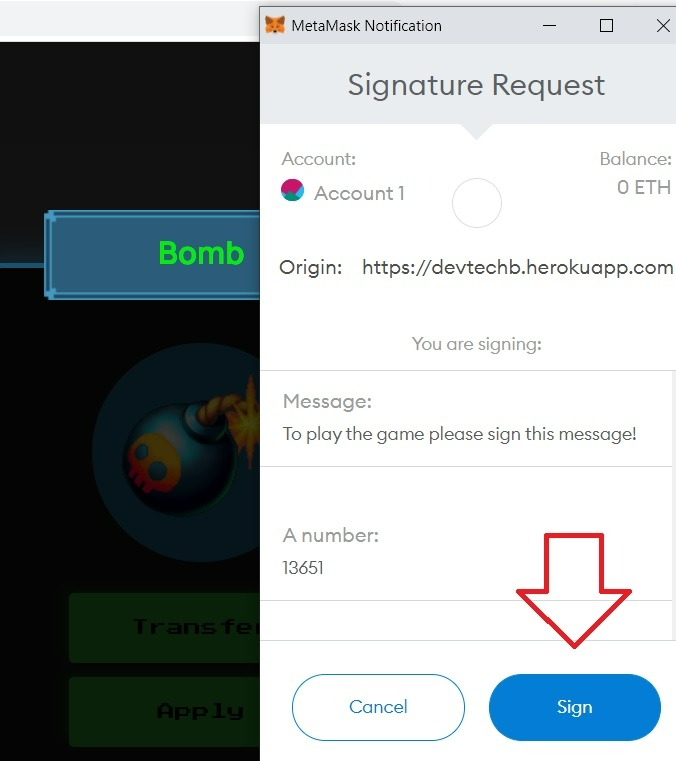
If you have successfully connected the wallet, in the upper left part of the site, instead of the orange Connect Wallet button, there will be a strip with the address of your wallet and the number of SNK tokens on your balance.
You are now ready to get your first snake. Click Buy and Earn. You will see something like this:

Select the snake whose egg you want to buy. One player can have several snakes at the same time and play them in turn. Therefore, if you want to buy several eggs, this is not a problem. You can find detailed information and characteristics of each type of snake in the Character Properties. Click Approve to start.

Indicate the amount you want to send to the snake's balance. This amount must not be less than the indicated Starting Cost. For example, if you enter SNK 20,000 with a minimum snake value of SNK 10,000, you will receive a snake with a balance of 20,000 SNK.
Every game transaction is processed on the blockchain. Accordingly, for each such operation, you will have to pay a network commission. We do not receive anything from this commission and cannot influence it in any way. Just keep in mind that each operation will have to be confirmed through a crypto wallet notification, including the purchase of an NFT egg.
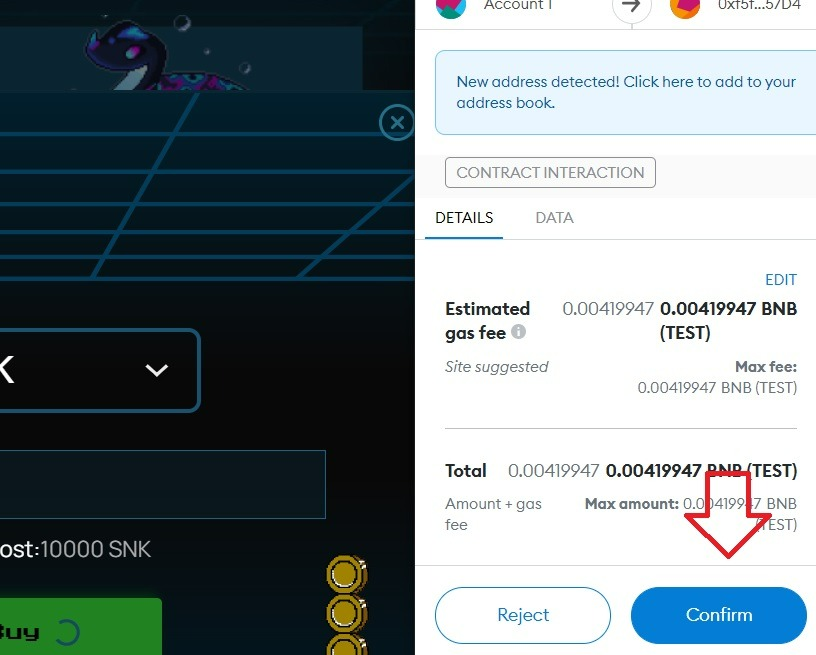
Wait a few seconds for the blockchain to confirm the transaction.
Note: Transactions on the Binance Smart Chain are processed fairly quickly, but not instantaneously. Check the history and status of transactions in your wallet to make sure the transaction has been verified.
Then go to Dashboard. This section displays all of your NFTs: snake eggs, snakes and artifacts.
Here you will find a snake egg and the indicated Hatch Time. A snake hatches from 1 day (Dasypeltis) to 14 days (Anaconda). So you have to show a little patience and spend this time in anxious anticipation. Real snakes are also not born immediately.
After the specified time has passed, click Hatch.

Here you have to confirm the action through your wallet again.

When the snake is hatched, you will see it in the Dashboard.
Part 2. Character overview
So, you have waited for the snake to hatch from the egg, and here it is in front of you in the Dashboard. You can see 6 characteristics:

- TVL (snake balance). This is the amount you staked plus the amount of tokens you fed the snake. You can also increase this value thanks to the accrual of vSNAKE received for the activity in the community and the use of the Shadow Snake, Bomb and Mouse artifacts. If you hit an obstacle in the arena, you lose 1% of this value.
- Game Balance. This is your game balance. This is where the tokens earned in the arena and received as a staking reward are stored. Also, tokens obtained thanks to the Mistery Box artifact will be stored here.
- Earned. The number of tokens earned for staking. These tokens are related to Game Balance. The item is rendered separately from Game Balance for clarity.
- APR. This is the annual rate of passive income you receive from staking. Interest is charged immediately.
- Total GP. The number of games played in the arena for all time
- Daily GP. The number of games played in the arena today (remember that the number of games per day is limited)
- Hatching time. The snake's birthday (the date it hatched from the egg).
You have four buttons available for action with the character: Feed (feed - transfer more tokens from the wallet to the character's balance), Play (play in the arena), Improve (use an artifact), Transfer (send an NFT snake to another wallet).
You can also pay attention to the green buttons VSnake activation code and Shadow snake code. This button is used to get vSnake tokens and Shadow Snake artifact, which you could get from the Telegram community bot.
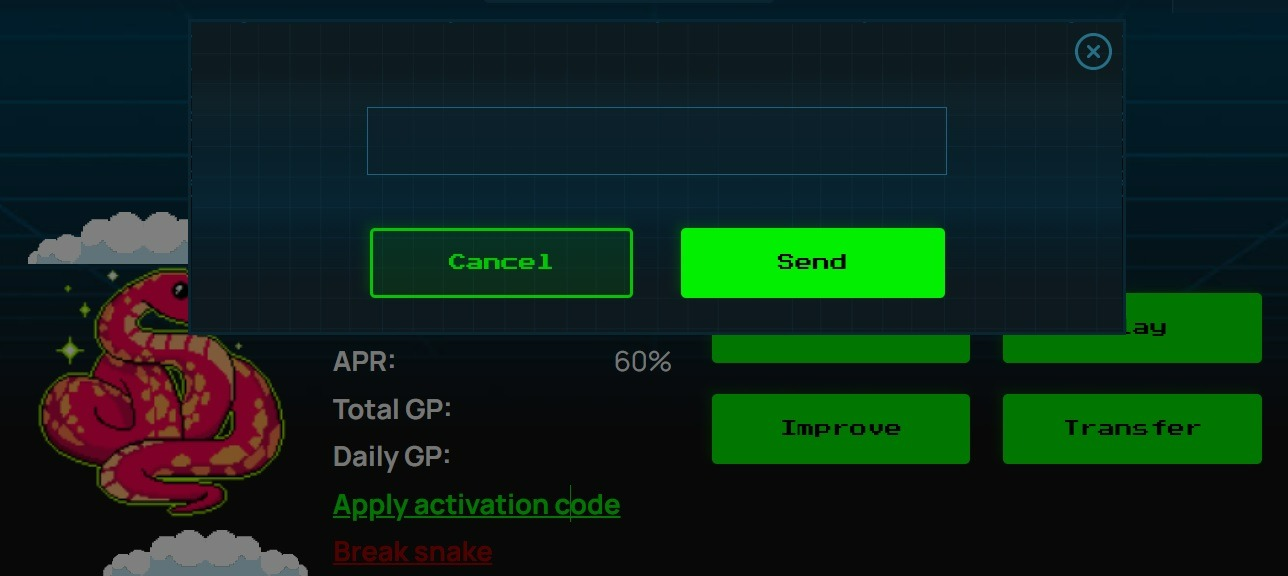
Enter the code in this field to get vSnake and Shadow Snake.
If you don't have any code, just ignore this button.
Part 3: Staking
The character receives passive income from staking. The player does not need to enter the game - tokens are regularly credited to the player's balance automatically.
Staking income is stored in the player's balance and is not added to the character's balance. That is, if the character's balance does not change, then the amount of accrued tokens for a certain period of time will always be the same. The exception is Python, whose interest rate increases by 0.27% every day.
The basic interest rate for all characters is 60%. This rate increases if the character's TVL exceeds the Starting Cost by a certain number of times. You can read more about the mechanics of staking in the White Paper.
To increase a snake's TVL, click Feed and enter the number of SNK tokens you want to add to the TVL.
When the TVL balance exceeds the threshold, the APR percentage will increase automatically.

Every six months there will be a staking reward halving. This only affects characters created after halving. Thus, if you received a snake in the first six months, its profitability will remain unchanged.
Part 4: Playing in the arena
Before starting the game, you can see the total prize fund for today (Daily reward fund) and the value of each eaten pixel (Prey reward). So you can calculate that if the prey reward is, for example, 5 SNK, then eating 20 pixels in the arena, you will earn 100 SNK.

Note: The numbers in the screenshot are taken from the test version of the game. In a real game, they may differ.
If your snake such as Viper or Anaconda has an increased coefficient of coins eaten in the arena, then the prey reward is doubled (for Viper) or four times (for Anaconda). The conditions for obtaining an increased coefficient are described in the White Paper.
Press Play to start playing in the arena.
This is what the playing field looks like:

The rules are simple. Control the snake using the left, right, up and down arrows on your keyboard. Try to eat as many red pixels as possible without bumping into the snake's body and the edges of the map.
Colliding with an obstacle results in a loss of 1% of the TVL balance. When faced with an obstacle, you have a choice: to continue the game (Continue Game), or to end the game (Exit). If you go on and bump again, you will lose 2% of the snake's TVL, and so on. If you hit 100 times in one game session, you will lose the snake. Therefore, it is better to exit immediately after the first or, in extreme cases, the second or third collision.
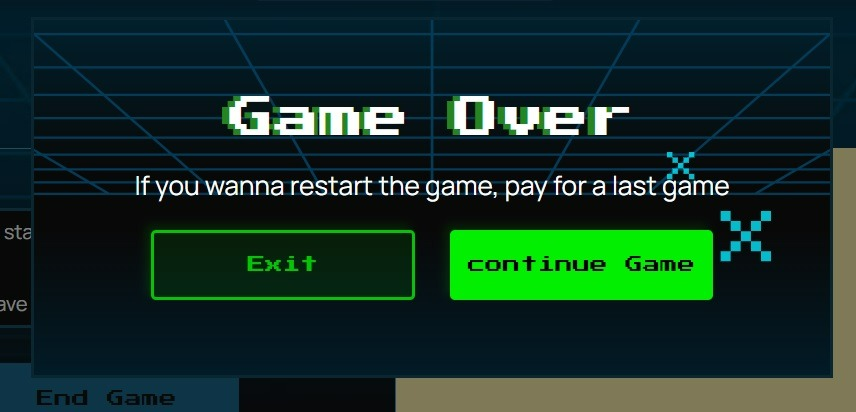
Time in the arena is limited depending on the type of snake. However, you don't have to spend all of your time. If you feel that the game is getting too difficult, then you can end the game ahead of schedule, taking a profit. If you end the game by pressing the End Game button without hitting an obstacle, the snake balance (TVL) will not decrease.
The greater the balance of the snake, the higher the risks. Therefore, play carefully to stay profitable.
Part 5: Artifacts
In the Dashboard section at the bottom of the page, you can see NFT artifacts (Mistery Box, Diamond, etc.). Not all players have artifacts, but only those who purchased them or received them as a gift.
Click Transfer to send the artifact to another wallet or Apply to apply the artifact to one of your characters.
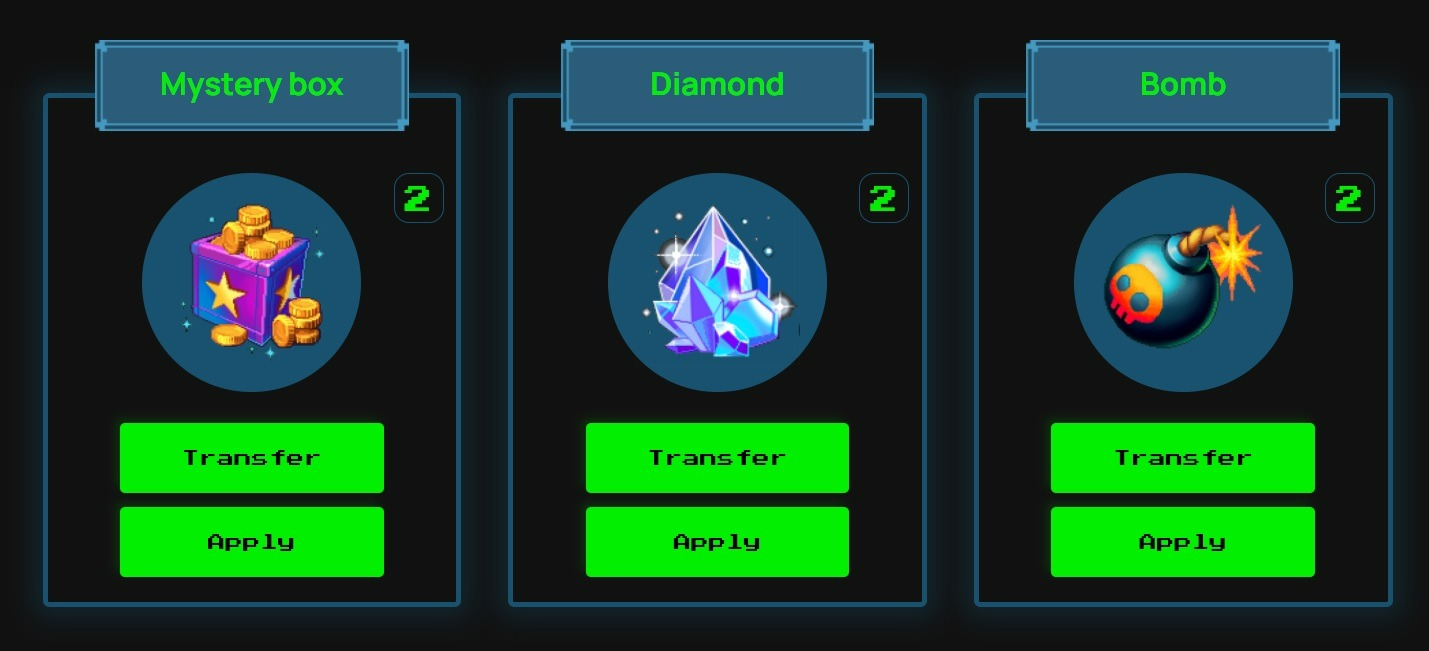
Before activating the artifact, you can choose which snake to apply it to.
You can also apply the artifact by clicking on the green Improve button to the right of the character.
Part 6: Marketplace (P2P)
The game has its own store where you can sell and buy eggs, snakes and artifacts to other players.

If you are looking to buy an in-game item, see the list of available deals in the All Listings section.
The list of available trades describes the details of each trade offer.
Note: You cannot buy any game object at any time. It is possible to buy an egg, snake or artifact on the P2P market only if someone has put up the item you need for sale.
A line contains details of a trade offer:
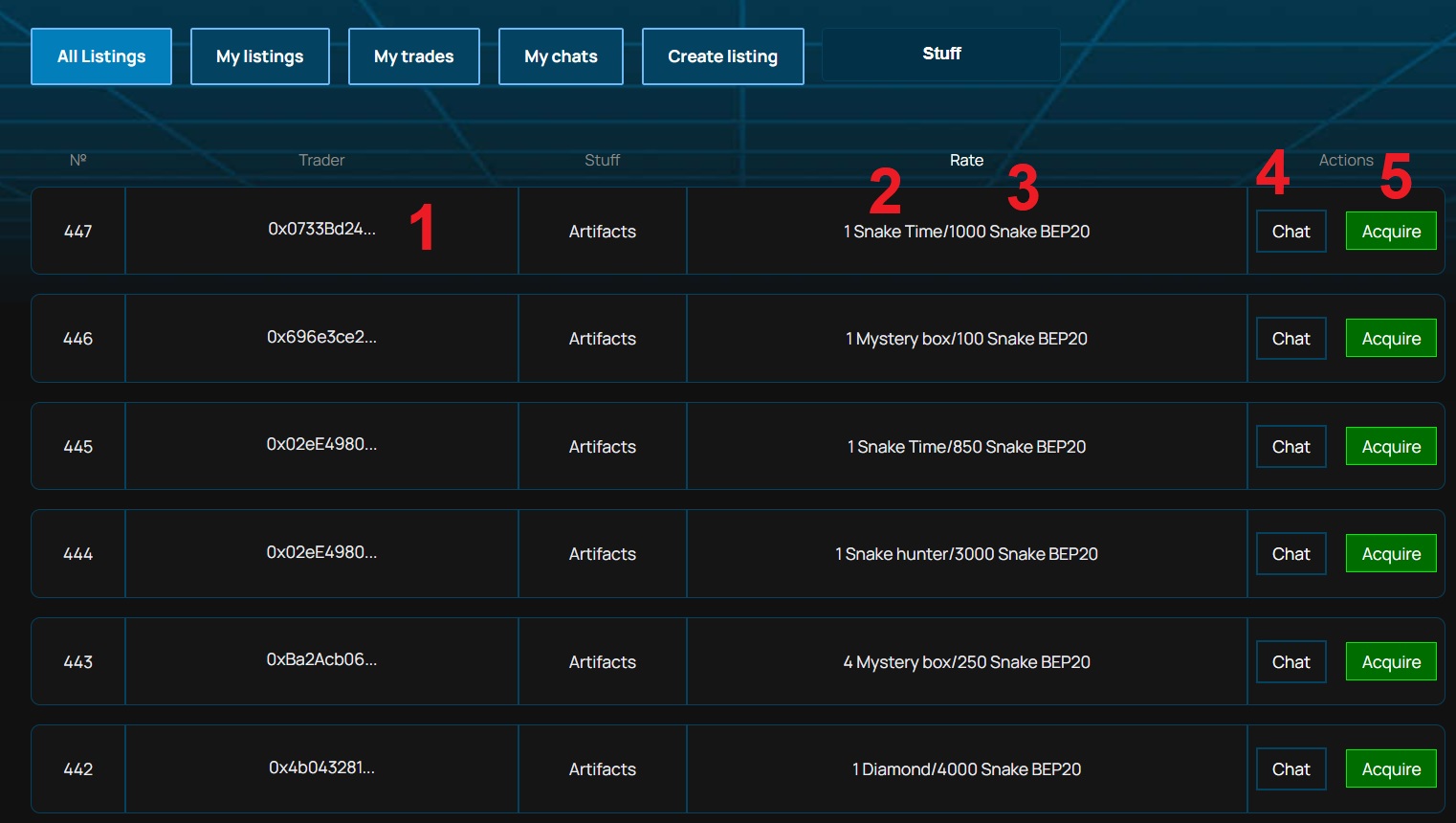
- Seller's wallet. Initially, the address is not displayed in full, but you can hover and see the entire address. At the address of the wallet, you can find a specific person with whom you have agreed in advance to make a deal. For example, you might find a seller on Telegram, or you want to sell an item to your friend.
- The object for sale and quantity. In the top line, we see that one Snake Time artifact is up for sale (the one that allows you to withdraw the accumulated APR to the wallet once).
- The cost of the object. For example, Snake Time can be bought for 1000 SNK. You can check the cost of the artifact at the start (50 BUSD) and decide for yourself how profitable this offer is. Remember that the P2P marketplace is the only place where you can now buy such an artifact.
- Click Chat to contact the seller. So you can clarify the details of the transaction if they are not clear to you from the description, or you can bargain.
- Click Acquire to accept the trade and set the trade confirmation deadline.
This is what the buy window looks like if you clicked Acquire.

You may notice that the second line says 1: Artifacts. Number 1 is the artifact identification number. Here's how the artifact numbers and names compare.
1 - Mystery box
2 - Diamond
3 - Bomb
4 - Mouse
5 - Trophy
6 - Rainbow unicorn
7 - Shadow snake
8 - Snake hunter
9 - Snake charmer
10 - Snake Time
An offer to buy a Mystery Box for 70 SNK sounds good. Click Buy.

Note: Be sure to include Deadline, otherwise the transaction will fail.
Then you will need to click Confirm to confirm the transaction. After processing the transaction, the transaction will go to My trades and wait for the seller's confirmation. If he confirms the deal before the deadline, the artifact will be sent to you in Dashboard. If you change your mind, you can click Cancel. If the deal is not confirmed by the deadline, you can click Withdraw and thereby cancel it.

Note: The transfer of the game object takes place on the blockchain, therefore, it requires confirmation through a cryptocurrency wallet and payment of a transaction fee on the Binance Smart Chain network.
And this is what the chat dialog looks like:
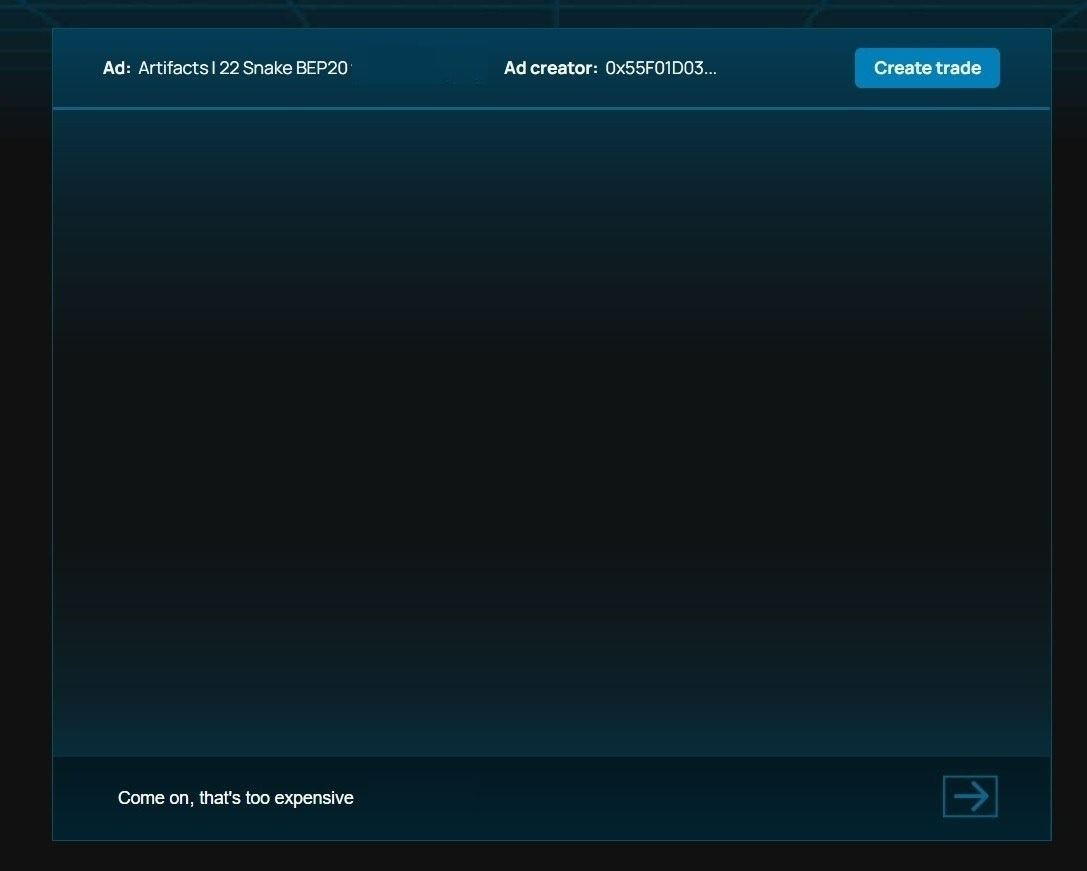
Your active chats will be displayed in the My chats section.
Perhaps you can reach an agreement with the seller - and he will make concessions to you and create another deal. Or maybe the seller will insist on his price - and then you will either have to agree or look for another seller.
This was an example of how to buy an artifact. Transactions with eggs and snakes are similar. All of these game objects are non-fungible tokens, so a P2P marketplace is essentially an NFT marketplace.
So we figured out how to buy an item on a P2P marketplace. Well, hot to sell it?
If you want to sell an artifact, egg or snake, click on the blue Create Listing button.

Indicate what you want to sell "What do you swap?", The quantity and the desired reward. For example, we want to sell the Mystery Box for 100 SNK (just as an example).
If there is a player who agrees to accept your deal, then the sale has taken place. If the buyer is not found for a long time, we advise you to revise your price tag.
Messages that potential buyers send you will also appear in the My Chats section.
Trades awaiting seller confirmation will be displayed in the My trades section.
Your trade offers will be displayed in the My listings section.

Here you can see our Mystery Box, which we recently put up for sale. It remains to wait for the buyer.
Part 7: Withdraw funds
SNK in-game tokens are stored on the player's balance and the character's balance. As long as they are in the game, you cannot sell them on the exchange. However, sooner or later you will want to take profits. There are several ways to do this:
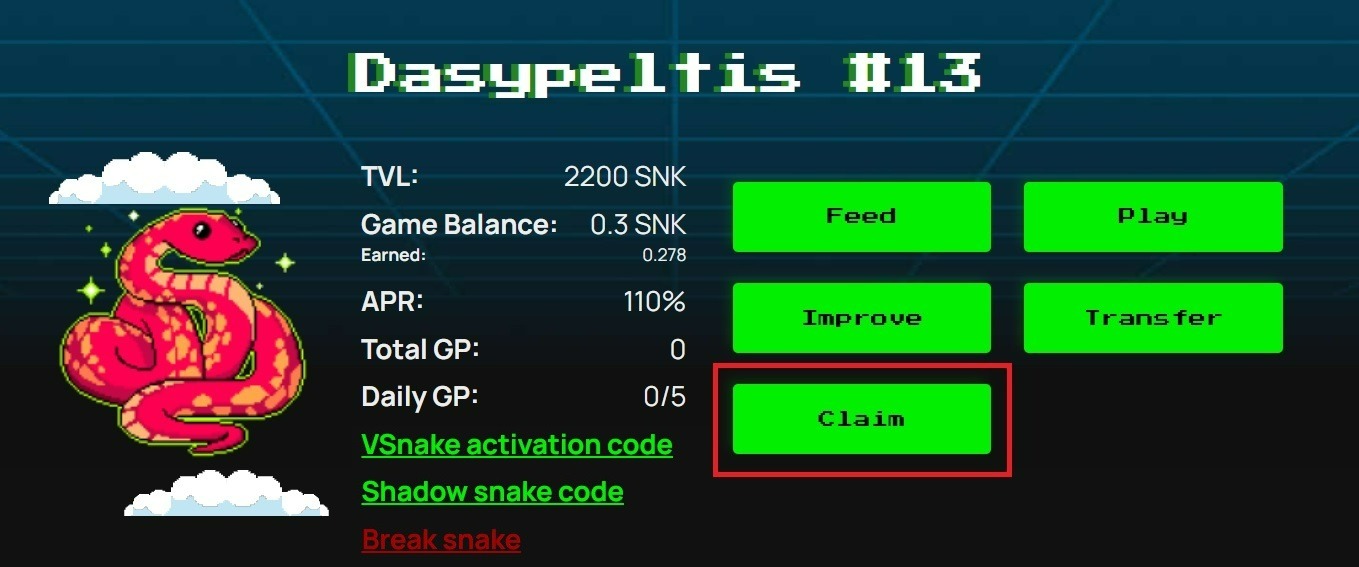
1. If you have Snake Charmer, Snake Hunter, or Snake Time artifacts, you can display APR percentages without destroying the snake. However, this will not help you withdraw tokens earned in other ways.
To withdraw APR percentages, click on the green Claim button (available only to those who have applied the corresponding artifact).
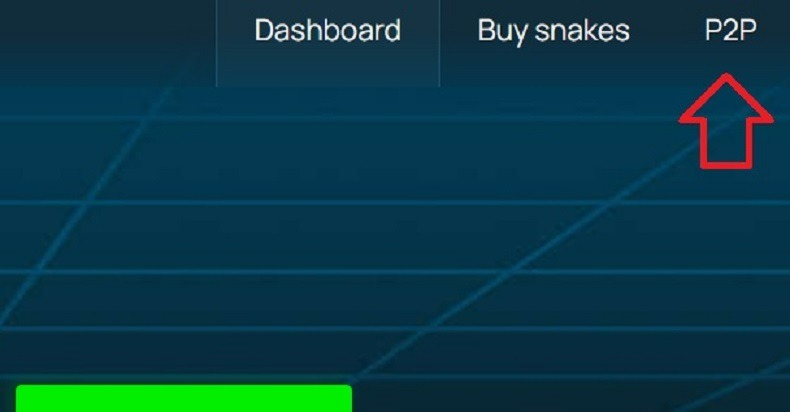
2. You can also sell your character on the secondary market, provided that there is a player who is ready to buy it. We wrote more about how the P2P marketplace works in the previous part of the guide.
3. And finally, the easiest way to withdraw all earned SNK tokens to your cryptocurrency wallet is to destroy the snake.
You can do this any time the snake has hatched from the egg.
Note: The only thing that can prevent you from destroying the snake is the Shadow Snake artifact, which blocks this function for 20 days.
After destroying the snake, you will not be able to play it in the arena and receive interest for staking. It's like smashing a piggy bank. You will receive the accumulated, but that will be the end of it.
When you're ready, just click on the red Burn Snake button.

The game will ask you again if you are really ready to do this. This is done so that the player does not accidentally press the button. It would be frustrating to lose the snake to an awkward movement.
If you really want to destroy the snake, click Confirm.

Tokens in full (both the player's balance and the character's balance) will be sent to the cryptocurrency wallet linked to the site.
That's all. In this instruction, you and I went through together from the birth of the snake to its death. We hope this tutorial was helpful.
Have a good game!