Deploy Your Teleton Agent
t.me/zkproof
Teleton is an AI agent that controls its own Telegram account with native TON blockchain integration. Powered by its own agentic loop and 100+ built-in tools, it manages his own wallet, Gifts, DMs, channels, and group & more like any Telegram user.
It can writes code in a sandboxed workspace, or execute it in Yolo Mode with full server access to build his own bots, mini-apps, and TON Sites.
It ships with a +100-method Plugin SDK to build your own extensions, and a community marketplace to install verified plugins in one click.
Self-hosted & open-source supporting +10 LLMs Providers.
Here's how to set it up from zero.
Before You Start
You'll need three things.
Grab them now, the whole setup takes under 5 minutes.
1. Telegram API credentials: go to my.telegram.org, log in with your phone number (don't use a VPN, Telegram blocks it), click "API development tools", create an app, and copy your API ID and API Hash.
https://telegra.ph/How-to-get-your-Telegram-API-credentials-in-2-minutes-03-03
2. Your Telegram user ID: open Telegram, search for @userinfobot, send /start, and copy the number it replies with
3. An LLM API key: from any provider you like: Anthropic, OpenAI, Google Gemini, xAI Grok, Groq, OpenRouter, Mistral, Moonshot, Cerebras, HuggingFace, or even a local model with Ollama.
Step 1: Install
Open your terminal and run:
npm install -g teleton@latest
That's it. One command.
Step 2: Run the Setup Wizard
Run in your terminal:
teleton setup --ui
This opens the setup wizard in your browser at localhost:7777/setup:

The wizard has 6 steps. Follow the instructions, fill in each one and click Next:
Provider:
Choose your LLM provider from the dropdown, paste your API key, and pick a model. The wizard shows all available models for your provider.
For a free usage I recommend using a Z.ai API key with GLM4.7 flash model (free). However, if you have Claude code, the API is automatically detected and you can benefit from Opus 4.6 at the price of your subscription.

Config:
Enter your Telegram user ID (this makes you the admin). Set who can talk to the agent: admin-only, allowlist, or open -for both DMs and groups. Optionally configure your optional API keys (Toncenter, TonApi, Bot, Tavily)

Wallet:
The wizard auto-generates a TON blockchain wallet. Save the 24-word seed phrase it shows you -it won't be displayed again.

Telegram:
Paste your API ID, API Hash, (see above "Before you start") and phone number with country code like +0123456789. This is to connect the agent to their Telegram account.

Connect:
Click Connect. A verification code is sent to your Telegram app. Enter it in the browser. If you have 2FA, enter your password too.
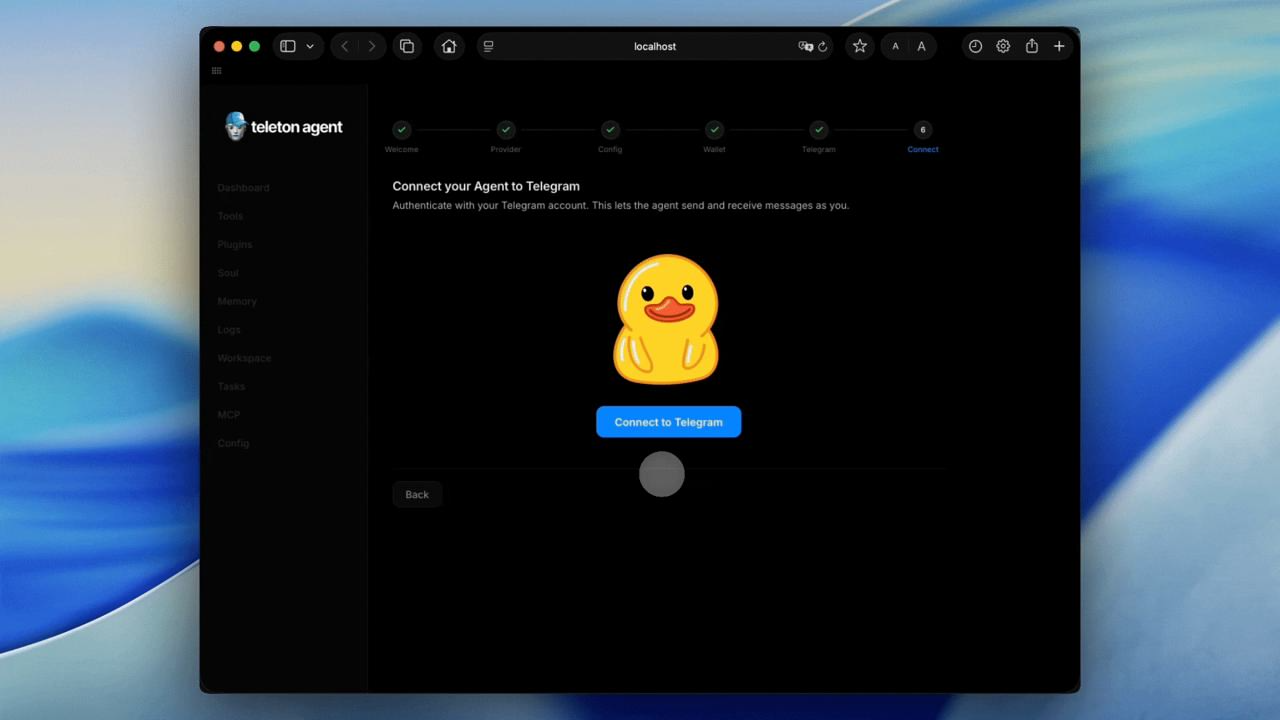
Once connected, click Start Agent. The wizard saves your config and starts the agent automatically. Your browser redirects to the dashboard.
The agent is now running. You should see all green checks in the dashboard.
Step 3: Talk to It
Send /boot to your agent on Telegram.
The agent starts a first-contact conversation. It asks your name, preferences, timezone, what you want to use it for. You pick a name and personality for it together. It explains what it can do: Telegram messaging, TON wallet and DEX trading, web search, file management, scheduling, and more. Everything is saved to memory. You only do this once.
In the web dashboard, you can customize its system prompt in the “SOUL” tab and customize the permissions of your tools or install new plugins in the Plugins>Marketplace tab.
That's it. Your agent is live, talk to him!
Join the community on Telegram if you need help and to stay informed about future new features : t.me/TeletonAgentHQ
Github Teleton Agent: github.com/TONresistor/teleton-agent
Github Teleton Plugins: github.com/TONresistor/teleton-plugins
Documentations: docs.teletonagent.dev
Channel: t.me/TeletonAgents
Website: teletonagent.dev