How to get your Telegram API credentials in 2 minutes.
t.me/zkproofTeleton Agents control their own Telegram account - they're real users, not bots. To make that work, you need API credentials from your account. Takes 2 minutes.
Log in
Go to my.telegram.org

Enter your phone number with country code and hit Next.
Telegram sends you a login code in-app. Enter it.
Create an application
That's it, you're connected.
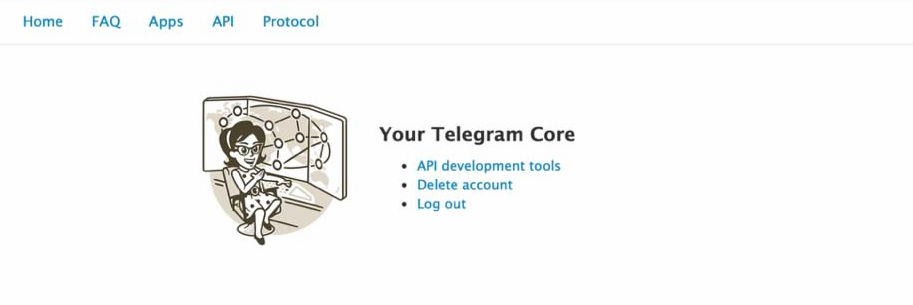
Now, click "API development tools"

App title: anything (e.g. "Teleton")
Short name: anything (e.g. "teleton")
Platform: Desktop
Description: leave empty
Hit Create application.

You now have your two keys:
API ID - a number
API Hash - a hex string
This is what your Teleton Agent uses to connect to Telegram as a real user account.
Save them. Never share them publicly.
Next step:
Run teleton setup --ui and paste these credentials when the wizard asks for them. The agent handles authentication, session management, and reconnection automatically.
Github: github.com/TONresistor/teleton-agent