Defbox notes service write-up
Mikhail AksenovThis is the Notes service write up. This lab is about
- How unvalidated user input can lead to Remote Code Execution
- Reverse shells and how can they be detected
Fun fact - this is the first ever defbox lab!
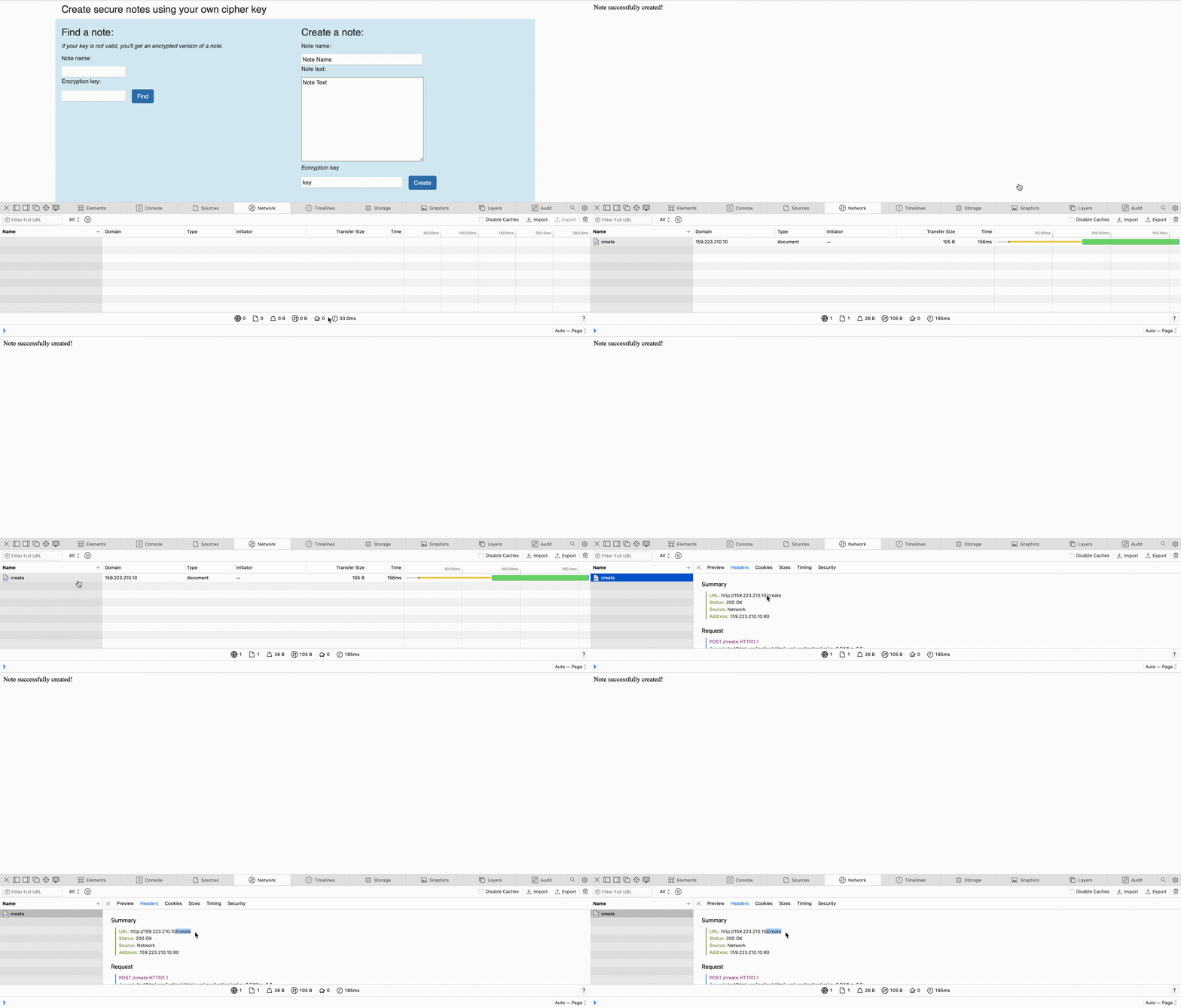
As always, let's start from highlights. The most easy ones are URLs - we shall visit the application deployed for the lab. It is simple service with 3 endpoints:
- /create - To create and encrypt a note
- /note - To get an encrypted note using key
- / - Landing page
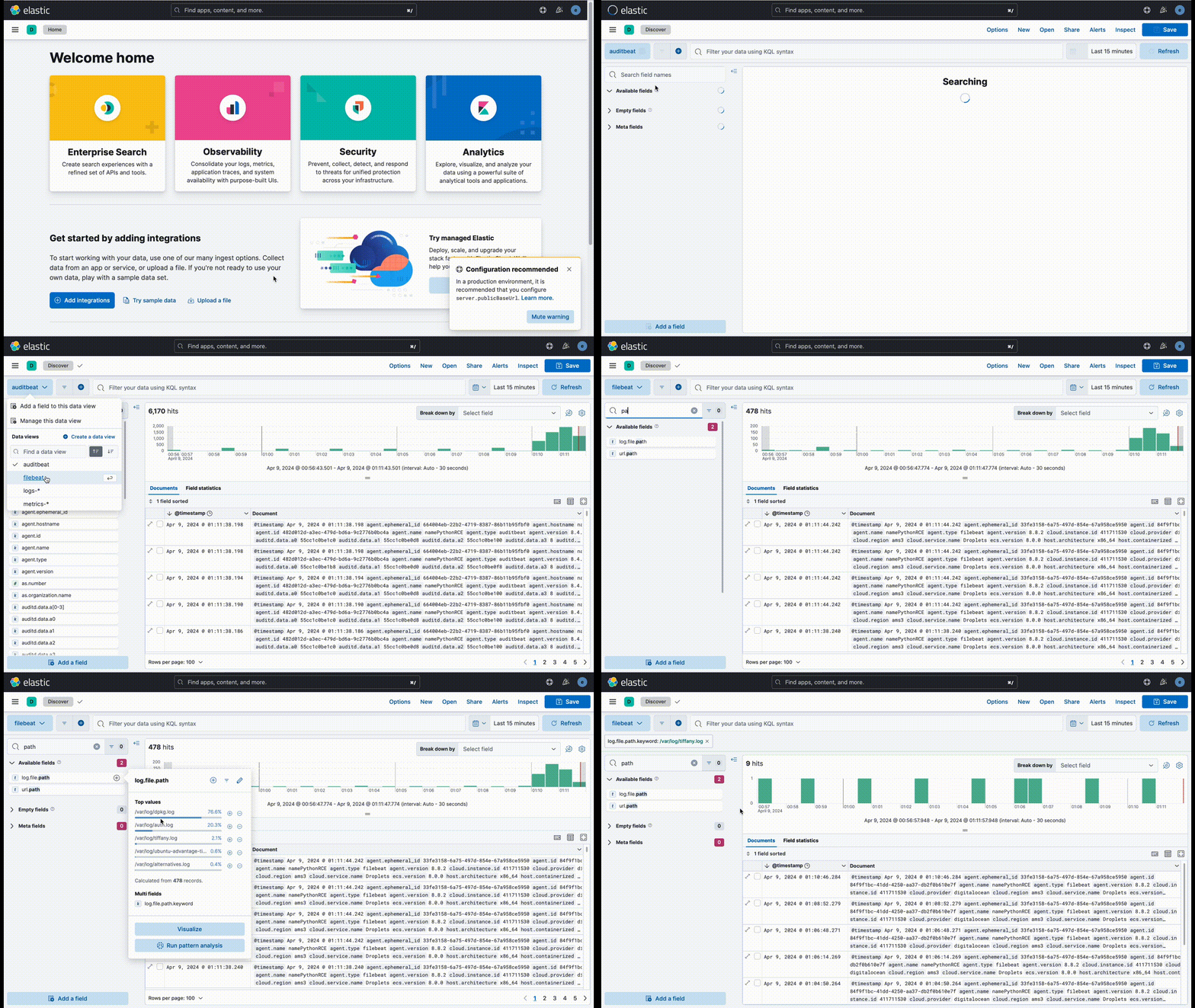
Now let's try to find Web log path. This one seems easier than user - I hope that going through all the files parsed by filebeat should be enough
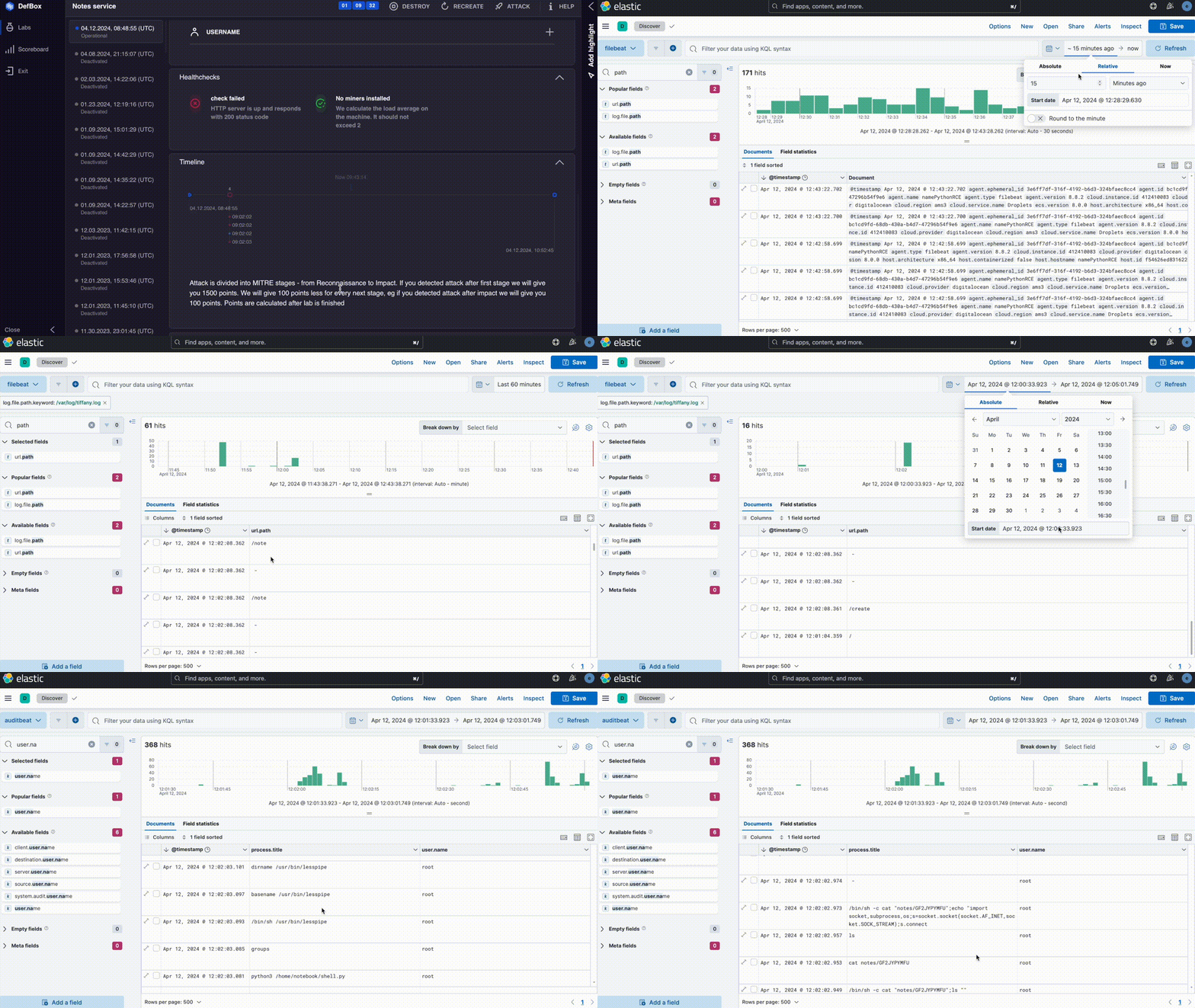
The last highlight is trickier. I tried going through `related user` field in auditbeat data view, but I did not succeed. Nothing interesting there. I also went through process starts that I found strange but nothing there as well.
I decided to run an attack - maybe I will find something there.
I went to elastic after I saw `Web shell uploaded and service notebook stop command`.
It is very challenging to find something in auditbeat logs - they are too verbose. To mitigate it I go to filebeat logs and try to catch the exact time attack happened in the web logs I found earlier.
With the exact time it becomes much easier to find the attackers command:
Rule creation should be similar to any other lab( https://telegra.ph/Defbox-Vulnerable-SSH-Write-up-03-27 ), the only difference is that we are looking for suspicious python process now. Queries that work:
process.title : *shell.py -
it's a hardcoded query that is not of great use - useless if attacker changes python file name. If you run another attack this rule would not work. We can try to capture suspicious network traffic:
network.direction : "egress" and not (server.port : 80 or server.port: 443 or server.port: 9200 or server.port: 53)
That one would check for suspicious network traffic creating alert for any unusual network behaviour.
These queries should capture the webshells, but they would not capture attack if commands are sent via HTTP. I'll leave that one for you to figure out by yourself. Try it in the Defbox Notes Service Lab!