🥦 $BROC GUIDE 🐕 | How to Buy $BROC on MetaMask
How to Buy BNB
How to Setup MetaMask
---
Go to MetaMask wallet, click on the three lines at the top left of the main page, and go to "Browser."
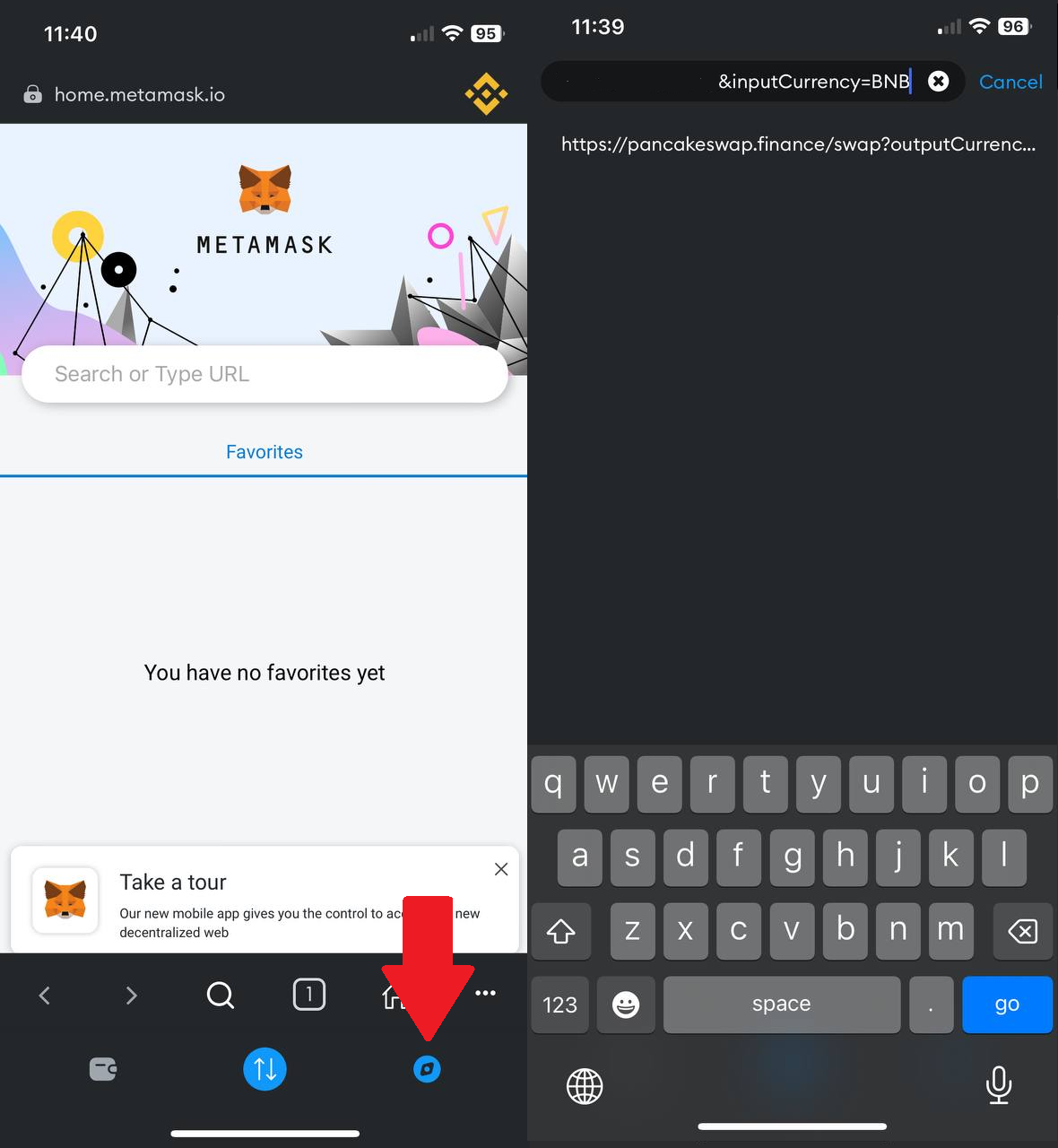
Copy and paste the link to the $BROC token, then click on the search button.
https://pancakeswap.finance/?outputCurrency=0x554B5DaeA72B2E2185147374954cb4721e20f4E1&chainId=56
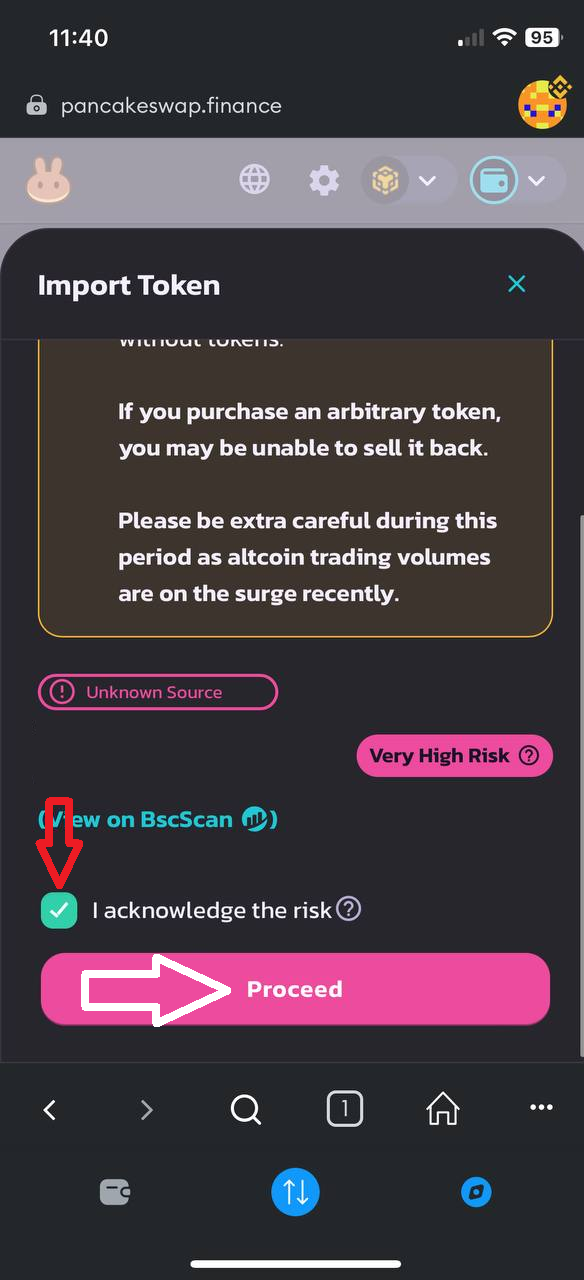
Connect your wallet to the exchange by ticking the checkbox ✅ and clicking on "Import."
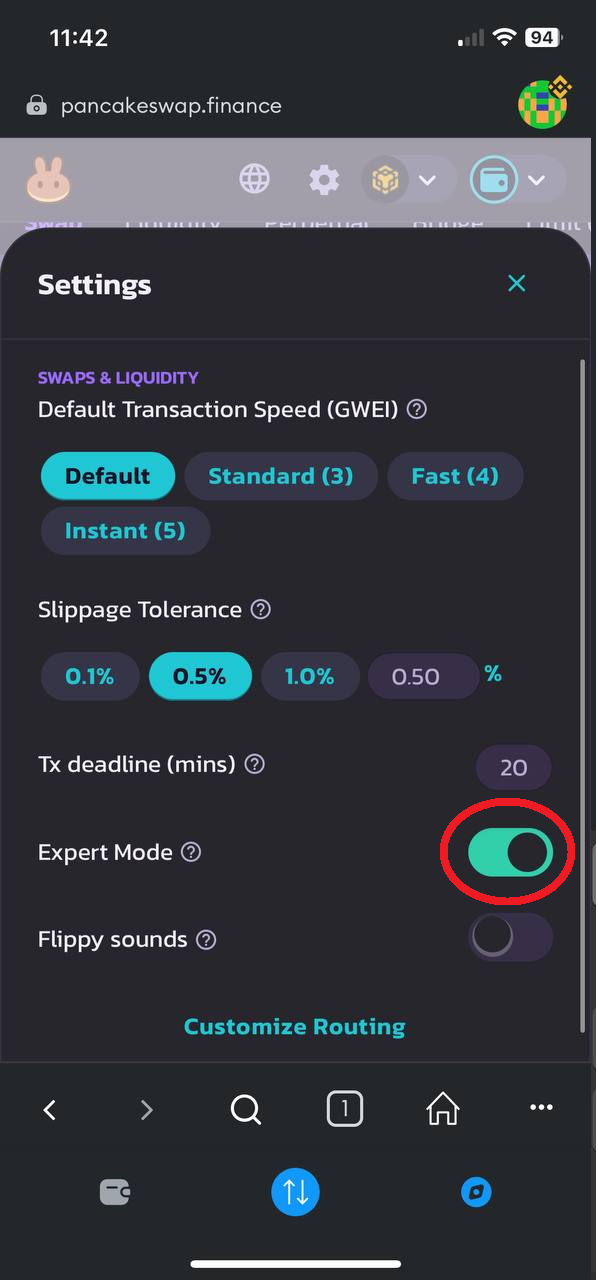
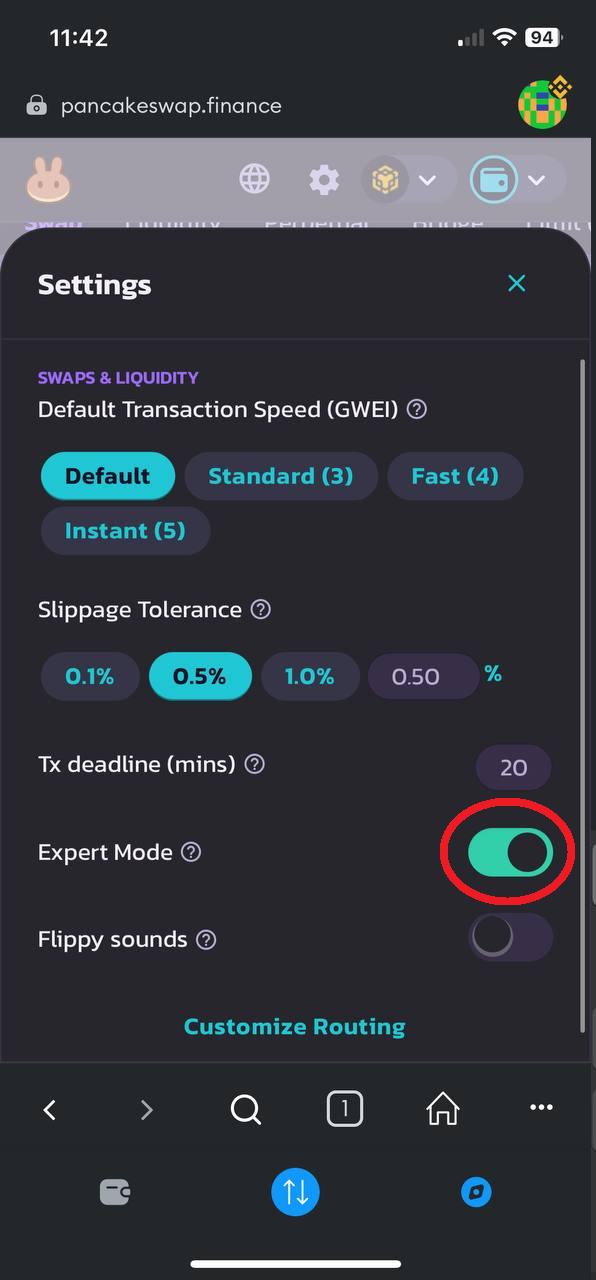
3.4 To avoid slippage, on the exchange, click on the gear icon ⚙️ and enable "Expert Mode."
3.5 Tick the checkbox ✅, click on "Turn on Expert Mode," enter "confirm," press "Ok," and confirm.
3.6 Go back to the exchange. In the "BNB" section, enter the amount you want to use to buy the token.
Alternatively, you can click on any of the buttons: 25%, 50%, 75%, or Max, and the exchange will calculate the amount based on your BNB balance.
Then, click "Confirm" and confirm the purchase operation.
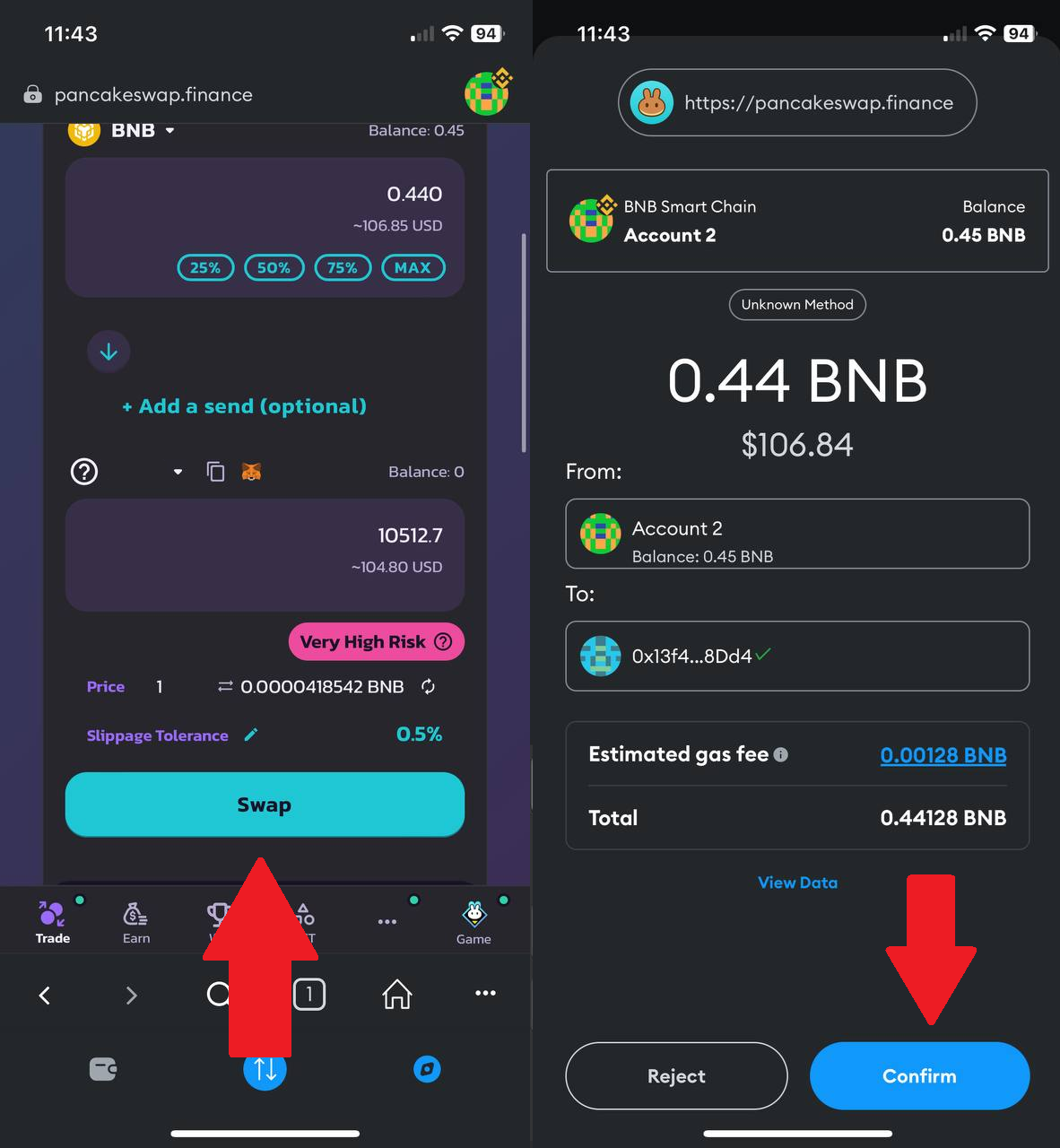
Congratulations, you have bought $BROC tokens!
If the tokens are not showing in your wallet, click on the MetaMask fox icon above the token input field. All the tokens will be imported and appear in your balance, or you can import the token using the contract address:
0x554b5daea72b2e2185147374954cb4721e20f4e1