🥦 $BROCC GUIDE 🐕 | How to set up MetaMask & Buy BNB (BEP20)
1. Download & Install MetaMask
Visit the official MetaMask website and click “Download”. Choose the browser extension for your preferred browser or download the mobile app from your device’s app store.
For Android: MetaMask Android
For iOS: MetaMask IOS
2. Get Started
- After installation, click the MetaMask icon in your browser toolbar (or open the mobile app). Tap or click “Get Started” to begin the onboarding process.
3. Create a New Wallet
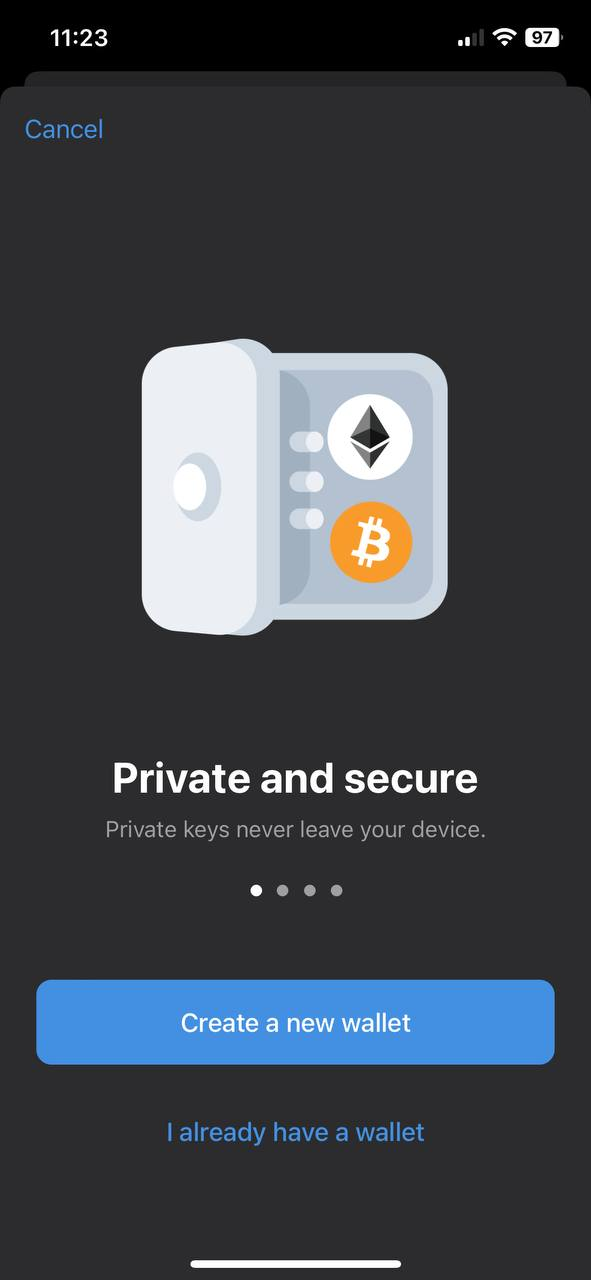
- On the welcome screen, choose “Create a Wallet” if you’re new to MetaMask. (If you already have a wallet, you can opt to “Import Wallet” instead.)
4. Set Up a Secure Password
- Create a strong password for your wallet. This password will be used to unlock your MetaMask extension or app.
5. Backup Your Secret Recovery Phrase
- MetaMask will display a 12-word Secret Recovery Phrase. Write down these words in the exact order on paper and store them securely offline. This phrase is your only way to recover your wallet if you lose access.
- Warning: Never share your Secret Recovery Phrase with anyone.

6. Confirm Your Recovery Phrase
- To confirm that you’ve securely stored your recovery phrase, MetaMask will ask you to verify it by selecting the words in the correct order.
7. Wallet Setup Complete
You are now ready to buy $BROCC!
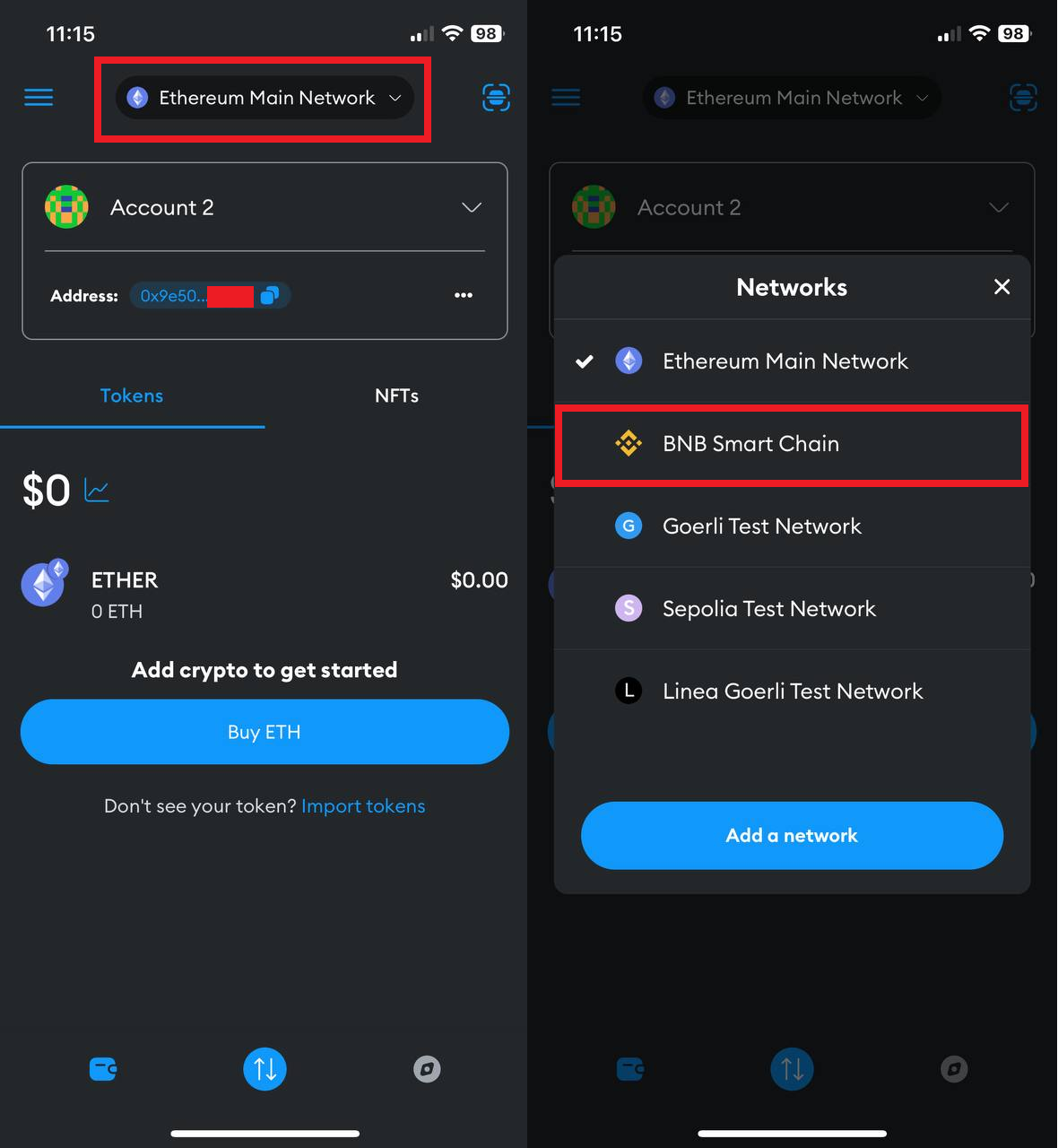
Make sure to switch to BNB Smart Chain Network!!
If you don't know how to get BNB to purchase the tokens, below is a short guide to help you!