Setting a local passcode
Telegram SupportYou can lock Telegram on your mobile device or PC with a local passcode – a simple 4-digit PIN or a longer password if you want.
In order to set up a passcode, go to Telegram Settings » Privacy and Security » Passcode Lock.
Once you set up a passcode, a lock icon will appear in your chats list. Tap on it to lock the app — your passcode will be required the next time you open Telegram. You can also enable auto-lock in Passcode Settings, if you don't want to lock the app manually.
When the app is locked, text and sender's name are hidden in any notifications.
Note: If you forget the passcode, you'll need to delete and reinstall the app. All secret chats will be lost.
Android
1: From the chats list, swipe to the right and tap "Settings"

2: Go to "Privacy and Security"

3: Select "Passcode Lock"

4: Enable the "Passcode Lock" toggle

5: Choose either "PIN" or "Password" and enter the passcode.

6: Re-enter the Passcode/PIN and tap "✔"

7: Done! You can also set an "Auto-lock" timer here if you want to.

iOS
1: Go to the Settings tab and tap on "Privacy and Security"

2: Select "Passcode Lock"

3: Tap "Turn Passcode On"

4: Enter the pin twice.

5: Done!

6: You can also set an "Auto-lock" timer here if you want to.

7: If you disable "Simple Passcode" from the passcode settings, you can set a longer password.

Android X
1: From the chats list, swipe to the right and tap "Settings"

2. Go to "Privacy and Security".

3. Select "Passcode lock".
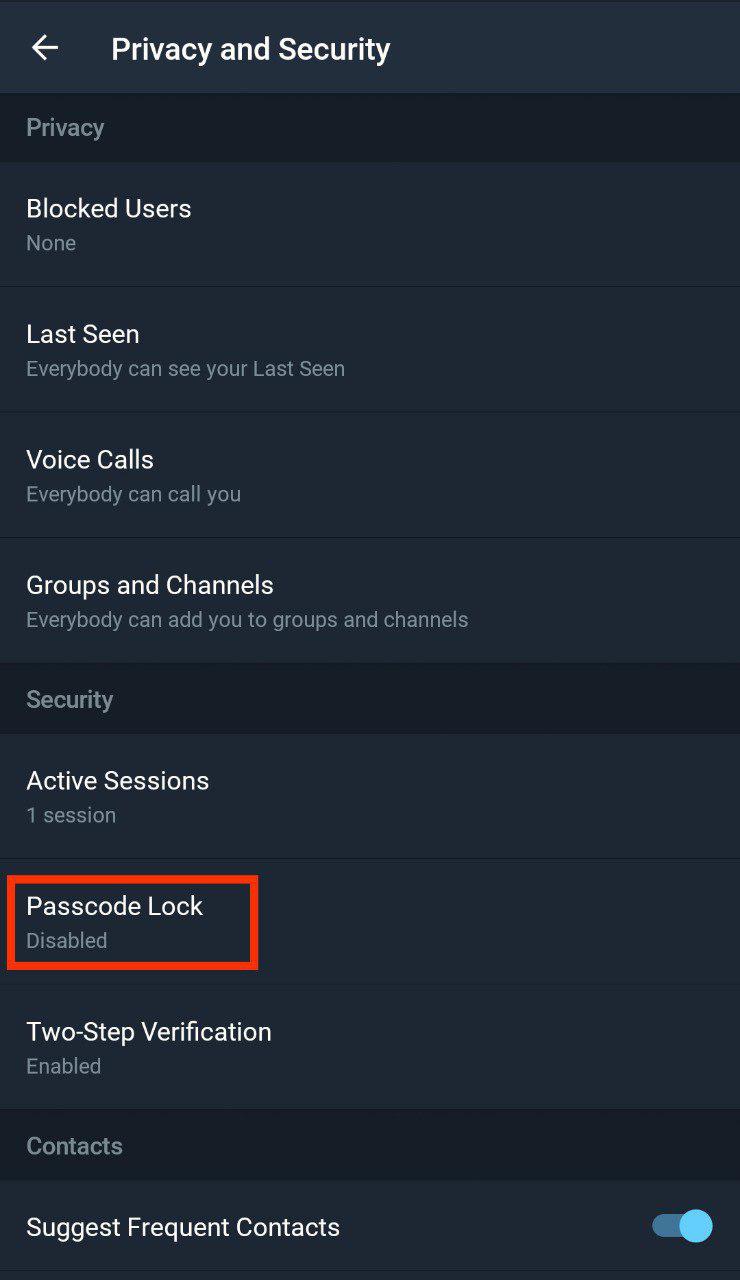
4. Enable the "Passcode Lock" toggle.
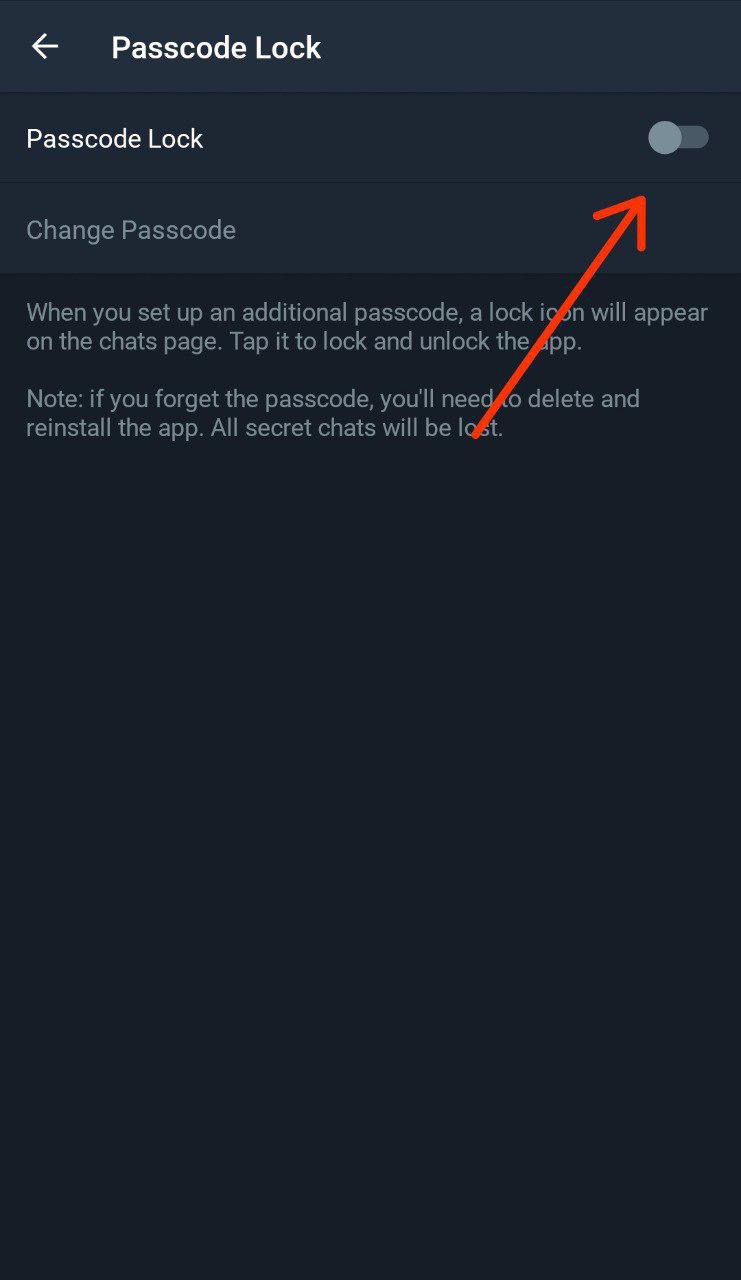
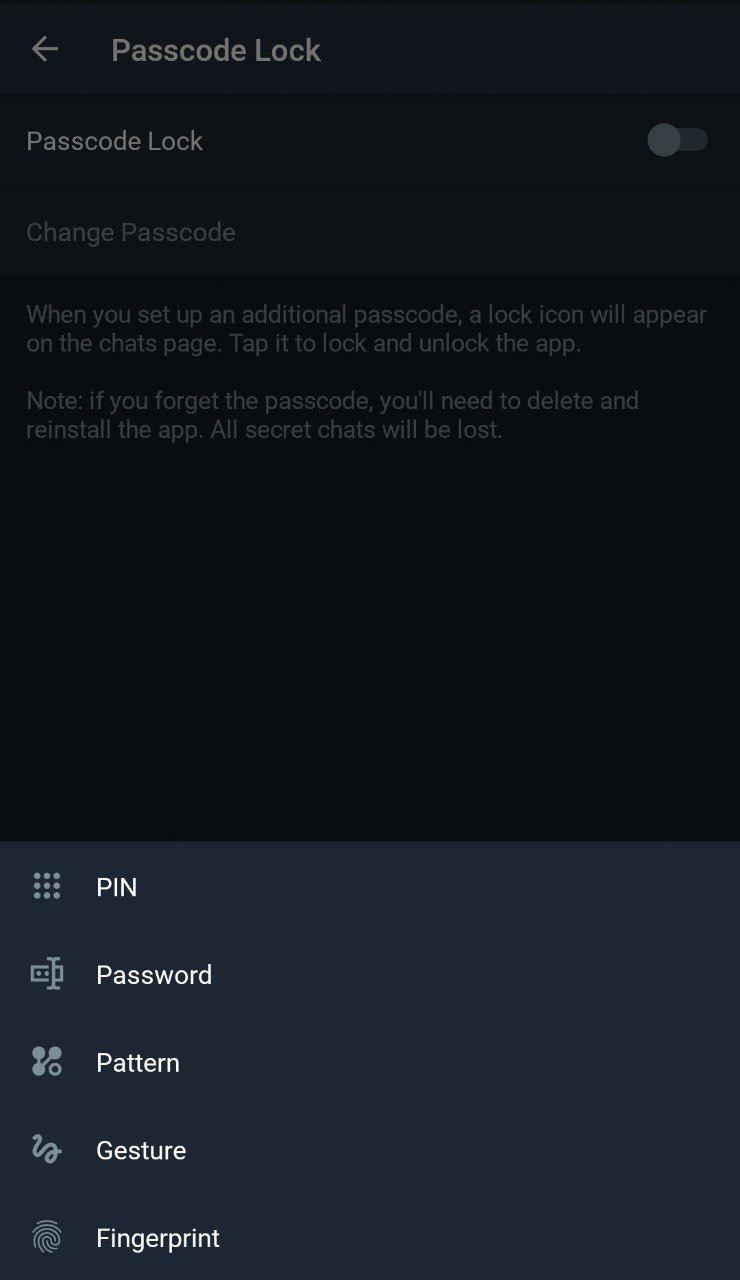
5: Choose the type of passcode you prefer: a digital PIN, a password, a pattern or a gesture.
6. Enter the passcode.

7. Done! You can also set an "Auto-lock" timer there if you want to.

Desktop
To set a passcode via the latest version of the desktop app, tap the menu icon near the search field » Settings » Privacy and Security » "Turn on local passcode"
To contact Telegram support, go to Settings, and scroll down until you see the 'Ask a Question' button at the bottom.
If you want to join us, check out the Telegram Support Initiative.