How to download an account statement
In the world of cryptocurrency, it's important to keep everything under control. A statement is a simple way to see the complete picture of your assets. It's a detailed report of every transaction — when funds arrived and where they were sent — allowing you to conveniently maintain internal reports.
👀 How to get a statement?
Step 1. Open the bot's main menu and click "History"
.png)
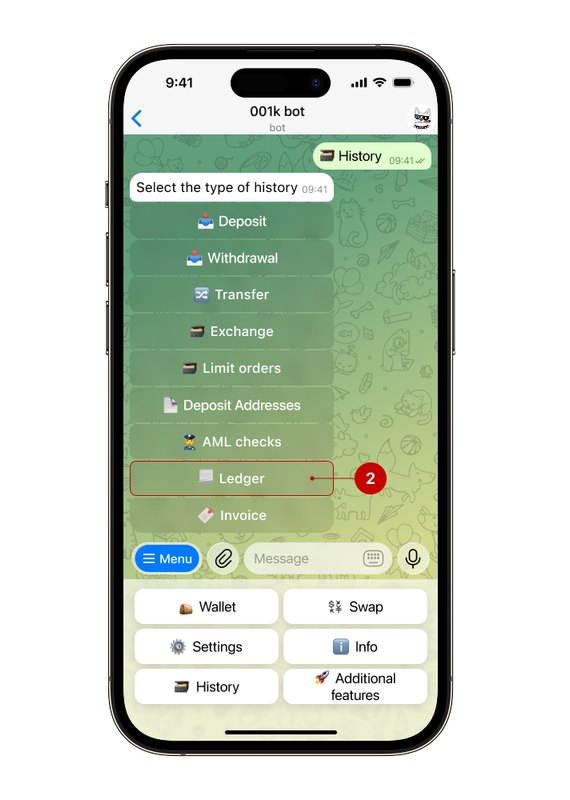
Step 2. Select "Ledger"
Ledger is the complete transaction history of the account in chronological order, from which the statement is generated.
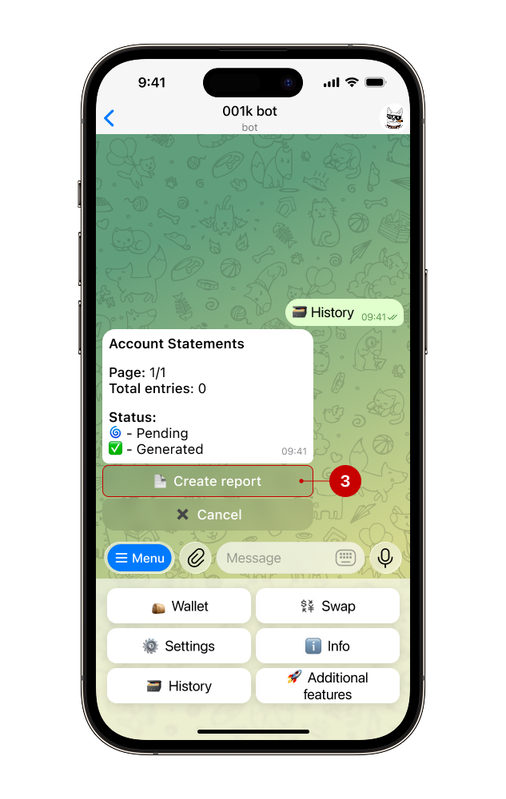
Step 3. Click "Create report"
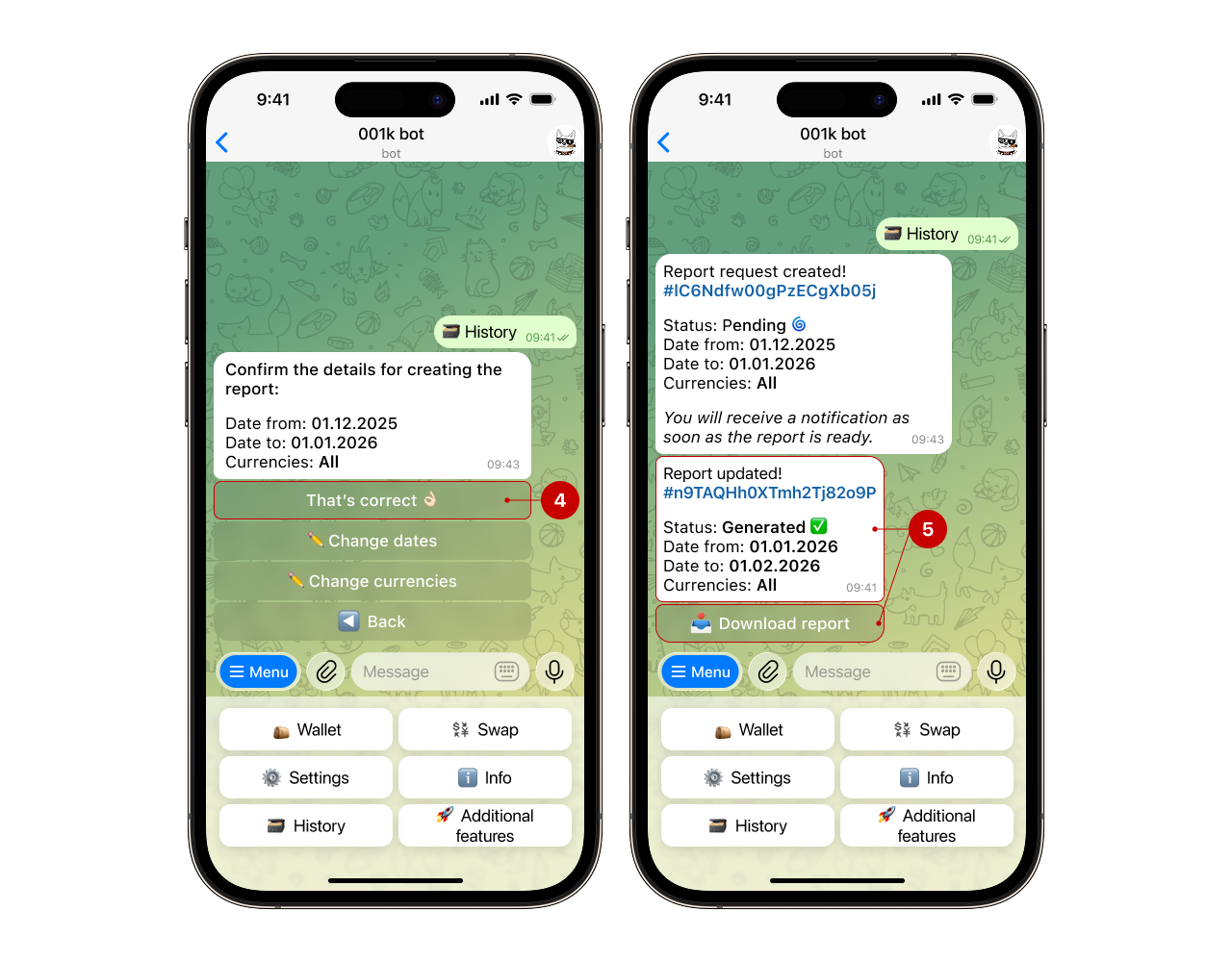
The bot lets you flexibly customize the statement for your needs — from a quick monthly statement to a detailed report for a specific currency over any period. Click "That's correct" (4) — the bot will create a statement for the last month across all currencies, which you can download to your phone or PC (5).
🤔 How to create a statement for a specific period or specific currencies?
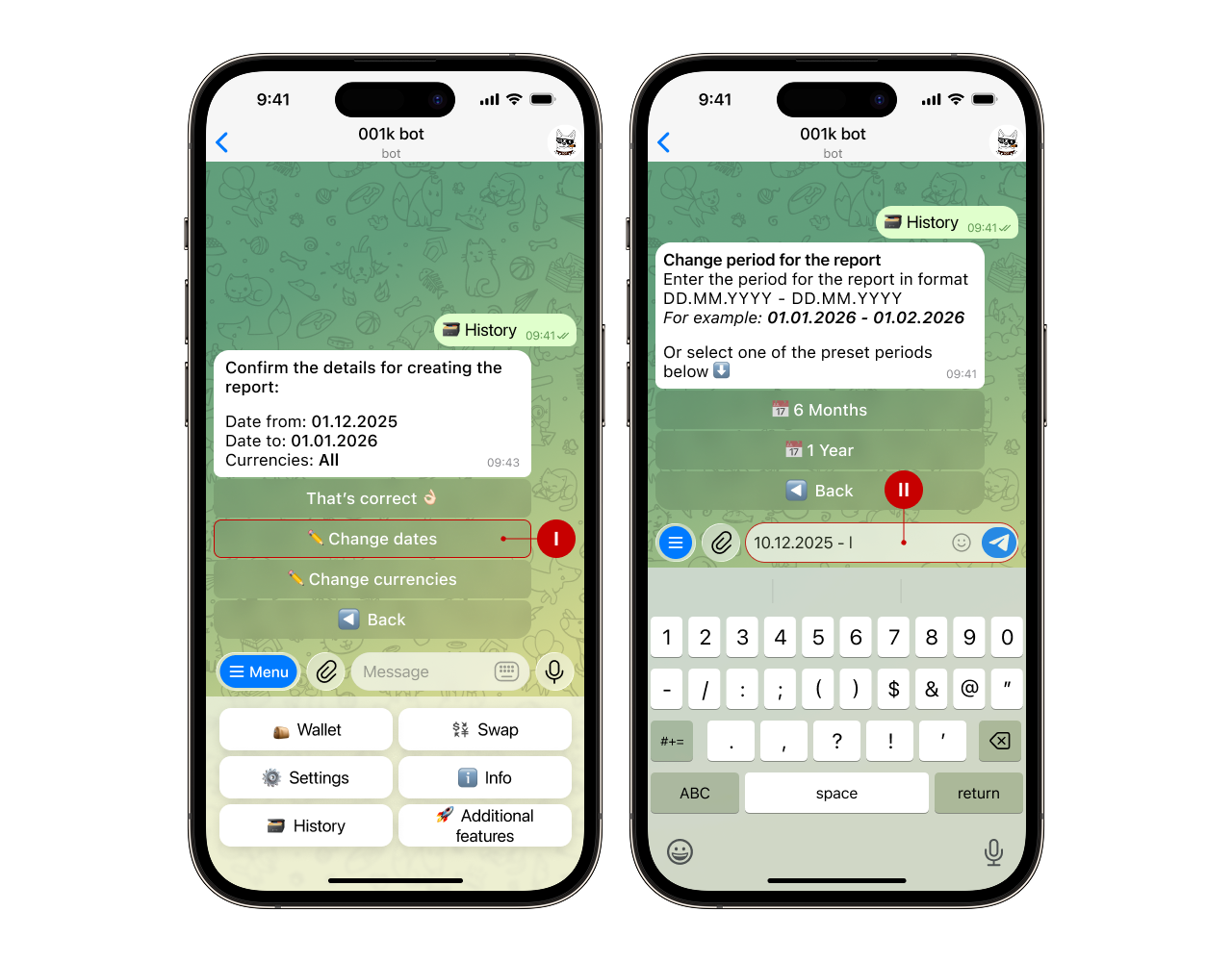
1️⃣ After step 3, click "Change dates". Choose one of the suggested periods (6 months or 1 year) or enter the desired period manually, following the bot's instructions.
2️⃣ Click "Change currencies". From the list of available currencies, select the currency you need for the statement (e.g., USDT), then click "That's correct".
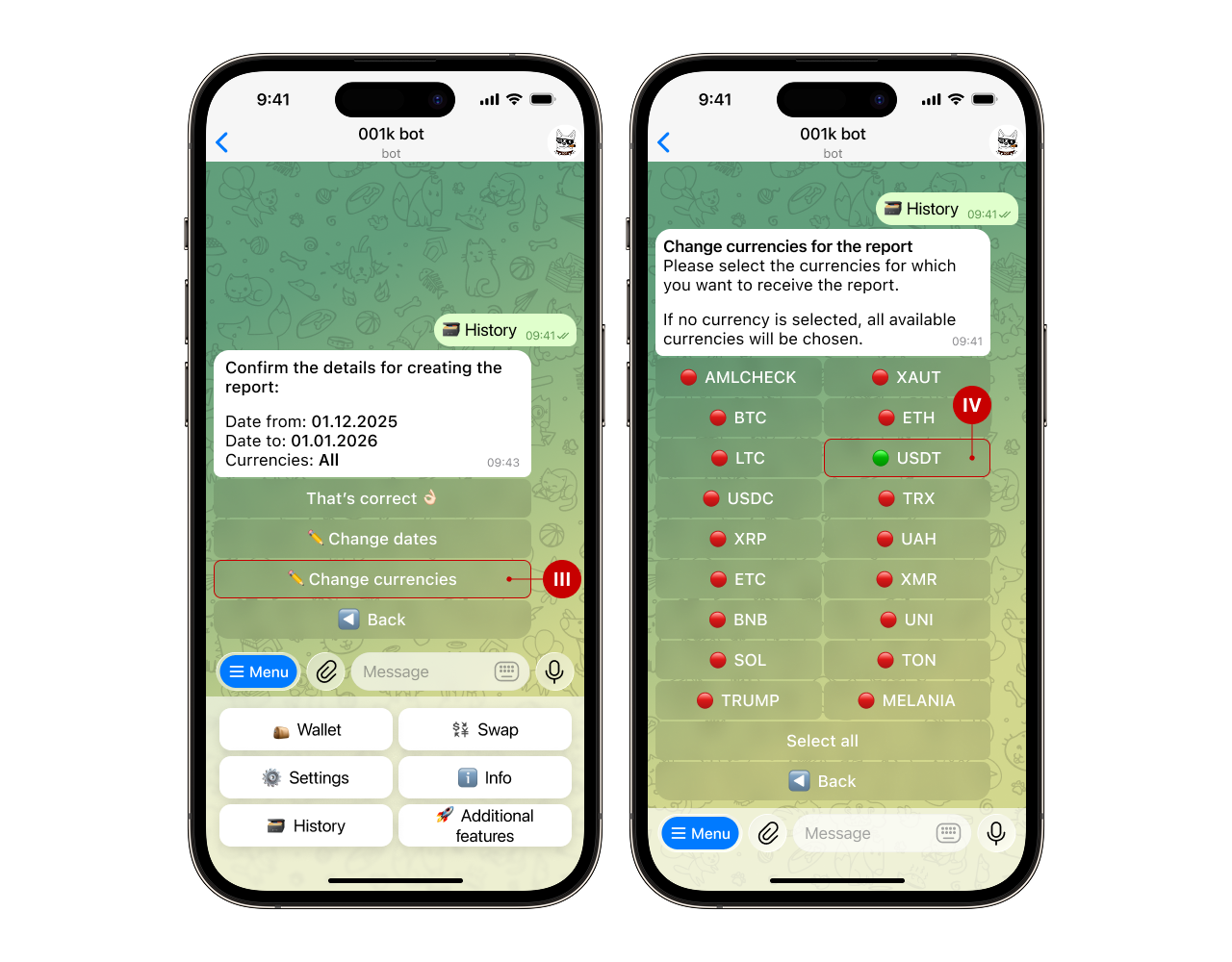
3️⃣ Confirm the statement creation. After confirmation, the bot will send you a file containing the statement, which you can download to your device.
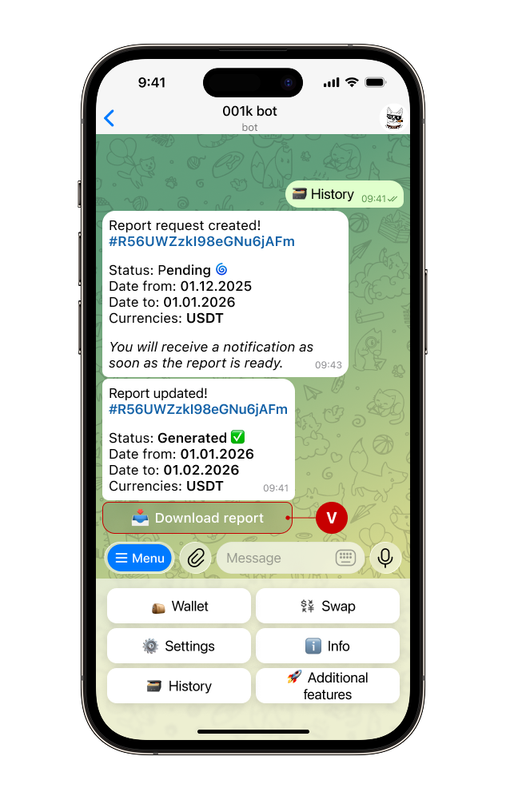
✅ Done!