iQOO 12 Origin OS 6 Open beta 1 Changelogs
SharonOrigin Design. Fresh, Inside and OutSystem
Added light effects like edge light, enhanced light and diffuse light to provide clearer operational feedback and more natural material representation
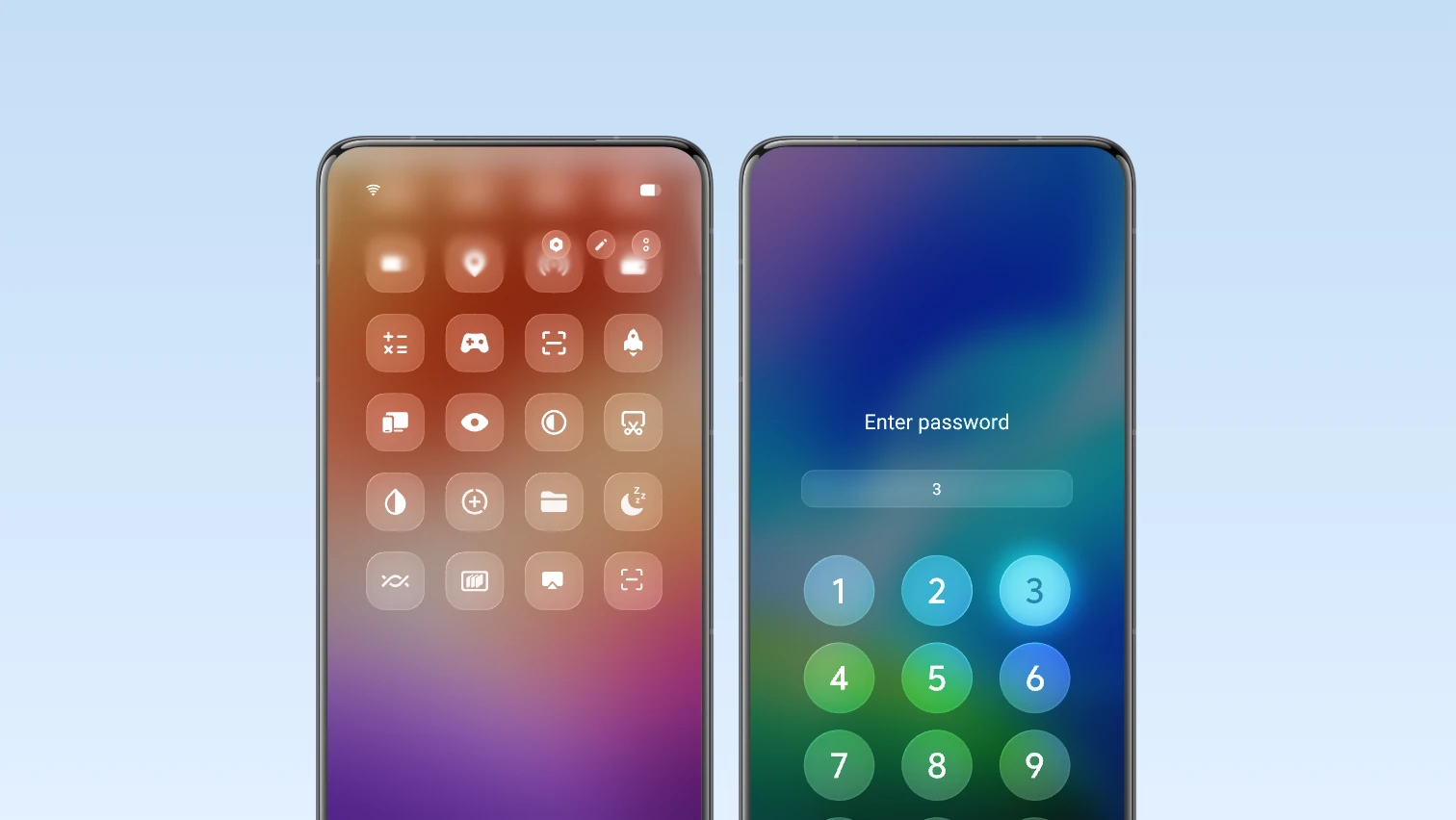
Added a card list to present complex information in a more intuitive and organised way
Added global G2 rounded corners by reconstructing the underlying rendering mechanism, making rounded corner display more real-time and stable
Added iQOO Sans system font with stepless weight adjustment, providing a comfortable and natural reading experience. This feature is supported in some system languages only
Optimised system materials, background blur and transparency to enhance the visual texture and transparency of the system
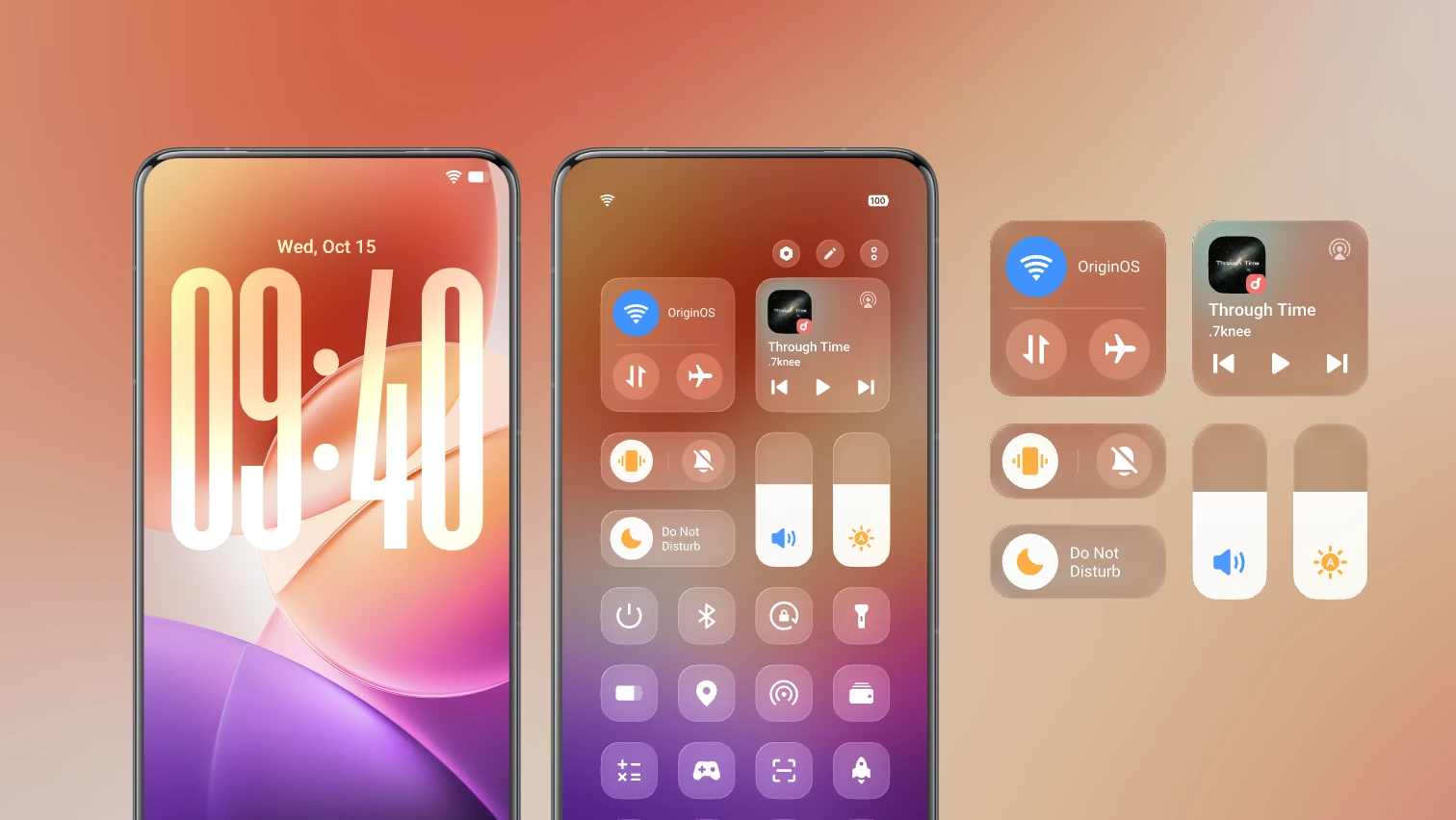
Optimised the title bar to improve browsing efficiency and layout consistency
Optimised the styles and dynamic effects of empty-state icons on empty pages
Optimised the visual design of system controls to enhance the visual experience during browsing and tapping
Optimised Landscape mode controls to improve usability
Optimised the colour system for a comfortable and natural browsing experience
Optimised app theme colours to give apps more personalised colour styles across different situations
Optimised Dark mode to improve visual consistency, comfort and readability
Themes
Added multiple personalised combinations and tricks. You can go to Settings > Home screen, lock screen and wallpaper > Themes to learn more
Optimised the layout and visual effects of the wallpaper settings page and theme settings page to enhance the user experience
Optimised the interaction on the personalised combination page. You can tap "Combine" to switch between different templates for customisation
Lock screen
Added classic and personalised clock styles for the lock screen, allowing you to choose different clock styles to match the wallpaper
Added a classic clock font and weight editing capability, allowing you to change fonts and weight
Added a custom HSL colour feature for the clock, allowing you to choose clock colours to match the lock screen wallpaper. You can set the colours for the hour and minute hands separately with some personalised clocks
Added a clock position adjustment capability, allowing you to tap and hold the clock on the integrated settings page and lock screen editing page and drag it to a required position
Added a font height editing capability for the personalised clock, allowing you to drag the clock area on the lock screen editing page to adjust its size
Added a lock screen kit feature, which allows you to view important information such as weather, step count and device battery level on the lock screen, and combine kits to enrich the overall visual effect of the lock screen
Added lock screen notification display methods, allowing you to set the default notification display as number, stack or list
Optimised the bottom information layout on the lock screen to improve space usage
Optimised the lock screen notification display by repositioning it to the bottom of the screen
Home screen
Added 4x7 home screen layout and integrated Klotski Grid for a neater and more visually appealing look
Added the features of pinning apps to the top and creating folders in Drawer mode
Added a batch operation feature in Drawer mode, allowing you to batch add apps to the home screen and group them into folders
Optimised app recommendation logic in Drawer mode, supporting app recommendations based on time, location and habits
Optimised folder morphing, supporting 2x1 and 1x2 layouts with custom colours
Control Centre
Added the separated Control centre. You can swipe down from the upper left or upper right corner to bring up the Notification centre or Control centre respectively, enabling more similar content to be displayed on the same page and improving display efficiency
Added an expanded volume adjustment bar for easier volume adjustment in the merged Control centre
Optimised the overall layout of the merged Control centre to enhance the overall visual experience with materials and style
Notification centre
Added new notification card styles with upgrades to icons and layout
Swipe. Glide. Feel the FlowOrigin smooth engine
Added super-core computing. The new scheduling system improves computing efficiency, quickens app startup, response and loading, and improves slide smoothness and multitasking use smoothness
Added storage fusion with a self-developed storage transmission framework, building a storage VIP channel to significantly improve file transfer efficiency and enable instant loading of massive photos
Added a dual rendering architecture of "Unified rendering architecture" + "Decoupled rendering architecture", significantly improving rendering efficiency and making system animations more natural
Added rapid response. The new app startup process optimises touch links and rendering links, and it is combined with the computing power priority scheduling algorithm to significantly enhance app-startup response speed
Added Snap-up engine to help you secure tickets and deals faster in IRCTC and Bookmyshow apps
Added more dynamic effect styles for situations like charging, fingerprint unlock and USB connection
Added morphing animations for expanding and collapsing Origin island and ripple effects for moving home screen apps and kits, providing a comfortable and expressive visual experience
Optimised animation experience in situations like home screen, background, the Control centre and Notification centre
Personal Intelligence, AmplifiedOrigin island
Added Origin island, a global information transfer window providing intuitive notifications to help inform you efficiently about system status changes, key information and music playback details. Go to Settings > Notifications and status bar > Origin island
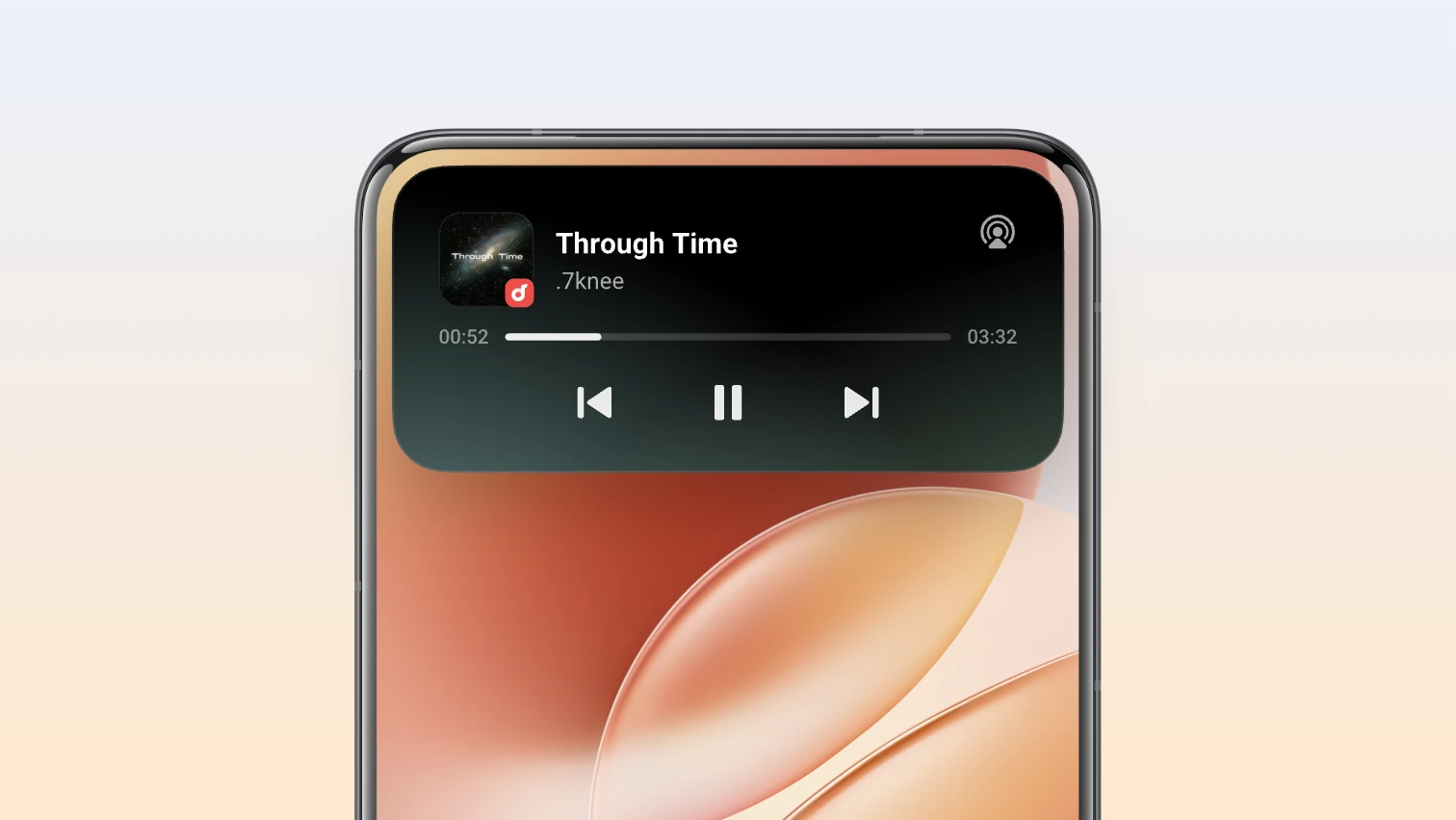
Added Copy and go, providing a suggested app based on your copied information for quick access to the app. Go to Settings > Notifications and status bar > Origin island > Context suggestions > Copy and go
Added Drag and go, enabling information sharing by dragging across apps. Go to Settings > Notifications and status bar > Origin island > Drag and go
Added Context suggestions, offering proactive and considered recommendations for commuting and office meeting situations. Go to Settings > Notifications and status bar > Origin island > Context suggestions
Super Dragging
Added Super Dragging, allowing you to transfer content across apps by tapping and holding content and dragging it to another app window or Origin island. Go to Settings > Shortcuts and accessibility > Super Dragging
AI Captions
Added an AI Captions system service, which converts speech to text in real time for seamless communication, and offers AI services like live speech recognition, multilingual translation and intelligent text summary to improve information access efficiency across all situations
AI Creation
Optimised the feature panel of AI Creation, with upgrades to the layout and visual effects for a better experience
Global search
Added AI Search, supporting search for documents, notes and settings on the device using natural language descriptions in various languages, and supporting AI analysis and summary for higher efficiency
Productivity PowerhouseOffice Kit
Added the Office Kit app. You can download and install the app by visiting pc.vivoglobal.com on your computer to try features such as device connectivity and data transfer between your phone and Mac and Windows computers
Added screen mirroring to Windows and Mac computers, allowing real-time control without touching the phone, and supporting image, video and file transfer by dragging across screens
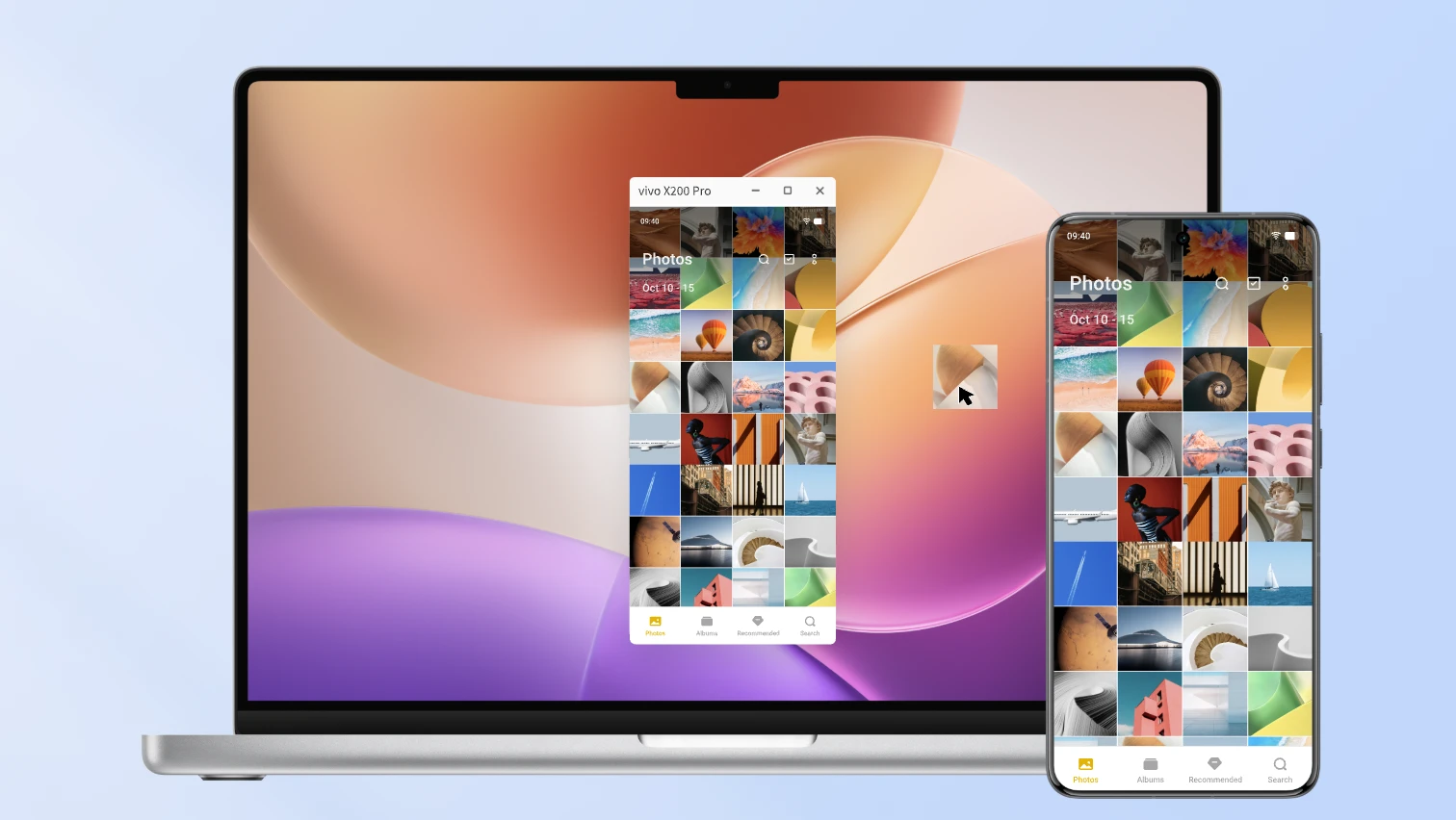
Added a cross-device file transfer capability, which allows you to transfer data between phones and Windows and Mac computers during sharing or in Origin island after signing in to your account and connecting to a network, with no limits on file number and file formats (including entire folders)
Added a task handoff feature, allowing ongoing tasks to be handed off quickly from a phone to a Windows or Mac computer, such as phone notifications and screenshots
Added the Super Clipboard feature, allowing you to copy and paste phone text and images to a Windows or Mac computer via the clipboard with one tap
iQOO DocMaster
Added the iQOO DocMaster app, which can open and read basic document formats such as PDF, Word, PPT, Excel, TXT, Markdown and Visio. It also offers PDF annotation capabilities, enhancing document processing efficiency
Added multiple document format conversions, such as PDF to Word and Word/Excel/PPT to PDF and images
File Manager
Added a File Manager app, which allows you to search for files by file type, source app or storage path, and add frequently-used apps and folders to the "Quick access" area for quick access
Notes
Added a separate to-do feature, which allows you to record, view and manage daily to-dos, and set reminders and home-screen, to-do kits to avoid missing important to-dos
Added note style and effect tools with rich text formats, symbols and parting lines for personalised editing of notes
Added multi-level folders, allowing you to create nested folders for clearer note management
Recorder
Added the features of Skip silent segments, Recently deleted and Loop to make Recorder easier to use
Your Vision, Your StoryAlbums
Added a navigation bar at the bottom of the large image view for quick photo switching and free video playback control
Optimised the layout of the image and video editing feature for a better editing experience
Added reversible editing, which supports overwrite saving and edit restoration
Added video-to-live photo and video-to-image conversion
Stream More. Scroll More. Power That LastsBattery life
Added global Bypass Charging, which intelligently adjusts temperature when the device is being used and charged, and automatically switches to an appropriate charging power level to strike a balance between the user experience and the charging temperature rise
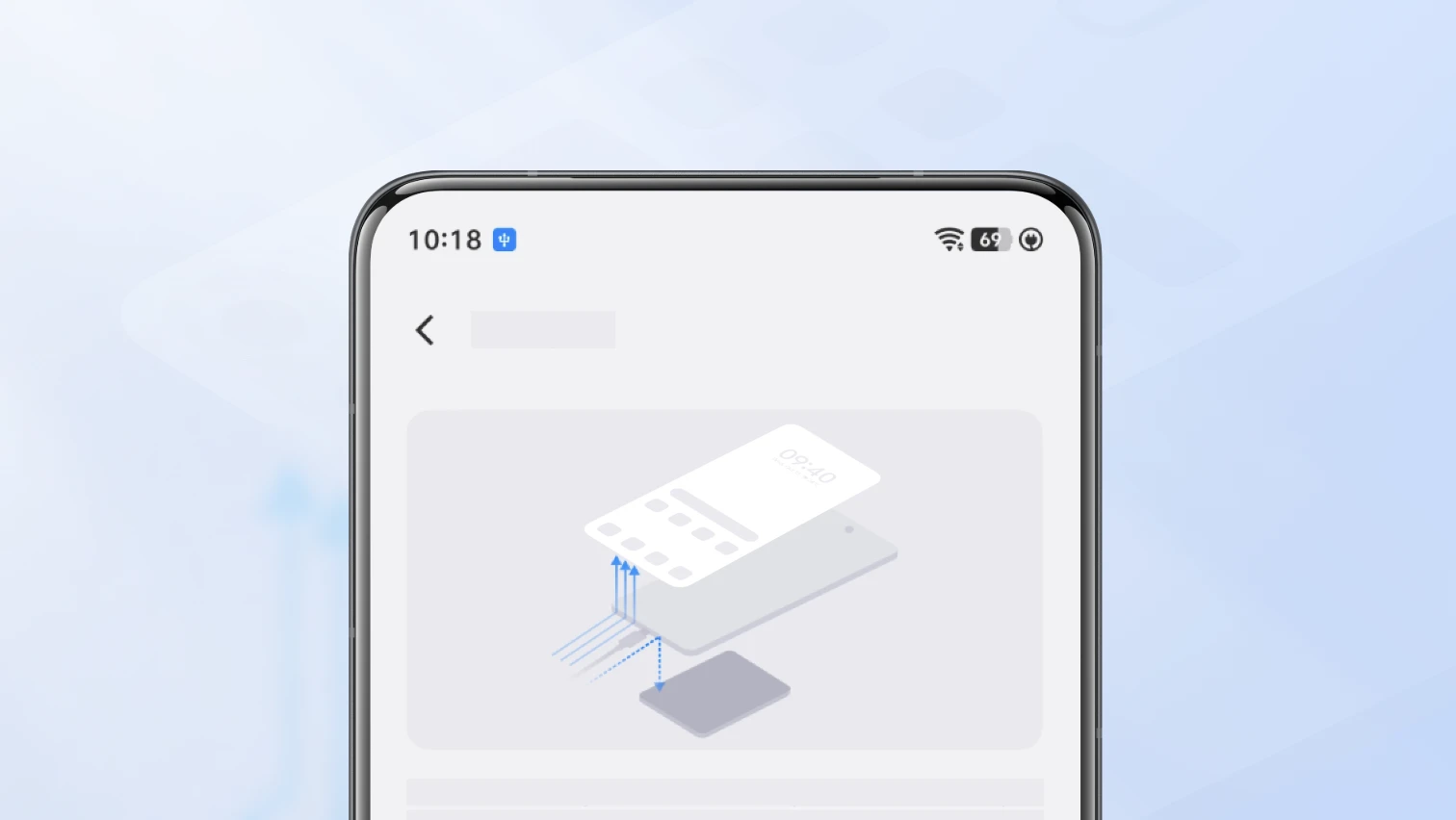
Added energy efficiency engine, optimised CPU and cache scheduling, as well as shortened cache access path, to improve overall battery performance
Optimised system lightweight design and improved system-app load and battery usage to enhance overall battery performance
Your Digital World, SafeguardedPrivate space
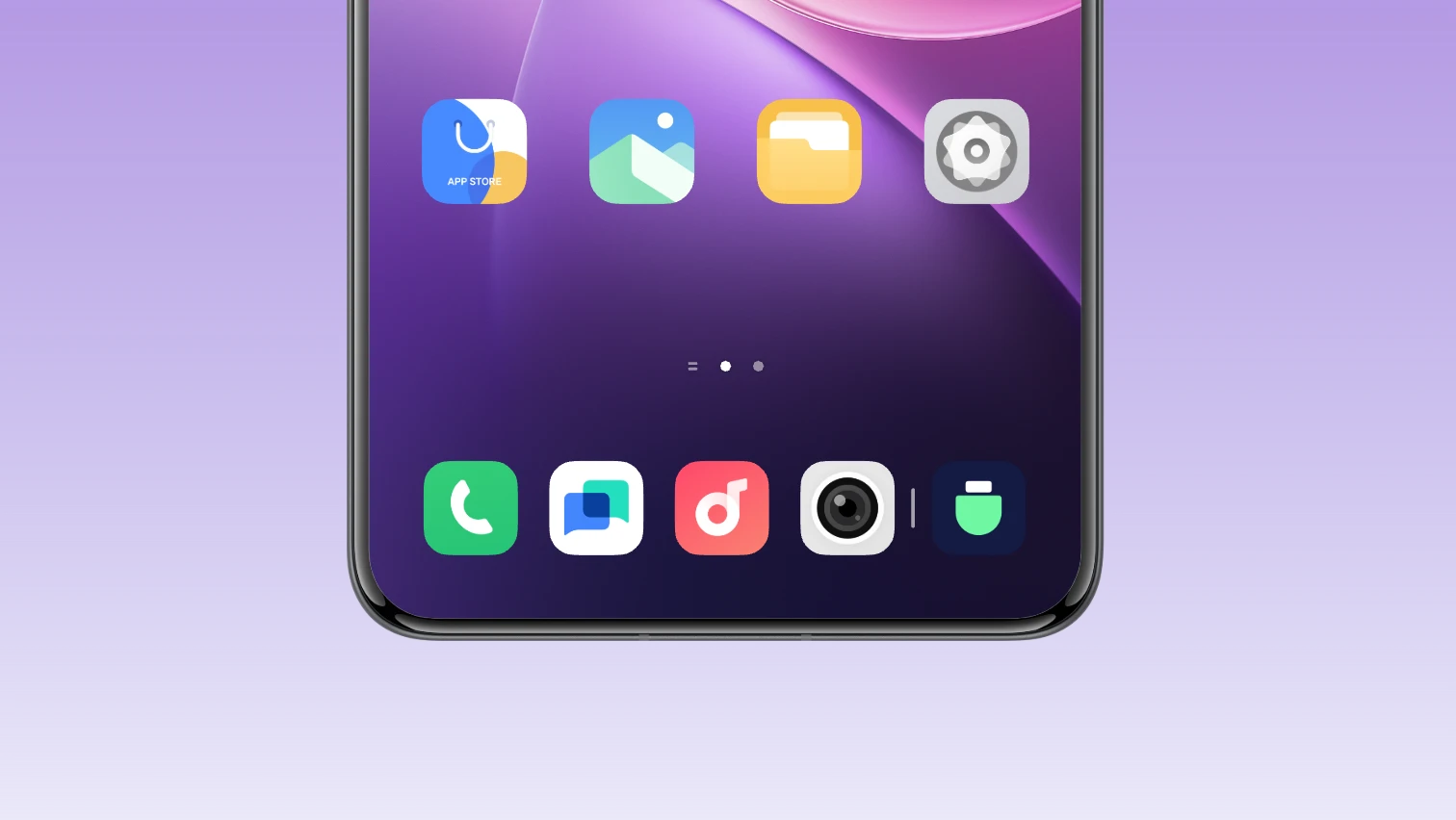
Added Private space, to which you can download apps and move files to protect your personal privacy. Go to Settings > Security and privacy > Private space
Security & privacy
Added clipboard privacy recognition to recognise and protect sensitive content, preventing apps from accessing private data
Added blank data authorisation for any requests to access Call logs, texts, Contacts and Events, ensuring functionality while reducing privacy leakage risks
Comfort in Every GlanceDisplay, brightness and eye protection
Optimised Dark mode visibility and comfort, ensuring readability during the day and preventing eye strain at night
Upgraded Eye comfort and protection, and integrated capabilities like Eye Protection and Sleep comfort mode, providing an all-day eye protection experience for all users in different situations
MoreHealth
Added the Origin Health built-in app, which tracks your daily activity rings and health, empowering you to live a healthier life
Settings
Optimised group and order settings for a clearer display and a more consistent experience
Screen Mirroring
Added quick access to Screen Mirroring from Albums for smoother file sharing
Added an audio switching feature to allow you to choose sound output from a large screen or phone screen
Added a screen mirroring annotation feature to annotate and highlight shared content for clearer explanation
Clock
Added features such as setting alarms by date, flipping the phone to turn alarms off and customising alarm repetition modes to fit daily alarm use situations better
iManager
Optimised the design style of Phone Manager, which enables you to quickly understand phone storage, security protection and data usage status
Sound and vibration
Added stepless adjustment of vibration intensity, allowing precise customisation of vibration intensity via a touch slider. Go to Settings > Sounds and vibration > Vibration intensity > Haptic feedback
Added haptic feedback for situations like Setup Wizard, volume button tap-and-hold and background task clearing
Network
Optimised the design style of Phone Manager, which enables you to quickly understand phone storage, security protection and data usage status