App Store account tied apps instalation
Какие-то ипа из App StorePreface
In linked to an AppStore account applications installation, the most difficult thing is the first installation. With subsequent installations of other apps, everything will be simple.
There are two ways for first installation. First is without a computer, but requires more actions, and the second is with a computer, but requires less actions:
First installation
First of all install the iMazing app on your computer running MacOS or Windows. The official version can be downloaded from here , and the hacked version for Windows from here and for MacOS from here

Download the app's ipa file to your computer
Connect your device to your computer and run iMazing
Click on "Managing applications".
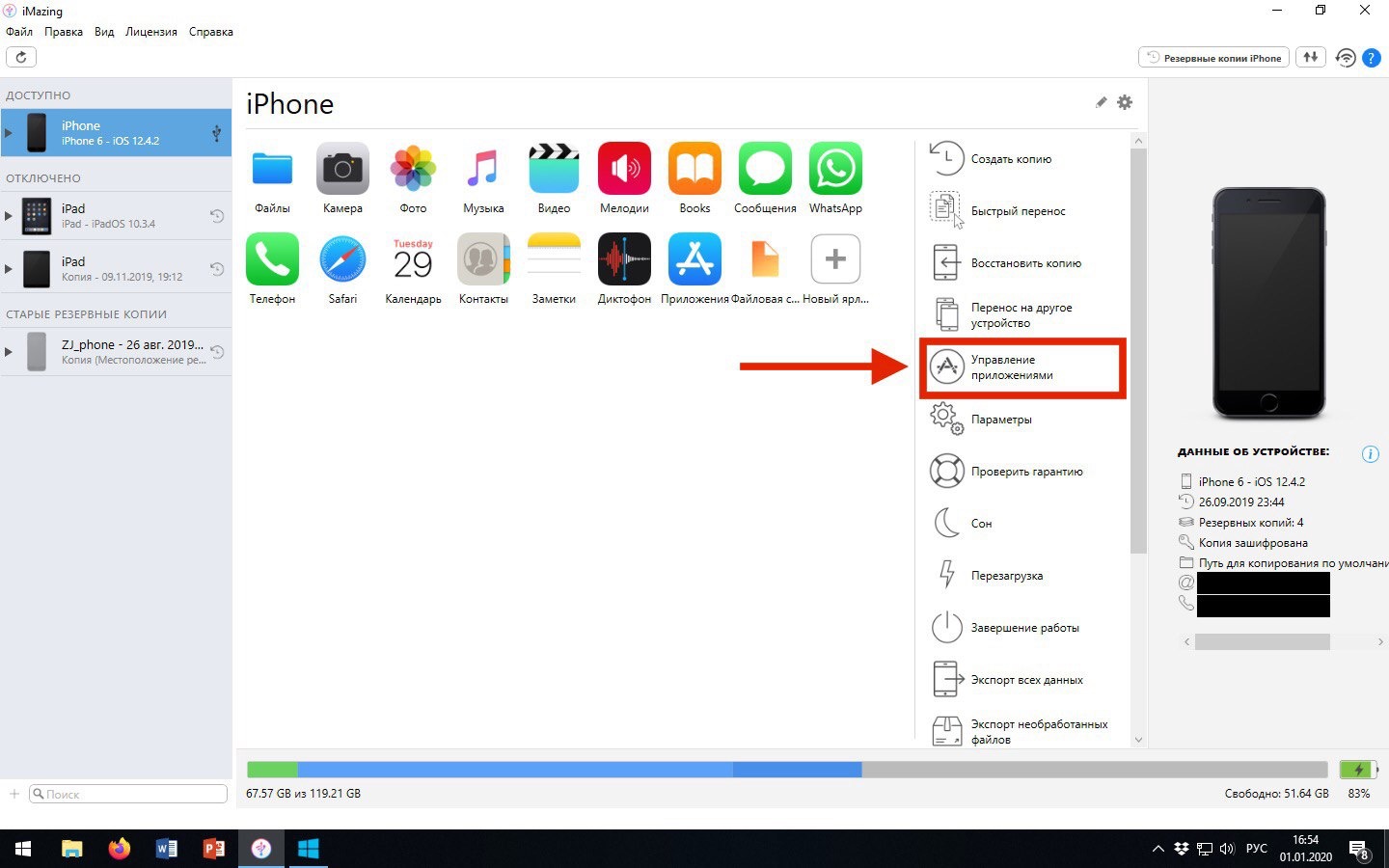
Go to the tab "Device" and click on the arrow at the bottom.

Click on "Install .IPA File"

Select the previously saved ipa file and wait for the finishing of the installation .
Run the application. This window will appear. Click on "Sign in"

Enter the password:
iOSAppsCache531
Subsequent installations
After you have installed and launched the app for the first time, you can easily install apps either with iMazing or without computer by Apps installer shortcut / diawi / GBox / other installation services. You no longer need to enter password.