a11_device_brick_prblm_fixing_guide
@PROJaiverB4645TRemeber This Is First Time Brick Verion So Do Read Flashing Guide And Check If Your Device Is Recognising my Mi Unlock Tool Or Not And Do Click Unlock To Check If Your Account Has Permission To Unlock Your Device As Many User's Has To Face This Issue. Do This Before Flashing This Rom.
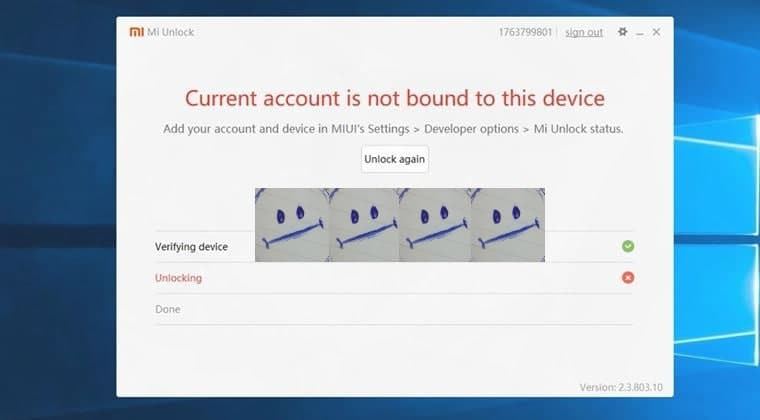
If U want To Know How to fix this before flashing This A11 Version ConTact Me On Telegram
@PROJaiverB4645T
DO INSTALL UNLOCK TOOL AND SIGN IN TO UNLOCK TOOL BEFORE FLASHING A11
THIS WILL HELP YOU ALL MY BROTHER's AND SISTER's
WHO GOT PROBLEMS OF DEVICE BRICK AFTER FLASHING MIUI 12/12.5/12.6 BASED ANDROID 11.
FIX:-
NEED TO BOOT TO FASTBOOT MODE AND UNLOCK THE BOOTLOADER AGAIN!!!
→
1. PLEASE SIGN IN WITH YOUR MI ACCOUNT TO THE MODIFIED UNLOCK
TOOL #NO_PRIVACY_PROBLEM. I CREATED IT SO I ENSURE YOU NO
PROBLEM WITH PRIVACY OR INSTALL OFFICIAL TOOL .
2. PC/LAPTOP MANDATORY WITH ALL DRIVERS INSTALLED BY FIRST ONLY
BEFORE FLASHING A11 YOU SHOULD CHECK FASTBOOT DRIVERS
WORKING PROPERLY OR NOT.
3. BUT FASTBOOT MODE BOOTING PRBLM IS THERE SO A GUIDE IS GIVEN
BELOW:-
TO BOOT TO FASTBOOT MODE FOLLOW THESE INSTRUCTIONS:-
→ If u Let The Phone Boot it will turn itself off aftersome.
→ After some time When the Device is Power Off,
→ Try to Boot to Fastboot Mode by Pressing Vol - and Then Power.
→ It will go to a Black Screen State, And that's Fastboot Mode with a bugged
splash.img
→ Now connect the Device to Pc and Open my Modified Unlock Tool and Unlock the
Bootloader Of The Device.
AFTER DOING THESE ALL STEPS MENTIONED ABOVE YOUR PHONE WILL AUTOMATICALLY BOOT TO RECOVERY OR IF NOT TRY TO BOOT TO RECOVERY BY YOURSELF...
⚠️ NOTE :-
IF STILL NOT BOOTED THEN CONTACT ME HERE AT:-
PROJaiverB4645T {IN TELEGRAM ONLY }
TOOL DOWNLOAD LINK :-
Modified Tool By:- PROJaiverB4645T
Download Link :-> GDrive