ZDSimulator 60.2 — “Toward Commuter Rail”. Part 2
ZDSimulator Team
New Train Physics
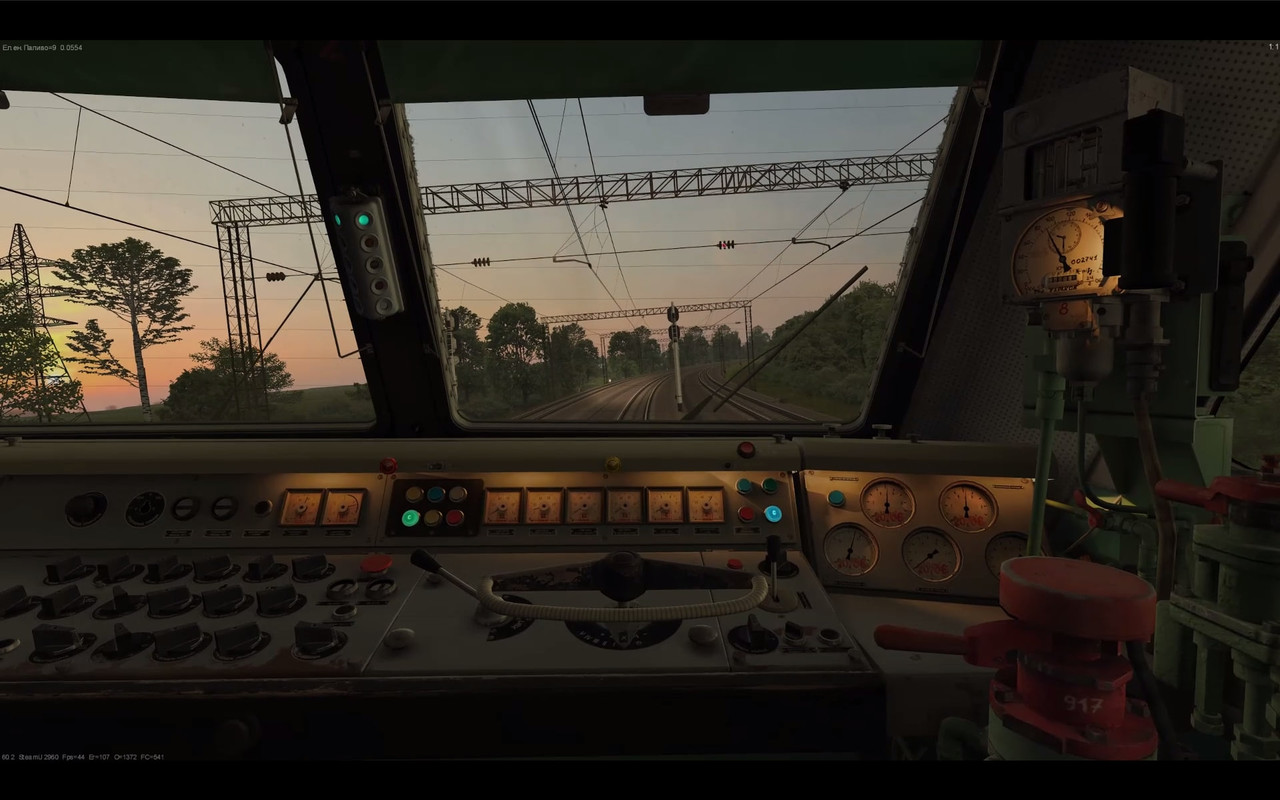
Version 60.2 continues ZDSimulator’s transition toward a system where each individual unit of rolling stock is calculated separately.
The approach to physics, swaying, and train rendering has been unified across the player’s train, traffic, and multiplayer.
A two-point carbody movement system based on the position of each bogie has been implemented.
This allows each car to respond more accurately to the actual track geometry.
Carbody movement along an arc now follows the curve radius, while movement through turnouts and transitions between tracks has been made smoother.
Swaying behavior for cars, doors, and multiple-unit rolling stock has been updated, while wheelset swaying has been disabled.
Rolling stock now tilts when passing through curved sections of track.
Physics smoothing has been increased for single-section locomotives and cars.
The vibration physics of stationary trains has been fixed.
Cab swaying behavior has also been updated to depend on speed.
For external integrations, TractiveForceOverride and the adhesion parameter address AdhesionFi have been added.
Couplers and Train Dynamics
One of the most noticeable physics changes is the new automatic coupler system.
The train no longer behaves like a completely rigidly connected chain.
Cars can now stretch apart under traction and compress during braking or when the train bunches up.
Forces are transmitted between individual units, making the behavior of long trains much more dynamic.
Under high longitudinal loads, a train break can occur.
As a result, the driver must now take into account not only train speed, but also how traction and braking are applied.
The calculation of distances between couplers and the gap logic have been updated.
A coupler impact sound has been added.
Coupler behavior in scenarios has also been updated.
Coupling to cars at the rear of the train has been fixed, including during shunting operations.
Pneumatics and Braking System
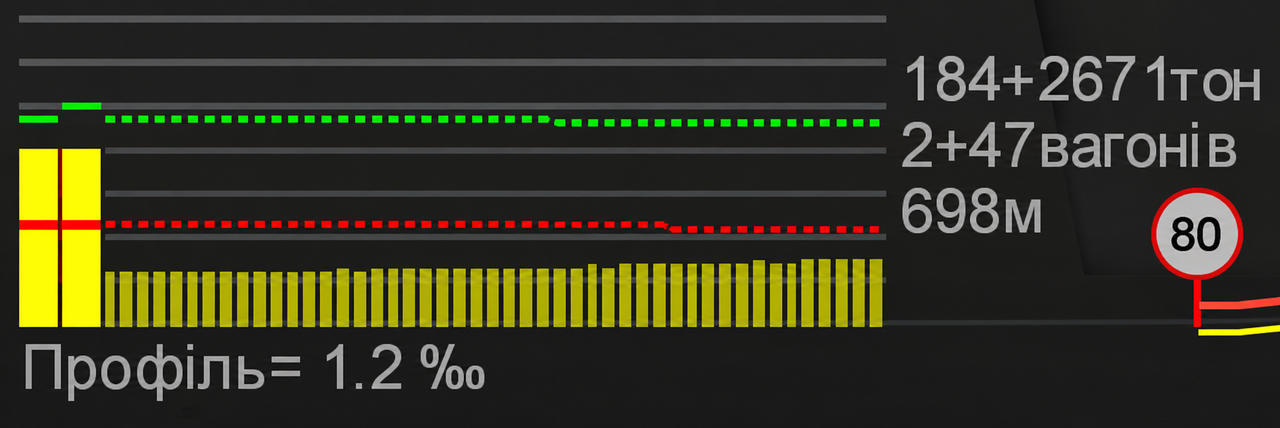
Pneumatics are also moving toward a more detailed simulation model.
The braking system for multiple-unit rolling stock has been updated and partially unified with the braking logic used by conventional trains.
The propagation speed of the brake wave in freight trains has been revised.
The pneumatic diagram now displays each car individually, and its width adapts to longer consists.
Locomotive sections are now shown as well.
At the current stage, the pneumatics of the second section on some rolling stock are temporarily linked to the first section.
Operation of the No. 395 brake valve has been updated, an issue in position 3 has been fixed, and excessive pressure buildup in the main reservoir has been eliminated.
A dedicated tooltip and air-release sound have also been added for an open end cock.
Derailment
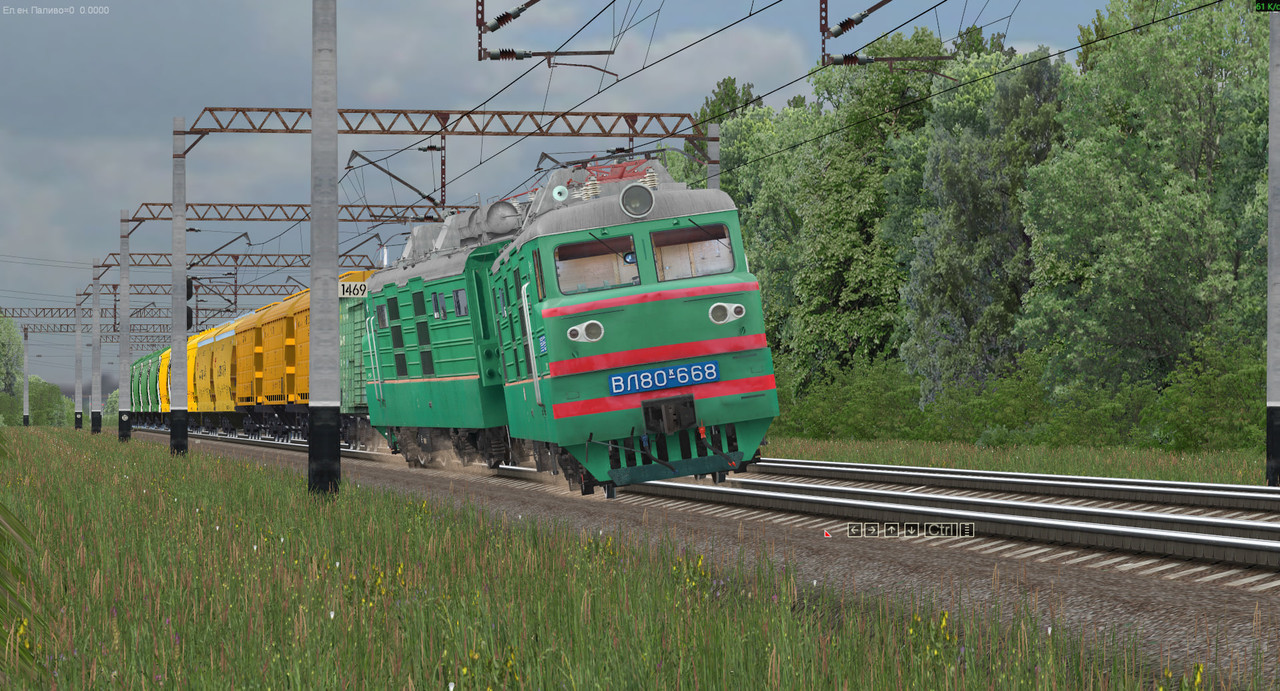
The physical and visual model of rolling stock derailment has also been updated.
During a derailment, the system now takes into account the new positions of the wheels and carbody, as well as updated train orientation angles.
Brake hose separation has been added.
The cause and conditions of a derailment can now be recorded in logs for further diagnostics.
Behavior at rail joints and the drop angle over them have also been updated.
Next-Generation Traffic
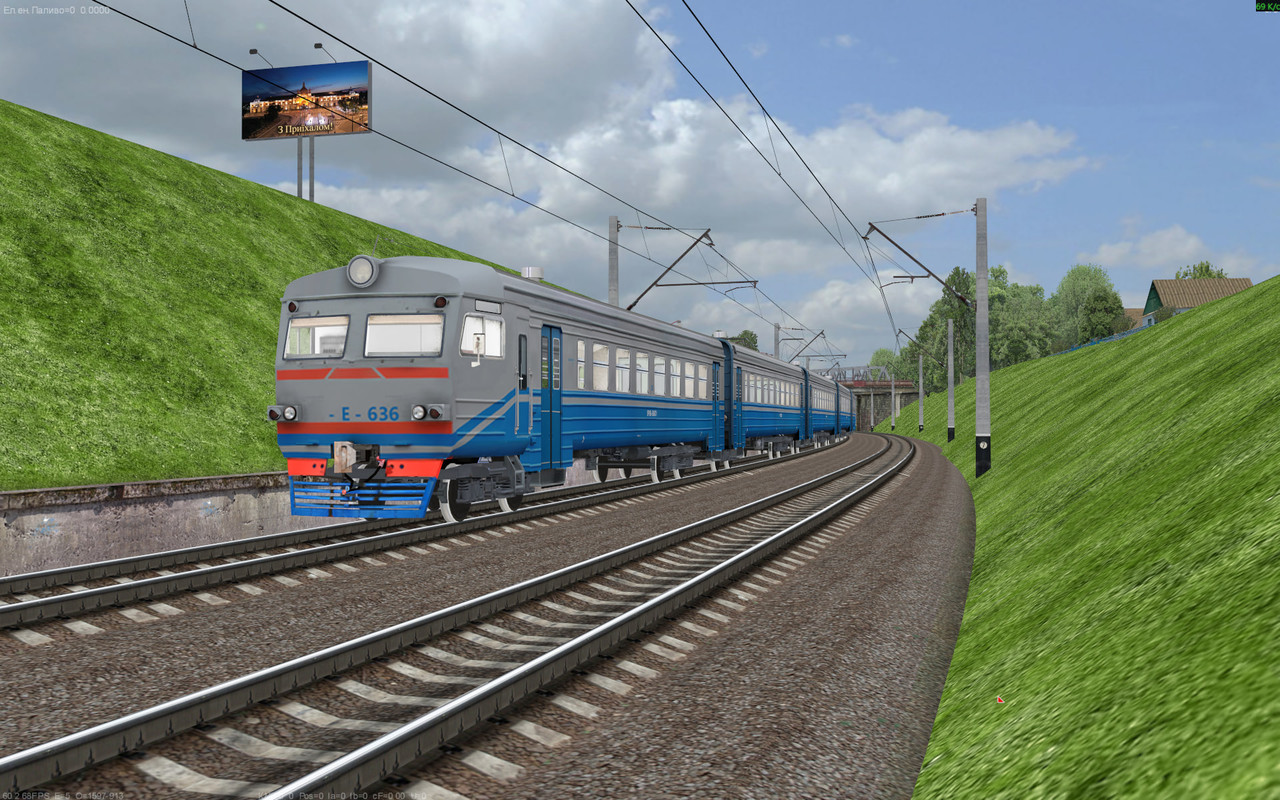
Version 60.2 significantly expands the capabilities of traffic.
Cars now support semi-transparency via _alpha.
If *_alpha.dmd and *_alpha.tga models and textures are available, an additional transparent layer is rendered over the main model.
The same system can also be used for multiple-unit rolling stock implemented through car models.
Support for separate illuminated interiors via *_light has also been added.
Traffic now supports:
- wheelset rotation;
- interior lighting;
- animated doors;
- rear running lights;
- separate light and tail-light models.
The running gear description in traffic.ref has been expanded. WheelType, AxesCount, and WheelOffsets are now used, while the axle listing format has also been updated. Freight car weight parameters have been revised as well: for tank cars, covered wagons, refrigerated cars, and hoppers, a paired/unpaired loading system has been introduced — even-numbered cars are loaded, while odd-numbered cars are empty.
Door behavior uses the DoorsShift and DoorsOpenTime parameters.
The obsolete TailLightOffset parameter has been removed.
The transition distance for cars to switch to LOD has been set to 150 meters.
The preloading mechanism for oncoming traffic has been updated, along with its rendering, fallback models, and preview sources.
Traffic leader waiting logic has been added so that traffic in a waiting state no longer blocks signals.
The traffic database has been synchronized with a more up-to-date content database.
The cup_wagon and plac_wagon cars have been updated, along with the ER9E and ED9M multiple-unit cars.
New Rendering and LOD System
.jpg)
Train, traffic, and multiplayer rendering are gradually being unified.
LOD distances have been updated, and individual car components can now be progressively disabled depending on distance.
Window rendering has been optimized.
Culling of invisible objects has been added, while culling behavior for large models has also been adjusted.
Map objects now support the [alpha] attribute.
The alpha channel system for trees and route objects has also been migrated to the updated implementation.
Some external locomotive elements, bogies, shadows, models, and textures have been moved into the new configuration structure.
Lighting
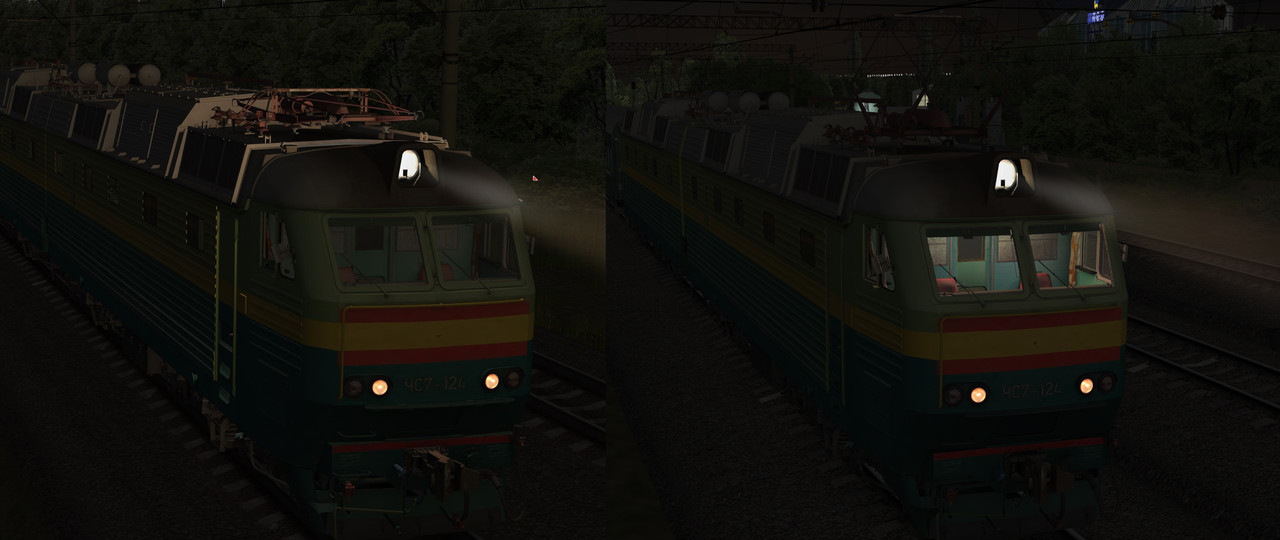
The lighting system has received a large number of improvements.
For cab light sources, a new Radius parameter has been added to config.ini, with corresponding radius values added to rolling stock configurations.
Cab lighting is now processed separately for the interior and for the cab glazing.
Glass shadows have been configured for selected locomotives.
External cab lighting has also been updated so that it no longer causes incorrect illumination of the surrounding environment.
Street lights are dimmed by approximately 60% when viewed from inside the cab.
The sorting and fading of street light sources based on distance have been updated.
Sunlight and its overall balance have also been revised: the cab now appears visually darker than the outside environment. Sun intensity, wagon shadows, and night textures have also been updated.
The headlight can now project light not only onto surrounding objects and traffic, but also onto the player’s own train.
Mirrors
The rear-view mirrors have undergone a significant overhaul.
Mirror zooming has been disabled.
The mirror housing is now rendered at all times.
Mirrors can now be assigned their own dedicated textures.
Rendering of the carbody and second locomotive section has been updated, along with mirror lighting and glow when operating from the second cab.
Mirrors can now display traffic and multiplayer trains.
The mirror image refresh rate has also been optimized.
Camera and Second Cab
In version 60.2, the cab-switching system continues to be reworked.
When operating from the second cab, the camera is oriented toward the train.
For some locomotives, the second cab can reuse elements from the first cab, while the single-cab TEM18DM has a dedicated exception.
Permanent rendering of all cabs has been enabled.
Camera dimensions and movement limits have been moved into locomotive configuration files.
Train camera smoothing has been added.
The new Follow Angle mode is enabled with:
Ctrl+Shift+Num/
The abrupt camera rotation that occurred when the cursor moved beyond the screen boundaries has also been eliminated, and interpolation while operating from the second cab has been updated.
When switching cabs, the train’s physics and geometry are now correctly reversed, ensuring that the direction of physical calculations and the position of the rolling stock correspond to the new driving direction.
Pantograph selection when operating from the second cab has also been fixed.
Signaling
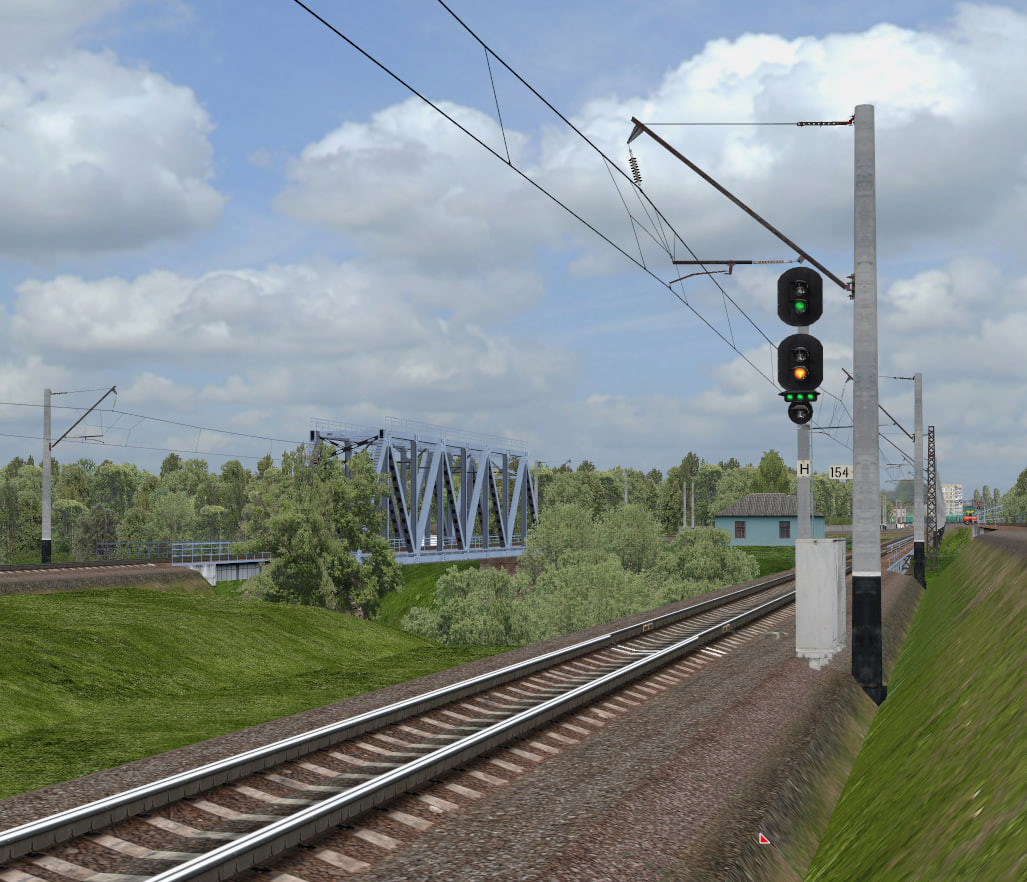
The signaling system now includes the following aspect:
flashing green + yellow + green light strip.
The P flag is used to enable this aspect.
The logic of the green signal strip and its illumination has been updated.
The transparency of shunting signals, signal alpha channels, and lens scaling depending on FOV have also been revised.
Signal plate lighting has been updated as well.
Rear signal lights can now operate not only at night.
Multiplayer
In addition to the completely redesigned sound environment, multiplayer receives a number of internal improvements.
Interpolation of other players’ trains has been improved.
Rendering of single- and dual-section locomotives, complete consists, and multiple-unit rolling stock has been updated.
Traffic and multiplayer trains are now visible in mirrors.
Quick commands have been enabled for administrators.
The MPTrafficNearestSvistok variable has been added.
The multiplayer relocation command has been fixed.
Multiple instances of the simulator can now also be launched simultaneously.
Launcher and New Startup Parameters
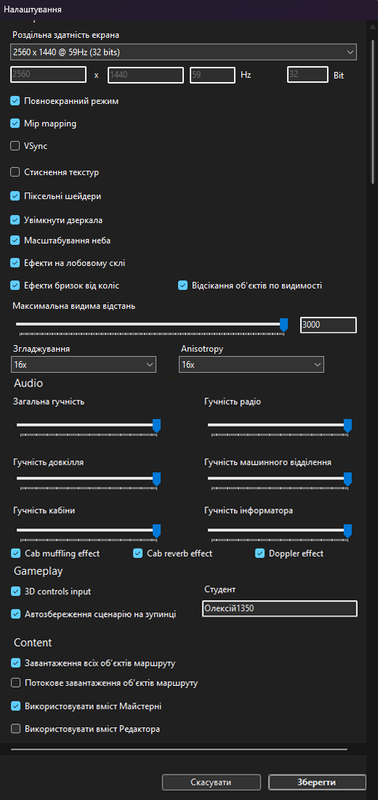
The 60.2 launcher receives not only internal fixes, but also several important settings that directly affect how the simulator operates.
The settings window has been refined: a number of display and interface behavior issues have been resolved, while parameter names and labels have been corrected to make their purpose clearer to the user. Train option reloading has also been fixed — after changing rolling stock or related settings, the launcher now correctly refreshes the required options.
A new branch offset parameter has also been added, expanding the possibilities for working with the corresponding route settings. For multiplayer, a dialog has been introduced to restore the position and parameters of the previous MP session, while the scenario autosave system can now correctly recover after the game is interrupted.
Switching from multiple-unit rolling stock to a conventional locomotive in the launcher has been fixed — previously, after selecting an EMU or other multiple-unit stock, switching back to a locomotive could behave incorrectly. Separate volume controls for the radio and passenger information system have also been added, allowing these audio systems to be adjusted independently from the game’s master volume.
Control configuration has also been expanded: supported functions can now have their keys assigned directly through the launcher. Localization has been improved as well, with a number of missing translations added and several untranslated or incorrectly labeled interface elements corrected.
The main new option is experimental streaming of route objects.
Instead of keeping the entire route permanently loaded in RAM, resources are loaded and unloaded as needed.
This significantly reduces memory usage and makes it more comfortable to work with longer and more content-dense routes.
For streaming mode, loading package size, world rendering, and mirror operation have been optimized, while overall route loading time has also been reduced.
Streaming mode remains experimental: because resources are loaded and unloaded dynamically while driving, brief stutters may still occur.
The second mode allows users to load all route objects immediately when the simulator starts.
This requires more RAM, but reduces the need to load additional resources during the journey.
Users can choose the mode that best suits their computer’s specifications and the particular route being used.
Additional image quality settings are available:
anti-aliasing and anisotropic filtering.
This allows image quality and performance to be balanced independently.
A “consist/car” filter has been added, along with quick launch via Ctrl+Enter and display of the selected locomotive in the preview.
The launcher now remembers the repaint number and car type.
The background has been removed from car previews.
The list of available cars, locked-field behavior, and interface response to language changes and Workshop settings have been updated.
A translation for the “snow” parameter and the Steam tag #informator have been added.
Steam language detection on first launch has been fixed.
Loading of multiple-unit stations in the launcher has been fixed.
A bug has been fixed where, after restarting the launcher, rolling stock with an incompatible current system could be selected for a route.
Train weight is now correctly passed from the launcher.
When launching the simulator, the consist specified in startup.ini now takes priority over the consist defined in the consist configuration.
Scenarios and Consists
Train loading and scenario state recovery have been updated. Scenario recovery from autosave has also been added.
Shunting scenario startup has been fixed.
The position of scenario pop-up messages has been corrected.
Consists with zero cars are now supported.
The number of cars in consists can now be changed.
The minimum permitted number of cars for multiple-unit rolling stock has been refined.
The maximum car count limit has been removed.
The message shown when saving a scenario has been simplified.
Scenario handling has also been updated to work correctly with the new coupler physics.
EPT and Locomotive Systems
A separate option to disable EPT has been added.
EPBCustomSwitch has been updated.
EPT logic has been added for the 2ES4K.
For the ES4K, EPT operation has been updated, a traction reset hotkey has been added, and the MPSU HUD has been implemented.
For integration with the sound system, the following addresses have been added:
EPKSvistActive
EPKSrivActive
Service addresses for traffic, compressors, and the sound plugin have also been exported.
Locomotive Configuration
Version 60.2 significantly changes the internal structure of locomotive configuration files.
config.ini now supports cascading loading of individual elements, eliminating the need to reload the entire configuration every time.
The Smooth property has been moved from config.ini to the [smooth] attribute in objects.ref.
Dynamic locomotive elements have been converted to three-axis operation. A shared DrawRotatable3_Lerp implementation is now used for controls.
SectionLength, cab camera parameters, and light source radii have been moved into config.ini.
The [cull_front] attribute has been added to objects.ref for front-face culling.
External locomotive elements, bogies, shadows, the cab, control desk, and buffer lights are gradually being migrated to a unified configuration structure.
Additional textures and models have been moved to objects.ref and objects.livery.ref.
Buffer light naming in configuration files has been standardized.
Buffer Lights
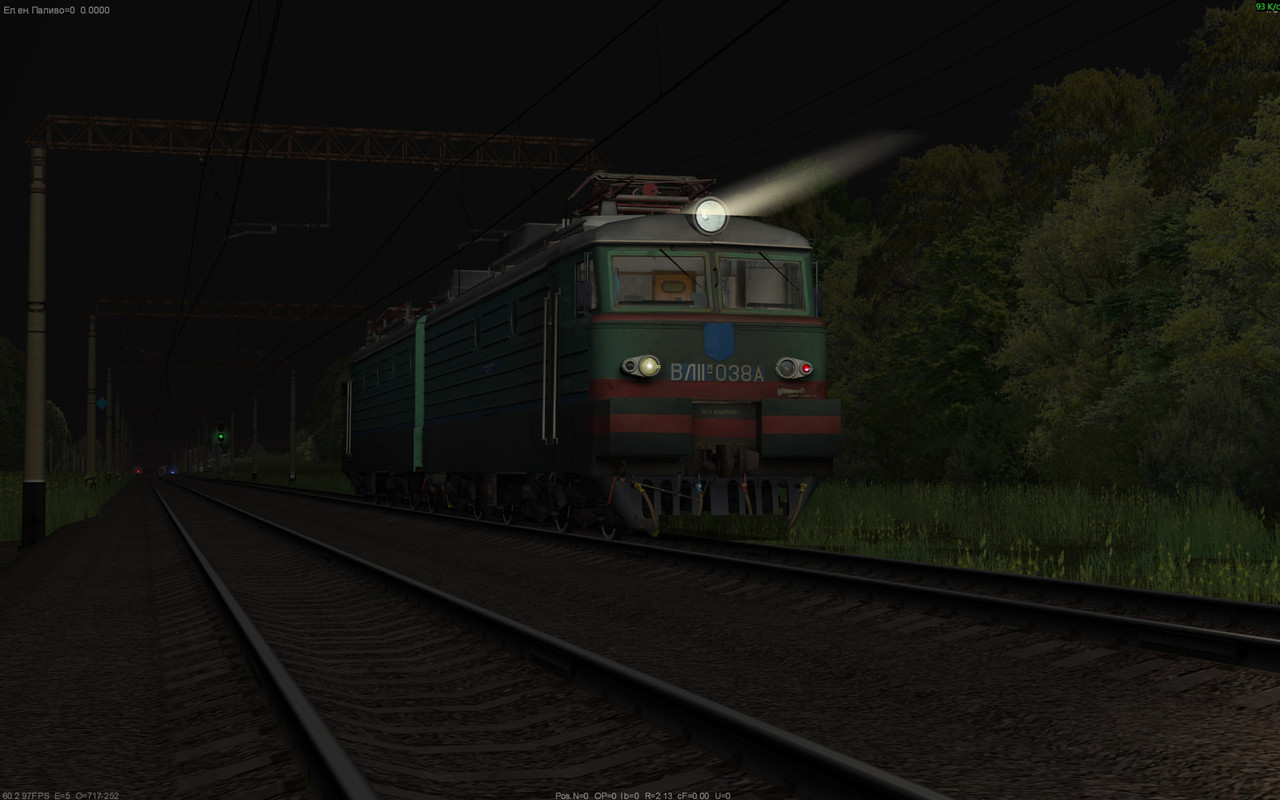
In version 60.2, the buffer light system has been generally unified.
Buffer light support has been added and updated across the entire locomotive fleet, with configurations brought into a common format.
As a result, the same logic no longer needs to be implemented separately for each locomotive.
Locomotive Config Editor
The Locomotive Config Editor has also received its own update.
Property grouping has been added.
A configuration validation command is now available.
Authors can specify which elements should be included in a repaint.
Handling of empty objects has also been updated.
Updates to Existing Rolling Stock
In addition to the new ER9E, version 60.2 introduces a major set of improvements for the existing rolling stock fleet. The work affects not only models and configurations, but also traction characteristics, controls, lighting, sound, rendering of individual sections, and compatibility with the simulator’s new systems.
ChS7
The ChS7 has received one of the largest improvement packages among the existing electric locomotives. Traction motor volume has been increased, instrument illumination has been updated, and PSS logic has been revised. The PSS brightness regulator no longer affects the pass indicator lamp, separating its operation from the system’s overall brightness control.
The second pantograph, speedometer position, external elements of the second section, and rendering of carbody elements in the mirrors have been updated. The cyclic triggering of the main circuit breaker has also been eliminated, and axle load preloading has been implemented.
Weight parameters for the ChS7 and ChS7KVR have been updated. In the traction system, the revers_unlock logic during traction circuit and electric braking circuit assembly/disassembly has been revised, while ChS7 tractive effort at high currents has also been corrected.
For repaint authors, support for front-face culling has been added, allowing individual external carbody elements to be handled more correctly.
ChS8
For the ChS8, weight parameters, locomotive position, section length, and the height of the second section have been updated. The cab and carbody have also been refined, along with control desk lighting, instrument illumination, and the skor model.
Special attention has been given to cab interaction: the position and operation of controls, as well as the PS indicator lamps, have been corrected. This brings ChS8 cab elements in line with the updated 3D control system and the broader rolling stock configuration changes.
ChS4 / ChS4KVR
The ChS4 has received updated control desk lighting, configuration files, and models. The operation of locomotive_signal has also been refined, while the 3D click zone for the reverser has been fixed so that interaction works correctly through the updated 3D control system.
For the ChS4KVR, the configuration, textures, and carbody have been updated, while the headlight and skor model have also been refined. The fan selector switch has also been fixed.
VL11M
For the VL11M, the window model and headlight have been updated, along with KLUB and windshield wiper operation. Duplicate rendering of the machine room, which could occur because of the locomotive element rendering system, has also been eliminated.
VL80
The VL80 series has received updated sound design and configurations. Mouse interaction with the main circuit breaker has been fixed, and a left-side cab window has been added.
For the VL80K, the model position, Section B, and end cab windows have been updated separately. For the VL80T, models, configuration files, and the skor texture have been updated.
VL82M
The VL82M has received updated configurations and models. The previous maximum speed restriction has also been removed, as it could limit locomotive operation regardless of other movement parameters.
VL85
The VL85 has been adapted to the current rolling stock structure: its configurations and models have been updated to ensure correct operation with the system-level changes introduced in version 60.2.
2TE10U / 2TE10M
The 2TE10 family has received updated models and configurations. On the 2TE10U, UKBM logic and radiator louver operation have been refined, while the positions of cab controls have also been corrected.
For the 2TE10M, the locomotive_signal position has been updated separately so that the signal source correctly corresponds to the locomotive’s position.
ER9E
For the ER9E, tractive effort while acceleration_limiter_switch is active has been corrected. The change affects traction characteristic calculations when the acceleration limiter is enabled.
2M62
The 2M62 has received an updated carbody and second cab. This brings the locomotive in line with the revised rendering system and second-cab handling introduced in version 60.2.
TEP70 / TEP70BS
The TEP70 has received updated configurations and models, as well as revised traction parameters. The TEP70BS additionally receives a dedicated cab_light model used by the new cab lighting system.
TEM18DM
The TEM18DM has received an updated configuration and support for the new cab-switching system. Its single-cab design is handled as a dedicated exception within the general cab-switching logic.
EP1M
The EP1M has received updated configurations, models, and carbody elements. The locomotive has been adapted to the current configuration structure and rendering systems of version 60.2.
2EL4
The 2EL4 has received updated configurations, models, and cab elements. These changes bring it in line with the requirements of the new locomotive configuration structure.
2ES4K
The 2ES4K has received updated configurations and models. The EPT system and MPSU HUD have also been refined, while the new EPT logic has been integrated with the locomotive’s other system changes.
2ES5K
The 2ES5K has received updated configurations and models, adapting the locomotive to the system-level changes introduced in version 60.2.
ChS2K
The ChS2K has also received updated configurations and models, bringing its content into line with the current version 60.2 format.
Graphics
The overall shadow system and sunlight intensity have been updated.
Rain droplets, dust particles, and rain rendering on locomotive sections have been updated.
Issues where individual objects or approaching trains could be incorrectly darkened depending on distance have been eliminated.
Night textures and the color of exterior glazing have been updated.
Wagon shadows have been updated.
An issue where an invalid model could result in a completely black screen has been fixed.
3D font handling has been updated for Windows systems without code page 1251.
Performance and Stability
The maximum frame rate (FPS) limit has been removed.
Train rendering and camera movement have been made smoother.
Rendering of the train, windows, traffic, mirrors, and streamed world loading has been optimized.
The frequency of 3D mouse position polling has been reduced.
When the cursor is positioned over an interactive 3D element, its update rate is instead increased.
Route loading time and streaming package size have been optimized.
Handling of world-origin offsets has been updated.
Minidump collection in the event of errors, log saving during crashes, and train logging have been fixed.
The game should no longer automatically terminate after certain errors in the main game loop, allowing more diagnostic information to be collected.
ForceCalcBlock has been added for external simulator hardware integrations.
Interface and Service Diagnostics
The track/km diagnostic information in the HUD has been updated.
It now displays:
T — current track;
R — distance in meters from the beginning of the route;
S — distance in meters from the starting point.
The instructor screen, brake test marker in the route profile, and brake valve color in the interface have been updated.
The in-cab vigilance indication in the HUD has been removed.
The F9 Set Train command has been disabled for multiple-unit rolling stock.
Alt key handling has been updated.
Separate input settings have been added.
New and Updated Keyboard Shortcuts
Ctrl+Shift+U — quickly uncouple the locomotive from the consist.
Ctrl+Shift+T — force open the left-side train doors.
Ctrl+Shift+Y — force open the right-side train doors.
Ctrl+Shift+C — global cab change.
Ctrl+Alt+Down — rewind time.
Ctrl+Shift+Num/ — Follow Angle camera mode.
The ChS4 also receives dedicated hotkeys for controlling the buffer lights.
The console has also received an expanded set of quick-access and navigation commands.
Content Editor
The Content Editor now supports importing TWS passenger information systems.
This makes it possible to load and prepare new passenger announcement sets directly through ZDSimulator’s own tools.
Infrastructure and Internal Changes
The Strips build and supporting utilities have been updated.
The default save directory has been moved to user data.
Editor icons have been updated.
Logging, crash dump handling, and other internal service mechanisms required for diagnosing issues during further simulator development have also been improved.
Summary
ZDSimulator 60.2 “Toward Commuter Rail” is an update that combines new content with fundamental technical changes.
Its main symbol is the new ER9E, appearing in the simulator for the first time as a separate DLC.
The second centerpiece of the release is the complete Shepetivka — Lviv route. For users who already own all required DLCs, the Shepetivka — Krasne route will be upgraded to it automatically.
Kyiv — Vasylkiv-2 also joins the DLC catalog — a route with a supported passenger information system that is well suited for the ER9E and ED9M and may receive a multiplayer control panel in the future.
Another new official DLC is Košice — Uzhhorod — an international SRT-format route between Uzhhorod-2 station and the steelworks in Haniska. It introduces a cross-border railway corridor between Ukraine and Slovakia and expands ZDSimulator’s geography beyond Ukraine.
The new passenger information system introduces full passenger announcements, SOVI and TWS support, separate station lists, and the ability to integrate announcements directly into scenarios and routes.
The completely reworked sound system allows each car and individual mechanism to be positioned more accurately in 3D space, while locomotives in multiplayer now use their own distinctive horns and whistles.
The redesigned coupler physics allows the train to stretch and compress, and under excessive dynamic loads, even to break apart.
Streaming loading opens the way for larger routes while reducing RAM usage.
Version 60.2 is a major step toward commuter rail operations — and at the same time, a foundation for the next stage of ZDSimulator’s development.