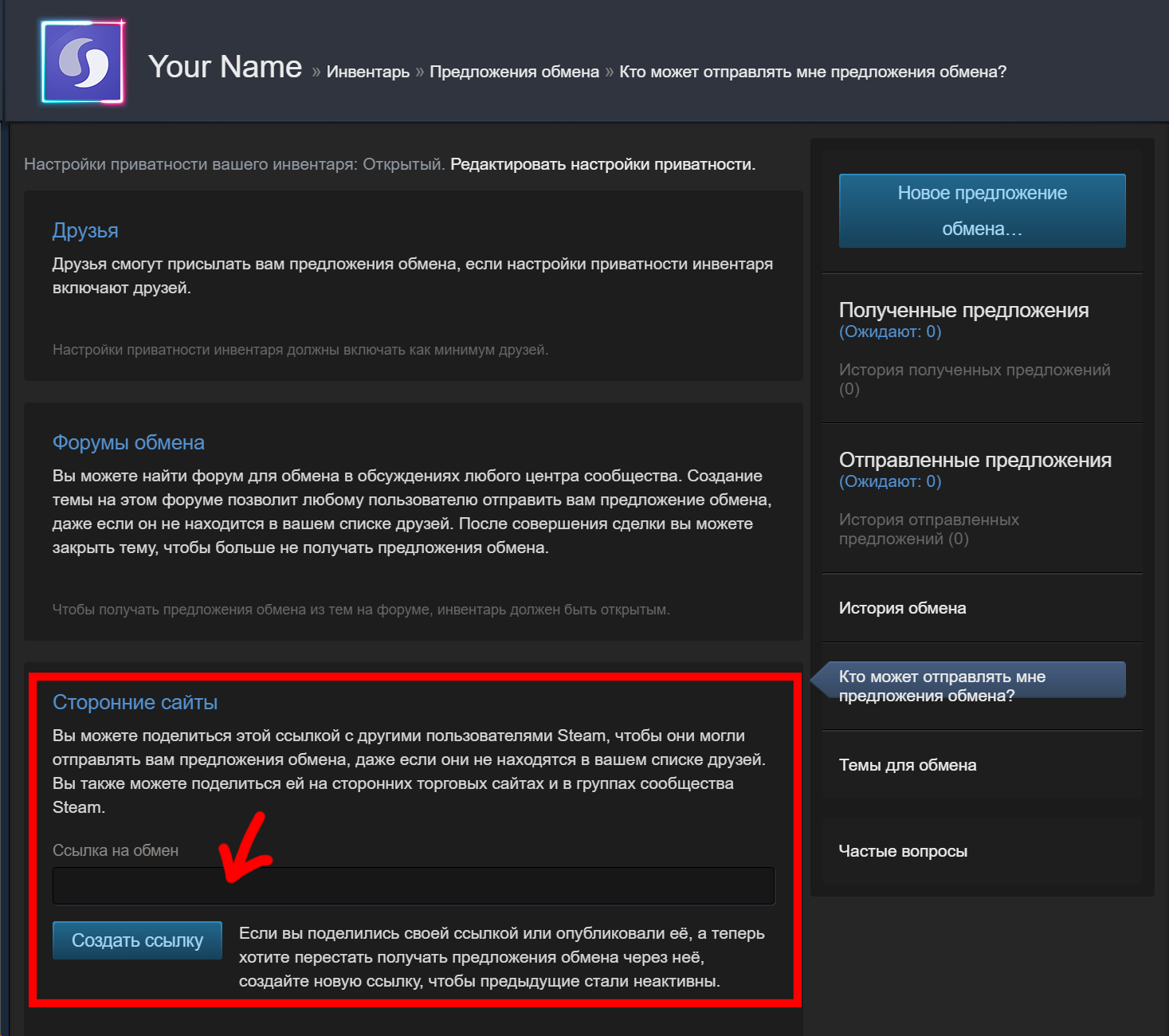
Where do I get my Trade Link?
Steamify Contact1) Open the Steam client;
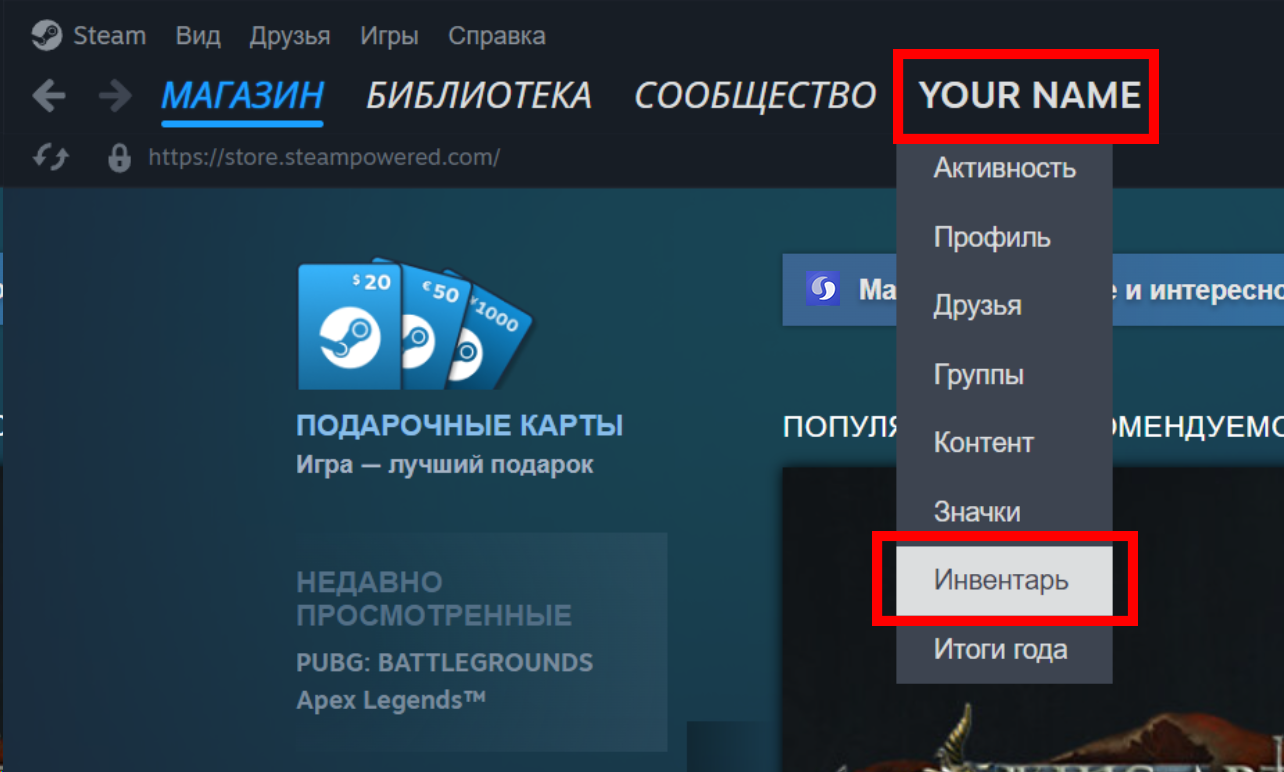
2) Hover over your login in the upper corner. Click "Inventory" in the drop-down menu;
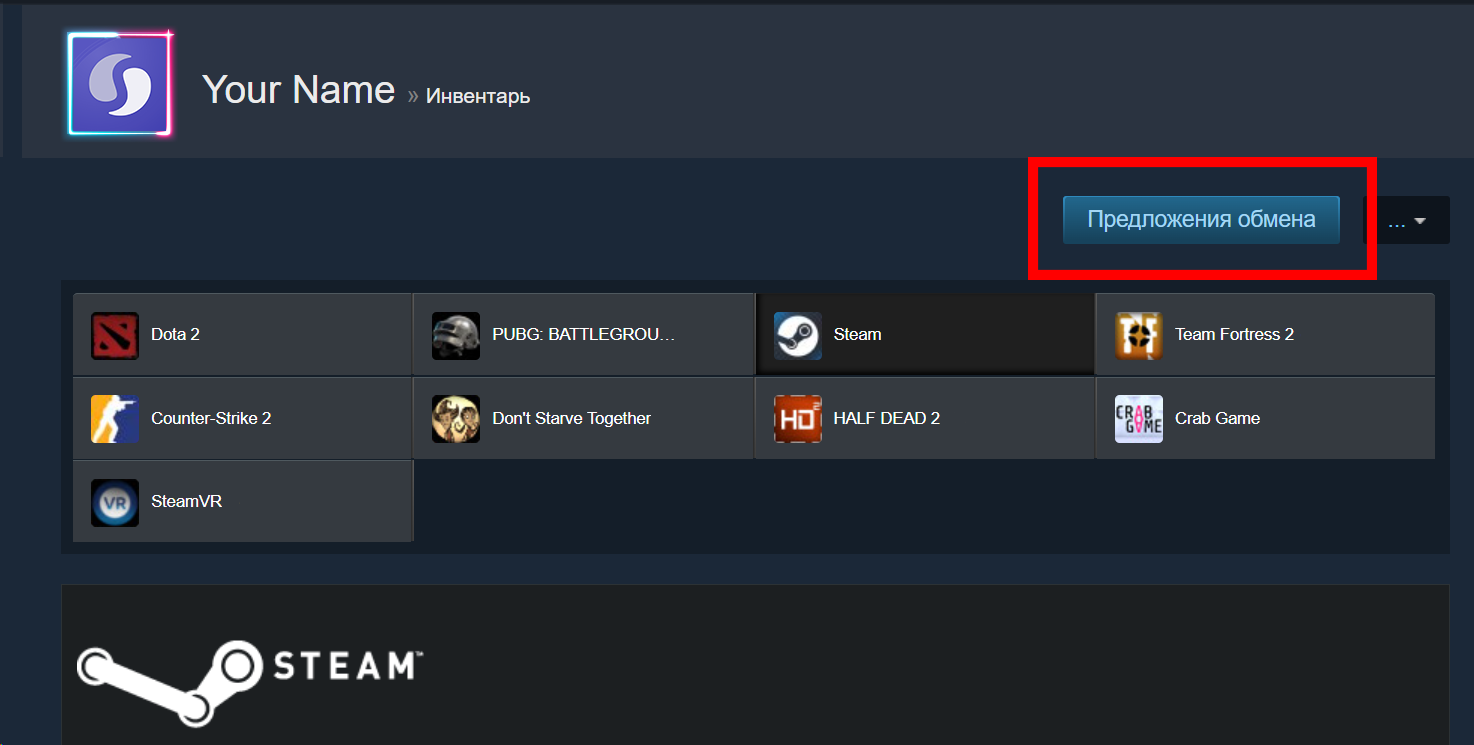
3) In your inventory, click "Trade Offers"
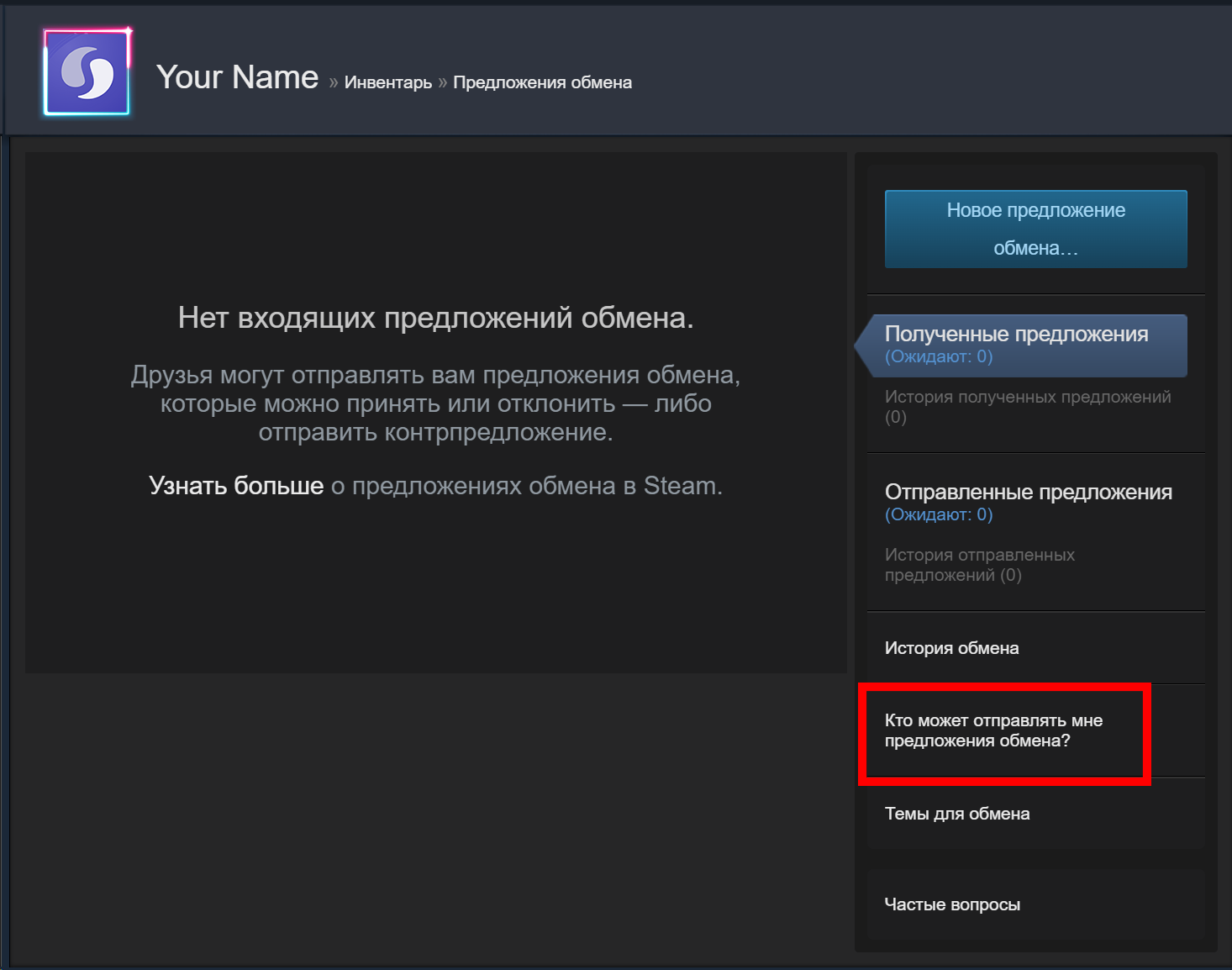
4) Next, click on "Who can send me trade offers?"
5) Create the link at the bottom of the "Third Party Sites" section.