WadBot 5.3 Free Version
L9 GANG XDDInstallation Guide
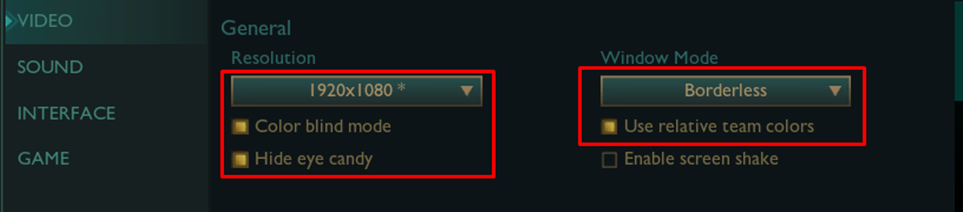
To use WadBot, you need to set your resolution to 1080p
- If your resolution is higher than 1920 x 1080, simply change this in display settings.
- if your resolution is lower you can add a custom res in AMD/NVIDIA control panel.
Before continuing to the next page, make sure you have DirectX installed.
Click Here
Set up WadBot correctly so you are prepared before entering a ranked game.
1. Create a new folder anywhere
2. Download WadBot
3. Move the .exe into the folder you just created.
If you are paranoid you can use a USB stick and run the .exe from there.
- after running the .exe you can unmount/unplug the USB
- keep in mind you won't be able to save your config after you unplug so do that first.
if you don't have a USB It should be possible to use a software called RAMDISK
Open LoL Client
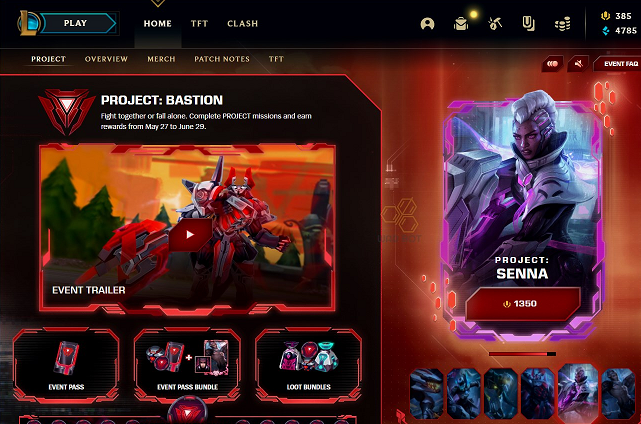
Make sure you are not in-game.
Open WadBot
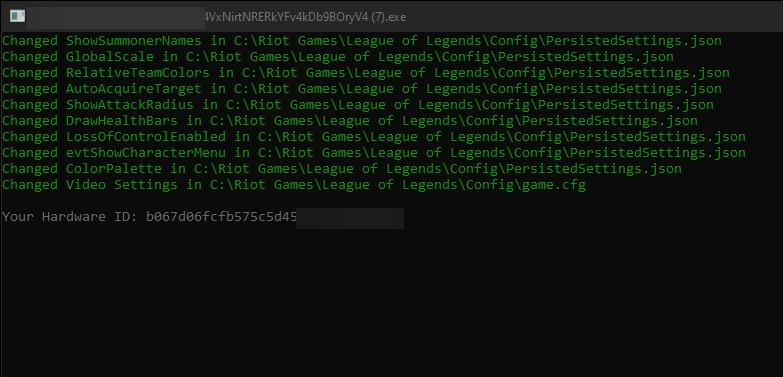
if WadBot asks for a LoL Config directory, select your active LoL Directory config folder.
Example ?:/Riot Games/League of Legends/Config/
This file path will be saved inside ConfigPath.txt
If you, for whatever reason don't want WadBot to apply settings automatically, you can create an empty file called ConfigPath.txt
How to load a WadBot Config
move the config.txt file to the same directory/folder as the WadBot executable.
- The config will automatically load/apply on WadBot launch.
- It can also be loaded manually from within the F10 menu (config -> load).
Where is my WadBot directory?
- if you downloaded WadBot and it's in your Download folder that means your WadBot directory is your download folder/directory because that's where the .exe is located.
Get into practice tool and test WadBot to make sure it works before entering a real game.
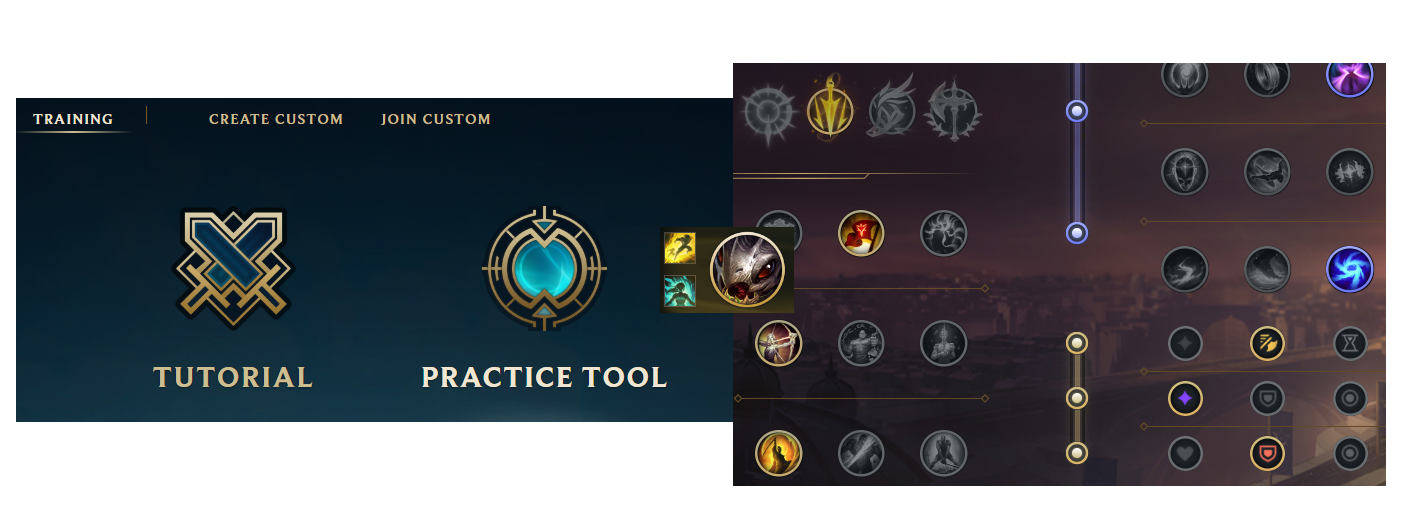
Check if WadBot works properly
Give yourself gold, levels and items then place a dummy and hold spacebar.
F10 will open the WadBot menu.
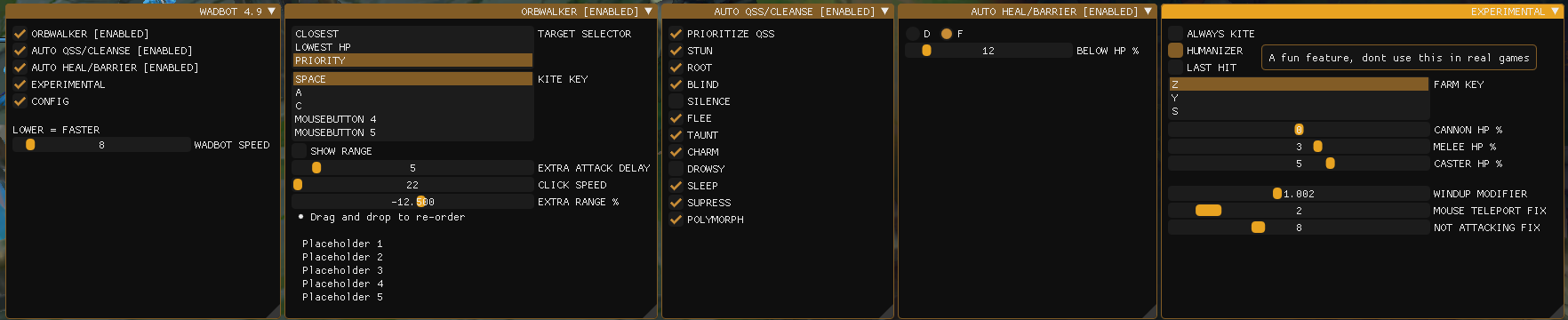
WadBot Troubleshooting
Common issues with WadBot.
WadBot doesn't auto attack at all.
Some times, WadBot won't apply LoL settings automatically.
To fix the issue:
- 1.Exit Practice tool.
- 2.Restart WadBot.
- 3.Go back into practice tool.
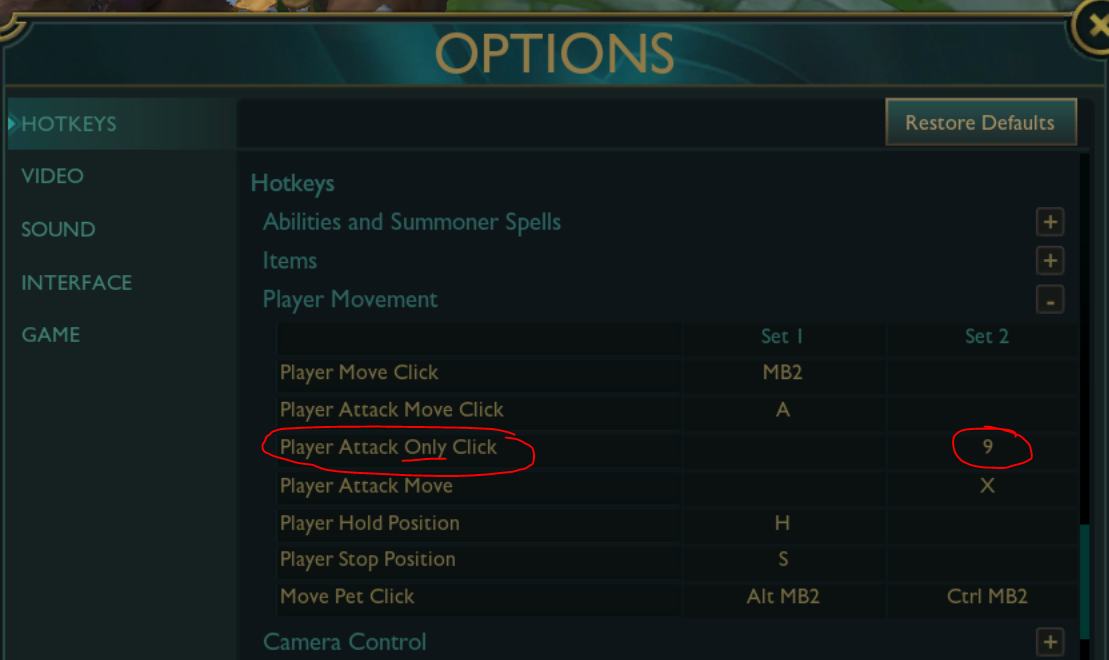
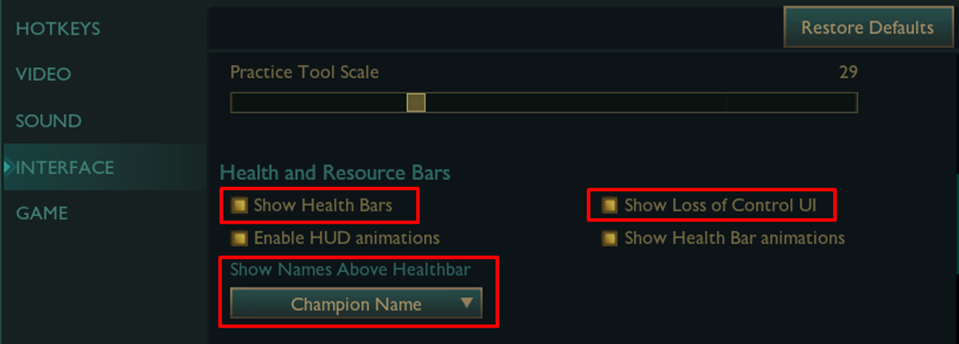
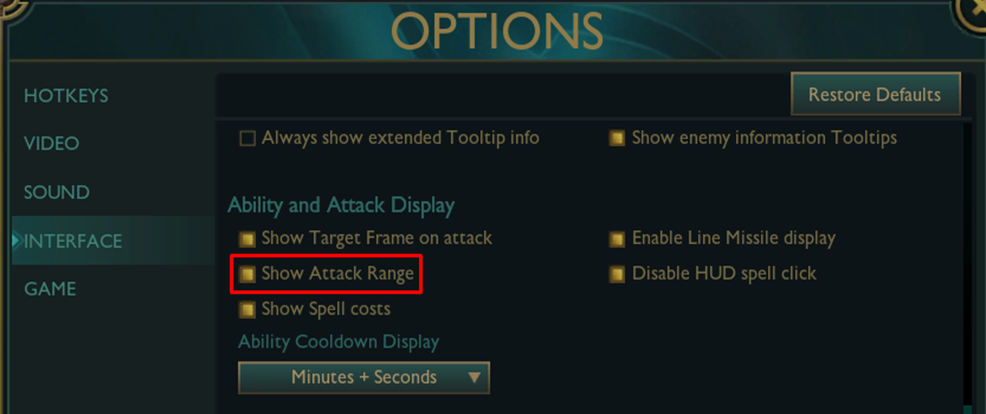
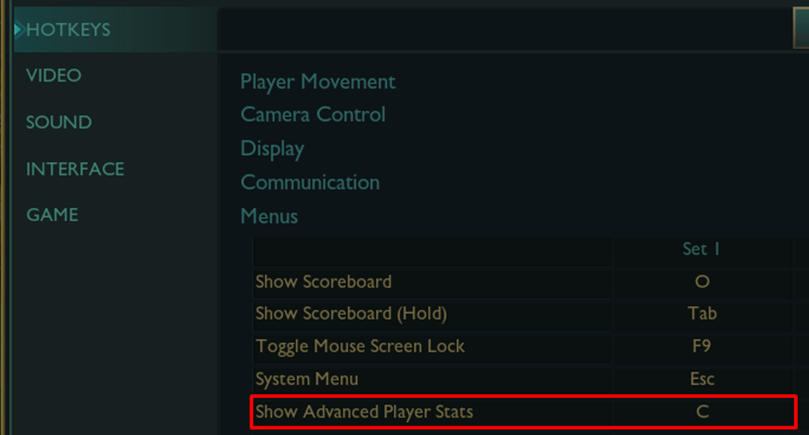
Settings should now be applied. Make sure all the text is green.
Additional possible solutions for this issue:
- Enable Legacy Scanner in the F10 menu.
- change LoL language to English.
- reset AMD/NVIDIA settings to factory defaults. Remove image sharpening.
- check if wadbot is closed or if there's a completely black screen. If so, read below.
The WadBot terminal closes instantly or the terminal is completely black
For version 5.4 or above
This is an easy fix since we added automatic troubleshooting in version 5.4.
- 1.Open a ticket
- 2.send the "error.txt" file created in the same directory as the exe.
- 3.wait for a response where we will tell you what to do.
Common drivers/dll's/software that interferes with WadBot.
First of all, create a new folder with only WadBot inside and try again.
Uninstall these if you have them installed on your PC:
- Apple software (Bonjour Service etc..)
- ASUS software; framework, motherboard, AURA blah blah. mostly useless
- Razer Cortex / Razer Kraken and ManOWar drivers
- Nahimic Audio Driver
- BitDefender / BullGuard / Norton Antivirus / Windows Defender / ESET
- PlaysTV / Raptr
- Sonic Radar / Studio 2 (Common on ASUS computers)
- Steel Series headset drivers (SSAudioOSD.dll, SSAudioDevProps.dll)
- Alienware\AWSoundCenter\UserInterface\x64\AWSoundCenterDevProps.dll
- MSI Afterburner / RivaTuner / FPS Counter/Overlay/Overclocking Apps
If you have none of these apps installed, open a ticket in our discord.
- send the error.txt file.
Why doesn't WadBot work with these applications installed?
- The reason why WadBot doesn't load is because these apps try to hook/inject into WadBot and we can't allow that for security reasons. These are the repercussions of reverse engineering. Speaking of cracked WadBot, cracked 5.1 and below is now blacklisted by riot. Don't come to my chat and complain about getting banned after using cracked 5.1
You can use 5.0 if you are unable to identify what software is causing this issue..
If you're looking for an antivirus that doesn't interfere with WadBot, i recommend Kaspersky Anti-Virus. It's one of the best, if not the best home antivirus out there.
My monitor is not 1920 x 1080
- change resolution to 1920 x 1080 in Windows Display settings.
- create a custom resolution in NVIDIA control panel or AMD (use google).
- if you have intel you can try custom resolution utility.
Auto QSS Doesn't work
- make sure Auto QSS/Cleanse is Enabled .
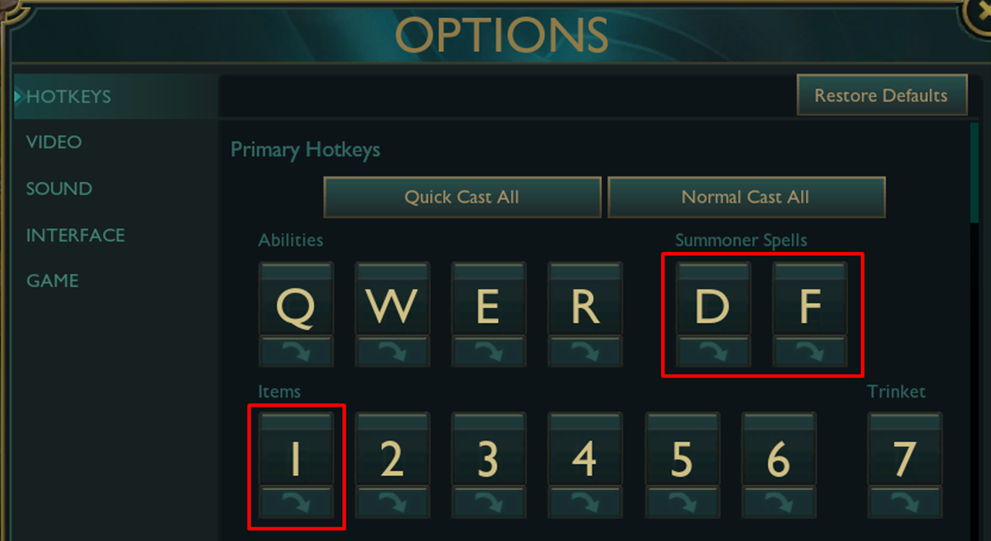
- put QSS in itemslot 1.
- change hud-scale to 0.
- change LoL language to English.
- Reset AMD/NVIDIA settings to factory default.
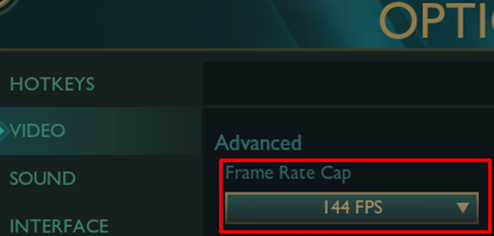
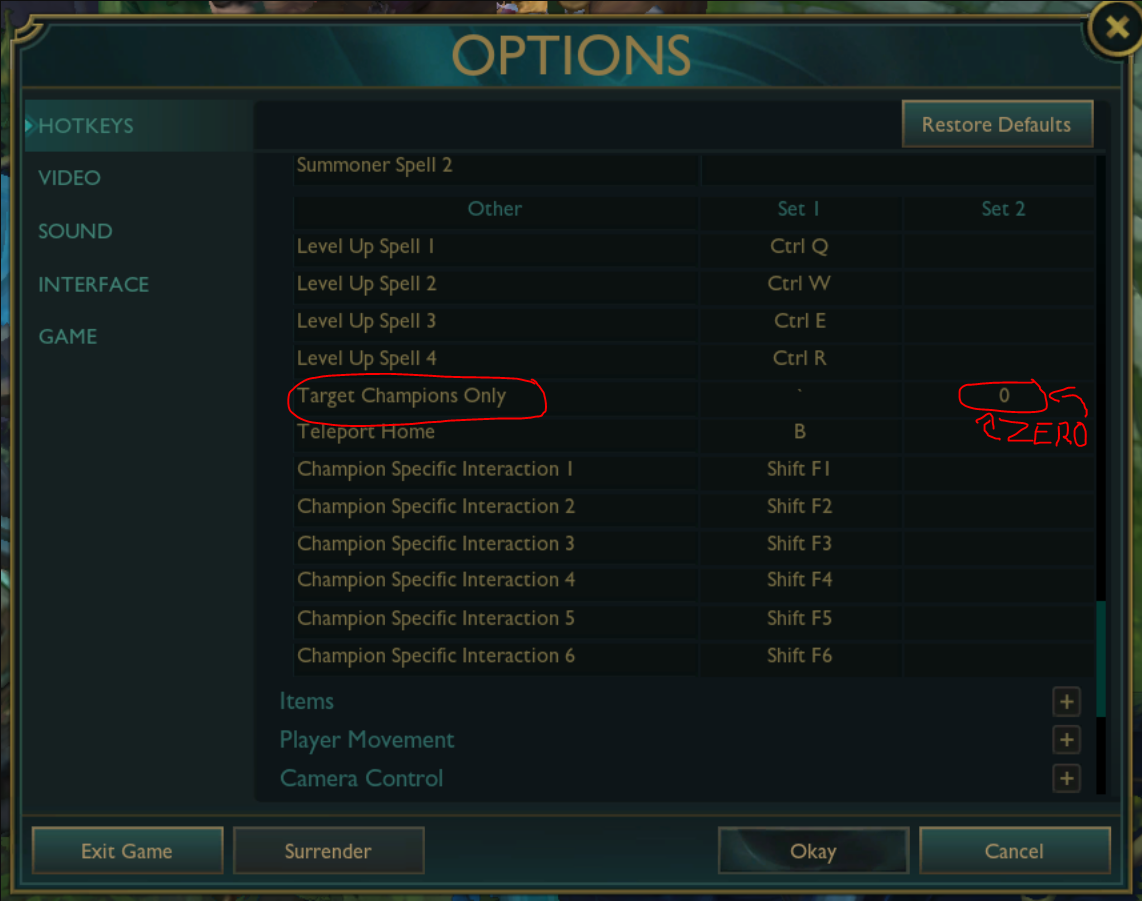
These video settings are REQUIRED for WadBot to work.
LoL and Windows resolution has to be 1920x1080.