Update 1.3.2
RustTweakerUpdate 1.3.2 is now available for download!
We originally planned to keep January quiet and ship a small update, but the amount of changes grew so much that we actually have a lot to talk about.
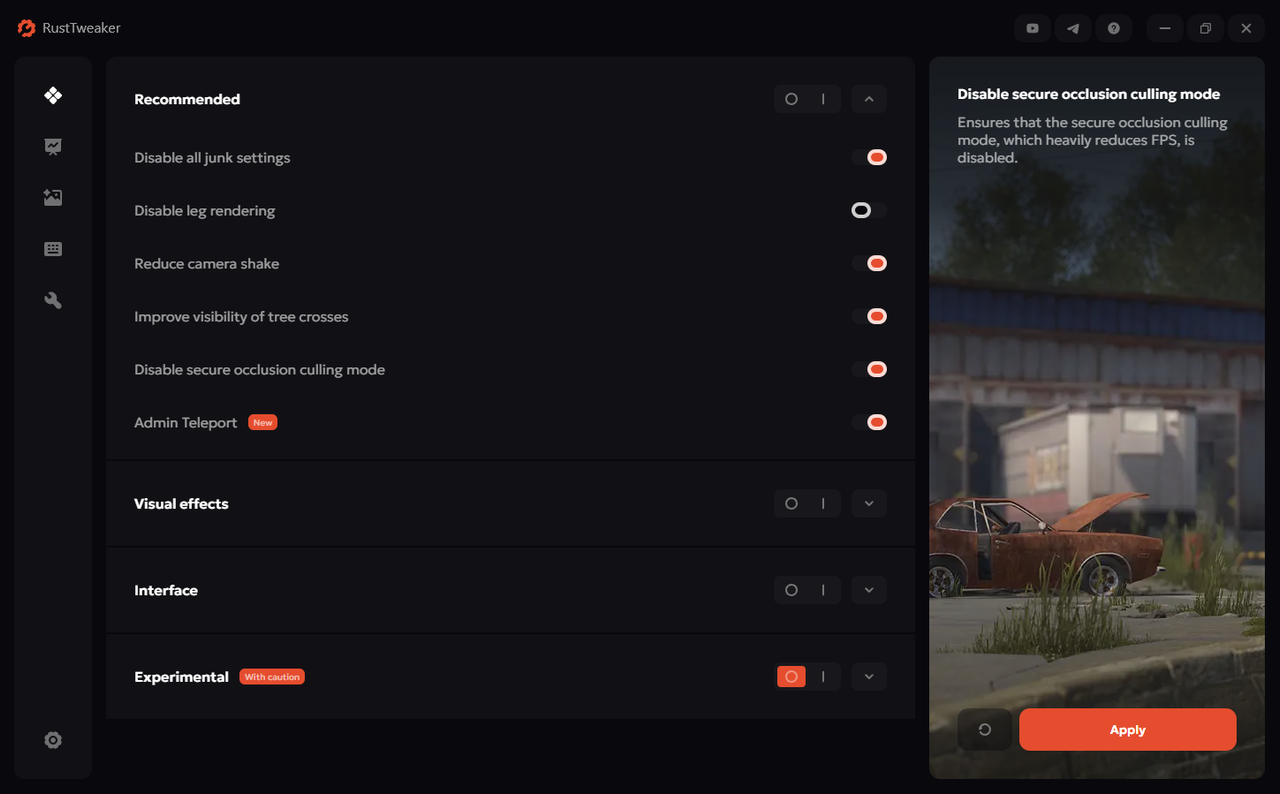
The biggest change — aside from language support — is a full UI overhaul. Visually, it might not look dramatically different, but under the hood the interface was almost completely rewritten from scratch. What does this mean for you? Buttons and sliders now behave more consistently, feel more responsive, and are simply easier to use. Some elements react differently to mouse hover, and in many places we reduced “pixel hunting.” Here are a few examples:
— You can now toggle tweaks and expand sections by clicking anywhere on them, not just on a small arrow or button;
— The hover effect has been redesigned: highlights now follow the cursor smoothly with a slight delay, sliding in from the left and creating a subtle shimmer effect;
— The side panel animation is now faster and noticeably smoother.
One of the most important logic changes is a completely reworked backup system. Every time you modify your current config, the previous version is automatically saved as a backup. These backups are overwritten throughout the day, allowing you to restore your settings with a single click based on the date they were saved. You can view all saved config versions in a dedicated window accessible from the settings menu, and you can also save any previous version as a separate config file. Settings can be rolled back for up to one month after being overwritten.
Another useful addition is tab memory. Slider positions no longer reset when switching tabs. If you want to discard changes, simply click the reset button next to Apply.
This “minor” update also brings new features. We’ve added five new tweaks — some admin-focused, some combat-related, and others aimed at improving overall quality of life.
We’ve also made improvements to the Binds tab: fixed several bugs and refined the functionality. There’s still a lot of work planned for this section, and we’ll keep improving it until setting up binds becomes as simple and intuitive as possible. The library of ready-made binds and the number of supported commands will continue to grow as well.
As always, the full changelog is available on our website. To update the program, simply launch any previous version — the update will install automatically.
Added
Interface & Logic
English language support
The application now always launches on top of other windows
Minimum application window size set
Loading animation when applying any settings and while waiting for a server response
Unapplied settings are no longer reset when switching tabs
Settings reset button
“Tweaks” tab
5 new tweaks
“Binds” tab
Command search now works by text, not only by command name
Gradient hover effect for mouse and keyboard keys
“Settings” tab
Version history for all configs for the last month with rollback support
Website
Payments via Stripe
Subscription system improved
Minor layout fixes
Improved
Interface & Logic
All animations are now smoother and more pleasant
Improved overall UI responsiveness
Fixed image duplication when resizing the app vertically
Optimized logic for applying all settings
Improved config and backup validation logic
Fixed a bug where the active config could reset
Fixed incorrect config switching
Numerous minor improvements and fixes
“Tweaks” tab
Interaction with tweaks and their groups is now more convenient
“Binds” tab
Fixed bugs when reading Steam launch parameters
Key capture interface is now more intuitive
Maximum number of keys per bind limited to 3
“Tools” tab
Fixed icon scaling
“Settings” tab
Fixed incorrect scroll behavior
In Progress
New commands for binds
Ability to collapse and disable bind stages
Bind and command filters
Caching system rework
Server network expansion
“Statistics” tab
“Optimization” tab