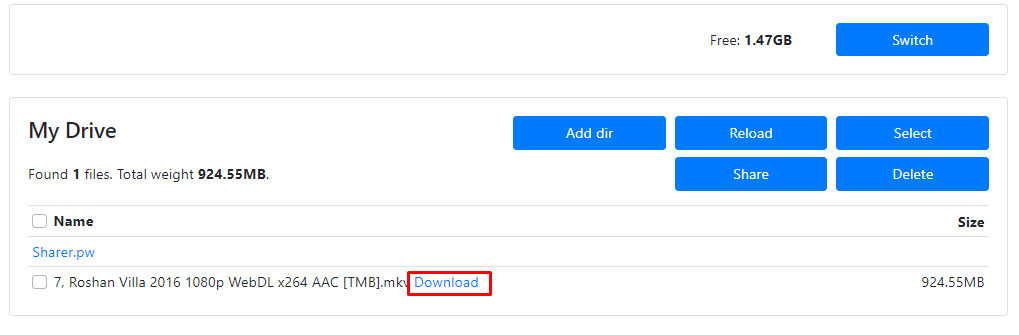
Tutorial - Create Shared Drive + How to download
Wall-E | Desishare.inIf you have a normal Google Drive account (15GB storage), I suggest you create a Shared drive to download files larger than 15GB.
--------------------------------------------------------------------------
Create a Shared Drive (Unlimited Storage)
Go to this website - https://td.fastio.me/
Type a name for the shared drive, type your Gmail Address, choose one of the options in the third box, and click on get button. Your Shared Drive will be created.
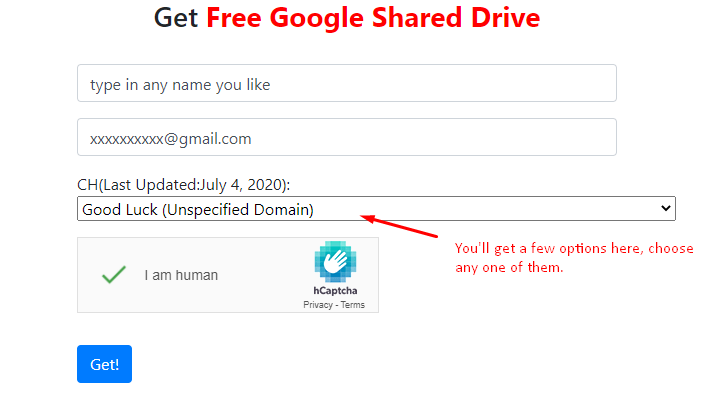
If the site given above doesn't work try these:
https://gd.404edu.workers.dev/
https://teamdrive.xcpx.workers.dev/
--------------------------------------------------------------------------
How to Download
Step 1:
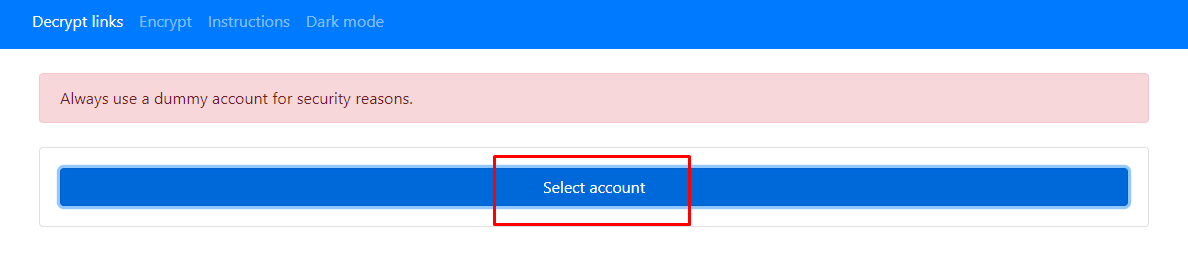
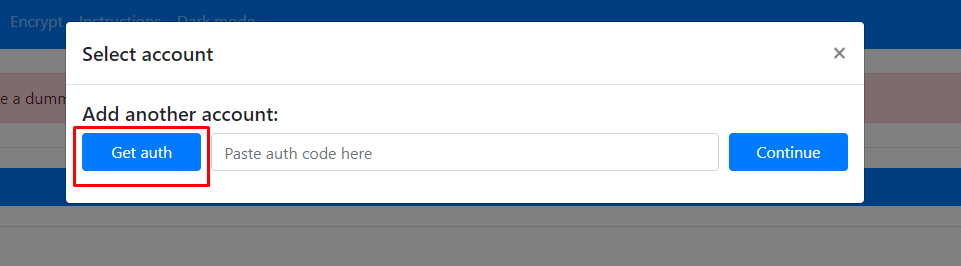
Step 2: Sign in to your Google account
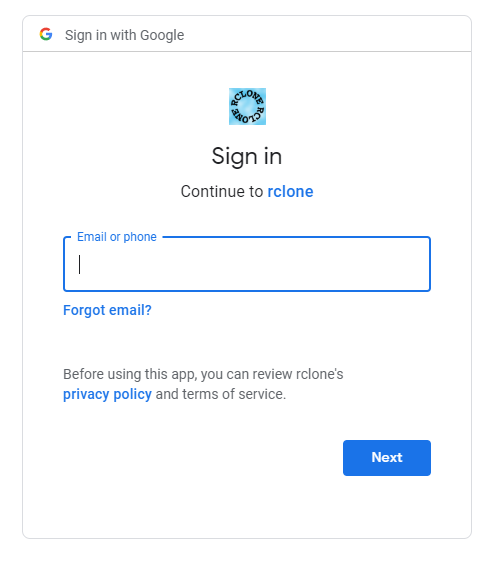
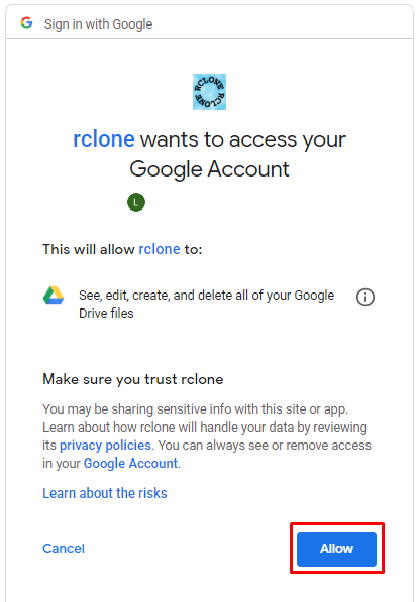
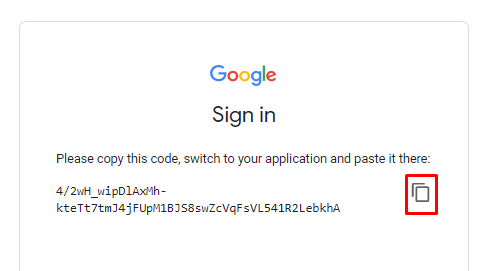
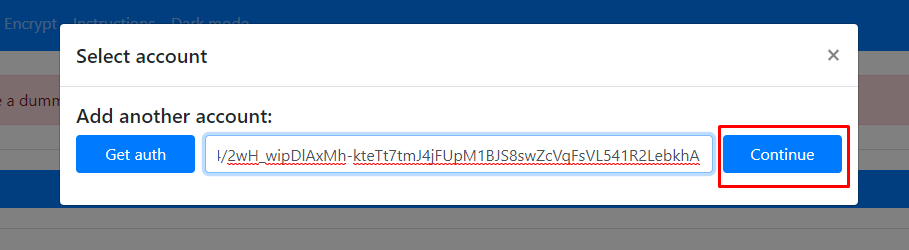
Step 3: Copy and Paste the code. Click on Continue
Step 4: Select a path in your google drive where the files will be copied. (Select Shared Drive if file size >15GB)
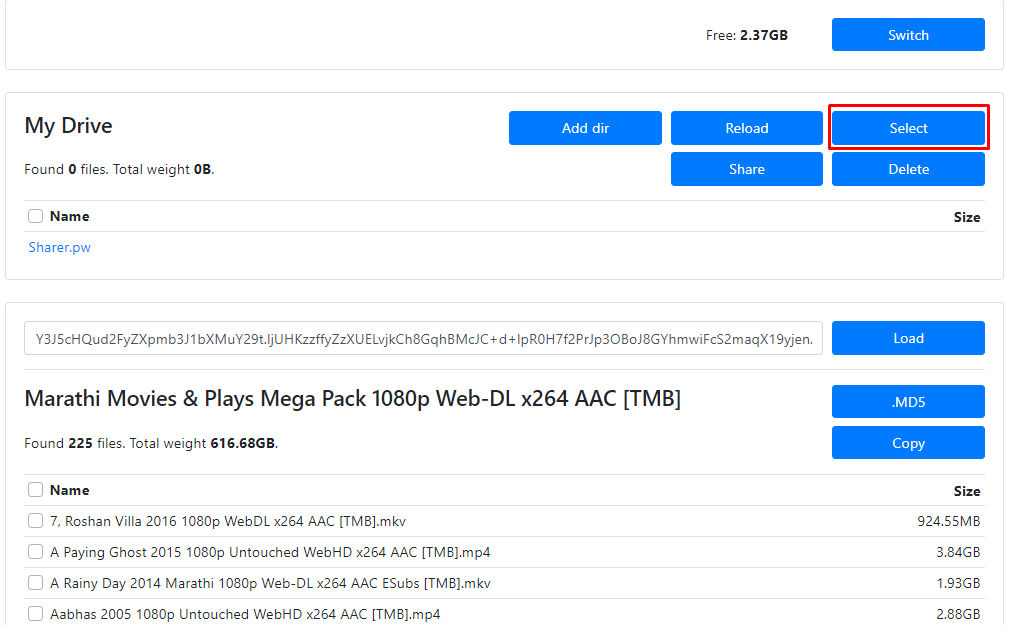
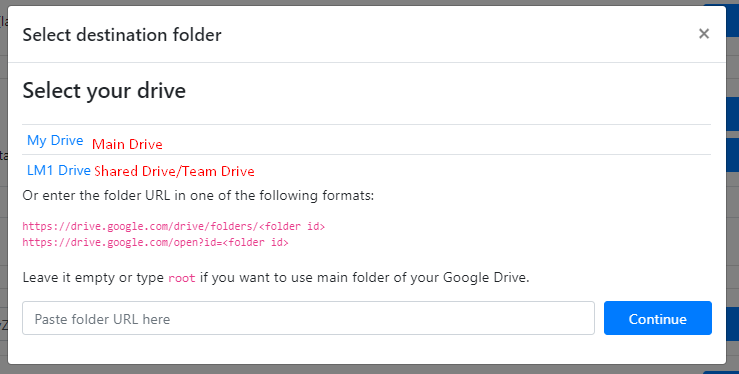
Step 5: Select the file you wish to download and click on copy.
🛑 if there are a large number of files, try to copy 10-15 files at a time 🛑
#Common Error - Rate Limit Exceeded
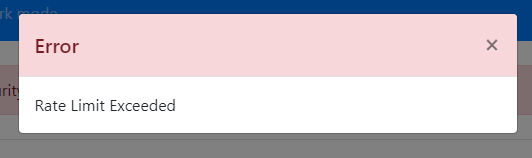
✅Fix - Just wait for a few seconds and click the reload option.
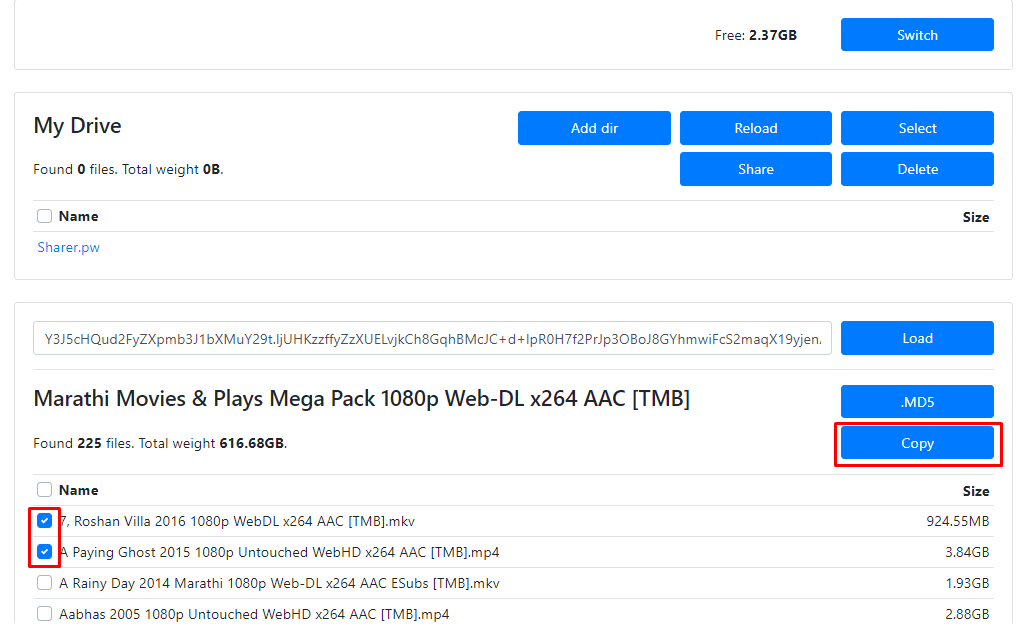
The files will be copied to your drive. Now, you can download them.