Top web design tips for siomaikingonlinefranchise.com
EasyWP Team
We've reviewed Jayden’s website, siomaikingonlinefranchise.com, and are thrilled to offer some essential design tips that can significantly enhance its functionality, aesthetic appeal, and overall user experience.
Tip 1: Activate streamlined navigation and Homepage layout
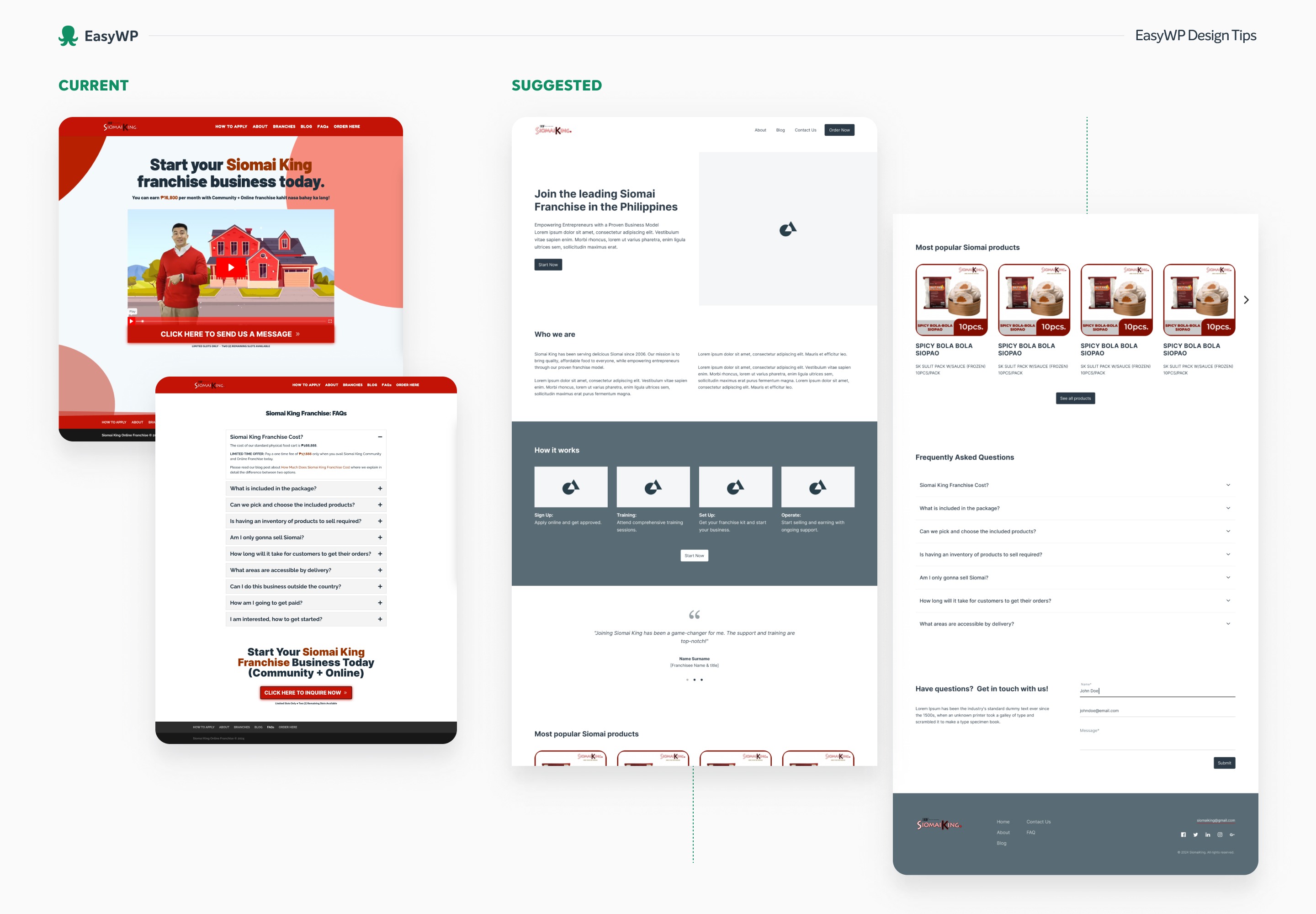
- Simplify menu structure: To streamline navigation and focus user attention, condense the main menu to include only essential pages: About, Blog, Contact Us, and a prominently displayed "Order Now" button, differentiated from the other options to highlight it as the primary action.
- Homepage layout:
- Hero section: Start with a compelling headline and a succinct explanation that encapsulates your value proposition. Directly below, place a "Start Now" button to encourage immediate engagement, guiding visitors to initiate their business journey swiftly.
- About the brand: Follow the hero section with a concise paragraph detailing the Siomai King brand. Summarize key information to educate visitors who might be new to your brand, focusing on what sets you apart.
- Business application process: Clearly outline the steps to apply and start the business, presented in an easy-to-follow, step-by-step format to ensure clarity and ease for prospective partners.
- Testimonials: If available, include customer testimonials from successful franchise branches to build trust and provide social proof of your business model's success.
- Product showcase: Incorporate a slider showcasing your most popular products to engage users and provide visual appeal. This section can help highlight what's special about your offerings and entice further exploration.
- FAQ integration: Instead of a separate FAQ page, integrate frequently asked questions into the homepage, ideally positioned above the footer. This placement ensures that visitors can easily access important information without navigating away from the main page.
- Contact Form: Conclude with a contact form located conveniently on the homepage, allowing visitors to quickly reach out with any inquiries, thereby improving user experience and engagement.
Tip 2: Implement a seamless storytelling strategy for your About page
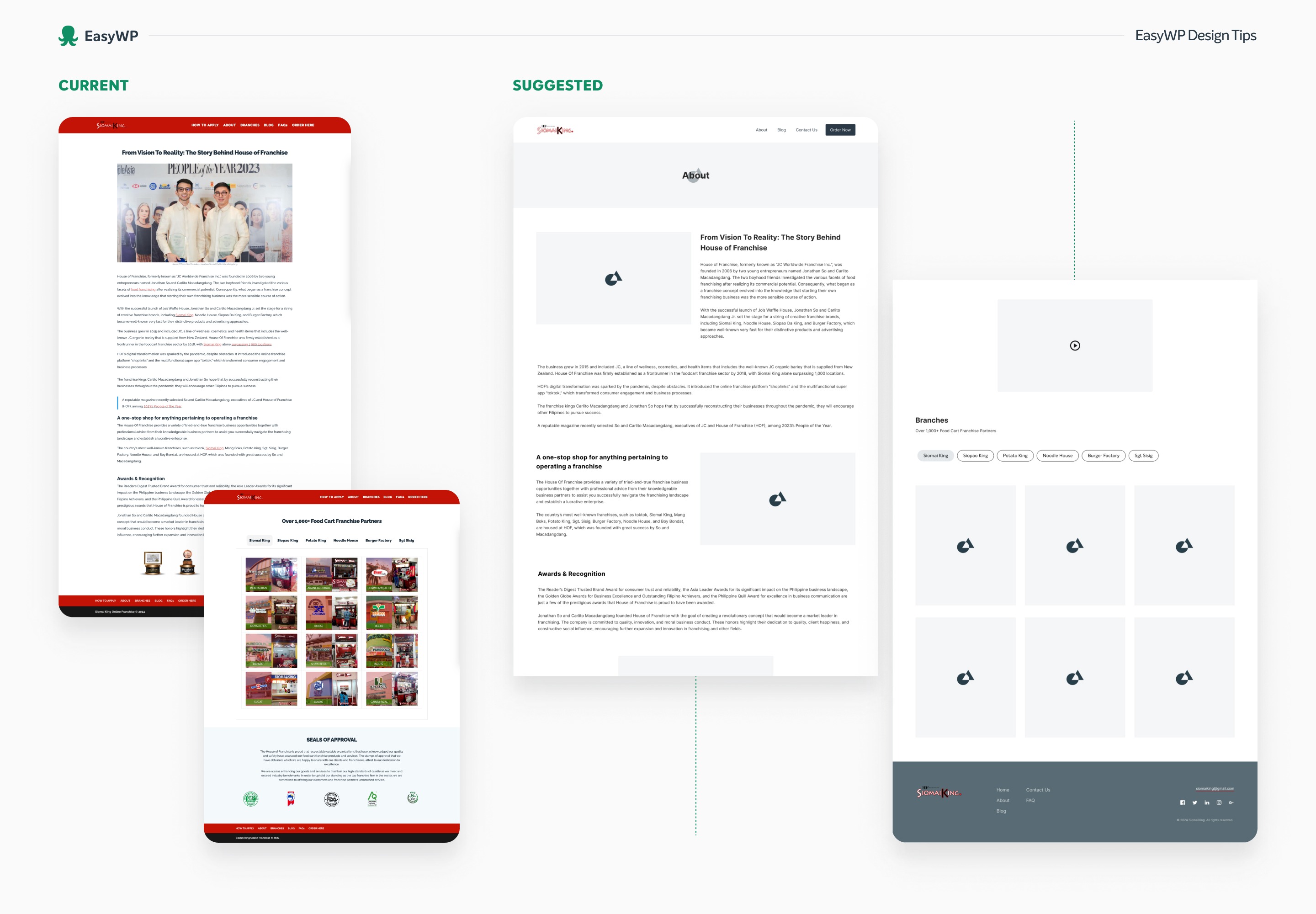
On the About page, after introducing the brand with compelling visuals and engaging text, feature the same introductory video from the homepage to reinforce your message and brand identity. Following the video, present a detailed section showcasing the branches. This layout ensures a coherent narrative that visually engages and informs visitors about your extensive network and community presence.
Tip 3: Create your Contact page
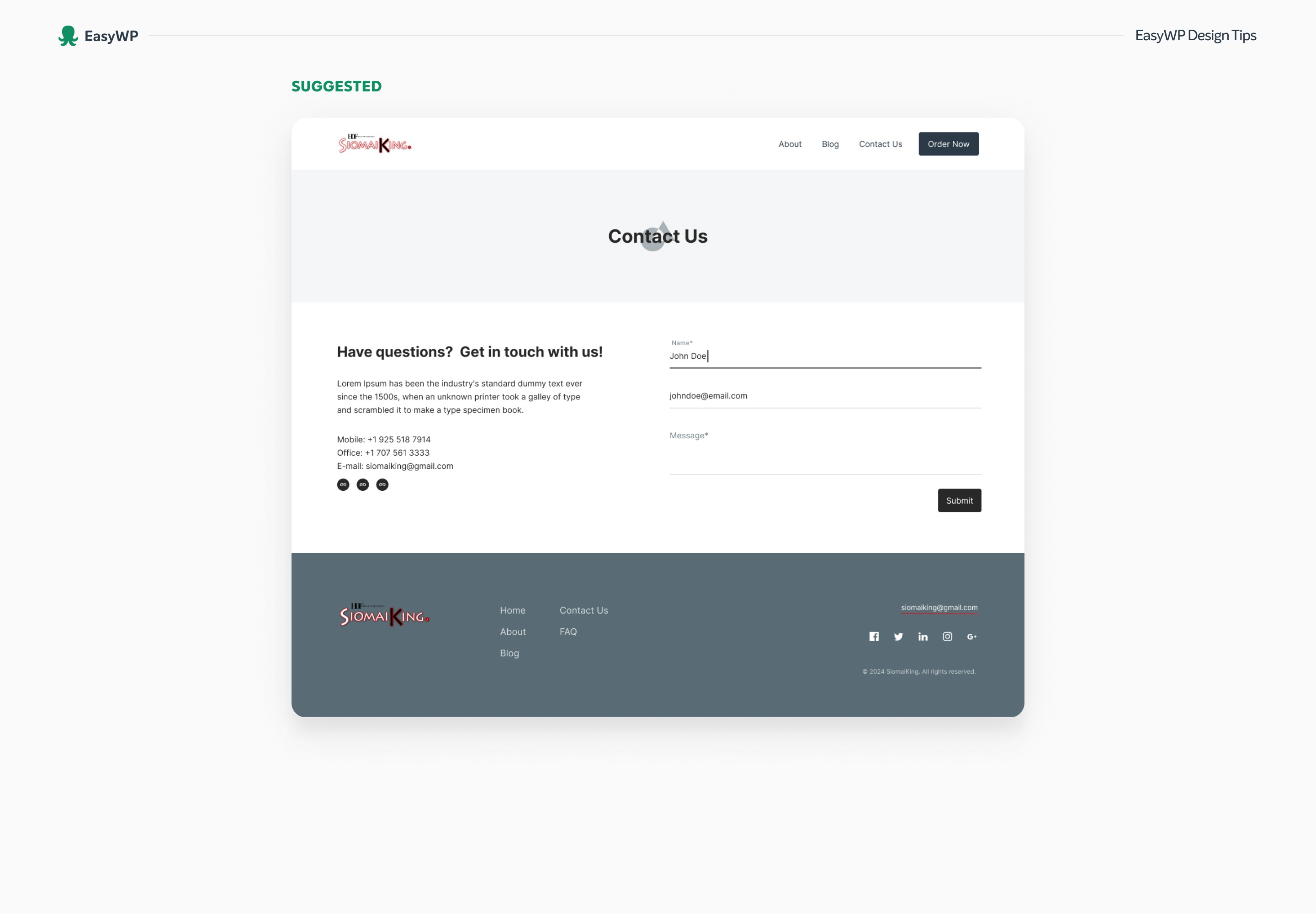
It's essential for business websites to have a dedicated "Contact Us" page, as it serves as a central hub where visitors can reach out with inquiries or feedback. To optimize the page, include comprehensive contact details such as email addresses, phone numbers, and social media links, ensuring they are up-to-date and easily accessible. Additionally, incorporating a straightforward contact form can streamline communication and improve user experience. This approach not only fosters better customer service but also enhances the professionalism of your website.
Implementing these enhancements across your Homepage, About page, and Contact Us page will significantly improve the overall functionality and user experience of your website. By refining these key areas, you ensure a cohesive and welcoming environment for visitors, facilitating better engagement and communication. Such improvements not only make your site more user-friendly but also reflect your commitment to serving your audience effectively. Should you have any questions about applying these recommendations, we're more than ready to assist. For additional insights on creating an effective and responsive WordPress site, check out this article.