TokenBooster Tutorial: how to trade on BitMart
Welcome on BitMart, TokenBooster Space User!
For this Mission, you’ll need to trade on BitMart at least 0,05 BTC in the currency you prefer.
Here’s a step-by-step tutorial to learn how to trade on this platform.
1. Enter in BitMart using this referral link http://www.bitmart.com/?r=TOKENBOOSTER (it's important to register through this link and with your TokenBooster e-mail to get the reward on TokenBooster)
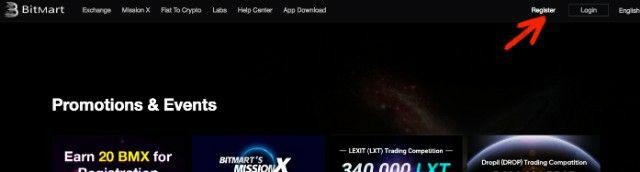
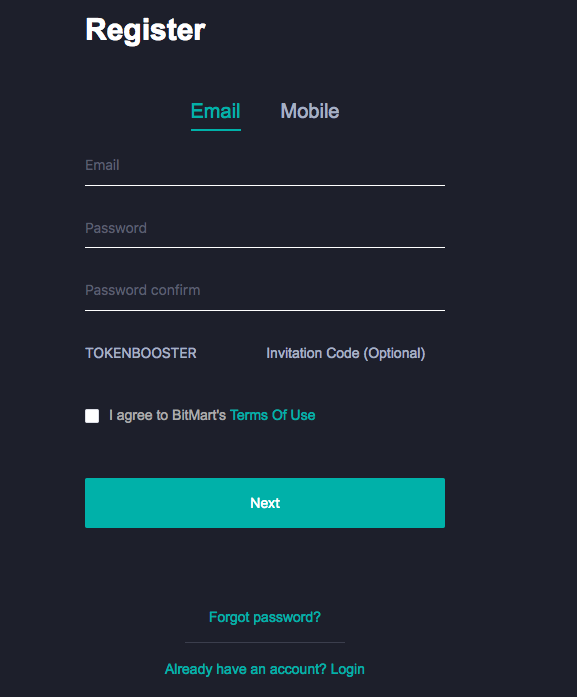
2. Fill in the Registration form: register with the same e-mail you used to register on TokenBooster (otherwise you cannot be verified as TokenBooster user)
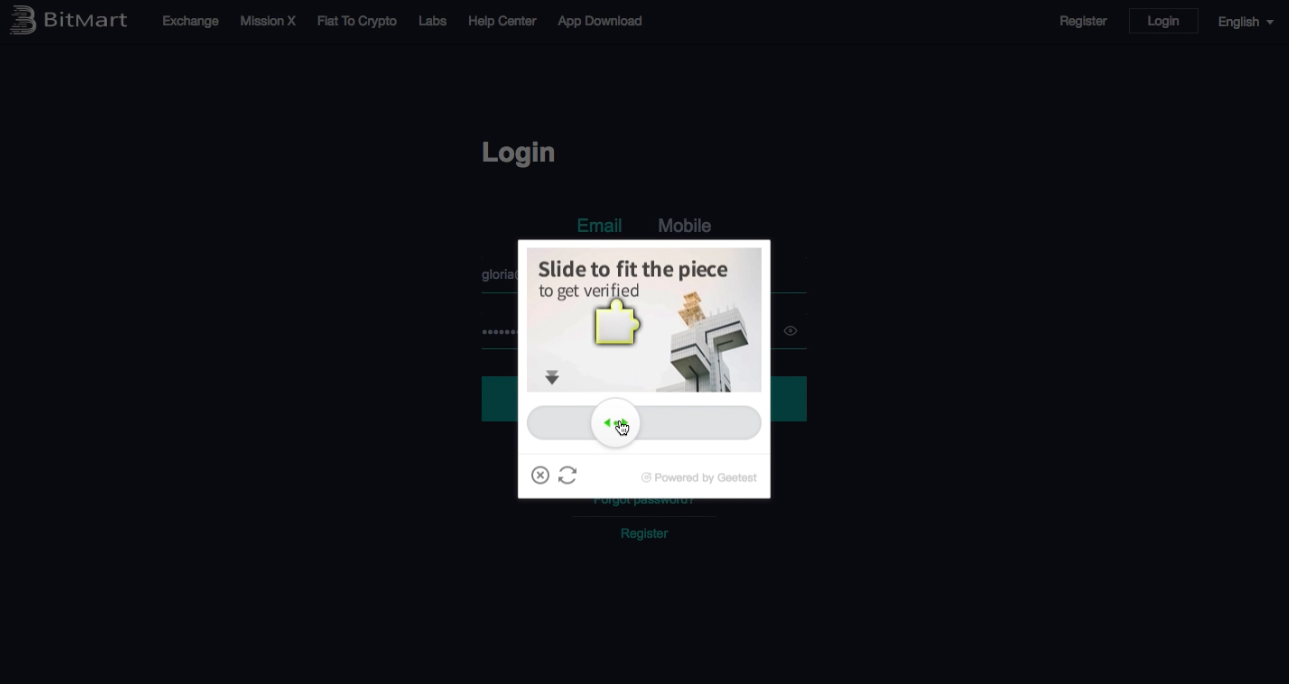
3. Complete the second step of verification
4. Click on your e-mail (at the top right of the screen) to enter in your profile
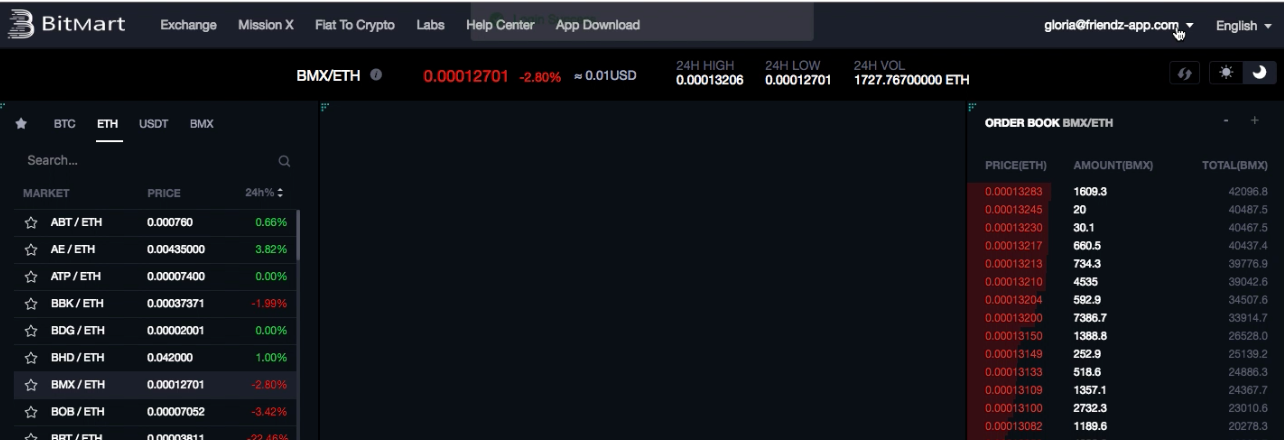
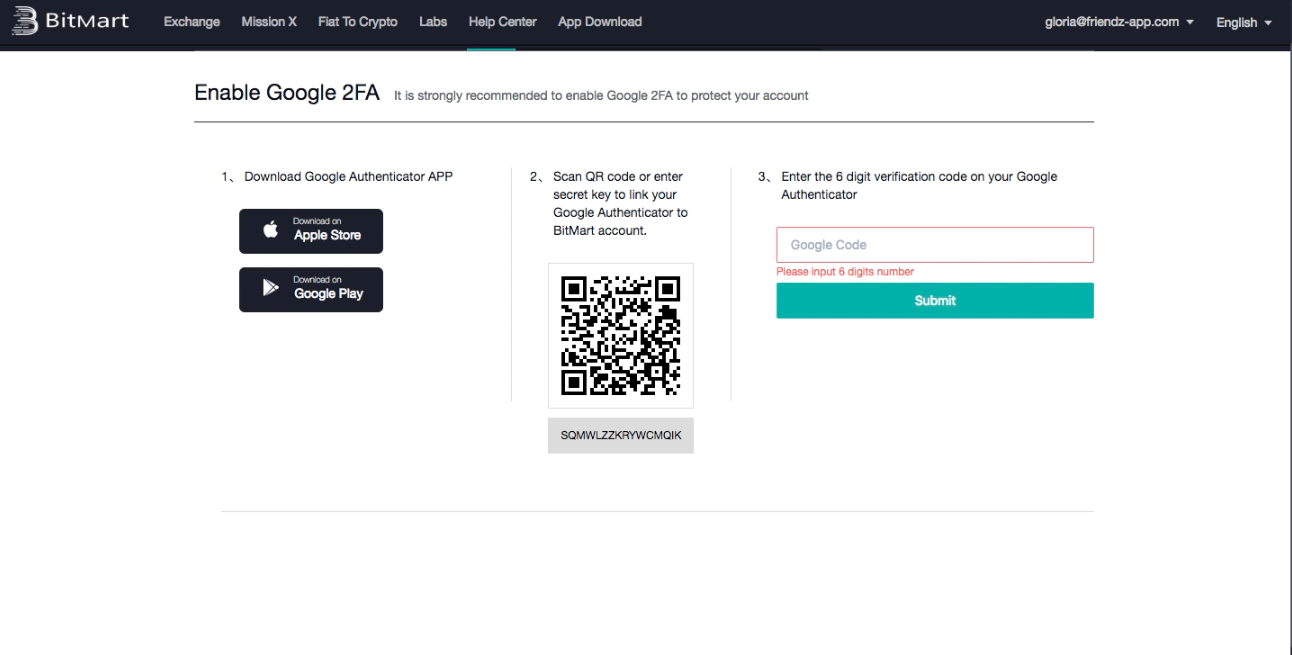
5. In the “Security Settings” section, enable the 2 FACTOR AUTHENTICATOR to protect your account (REMEMBER TO KEEP THE 2FA SECRET CODE!)
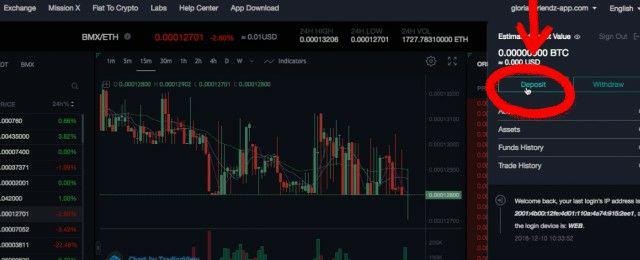
6. To start trading, you should deposit an amount of cryptocurrency: click on your Profile and then on “Deposit”
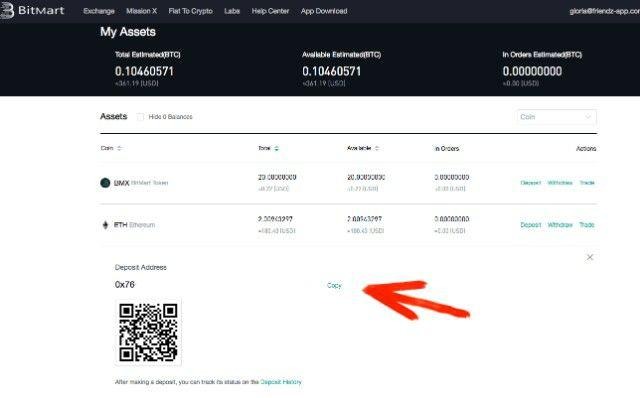
7. Decide in which currency you want to make a deposit (for example ETHEREUM), then copy the deposit address and make the transaction from your wallet address to the deposit address
8. If the transaction is successful, you’ll receive a confirmation message at the right of the screen, with the equivalent of your deposit in Bitcoin and US Dollars
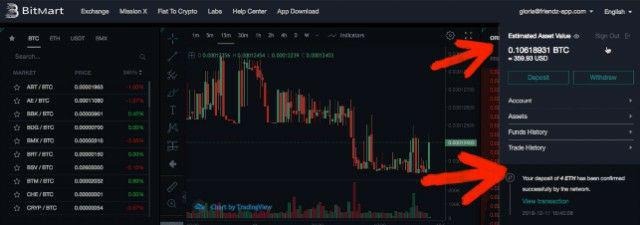
9. To start trading, click on the top of the screen on “Exchange”

10. Choose the currency pair (for example ETH/BTC)
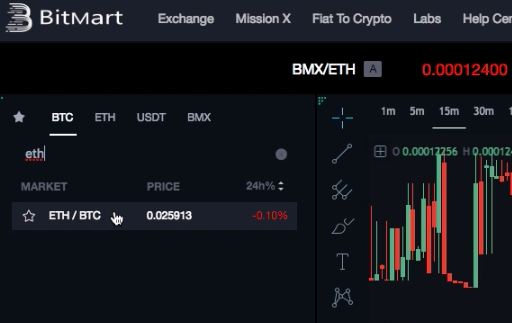
11. if you want sell ETH Click on the order number in green at the right of the screen
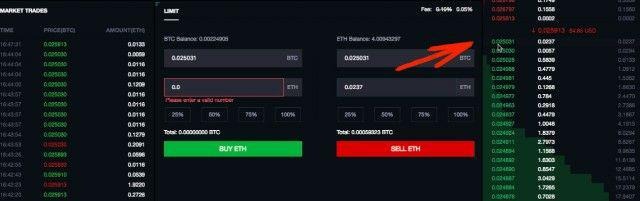
12. In the “Limit” section, choose the amount of money you want to sell.
REMEMBER: for this Mission, you’ll need to trade at least 0,05 BTC (which, in ETH, is about 2 ETH);
The total amount of 0,05 BTC can also be reached in different trades
(for example, you can buy 0,025 BTC and then, sell those 0,025 BTC)
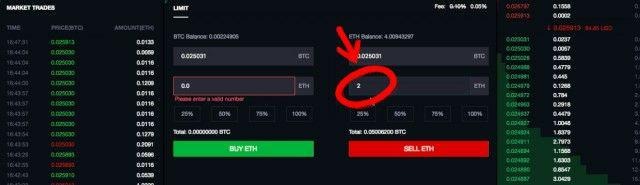
13. Click on “SELL ETH” (red button) and you’re done!
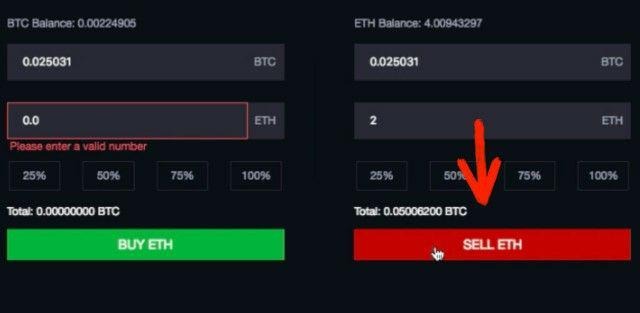
14. A notification will appear once you have completed the trading action
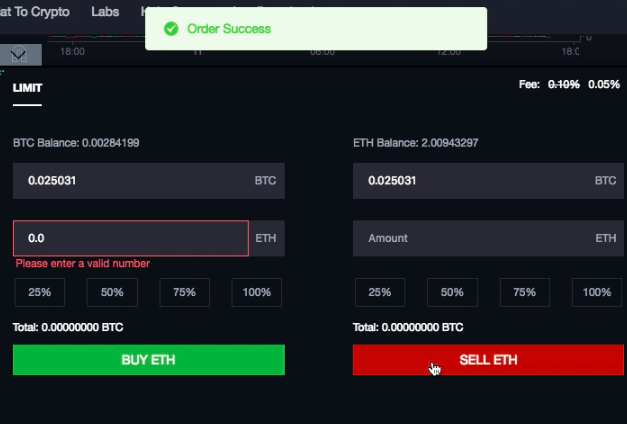
Once the transaction is completed, the BitMart staff will check your activity (remember to register with your TokenBooster e-mail through the referral link). Submit on TokenBooster your BitMart referral link https://www.bitmart.com/account/en: if your action is validated, you'll receive your TokenBooster Reward.