Thinkpad X230 PS/2
coreglitchRecently I reassembled my thinkpad X230 tablet and its trackpoint stopped working. After the dark night without the trackpoint I decided to replace the keyboard, because the trackpoint is built into the keyboard unit. I found a new keyboard in the local hackerspace but the trackpoint still wasn't working after the keyboard unit's replacement. Then I got the laptop schematic and started the research.
TIL: the trackpoint's PS/2 lines are routed through the touchpad's board!
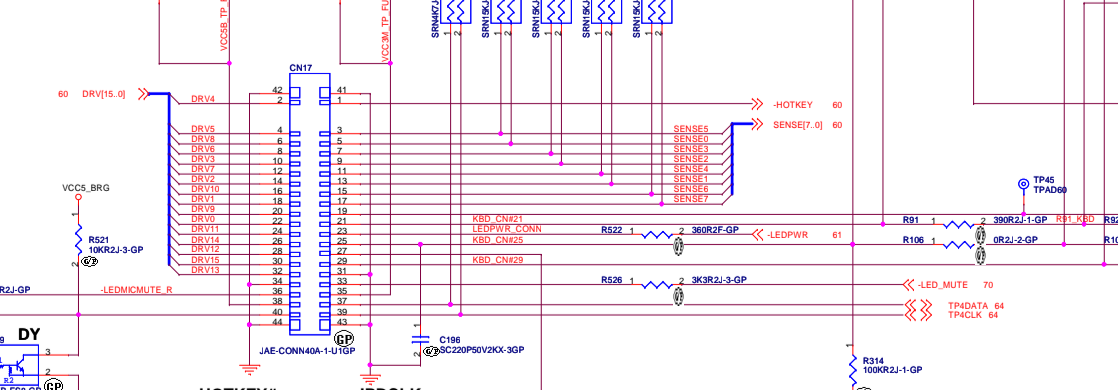
CN71 is the keyboard's connector. Its 37th (TP4DATA) & 39th (TP4CLK) pins forms the trackpoint's PS/2 bus.
On the other end there are IPDCLK/IPDDATA lines coming to the embedded controller MEC1619. It's the PS/2 bus' destination from where its data is delivered to the chipset by the LPC bus.
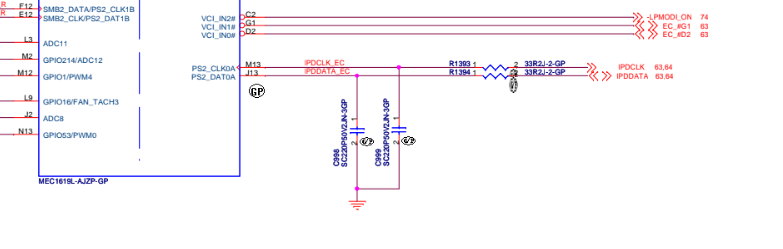
The most obscure thing here is the way of the trackpoint's bus:
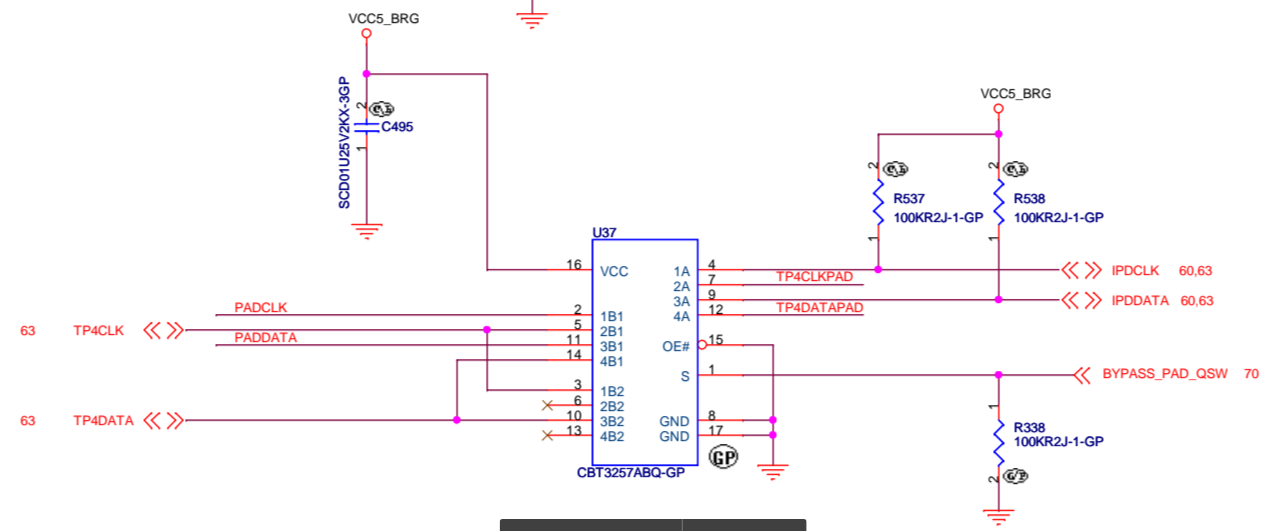
The trackpoint's bus comes to the SN74CBT3257 multiplexer. There are two routing options depending on the BYPASS_PAD_QSW line's state:
- Lines coming from the trackpoint are connected to IPDCLK/IPDDATA
- PADCLK/PADDATA lines from the touchpad are connected to the IPDCLK/IPDDATA, and trackpoint's bus is connected to the TP4CLKPAD/TP4DATAPAD lines' pair which is going to...
...the touch pad's connector:
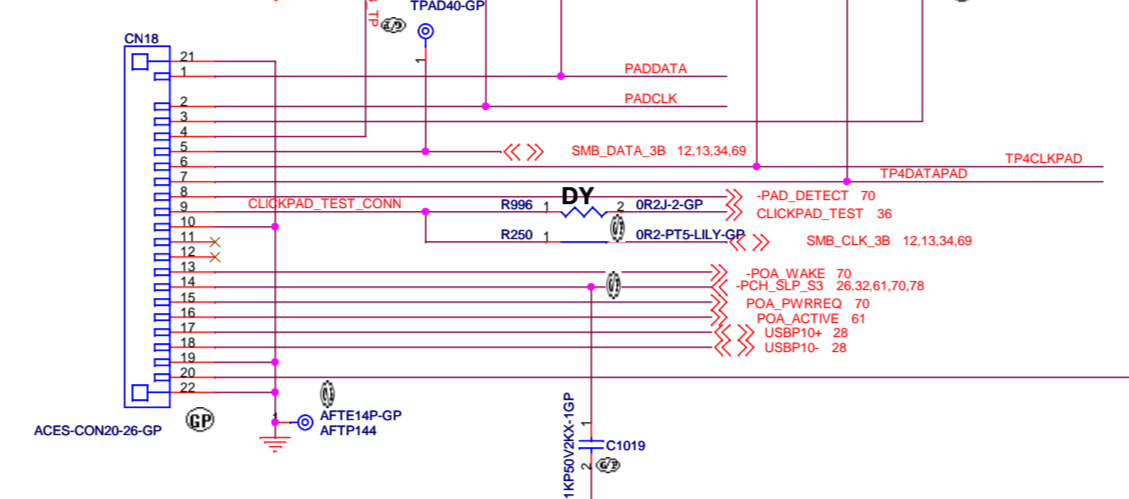
Hence, while BYPASS_PAD_QSW line is not active, the PS/2 bus follows this way from the trackpoint:
(TP4DATA/TP4CLK) → multiplexer → (TP4CLKPAD/TP4DATAPAD) → touchpad → (PADCLK/PADDATA) → multiplexer again → (IPDCLK/IPDDATA) → embedded controller → LPC bus → chipset → CPU
Otherwise, if BYPASS_PAD_QSW is active, the trackpoint's PS/2 bus goes in a much direct way: (TP4DATA/TP4CLK) → multiplexer → (IPDCLK/IPDDATA) → embedded controller → LPC bus → chipset → CPU.
The source of BYPASS_PAD_QSW signal is ThinkEngine ASIC (I couldn't find a datasheet or any description of tb62d515fg), which also controls many laptop's internal circuits like fan, power sources, etc.
I disconnected the touch pad's FFC and finally found the issue's source: one of the contacts was bent and shorted to its neighbour. After a bit of scalpel's work the problem was fixed and I got my trackpoint back.