The Ultimate Guide To Using Modded Discord on Android - Aliucord
APKsAPPs

Aliucord is a modification for the Android Discord app inspired by desktop client modifications.
Unlike other Android Discord app modifications, you don't need to rebuild the APK when adding or removing plugins, because Aliucord hooks at runtime using the Pine java method hook framework.

Supported Architectures:
- ARM64 - These are usually almost all newer android devices
- ARM7 - These are usually the older android devices (ARM7 apps work on both Architectures)
- X86 Architectures are NOT SUPPORTED
Features:
- Aliucord does NOT require a rooted device in order to use it!
- Robust plugin system using Pine! Allows swapping in and out your plugins without needing to rebuild the Aliucord APK!
- Toggle on and off, configure or uninstall your plugins via the plugins page
- Minimum Discord versions for plugins so no breaking changes are sent out to outdated Discord versions
- In-app updater to keep Aliucord and your plugins up-to-date
- Crash logging! In-app crash log page to give a more native feel
- Logs are also saved to
Aliucord/crashlogsfor easy access outside of the app
Installation Guide [READ PROPERLY]
- Download and install the
installer-release.apkfrom the official GitHub Repo (Builds Branch). Click HERE to download the APK from the Repo directly. - Once installed, open the "Aliucord Installer" app & grant it storage permissions if requested (Required for plugins etc).
- At the top left you should see a button saying
InstallSimply click on this button and thereafter clickInstallon the screen that pops up.
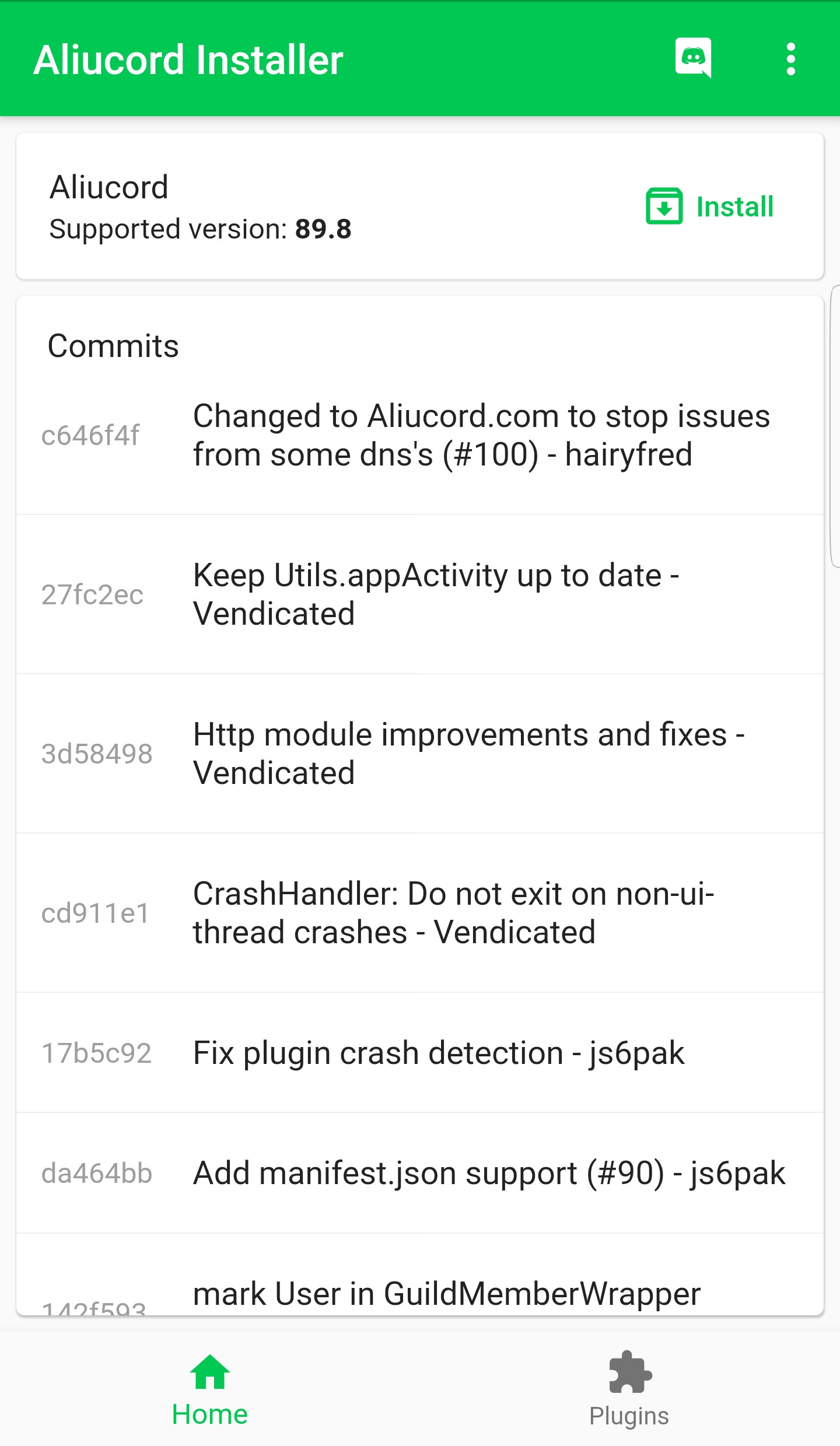
4. You should be now on a new screen as shown below:
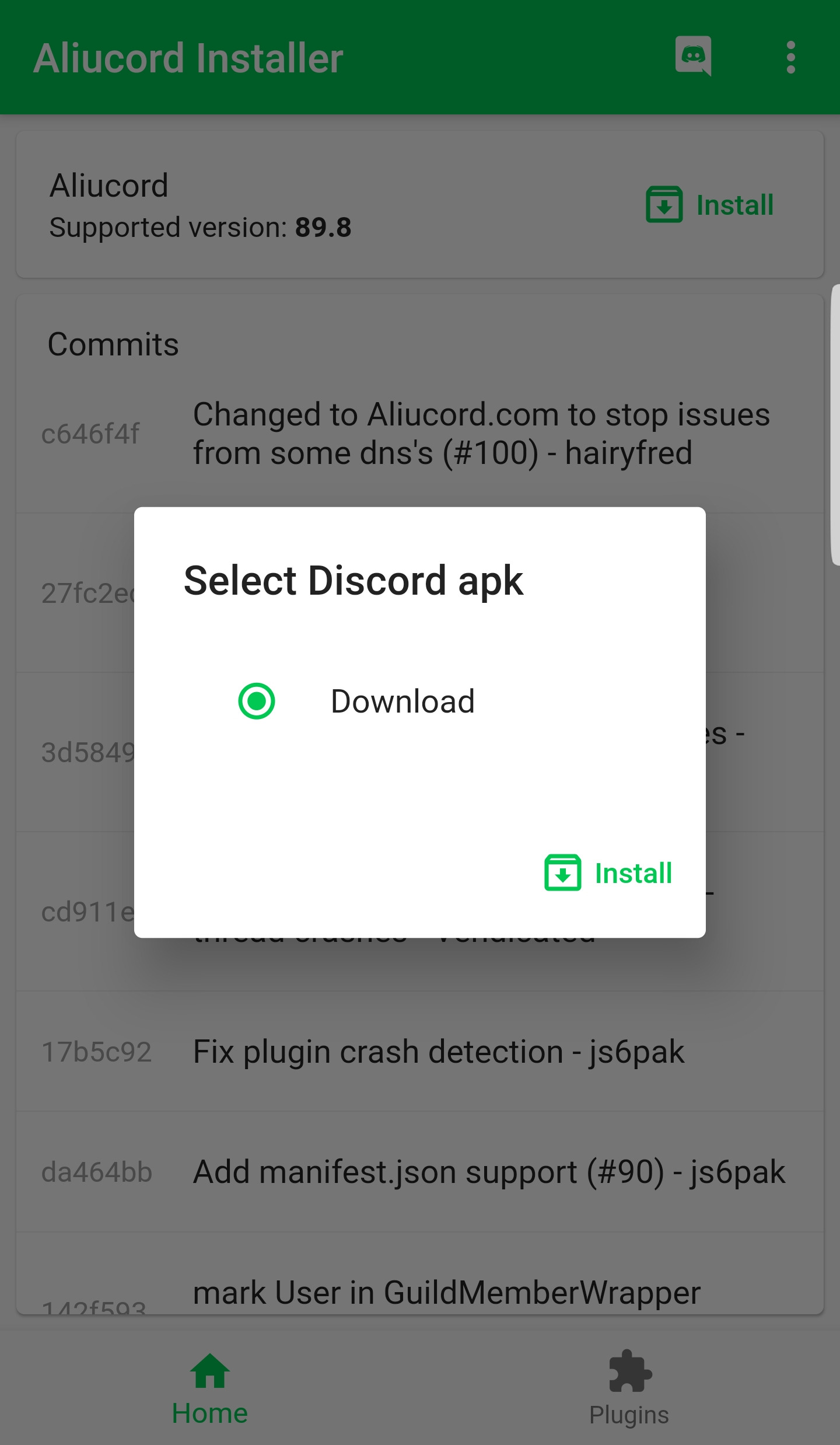
Just Click Install & you should be taken to the next screen as shown below:
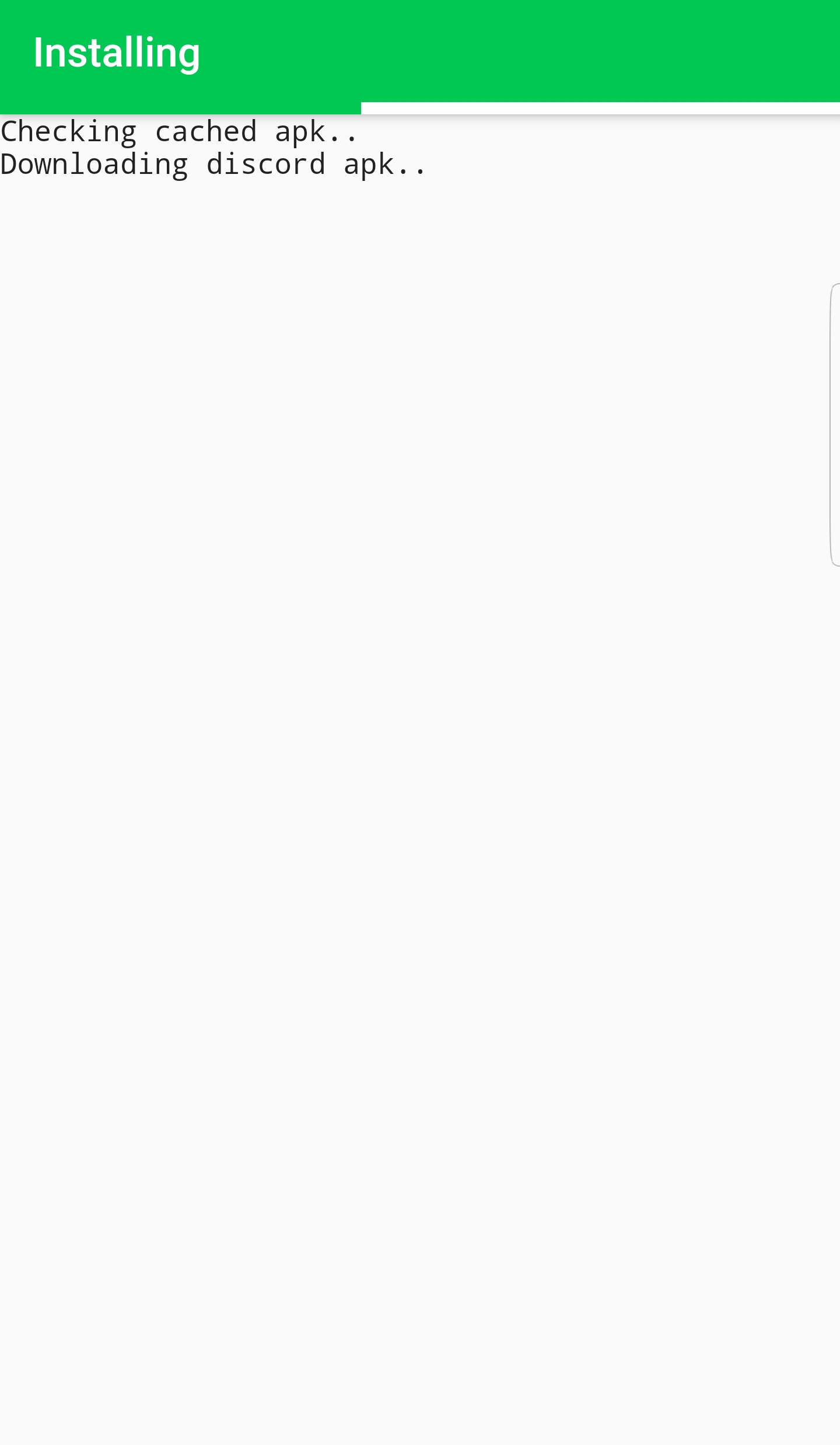
At the point you should just wait and let the installer install the Aliucord Mod. When it's done you should see:
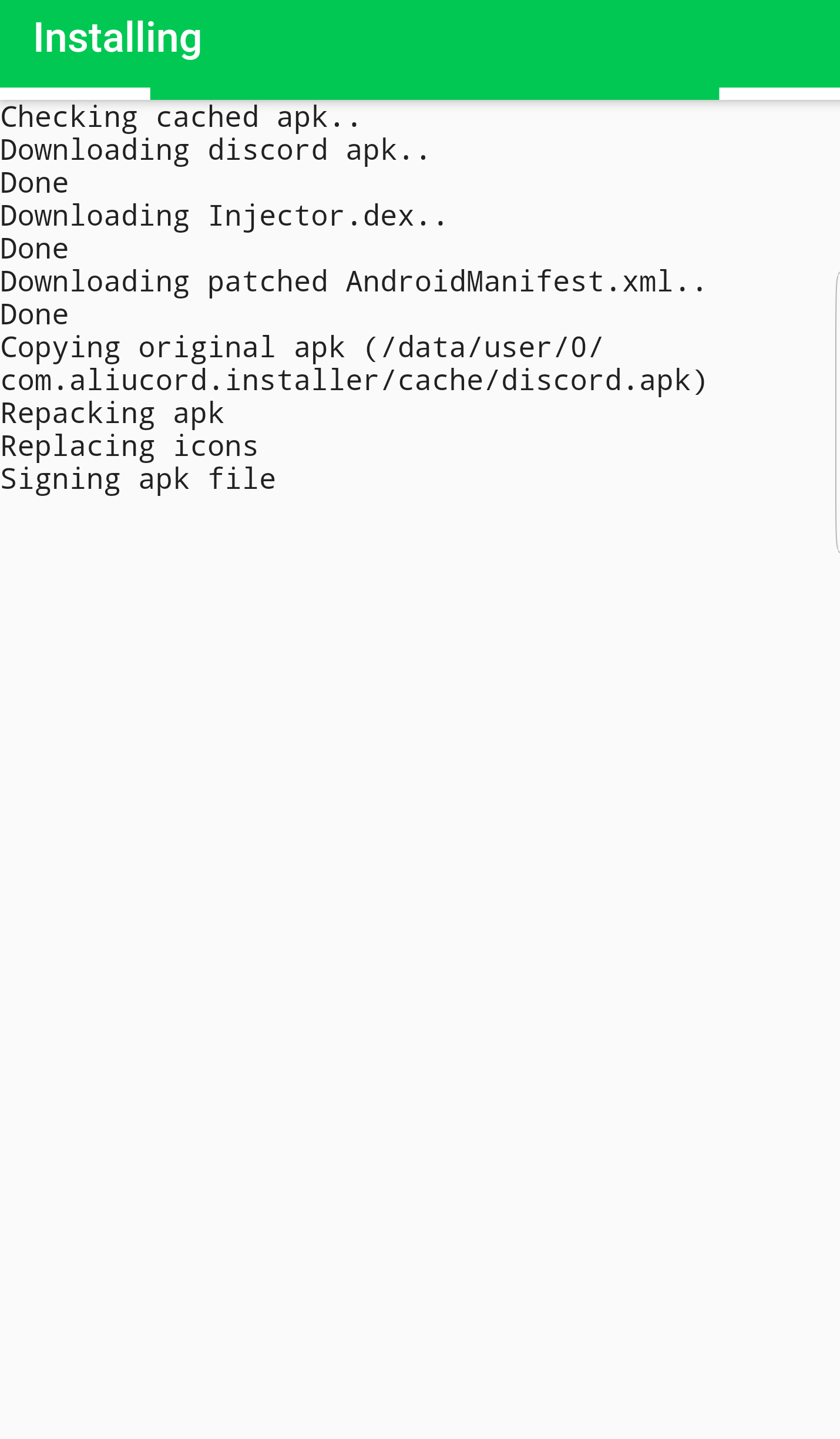
If you face any issues, please check your network connection or consider changing your DNS temporarily to 1.1.1.1 If you're unsure about how to change your DNS settings, look at THIS TUTORIAL. When the Installer is done, Aliucord will automatically install. When prompted, just allow it to install the Aliucord App.
CONGRATS! You have now successfully installed the Aliucord Modded Discord App.
But Wait...... You now need to install your plugins & customize it to your taste!
How To Install Plugins (The Easiest Way!)
For this guide I'm going to show you the easiest way of installing plugins.
PluginDownloader now comes preinstalled with Aliucord so you don't need to install it - Skip to Step 6
Download the PluginDownloader Plugin fromHERE- This plugin will allow for conveniently installing other plugins.Once you have downloaded the file above, use your devices File Manager App (or a File Manager App LikeMixPlorer(ClickHEREto download it) and navigate to thePluginDownloader.zipfile which should be in your downloads folder.Copy thisPluginDownloader.zipfile and navigate to/storage/emulated/0/OR/sdcard/OR your normal Internal Storage location which the File Manager Opens Up to. Once here, find the folder calledAliucordand open it.You should see a folder calledpluginsIf thispluginsfolder does not exist, then simply create it (Lowercase p)Paste yourPluginDownloader.zipfile in this plugins folder (Don't unzip it!)- Close Aliucord completely and reopen it. Thereafter, go to
Settingsand you should see aPluginsoption after scrolling down a bit:
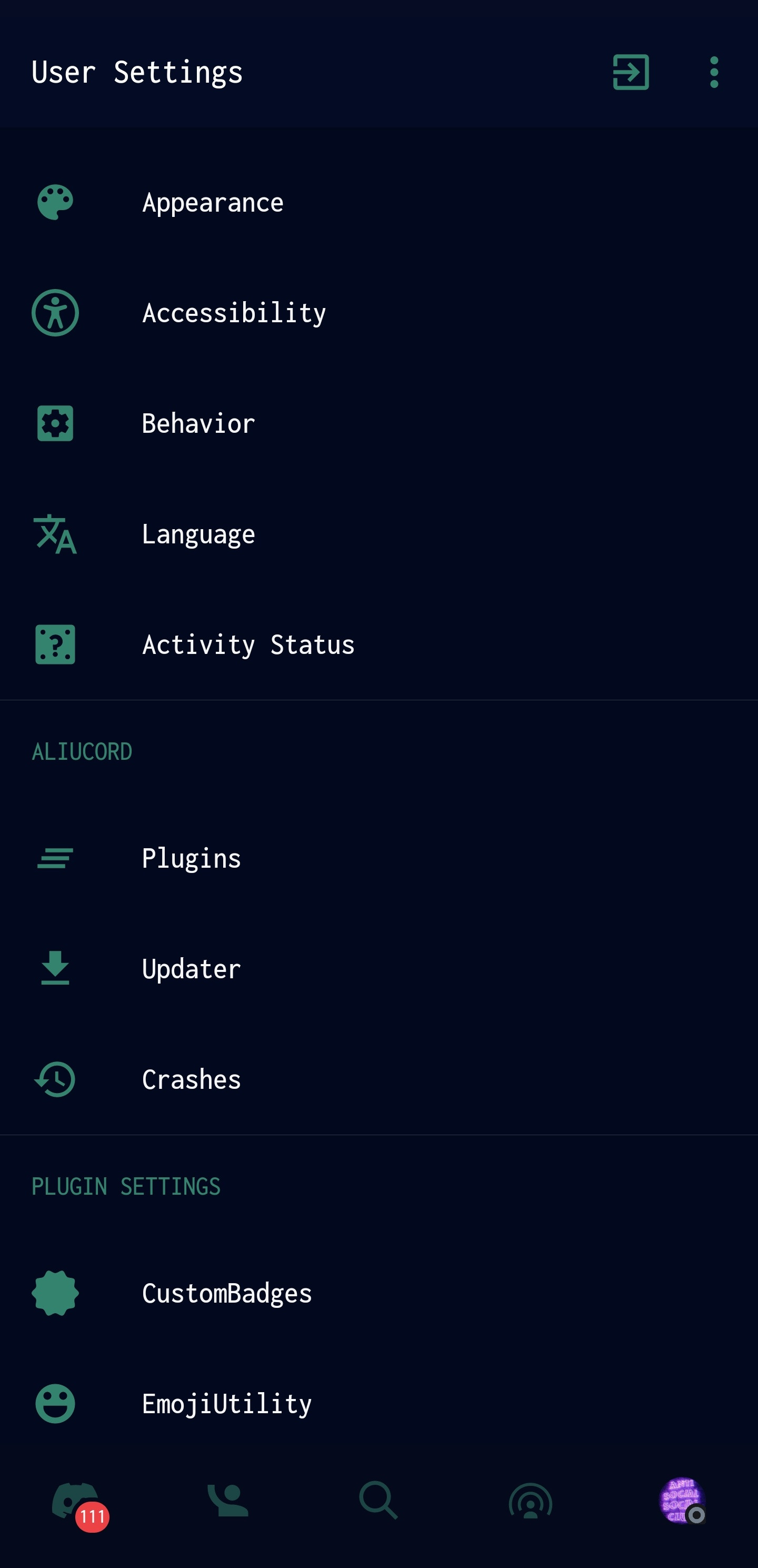
7. Simply tap on Plugins and you should see you PluginDownloader Plugin you just installed earlier on:
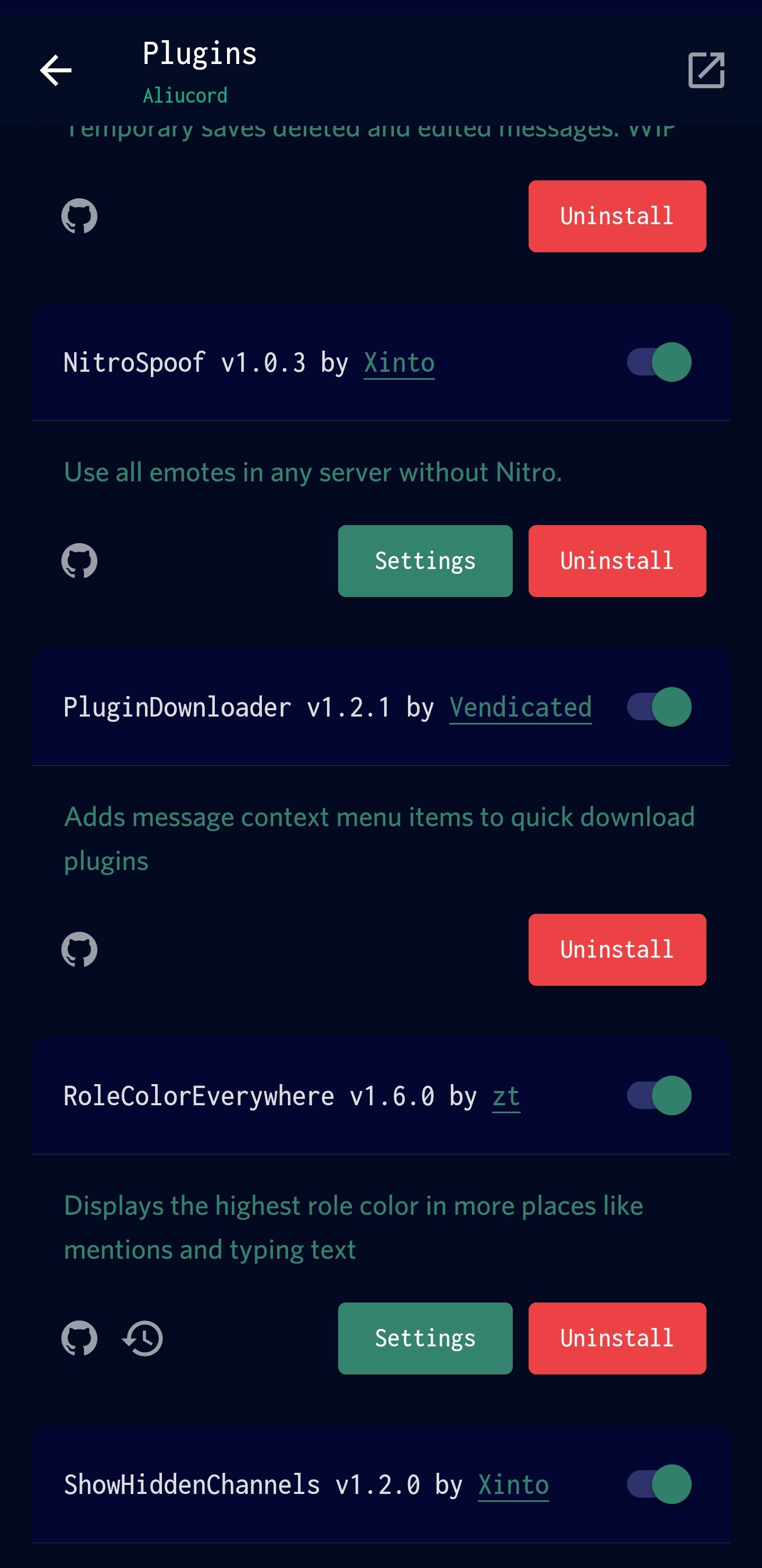
Now the process of installing plugins is extremely simple & does NOT require any of the manual work we did earlier on.
8. Join Aliucord's Support Server to find plugins and install them in 1 Tap
9. Once joined, head over to #plugins-list and/or #new-plugins
10. Now simply find a plugin that interests you and TAP & HOLD on it to bring up the menu:
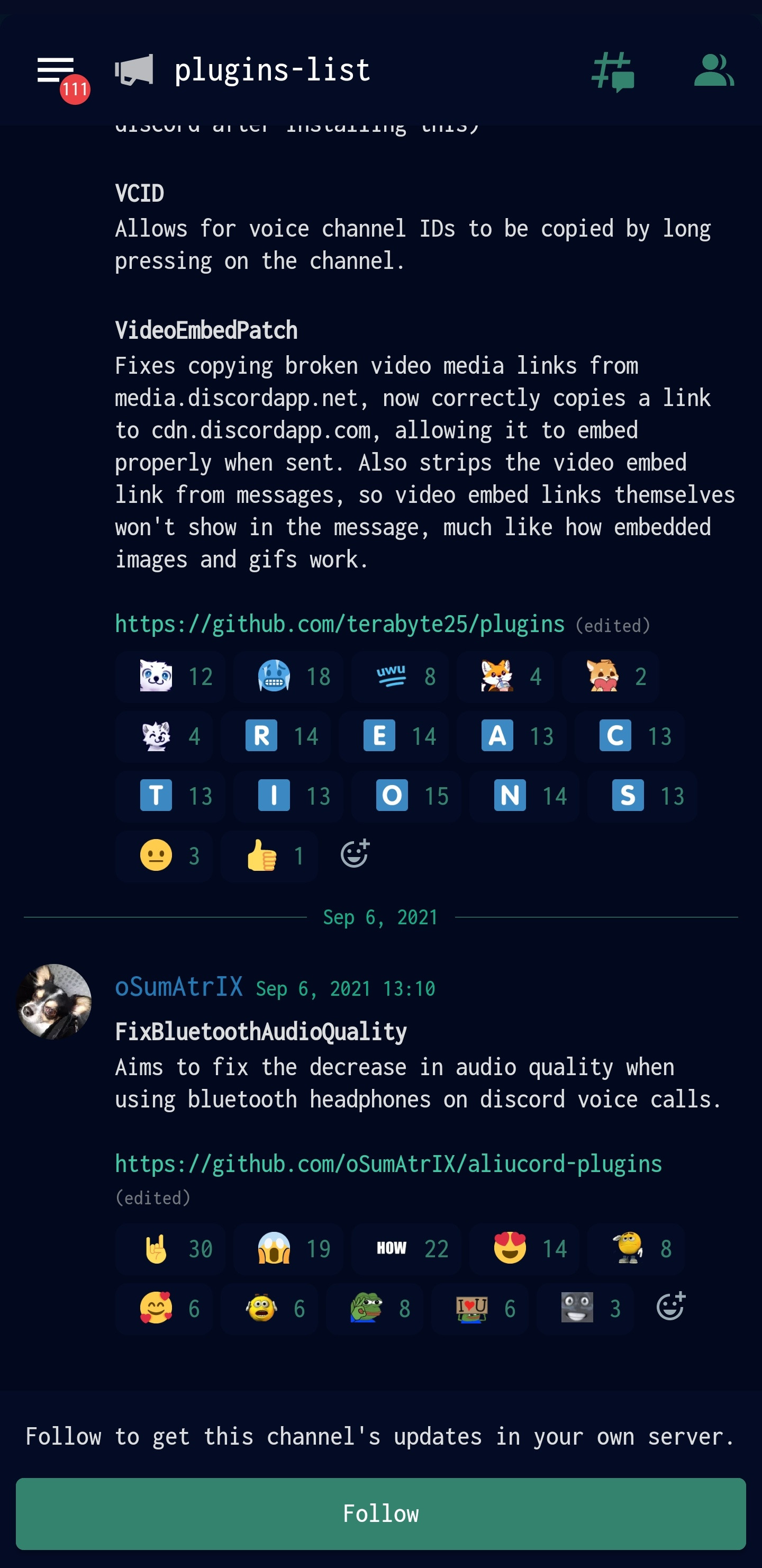
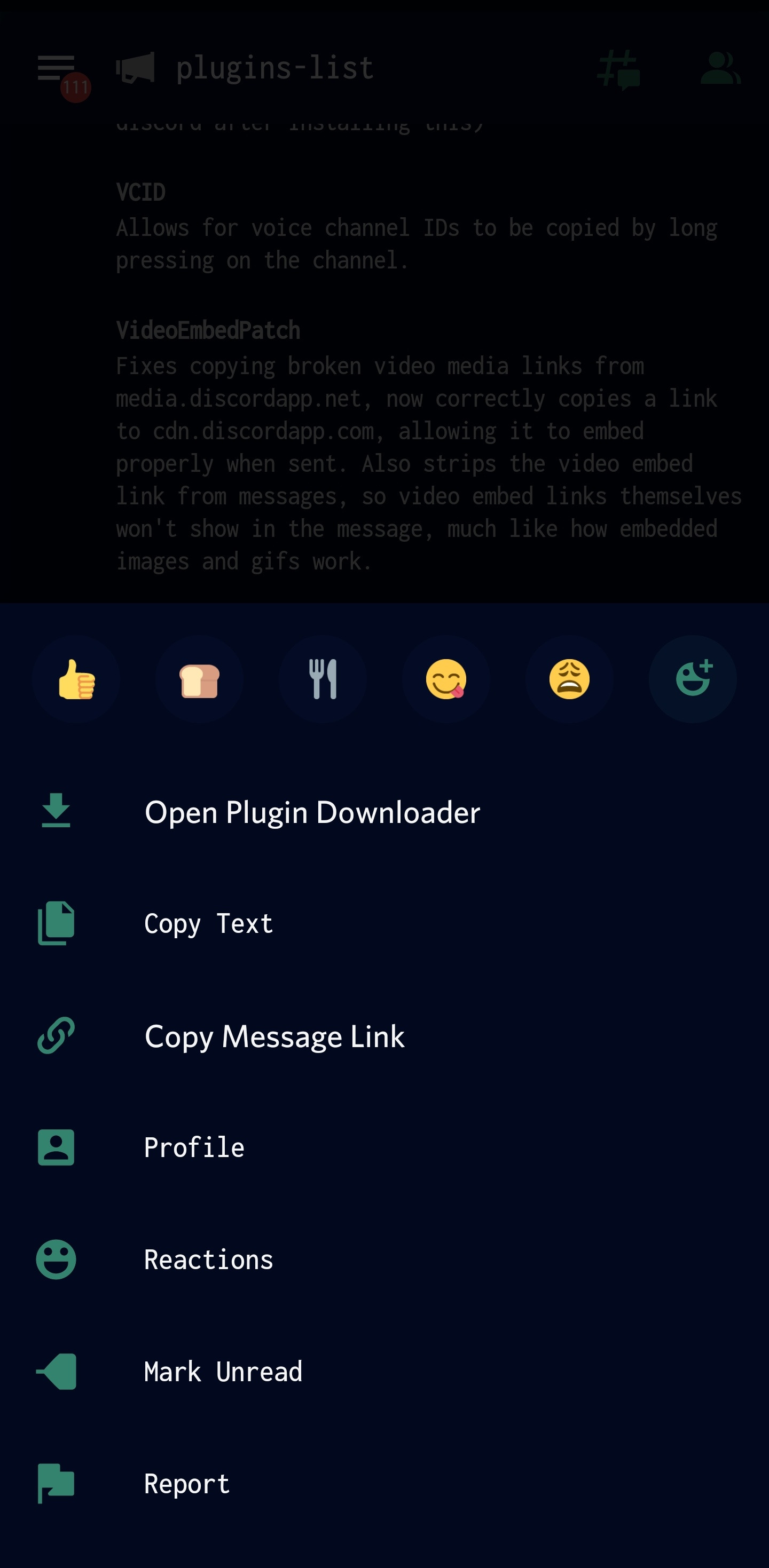
Now simply tap Open Plugin Downloader to download the plugin or select a specific plugin within the repo. For example, some repo's may have 10 plugins but you only want 2 from there. You should now see the screen below:
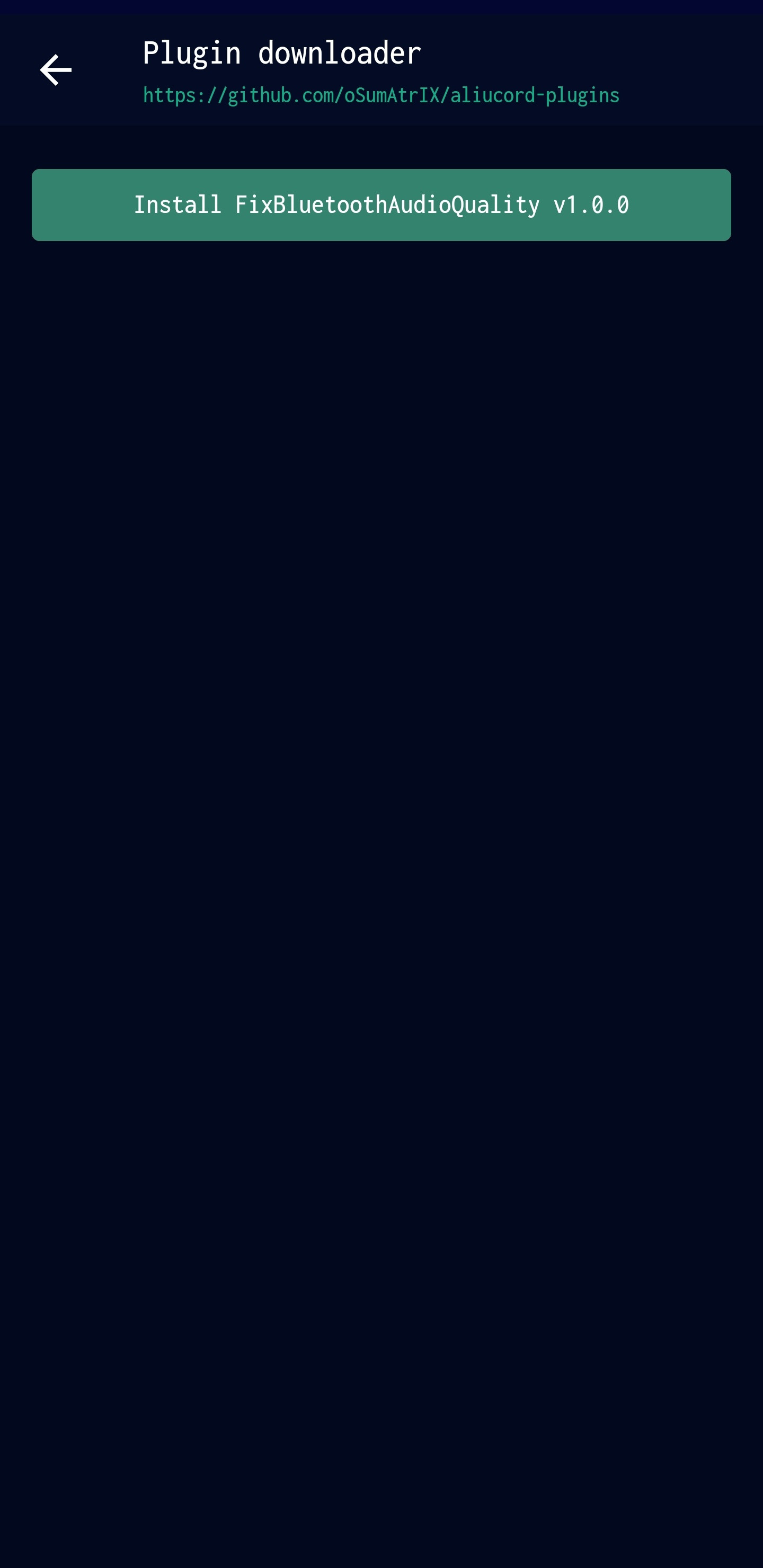
Now just tap on install and the plugin should be installed and listed in your Plugins screen option (In settings > Plugins)

Plugins Suggestions/Plugins I Use:
- PluginDownloader - Quick Download Plugins
- DedicatedPluginSettings - Adds a dedicated plugins category in settings
- EmojiUtility - Utility for emoji's
- HasteBin - Create pastes on hastebin
- NitroSpoof - Use emotes everywhere without the need for Nitro
- MessageLogger - See deleted messages
- Themer - Apply custom themes to your discors (Find themes in the support server)
- UrlShort - URL Shortener tool

Follow Us On Our Other Platforms:
- Telegram
- Discord
- Telegram Channel (Updates/Useful posts ONLY)
- MEGATHREAD