Telescopy Bot FAQ 🇬🇧
TelescopyI'm a Telescopy and I can convert square Videos into round Video messages, just send me a media file.
🇷🇺 Русский: Справка Telescopy Bot
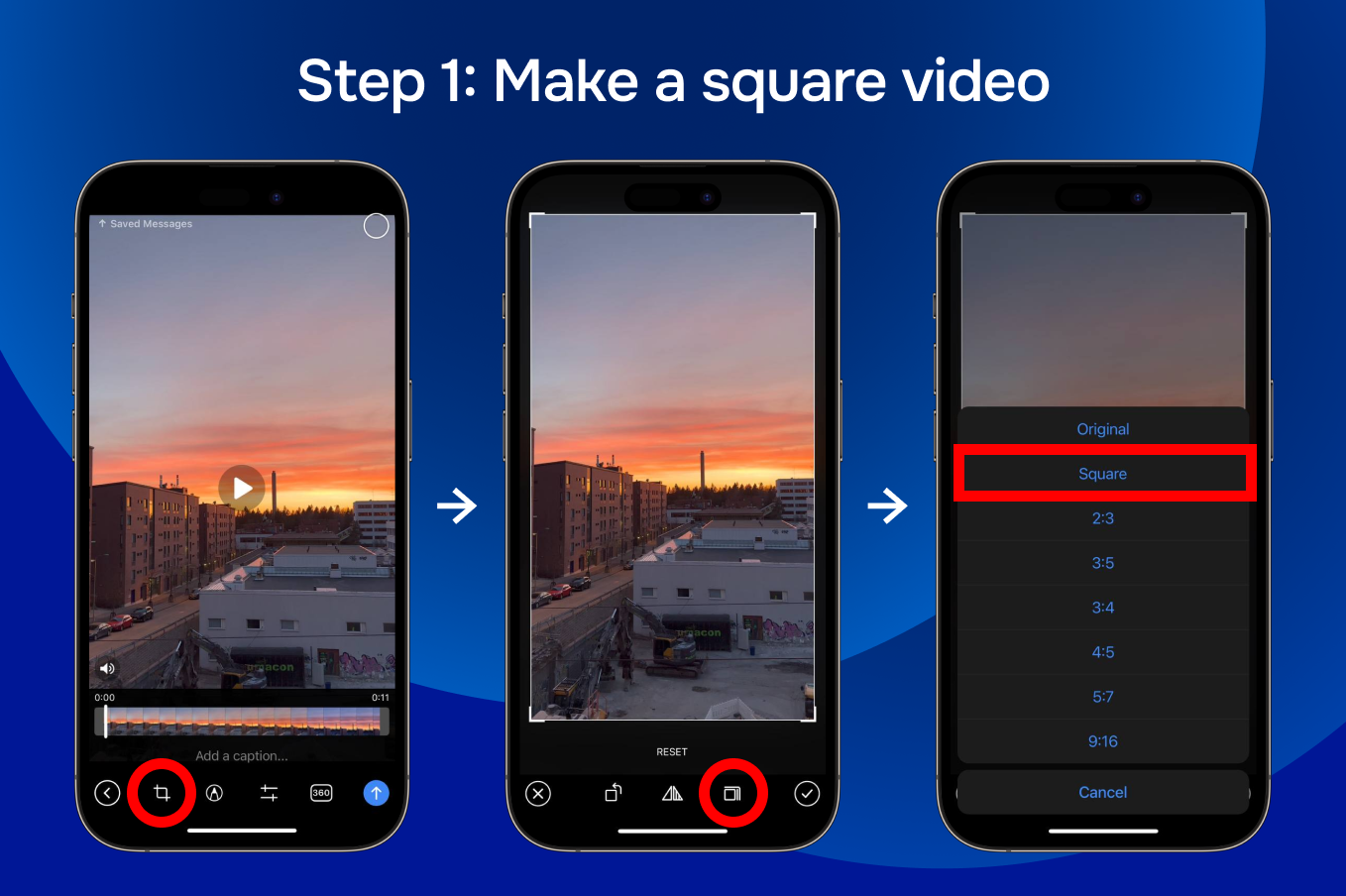
Cut out a square from the video. (iOS - tap on the framing icon. Android - hold the framing icon) and choose "Square" or "1:1". Do not frame the video manually, the video must be a pixel-perfect square.
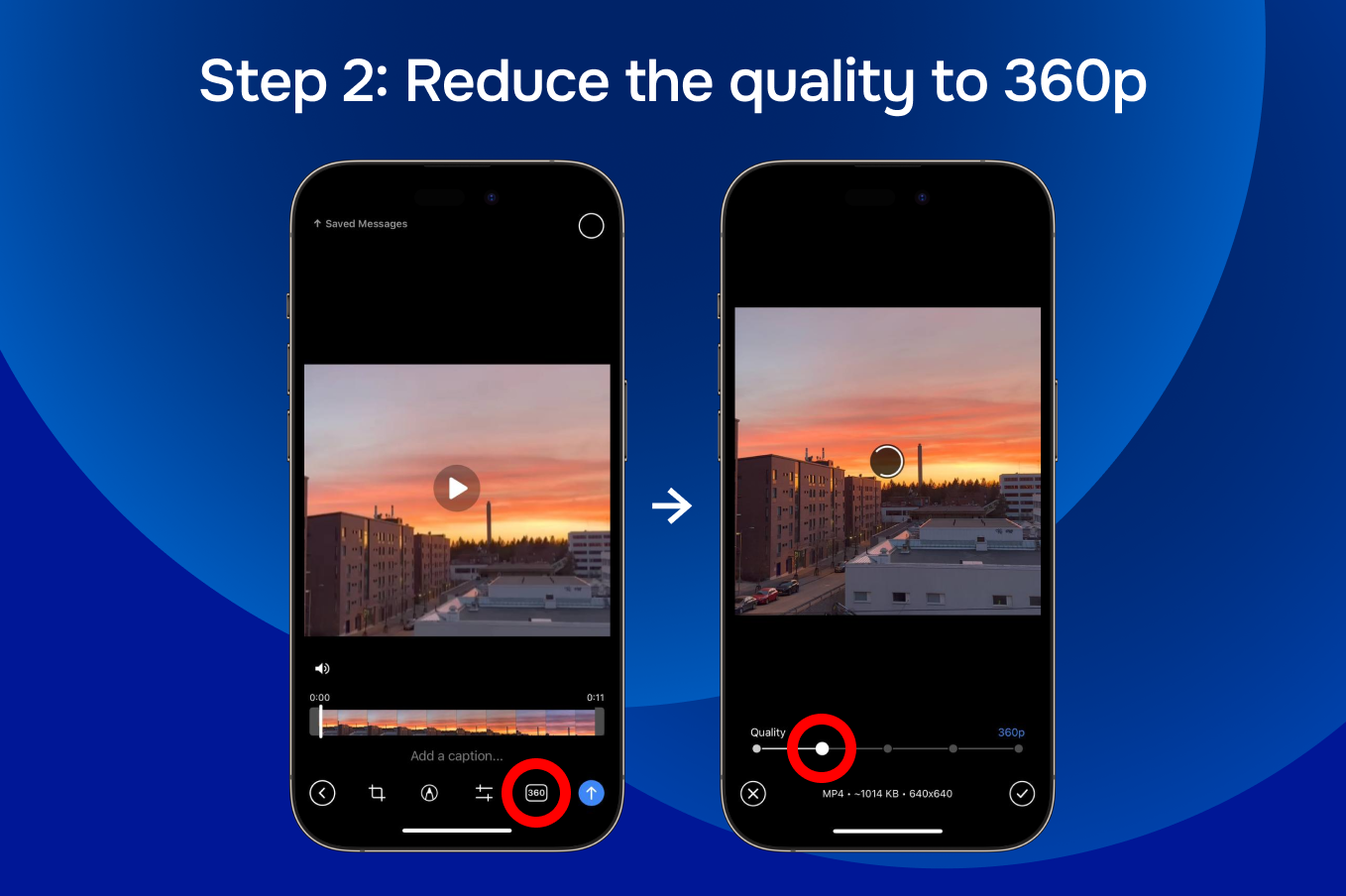
- Set dimensions up to 640x640px video, usually it's 360p quality. Lower the quality to get a video no more than 8MB
- Adjust duration up to 60 seconds
- Make sure to leave sound enabled, because GIFs (videos without sound) are not supported
FAQ
1) Is it possible to forward the bot's Video Message without "Forwarded from Telescopy"?
Yes, you can do it in any official Telegram app. Watch a video from Telegram Blog
2) How to save a round video?
There are no round video files. The converted round video can only be sent in a Telegram.
3) What are the video restrictions?
Square video (aspect ratio 1:1) with size up to 8 MB, width/height up to 640px (quality 360p) and duration up to 60 seconds. It's Telegram Bot API restrictions.
4) Why is the bot not sending me a Video Message in response?
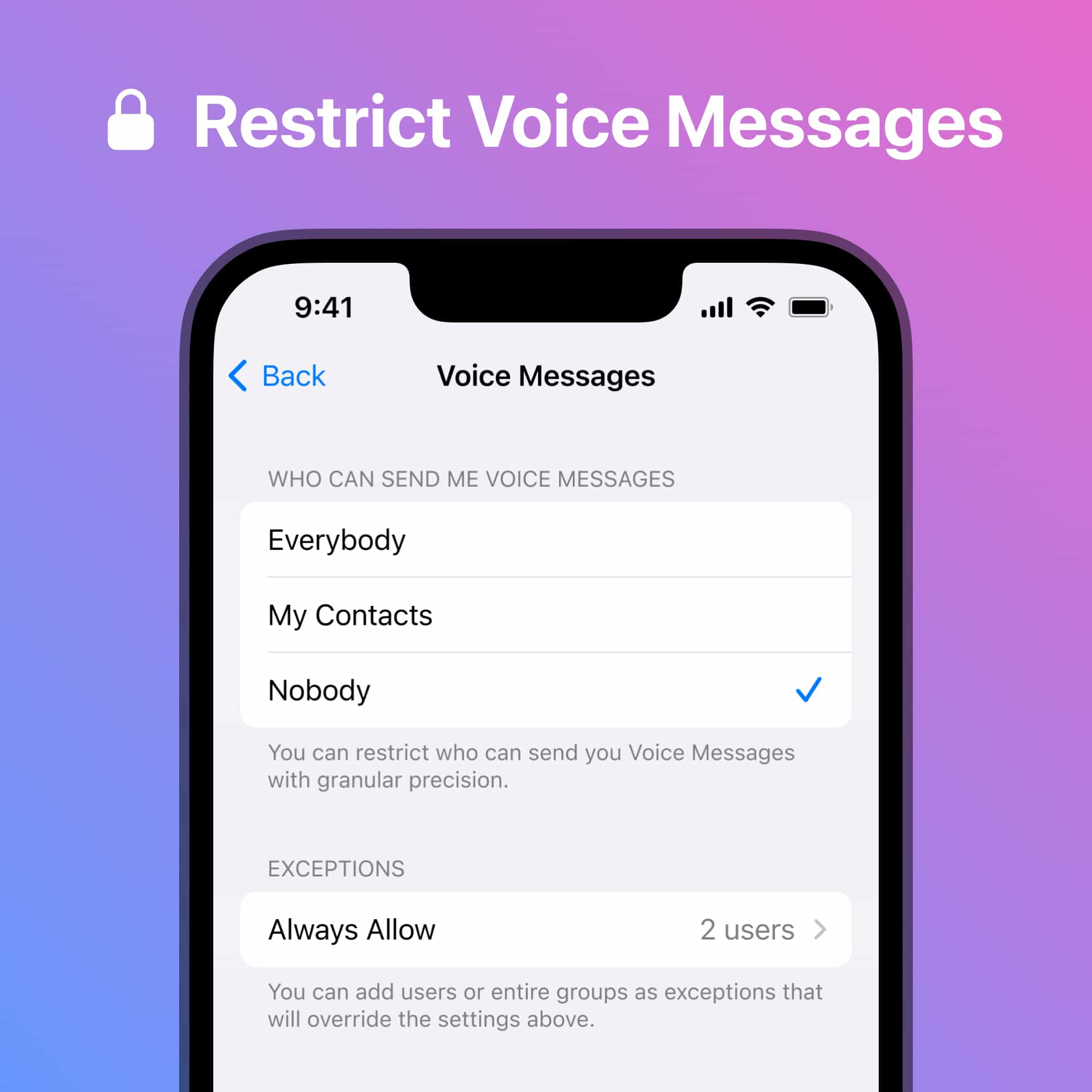
You have enabled a privacy setting for Voice and Video messages. Please make sure to add @TelescopyBot to your "Always Allow" list
https://telegram.org/blog/custom-emoji#privacy-settings-for-voice-messages
5) Can't find an answer to my question in this FAQ. What should I do?
Feel free to contact @TelescopySupport with your question