Telegram Guide for Pros and Beginners
Marius HartigShould you use Telegram or not ?
Telegram isn't definitely not the perfect messenger service for everything, for example if i want to stay anonymous than isn't Telegram the right choice. The simple reason for that is you have to create a account with your phone number. But if you want stay secure and you like data privacy than is Telegram the right choice. The other reason is Telegram have a ton of features and this features are combinable to have more features.
A other topic is the trust, because if i want to use clouded based features you have to ask your self if i can trust them or not. Here are some information to create your own picture about the Telegram founder.
- Pavel Durov is the founder of Telegram, [here](https://lbry.tv/@mrmarix:6/The-Incredible-Life-of-Pavel-Durov-%E2%80%93-Russia%E2%80%99s-Mark-Zuckerberg:0) is a link to a video to tell you the story about Pavel.
- You can also checkout his [channel](https://t.me/s/durov) than you will see he is very transparent, so you will know whats is going on
- Snowden [sad](https://twitter.com/Snowden/status/986273158603952128?ref_src=twsrc%5Etfw%7Ctwcamp%5Etweetembed%7Ctwterm%5E986273158603952128&ref_url=https://www.russland.capital/snowden-unterstuetzt-telegramm-gruender-pavel-durov)
Features
Username
By default, your user account doesn’t have a username. In this case, only people who have your phone number can send you messages.
If you set username for your user account, then:
- Anybody can send you messages through the link https://t.me/username.
- You appear in the Telegram search under @username (and anybody can send you messages from there).
Expire Date for your Account
This is in my opinion one of the best Features in Telegram, you can set a expire date for your account
the default is 6 month after 6 month your Account with all your data will be deleted., happy dying xD.
Two-Step Verification
Another addition to the Privacy and Security section is Two Step Verification. It allows you to set up a password that will be required every time you log into your account from a new device – in addition to the code you get in the SMS.

Be careful though: if you forget this password, you won't be able to access your messages from other devices. We recommend setting up a recovery e-mail or at least a hint for your password, if you decide to turn on Two Step Verification.
Important:
Two-Step Verification it's very important for you privacy, because if you can influence your mobile provider to forward the SMS code to you than you just have enter the code and your are in. Sadly
the police and the government can influence the mobile providers easily.
Changing Your Phone Number
It is easy to switch to Telegram and retain your social graph, since it is based on phone numbers. But what if you need to change the phone number itself? As of today, you can change your number in Telegram — and keep everything, including all your contacts, messages and media from the Telegram cloud, as well as all your secret chats.
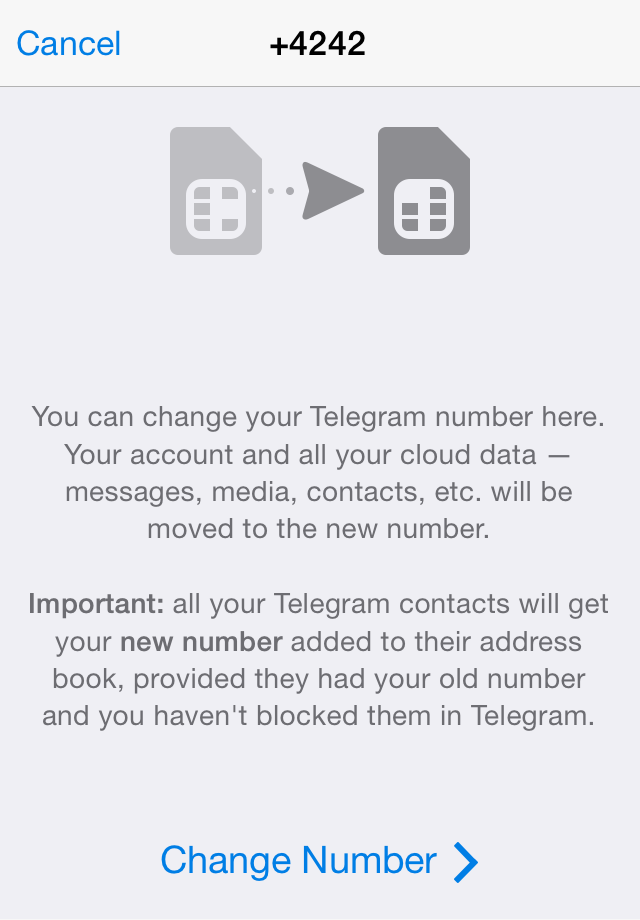
Your mutual contacts (people in your contacts, who also have your number) will get your new number added to your contact in their address book unless you have blocked them in Telegram. This makes changing numbers even easier.
Chats
In Telegram exist two kinds of Chats the standard Chat and the secret Chat. The standard Chat is Cloud based and the secret Chat is peer to peer based.
Groups
There are two types of groups, basic groups and supergroups.
By default, every newly created group is a basic group, but it can be upgraded to a supergroup.
Basic Group:
A basic group can have up to **200 members** (users and bots).
For adding users to the group, you have the following options:
- Add somebody to the group from your Telegram contacts.
- Add somebody to the group by their username (if they have a username).
- Create an invite link through which anyone who has Telegram installed can join the group.
Supergroup
Every basic group can be upgraded to a supergroup.
A supergroup can have up to **100,000 members** (users and bots).
The main difference between a supergroup and a basic group is that a supergroup can be either private or public.
By default, a supergroup is private, but it can be made public.
Saved Messages
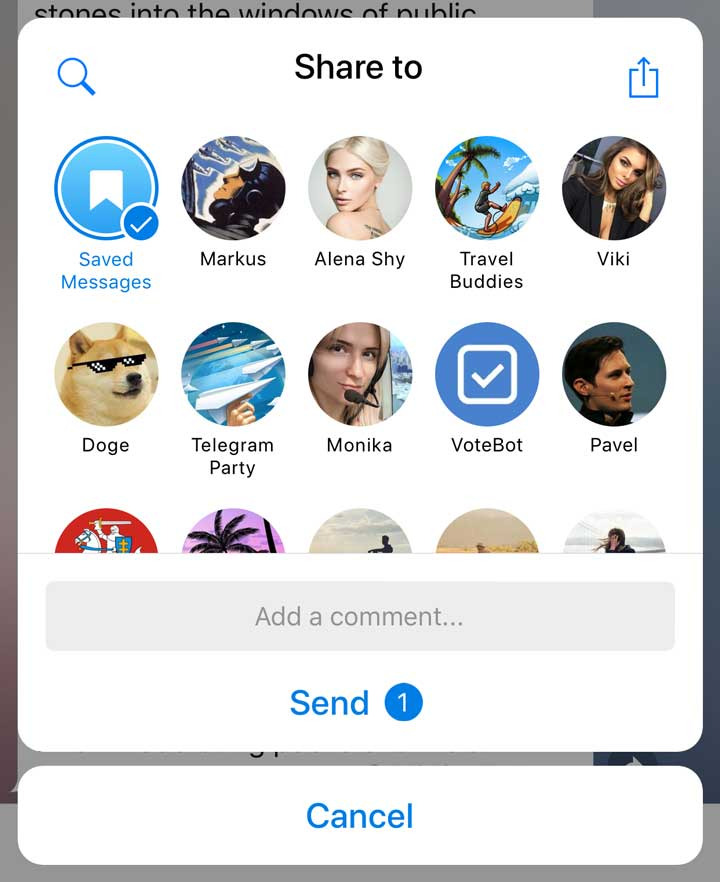
You can bookmark important messages by quickly forwarding them to Saved Messages – your personal cloud storage for any messages or media you may want to send or forward there. Each saved message has a “go to” button that takes you to the right place in the chat where it was originally posted. The cloud storage is unlimited, but don't abuse this to save everything.

The Saved Messages chat is always displayed at the top of the list in the sharing and forwarding menus. This makes it easy to save your favorites while keeping things as tidy as before
Self-Destructing Messages
Schedule Messages / Reminders
In Telegram its possible to schedule message, for example you want send a congratulation to a friend birthday.
Scheduling also works in your Saved Messages chat, turning your planned posts into reminders. Be your own time-travelling secretary – whether it's about a dentist appointment next week, or waking up in time for pizza delivery.
Video Messages
Video messages are so fast because Telegram compresses them and sends them even as you record them. By the way, if holding the button seems like too much work, you can lock the camera in recording mode by swiping up. This also works with voice messages now (here's one for you, cab drivers).
Video messages are automatically downloaded and autoplayed by default (you can change this in Settings if you’re on a data diet though) and generally feel and act like voice messages – on visual steroids.
While watching a video message, you can freely browse your other chats – the video will pop up in a corner and continue playing. You can move it around the screen and pause it from anywhere in Telegram. Cool, eh? Well, there's more:

Lock Chats
There’s no denying the fact that Telegram became as popular as it is because of its focus on privacy. The service not only provides end-to-end encryption on the server side of the things but also allows users to lock their chats. This is great for safeguarding your personal chats when you are handing out your device to anyone else.
Delete Sent Messages for Everyone
Before WhatsApp introduced its new feature which allows users to delete sent messages, Telegram already had this feature. To delete a sent message, tap and hold on a message to select it and tap on the trashcan icon at the top right. In the pop-up window select the option to delete the messages for receiving party and tap on delete. Do remember that this feature is the only available for the first 48 hours of sending the message. Once you pass the threshold, you won’t be able to delete the sent messages.
Voice Calls
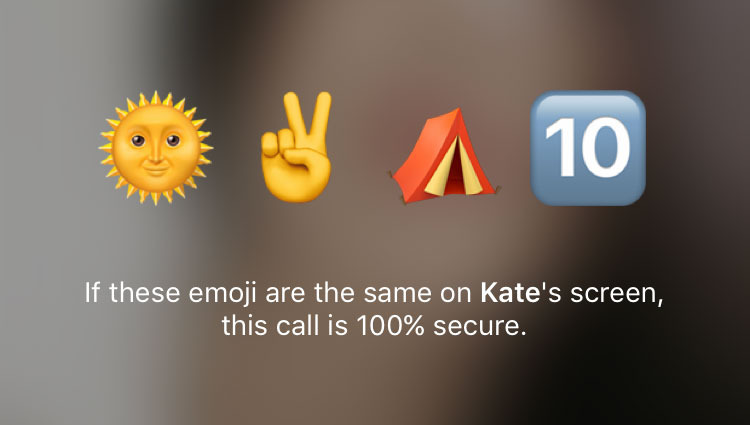
Telegram Calls are built upon the time-tested end-to-end encryption of Telegram's Secret Chats. The key verification UI came up with in 2013 to protect against man-in-the-middle attacks served well for Telegram (and for other apps that adopted it), but for Calls we needed something easier.
That‘s why we’ve improved the key exchange mechanism. To make sure your call is 100% secure, you and your recipient just need to compare four emoji over the phone. No lengthy codes or complicated pictures!
Each time you make a Voice Call on Telegram, a neural network learns from your and your device‘s feedback (naturally, it doesn’t have access to the contents of the conversation, it has only technical information such as network speed, ping times, packet loss percentage, etc.). The machine optimizes dozens of parameters based on this input, improving the quality of future calls on the given device and network.
Instant View
Instant View allows Telegram users to view articles from around the Web in a consistent way, with zero loading time. When you get a link to an article via Telegram, simply tap the Instant View button, and the page will open instantly.
With Instant View, Telegram users can enjoy articles from any mass media or blogs in a uniform and easily readable way. Instant View pages support text and media of any type and work great even if the original website was not optimized for mobile devices.
On top of this, Instant View pages are extremely lightweight and are cached on the Telegram servers, so they load instantly on pretty much any connection — hence the name. No more waiting for clunky websites to load, now you can get the good stuff right away!
And the best part is that webmasters don't need to change anything on their websites for Instant Views to work.
To create anonymous a instant view post you can use [Telegraph](https://telegra.ph)
Bots
Bots are simply Telegram accounts operated by software – not people – and they'll often have AI features. They can do anything – teach, play, search, broadcast, remind, connect, integrate with other services, or even pass commands to the Internet of Things.
Telegram have a open [API](https://core.telegram.org/bots/api) that everybody can create bots. Bots give them User a nice user experience with followed features:
- custom keyboards
- inline mode
Payments for Bots
Imagine a world where you can order pizza, pay for a pair of shoes, hire a cab, or refill your subway pass — all in a few button taps on Telegram.
You can order goods or services from bots that offer them. These bots may now add a Pay button to their messages. When you tap Pay, you'll be asked to fill in your credit card and shipping information and confirm the payment. Then you get what you paid for. Voila!
If your account is protected by 2-Step Verification, you can save your card for future purchases. If you do that, ordering stuff from bots will only take two taps. Bot Payments also support Apple Pay for a completely frictionless experience.
Channels
Telegram Channels allow you to send messages. You create the channel, Telegram users can subscribe to the channel, then you can send messages to your subscribers.
Telegram channels have an unlimited number of subscribers, and the subscribers cannot see each other, they do not know who else subscribed to the channel.
Channels are amazing **alternative to Twitter** because of:
- Video Messages
- You can schedule message, its greater to plan post in the future
- You can easily add bots to your channel
- Instant View if you want to share blog posts
Tips:
- People there don't have Telegram can see channels in the browser via this link https://t.me/s/channel-name
- Subscribers can create comment to a post via a this [bot](https://t.me/discussbot) everybody can see this comments also in the browser.
- Video Messages from your Channels are also available on [**Telescope**](https://telesco.pe), a dedicated video hosting platform for those who use videos to communicate with their audiences (here's one for you, blogger people!)
With Telescope, public video messages can go viral **beyond the Telegram ecosystem**. Telescope hosts autoplayed round videos of up to 1 minute in duration – the same format we use for Telegram video messages. And yes, you heard that right, you don't need a Telegram account to view them.
Telegram Login for Websites
When you use Telegram login for the first time, our widget asks for your phone number and sends you a confirmation message via Telegram to authorize your browser.
Once this is done, you get a **two-click login** on every website that supports signing in with Telegram.
Telegram Passport
Our digital lives are getting closer and closer to the real world, and the number of services that need to know your real-life ID increases accordingly. Before today, this meant you had to upload the same document scans over and over for each new app. No more!
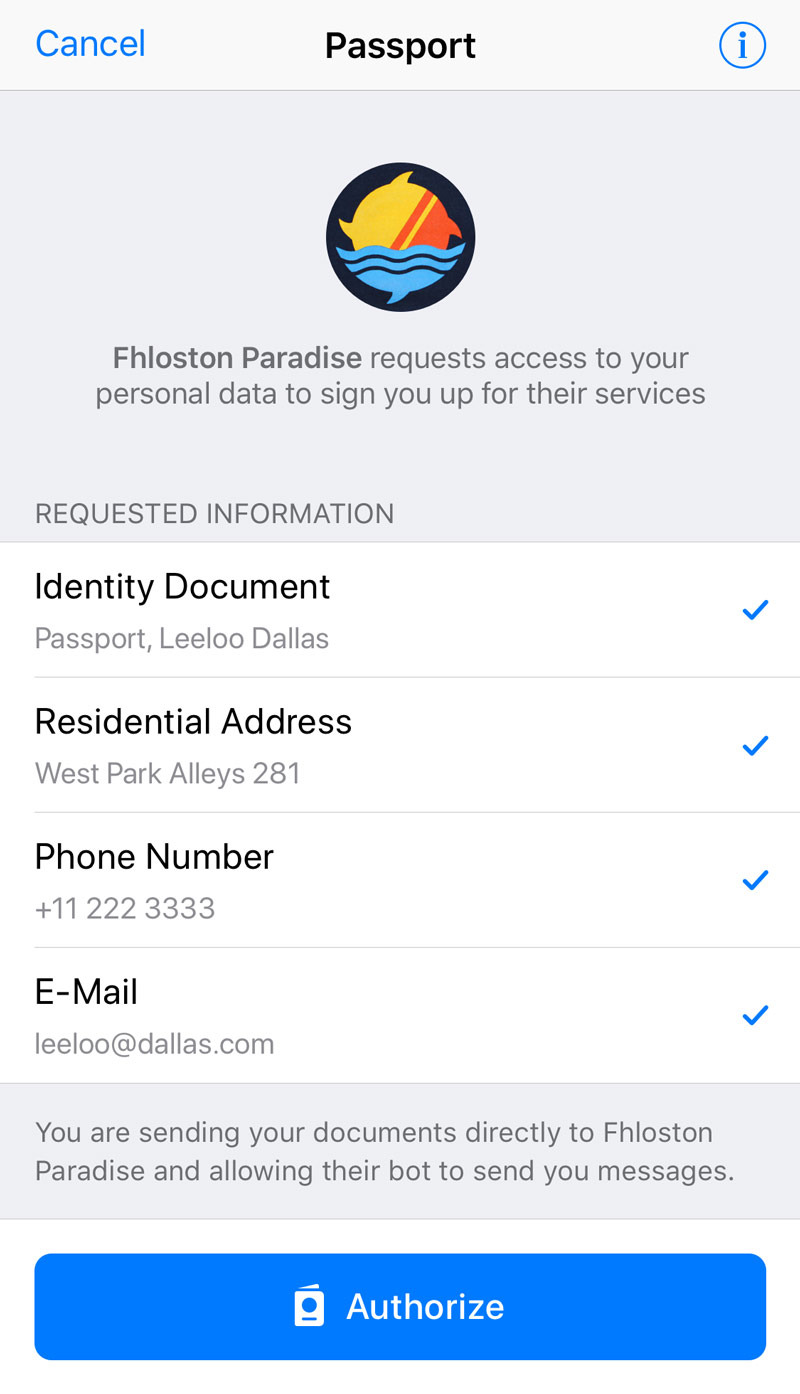
Meet Telegram Passport – a unified authorization method for services that require personal identification. Upload your documents once, then instantly share your data with services that require real-world ID (finance, ICOs, etc.).
Protected by End-to-End Encryption
Your identity documents and personal data will be stored in the Telegram cloud using End-to-End Encryption. It is encrypted with a password that only **you** know, so Telegram has **no access** to the data you store in your Telegram passport. When you share data, it goes directly to the recipient.
Tips and Trick
iOS unblock blocked Bots
Telegram was forced by Apple to block some Bots and Channels on iOS and Mac OS Devices.
But you can create a new Channel or Group and add this Bot as a Admin to your Channel or Group after that you can use this Bot like you use it normally.
Telegram as your new Spotify
Telegram have a integrated Music Player. You can stream music from a WAV or MP3 file just click in your chat on the file. The Music Player have options to shuffle and repeat.
You can create a group or channel and use this like a playlist, you can share this playlist to friends. If you created a group than your friends can also modify the playlist, in the case of a house party could be this very use full.
But where you get the music from ?
For that exist some bots:
- https://t.me/musichunterss
- https://t.me/yandex_music_bot
- https://t.me/musicherebot
Telegram as your Mail Provider
Apple released in this year Apple Login. Apple Login is greater for privacy because for each service Apple create a alias to your iCloud Mail. I do this since 4 Years with Telegram. You can create very quick a Email Address with this Bot. For each service you can create a alias. If you recognize you receive to many unexpected messages (spam), than you can delete the alias for this service.
Tip:
I using 4 E-Mail Services:
- My private mail address, i use this mail just for private message and things like bank account, I using Tutanota.
- My mail address for important services like Amazon, Netflix and Github.
- I use Telegram mail for services i know i will use them often but there are not important and there could spam me.
- Drop Mail Bot for services i just use once.