TGMoviesBot: FAQ
tgMoviesBot
backup bots
@TGMOVIES2BOT
@SearchMOVIESBot
create your own bot, which cannot be taken down by Tg FAKE Copyright
Frequently Asked Questions
1: How to Share this bot, to your friends?
A: Share this link and enjoy botting in Telegram.
2: How to Search For Movies?
A: Watch this video to know how to search and download "any" file available on Telegram.
Watch the above Video to know how to download any Telegram File.
You can also check spelling using @imdb
3: How to Download A Movie?
A:
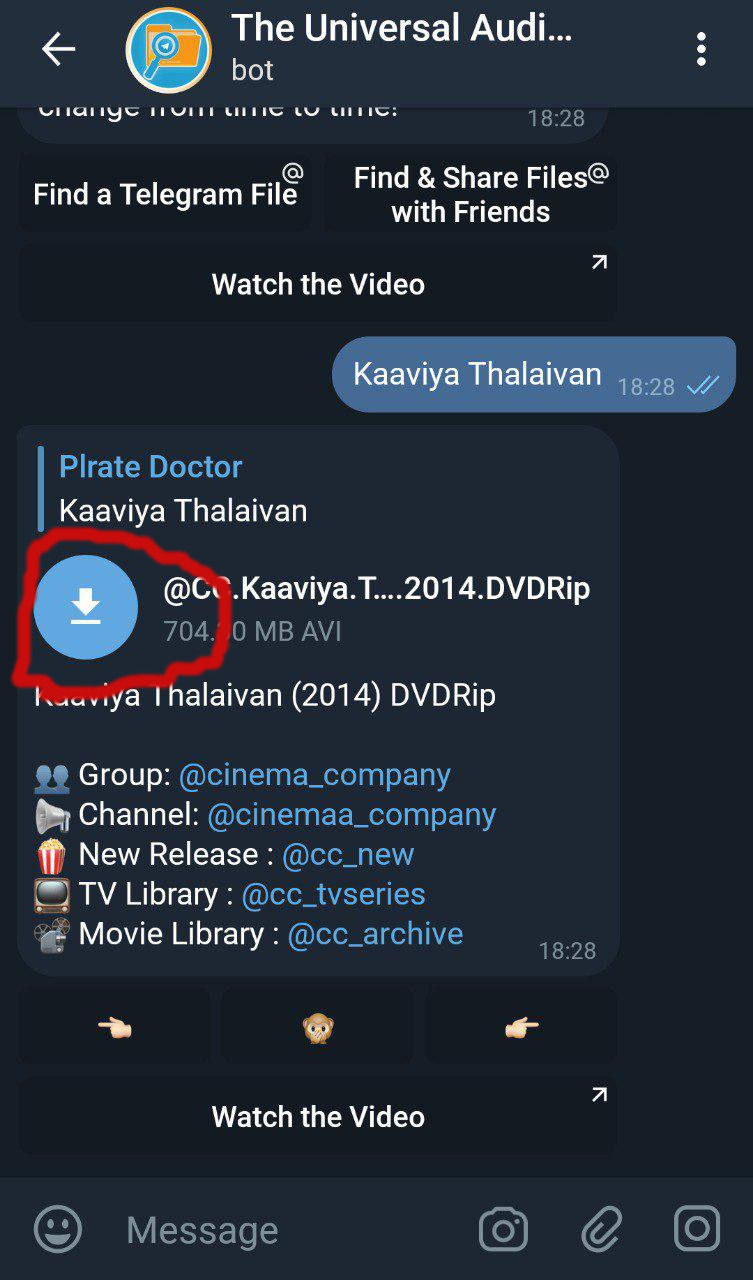
Click on the Download Arrow marked in Red to start the download.
4: How to know the Progress / Status of Download?
A: first, get the download link of the required file by clicking on the button.
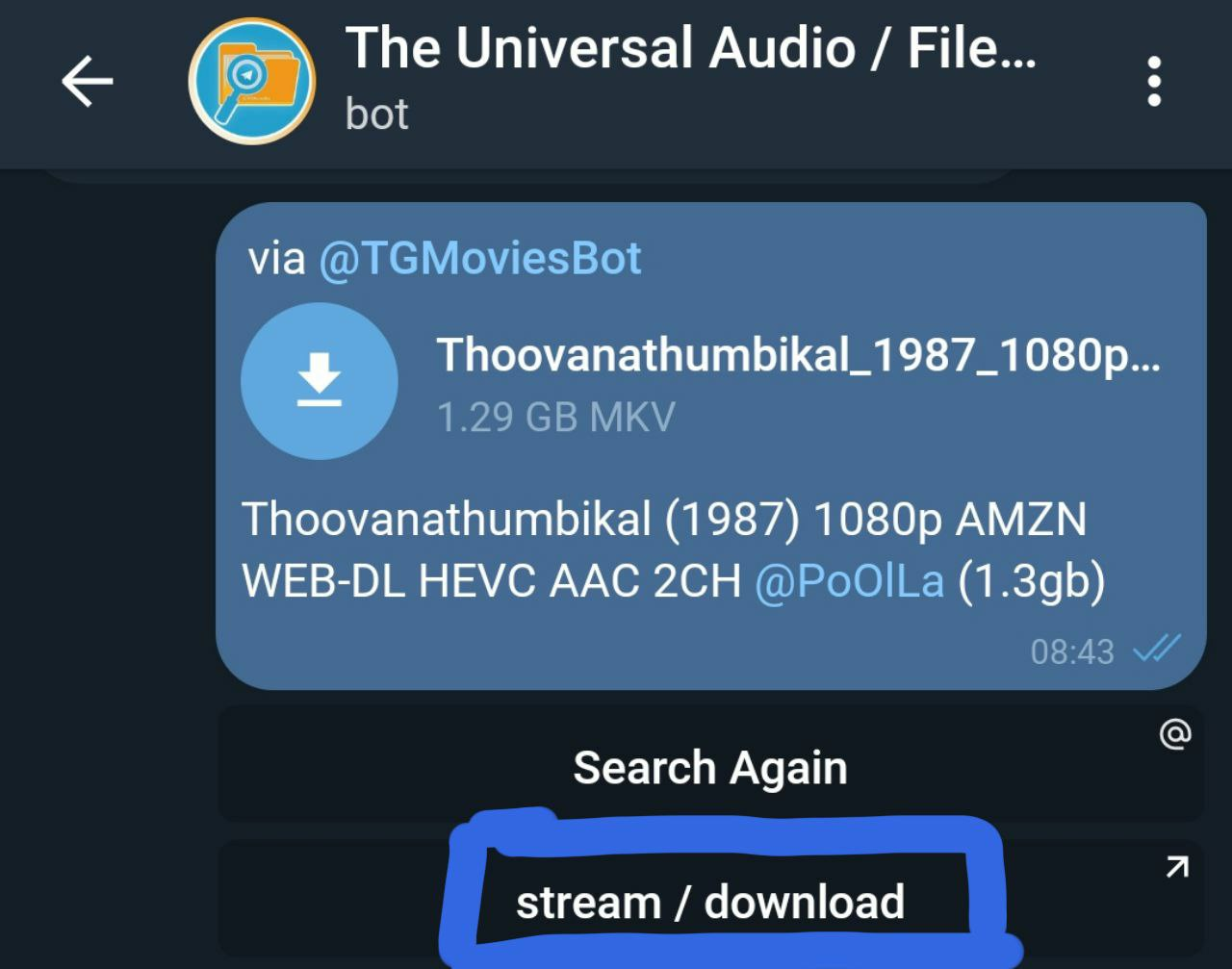
Then, Use Advanced Download Manager Pro APK or Play Store
You can also try using the Official Telegram Applications to download your files.
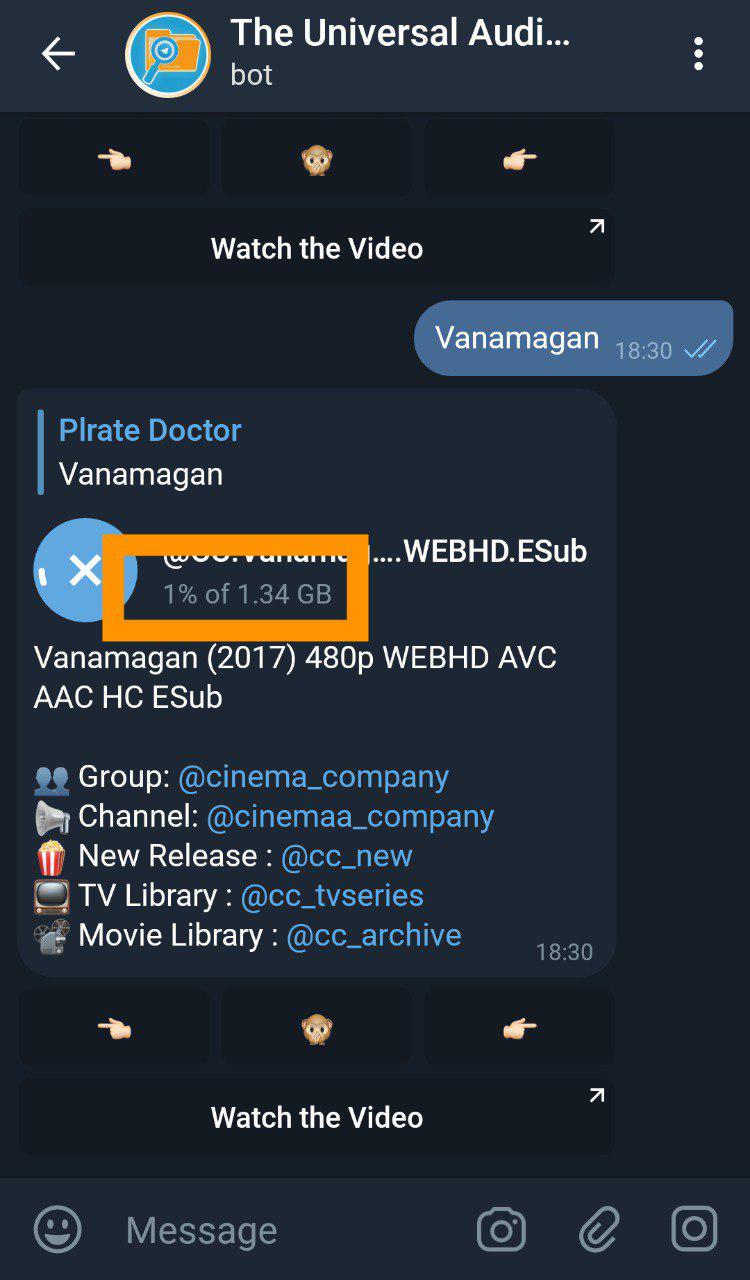
⚠️ ⚠️ many users have reported file missing issues when downloading using the official Telegram applications ⚠️ ⚠️
5: I started to download a file, but I do not see the downloading icon, now. What should I do?
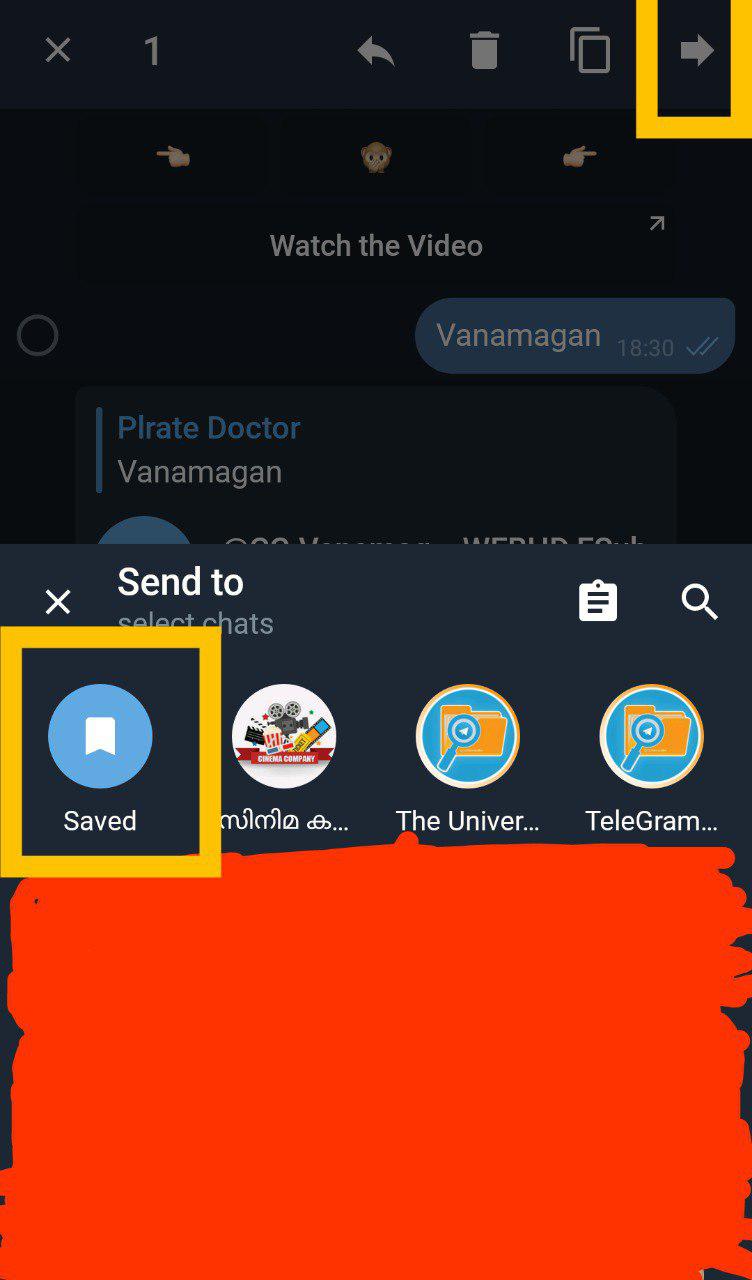
A: Please ensure that you forward the file to your Saved Messages, before starting the download.
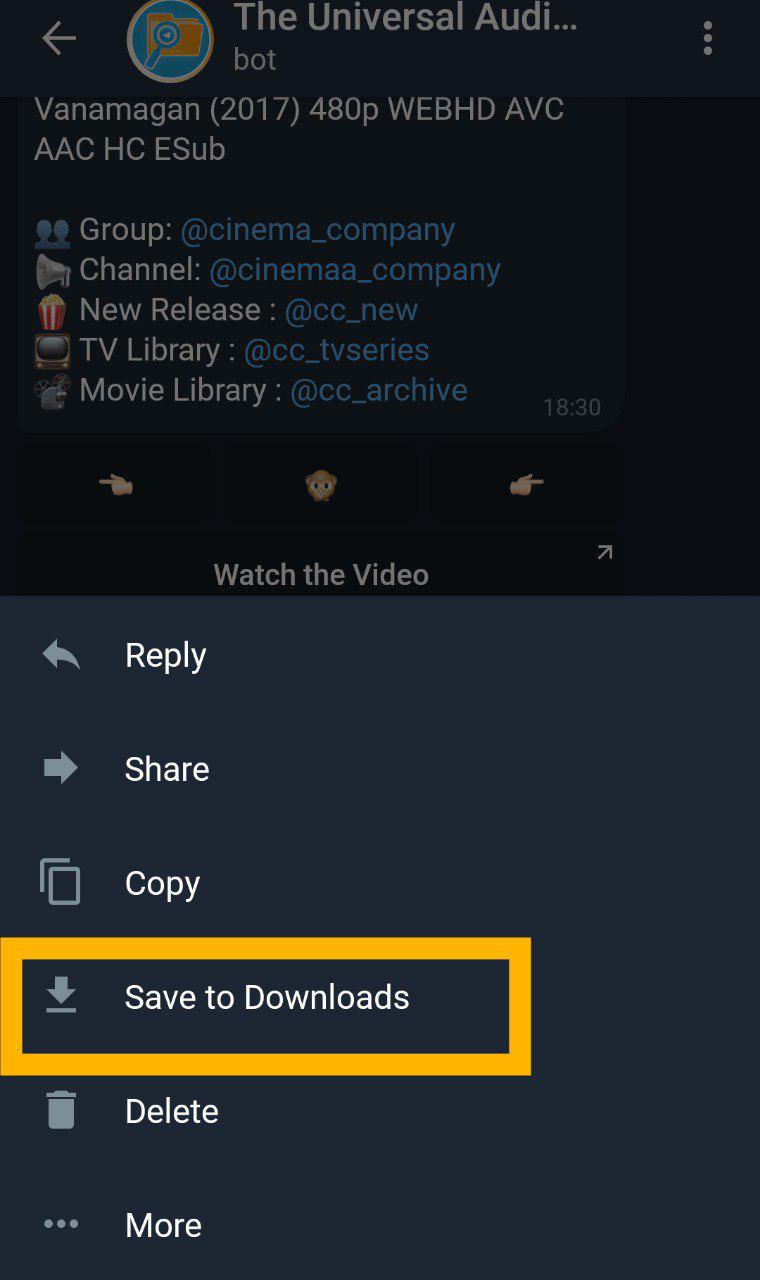
Also, ensure that you tap on Save To Downloads after download is finished.
6: How to download movies using External Download Managers?
A: Forward the file to any of the link generating bots to get high speed direct download link.
We recommend you to use @GetPublicLinkBot to Save to your Google Drive and then Download Large Files.
If the file is less than 20MB you can use "Instant Download Link"
OR
Click on Generate Resumable Link for bigger files.

Then Download using the Resumable Link, using your favourite Download Manager.