💵 Swap/Transfer
Jack / @KitaecJack / kitaecjack.tg / kitaecjack.nearExchange is also known as Swap, this function is designed to exchange one currency for another. When you log into Swap, in the left window we select the currency that we are giving for exchange, in the right window we select the currency that we want to receive and enter the required amount for exchange.
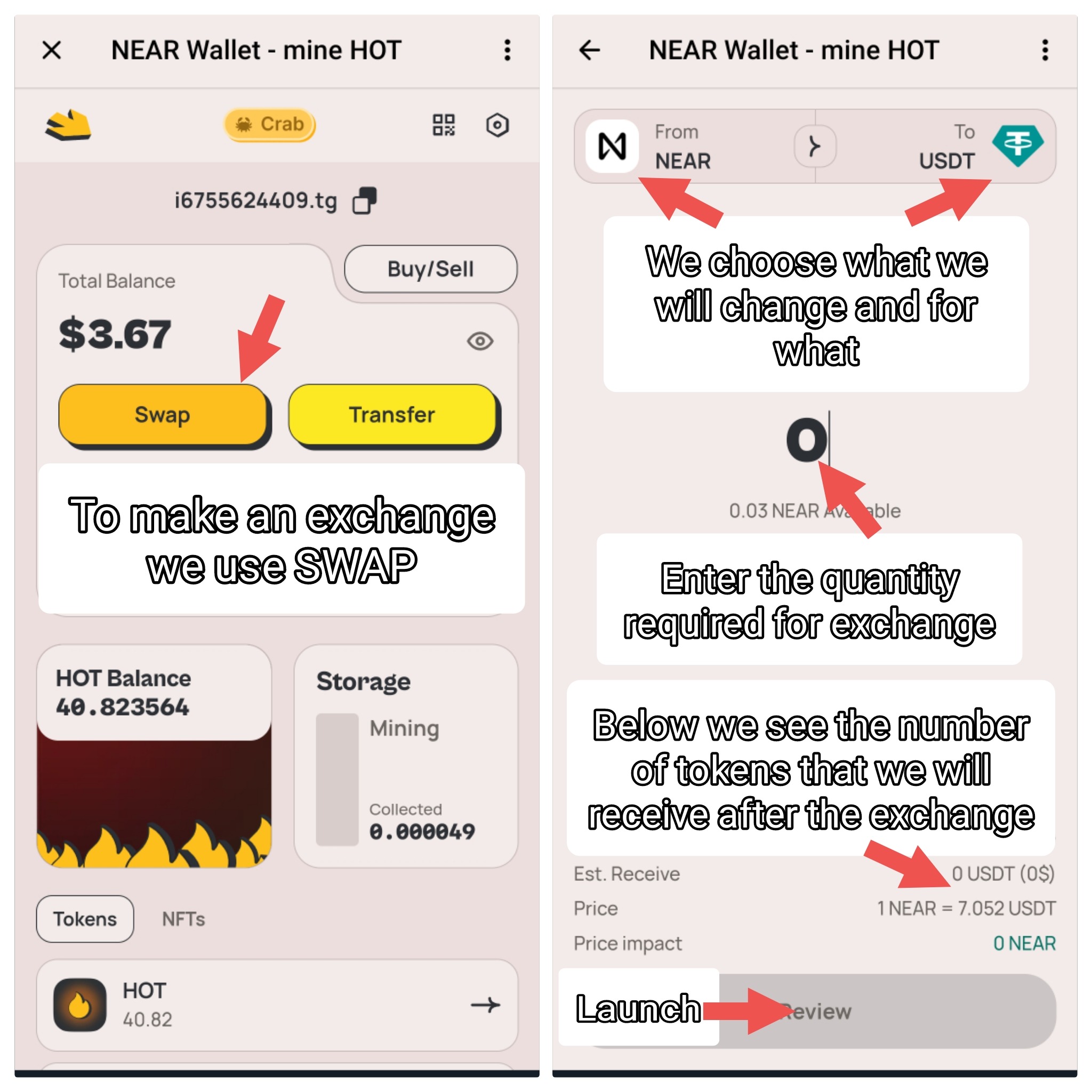
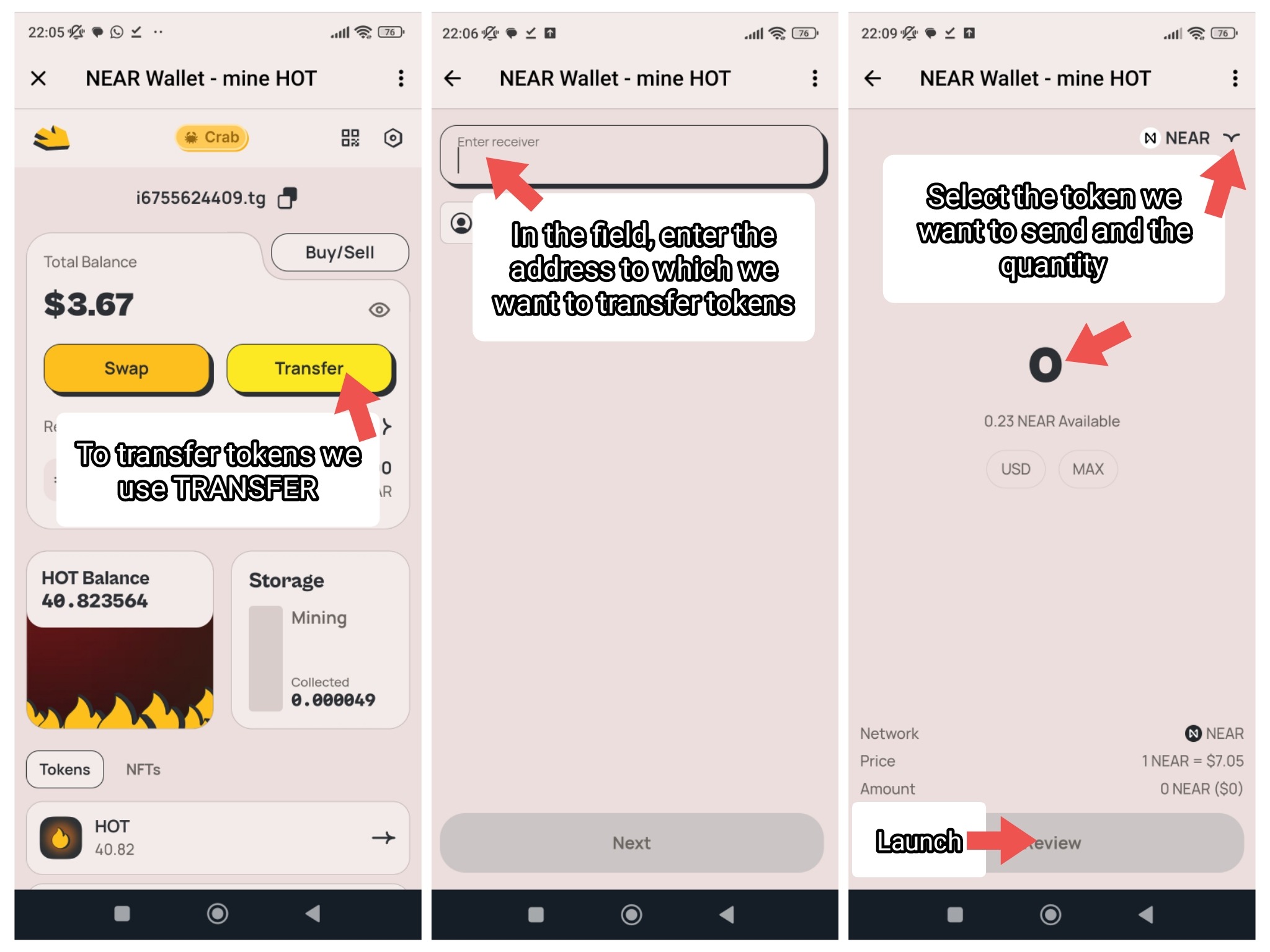
Transfer also known as Transfer, is a transfer from one wallet to another.
For deposits and withdrawals you can use the following exchanges: Binance, OKX, bybit, HTX, mexc, Coinbase, cryptocom, WhiteBit, bitget, kucoin, Gate.
We recommend depositing and withdrawing Near currency (since the wallet inside the game bot works on this network), transactions with it are the cheapest and fastest. Transactions with any other currency must be conducted and maintained on the same network by the sending and receiving parties. Your wallet address is located at the top of the main page in the bot and looks in this format *****.tg
❓ I transferred money, but it didn’t arrive, where is it?
You can check the list of transactions by entering your wallet address in the search field on any of the sites, then open the "Transaction tokens" section:
pikespeak.ai
nearblocks.io