Step-by-step guide on creating your own OverGold Wallet
Embark on a journey towards financial empowerment with OverGold by creating your own digital wallet. Follow these simple steps below to safeguard your digital assets and unlock the potential of the crypto world.
________________________________________________
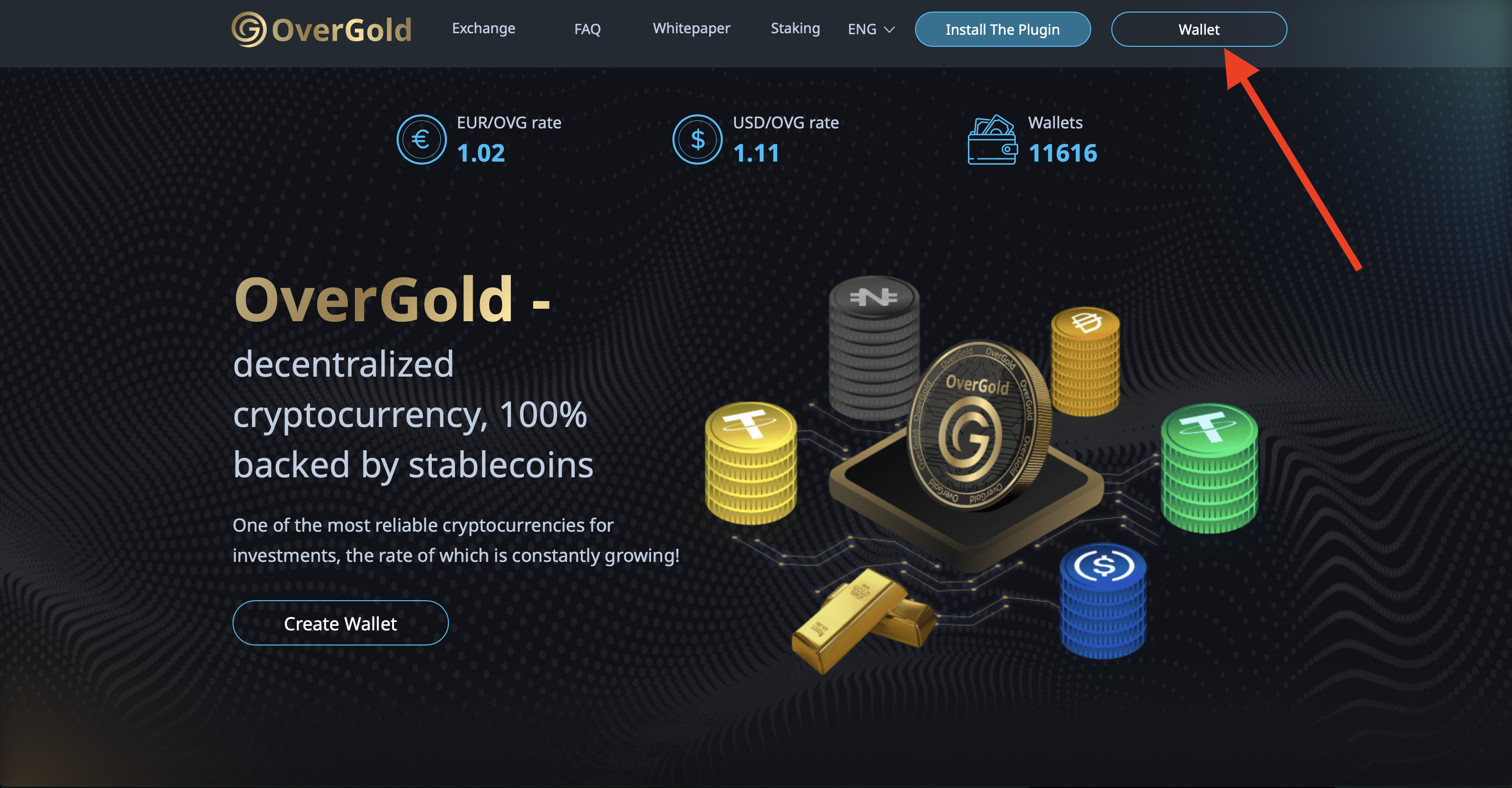
Step 1: Navigate to the OverGold Website
Commence your journey by accessing the official OverGold website. Locate the "Wallet" option in the top panel and proceed to initiate the registration process.
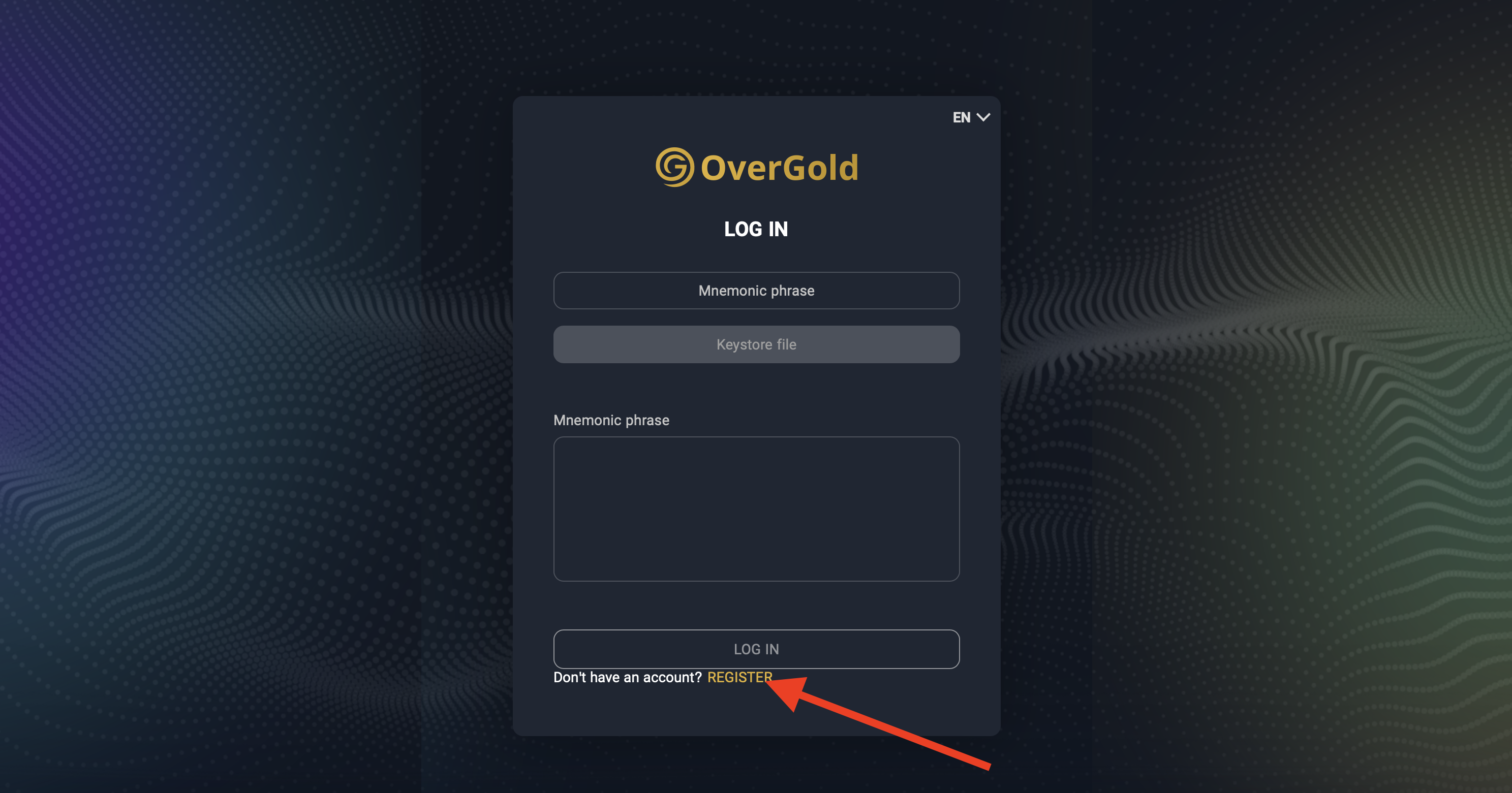
Step 2: Initiate Registration
Upon reaching the wallet section, locate the "Register" button at the bottom of the page. Click on it to commence your registration and generate your unique wallet keys and passphrase.
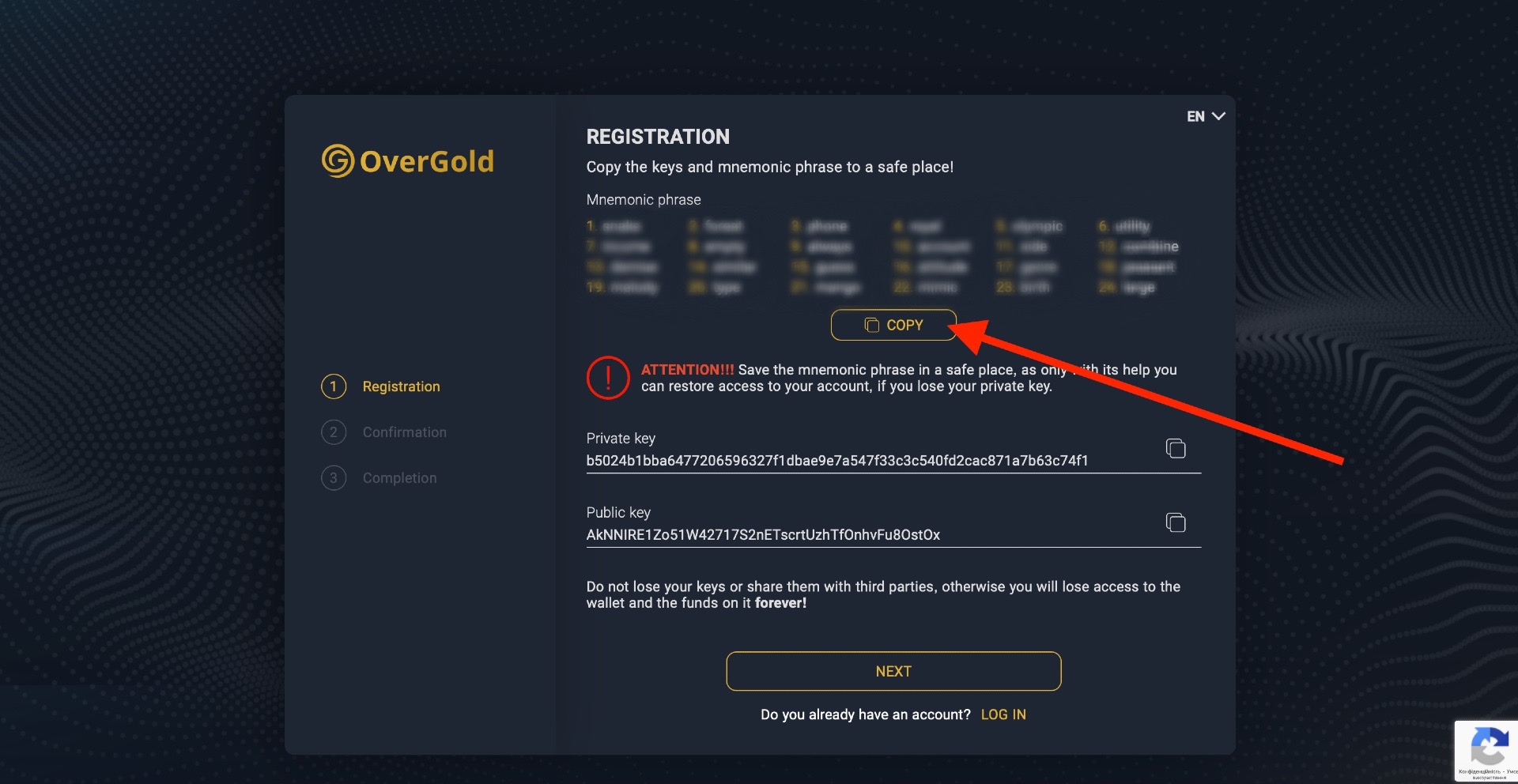
Step 3: Secure Your Keys and Passphrase
Upon registration, you will receive a set of unique keys and a passphrase. These serve as your gateway to accessing and managing your digital assets. Ensure to store them securely in a location accessible only to you.
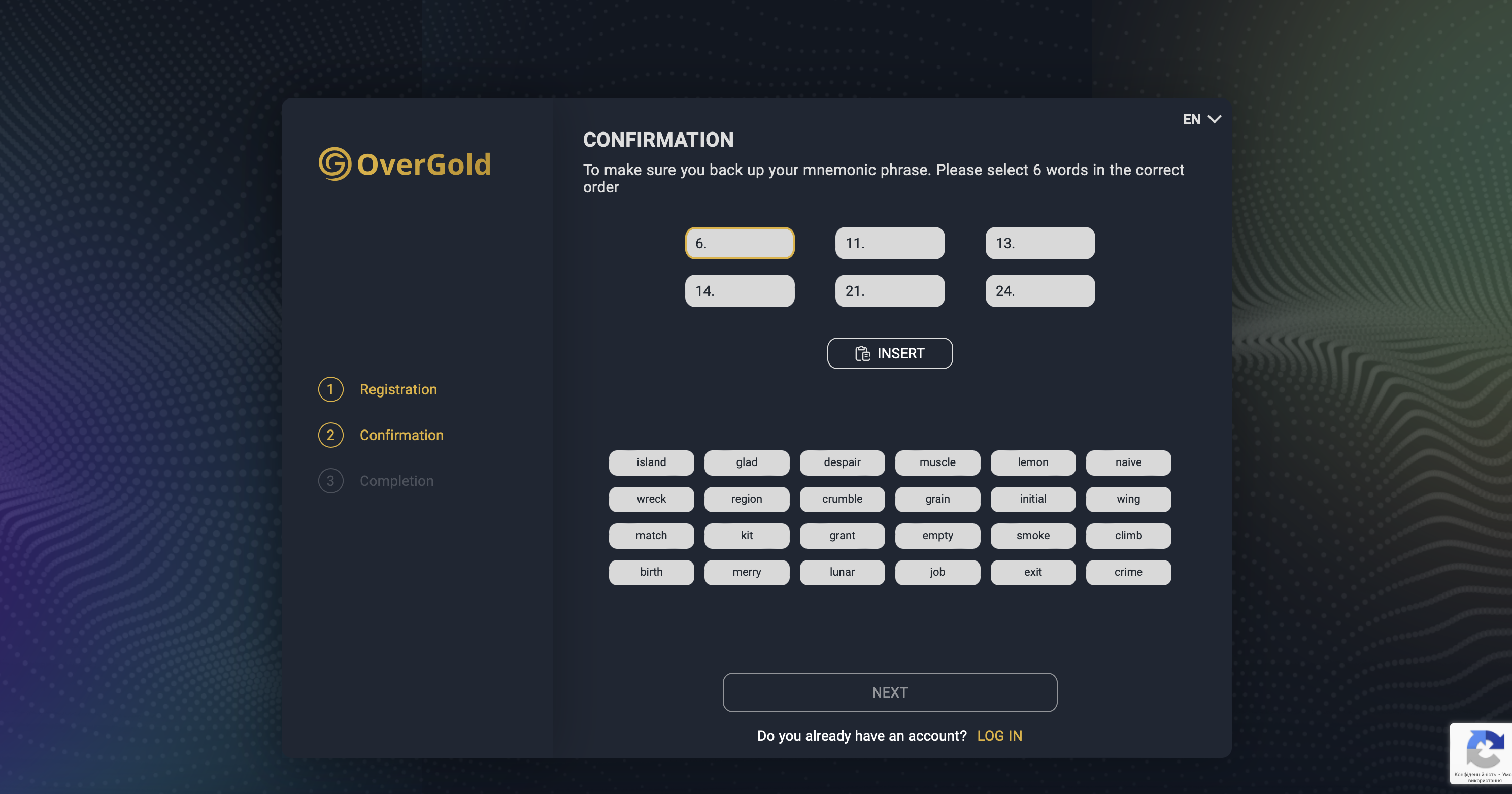
Step 4: Confirm Your Mnemonic Phrase
As an added security measure, you will be prompted to confirm your mnemonic phrase by arranging a sequence of words in the correct order. This step ensures the secure backup of your wallet information.
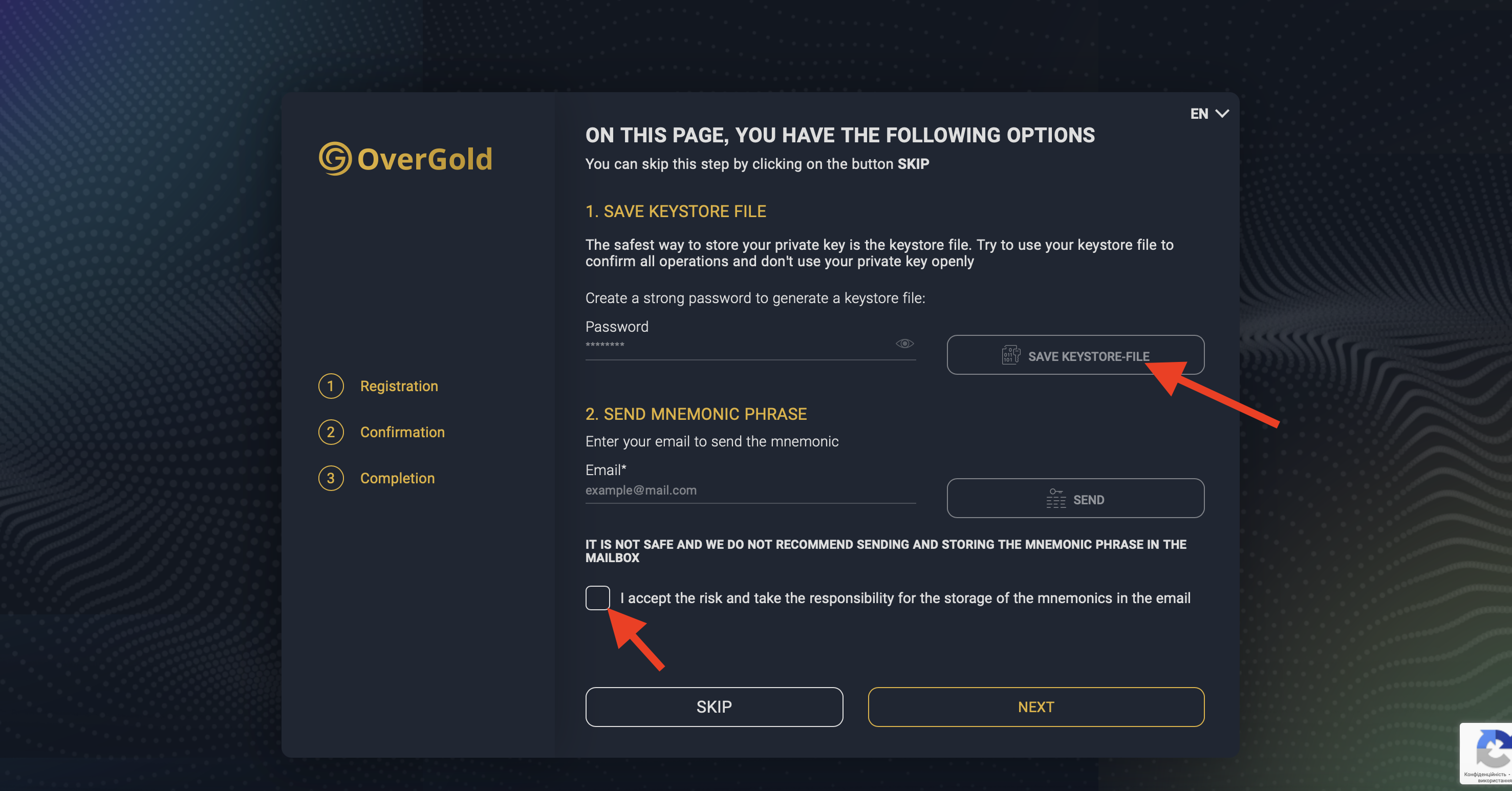
Step 5: Set a Password and Secure Your Private Key
Proceed to set a strong password for your account and choose the most secure option for storing your private key – a Keystore file. Additionally, you have the option to send your passphrase to your personal email for added security.
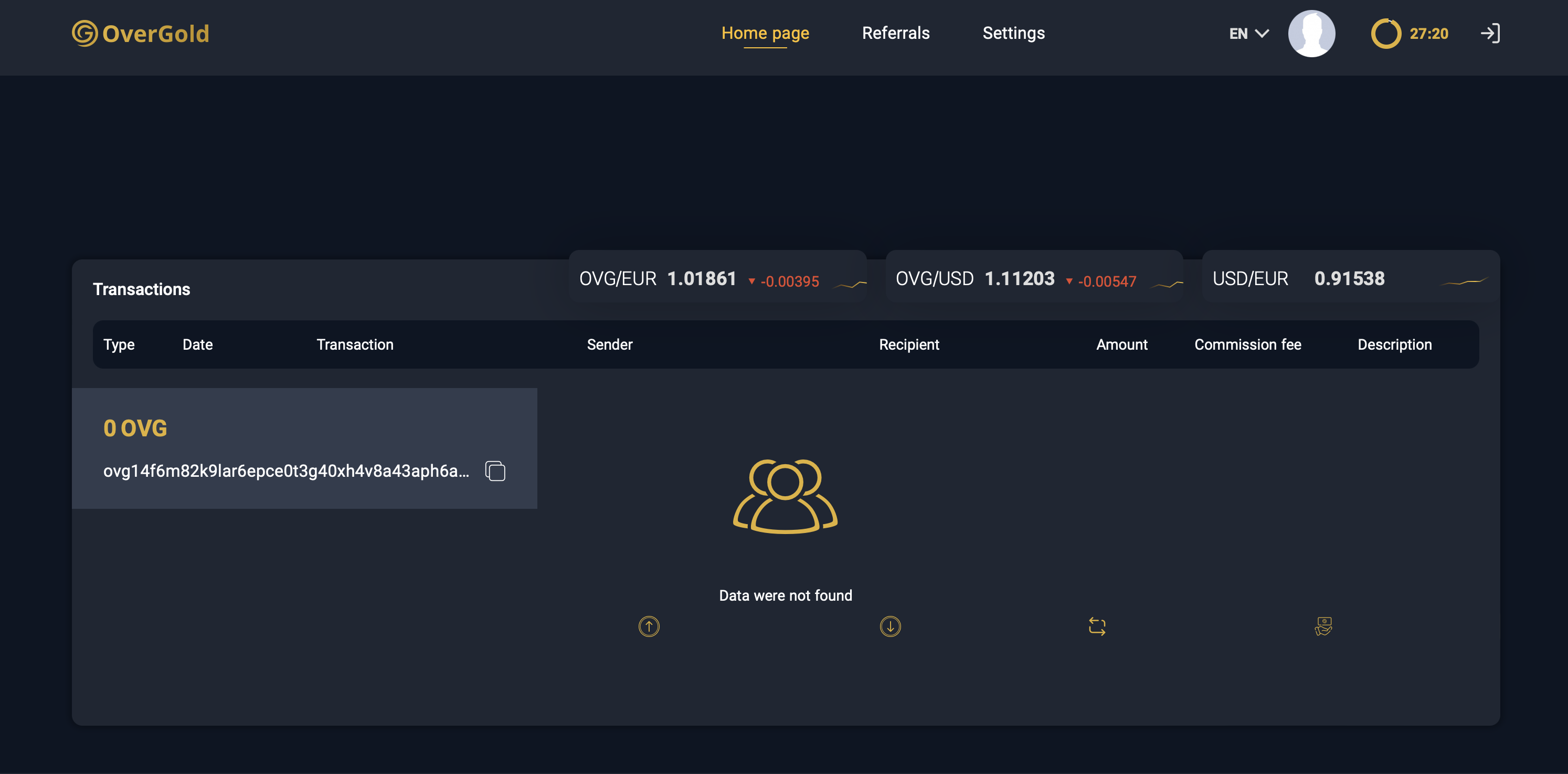
Step 6: Access Your Personalized Wallet Dashboard
Congratulations! You've successfully completed the registration process and gained access to your personalized OverGold wallet dashboard. Here, you can effortlessly manage transactions, monitor currency fluctuations, and track your funds with ease.
Take control of your financial future with OverGold. Start by securing your digital assets today!
X | Telegram | LinkedIn | YouTube | Website