Sphere bot instructions
@sphere_wallet_botThe Sphere is a non-custodial cryptocurrency wallet based on Telegram.
Supported cryptocurrencies:
ETH, USDT (ERC20).
We offer:
- Secure as Telegram.
- Simple and convenient.
- Fast and cheap transactions using zkSync(L2).
- Buy and sell goods and services.
- Buy and sell files.
- Collect donations.
- Advertising in Telegram by "Treasure Chest".
- Referral program.
- Integration with bots and channels for automating payments.
Our goal
Cryptocurrencies, in recent years, have shown their stability and prospects.
Therefore, we believe that the development of an ecosystem that allows many people around the world easily and conveniently use cryptocurrency, has great potential.
Through the Sphere, you can easily pay for goods and services, as well as send money to your friends and family - SIMPLY, FAST, SECURE!
How does this work?
The Sphere is designed for the convenient and secure exchange of funds between Telegram users.
To transfer money, just select a contact, indicate the transfer amount, and enter a password (specified during registration).
If the recipient does not have the Sphere wallet, then he must be invited by sending an invitation message.
The funds in the wallet are stored in cryptocurrency, but for convenience, they can be displayed in the currency selected by the user: RUB / USD / EUR, etc. The balance of the wallet in the currency selected by the user depends on the current exchange rate and is constantly changing, while the cryptocurrency deposit remains the same.
Security
Telegram is the most secure messenger today. Sphere works in Telegram and falls under its protection.
For the safety of our clients, we do not store passwords and do not have access to them. PLEASE REMEMBER YOUR PASSWORD!
The secret key is stored encrypted by the user's password on the server. We recommend that you keep the SECRET KEY IN A SAFE PLACE in case you lose access to your Telegram account.
If you lose access to your Telegram account, you can always access your wallet by this link and your SECRET KEY.
The Sphere wallet is created on the ETH network and can be used with other ETH wallets. To do this, you need to use the SECRET KEY of your wallet, which you can find in the Menu - 💲 / 🌍 / 🔒 / ❓.
Do not share or forward your Secret Key to anyone. Anyone who knows your SECRET KEY can take full control of your wallet. PLEASE BE CAREFUL!
Fees
In addition to the transaction cost, a 1% commission is charged from invoices, donations, and game payments.
Private transfers are free of a commission charge. Only network fees are charged.
By default, all Sphere wallets operate on the regular ETH network, the optimal transaction costs are set automatically by the network itself. Users can choose the cost of the transaction, to do this change the wallet settings. Menu-> 💲 / 🌍 / 🔒 / ❓-> Commission-> ✅Ask me
For the games and invoices, we using zkSync (L2) technology. Transactions carried out using this technology are 10 times cheaper than a regular transaction on the ETH network. The cost of a transaction varies (from $ 0.05 to $ 0.9) depending on the status of the wallet (the first transaction is more expensive), network congestion, and the ETH rate.
More information about zkSync (L2) network fees can be found here.
If you make many small transactions between Sphere wallets, it will be beneficial for you to use zkSync (L2). To do this, go to the menu-> wallet-> convertation and specify the desired amount from the total deposit on your wallet to convert to zkSync (L2).
Network fees will be charged when transferring funds from the regular ETH network to zkSync (L2) and back.
More information about ETH network fees can be found here.
Wallet top-up/withdrawal of funds
Top-up and withdrawal of funds from the wallet depend on where you live and what financial instruments you have access to. We can recommend you this website. There you will choose a convenient way for you to deposit and withdraw funds (ETH).
If you have another ETH wallet, then using your Sphere address you can easily transfer money between them.
Invoices and donation
When creating a payment request, you specify the business name, product description, photo, and price.
You can also attach any file, image, and text to the payment request. The client will automatically receive it after paying the invoice.

If the price is not indicated, then this is a donation request. Accordingly, the amount of donation can be any.
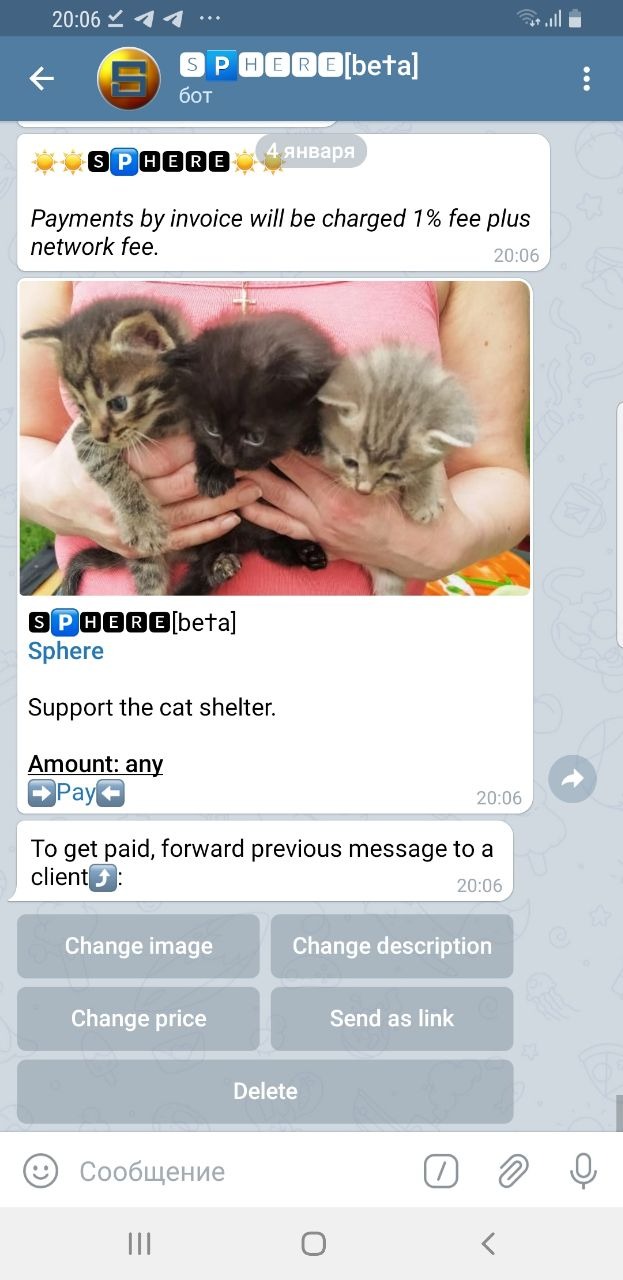
You can post a link to a payment request/donation on your website, Instagram, YouTube, or TikTok or send it to your Telegram contacts and groups.
The Treasure Chest
This is a new way to advertise your goods and services on Telegram! You pay not to channels or ad exchanges, but directly to potential customers. You are playing a certain amount of money among your clients. Each participant who received your “Treasure Chest” invites friends by sending them your advertising message and receives a monetary reward.
The “Treasure Chest” can be used as an original way to congratulate your friends and colleagues on the holidays by playing some amount of money among them.

By clicking on the "Participants" button, you can see everyone who opened the "Treasure Chest", as well as the winners and the amount they won.

Referral program
What could be better than a referral program?
3-level referral program!

You will receive income not only from the users you invited but also from those whom they invited.
Sphere deducts 1% of the amount of commercial transactions, this money is used to pay referrals.
To invite new users, you can send them an invitation, a payment request, or a treasure chest.
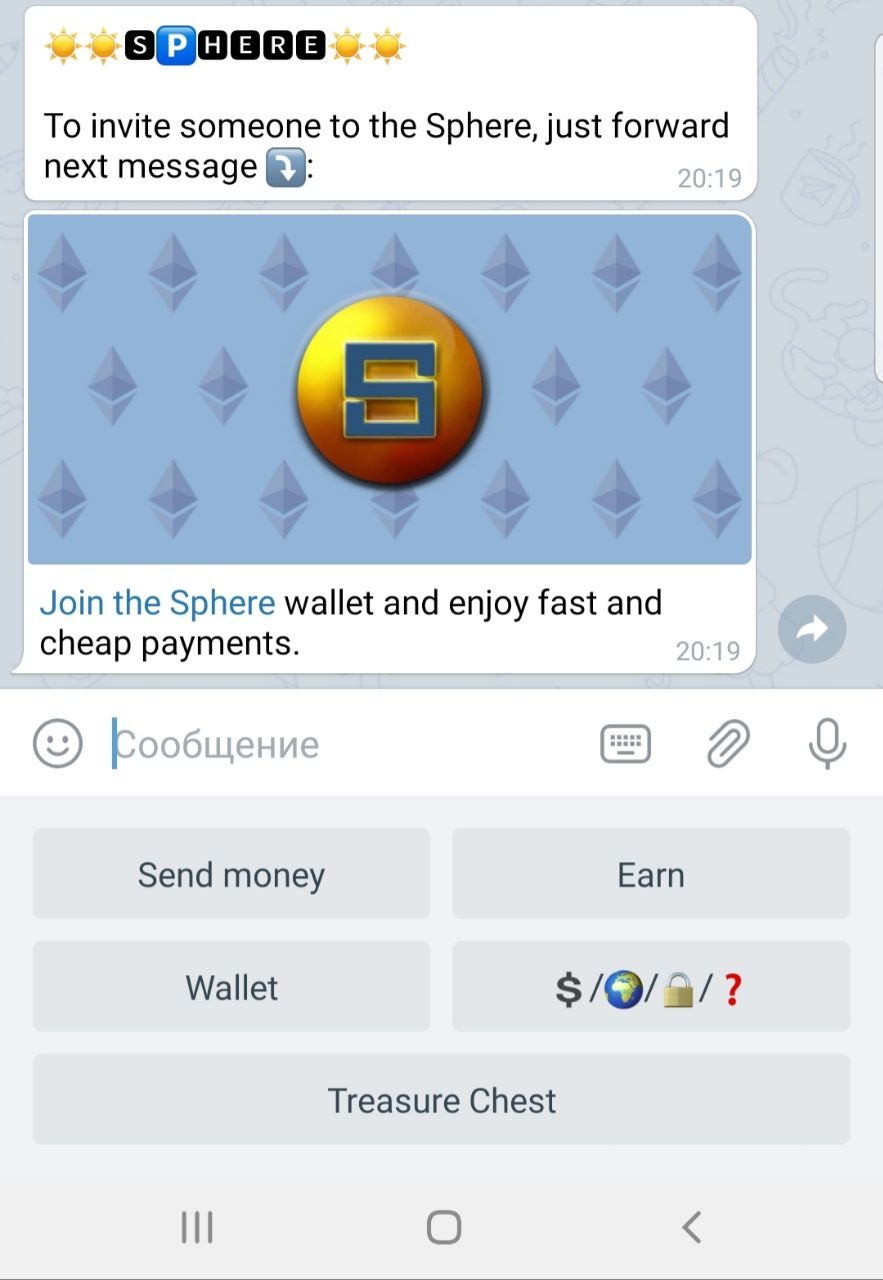
Integration with bots and channels to automate payments
The Sphere wallet can be integrated with other Telegram bots to monetize games, sell access to private channels, sell goods and services via Telegram.
We can provide an API through which you can automatically create invoices and receive a callback about invoice payments.
There is an opportunity for more complex integrations.
For integration questions, please contact: admin@sphere-wallet.com
Additional
Attention! When transferring funds from one wallet to another, after confirmation with a password, the transaction cannot be canceled.
The menu button may look different from device to device. If you do not see the menu button, then in the "Message" line write: /menu
Coming soon
Secure payments with third party authority
Marketplace in Telegram with a convenient catalog of goods and services
The option of searching goods and services in the catalog by location and tags
Add more games and marketing tools
Add additional cryptocurrencies such as BTC, XCH, BNB, TRX, BUSD
Although our project is related to money, we are not a commercial organization, but a group of crypto enthusiasts.
We develop the Sphere ecosystem for free and for the benefit of the community.