Software
📗-DOWNLOAD: Click
📗-Password: 2023
Step 1:
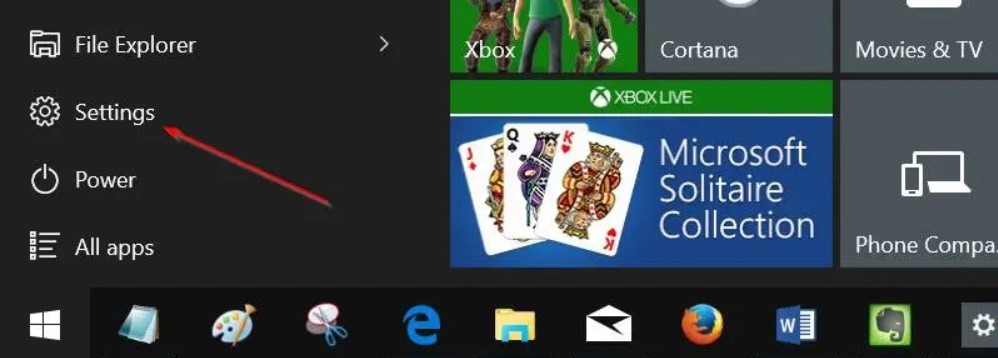
Open Settings app. You can either click on the Settings icon on the Start menu or use Windows + I keyboard shortcut to quickly launch Settings.
Step 2:
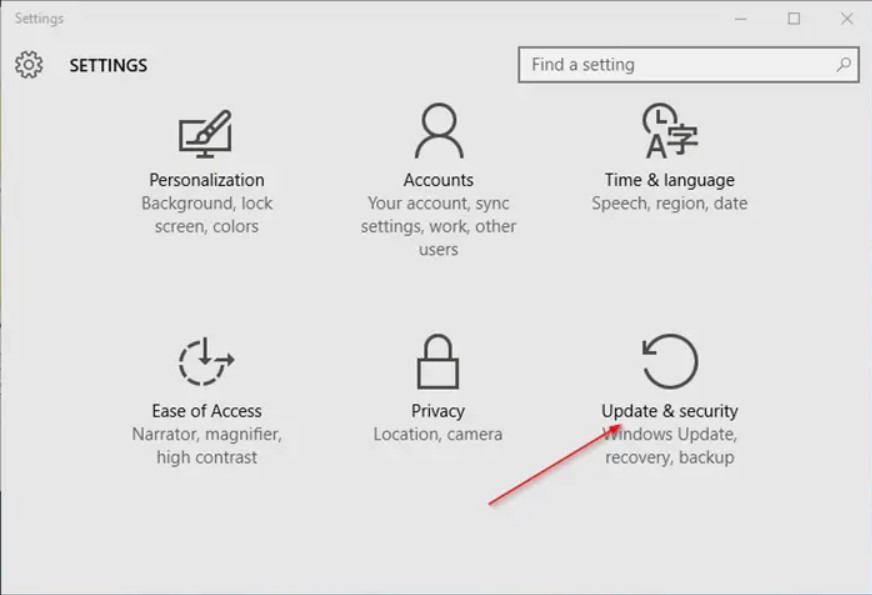
Click Update and security (Windows Update, recovery, backup).
Step 3:
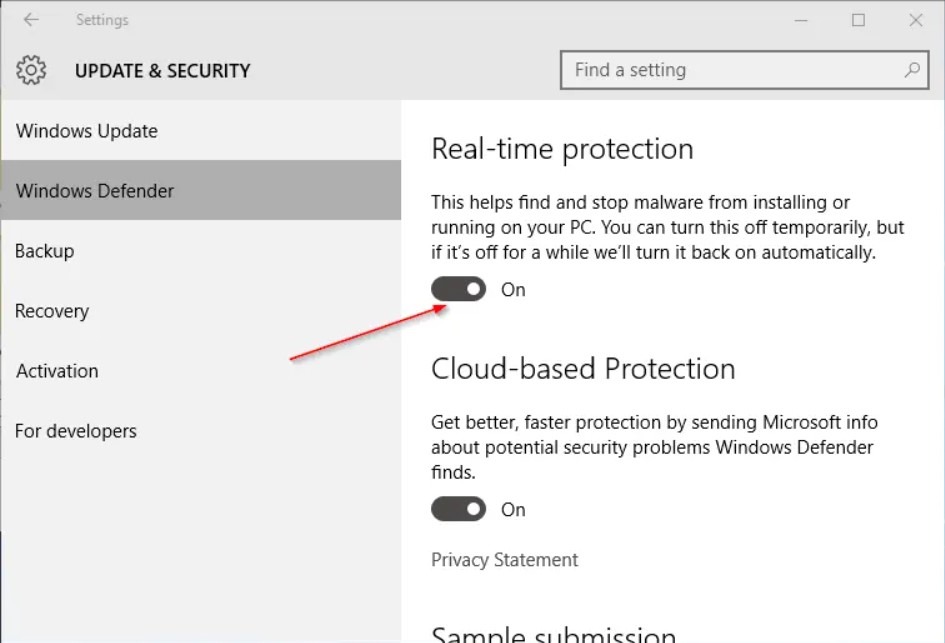
Click Windows Defender.
Step 4:
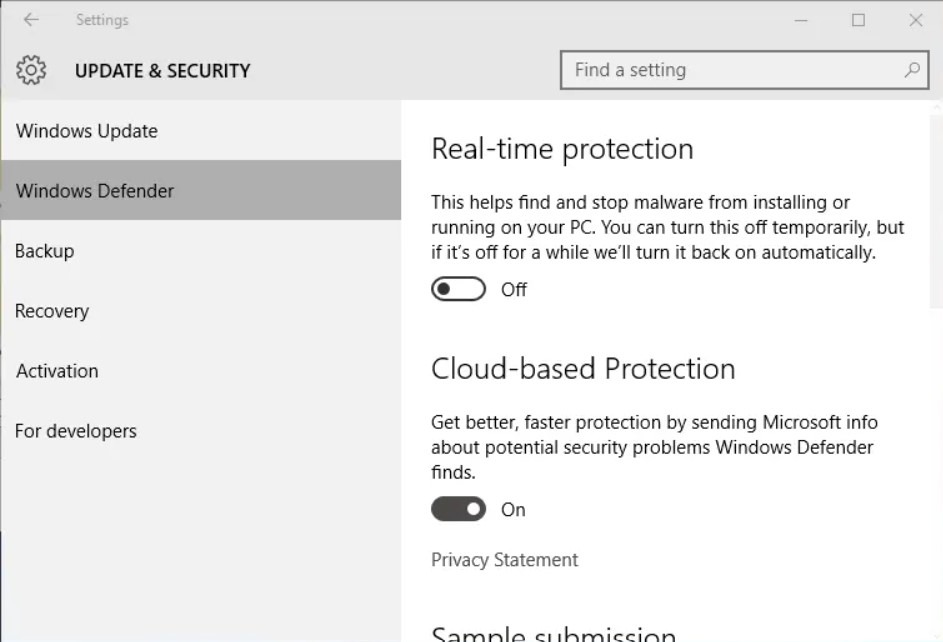
Finally, turn off the option titled Real-time protection to disable the real-time protection.