ShopFather bot administrator rights transfer
ShopFather LLC
If you are the owner of the bot (or the manager of the store), you can transfer the management of your store to another person without changing your ownership.
- Go to @ShopsFatherBot and select the store you want to transfer control to another user:
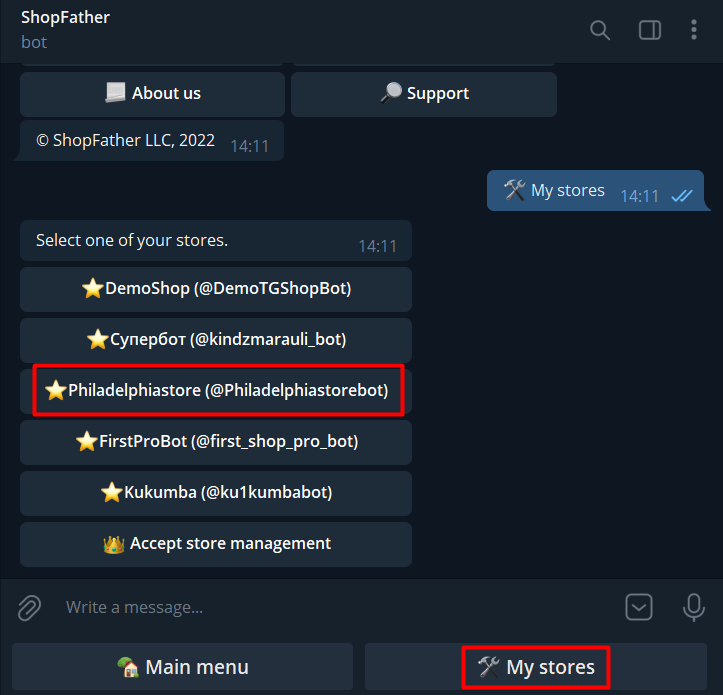
2. Click the "Transfer Store Management" button

3. Here write the "Username" of the new store manager (the one that starts with the @ symbol).
👉Hint: if you click on the person's name (at the very top), a window with personal information will open. Select the Username that is under the Phone and starts with @.
❗️If this line is not filled in, let it fill in (Settings -> Change Profile), otherwise you will not be able to transfer control!
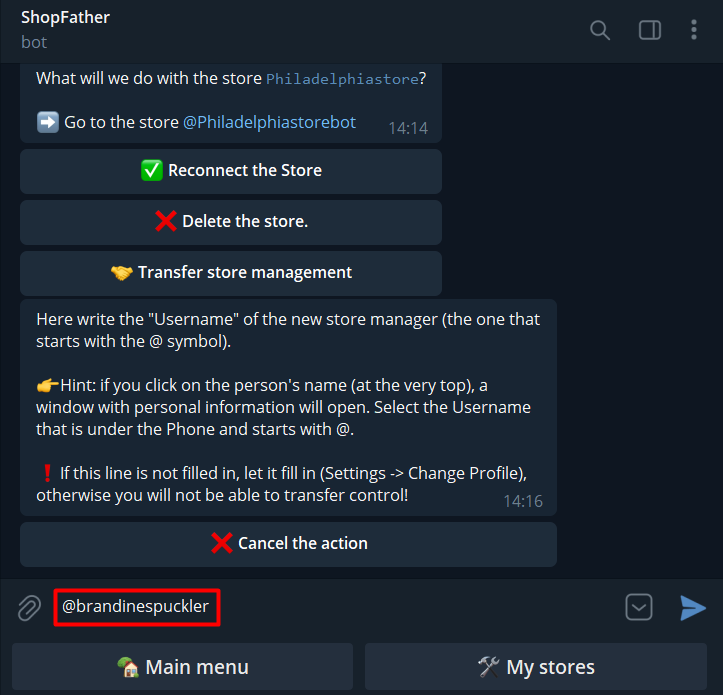
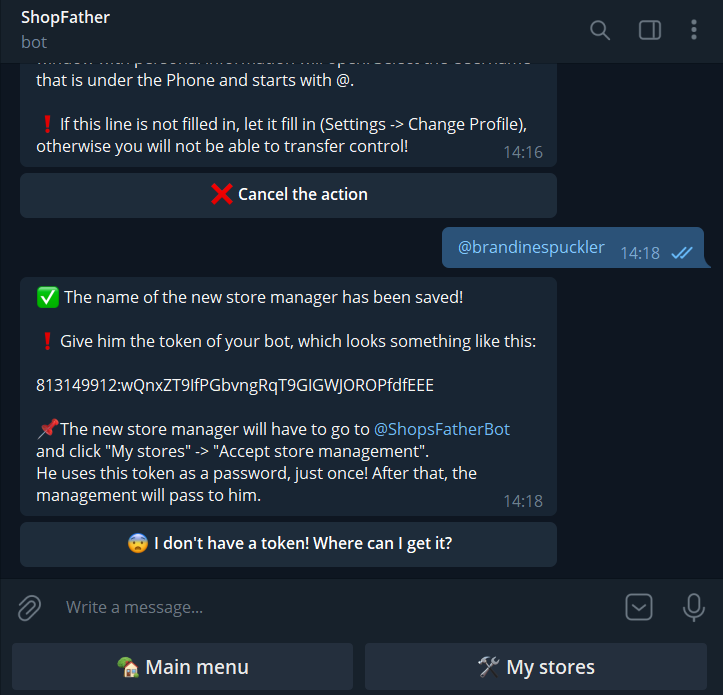
4. You will receive further instructions: ✅ The name of the new store manager has been saved!
❗️Give him the token of your bot, which looks something like this:
813149912:wQnxZT9IfPGbvngRqT9GIGWJOROPfdfEEE
📌The new store manager will have to go to @ShopsFatherBot and click "My stores" -> "Accept store management".
He uses this token as a password, just once! After that, the management will pass to him.
5. Get a token in @BotFather

6. Click API Token and pass the received token to the future admin, whose name was indicated in step #3

7. The new store manager, after receiving the token, will have to go to @ShopsFatherBot and click the "My Stores" -> "Take Store Management" buttons.

8. Insert here the token of your store, which was given to you by the owner. It should look something like this: 813149912:wQnxZT9IfPGbvngRqT9GIGWJOROPfdfEEE

9. 👏 Great! Now the power over the store has passed to you!!!
❗️Tip: if you were given not only control, but also OWNERSHIP of the bot via @BotFather, we advise you to immediately change the bot token and reconnect the store.

❗️Tip 1: If you were given not only control, but also OWNERSHIP of the bot through @BotFather, we advise you to immediately change the bot token and reconnect the store.


❗️Tip 2: If you are the owner of the bot, you can regain control of your store by changing the bot token in @BotFather.

❗️Tip 3: If you are the owner of a bot and have changed the secret token of your bot, you can re-connect your store USING a NEW TOKEN in our service.