ShellBot Cloning Tutorial
Dr. MetforminIntroduction
Shellbot Has Various uses But the main attraction here is using rclone, gclone or fclone for cloning Our Online storage drives.

Repo
https://github.com/anymeofu/shell (Give a Star If you liked my Work on making Tutorials)
Steps
- Import the repo.
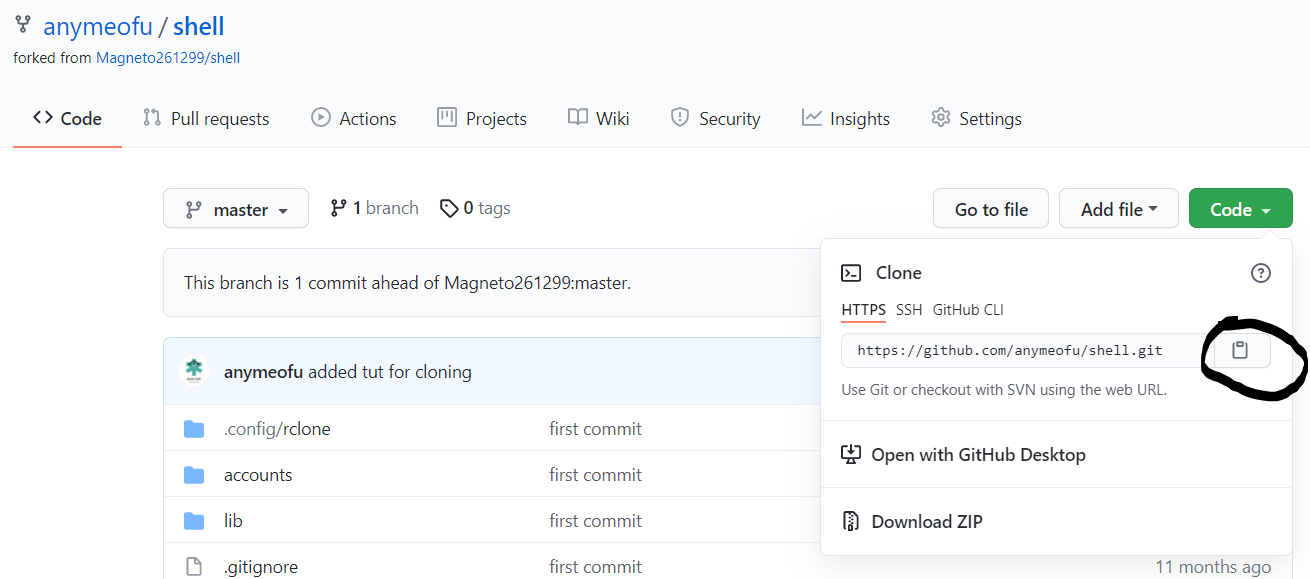
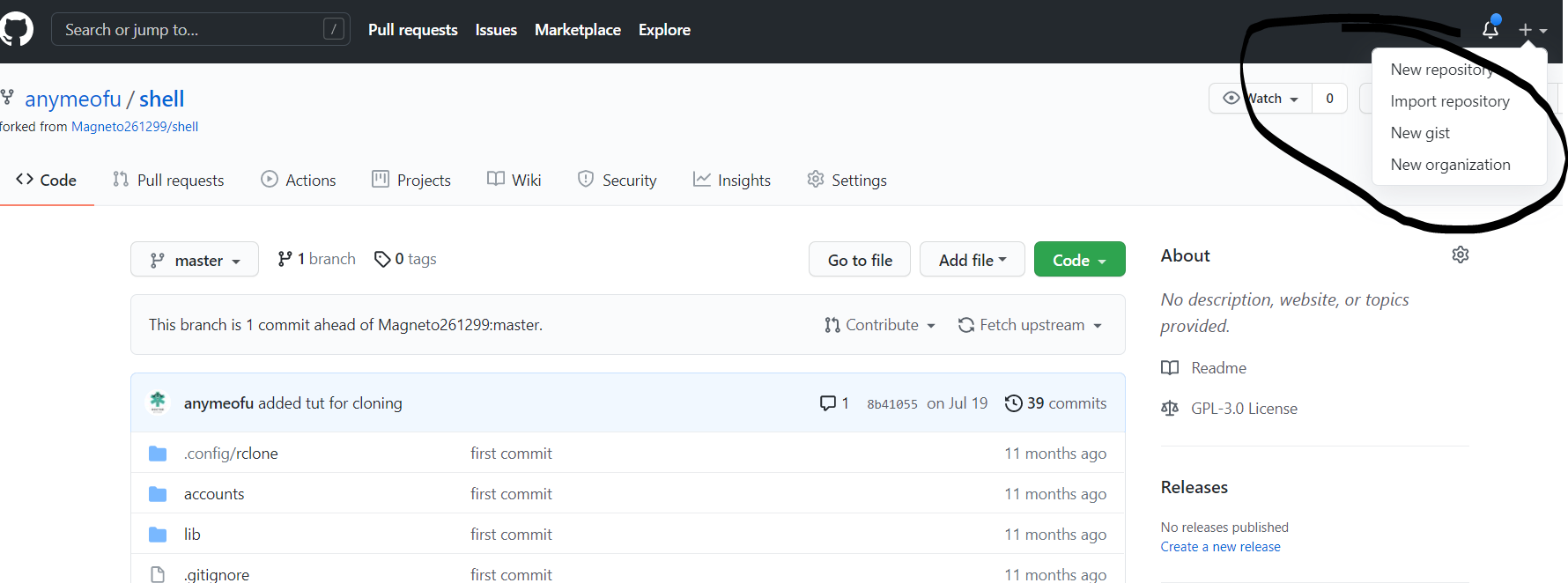
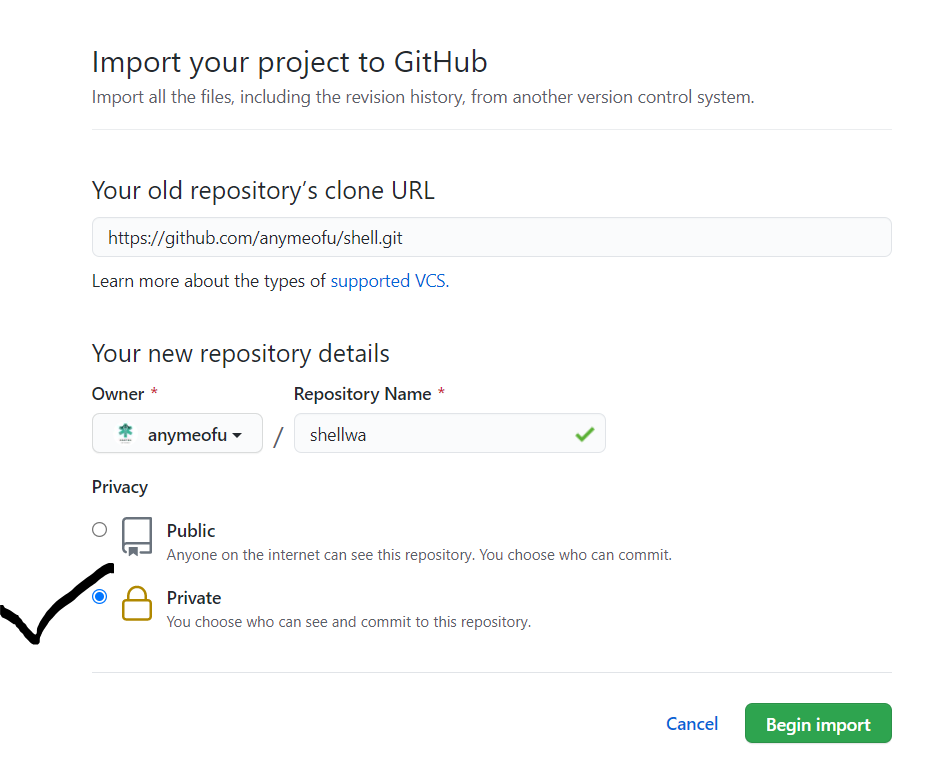
2. Next step is to Upload your rclone.conf file to your repo
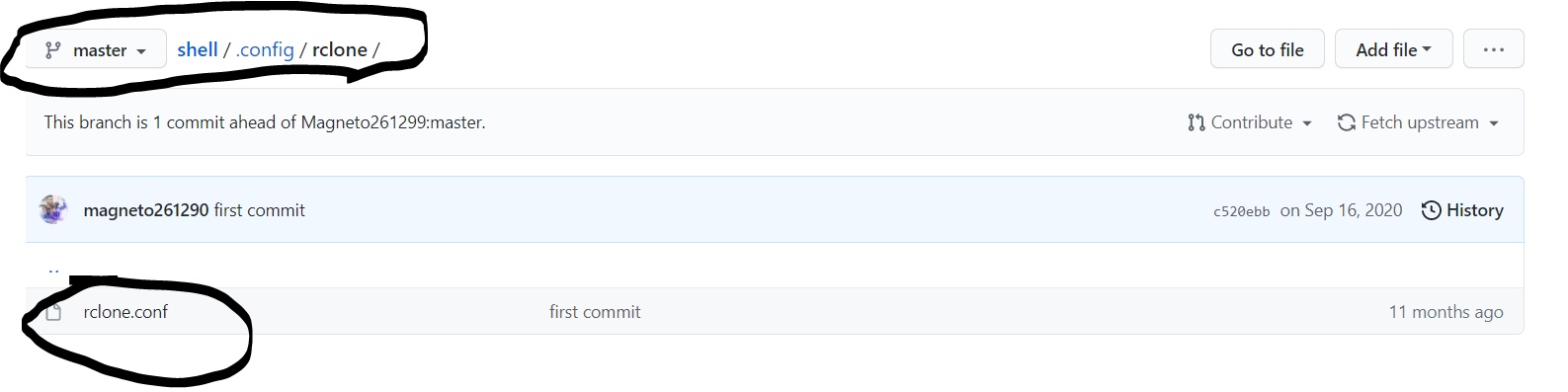
Note: You can find your rclone.conf by running the command
rclone config file
3. (Optional) Add your Service Accounts jsons to acoounts folder
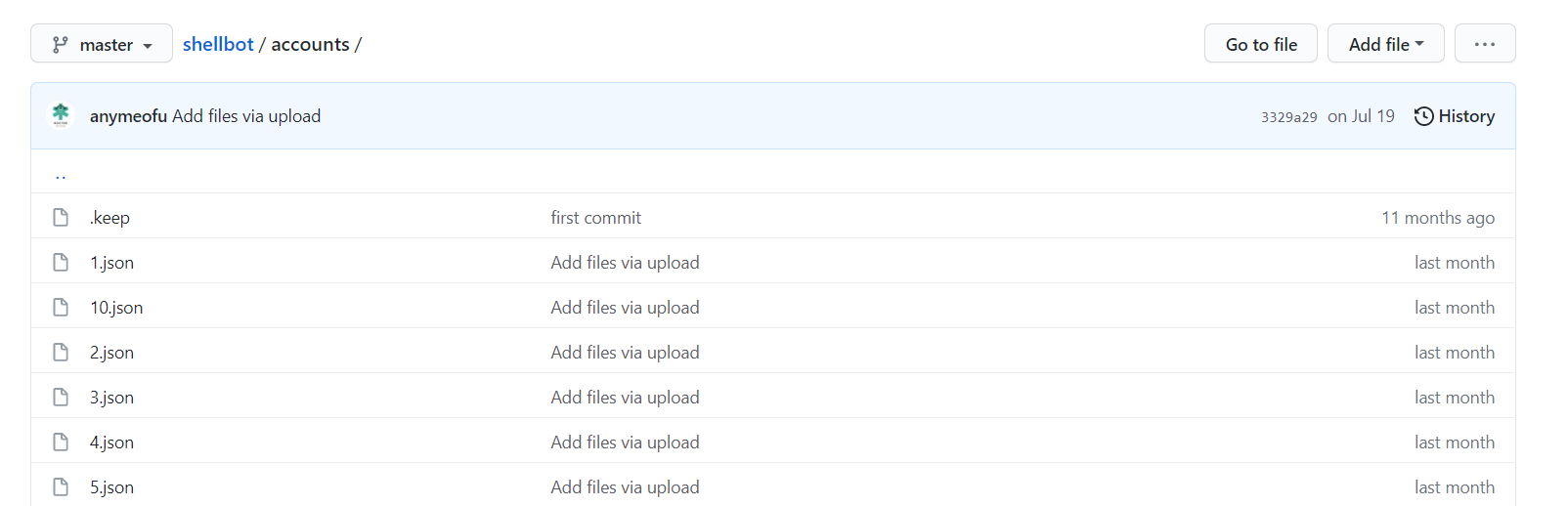
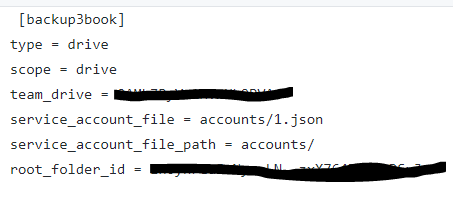
Note: If your using Service accounts for Shared Drive/Team drive cloning add these lines to your rclone.conf google drive remotes
service_account_file = accounts/1.json
service_account_file_path = accounts/
4. You are nearly finished . Now time to Deploy, We are deploying On Heroku for convenience.
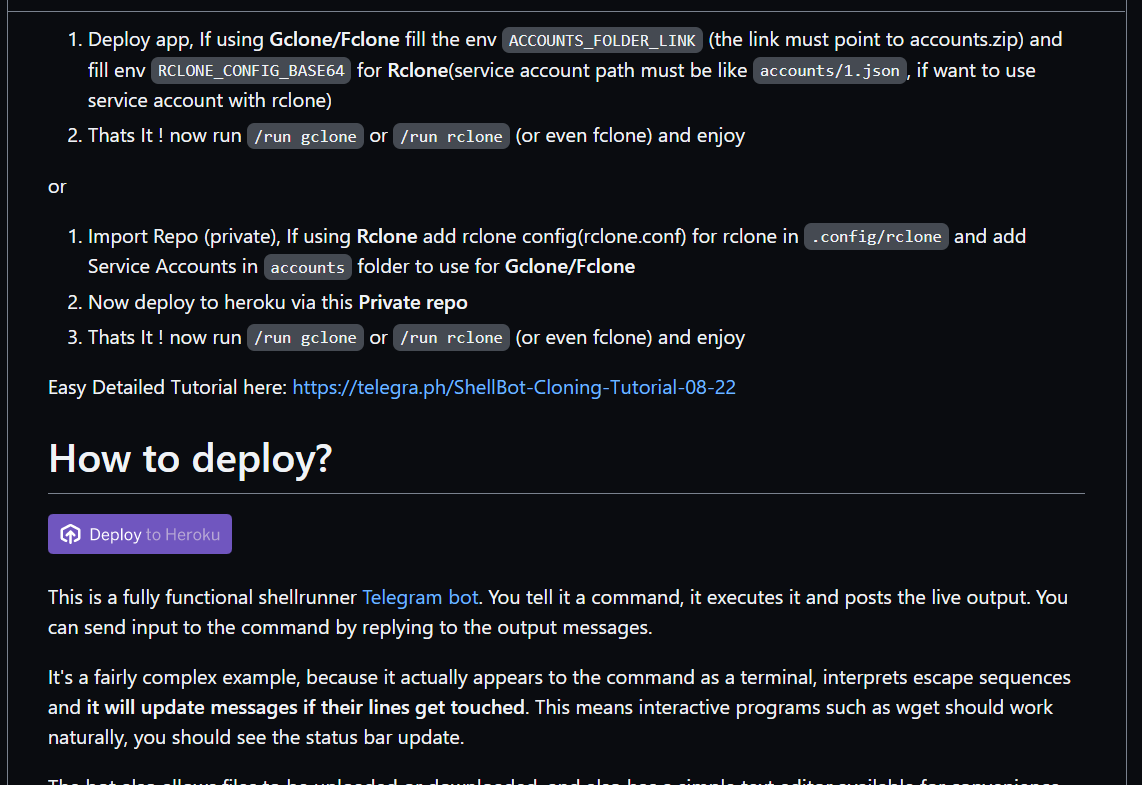
Note: Alternatively You can use deploy button on my fork repo
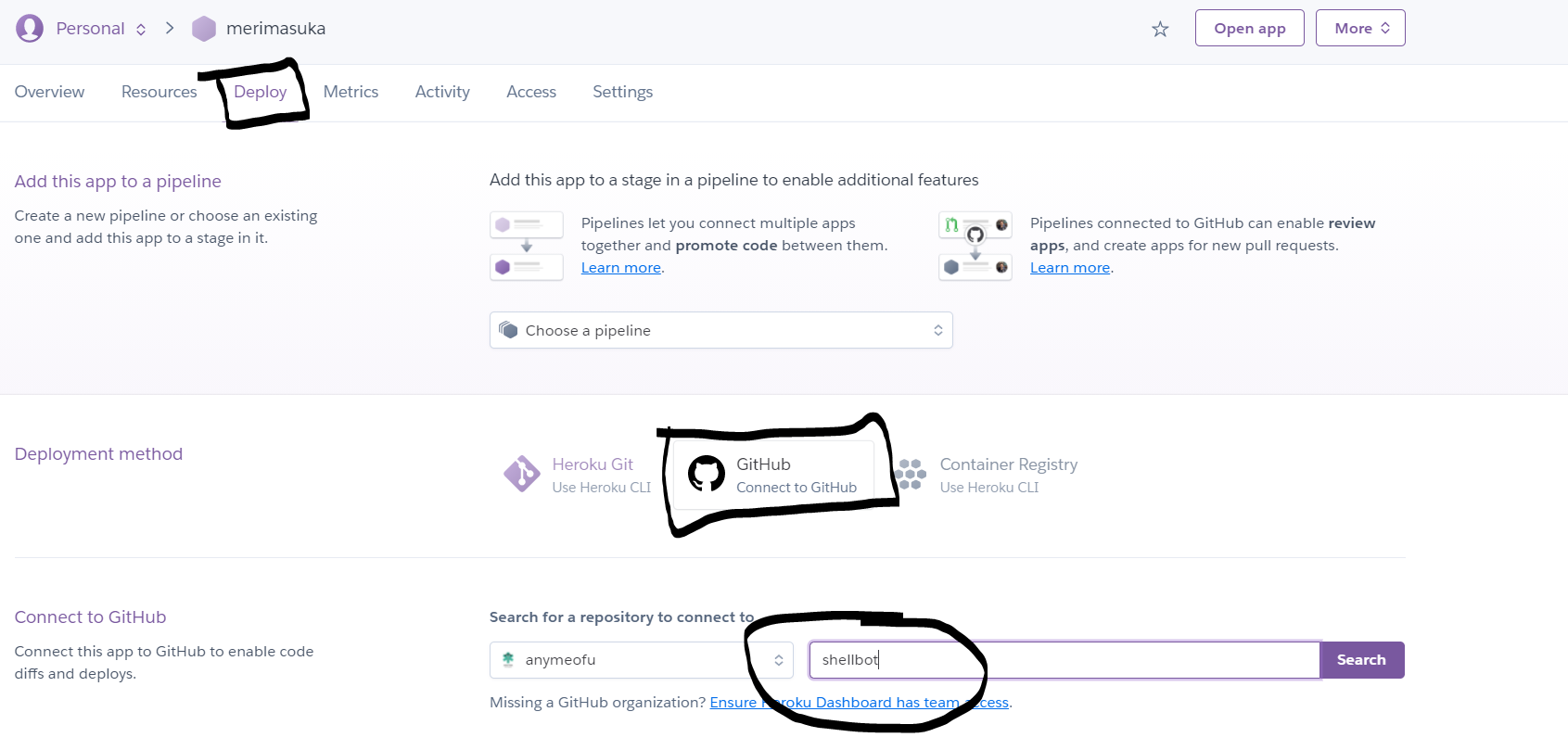
Fill all the required ENV and then after deploy go to deploy tab of app on heroku website.
If used my Fork , Follow below else skip to next part
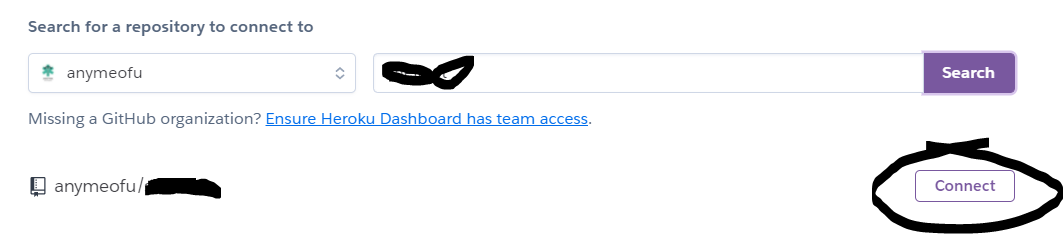
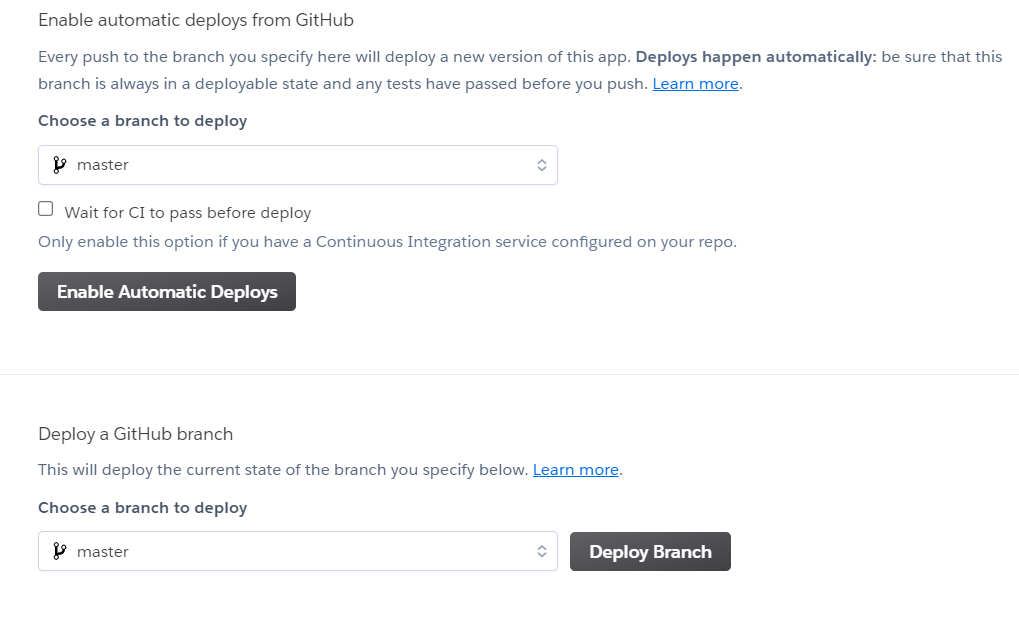
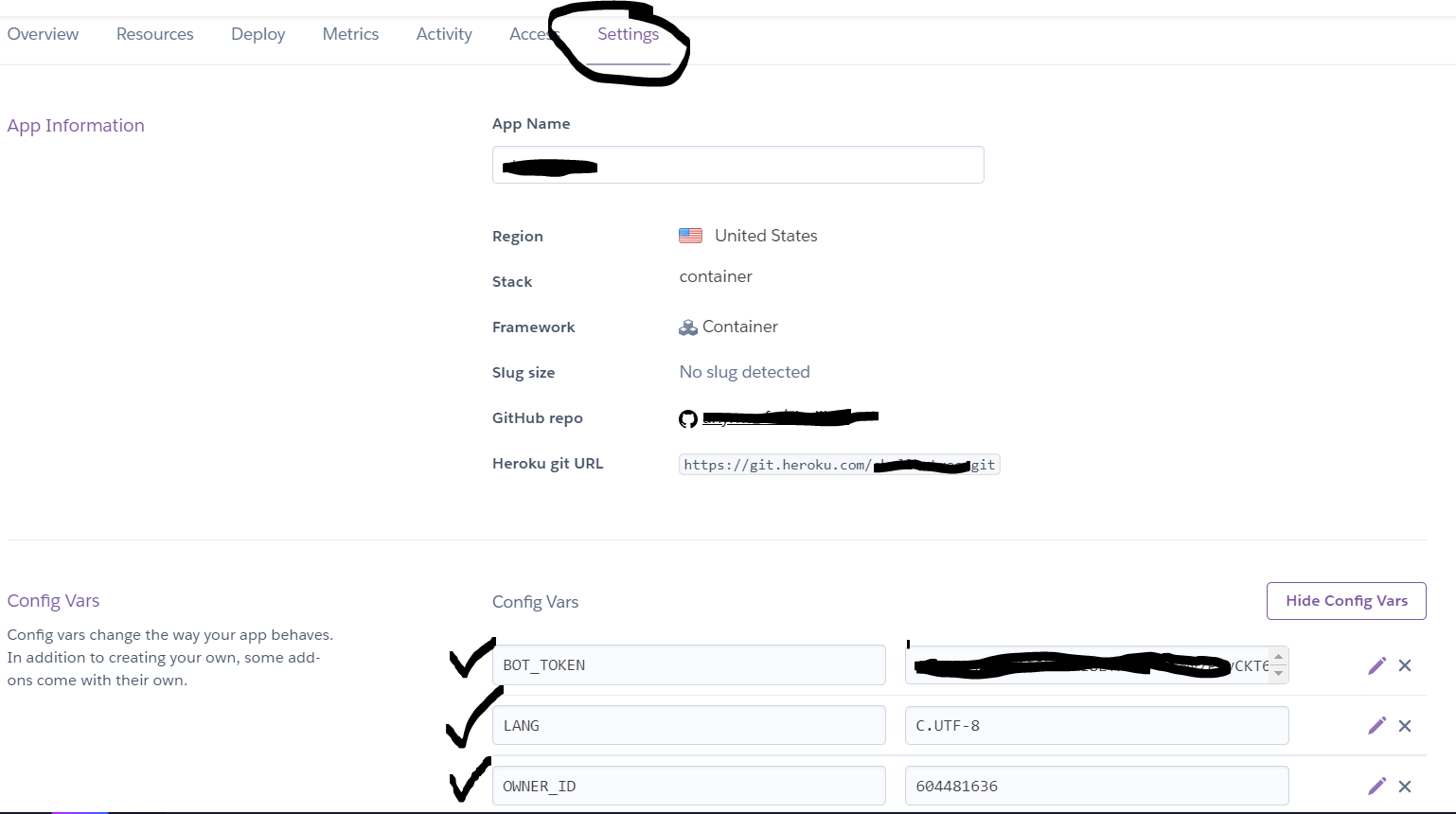

5. You are all set. Below are some misc things you should know
a. If you want to make changes in rclone.conf file, make in github and then redeploy it from deploy section of your heroku's app dashboard
b. Bot will sleep after 30 mins to prevent that use cron jobs to keep it awake.. I recommend EasyCron , others Cron-job
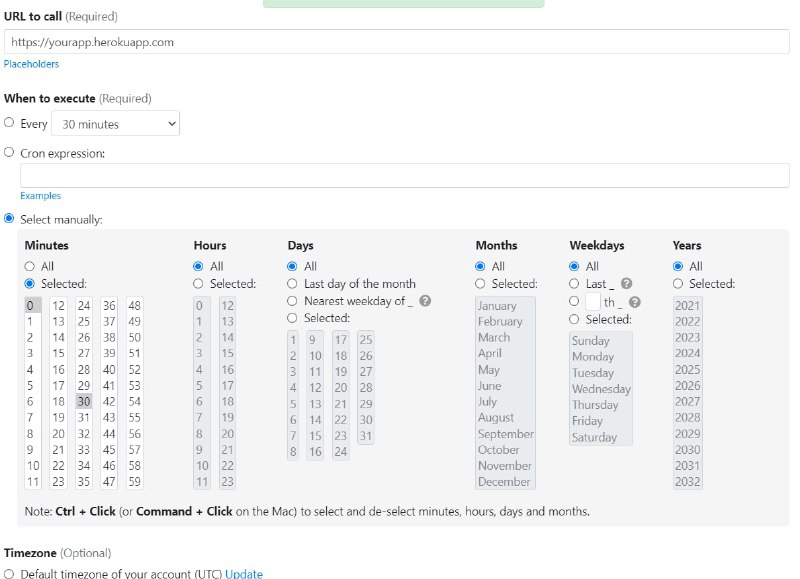
c. Some Useful Comamnds
/run rclone copy "remote1:" "remote2:/folder 1" -P --stats=10s
/run gclone copy remote1: remote2: -P --stats=10s
/run fclone
/run ls
/kill
/cancel